Promotional image for Fello AI 6.0.0 showcasing the new iPhone and iPad apps, redesigned UI with Liquid Glass support, new app icon, new AI models (Nano Banana, Kimi, Qwen), and cross-device data sync. Center shows the app generating a cartoon-style image from a family photo.

Fello AI 6.0.0: Now on iPhone & iPad, with Sync, New Models, and Liquid Glass

We’re excited to introduce Fello AI 6.0.0 – a major update that brings the full Fello AI experience to iPhone and iPad, along with a completely refreshed interface built for macOS 26, including full support for Apple’s new Liquid Glass design. The entire app has been visually updated to feel more native, fluid, and in line with the latest Apple platforms. This is our biggest step yet toward making Fello AI truly available wherever you are. Whether you’re at your desk, commuting, or on the couch — you now have access to all your models, conversations, and files from any Apple device you use. One app, multiple platforms, same experience. iPhone & iPad Support Fello […]

Promotional graphic showing the Apple Shortcuts app icon centered on a smooth, abstract macOS-style blue and yellow gradient background. Below the icon is bold white text that reads: “These Mac Shortcuts Will Save You Hours!”

Top 5 AI Shortcuts & Automations for Your Mac in 2025 (You’ll Actually Use)

Ever get stuck with a massive PDF report when you just need the main takeaways, or have audio recordings sitting around that you know contain useful information but don’t have time to listen through? Your Mac can actually handle all this now with AI shortcuts that plug right into whatever you’re already doing. The Shortcuts app has become highly capable at connecting with AI tools, so you can automate the boring parts of dealing with your work. These shortcuts work “forever” once you set them up – just hit a key combo or click from a menu when you need them. Whether you’re processing research papers, meeting recordings, foreign language […]

Illustrated campus at sunrise with students walking forward; headline “Top 5 Mac Apps For Students” under icons for Fantastical, Evernote, Todoist, ChatGPT, and a blue open-book app; corner ribbon reads “SEPTEMBER 2025.”

Top 5 Mac Apps For Students For School Year 2025/2026!

Another school year is starting, and you’re probably already imagining that long list of classes, assignments, and deadlines that need to be managed. Between juggling lecture notes, group projects, calendar scheduling, and research papers, staying organized can feel overwhelming before you’ve even attended your first class. The difference between students who excel and those who struggle often comes down to having the right digital tools that actually save time instead of creating more complication. The good news is that your Mac can become exactly that, you’ve just got to have the right apps. Tools that can capture and organize every piece of information you encounter, manage your schedule with simply […]

Screenshot of Grok 4 running on a Mac, showing a cost calculation example inside a native app window, with the title “How To Use Grok 4 by xAI On Your Mac” overlaid at the bottom.

How to Download And Use Grok 4 on Your Mac (Without X Subscription)

Grok 4 is the latest AI model from xAI, Elon Musk’s AI company. It launched on July 9 and immediately made headlines for scoring 50.7% on Humanity’s Last Exam—the highest result ever recorded. Unlike previous versions, Grok 4 was trained with tools built in from the start, giving it stronger reasoning and the ability to solve complex tasks like math, code, and simulations. The model is available through xAI and the X platform, but full access normally requires a paid subscription. If you’re on macOS, though, there’s a faster way to start using Grok 4—without needing an X account or using a browser. A Mac app called Fello AI gives […]

How to Use US Hosted DeepSeek Safely on Mac [No Censorship]

DeepSeek, a rapidly growing AI platform developed by Chinese company DeepSeek, recently topped app store charts with its impressive AI chatbots and large language models (LLMs). While its innovation and affordability have attracted millions of users globally, concerns about privacy and censorship are making headlines. Use Deepseek safely on Your Mac! Get the full power of DeepSeek — without the privacy risks. Securely hosted in the US, fully uncensored, right on your Mac. More Info! Investigations revealed that the DeepSeek app stores and processes user data on servers in China, potentially subjecting it to government access under the country’s strict national security laws. Additionally, the app has implemented a special censorship layer that removes […]

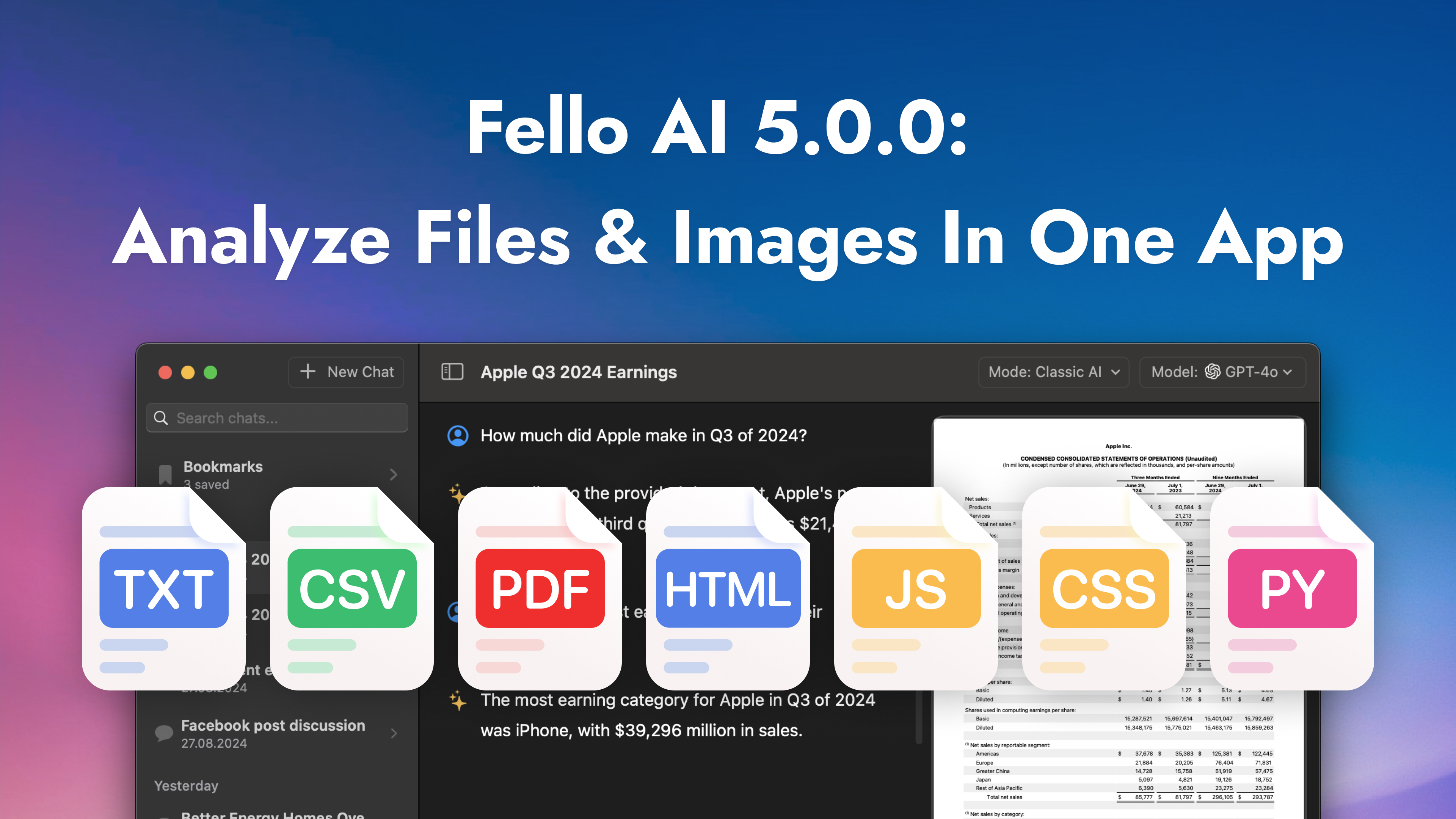
Introducing Fello AI 5.0.0: Analyze PDFs, Code, and Images All at Once

We’re excited to introduce Fello AI 5.0.0, the latest update designed to make your work faster and easier. This new version helps you analyze, compare, and extract insights from multiple files in one seamless workflow. Whether you’re studying, coding, or managing business data, Fello AI has you covered. We’re so grateful to all of you who use Fello AI every day to get more done in less time. Your support and feedback inspire us to keep improving. With this update, we’ve focused on making your experience even smoother and more productive! ✅ Chat with Multiple Files at Once With Fello AI 5.0.0, managing multiple files is effortless. Whether you’re analyzing research […]

The Ultimate Guide to Setting Up Your New Mac In 2025

So, you’ve just unwrapped a brand-new Mac this Christmas. Congratulations! Whether it’s your first Mac or you’re switching from a Windows PC, this guide will walk you through everything you need to know to set up your Mac and get the most out of it. Apple is known for crafting devices that are intuitive and easy to use, but some features and settings might not be immediately obvious if you’re new to macOS. By the end of this guide, you’ll be fully prepared to make the most of your new machine as we head into 2025. Let’s dive in and make sure you’re ready for the new year with your […]

How to Download & Use Perplexity AI on Your Mac As an App

Perplexity AI is a powerful, AI-driven search engine and research assistant that gives you quick, reliable answers in a conversational way. It’s an excellent tool for finding credible information fast. Traditionally, Perplexity AI is accessed via a web browser, but there are simple ways to make it more convenient to use on your Mac—even while waiting for an official desktop app to be released. This article will show you how to download and use Perplexity AI on macOS, including some handy alternatives. Using Perplexity AI in a browser can be inconvenient, especially if you need fast, repeated access. Unfortunately, there isn’t an official Perplexity AI app for Mac yet. However, […]

Fello AI 4.4.0: macOS 15.0 Sequoia Support, Perplexity Online, And More

I’m excited to announce Fello AI version 4.4.0, with macOS 15.0 Sequoia optimization, faster response times, and improved model performance. On top of that, you’ll also find two new flagship models: Perplexity Online and Mistral Large 2. Let’s take a look at what’s new one by one: Introducing Perplexity Online: AI, Always Up to Date One of the key highlights in this release is Perplexity Online, a model designed to provide real-time, constantly updated information. But what exactly is Perplexity AI? Perplexity AI is a conversational search engine that uses large language models to provide direct, real-time answers to user questions, with cited sources for verification. It aims to streamline search […]

When Is the Revolutionary Apple Intelligence Coming? And Is Your iPhone Ready? Read to Find Out!

With iOS 18 and macOS 15.0 Sequoia now out this week, many Apple users are asking, where’s Apple Intelligence? Announced at WWDC 2024, this new AI system is set to make devices smarter, more intuitive, and personalized. But despite the software updates rolling out, the full suite of Apple Intelligence features hasn’t arrived yet, leaving many users eager to know when they’ll be able to access this groundbreaking technology. Apple Intelligence is expected to change how users interact with their iPhones, iPads, and Macs. It will introduce tools like a smarter Siri, improved writing assistants, and advanced photo editing features, all while maintaining a strong focus on privacy. Integrated across familiar apps, it aims to enhance […]