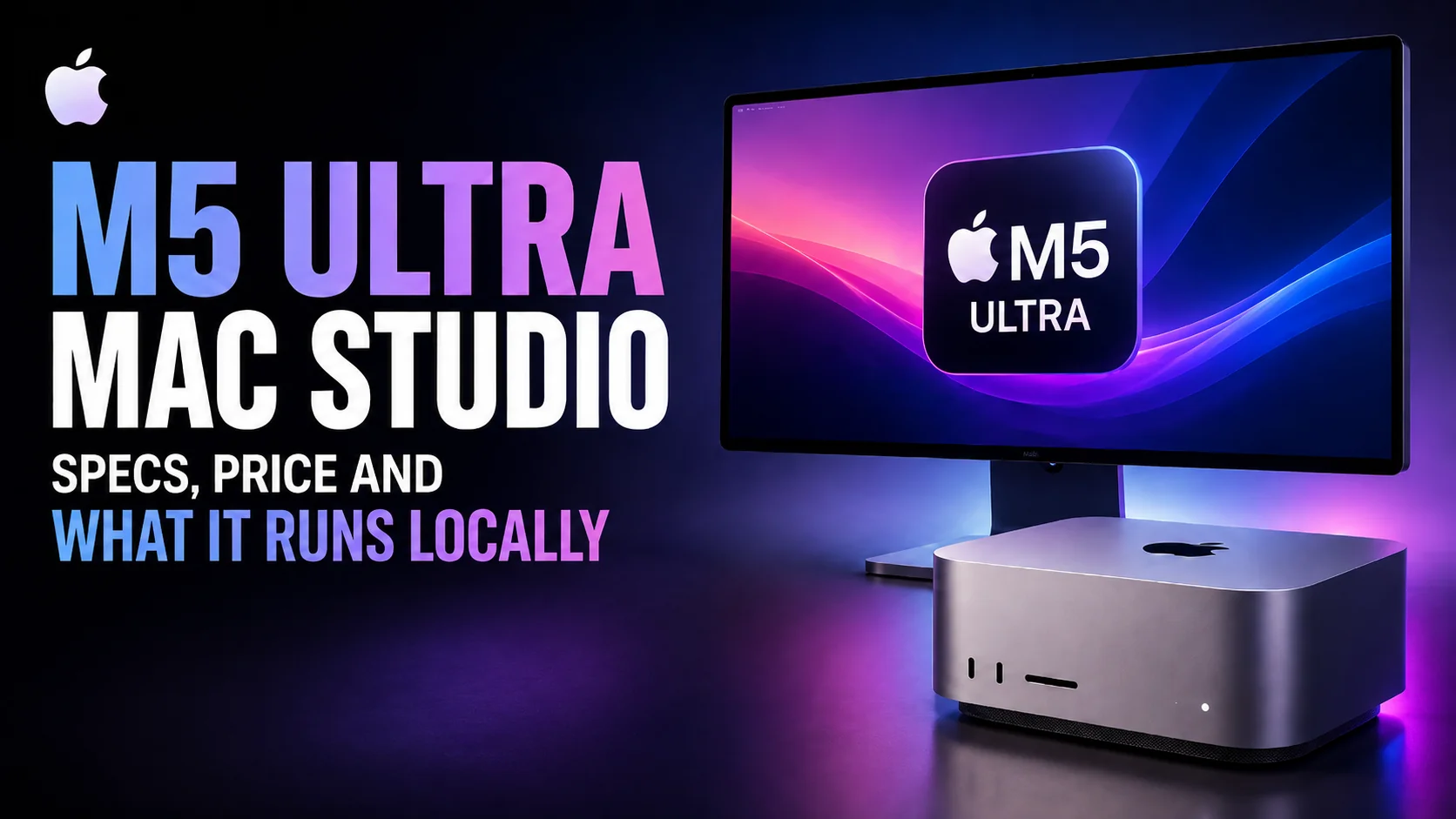
The M5 Ultra Mac Studio is real. Apple announced it on 25 August 2026, in a press release rather than an event, and it ships on 22 September. The headline for local AI is not the chip. It is that the memory ceiling Apple spent the first half of this year cutting has been restored: the Mac Studio configures to 512GB of unified memory again, after months in which 96GB was the only option you could buy.
That reverses the advice this page carried three months ago. The M5 Ultra starts at $5,499 with 96GB, the 256GB upgrade adds $4,000 on top, and the 512GB configuration does not arrive until late October. Below we cover the specifications Apple actually published, what each memory tier holds, why the largest open-weight models still do not fit on any Mac, and why the next Ultra chip after this one is not due until 2028.
The Key Takeaways
- The M5 Ultra Mac Studio ships on 22 September 2026. It starts at $5,499 with a 30-core CPU, a 64-core GPU and 96GB of unified memory
- 512GB is back. Apple pulled the 512GB option in March and the 256GB option in May; the M5 Ultra offers 96GB, 256GB and 512GB, though the 512GB build slips to late October
- Memory is the expensive part. Going from 96GB to 256GB adds $4,000, and a maxed 256GB Mac Studio with 16TB of storage reaches $18,299
- Bandwidth is the real generational jump: 1.2TB/s on the M5 Ultra, 50% above the M3 Ultra’s 819 GB/s, with UltraFusion now moving over 4.4TB/s between the two dies
- There is still no M6 Ultra. The next Ultra after this one is the M7 Ultra in 2028, so the M5 Ultra is the only Ultra-tier upgrade for roughly two years
What Apple Actually Announced
Apple announced the new Mac Studio on 25 August 2026 alongside a new Mac mini with the M6 and M5 Pro. There was no keynote; it arrived as a newsroom post. Pre-orders opened the same day in 30 countries, and the machines reach customers and Apple Store shelves on 22 September, with one exception covered below.
The line-up is two chips. The M5 Max Mac Studio starts at $2,499 with an 18-core CPU, a 32-core GPU and 36GB of memory. The M5 Ultra starts at $5,499 with a 30-core CPU, a 64-core GPU and 96GB. Education pricing is $2,299 and $5,099. Both configure a long way past those starting points, and the memory options are where the money goes.
The chassis did not change, which the pre-launch reporting called correctly. What changed inside goes beyond the better heatsink that was rumoured: Thunderbolt 5 across the machine, Wi-Fi 7 and Bluetooth 6 for the first time on a Mac Studio through Apple’s own N1 chip, and a next-generation SSD Apple rates at up to twice the speed of the M3 Ultra generation.
The Memory Ceiling Fell to 96GB, and Now It Is Back
This is the most important thing on this page, and it is easy to misread because it has now moved twice in opposite directions. Apple launched the M3 Ultra Mac Studio at up to 512GB of unified memory, an unusual amount for a desktop and the reason the machine became popular for local AI. It then removed the 512GB option in March 2026 and the 256GB option in May, leaving 96GB as the only configuration on sale. The M5 Ultra restores the full ladder.
| Date | What changed | Max unified memory |
|---|---|---|
| March 2025 | M3 Ultra Mac Studio launches, advertised at up to 512GB | 512GB |
| 5 March 2026 | 512GB option removed. It had cost $4,000. The 256GB upgrade rises from $1,600 to $2,000 | 256GB |
| 5 May 2026 | 256GB option removed | 96GB |
| 25 June 2026 | Apple raises Mac prices across the line | 96GB |
| 25 August 2026 | M5 Ultra Mac Studio announced with 96GB, 256GB and 512GB options | 512GB |
MacRumors reported the first cut on the day the 512GB option disappeared, along with the $1,600 to $2,000 increase on the 256GB upgrade. Two months later 9to5Mac reported the last remaining upgrade going too, and put it plainly at the time.
This leaves the M3 Ultra Mac Studio with a single memory configuration: 96GB.
Apple’s tech specs page now reads the other way round. The M5 Max row lists 36GB unified memory, configurable to 48GB, 64GB or 128GB. The M5 Ultra row lists 96GB, configurable to 256GB or 512GB, with those two upper tiers tied to the 36-core CPU and 80-core GPU version of the chip. The configurable-to line that vanished from the M3 Ultra is back, and it goes further than it ever did.
Apple never gave a reason for the cuts. The timing matched the global memory shortage that also drove the 25 June price rise across every Mac, and both 9to5Mac and MacRumors pointed at AI server demand for DRAM as the cause. That shortage has eased enough for Apple to sell the capacity again. It has not eased enough to make it cheap, which the upgrade pricing below makes obvious.
What the Mac Studio Costs Now
Apple published the starting prices with the announcement. The upgrade pricing is the part that decides whether this machine makes sense for local AI, because on the Ultra the memory can cost more than the computer it goes in.
| Configuration | Memory | Storage | Price |
|---|---|---|---|
| M5 Max, 18-core CPU, 32-core GPU | 36GB | 512GB | $2,499 |
| M5 Ultra, 30-core CPU, 64-core GPU | 96GB | 1TB | $5,499 |
| M5 Ultra, 36-core CPU, 80-core GPU, maxed | 256GB | 16TB | $18,299 |
The ladders differ by chip. The M5 Max takes 36GB, 48GB, 64GB or 128GB. The M5 Ultra takes 96GB, 256GB or 512GB, and the 256GB and 512GB tiers require the 36-core CPU and 80-core GPU chip rather than the 30-core base. Storage runs to 8TB on the Max and 16TB on the Ultra.
The single number worth memorising is the memory upgrade. Moving an M5 Ultra from 96GB to 256GB costs $4,000, which is more than three quarters of the price of the base machine. Apple has not published a price for the 512GB build yet; it arrives in late October. Leasing changes the shape of that decision, and our guide to what the Apple Upgrade Program really costs runs the buyout maths on the Mac Studio and every other eligible machine.
You can buy the headroom again. Apple has priced it accordingly.
M5 Ultra Specs
The shape the leaks predicted turned out to be right. The M5 Ultra fuses two M5 Max dies with Apple’s UltraFusion interconnect, the approach used on every Ultra chip since the M1, and tops out at 36 CPU cores and 80 GPU cores. What the leaks did not have was the interconnect itself: Apple says the next-generation UltraFusion raises inter-die bandwidth to over 4.4TB/s and connection density by more than 6x.
| Chip | CPU cores | GPU cores | Memory (max) | Bandwidth | AI hardware | Status |
|---|---|---|---|---|---|---|
| M3 Ultra (Mac Studio) | up to 32 | up to 80 | 96GB | 819 GB/s | 32-core Neural Engine | Previous generation |
| M4 Max (Mac Studio) | up to 16 | up to 40 | 64GB | 546 GB/s | 16-core Neural Engine | Previous generation |
| M5 Max (Mac Studio) | 18 | 32 or 40 | 128GB | 460 or 614 GB/s | Neural Accelerator in every GPU core | Ships 22 September |
| M5 Ultra (Mac Studio) | 30 or 36 | 64 or 80 | 512GB | 1.2 TB/s | Neural Accelerator in every GPU core | Ships 22 September, 512GB in late October |
Two details in that table are easy to skim past. Both new chips come in two bins, and the bin decides more than core count: the base 32-core M5 Max runs at 460 GB/s while the 40-core version reaches 614 GB/s, and only the 36-core, 80-core M5 Ultra can be configured beyond 96GB. If you are buying for memory capacity, the upgrade to the larger Ultra bin is not optional.
The real generational gain is not core count, since the M3 Ultra already reaches 80 GPU cores. It is that the M5 generation puts a Neural Accelerator inside every GPU core, a matrix-multiply unit sitting next to the shader hardware instead of a separate Neural Engine block off to the side. For LLM inference, which is mostly large matrix multiplies, that is where the speedup comes from.
There was never an M4 Ultra. Apple skipped that generation entirely, which is why the M5 Ultra follows a chip introduced back in 2025 and why the jump in this table is larger than a single generation would normally deliver.
512GB Is the Number That Matters
On 25 June, MacRumors reported the specification that would decide what this machine meant for local AI, and the caveat attached to it turned out to be half right.
Apple has tested support for up to 768GB of unified memory, but supply constraints could prevent it from launching with an option for that much memory.
The caveat won, but only partly. Apple did not ship 768GB. It shipped 512GB.
That is five times the 96GB ceiling the Mac Studio was stuck at for three months, and it puts the machine back where it was before the cuts. For anyone holding a large model in memory, this is the specification that matters far more than the core counts: the M5 Ultra Mac Studio is once again the most capable local-inference desktop Apple sells, by a wide margin over anything else in the Mac line.
The price consequence in that same report has held up. Apple has not published a price for the 512GB configuration, which does not ship until late October. What we do know is that the 256GB step alone costs $4,000 and that a maxed 256GB machine with 16TB of storage is already $18,299. Budget for the 512GB build to sit well above $10,000 before storage, and treat any specific figure you see before late October as a guess.
What You Can Actually Run on Each Memory Tier
Most coverage of this machine quotes model sizes from memory. The table below is measured: each figure is the actual on-disk size of the MLX build of that model, summed from the weight files themselves. Weights are not the whole story, because you also need room for the KV cache and for macOS, so budget roughly 80% of your unified memory as usable.
| Model (MLX build) | Measured weights | Fits in 96GB? |
|---|---|---|
| Qwen3.5 9B, 4-bit | 6.0 GB | Yes, trivially |
| DeepSeek R1 Distill 14B, 4-bit | 8.3 GB | Yes, trivially |
| Gemma 4 26B A4B, 4-bit | 15.6 GB | Yes, with room for several more |
| Qwen3.6 27B, 4-bit | 16.1 GB | Yes, with room for several more |
| Qwen3.6 27B, 8-bit | 29.5 GB | Yes, comfortably |
| Llama 3.3 70B, 4-bit | 39.7 GB | Yes, comfortably |
| Qwen3.6 27B, full precision | 55.6 GB | Yes, tight |
| gpt-oss 120B, MXFP4 | 63.4 GB | Yes, but it is the ceiling |
So even the 96GB base remains a capable local-AI machine. It handles anything up to roughly the 70B dense class at 4-bit, a 27B at full precision, or several mid-size models loaded at once for an agent pipeline. That covers most practical local work, and it is the honest case for buying the entry Ultra rather than paying for memory you will not fill.
The upper tiers change the arithmetic rather than the workflow. A 4-bit quantisation costs roughly half a byte per parameter, so about 0.5GB per billion parameters plus overhead. On that basis 256GB comfortably holds a 405B-class model at 4-bit, which lands near 230GB, and 512GB takes you into the range where trillion-parameter mixture-of-experts models become arguable rather than impossible. We go deeper on model selection in our guide to the best open-source AI models.
The Frontier Open Models Still Do Not Fit Any Mac
This is where the Mac Studio’s story changed underneath it, and restoring 512GB does not change it back. Two years ago the largest open-weight models were in the 70B range and a big-memory Mac was the cheapest way to run one. The frontier has since moved to trillion-parameter mixture-of-experts models, and it moved faster than Apple’s memory ceiling did. These are measured download sizes from each model’s own repository.
| Open-weight model | Parameters | Weights on disk | Fits in 512GB? |
|---|---|---|---|
| Kimi K3 | 2.8T total, 104B active | 1,561 GB | No |
| GLM-5.2 | 744B total, 40B active | 1,507 GB | No |
| DeepSeek V4 Pro | 1.6T total | 865 GB | No |
| Kimi K2.7 Code, 4-bit | not disclosed | 641 GB | No |
None of them fit. Not on a 96GB Mac Studio, and not on a 512GB one either. The closest is Kimi K2.7 Code, and it still overshoots the maximum configuration by roughly 129GB.
Kimi K3’s weights alone are 1.56 TB. That is three times the 512GB the M5 Ultra now reaches, and more than double the 768GB Apple was reported to have tested. Even the best version of this machine does not run today’s best open model, and no amount of quantisation closes a gap that size. Our full breakdown of Kimi K3 covers what it takes to serve it.
This is worth being blunt about, because the framing this page once carried, that Apple Silicon wins by running the biggest models, is still not true at the very top. What 512GB does is widen the middle considerably. Apple Silicon now covers cheap, quiet, private inference from small models all the way up to the 405B class, with a unified memory pool no consumer graphics card comes near. That is a much larger claim than it was in June, and it is still a smaller one than the marketing implies.
How UltraFusion Works and Why It Matters for Local AI
Apple’s original M1 Ultra UltraFusion design used a silicon interposer to connect two M1 Max dies across more than 10,000 signals, delivering 2.5TB/s of bandwidth between them. The M5 Ultra uses the same technique on two M5 Max dies, and Apple says this generation pushes inter-die bandwidth past 4.4TB/s with more than six times the connection density.
The payoff for AI work is that software sees one chip with one memory pool, not two chips shuffling weights over a slow link. For a model that spans tens of gigabytes, that is the difference between loading it once and streaming pieces of it on every token.
Unified memory also removes the split between CPU RAM and GPU VRAM. On a workstation with an RTX 5090 you get 32GB of VRAM separate from system RAM, and anything that does not fit has to be offloaded or quantised harder. On a Mac Studio, CPU and GPU draw from the same pool at up to 1.2TB/s. At the 96GB base that is a three-times capacity advantage; at 512GB it is sixteen times. That ratio is the entire argument for this machine.
Ports, Displays, and the Rest of the Box
The chassis carried over, so the port layout is familiar, but the connectivity around it moved. Every M5 Mac Studio has Thunderbolt 5 at up to 120Gb/s, 10Gb Ethernet, HDMI, an SDXC card slot and a headphone jack. The new parts are wireless and storage: Wi-Fi 7 and Bluetooth 6 arrive on the Mac Studio for the first time via Apple’s N1 chip, and the SSD architecture is rebuilt for up to twice the throughput of the M3 Ultra generation.
| Feature | Mac Studio (M5 Max and M5 Ultra) |
|---|---|
| Thunderbolt 5 | Up to 120Gb/s |
| Displays | Up to eight, or four Studio Display XDR at 5K and 120Hz |
| Wireless | Wi-Fi 7 and Bluetooth 6, via Apple’s N1 chip |
| Ethernet | 10Gb |
| Storage | Next-generation SSD, up to 2x faster than the M3 Ultra generation |
Display support is where the Ultra earns its name. The new Mac Studio drives up to eight displays, or four Studio Display XDR panels at full 5K and 120Hz. Apple also added genlock over USB-C, which matters for multi-camera production rather than for AI work.
What Apple’s Own Benchmarks Show About M5 AI Performance
Apple’s Machine Learning Research team published measured MLX benchmarks for the M5 in November 2025, and it is the best first-party evidence for what the Neural Accelerators do. On time-to-first-token, the M5 is up to 4x faster than the M4, with per-model speedups ranging from 3.33x to 4.06x across Qwen models at 1.7B, 8B, 14B and 30B mixture-of-experts, plus gpt-oss 20B.
Sustained token generation, which is bandwidth-bound rather than compute-bound, improved by a more modest 19-27%. Apple attributes that to memory bandwidth rising from 120 GB/s on the base M4 to 153 GB/s on the base M5, a 28% increase.
Prompt processing scales with compute. Generation scales with memory bandwidth.
That split is the useful lesson for a Mac Studio buyer. The Neural Accelerators make prompt processing dramatically faster, which you feel most on long documents and large codebases. Generation speed scales with bandwidth instead. It is why the M3 Ultra’s 819 GB/s held up against much newer chips for so long, and why the M5 Ultra’s 1.2TB/s is the specification to watch rather than the core count.
Apple published its own multipliers with the announcement, and they are worth reading with the baseline attached, because the baseline does a lot of work. Every M5 Ultra figure is measured against the M3 Ultra, a chip from 2025, not against last year’s model, because there was no M4 Ultra to compare with.
| Apple’s claim | Compared with |
|---|---|
| Up to 4.3x peak AI compute | M3 Ultra |
| Up to 4.3x faster text-to-image generation | M3 Ultra |
| Up to 1.8x faster graphics | M3 Ultra |
| Up to 1.3x higher multithreaded CPU | M3 Ultra |
| 9.8x more AI compute | M1 Ultra |
| Up to 3.9x faster AI performance (M5 Max) | M4 Max |
| Up to 3x faster AI inference | Four clustered Mac Studios vs one |
That last row is new and genuinely interesting. Apple now supports clustering multiple Mac Studio systems over Thunderbolt 5 using RDMA, remote direct memory access, to pool their memory. Four machines deliver up to 3x the inference throughput of one. It is a partial answer to the models in the table above that do not fit in 512GB, though it is also four Mac Studios, and nobody outside Apple has measured it yet.
The Software Stack: MLX, Ollama, and LM Studio
The Apple Silicon software situation improved sharply through 2026, and three tools cover almost everyone.
MLX
MLX is Apple’s own machine-learning framework, written to exploit unified memory and the Neural Accelerators directly. It is the fastest path on Apple Silicon and the right choice if you are building a product on top of local inference rather than just running a model. For a recent MLX-first release, see BottleCap AI’s ThinkingCap build for Mac, which keeps image input and speculative decoding in 21 GiB.
Ollama
Ollama is the easiest way to get a local API running: install, pull a model, done. It shipped an MLX backend in preview on 30 March 2026 and has iterated hard since, with its own engineering blog reporting its highest Apple Silicon performance yet in June.
Be careful with the speedup numbers attached to this, including some we have seen repeated as a blanket figure. Ollama’s own strongest claim is up to 90% faster when used with coding agents, measured on the Aider polyglot benchmark, and it refers to a specific multi-token-prediction optimisation. Independent testing shows the gains concentrate heavily in mixture-of-experts models and fall close to zero on some dense ones. Expect a large win on MoE, and test before assuming it applies to your model.
LM Studio
LM Studio is a GUI app for downloading, running and chatting with models, and it supports MLX too. If you have never run a local model, start here, move to Ollama when you want to call it from a script, and reach for MLX directly when you are optimising.
M5 Ultra vs RTX 5090 for Local AI
This comparison moved on both sides. The memory shortage that cut Apple’s configurations and raised Mac prices also pushed GDDR7 costs up, and Nvidia reportedly raised board-partner pricing by around $300 in May 2026. The difference is that Apple has since restored its capacity advantage and Nvidia has not moved its ceiling.
The RTX 5090 launched at a $1,999 list price and has not been reliably available at it for a long time. Current street pricing is contested. Trackers show figures from a median around $2,150 in June up to roughly $4,300 at large retailers, with premium partner cards above $5,000. We are giving you the spread rather than pretending there is one number.
On raw speed the 5090 wins for anything that fits in its 32GB of VRAM, and it pulls up to 575 watts doing it, before you add a CPU, motherboard, power supply and cooling. A Mac Studio is one box at a fraction of the power draw with the MLX stack already installed.
Then you hit the memory wall.
Memory Is Still the Real Difference
A 70B model at 4-bit is a measured 39.7GB. That does not fit on a single RTX 5090, so you run two cards, offload layers to system RAM and lose most of your speed, or quantise harder and lose quality. Even the 96GB Mac Studio loads it with room for a second model. A 256GB or 512GB machine is in a different category of problem entirely.
The honest rule: the 5090 for the fastest tokens per second on models that fit in 32GB, the Mac Studio for holding models that do not, quietly, on one desk. Note how much that claim widened in August. At 96GB the Mac’s capacity advantage was three to one. At 512GB it is sixteen to one, which is wider than it has ever been.
M5 Ultra vs M5 Max vs M3 Ultra: Who Should Buy What
The buying decision still hinges on memory rather than chip generation, but the answer has flipped. Waiting is no longer the move, because the thing worth waiting for has arrived. The question now is which tier of it you need, and the gaps between those tiers are measured in thousands of dollars.
| If you are | Do this | Why |
|---|---|---|
| Running models above 70B locally | M5 Ultra, 256GB or higher | This is the only Mac that does it. Budget $4,000 on top of $5,499 for 256GB |
| Running 27B to 70B models | M5 Ultra at 96GB, or an M5 Max at 128GB | Both handle this comfortably. The Max saves $3,000 |
| Mostly doing video, 3D or general pro work | M5 Max at $2,499 | You are not memory-bound and the Ultra premium is $3,000 |
| Wanting portability | M5 Max MacBook Pro | Same per-core AI architecture and up to 128GB, matching the M5 Max desktop |
| Starting out with local AI | Mac mini | A fraction of the price and enough for mid-size models |
| Holding an M3 Ultra at 96GB | Upgrade only if memory-bound | The chip gain is real, but 96GB to 96GB is not worth $5,499 |
| On an Intel Mac or M1 Ultra | Upgrade now | macOS 27 drops Intel, so this is not optional, only a question of when |
The line that changed most is the fourth. For three months an M5 Max MacBook Pro at 128GB out-configured the $5,299 Mac Studio, which was an absurd state of affairs for a desktop workstation. That is over: the desktop reaches 512GB and the laptop stops at 128GB. We break the laptop down in our M5 MacBook Pro upgrade guide and compare the range in our best MacBook for AI guide. For the cheaper end, see our Mac mini for AI breakdown.
There Is Still No M6 Ultra, So the Next Wait Runs to 2028
If you are deciding whether to buy now, it is worth knowing what comes after. Apple is skipping the M6 generation at the high end entirely. There will be no M6 Pro and no M6 Max, and consequently no M6 Ultra, since an Ultra chip is built by fusing two Max dies. The M6 announced this week is the base chip in the Mac mini, and it has no Ultra sibling coming.
An Ultra needs two Max dies. No M6 Max means no M6 Ultra.
AppleInsider reported in June that the next Ultra after the M5 is the M7 Ultra, expected sometime in 2028, and that timeline survived the launch. Reporting since has put the M7 Ultra’s target at up to 1.5TB of unified memory, though a 2028 memory target is a plan rather than a specification.
So the choice is narrower than it looks. Buy an M5 Ultra now, or hold what you own until 2028. There is no intermediate Ultra to wait for, which is the strongest argument for buying this generation rather than the chip itself.
What We Still Don’t Know
Much less than a month ago, but not nothing. The specifications, prices and memory ladder on this page come from Apple’s own announcement and tech specs. What is still open is everything that requires the machine to be in someone’s hands, and it does not ship until 22 September.
- The 512GB price. Apple has not published one, and that configuration does not arrive until late October
- Real tokens-per-second figures. Nobody has benchmarked an M5 Ultra yet, and Apple’s 4.3x claim is peak AI compute, not generation speed
- Whether the 512GB build slips again. The 256GB and 512GB options have already been withdrawn once this year
- How well RDMA clustering works in practice, and whether the tooling supports it outside Apple’s own demos
- Whether memory pricing eases. $4,000 for 160GB is a shortage price, not a settled one
Treat the four unshipped items above as weather, not as a forecast you can budget against.
We have deliberately not printed a 512GB price or a tokens-per-second projection for hardware nobody has run yet. Where this page previously carried such estimates, they were extrapolations, and the 96GB episode is a good demonstration of how badly extrapolation can age.
macOS 27 Golden Gate and the End of Intel
The M5 Ultra Mac Studio ships with macOS 27 Golden Gate, announced at WWDC 2026 on 8 June and available from 14 September 2026. It is the first version of macOS that runs only on Apple Silicon, and the last with full Rosetta 2. We cover it in detail in our macOS 27 Golden Gate guide.
Intel Macs end at macOS 26 Tahoe. If you are on a 2019 Mac Pro, a 2019 16-inch MacBook Pro or a 2020 iMac, that is the end of the line for new Mac AI features. Migrating to Apple Silicon has become a requirement rather than an upgrade.
One clarification worth making, because it is widely garbled. Apple’s advanced Apple Intelligence tier requires Mac models with M3 and later and at least 12GB of unified memory, and that bar gates two specific features, the expressive Siri voice and higher-accuracy on-device dictation. It does not gate Siri’s AI features as a whole, which run on every Apple Silicon Mac. Any Mac Studio clears the 12GB bar eight times over, so none of this is a consideration here.
Local Models on the Mac Studio, Frontier Models via Fello AI
A Mac Studio is excellent at private, unmetered inference on open-weight models, and at 512GB it is better at it than any Mac has been. What no local machine can do is run the closed-weights frontier models, because those weights are never published. As the table above shows, it still cannot run the biggest open models either.
That is the gap Fello AI fills. It runs natively on Apple Silicon and puts the leading frontier assistants behind one menu-bar app for $9.99 a month, so you are not holding several separate subscriptions to compare answers. The split works cleanly: open models run locally on your Mac through MLX or Ollama, and frontier models route through Fello AI when a task needs the best available quality. Fello AI holds a 4.7-star rating across 27,000+ reviews.
If you would rather install individual clients, we maintain guides for Claude on Mac, ChatGPT for Mac, Gemini desktop for Mac and Grok on Mac. To see which cloud model currently leads which benchmark, start with our best AI models guide.
Should You Buy the M5 Ultra Mac Studio?
For memory-bound local AI work, yes, and that is a firmer answer than this page could give a month ago. The 96GB wall that made the Mac Studio a hard sell through the summer is gone. If your work needs to hold a model larger than 70B in memory, the M5 Ultra at 256GB is the only Mac that does it, and you should expect to spend around $9,500 to get there.
If your work is not memory-bound, buy the M5 Max at $2,499. It is a strong desktop for video, 3D and general professional work, it reaches 128GB, and paying the $3,000 Ultra premium for bandwidth you never saturate has never been a good trade.
If you need portability, the M5 Max MacBook Pro reaches the same 128GB as the M5 Max desktop, so the choice there is about form factor rather than capability. If you are weighing Apple Silicon against the alternatives, our MacBook vs Googlebook vs Chromebook comparison sets out the wider landscape, and our look at Apple’s AI roadmap covers what comes after this hardware cycle.
One practical note that has not stopped being true. Check Apple’s configurator yourself on the day you buy. The memory options on this machine changed three times in six months, twice downward and once up, and only the last of those came with an announcement.
Verify before you spend $5,499.
FAQ
When does the M5 Ultra Mac Studio come out?
Apple announced it on 25 August 2026 and it ships on 22 September 2026. Pre-orders opened on announcement day in 30 countries. One configuration is later: the M5 Ultra with 512GB of unified memory arrives in late October.
How much memory does the Mac Studio have now?
96GB, 256GB or 512GB on the M5 Ultra, and 36GB to 128GB on the M5 Max. That restores a ladder Apple had dismantled: it removed the 512GB option in March 2026 and the 256GB option on 5 May 2026, leaving 96GB as the only choice until the M5 Ultra launched.
Does the M5 Ultra Mac Studio have 768GB of memory?
No. MacRumors reported in June 2026 that Apple had tested support for up to 768GB, while warning that supply constraints could stop that option shipping. The shipping maximum is 512GB, available from late October.
How much does the Mac Studio cost?
The M5 Max starts at $2,499 with 36GB and 512GB of storage, and the M5 Ultra at $5,499 with 96GB and 1TB. Education pricing is $2,299 and $5,099. Upgrading an M5 Ultra to 256GB adds $4,000, and a maxed 256GB machine with 16TB of storage reaches $18,299.
Can a Mac Studio run 70B local LLMs?
Yes, comfortably, on any configuration. The MLX build of Llama 3.3 70B at 4-bit is a measured 39.7GB, which fits in the 96GB base with room for a second model. Budget around 80% of your unified memory as usable after macOS and the KV cache.
Can a Mac Studio run Kimi K3 or DeepSeek V4?
No, and the 512GB configuration does not change that. Kimi K3’s weights are 1.56 TB on disk and DeepSeek V4 Pro’s are 865GB, measured from their own repositories. The closest of the frontier open models, Kimi K2.7 Code at 641GB, still overshoots 512GB. Today’s largest open-weight models need server hardware, not a desktop.
Is there going to be an M6 Ultra?
No. Apple is skipping the M6 generation at the high end, so there will be no M6 Pro, M6 Max or M6 Ultra; the M6 announced in August 2026 is the base chip in the Mac mini. AppleInsider reports the next Ultra chip is the M7 Ultra in 2028, which makes the M5 Ultra the only Ultra-tier upgrade for roughly two years.
Is a Mac Studio or an RTX 5090 better for local AI?
It depends on model size. The RTX 5090 is faster on anything that fits in its 32GB of VRAM. A Mac Studio holds models the 5090 cannot, in one quiet box at far lower power, and that capacity advantage is now up to sixteen to one at 512GB, against three to one at the 96GB base.
Does macOS 27 support Intel Macs?
No. macOS 27 Golden Gate, announced at WWDC 2026 on 8 June, is the first Apple Silicon-only version of macOS and the last with full Rosetta 2. Intel Macs stop at macOS 26 Tahoe.