Download Gemini for Your Mac

Use Gemini and other top AIs with ease on your Mac, iPhone & iPad.

Comme vu sur

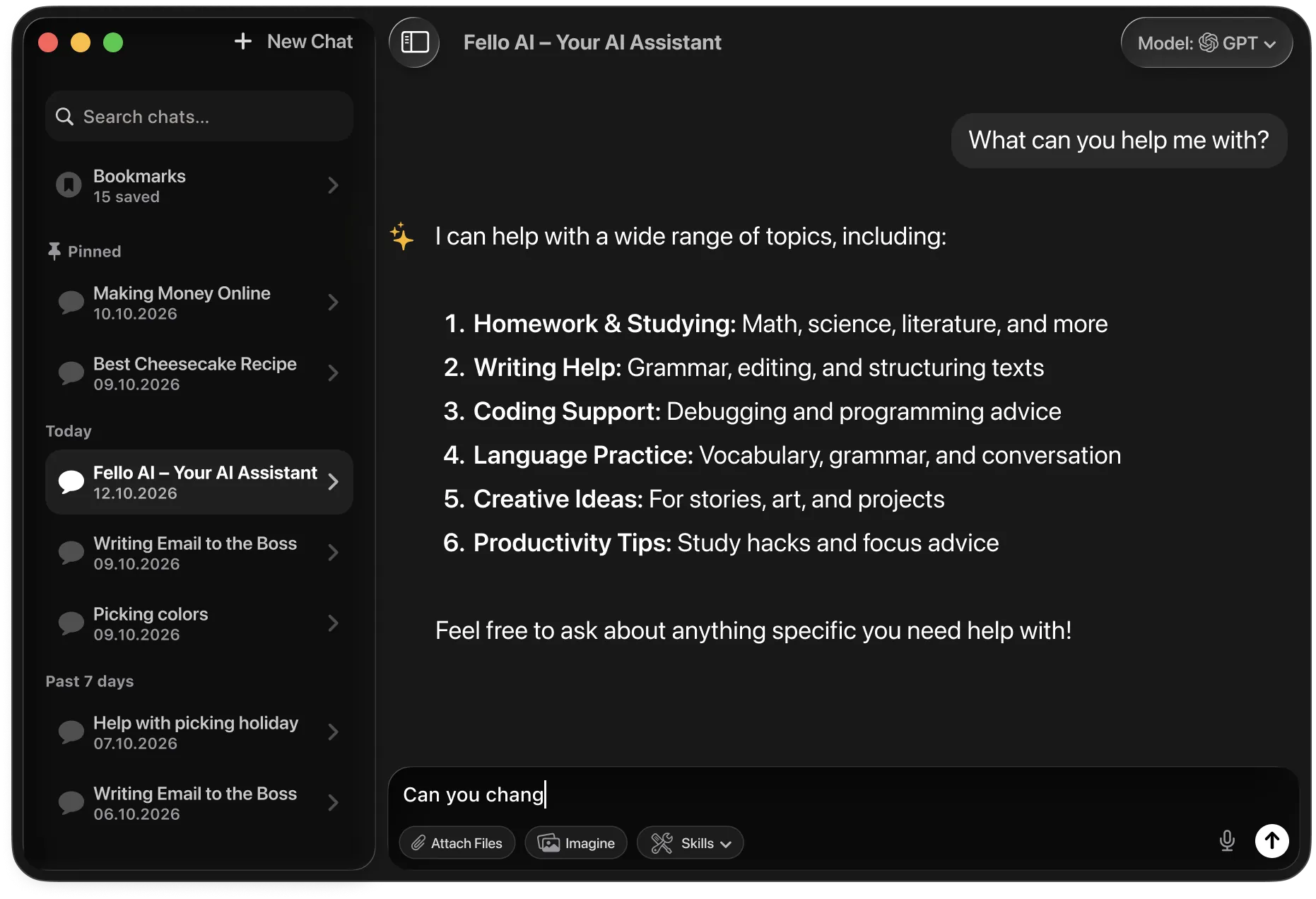
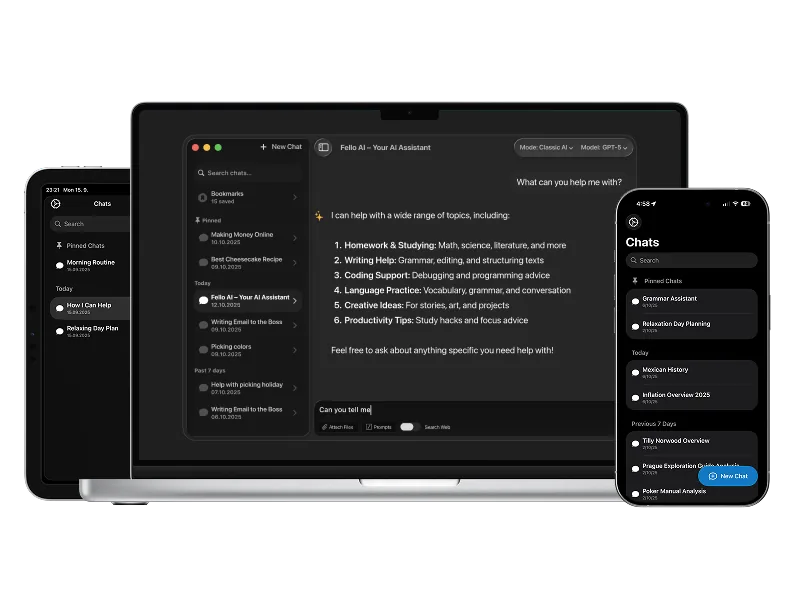
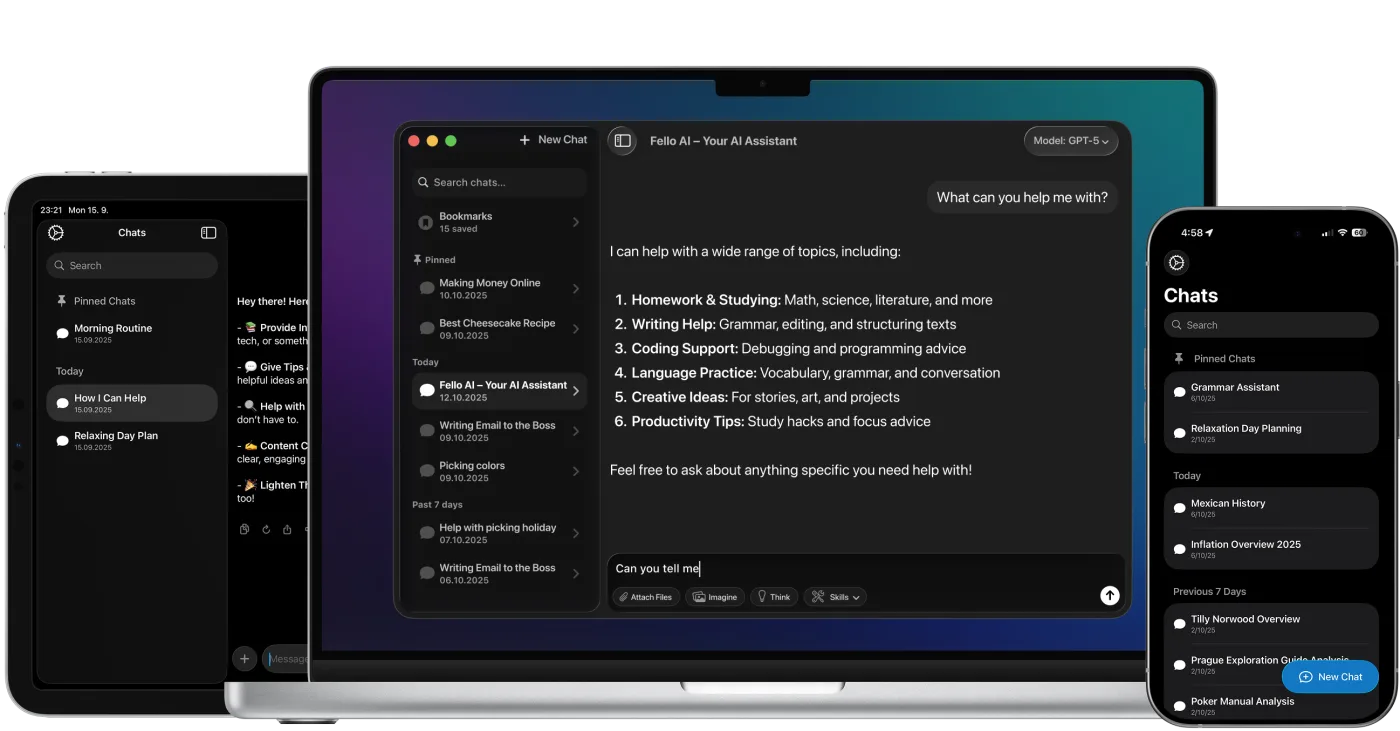
Fello AI is a powerful macOS and iOS AI client that lets you chat with ChatGPT, Claude, Gemini, Grok, DeepSeek, and more in one clean app, with image generation, file analysis, and multi-device support.

Why Use Gemini as a Desktop App?

Google launched the official native Gemini app for Mac on April 15, 2026. The app is free, adds an Option + Space system-wide shortcut, reads your screen on a double press of the Command key, and runs Google’s current Gemini models (Gemini 3.6 Flash by default on the free tier, with a small daily allowance of Gemini 3.1 Pro; paid plans raise those limits). The catch: it only works on macOS 15 Sequoia or later and Apple Silicon Macs. Intel Macs and anything older than Sequoia are locked out.

Gemini is one of the most capable AI assistants available in 2026. Gemini 3.1 Pro scores 94.3% on GPQA Diamond, putting it among the strongest models on that graduate-level science benchmark, and 77.1% on ARC-AGI-2. It handles 1 million tokens of input context on paid plans, enough to work with entire codebases, long PDFs, or full research archives in a single prompt. And it’s natively multimodal, meaning it works with text, images, audio, video, and code in one interface.

Using Gemini in a dedicated desktop app is faster and more practical than keeping it buried in browser tabs. You can launch it with a keyboard shortcut, let Gemini read the window you’re working in, dictate straight into any app with the Fn key, upload local files, and keep your chats organized without digging through Safari history. The real question in 2026 is no longer whether Gemini works on Mac. It does. The better question is which Mac setup gives you the best everyday workflow.

How to Download Gemini for Mac

You have three practical options depending on your Mac, your budget, and whether you want Gemini alone or alongside other top AI models.

Option 1: Official Gemini Mac App

Google’s native app is the most direct way to use Gemini on a supported Mac. It launched April 15, 2026, and is free to download.

How it works:

  • Open Safari and go to gemini.google/mac
  • Click Download for Mac. The installer (.dmg) downloads to your Downloads folder
  • Open the .dmg and drag the Gemini icon to your Applications folder
  • Launch Gemini and sign in with your Google Account
  • Press Option + Space anywhere on your Mac to bring up the chat window

Why this option makes sense:

  • Official app from Google, updated first with new Gemini features
  • Option + Space opens a quick minichat from any app; Option + Shift + Space opens the full chat window
  • Screen reading: press Command twice to pull what’s on your screen into the conversation, so Gemini can answer about the exact window you’re in
  • Fn-key dictation (added July 29, 2026): press and hold Fn to speak into any active window and have Gemini drop clean text at your cursor
  • Gemini Spark, Google’s personal AI agent, now runs inside the macOS app and reaches into Google Docs and Sheets
  • Local file support plus integration with Google Drive, Photos, and NotebookLM
  • Free to download, with paid tiers for more usage (Google AI Plus at $4.99/month, AI Pro at $19.99/month, AI Ultra from $99.99/month)
  • Includes Nano Banana 2 and Nano Banana Pro image generation, plus access to Veo 3.1 video on paid plans

Limitations:

  • Requires macOS Sequoia (15.0) or later
  • Runs only on Apple Silicon (M1 or newer); Intel Macs are not supported
  • Gemini only, with no access to ChatGPT, Claude, Grok, or other models
  • No unified cross-device workflow between the Mac app and Google’s separate Gemini iPhone app

Option 2: Using Fello AI

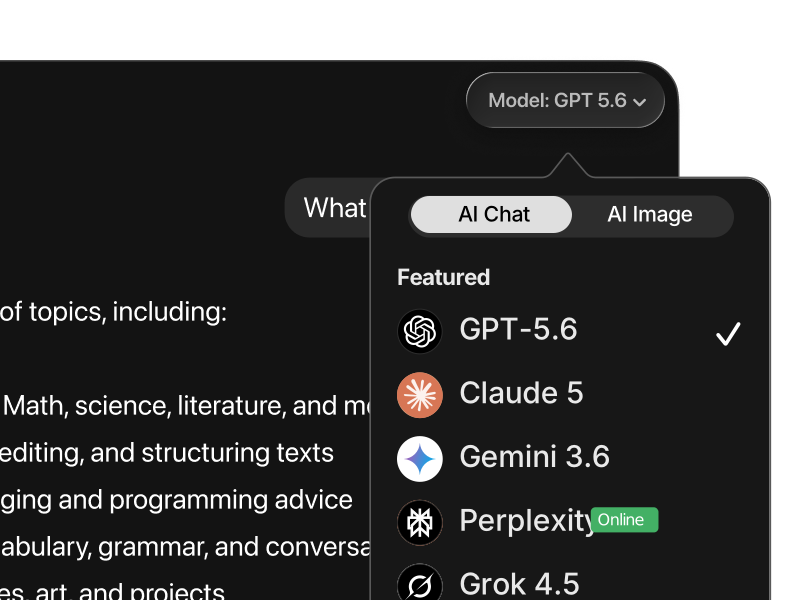
Fello AI is the best choice for Mac users who want more than just Gemini. It gives you Gemini alongside ChatGPT, Claude, Grok, DeepSeek, and Perplexity in one native app for Mac, iPhone, and iPad.

How it works:

  • Download Fello AI from the App Store
  • Open the app on your Mac, iPhone, or iPad
  • Pick Gemini (or any other model that fits the task)
  • Start chatting, uploading files, searching the web, or creating documents

Why this option makes the most sense:

  • One app instead of multiple AI subscriptions and browser tabs
  • Multiple top AI models in one workflow, including Gemini
  • Works on macOS 12 or later, including Intel Macs
  • Available on Mac, iPhone, and iPad
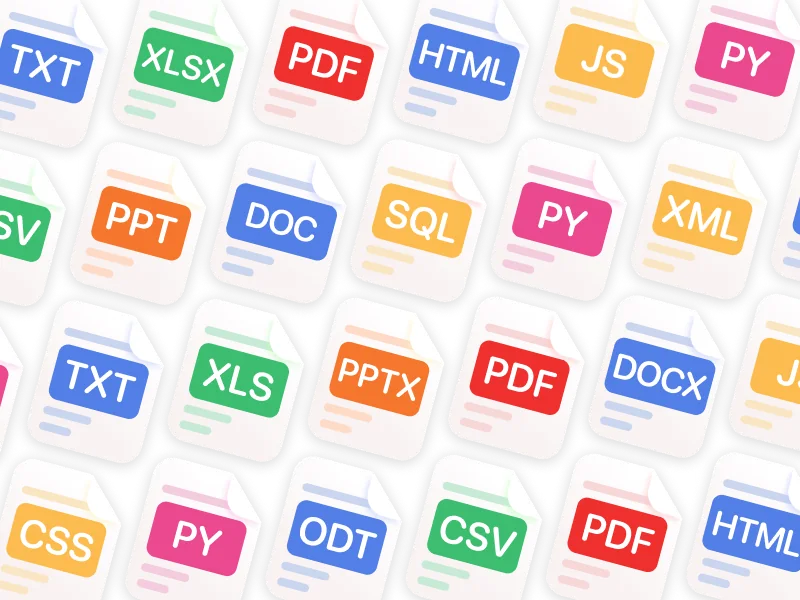
  • Supports PDFs, images, Word, Excel, and PowerPoint files
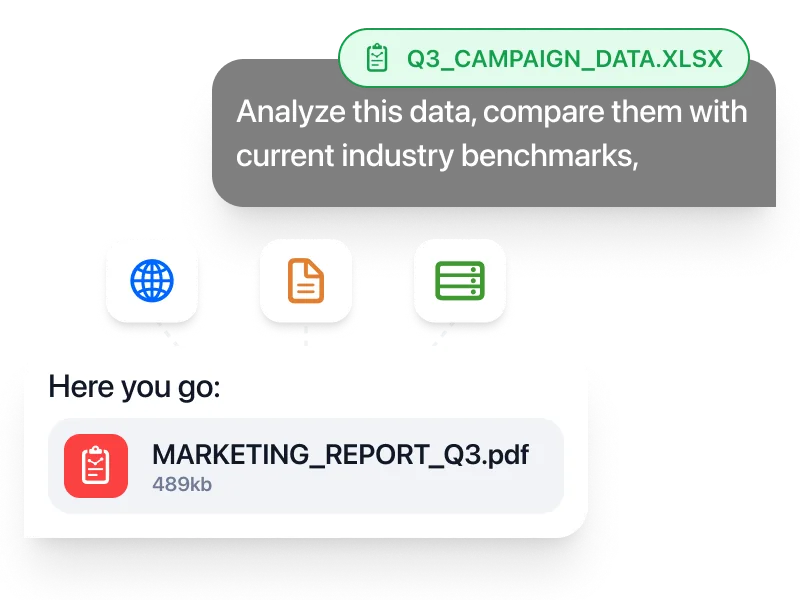
  • Creates real downloadable PPTX, XLSX, DOCX, and PDF files
  • Available through the App Store, with a free tier and pricing starting at $9.99/month

This is the strongest option if you want Gemini to become part of your actual daily workflow, not just a browser tab you forget to open, and it’s the only option on this page that works on Intel Macs and older macOS versions.

Option 3: Using Gemini in a Browser or PWA

You can also use Gemini directly in Safari, Chrome, Arc, or any modern browser by going to gemini.google. For a closer-to-native feel, save it as a Progressive Web App.

How to set up Gemini as a PWA:

  • Open Safari and navigate to gemini.google
  • Sign in with your Google Account
  • Click File > Add to Dock to save Gemini as a PWA shortcut
  • Launch Gemini from your Dock like any other app

Why this option makes sense:

  • Works on every Mac that can run a modern browser, including Intel
  • No app install required
  • Fine for occasional use and quick questions

Why it is weaker:

  • Still runs in the browser under the hood
  • No multi-model support
  • Browser-tier free access is limited. Free users run Gemini 3.6 Flash with a 32,000-token context window and only a small daily allowance of Gemini 3.1 Pro, against 128,000 tokens on Google AI Plus and 1 million on AI Pro and Ultra
  • No unified workspace across Apple devices

This option is best if your Mac is unsupported and you prefer the lightest possible setup, or if you only need Gemini occasionally.

How Does Gemini 3.1 Pro Compare to Other AIs?

When it comes to large language models in 2026, Gemini 3.1 Pro sits at the center of most conversations. But how does it actually compare to today’s other major players: ChatGPT (GPT-5.6), Claude Opus 5, Grok 4.5, Perplexityet DeepSeek V4? Let’s break it down by what each model is genuinely best at.

ModelBest atFeels likeWhen to choose it
Gemini 3.1 ProAll-around work, reasoning, vision, writingCalm, balanced, dependableEveryday tasks, studying, research, mixed workflows
ChatGPT (GPT-5.6)Agentic coding, computer use, fast iterationFast, decisive, proactiveDevelopment, prototyping, complex coding tasks
Claude Opus 5Long-form, structured, high-discipline workCareful, methodical, preciseLarge codebases, strict instructions, long documents
Grok 4.5Real-time data, brainstorming, quick reasoningSharp, opinionated, fastBreaking news, social trends, rapid ideation
PerplexitySearch, citations, fact-findingDirect, source-drivenResearch, verification, learning new topics
DeepSeek V4Cost-efficient reasoning, open modelsTechnical, utilitarianSelf-hosting, privacy-first, budget setups

Gemini 3.1 Pro vs. ChatGPT (GPT-5.6)

OpenAI’s GPT-5.6 family launched on July 9, 2026 in three sizes, Luna, Terra, and Sol, with Sol as the flagship. Sol is the strongest of the three for computer-control tasks and agentic coding, scoring 62.6% on OSWorld 2.0. For operating software, running multi-step desktop workflows, and producing polished knowledge-work artifacts, GPT-5.6 Sol is a safe default.

Gemini 3.1 Pro takes a different approach. It prioritizes factual reliability, massive context, and Google ecosystem integration. The 1M-token input window is practically unmatched for real work. You can drop in a full codebase, a long book, or a year of meeting notes and Gemini will reason across all of it. Native Google Search grounding also means Gemini answers are tied to current sources rather than a training cutoff.

Practical takeaway:

  • Use ChatGPT (GPT-5.6) for computer-use tasks, document creation, and structured workflows.
  • Use Gemini 3.1 Pro for long-context research, Google-integrated work, and high-accuracy analysis.

GPT-5.6 is the operator. Gemini 3.1 Pro is the researcher.

Gemini 3.1 Pro vs. Claude Opus 5

Anthropic’s Claude Opus 5, released July 24, 2026, is the strongest model for complex coding and structured engineering work. Anthropic reports that it surpasses every other model on Frontier-Bench v0.1, more than doubling Opus 4.8’s result at a lower cost per task, and that it beats every other model on OSWorld 2.0 at any given cost. It is the default pick for long-form writing, multi-file refactors, and safety-conscious enterprise output.

Gemini 3.1 Pro approaches the same tasks differently. It’s strong on research-heavy work (94.3% GPQA Diamond), has real-time Google Search grounding, and handles multimodal inputs (audio, video, images, and long documents) more fluently than Claude.

Practical takeaway:

  • Choose Claude Opus 5 for complex multi-file engineering, structured long-form writing, and safety-critical work.
  • Choose Gemini 3.1 Pro for research, scientific analysis, multimodal tasks, and Google-integrated workflows.

Claude is the architect. Gemini 3.1 Pro is the analyst.

Gemini 3.1 Pro vs. Grok 4.5

xAI’s Grok 4.5, released July 8, 2026, is the strongest Grok yet for real-time social intelligence and creative brainstorming. It carries a 500,000-token context window, accepts native video input, and pulls live data directly from X and the open web. It’s the top pick for current events, social sentiment, and idea generation.

Both Gemini and Grok pull real-time data, but through different channels. Grok leans on X and the broader web, which gives it a structural edge on social trends and breaking news. Gemini 3.1 Pro leans on Google’s search infrastructure and deep Workspace integration, which makes it the more reliable choice for factual research, academic work, and long-document analysis.

Practical takeaway:

  • Use Grok 4.5 for real-time social data, breaking news, and creative brainstorming.
  • Use Gemini 3.1 Pro for research, factual accuracy, and Google-integrated workflows.

Grok is the real-time analyst. Gemini 3.1 Pro is the researcher.

Gemini 3.1 Pro vs. Perplexity

Perplexity is not a direct competitor in the same category.

Perplexity is optimized for search-first answers with citations. It shines when the goal is to verify facts, explore sources, or quickly understand a topic with references, essentially functioning as an AI-powered research tool rather than a general-purpose assistant.

Gemini 3.1 Pro is stronger at reasoning, long-context analysis, and multimodal work. It goes beyond simple lookup into deep research, scientific reasoning, coding, and file-based work, with the added benefit of native image generation through Nano Banana.

Practical takeaway:

  • Use Perplexity to gather facts and sources quickly.
  • Use Gemini 3.1 Pro for deeper research, long-document work, and multimodal tasks.

Gemini 3.1 Pro vs. DeepSeek V4

DeepSeek V4 shipped in April 2026 as two MIT-licensed open-weight models, V4 Pro and V4 Flash, both with a 1M-token context window and a built-in thinking mode. Their reasoning and coding sit close to frontier closed models, API pricing undercuts every proprietary model by a wide margin, and for developers building cost-sensitive automation or organizations with data-privacy requirements, they are a serious alternative.

Gemini 3.1 Pro offers something DeepSeek cannot: native multimodal reasoning, real-time search grounding, Nano Banana image generation, and Veo 3.1 video. It’s a more complete AI assistant for everyday use, while DeepSeek is the better tool for pure technical and analytical tasks where cost and privacy matter most.

Practical takeaway:

  • Use DeepSeek V4 when cost, privacy, or self-hosting matter most.
  • Use Gemini 3.1 Pro when you want a full-featured multimodal AI with live grounding.

Use All of Them in One App

The honest reality is that no single AI model is best at everything. The most effective setups use two or three models in parallel, routing each task to whichever model handles it best.

That’s exactly what Fello AI is built for. Instead of managing separate subscriptions, logins, and apps for Gemini, ChatGPT, Claude, Grok, Perplexity, and DeepSeek, you get all of them in one native app for Mac, iPhone, and iPad, for one price, starting at $9.99/month with a free tier available. Models are added and updated regularly, so you always have access to the latest versions without waiting or paying extra.

For a full, regularly updated comparison of all major AI models with current benchmarks and pricing, see our Best AI Models page.

See also: ChatGPT · Claude · Grok · Perplexity · DeepSeek · LLaMA

Official Gemini Mac App vs Fello AI

Feature

Official Gemini Mac App

Fello AI

Main focus

Native Gemini experience

Multi-model AI workspace

Models available

Gemini 3.6 Flash by default, limited daily Gemini 3.1 Pro (free) / higher limits (paid)

Gemini, ChatGPT, Claude, Grok, DeepSeek, Perplexity

Native Mac app

Yes

Yes

Mac requirement

macOS 15 Sequoia or later

macOS 12 or later

Intel Mac support

Non

Yes

Apple Silicon

Required

Supported

Available devices

Mac only

Mac, iPhone, iPad

Keyboard shortcut

Option + Space

Yes

Screen reading

Yes (double press Command)

No (different workflow)

File analysis

Local files + Google Drive

PDFs, images, Word, Excel, PowerPoint

Create Word, Excel, PowerPoint, and PDF files

Non

Yes

App Store availability

No (direct download)

Yes

Price

Free basic / $4.99, $19.99, or from $99.99 per month

Free tier / $9.99/month

Best for

Gemini-only users on Apple Silicon with macOS 15+

Users who want one native app for all major AI models, or who have an Intel Mac

Why Use Gemini 3 Pro in Fello AI?

Fello AI est l'un des chatbots les plus polyvalents et faciles à utiliser avec multi-LLM.

Rapide et sans limites

Réponses en temps réel, sans aucune limite.


Prise en charge de plusieurs LLM

Supporting ChatGPT, Gemini, Claude, Grok, DeepSeek, and more.


Recherche plein-texte

Recherchez rapidement vos chats passés.


Sauvegardez vos prompts

Sauvegardez vos messages les plus utilisés dans une bibliothèque.


Chattez dans la langue de votre choix

Interface en 12 langues, réponses dans plus de 200 langues réelles et imaginaires.


Disponibilité 24/7

Toujours là pour vous

What You Can Actually Do in Fello AI

Fello AI is more than a place to chat. It is built for people who want one app that can handle everyday AI work across writing, research, files, planning, and real document creation. Instead of switching between separate tools for Gemini, ChatGPT, Claude, Grok, file analysis, and web research, you can do it all in one native workflow on Mac, iPhone, and iPad.

Use the right AI model for the task

Different models are better at different kinds of work. In Fello AI, you can switch between Gemini, ChatGPT, Claude, Grok, and more without leaving the app or rebuilding your workflow. That makes it much easier to compare outputs, move faster, and use the model that fits the task instead of forcing everything through one tool. Pull deep research with Gemini, then hand the result to ChatGPT for a polished document or to Claude for structured code, all in the same window.

Chat with PDFs, images, and Office files

Fello AI is designed for file-based work, not just plain text prompts. You can upload PDFs, images, Excel sheets, slide decks, and documents, then ask Gemini or any other model for summaries, explanations, rewrites, extracted insights, or next-step recommendations. This makes the app much more useful for study, research, content work, reporting, and day-to-day professional tasks.

Create real documents you can actually use

One of Fello AI’s strongest advantages is that it can generate real output files directly from chat. You can build PowerPoint presentations, Excel spreadsheets with formulas, Word documents, and PDFs, then download and use them immediately. That turns AI from a brainstorming tool into something much closer to a real productivity workspace.

Search the web and keep working in one place

When you need current information, Fello AI can search the web with cited sources instead of forcing you to leave the app and manually piece things together. Combined with Gemini’s native Google Search grounding, that’s especially useful when you are researching a topic, checking facts, building a deck, or turning fresh information into a finished document.

Keep one workflow across Apple devices

Fello AI is available on Mac, iPhone, and iPad, so you do not need one setup on desktop and a completely different one on mobile. You can keep the same app, same workflow, and same broader AI toolkit across your Apple devices. The App Store listing also shows macOS 12.0 or later support and a privacy label of “Data Not Collected.”

Get broader value from one app

The practical appeal of Fello AI is not just that it gives you access to more models. It is that it combines model choice, file analysis, document creation, web search, and cross-device use in one place. If you only want Gemini on a modern Apple Silicon Mac, Google’s official app is fine. If you want a broader everyday AI workflow that can handle more types of work inside one native app across Mac, iPhone, and iPad, Fello AI is the stronger setup.

Gemini: The Ultimate AI for Mac

Essentiel pour les professionnels

For professionals, the Fello AI app powered by Google’s Gemini AI offers a comprehensive toolset across macOS, iPhone, and iPad.

Whether you're drafting reports, managing your online store, analyzing complex data, or generating high-quality code, Gemini AI helps you work faster and with greater precision.

Its strong reasoning and reliability make Fello AI a solid choice for professionals who need consistent results across devices while handling demanding projects.

Parfait pour les étudiants

The Fello AI app for macOS, iPhone, and iPad, powered by Gemini AI, is a helpful companion for students managing multiple tasks.

With Gemini’s speed and clarity, students can quickly generate summaries, take research notes, understand complex topics, or draft essays.

The app’s ability to deliver quick answers and assist with basic coding makes it easier to stay organized, keep up with assignments, and study more efficiently.

Questions fréquentes

Is there an official Gemini desktop app for Mac?

Yes. Google launched the official native Gemini app for Mac on April 15, 2026. It’s free to download at gemini.google/mac and includes an Option + Space keyboard shortcut, screen reading, Fn-key dictation, and full integration with Google Drive, Photos, and NotebookLM.

Does the Gemini Mac app work on Intel Macs?

No. The official Gemini Mac app runs exclusively on Apple Silicon (M1 or newer) and requires macOS 15 Sequoia or later. Intel Macs are not supported. If you have an Intel Mac or run an older macOS, use Fello AI instead. It supports Gemini on macOS 12 or later, including Intel Macs.

What are the Gemini Mac app system requirements?

You need macOS Sequoia (15.0) or later and an Apple Silicon processor (M1 or newer). Intel Macs are not supported. The app is free to download but requires a Google Account.

What’s the keyboard shortcut for Gemini on Mac?

Press Option + Space to open a quick minichat anywhere on your Mac. Press Option + Shift + Space to open the full Gemini chat window. Press Command twice to pull your current screen into the conversation, and hold Fn to dictate. You can change the shortcuts in the app’s settings.

Can Gemini see what’s on my screen?

Yes. Double press the Command key and the Gemini Mac app reads the content of your active screen into the chat, so it can respond to exactly what you’re working on. This is helpful for analyzing charts, reviewing documents, or debugging code. For full browser pages and local folders you also need to grant Gemini access under Accessibility in System Settings.

Is the Gemini Mac app free?

Yes, the app itself is free to download. Free users run Gemini 3.6 Flash by default with a 32,000-token context window, plus a small daily allowance of Gemini 3.1 Pro. For higher limits, full Gemini 3.1 Pro access, Deep Research, and Veo 3.1, you need a paid plan: Google AI Plus at $4.99/month, Google AI Pro at $19.99/month, or Google AI Ultra from $99.99/month.

What’s the difference between Gemini 3.6 Flash and Gemini 3.1 Pro?

Gemini 3.6 Flash (released July 21, 2026) is Google’s fast everyday workhorse and the default model for all Gemini app users, including the free tier. Gemini 3.1 Pro (released February 19, 2026) is the top-tier model and scores higher on reasoning benchmarks (77.1% on ARC-AGI-2 and 94.3% on GPQA Diamond). Free users get a limited daily allowance of Gemini 3.1 Pro; Google AI Pro and Ultra raise it substantially.

Is there a Gemini app for iPhone and iPad?

Google has a Gemini iPhone app, but there is no unified Gemini app that keeps the same workflow across Mac, iPhone, and iPad. Fello AI is available on all three with a single app and a unified experience.

What is the best Gemini alternative on Mac?

If you want more than just Gemini, Fello AI is one of the strongest options because it combines Gemini, ChatGPT, Claude, Grok, DeepSeek, and Perplexity in one app for Mac, iPhone, and iPad. It’s also the best option for Intel Mac users and anyone running macOS 12 to 14, since Google’s official app requires macOS 15 and Apple Silicon.

Why use Fello AI instead of the official Gemini Mac app?

Use the official app if you only want Gemini and your Mac runs macOS 15 on Apple Silicon. Use Fello AI if you want a multi-model workflow, Intel Mac support, broader Apple-device support (Mac + iPhone + iPad), App Store convenience, and the ability to create real Word, Excel, PowerPoint, and PDF documents in one native app.

Can I use Gemini, ChatGPT, Claude, and Grok in one Mac app?

Yes. Fello AI is designed for exactly that use case. You can switch between Gemini, ChatGPT, Claude, Grok, DeepSeek, and Perplexity inside one app instead of juggling separate tools.

Does Fello AI work on Intel Macs?

Yes. Fello AI supports macOS 12 or later, including Intel Macs, which makes it accessible to Mac users who cannot run Google’s official Apple Silicon-only app.

Is Fello AI available on iPhone and iPad too?

Yes. Fello AI is available on Mac, iPhone, and iPad, so you can keep one workflow across your Apple devices.

Can Fello AI analyze PDFs and Office files with Gemini?

Yes. You can work with PDFs, images, Word files, Excel sheets, and PowerPoint presentations inside the app, and you can route the work to Gemini or any other supported model.

Can Fello AI create real Word, Excel, PowerPoint, and PDF files?

Yes. Fello AI can generate files you can download and use, which makes it more practical than a basic chat-only workflow.

Can Gemini generate images?

Yes. Gemini includes Google DeepMind’s Nano Banana image models. Nano Banana 2, released February 26, 2026, is the fast default and renders legible text at up to 4K, while Nano Banana Pro is the slower premium option for the most demanding visual work.

Do I need separate subscriptions for different AI models?

With Fello AI, the main value proposition is that you can access multiple top models, including Gemini, in one app starting at $9.99/month instead of managing several separate AI tools and subscriptions.

Which app is better for multi-model AI workflows on Mac?

Fello AI is the stronger option for multi-model workflows because that is exactly what it is built for. The official Gemini Mac app is stronger if you only want Gemini and your Mac meets the system requirements.


Fello AI macOS app interface showing an AI chat workspace with file attachments, image generation, document analysis, and bookmarked conversations in a dark desktop UI.

Download Gemini App for Mac

rating 4.7, 27K+ reviews