Update — April 15, 2026: Google has now launched the official native Gemini Mac app. It is free, runs on macOS Sequoia 15.0 or later, and supports the Option + Space global shortcut, screen sharing, Nano Banana image generation, and Veo video generation. Read our full Gemini Mac app review and setup guide for installation steps, features, and a comparison with the ChatGPT and Claude desktop apps.
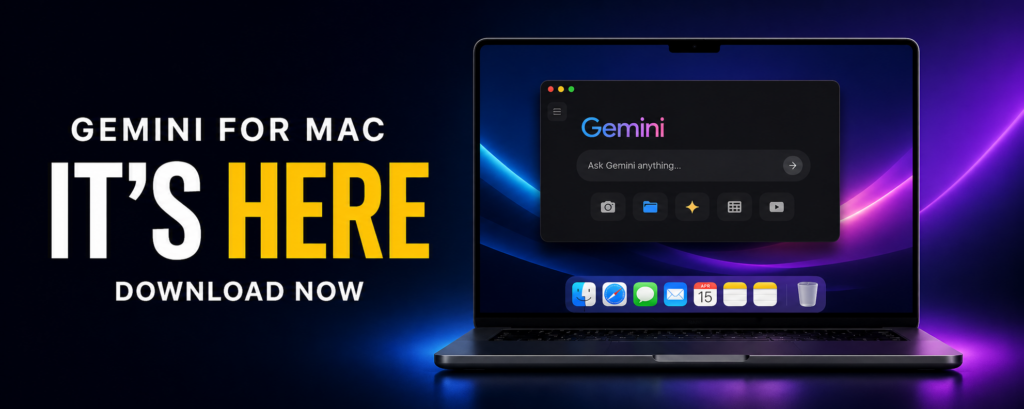
Google Gemini is one of the most capable AI assistants available today. It powers everything from search results to Google Workspace — but there’s one glaring gap. As of February 2026, there is no official Gemini desktop app for Mac.
ChatGPT has had a Mac app since May 2024. Claude launched its Mac app in October 2024. Google? Still catching up.
The good news: Google confirmed in December 2025 that a native macOS app is in active development. The bad news: there’s no release date. This article covers everything we know — and how to use Gemini on your Mac right now without waiting.
Is There an Official Gemini App for Mac?
No. As of February 2026, Google has not released an official Gemini desktop app for macOS.
Here’s what exists on other platforms:
| Platform | Official Gemini App | Status |
|---|---|---|
| Android | Yes | Available since February 2024 |
| iOS (iPhone) | Yes | Standalone app since November 2024 |
| Web | Yes | gemini.google.com |
| Windows | Yes (limited) | Available via Google Labs since January 2026, US/Canada only |
| macOS | いいえ | Confirmed in development, no release date |
Mac users have been asking for a native Gemini app since the product launched in February 2024. Active threads on the Gemini Apps Community and a highly upvoted request titled “When will we get a Native Mac App with Projects and Global Shortcuts?” show the demand is real and growing.
Google’s Official Confirmation
On December 1–2, 2025, Logan Kilpatrick — Google’s lead product manager for AI Studio and Gemini API — confirmed that a native macOS app is in development. Here’s what he said:
- Google is making a “huge investment” in what they call “Gemini App UX 2.0”
- A native macOS application is officially being built
- UX 2.0 “goes beyond visual polish” and aims to “reshape the user’s journey end-to-end”
- No specific release date was provided
This wasn’t a casual comment. Multiple outlets — Android Headlines, UXPin, Android Authority, Android Police — covered the announcement as a significant commitment from Google.
Signs of the UX 2.0 redesign are already visible on Android: a refreshed home screen, reorganized action chips, and a new “My Stuff” section for revisiting generated content. These changes suggest the desktop redesign is progressing alongside mobile.
Gemini App Release Timeline
Understanding Google’s release pattern helps predict when the Mac app might arrive. Here’s the complete history:
| Date | Milestone |
|---|---|
| Dec 6, 2023 | Google announces Gemini as an AI model family |
| Feb 8, 2024 | Bard rebranded to Gemini. Android app launches in the US |
| Feb–Mar 2024 | Android app expands to UK, Germany, France, Italy, Sweden |
| May 14, 2024 | Google I/O 2024: Gemini 1.5, Gemini Live preview, Gems announced |
| Aug 13, 2024 | Gemini Live launches on Android (Advanced subscribers first) |
| Nov 14, 2024 | Standalone Gemini iOS app launches worldwide |
| Late 2024 | Gemini Live becomes free for all Android users |
| Jan 15, 2025 | Gemini AI included in Google Workspace Business/Enterprise |
| May 20, 2025 | Google I/O 2025: Gemini in Chrome desktop, Google AI Pro/Ultra tiers, Agent Mode |
| Oct 2025 | Gemini in Chrome becomes generally available on macOS and Windows |
| Nov 2025 | Gemini 3 Pro rolls out; iOS app gets redesign |
| Dec 1–2, 2025 | Google confirms native macOS app in development |
| Dec 2025 | Gemini 3 Flash becomes default model; Deep Think launches |
| Jan 2026 | Gemini Windows desktop app launches via Google Labs (US/Canada) |
| Jan 2026 | Personal Intelligence feature launches in beta; Chrome gets persistent Gemini side panel |
| Feb 2026 | macOS native app still not released |
The pattern shows Google releases Gemini on platforms in this order: Android first, then iOS, then web/Chrome desktop, then Windows. Mac has consistently been last.
When Will the Gemini Mac App Be Released?
Google hasn’t announced a specific date. But based on the evidence, here’s what we can reasonably predict:
Factors pointing to a 2026 release:
The Windows app is already out. Google launched a Gemini desktop app for Windows through Google Labs in January 2026. Historically, the Windows version serves as a testing ground before broader desktop rollout.
UX 2.0 is actively shipping. Android and iOS are already receiving UX 2.0 elements (refreshed homepage, My Stuff section, reorganized navigation). Desktop is likely next.
Google I/O 2026 is the obvious stage. Google’s annual developer conference (typically May) would be the natural venue to announce a macOS app alongside other Gemini updates.
Competitive pressure is real. ChatGPT and Claude both have mature Mac apps with deep system integration. Every month without a Gemini Mac app pushes Mac-using professionals toward competitors.
Agent Mode needs desktop access. Google’s Agent Mode (currently in early access for AI Ultra subscribers) enables multi-step task automation. This feature makes much more sense with a native desktop app that can interact with local files and applications.
Best estimate: The Gemini Mac app will likely launch between May and September 2026, with Google I/O 2026 being the most probable announcement date. The Windows Labs app will likely graduate from beta first, followed by a macOS release.
We’ll update this section as new information becomes available.
What Features to Expect from Gemini for Mac
Based on the Windows Labs app, official hints from Google, and what competitors already offer, here’s what a Gemini Mac app would likely include:
Core Features
| Feature | Description |
|---|---|
| Global keyboard shortcut | Instant access from anywhere on your Mac (similar to Alt+Space on Windows) |
| Spotlight-style Quick Chat | A lightweight overlay for quick questions without opening a full window |
| Persistent menu bar/dock icon | Always-available AI assistant presence |
| Gemini Live | Voice conversation mode on desktop |
| Deep Research | Multi-step research reports with Workspace content integration |
| Canvas | Interactive content creation (infographics, quizzes, mini-apps) |
Desktop-Specific Features
| Feature | Description |
|---|---|
| Local file integration | Drag-and-drop files, multi-file uploads without browser limitations |
| Screen analysis | Google Lens-like visual search to analyze what’s on your screen |
| Work with local apps | Read content from open applications (similar to ChatGPT’s Work With Apps) |
| Google Drive deep integration | Search and interact with Drive files natively |
| Agent Mode | Multi-step task automation with local system access |
| My Stuff section | Access all Gemini-generated content (images, videos, Canvas projects) |
Google Ecosystem Integration
| Feature | Description |
|---|---|
| Gmail | Read, draft, and manage emails through Gemini |
| Google Calendar | Schedule, check, and manage events |
| Google Docs/Sheets | Create and edit documents directly |
| YouTube | Summarize videos, find content |
| Google Maps | Get directions, find places |
| Google Shopping/Flights | Compare prices, find deals |
The Windows version already supports web search, personal file search, Google Drive scanning, and desktop visual search. The macOS version should match or exceed these capabilities.
How to Use Gemini on Mac Right Now
You don’t have to wait for the official app. Here are five ways to use Gemini on your Mac today, ranked from best to simplest:
1. Fello AI (Recommended)
Fello AI is a native macOS app that gives you access to Gemini 3 Pro, along with ChatGPT, Claude, DeepSeek, and other leading AI models — all in one app.
Why it’s the best option:
– True native Mac app (not a browser wrapper)
– Access multiple AI models without switching between apps
– Available on macOS, iOS, and iPadOS
– No API keys or complex setup required
– Available in the Mac App Store
Steps:
1. Download Fello AI from the Mac App Store
2. Open the app — no login required
3. Select Gemini from the model list
4. Start chatting
2. Gemini in Chrome (Side Panel)
If you’re a Google AI Pro ($19.99/month) or AI Ultra (from $99.99/month) subscriber, you get Gemini built into Chrome’s side panel.
What you get:
– Persistent side panel accessible from any webpage
– Ask questions about the current page or up to 10 open tabs
– Auto Browse feature for multi-step tasks (product comparisons, research)
– Connected Apps: Gmail, Calendar, YouTube, Maps, Shopping, Flights
– Gemini Live voice conversations
Steps:
1. Subscribe to Google AI Pro or AI Ultra
2. Open Chrome and click the Gemini icon in the toolbar
3. The side panel opens — start asking questions
This is the closest thing to a native Gemini desktop experience Google currently offers on Mac. However, it only works inside Chrome and requires a paid subscription.
3. Progressive Web App (PWA)
Turn the Gemini website into a standalone app-like window:
Using Chrome:
1. Go to gemini.google.com
2. Click the install icon in the address bar (or Menu → “Install Gemini”)
3. Gemini opens in its own window, separate from your browser
Using Safari (macOS Sonoma or later):
1. Go to gemini.google.com
2. Click File → Add to Dock
3. Name it “Gemini” and click Add
A PWA gives you a dedicated window and a Dock icon, but it’s still a browser wrapper. No global keyboard shortcuts, no local file access, no system-level features.
4. Third-Party Open-Source Apps
Several community-built Electron wrappers are available on GitHub:
- GeminiDesk — Supports macOS, Windows, Linux. Includes MCP support, privacy mode, screenshot capture, PDF/Markdown export.
- gemini-desktop by bwendell — Native desktop client with global hotkeys and Spotlight-style Quick Chat.
These are unofficial and community-maintained. Use at your own discretion.
5. Gemini Web App
The simplest option: just open gemini.google.com in your browser. Full-featured, free tier available, but no desktop integration whatsoever.
Mac App Comparison: Gemini vs ChatGPT vs Claude
This is where Gemini falls behind. Here’s a direct comparison of the Mac experience across all three major AI assistants, and our full ChatGPT vs Claude vs Gemini on Mac breakdown goes deeper on each:
| Feature | Gemini | ChatGPT | Claude |
|---|---|---|---|
| Mac app available | No (in development) | Yes (since May 2024) | Yes (since October 2024) |
| Global keyboard shortcut | いいえ | Option+Space | Yes (configurable) |
| Work with local apps | いいえ | Yes (Xcode, VS Code, Notes, Notion, etc.) | Yes (screenshot, file drag-and-drop) |
| Voice mode on desktop | Limited (Chrome side panel) | Advanced Voice Mode | Voice input supported |
| Screen sharing | いいえ | Yes | Yes |
| Local file access | Browser upload only | Native drag-and-drop | Native drag-and-drop |
| Offline access | いいえ | いいえ | いいえ |
| Free tier | Yes (web only) | Yes (limited) | Yes (limited) |
| Paid tier price | $19.99/mo (AI Pro) | $20/mo (Plus) | $20/mo (Pro) |
| Best free model | Gemini 3 Flash | GPT-4o mini | Claude 3.5 Haiku |
| Best paid model | Gemini 3 Pro / Deep Think | GPT-5.2 | Claude Opus 4.6 |
| Image generation | Yes (Imagen 4, free) | Yes (DALL-E 3 / GPT-4o) | いいえ |
| Google ecosystem integration | Deep (Gmail, Drive, Calendar, Maps, etc.) | Limited | None |
| Code execution | Yes (in Canvas) | Yes (Code Interpreter) | Yes (Artifacts) |
Where Gemini Wins (Despite No Mac App)
- Google ecosystem integration — If you live in Gmail, Google Docs, and Google Drive, Gemini connects to all of them natively. ChatGPT and Claude don’t.
- Free image generation — Gemini offers Imagen 4 image generation for free. ChatGPT limits DALL-E usage on free plans.
- Search integration — Gemini is built by the company that runs Google Search. Its ability to find, cite, and synthesize web information is unmatched.
- Gemini Live — Real-time voice conversations with natural interruption handling, available on mobile and expanding to desktop.
Where Gemini Loses
- No Mac app — The biggest gap. Power users who want system-level AI integration on Mac have to choose ChatGPT or Claude.
- No global shortcut — You can’t summon Gemini from any app with a keyboard shortcut on Mac.
- No screen analysis — ChatGPT and Claude can both see and respond to what’s on your screen. Gemini can’t do this on Mac.
If you want the Google ecosystem benefits with a native Mac experience, Fello AI bridges the gap by giving you Gemini access through a proper Mac app — alongside ChatGPT, Claude, and other models.
Apple Siri + Gemini
In one of the most significant AI developments of early 2026, Apple announced a partnership with Google to integrate Gemini into Siri. Here’s what we know:
- January 2026: Reports confirmed that Google’s Gemini will power a major overhaul of Siri across Apple devices, including Mac
- Late February 2026: Apple is expected to formally unveil the Gemini-powered Siri assistant
- macOS 26.4 (estimated March–April 2026): The updated Siri with Gemini capabilities is expected to ship
What This Could Mean in Practice
If Apple deeply integrates Gemini into Siri on Mac, you could potentially:
- Ask Siri complex questions powered by Gemini’s reasoning
- Use Siri to interact with Google services (Gmail, Calendar, Drive) through Gemini
- Get AI-powered assistance across macOS apps through Siri integration
- Access Gemini’s capabilities without needing a separate Google app
Important Caveats
This doesn’t replace a standalone Gemini Mac app. Apple’s Siri integration will likely:
- Be filtered through Apple’s privacy and safety framework
- Not expose the full Gemini interface (Canvas, Gems, Deep Research)
- Function as a Siri enhancement, not a Gemini replacement
- Require an Apple Intelligence-compatible Mac (M1 or later)
Think of it as Gemini powering Siri under the hood, not as getting the full Gemini app experience. For the complete Gemini experience on Mac, you’ll still want either the official app (when it launches) or a third-party solution like Fello AI.
Google’s Desktop Strategy
Google’s approach to Gemini distribution differs fundamentally from OpenAI and Anthropic. Understanding why explains the Mac app delay.
Google Embeds, Competitors Ship Apps
OpenAI and Anthropic launched standalone desktop apps early because that’s their primary product. ChatGPT and Claude are the product.
Google has a different model. Gemini is embedded across Google’s existing product ecosystem:
- Chrome — Gemini side panel, auto browse, page analysis
- Google Workspace — Gemini in Gmail, Docs, Sheets, Slides, Drive
- Android — Replacing Google Assistant as the default AI
- Google Search — AI Overviews powered by Gemini
- Google Photos, Maps, YouTube — Gemini features throughout
For Google, a standalone Gemini app is just one surface among many. For OpenAI and Anthropic, the standalone app is everything. This explains why Google prioritized embedding Gemini everywhere over building a dedicated Mac app.
The Chrome-First Desktop Approach
Google’s initial desktop strategy was to make Chrome itself the Gemini desktop experience. The Gemini in Chrome side panel (launched October 2025 on Mac) delivers many features a standalone app would:
- Persistent access while browsing
- Context from open tabs
- Connected Apps for Google services
- Gemini Live voice conversations
For Google, Chrome on Mac is the Gemini Mac app — at least for now. The problem is this approach only works while you’re in Chrome and requires a paid subscription.
Why That Strategy Isn’t Enough
Three realities are forcing Google to build a proper Mac app:
Users want system-level AI. A Chrome side panel can’t help you when you’re in Xcode, Terminal, Slack, or any non-Chrome app. ChatGPT and Claude can.
Agent Mode needs local access. Google’s Agent Mode (for AI Ultra subscribers) automates multi-step tasks. This is far more powerful with local file and application access than it is confined to a browser.
Market share is at stake. Mac users are disproportionately professionals, developers, and creatives — exactly the audience willing to pay for AI tools. Without a Mac app, Google is ceding this high-value segment to competitors.
FAQ
Does Google Gemini have a Mac app?
No, not yet. As of February 2026, Google has not released an official Gemini desktop app for macOS. Google confirmed in December 2025 that a native Mac app is in development as part of their “Gemini App UX 2.0” initiative, but no release date has been announced.
When will Gemini be available on Mac?
Google has not announced a specific release date. Based on current signals — a Windows Labs app already available, UX 2.0 redesign elements shipping on mobile, and Google I/O 2026 approaching — the most likely window is between May and September 2026.
Is there a Gemini desktop app for Windows?
Yes, but it’s limited. Google launched a Gemini desktop app for Windows through Google Labs in January 2026. It works as an over-the-desktop assistant triggered by Alt+Space. It’s currently available only in the US and Canada, in English, for consumer accounts. There is no equivalent for macOS yet.
How can I use Gemini on my Mac right now?
You have several options: (1) FelloAI — a native Mac app with Gemini and other AI models built in, (2) Gemini in Chrome side panel (requires Google AI Pro subscription), (3) install a PWA through Chrome or Safari, (4) third-party open-source wrappers from GitHub, or (5) the Gemini website in your browser.
Is Gemini free to use on Mac?
Yes. The Gemini web app at gemini.google.com is free and works in any Mac browser. The free tier gives you Gemini 3.6 Flash, a daily slice of Gemini 3.1 Pro, and basic features. For advanced features like Gemini in Chrome, Deep Research, and Agent Mode, you need Google AI Pro ($19.99/month) or AI Ultra (from $99.99/month).
What’s the difference between Gemini in Chrome and a native Mac app?
Gemini in Chrome is a side panel inside the Chrome browser. It only works while Chrome is open and active. A native Mac app would work system-wide — accessible from any application via a keyboard shortcut, able to interact with local files and apps, and running independently of your browser.
Can Gemini replace ChatGPT on Mac?
Not yet. ChatGPT’s Mac app offers features Gemini can’t match on macOS: a global keyboard shortcut, screen sharing, the ability to read content from apps like Xcode and VS Code, and Advanced Voice Mode. Once Google releases its Mac app, the comparison may shift — but for now, ChatGPT has the better Mac experience.
Will Siri use Gemini on Mac?
Yes, Apple is integrating Gemini into Siri. The formal unveiling is expected in late February 2026, with the feature shipping in macOS 26.4 (likely March–April 2026). However, this is Gemini powering Siri’s responses — not a standalone Gemini app. You won’t get access to features like Canvas, Gems, or Deep Research through Siri.
What is Gemini App UX 2.0?
UX 2.0 is Google’s comprehensive redesign of the Gemini app experience, announced in December 2025. It goes beyond visual changes to “reshape the user’s journey end-to-end.” The macOS native app is being built as part of this initiative. Early elements are already visible on Android (refreshed home screen, reorganized navigation, new My Stuff section).
Is there a Gemini Mac app from MacPaw?
Be careful with this one. MacPaw’s “Gemini 2” is a completely different product — it’s a duplicate file finder for Mac, not related to Google’s Gemini AI. If you search “Gemini Mac” you may see results for MacPaw’s app. Make sure you’re looking for Google Gemini specifically.
How does Gemini on Mac compare to Gemini on iPhone?
The iPhone has a much better Gemini experience right now. The standalone iOS app (launched November 2024) offers Gemini Live with camera and screen sharing, native notifications, Siri integration, and offline conversation access. On Mac, you’re limited to the web browser or Chrome side panel.
What AI models does Gemini offer?
As of February 2026, Gemini offers: Gemini 3 Flash (default, fast and free), Gemini 3 Pro (higher capability, for AI Pro subscribers), Gemini 3 Deep Think (advanced reasoning, for AI Ultra subscribers). The Gemini 3 family represents Google’s most capable models to date.
The Bottom Line
Google Gemini is a powerful AI assistant with deep integration into the Google ecosystem. But on Mac, it’s still playing catch-up to ChatGPT and Claude. The lack of a native macOS app is a real limitation — no global keyboard shortcut, no local file access, no system-wide presence.
The good news: Google has confirmed a Mac app is coming. The bad news: there’s no date, and based on Google’s track record, Mac is always the last platform to get Gemini features.
If you want Gemini on your Mac today, your best options are Fello AI for a native app experience, or Gemini in Chrome if you’re a Google AI Pro subscriber.
We’ll keep this article updated as Google announces new developments. Bookmark it and check back.