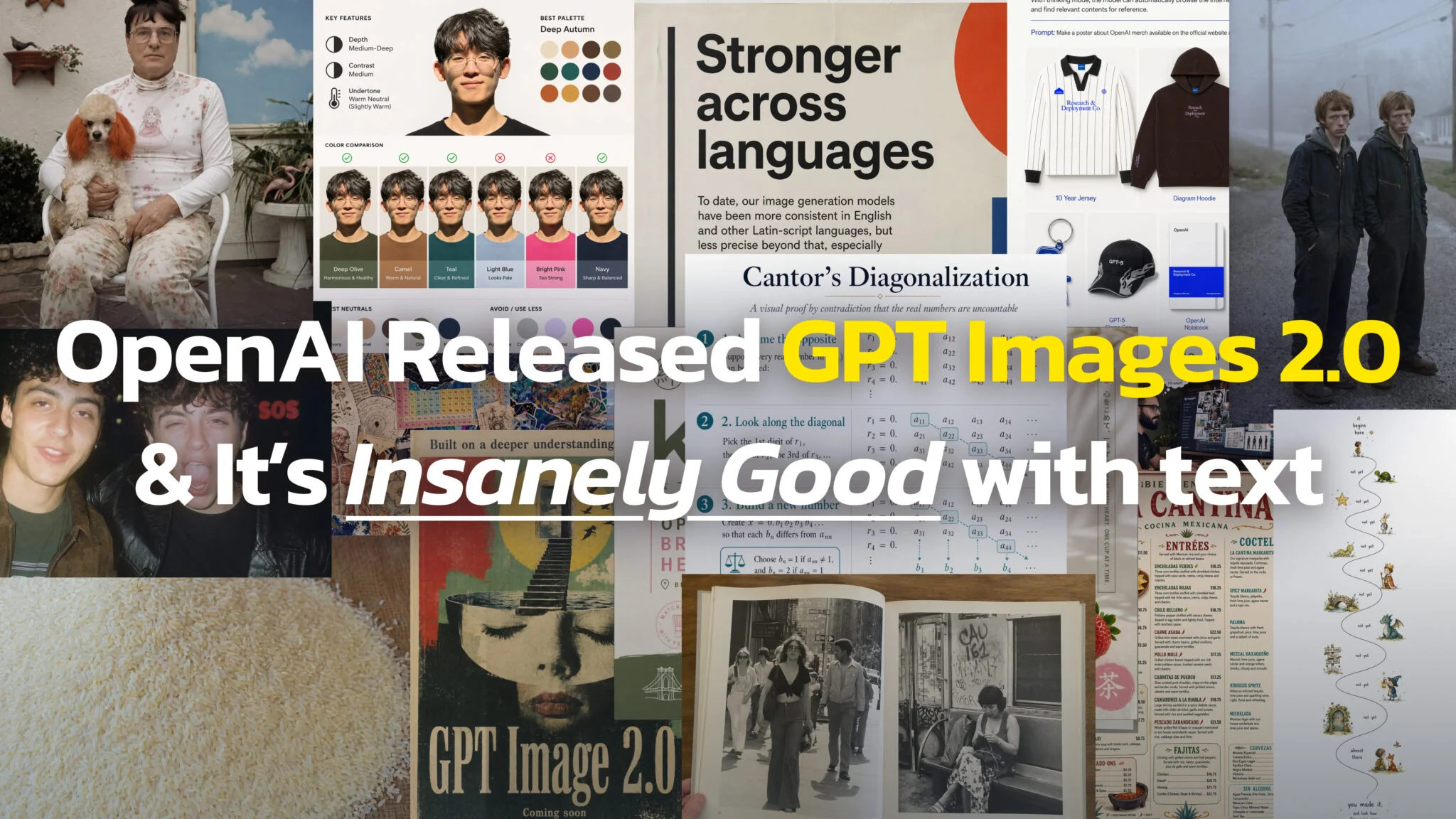
Après des semaines de fuites et d'apparitions sur LM Arena, OpenAI a lancé ChatGPT Images 2.0 le 21 avril 2026. Le modèle sous-jacent, gpt-image-2, est disponible dans ChatGPT, dans Codex et dans l'API. Si le coût compte plus que la puissance brute, comparez les meilleurs générateurs d'images IA gratuits. OpenAI l'a depuis remplacé : voici ce qu'a changé ChatGPT Images 2.5 le 8/9/2026.
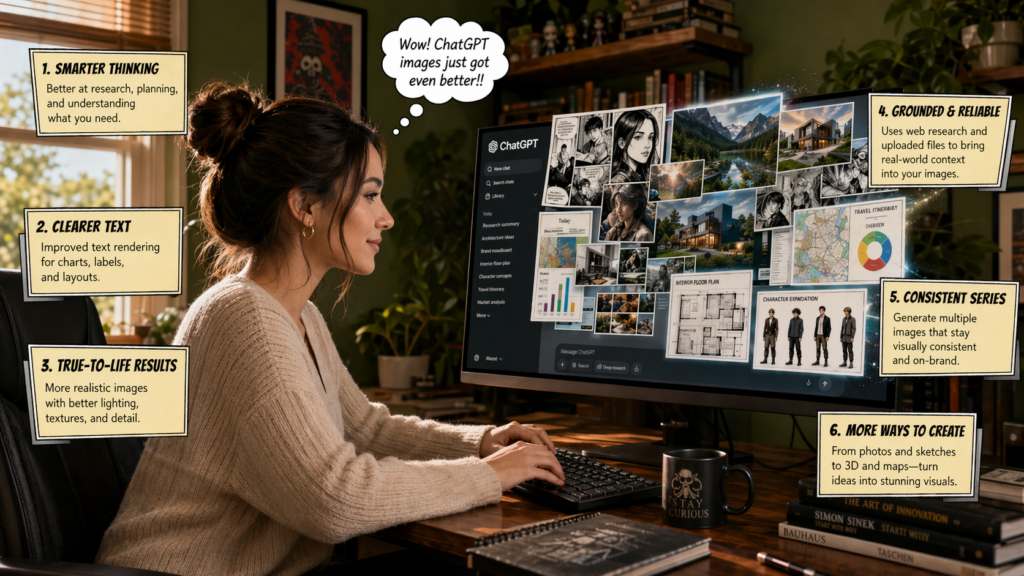
C'est le premier modèle d'image d'OpenAI doté d'un raisonnement intégré, le premier capable de rendre du texte dense en japonais, en coréen, en chinois, en hindi et en bengali, et le premier capable de faire une recherche web avant de tracer le moindre pixel. Il fait aussi passer la génération d'images IA du stade du « tableau d'inspiration » à celui d'un véritable outil de production.
Ce qui change vraiment
ChatGPT Images 2.0 remplace le pipeline d'images GPT-4o qui alimentait ChatGPT depuis un an. La date de coupure des connaissances est décembre 2025, si bien que le modèle restitue correctement les logos de marques actuels, les designs de produits, les cartes géographiques et les références culturelles récentes que l'ancien modèle inventait ou bloquait sur une version datant de 2024.
OpenAI le présente comme un moteur créatif interactif plutôt qu'un générateur en un seul coup. Cette façon de voir les choses compte, car le raisonnement, la recherche web et la génération d'images tournent désormais dans une seule et même boucle, et le modèle peut affiner son résultat sur plusieurs passes au sein d'une même requête au lieu de vous forcer à tout régénérer depuis zéro.
Des améliorations concrètes :
- Jusqu'à une résolution 2K (2 048 pixels de large) par image
- Rapports d'aspect de 3:1 à 1:3, en continu plutôt qu'en préréglages fixes
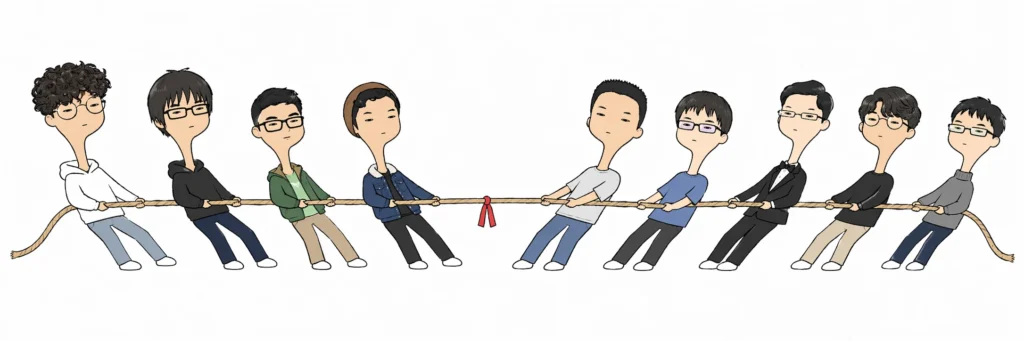
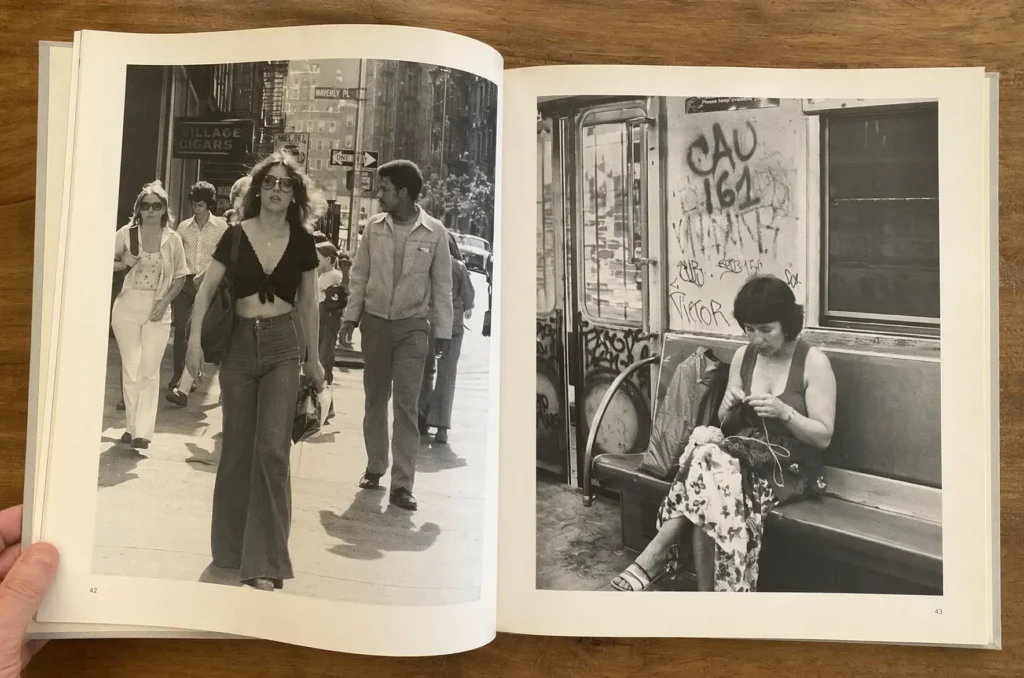
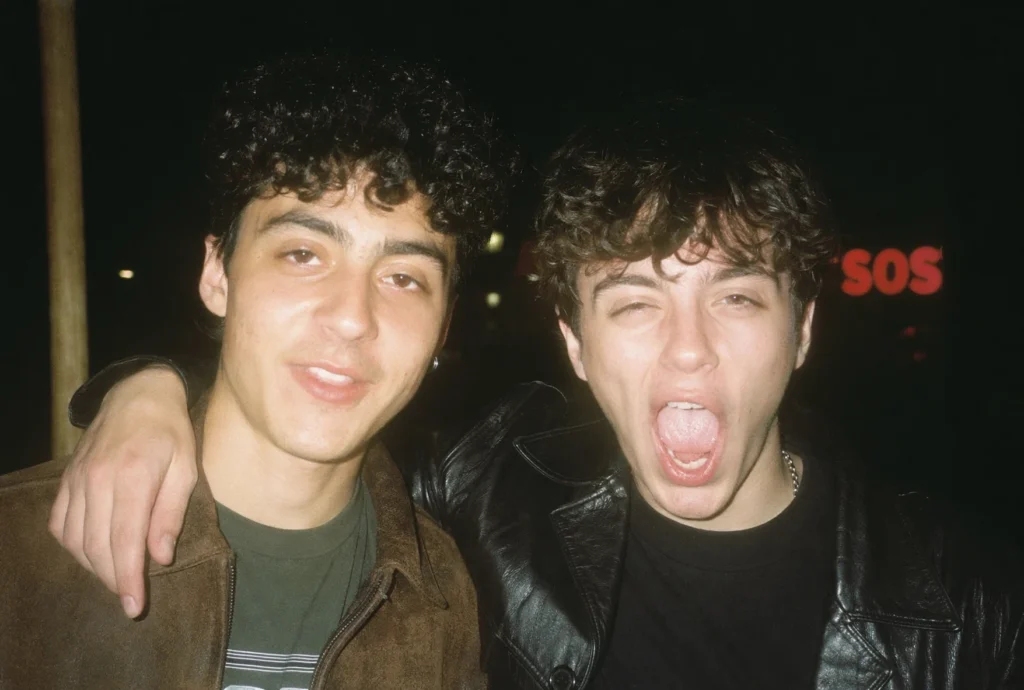
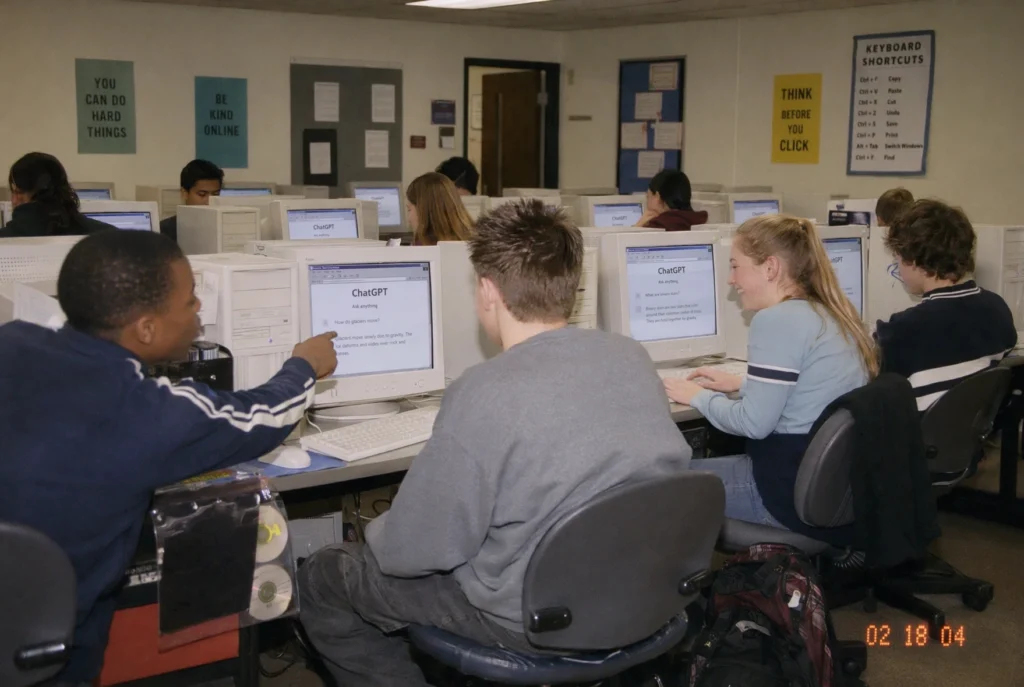
- Jusqu'à 8 images cohérentes à partir d'un seul prompt, avec des personnages, un éclairage et un style partagés
- Des QR codes fonctionnels qui se scannent avec n'importe quel appareil photo de smartphone
- Recherche web pendant la génération
- Auto-vérification avant la sortie
- Des exports en fond transparent pour une intégration directe dans le pipeline
- Du petit texte net, des éléments d'interface, des icônes et des compositions denses
Les noms de code LM Arena « maskingtape » et « gaffertape » se sont révélés être des variantes de test antérieures. « Duct tape » était la variante instantanée. « Packingtape » était la version en Thinking Mode.
Pourquoi le rendu de texte était le problème le plus difficile
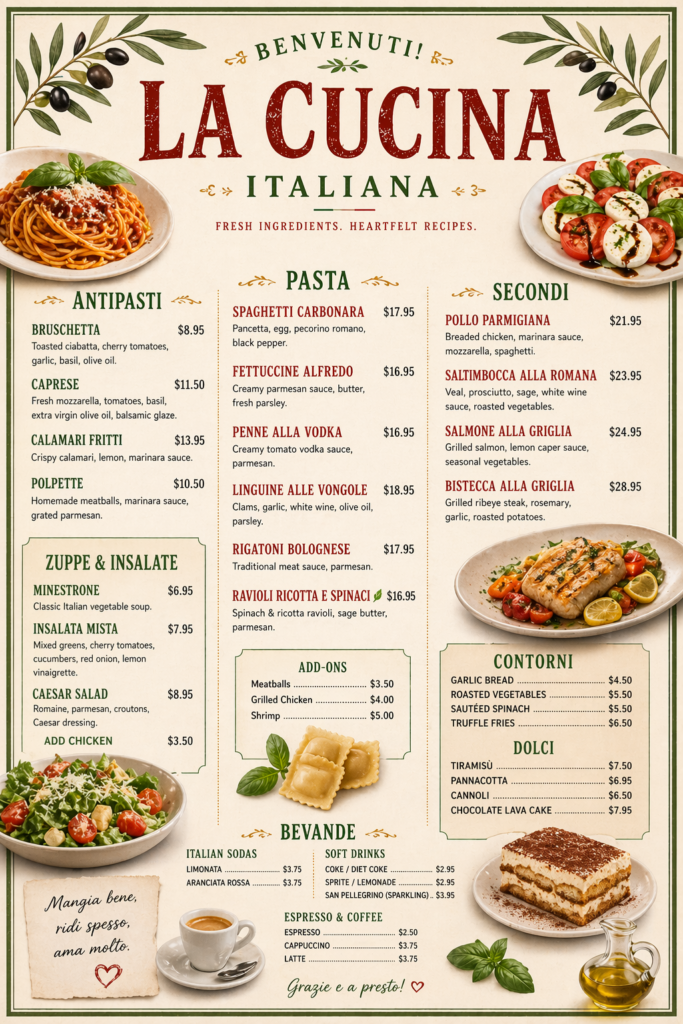
Pendant trois ans, tous les grands modèles d'image ont traité le texte comme une simple texture. Le modèle avait appris que « les lettres ressemblent à ceci » sans jamais apprendre ce que des mots précis signifient en tant que glyphes. C'est pourquoi GPT-4o, Midjourney V7 et DALL-E 3 produisaient tous des affiches avec un texte brouillé du type « WELCOOMM » au lieu de « WELCOME », et pourquoi les mises en page denses (menus, infographies, emballages) sombraient dans le non-sens. La même erreur coûte bien plus cher quand les lettres sont permanentes, et c'est pourquoi le lettrage d'un design de tatouage avec ChatGPT doit être vérifié caractère par caractère.
ChatGPT Images 2.0 traite le texte comme un élément à part entière. Les testeurs l'ont mis à l'épreuve sur des cartes de menu, des badges de conférence, des emballages de produits et des mises en page éditoriales. Le modèle respecte la typographie, le crénage, la hiérarchie et l'orthographe. Les titres restent nets en 2K. Les petites légendes restent lisibles. Les références produits, dates, prix et étiquettes suivent le prompt au lieu d'être corrigés automatiquement en un charabia à l'apparence plausible.
C'est le changement qui fait passer la génération d'images IA du stade « suffisant pour un mood board » à « suffisant pour le livrable final ».
Thinking Mode
ChatGPT Images 2.0 est proposé selon deux modes.
Instant Mode génère rapidement, en donnant la priorité à la vitesse. Il inclut toutes les améliorations de rendu de texte et de prise en charge multilingue. C'est ce que chaque utilisateur obtient par défaut.
Thinking Mode ajoute une étape de raisonnement avant la génération. Le modèle peut faire une recherche web, analyser les documents que vous importez (PDF, captures d'écran, chartes graphiques), réfléchir à la mise en page avant de dessiner, générer jusqu'à 8 résultats cohérents et revérifier ses propres résultats avant de vous les renvoyer. Cela peut prendre jusqu'à deux minutes pour un prompt complexe, là où Instant Mode répond en quelques secondes.
C'est ce qui permet les planches de manga d'une page entière, les storyboards multi-cases et les infographies complètes qui inondent les réseaux sociaux depuis le lancement. Cette étape de raisonnement explique aussi pourquoi un simple prompt comme « crée un diaporama de 4 diapositives expliquant l'effet tunnel quantique » produit réellement 4 diapositives cohérentes avec un langage graphique homogène, au lieu de 4 images sans rapport qui partagent simplement un sujet.
Thinking Mode est la partie du lancement que personne n'avait vraiment vue venir. C'est en pratique un modèle de raisonnement équipé d'un pinceau.
Des QR codes fonctionnels, et pourquoi c'est important
Les QR codes ont l'air d'un tour de magie tant qu'on ne comprend pas ce qu'ils prouvent. Un QR code est un encodage mathématique précis. Un seul carré de travers et le code ne se scanne plus. Tous les modèles d'image précédents produisaient des images en forme de QR code qui ne fonctionnaient pas réellement.
ChatGPT Images 2.0 génère des QR codes qui fonctionnent, car l'étape de raisonnement de Thinking Mode calcule réellement l'encodage avant de dessiner. Le modèle peut aussi habiller le QR code aux couleurs de la marque, intégrer un logo en son centre et le placer au sein d'une affiche entièrement conçue. Pour les équipes marketing qui avaient auparavant besoin d'un générateur de QR code, d'un designer et d'un outil de mise en page pour produire un seul support, cela réduit trois étapes à un seul prompt.
Cela montre aussi ce que l'architecture peut faire au-delà des images. Tout ce qui exige de la précision plutôt que du ressenti, schémas scientifiques, plans techniques, cartes précises, devient envisageable.
Résolution et rapports d'aspect
| Caractéristique | GPT Image 1 (GPT-4o) | ChatGPT Images 2.0 |
|---|---|---|
| Résolution maximale | 1 024 x 1 024 | 2 048 x 2 048 (2K) |
| Rapports d'aspect | 1:1, 2:3, 3:2 | 3:1 à 1:3 (en continu) |
| Images par prompt | 1 | Jusqu'à 8 |
| Accès au web | Non | Oui (Thinking Mode) |
| Auto-vérification | Non | Oui (Thinking Mode) |
| Date de coupure des connaissances | Octobre 2024 | Décembre 2025 |
| Fonds transparents | Limité | Oui |
La plage 3:1 à 1:3 couvre les larges bannières, les diapositives, les affiches, les Stories, les miniatures et les formats verticaux TikTok, le tout avec le même modèle, sans besoin d'agrandissement ni de recadrage. Cela élimine le flux de travail maladroit « générer en carré, recadrer dans Photoshop, perdre la moitié de la composition » qui était la norme depuis DALL-E 2.
Texte multilingue
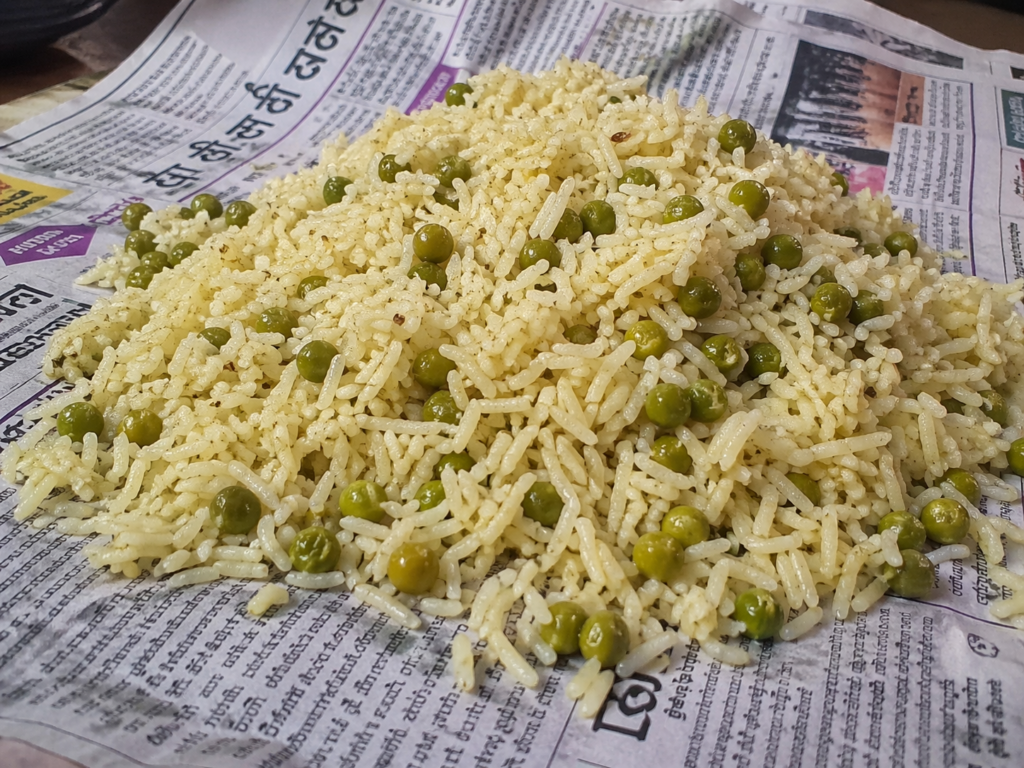
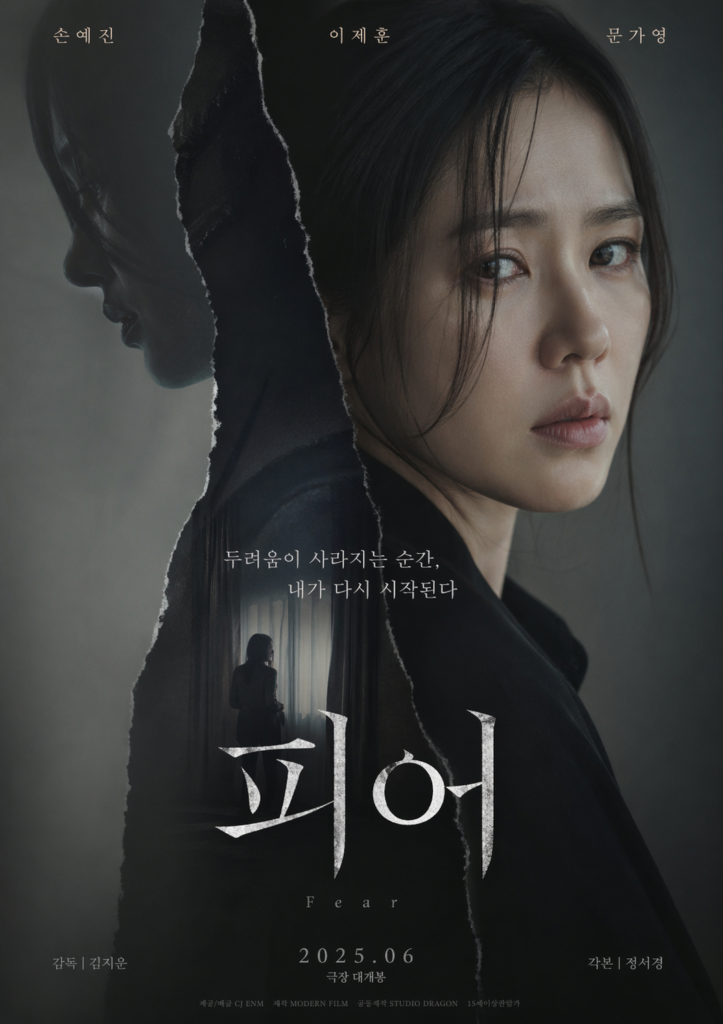
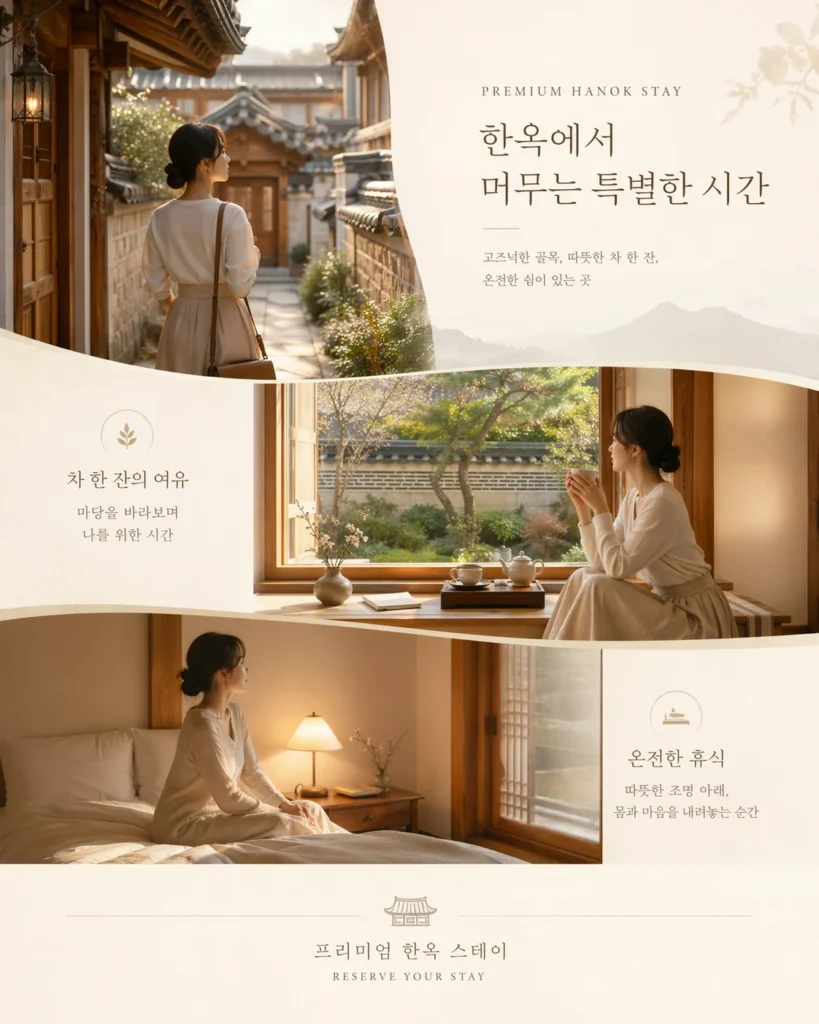
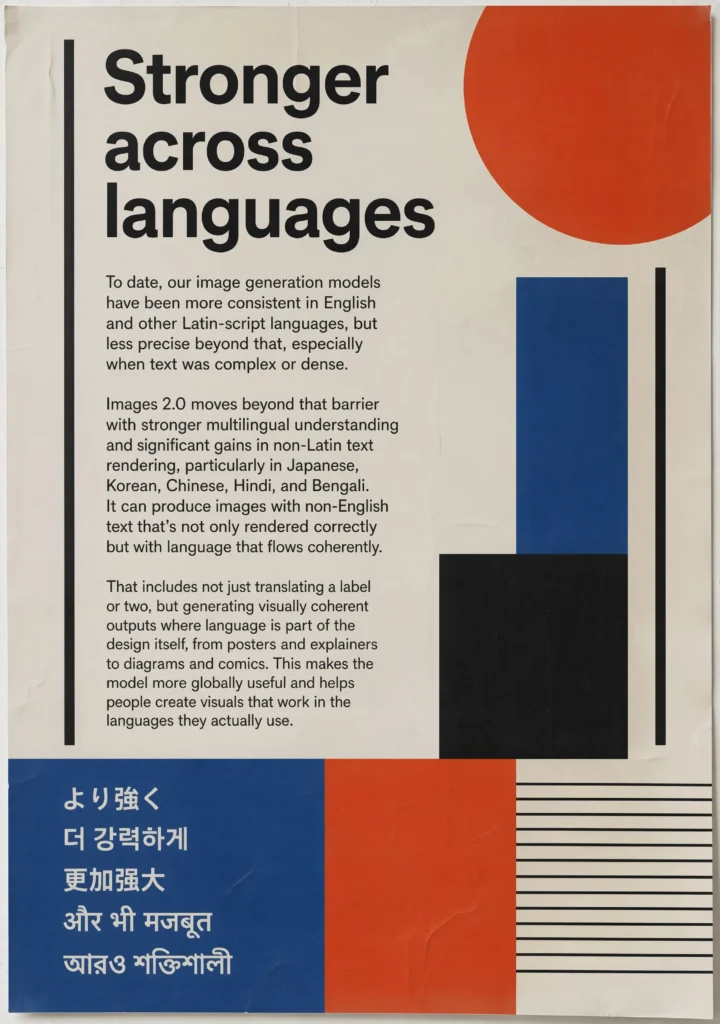
OpenAI a spécifiquement mis en avant le japonais, le coréen, le chinois, l'hindi et le bengali comme langues ayant connu des progrès significatifs. Les testeurs l'ont essayé, et le résultat se lit comme un texte natif, et non plus comme les caractères incompréhensibles que produisait tout modèle d'image précédent.
Le changement le plus profond concerne la gestion des scripts mixtes. Le modèle peut restituer une affiche japonaise avec des noms de produits en alphabet latin, un menu de restaurant arabe avec des prix occidentaux, ou un sous-titre de film chinois superposé à un titre anglais. Les mises en page à scripts mixtes étaient défaillantes dans tous les modèles d'image commerciaux jusqu'à présent.
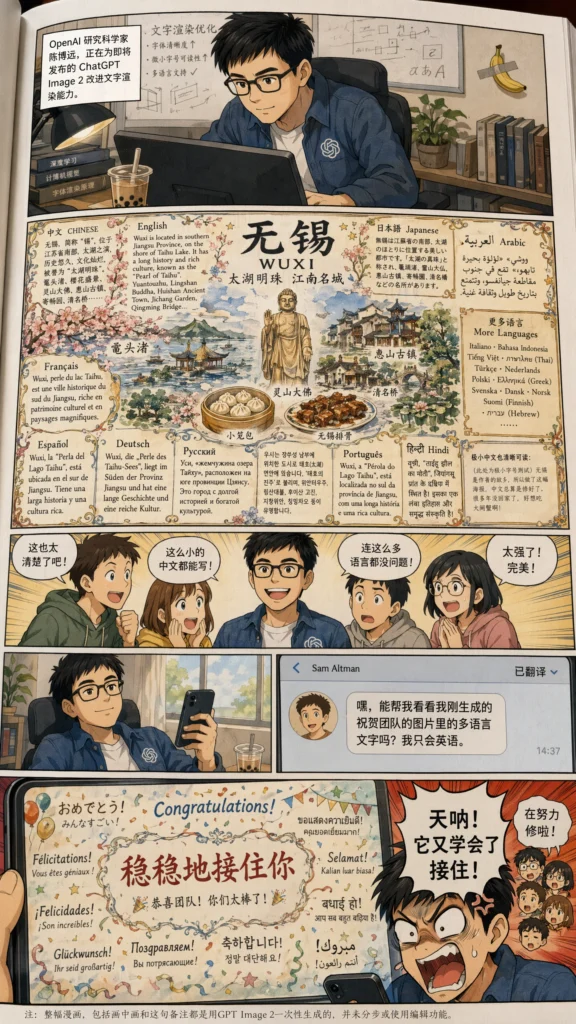
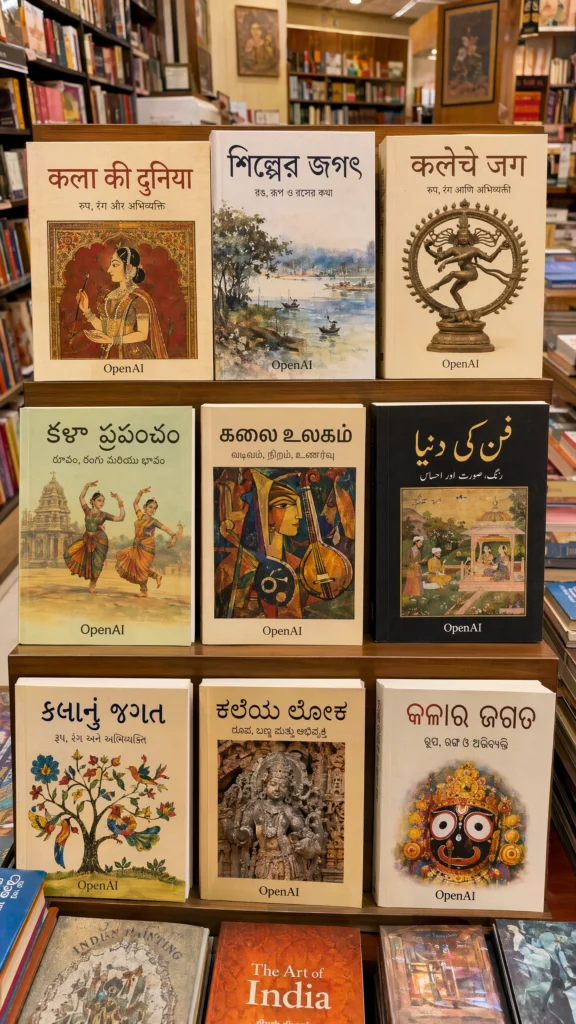
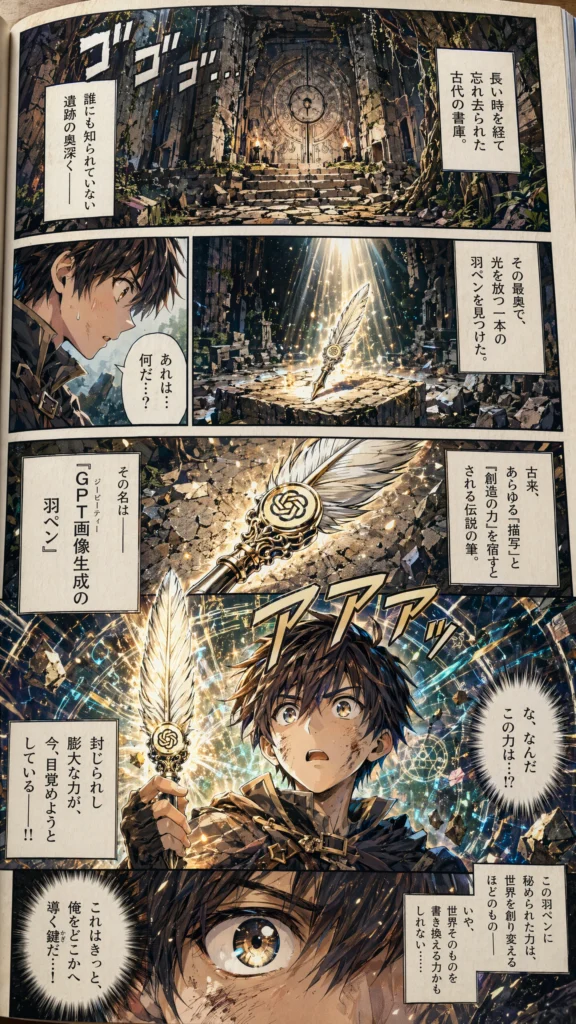
Pour les marchés non anglophones, c'est le premier modèle d'image IA réellement utilisable pour un travail de production en dehors de l'alphabet latin. La typographie bengalie, hindi et devanagari en particulier était pratiquement inutilisable dans DALL-E 3 et Midjourney.
Tarifs et API
L'API gpt-image-2 est disponible. La tarification est basée sur les tokens :
| Type de token | Prix |
|---|---|
| Tokens d'entrée image | $8 par million |
| Tokens de sortie image | $30 par million |
Le coût final par image dépend du niveau de qualité et de la résolution. Estimations par image en résolution standard 1 024 x 1 024 :
| Niveau de qualité | Coût par image |
|---|---|
| Bas | ~$0.006 |
| Moyen | ~$0.053 |
| Élevé | ~$0.211 |
Les sorties en 2K coûtent plus cher, proportionnellement aux tokens supplémentaires. Il existe deux surfaces d'API : l'Image API (identifiant de modèle gpt-image-2) pour la génération et l'édition en un seul appel, et la Responses API avec la génération d'images comme outil intégré. Les développeurs qui veulent que leur application suive la version de production de ChatGPT peuvent utiliser l'alias chatgpt-image-latest, qui se met à jour automatiquement.
Certains comptes API devront passer par la vérification d'organisation d'OpenAI avant que les points de terminaison ne deviennent utilisables.
Disponibilité par formule
| Formule utilisateur | Standard | Thinking Mode |
|---|---|---|
| ChatGPT gratuit | Oui | Non |
| ChatGPT Plus | Oui | Oui |
| ChatGPT Pro | Oui | Oui (limites les plus élevées) |
| ChatGPT Business | Oui | Oui |
| ChatGPT Enterprise | Oui | Oui |
| Utilisateurs de Codex | Oui | Oui |
| API (gpt-image-2) | Oui | Oui |
Le déploiement mobile se fait via la dernière mise à jour de l'application ChatGPT. DALL-E n'est plus disponible en option secondaire : OpenAI a retiré le GPT DALL-E officiel de ChatGPT le 30 août 2026 et redirige quiconque l'utilise encore vers ChatGPT Images. Les GPT créés par les utilisateurs avec la génération d'images activée ne sont pas concernés.
Comment il se compare
Les tests pratiques de VentureBeat, TechCrunch et TechRadar le comparent au reste du marché comme suit :
| Capacité | ChatGPT Images 2.0 | Midjourney V8 | Nano Banana Pro | Flux 2 |
|---|---|---|---|---|
| Photoréalisme | Excellent | Excellent | Très bon | Excellent |
| Rendu de texte | Le meilleur de sa catégorie | Bon | Très bon | Bon |
| Texte multilingue | Le meilleur de sa catégorie | Limité | Bon | Limité |
| Raisonnement avant génération | Oui | Non | Non | Non |
| Recherche web | Oui | Non | Non | Non |
| Cohérence multi-images | Jusqu'à 8 | Limité | Jusqu'à 4 | Limité |
| Résolution maximale | 2K | 2K (suréchantillonné) | ~1.5K | 2K |
| Accès API | Oui | Non | Oui | Oui |
ChatGPT Images 2.0 domine sur la précision du texte, la prise en charge multilingue et les flux de raisonnement. Midjourney garde encore l'avantage sur certaines esthétiques stylisées, en particulier le travail pictural et illustratif, là où son jeu de données plus ancien, affiné sur les préférences, se remarque. Nano Banana Pro est plus proche en photoréalisme que prévu et garde l'avantage sur la vitesse brute. Flux reste le modèle à poids ouverts le plus solide pour les équipes qui doivent s'auto-héberger. Si vous n'êtes pas sûr qu'un résultat soit réel, voici comment savoir si une image est générée par IA.
Les chiffres de l'Image Arena
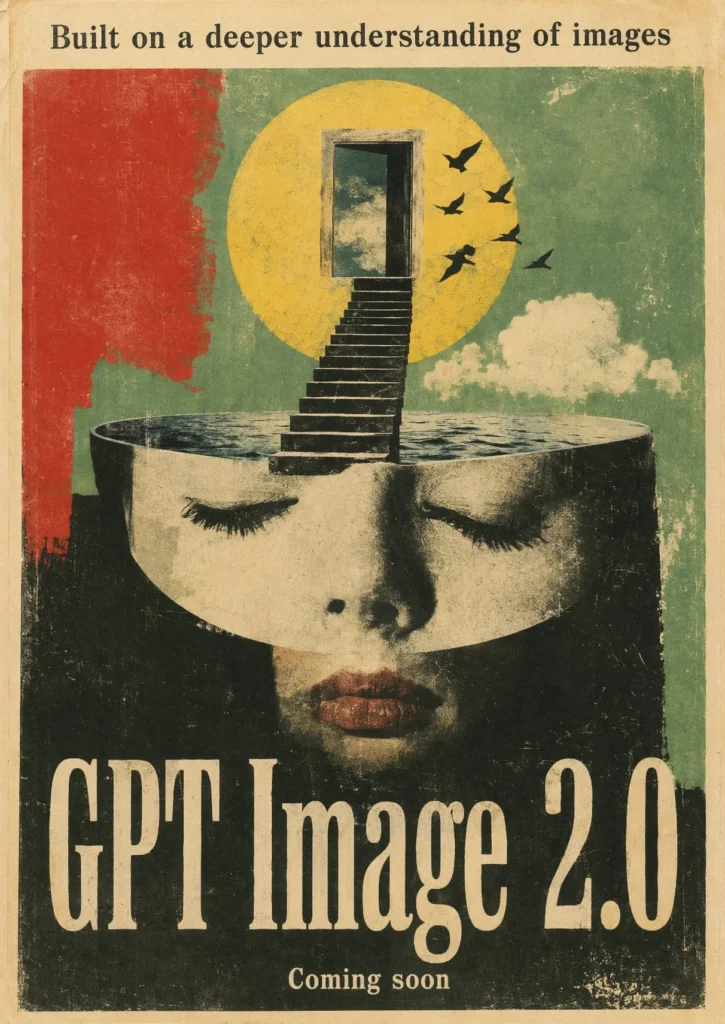
Un jour après le lancement, Arena.ai a publié les résultats du classement, et l'écart est loin d'être serré. GPT-Image-2 a décroché la première place dans toutes les catégories d'Image Arena, avec les plus grands écarts jamais enregistrés sur la plateforme :
| Catégorie | Score de GPT-Image-2 | Avance sur le n°2 |
|---|---|---|
| Texte vers image (global) | 1512 | +242 par rapport à Nano-banana-2 |
| Édition d'une seule image | 1513 | +125 par rapport à Nano-banana-pro |
| Édition multi-images | 1464 | +90 par rapport à Nano-banana-2 |
L'avance de +242 points en texte vers image est le plus grand écart qu'Arena ait jamais enregistré. À titre de comparaison, une mise à jour de modèle fait généralement bouger le classement de 30 à 60 points.
GPT-Image-2 a aussi raflé les 7 sous-catégories de texte vers image, en battant son propre prédécesseur GPT-Image-1.5 par des marges énormes :
- Produit, image de marque et design commercial : +277 points
- Imagerie et modélisation 3D : +274 points
- Cartoon, anime et fantasy : +296 points
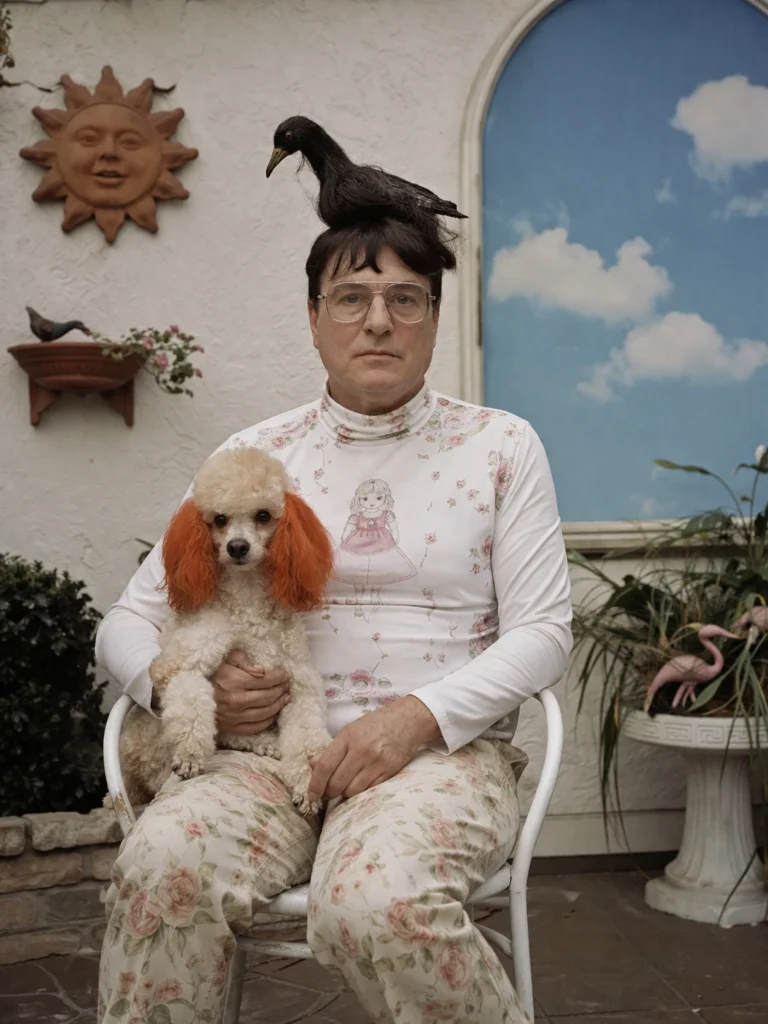
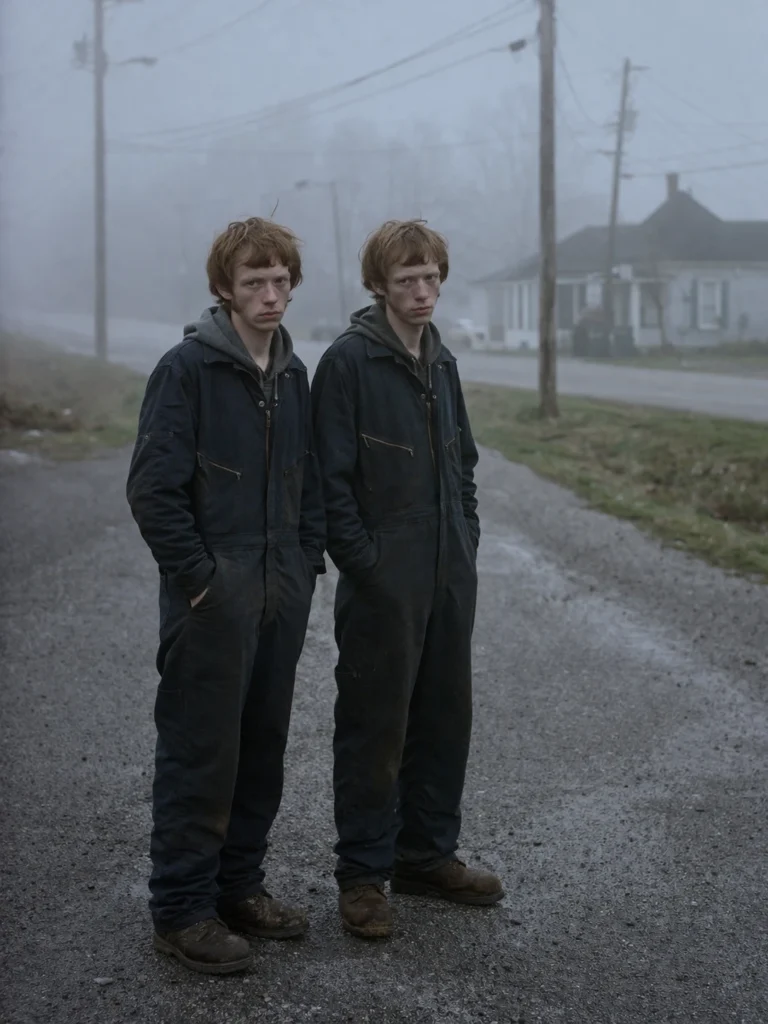
- Imagerie photoréaliste et cinématographique : +247 points
- Art : +197 points
- Portraits : +296 points
- Rendu de texte : +316 points
Le bond de +316 points sur le rendu de texte est le chiffre phare et confirme ce que les testeurs disaient de manière anecdotique. Le modèle ne s'est pas contenté d'améliorer le texte. Il a déplacé le plafond tout entier.
Modèles qu'il a battus sur toute la ligne : Nano-banana-2, les variantes de Nano-Banana-Pro, MAI-Image-2, Reve-V1.5 et Grok-Imagine-Image.
Ce qu'il ne sait toujours pas faire
Tout n'est pas résolu. Les testeurs ont relevé quelques aspérités :
- Les modifications par zone sélectionnée manquent de précision. Quand vous masquez une zone spécifique et demandez un changement, la modification peut déborder du masque. Pour un travail de précision, un prompt écrit décrivant ce qu'il faut changer est actuellement plus fiable qu'une sélection spatiale.
- Thinking Mode est lent. Deux minutes pour un prompt complexe, c'est acceptable pour un travail de production, mais ça tue toute exploration décontractée. La plupart des utilisateurs resteront en Instant Mode pour leurs prompts du quotidien.
- L'illustration très stylisée. L'esthétique picturale de Midjourney garde l'avantage pour l'illustration éditoriale et les couvertures de livres, là où l'ambiance compte plus que la précision.
- La vidéo en direct et l'animation. C'est un modèle d'images fixes. Sora gère le mouvement séparément.
- La cohérence de l'identité de marque sur de longues sessions. Huit images issues d'un seul prompt restent cohérentes. Vingt images réparties sur plusieurs sessions dérivent encore.
Cas d'usage
Les flux de travail mis en avant par OpenAI, pour la plupart déjà testés par des testeurs :
- Créations marketing : bannières publicitaires, visuels pour les réseaux sociaux, maquettes de produits dans plusieurs formats à partir d'un seul prompt
- Infographies et diapositives : visuels denses en informations avec du petit texte précis, des graphiques et des étiquettes de données
- Storyboards et prototypage de jeux : séquences de personnages cohérentes sur 8 images, avec un éclairage partagé et une continuité des poses
- Pages de manga et de bande dessinée : mises en page à cases multiples avec des personnages cohérents et des bulles de dialogue lisibles
- Schémas pédagogiques, cartes, illustrations scientifiques : étiquettes précises, éléments géographiques, échelle
- Maquettes d'interface et de produit : texte d'interface lisible et espacement réaliste des composants
- QR codes personnalisés : des codes qui se scannent réellement, intégrés dans des affiches entièrement conçues
- Créations localisées : affiches, publicités et emballages en langue locale pour les marchés internationaux
- Éditorial et couvertures de livres : mises en page riches en typographie avec des scripts non latins
Pour les agences, cela ramène trois ou quatre outils (générateur d'images, application de mise en page, éditeur de typographie, générateur de QR code) à un seul prompt. Pour les créateurs solo, c'est toute la différence entre avoir besoin d'un designer et s'en passer.
Pourquoi Codex Labs a été lancé le même jour
OpenAI a aussi lancé Codex Labs le 21 avril, un service de formation technique et d'intégration pour les organisations qui adoptent Codex. Ce lancement le même jour n'est pas une coïncidence. Les deux produits signalent le même virage : OpenAI passe des assistants de chat génériques à des agents spécialisés qui prennent en charge des flux de travail complets. ChatGPT Images 2.0 possède la boucle créative visuelle. Codex possède la boucle d'ingénierie. Codex Labs est le bras de conseil qui aide les entreprises à réellement les déployer.
Ce schéma (sortir un modèle spécialisé solide, puis sortir les services qui le mettent en production) est ce qu'Anthropic et Google font depuis un an. Le fait qu'OpenAI rattrape son retard côté entreprise est sans doute plus stratégiquement important que le modèle d'image lui-même.
Comment l'essayer
Pour un guide complet avec des formules de prompts et des cas d'usage pour les enseignants, les étudiants, les marketeurs et les employés de bureau, consultez notre guide complet sur l'utilisation de ChatGPT Images 2.0.
- Dans ChatGPT ou Codex : ouvrez une nouvelle conversation et envoyez votre prompt. Les utilisateurs gratuits ont Instant Mode. Les utilisateurs Plus et Pro peuvent passer à un modèle de raisonnement pour le raisonnement, la recherche web, etc.
- Sur mobile : mettez à jour vers la dernière version de l'application ChatGPT. Le générateur d'images utilise désormais Images 2.0 par défaut.
- Dans l'API : utilisez l'identifiant de modèle
gpt-image-2, ouchatgpt-image-latestsi vous voulez l'alias qui suit la version de production. Même structure de point de terminaison quegpt-image-1. - Dans Fello AI : ChatGPT, Claude 4.6, Gemini 3 et DeepSeek cohabitent dans une seule application native légère pour Mac, iPhone et iPad. La prise en charge de GPT-Image-2 sera ajoutée dans les prochains jours. Essayer Fello AI.
Bilan final
Les fuites avaient sous-estimé ce lancement. Les rumeurs d'avant-sortie se concentraient sur le rendu de texte et les rapports d'aspect, deux points sur lesquels le modèle a tenu ses promesses. Personne n'avait prévu qu'OpenAI grefferait un modèle de raisonnement complet sur le pipeline d'images et sortirait en même temps la recherche web, l'auto-vérification, les QR codes fonctionnels et la cohérence sur 8 images. Nous avons mis cette cohérence à l'épreuve dans une série de photos de voyage IA sur neuf destinations, générée à partir d'un seul selfie de départ.
Pour la première fois, un modèle d'image ne se contente pas de générer des pixels. Il planifie, fait des recherches, rédige des brouillons et révise. C'est une catégorie d'outil différente, et cela va transformer le flux de travail de chaque équipe qui produit du contenu visuel.