Update, September 2026: xAI’s API flagship is now Grok 4.7, released on September 21, 2026. See our Grok 4.7 breakdown, and our Grok 4.6 breakdown for the previous release. The Grok consumer app is a step behind: its Expert and Heavy modes still name Grok 4.6. Claude figures below now reflect Claude Opus 5.5, which shipped on September 22, 2026 and moved Opus 5 to Anthropic’s legacy list.
A single Perplexity Deep Research query now runs dozens of searches, reads hundreds of sources, and delivers a cited report in 2 to 4 minutes. On the heavier end, ChatGPT Deep Research can browse the web for up to 30 minutes and pull from hundreds of pages. In 2026, every major AI tool has shipped its own version of search, deep research, or both, and the gap between “ask a question” and “commission a research assistant” has collapsed into a single click.
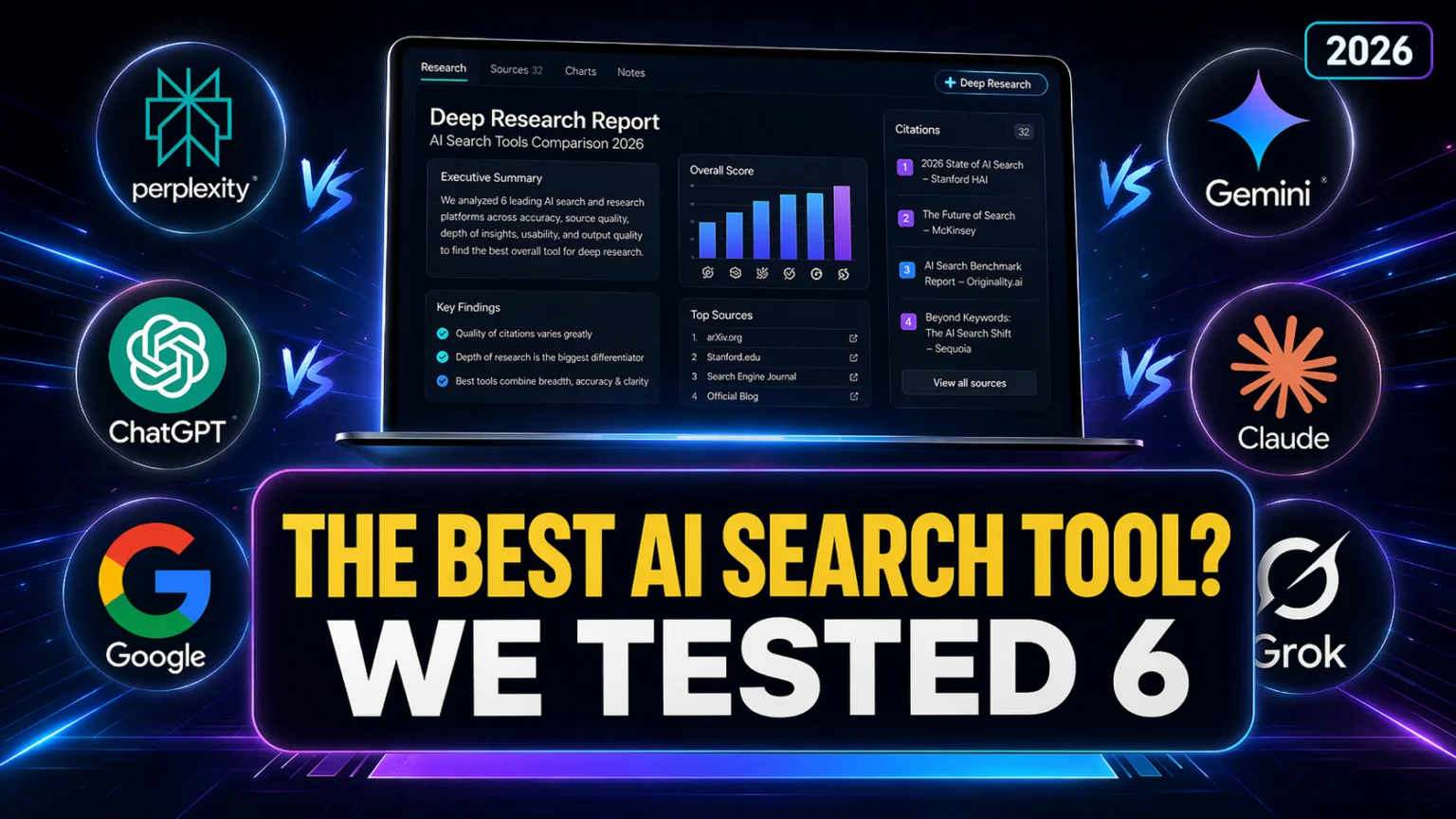
This guide compares the six AI search and deep research tools most people will actually use in 2026: Perplexity, ChatGPT, Gemini, Claude, Grok, and Google AI Overviews. For each one we cover how the search or deep research actually works, how to turn it on, typical run time, how many sources it touches, pricing, and the use case it wins. At the end, we flag one multi-model option for Mac and iPhone users who want all of them in one place. For Claude users who want agentic multi-source research that reads local files alongside the web, see our Claude Cowork guide.
The Key Takeaways
- Perplexity Deep Research is the fastest end-to-end research agent at 2 to 4 minutes per report, with transparent citations on every claim.
- ChatGPT Deep Research runs up to 30 minutes and produces the longest, most structured reports. OpenAI no longer publishes a run count: the pricing page grades it as limited, expanded or maximum by plan.
- Gemini Deep Research Max runs on Google’s top-tier Gemini models and is built for long, asynchronous research workflows. There is no Gemini 3.5 Pro; the newest Pro model is still Gemini 3.1 Pro. Google’s new flagship, Gemini 4 Argon, has been open to Google AI Pro and Ultra subscribers and on the paid API since October 13, 2026.
- Claude web search is free on the Claude.ai apps and works across current Claude models including Opus 5.5, Fable 5.1 and Sonnet 5.5.
- Grok DeepSearch is the only tool that pulls live data from X alongside the open web, so it wins on breaking news.
- Google AI Overviews remain the default AI layer for most searches, appearing inline above the organic results and summarizing a handful of pages.
What is AI deep research?
AI deep research is an autonomous mode where an AI agent runs dozens of web searches, reads hundreds of sources, cross-checks claims, and produces a cited, structured report. Unlike a normal AI answer that takes seconds, deep research runs for 2 to 30 minutes and is designed to replace hours of manual work with a single query.
It is different from basic AI search. Basic AI search, such as Google AI Overviews or ChatGPT Search, returns a short summary with a handful of citations in a few seconds. Deep research is a long, agentic process. The AI writes its own research plan, runs multi-pass queries, re-reads what it already found, and produces a document that can run to several thousand words. Most of the major AI labs shipped their first deep research mode in early 2025, and in 2026 the feature is standard across ChatGPT, Gemini, Perplexity, Claude, and Grok.
AI search and deep research tools compared at a glance
| Tool | Search mode | Deep research mode | How to activate | Typical run time | Typical sources | Free tier | Paid tier | Best for |
|---|---|---|---|---|---|---|---|---|
| Perplexity | Default answer engine with citations | Perplexity Deep Research | Pick “Research” from the mode selector | 2 to 4 min | Dozens of searches, hundreds of pages | 5 deep research queries/day | Pro $20/mo, Max $200/mo | Fast cited reports, live data |
| ChatGPT | ChatGPT Search (Bing-powered) | ChatGPT Deep Research | Pick “Deep research” from the message tools | 5 to 30 min | Hundreds of pages | 5 lightweight deep research queries/month | Plus $20/mo, Pro $200/mo | Long, structured written reports |
| Gemini | Grounded answers via Google Search | Deep Research and Deep Research Max | Pick Deep Research from the Gemini prompt bar | 5 to 15+ min | Hundreds of pages | Included with Google AI Pro | AI Pro $19.99/mo, AI Ultra from $99.99/mo | Google ecosystem workflows |
| Claude | Claude web search toggle | Claude Research (agentic browsing) | Pick “Web search” from the + menu, then ask | Seconds to minutes | Varies, fewer than Perplexity or ChatGPT | Free toggle on Claude.ai | Pro $20/mo, Max from $100/mo | Long documents, careful reasoning |
| Grok | Default answers with web + X data | Grok DeepSearch | Pick “DeepSearch” in the Grok prompt bar | 1 to 5 min | Web pages plus live X posts | Free on X and grok.com (Fast mode only) | Plus $8/mo, Premium $30/mo, Ultra $200/mo | Breaking news, X-native topics |
| Google AI Overviews | AI summary above organic results | None | Automatic on eligible queries | Seconds | A handful of cited pages | Built into Google Search | Free | Quick lookups on the main SERP |
Pricing, query limits, and feature availability move often. We re-verified the Google, Claude, Perplexity and Grok numbers in September 2026, and they are rounded to the plan tiers most readers will see. Always confirm in your account before committing.
Perplexity: the purpose-built AI answer engine
Perplexity is the one tool on this list that started life as an AI search engine. Every answer ships with inline citations, and the default mode feels closer to Google-with-summaries than to a chatbot. The real differentiator is Perplexity Deep Research, which runs the full autonomous pipeline. It plans, searches, cross-references, synthesizes, and delivers a long cited report.
How it works
When you run a Deep Research query, Perplexity performs dozens of searches and reads hundreds of sources, iterating through 3 to 5 refinement passes as it identifies gaps in what it has found. The final report usually includes an executive summary, key insights, timeline when relevant, and a numbered source list. Deep Research completes in 2 to 4 minutes on average, which is the fastest of the major research agents. Many responses also flag confidence ratings (“high,” “medium,” or “uncertain”) and call out disputed data points.
How to activate
On perplexity.ai or in the Perplexity app, pick the mode selector on the prompt bar and choose Research. On the free plan you get 5 deep research queries per day. Perplexity Pro is $20/month (or $200/year); Perplexity tightened Pro Deep Research allowances in early 2026 after previously offering 500 queries per day at launch, so check your account for the current cap. Perplexity Max is $200/month and removes the cap on Deep Research with priority access to the newest models.
Best for: Fact-dense topics where you need traceable citations in a hurry. Think market research, competitive analysis, news-adjacent questions, and anything involving current prices, policies, or regulations. If you want a longer narrative report rather than a research briefing, ChatGPT Deep Research is the stronger pick.
If you want the narrower Google Search vs Perplexity comparison, we keep that older post alive as a 1-on-1 deep dive.
ChatGPT: the most comprehensive deep research reports
ChatGPT has two distinct features that matter here. Search is the lightweight layer: ask a question and ChatGPT returns a short conversational answer with inline citations, powered by a third-party search index. Deep Research is the heavy mode: an agentic workflow that browses the web autonomously for up to half an hour and returns a long, structured, fully cited report.
How it works
Deep Research writes its own plan, runs a long chain of searches, reads and summarizes hundreds of pages, and produces a document that can easily run past 5,000 words. According to OpenAI’s deep research launch post, the feature can autonomously browse for 5 to 30 minutes depending on the complexity of the query. Since early 2026 the agent has been upgraded to a newer reasoning backbone, and as of February 2026 Deep Research can also connect to MCP servers and restrict its search scope to a whitelist of trusted sites.
How to activate
On chatgpt.com or in the ChatGPT Mac or iPhone app, click the message tools button under the prompt bar and pick Deep research. OpenAI no longer publishes a query count for the feature. Its pricing page grades it by plan instead: limited deep research on Free and Go, expanded on Plus ($20/month), and maximum on every ChatGPT Pro tier ($100, $200 or $500/month). The per-plan run counts that circulated in early 2026, such as 25 a month on Plus, appear nowhere OpenAI currently publishes, so treat them as history rather than as your allowance.
Best for: Long, polished research briefs where you want the AI to sound like a human analyst. Think industry deep-dives, literature-style writeups, and reports you plan to export or share. If you need live data for breaking news, Perplexity and Grok are better.
Our broader ChatGPT Search vs Google breakdown has more on why ChatGPT became a real search rival in the first place.
Gemini: Google ecosystem deep research with two tiers
Gemini ships two separate deep research agents as of April 2026. Deep Research is the interactive, lower-latency variant built for chat-style use. Deep Research Max launched on April 21, 2026, built for long asynchronous workflows where you want the best possible report and are willing to wait, per Google’s announcement on the Google blog.
How it works
Both agents are powered by Google’s top-tier Gemini models. Deep Research builds a plan, fans out web searches, reads the returned pages, and produces a cited report. Deep Research Max adds extended test-time compute. It runs longer, searches more sources, and iterates on the report draft before handing it to you. Per Google’s Deep Research Max announcement, Max can also consult proprietary data sources over MCP and include SEC filings, peer-reviewed journals, and other high-signal sources that the regular agent does not always reach. Neither agent publishes an official run time, but expect roughly 5 to 15 minutes for Deep Research and longer for Max on dense topics. For how Google’s current Gemini versions differ in capability, see our Gemini model comparison.
How to activate
In the Gemini web app or Gemini for Mac, pick Deep Research from the prompt bar. Deep Research access is included with the Google AI Pro subscription at $19.99/month. Students can see whether Google AI Pro is still free for students in our dedicated guide. Heavier usage and Deep Research Max fall under Google AI Ultra, which starts at $99.99/month for the 20 TB tier, with a higher-limit tier at $199.99/month. Google retired the old $249.99 Ultra price at I/O in May 2026, so ignore that figure if you still see it quoted. You can also pay as you go on the Gemini API for developers.
Best for: Researchers already living inside Google Docs, Sheets, and Drive, and anyone who wants cited reports that pull from SEC filings and scientific journals alongside the open web. Deep Research Max specifically shines for overnight workflows where latency does not matter.
You can dig into our full ChatGPT vs Gemini comparison if you want a broader look at the two ecosystems.
Claude: web search plus careful reasoning
Claude has two complementary features. Web search is the lightweight toggle that lets Claude fetch live web content when your question would benefit from it. Research is the agentic mode that Anthropic layered on top, letting Claude plan a search, follow links, and synthesize a multi-source report with citations.
How it works
When web search is enabled, Claude decides autonomously whether to search and how many queries to run. On Claude.ai you can also paste URLs directly into the chat and ask Claude to analyze those pages. The feature works across every current Claude model: Opus 5.5, Fable 5.1, Sonnet 5.5 and Haiku 5.5, plus older releases including Opus 5, Sonnet 5, Opus 4.8 and Haiku 4.5. Claude Research is tuned more for careful synthesis than for maximum source count; it typically pulls fewer pages than Perplexity or ChatGPT Deep Research, but the reasoning quality on ambiguous sources is consistently strong. For a closer look at just those two, see Claude and Perplexity head to head.
How to activate
Open claude.ai, click the + button in the lower left of the chat box and pick Web search, as outlined in Anthropic’s web search help center. Accounts already on Anthropic’s new Claude experience have no toggle at all, because Claude searches the web whenever it helps. On Team and Enterprise plans an admin has to enable the workspace-level setting first. Web search consumes your normal Claude usage budget, so be mindful on free accounts; pasting long URLs into a chat can eat a meaningful slice of a free plan’s five-hour usage limit.
Best for: Long documents you want Claude to reason over, research tasks where accuracy matters more than breadth, and any workflow where you also want to upload files alongside web sources. Our Claude vs ChatGPT comparison goes deeper on the reasoning-quality gap.
Grok: real-time search with native X data
Grok, xAI’s AI, is the only major tool on this list with first-party access to X (formerly Twitter). Its DeepSearch mode mixes traditional web search with live X posts, which makes it the sharpest tool for breaking news, live events, and anything that is trending on social before it hits the news cycle. xAI’s current flagship is Grok 4.7, public since September 21, 2026 at $2 input / $6 output per million tokens with a 500K token context window. Grok 4.6 sits behind it on identical rates, and the older Grok 4.3 is still in the price table at $1.25 / $2.50 with the wider 1 million token context window. Every Grok in that table takes text and image input only; xAI documents no video input on any of them. xAI does not publish which model backs DeepSearch on each plan, so treat the mode, not the version number, as what you are buying.
How it works
DeepSearch runs a visible chain of reasoning. You can watch Grok form a plan, search the open web, query X, and synthesize the result. Grok 4.3 widened the context window from 256K to a full 1 million tokens, which means a single DeepSearch run can hold dozens of long pages, full PDFs, and a transcript chunk in working memory at once without dropping context. Grok 4.7 and Grok 4.6 trade some of that room for reasoning quality, topping out at 500K. The feature still leans toward logical and technical topics rather than polished report writing, and it is faster than ChatGPT Deep Research but less exhaustive than Perplexity. A run typically completes in 1 to 5 minutes. Think Mode, the companion feature, trades breadth for deeper reasoning on a single question. On the Artificial Analysis Intelligence Index (v4.3.2, re-read 25 September 2026), Grok 4.7 scores 46.4 at xhigh, against 42.8 for Grok 4.6 and 25 for Grok 4.3. Ahead of Grok 4.7 sit Claude Opus 5.5 at 57.6, which leads the board outright, Claude Fable 5.1 at 53.4, GPT-6 Astra at 52.7 and Claude Opus 5 at 49.7, each at its top effort setting. Those are v4.3.2 figures and do not line up with the v4.1 numbers this guide carried earlier: Artificial Analysis rescaled the index, so every score moved down at once and no model got worse. So on raw reasoning quality you are still better off with ChatGPT Deep Research or Claude Research for highly technical questions; Grok’s wins are speed plus live X data.
How to activate
On grok.com or in the Grok app on Mac and iPhone, pick DeepSearch from the prompt bar. Grok is free on X and grok.com, but only in its Fast mode; signed out, grok.com’s own mode list marks Expert and Heavy, the two modes that name a model, as upgrades. The paid plans are now The X Subscription, which replaced SuperGrok and X Premium on October 12, 2026: Plus at $8/month, Premium at $30/month, Super at $100/month and Ultra at $200/month for the most usage. On the API you can call Grok 4.7 at $2 input / $6 output per million tokens, doubling above 200K tokens of input, or the cheaper Grok 4.3 at $1.25 input / $2.50 output. For the full breakdown of what 4.3 changed, read our Grok 4.3 review.
Best for: Breaking news, sports, markets, policy moves, and anything where the signal is on X first. Grok’s image input also helps when your source material is a chart, screenshot or slide that you want a research summary built on top of. Our Grok vs ChatGPT comparison has more on where Grok beats and where it loses.
Google AI Overviews: the default AI layer nobody opts into
Google AI Overviews are the AI-generated summaries that sit at the top of regular Google Search results. They are not a deep research agent, but they are where most people encounter AI-grounded search in 2026, often without realizing it.
How it works
When you run a normal Google search, Google’s systems decide whether the query is a good candidate for an AI Overview. If yes, Gemini models generate a short summary that synthesizes several top-ranking pages, with citations linking back to those sources. The summary sits above the organic results, pushes the classic blue links down, and changes the way people click through to websites. AI Overviews work on informational, how-to, comparison, and local queries, and they are triggered automatically rather than by a setting.
How to activate
You cannot. Google AI Overviews appear automatically when Google decides your query is a fit. You can switch to Google AI Mode (the standalone conversational search interface) from the search bar if you want a chat-style experience on top of the same index.
Best for: Quick lookups where you only need a sentence or two. For anything that matters, treat the AI Overview as a starting point and verify with a dedicated deep research tool.
Which AI search or deep research tool should you pick?
Most people do not pick one. In 2026 the realistic answer is to keep two or three of these open and route each question to the one that fits.
- Best for speed: Perplexity Deep Research, done in 2 to 4 minutes with citations.
- Best for long written reports: ChatGPT Deep Research, up to 30 minutes and thousands of words.
- Best for Google ecosystem workflows: Gemini Deep Research and Deep Research Max, with tight integration into Docs, Drive, and Sheets.
- Best for careful reasoning on uploaded documents: Claude with web search toggled on.
- Best for breaking news and X-native topics: Grok DeepSearch.
- Best for throwaway lookups: Google AI Overviews, because you are already searching Google anyway.
- Best for academic-style citations: Perplexity for speed, Gemini Deep Research Max for depth.
- Best for fact-checking a claim: Run the same query through Perplexity and Grok and compare the sources.
Fello AI: one app, many search models on Mac and iPhone
Want Claude, ChatGPT, Gemini, Grok and DeepSeek in one app on Mac, iPhone, and iPad? Fello AI bundles all of them at $9.99/month and includes its own live web search, so you can pull fresh sources into any model’s conversation. It is not a replacement for Perplexity’s dedicated research agent or ChatGPT Deep Research, but it saves you from stacking three or four $20/month subscriptions just to compare answers across models. You can also check our rundown of the best ChatGPT alternatives on Mac for a broader view of multi-model apps.
Conclusion
Basic AI search is now a solved problem. Google AI Overviews, ChatGPT Search, Claude web search, Perplexity, and Grok all return reasonable cited answers in seconds. The real 2026 fight is over deep research, and the six tools in this guide each win a different use case. Start with Perplexity for speed, ChatGPT for long polished reports, Gemini if you already live in Google, Claude for careful reasoning, and Grok for live X data. Treat Google AI Overviews as the baseline. For Mac and iPhone users running across all of them, a multi-model app like Fello AI can replace three or four separate subscriptions. Pick two, keep them open, and you will cover almost every research task without breaking a sweat. If those two are Perplexity and ChatGPT, our head-to-head comparison of the pair goes further into the defaults and plan limits. If they are Perplexity and Gemini, our Perplexity vs Gemini comparison explains why one of them already runs the other's models.
For the bigger picture across every model category, our Best AI Models hub is updated monthly.
FAQ
What is the difference between AI search and AI deep research?
AI search returns a short summary with citations in seconds. AI deep research runs an autonomous agent that searches, reads, cross-checks, and produces a multi-source cited report over several minutes.
Which AI deep research tool has the most sources?
ChatGPT Deep Research and Gemini Deep Research Max pull from the most sources per run, often several hundred. Perplexity is close behind but finishes faster.
Is Claude web search free?
Yes, on Claude.ai you can toggle web search on for free, although heavy use consumes your normal Claude usage budget. Team and Enterprise plans require an admin to enable it at the workspace level first.
How long does ChatGPT Deep Research take?
According to OpenAI, a Deep Research run browses the web autonomously for 5 to 30 minutes depending on the complexity of the query.
Can I use multiple AI search tools on Mac?
Yes. You can install the native Mac apps for Claude, ChatGPT, Gemini, Grok, and Perplexity side by side, or use a multi-model app like Fello AI to route to all of them from a single window.