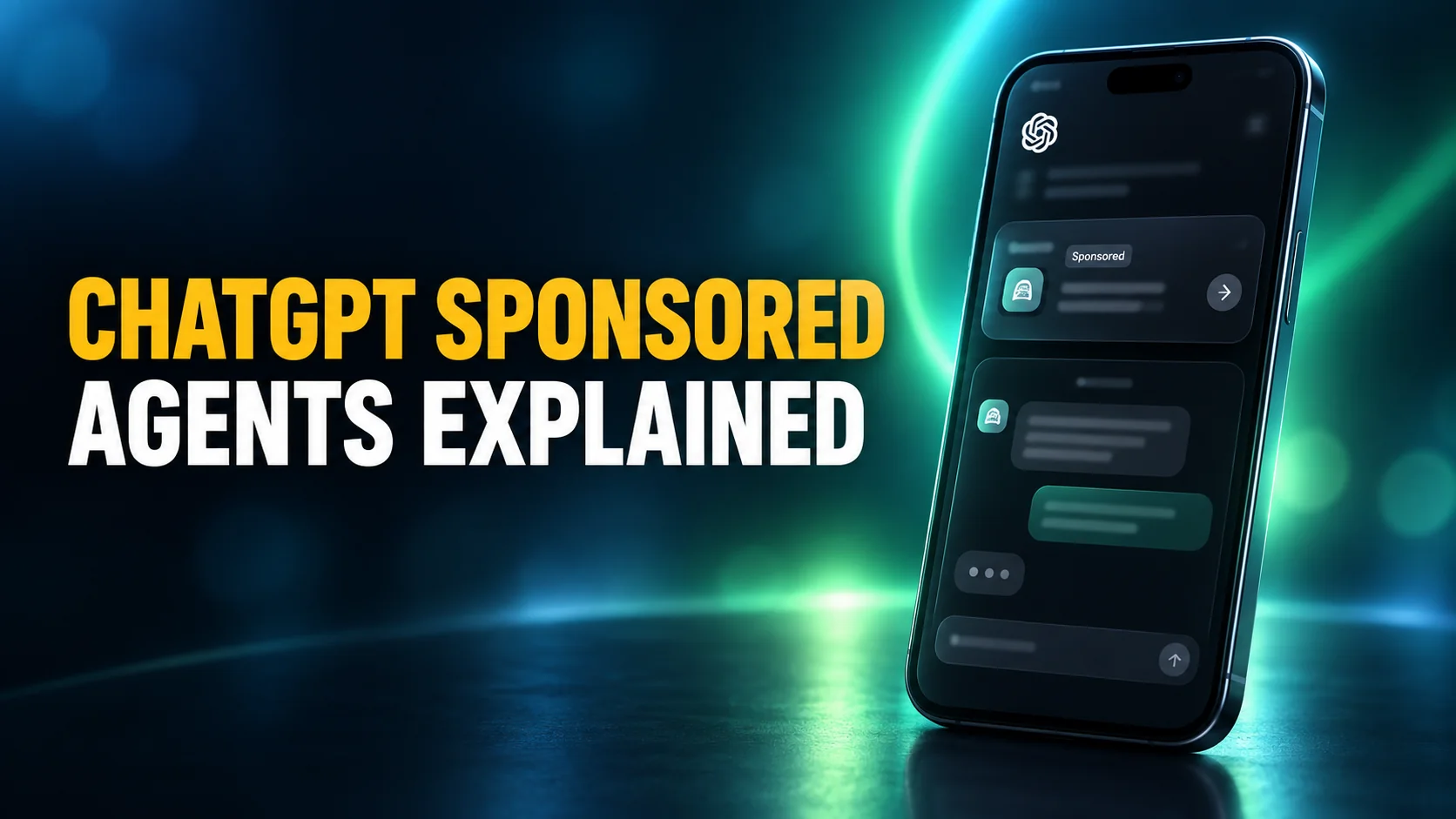
On 16 September 2026, OpenAI announced that it is testing Sponsored Agents in ChatGPT: an advertisement you can hold a conversation with. In OpenAI's own words, the format lets people "start a conversation with a business-sponsored agent after clicking an ad in ChatGPT". Instead of being sent straight to a company website, you can open a separate labelled chat, describe what you need, ask questions, and only then click through. The company says Sponsored Agents "are now being tested with select advertisers in the United States".
This is not the moment ads arrived in ChatGPT. Ads have been running since 9 February 2026 on the Free and Go plans, as plain sponsored links below the answer. What changed in September is the shape of the ad itself.
That shape raises questions the old format never did. How do you tell an agent from an answer? What does the brand on the other end get to see? And can you switch the whole thing off? This guide answers those three, using OpenAI's own documentation rather than the advertiser press coverage that currently dominates the topic.
The Key Takeaways
- What it is: a Sponsored Agent is a business-sponsored chatbot inside ChatGPT, opened by choice after you click an ad.
- Not new ads, a new format: ads launched in ChatGPT on 9 February 2026. OpenAI announced the Sponsored Agents test on 16 September 2026.
- It stays in its own lane: OpenAI says a Sponsored Agent conversation is "distinct from ChatGPT's independent answers and separate from the user's original ChatGPT conversation".
- Who sees ads: the Free and Go plans. Plus, Pro, Business, Enterprise and Edu accounts do not, and OpenAI says it shows no ads to accounts identified as belonging to under-18s.
- What advertisers get: "aggregated, non-identifying information" such as total views or clicks. OpenAI states advertisers have no access to your chats, history, memories or personal details.
What Is a ChatGPT Sponsored Agent?
A ChatGPT Sponsored Agent is a business-sponsored chatbot, running inside ChatGPT, that you can open after clicking an ad. Rather than a static link that sends you to a website, it starts a second, clearly labelled conversation in which you can explain what you are after and ask questions before deciding whether to visit the brand at all. OpenAI's advertiser documentation calls it an advertising format that lets people chat with "an AI representative of a business".
Put plainly: it is a brand's chatbot, wearing ChatGPT's clothes.
How the format works
OpenAI's description of the flow is short and worth reading literally. In its announcement of the format, the company writes: "After seeing a relevant ad, a user can choose to start a clearly labeled conversation with a business-sponsored agent in ChatGPT."
Two words in that sentence are doing real work. Choose means you are not dropped into a branded chat automatically: the sponsored conversation is something you opt into from the ad. Separate is the other one. OpenAI states that "the conversation with a Sponsored Agent is distinct from ChatGPT's independent answers and separate from the original conversation that the user started in ChatGPT", so the agent is not taking over the thread you opened.
The news wires summarised the mechanic the same way on the day of the announcement.
OpenAI is testing Sponsored Agents, which let users chat with business-sponsored agents and visit advertiser websites via ChatGPT ads, with some US advertisers (@anzarraina / Reuters)
— Techmeme (@Techmeme) September 16, 2026
(Visit Techmeme dot com for the link and full context!)
Why OpenAI built it
This was signposted well in advance. In its published approach to advertising, OpenAI wrote that "conversational interfaces create possibilities for people to go beyond static messages and links", and predicted that "soon you might see an ad and be able to directly ask the questions you need to make a purchase decision". Sponsored Agents are that plan arriving.
OpenAI has not published a full roster of pilot brands, and reporting disagrees about who is in it. The safest reference point is a company confirming its own participation. The home services marketplace Angi did exactly that in its own announcement, describing itself as "part of a select group of brands testing a new conversational advertising experience in ChatGPT". An Angi-branded sponsored agent, it said, "may appear in relevant ChatGPT conversations regarding home services".
The commercial logic is easy to read. A sponsored link is worth whatever a click is worth. A conversation in which a shopper volunteers a budget, a room size or a deadline is worth considerably more, because the brand learns qualifying detail before the visit rather than after it. That is the trade being offered, and it is the reason the format deserves more scrutiny than a banner.
The push is aimed squarely at advertisers, who were told directly. Barry Schwartz of Search Engine Roundtable, who has covered the search and ads industry for two decades, published the message OpenAI sent them.
Here is the email OpenAI sent advertisers about these ChatGPT Ads updates, including the Sponsored Agents format - story updated at https://www.seroundtable.com/openai-chatgpt-sponsored-agents-42104.html
— Barry Schwartz (@rustybrick) September 16, 2026
How ChatGPT Sponsored Agents Differ From the Old Ad Format
ChatGPT's existing ads are undramatic. Per OpenAI's help documentation, "ads can appear below the end of a response" and are "clearly labeled as sponsored and visually separated from ChatGPT's response". They sit under the answer, they look like ads, and they behave like links.
A Sponsored Agent changes the interaction rather than the placement. The unit you engage with is a conversation, not a destination, and the thing answering you is the advertiser's system rather than ChatGPT. The label is still there, but the surface now looks exactly like the thing you came to ChatGPT for. That is the honest reason to pay attention: the format works because it resembles the product, and resemblance is precisely what makes labelling matter.
The placement did not change. What you are talking to did.
One practical note worth having. OpenAI's help page states that during the current test, "ads do not appear in the ChatGPT Atlas browser". If you use OpenAI's Atlas browser rather than the standard apps, the ad surface you encounter is not the same one.
Which ChatGPT Plans Show Ads
Ads are tied to plan, and OpenAI is specific about it. The table below is drawn from the company's Ads in ChatGPT help article. Note that it describes ads in general: OpenAI has not published which plans see Sponsored Agents specifically, so treat the agent format as a test layered on top of this, not as a documented per-plan feature.
| Plan | Ads shown? | What you can do about it |
|---|---|---|
| Free | Yes | Switch to the free no-ads option, at the cost of fewer daily messages and no image tools |
| Go | Yes | Adjust Ad Controls, or move up a plan |
| Plus | No | Nothing needed |
| Pro | No | Nothing needed |
| Business, Enterprise, Edu | No | Nothing needed |
| Under-18 accounts | No | OpenAI says it does not show ads to accounts identified as belonging to people under 18 |
There is a regional caveat too. OpenAI states that personalised ads were "not initially available in the European Economic Area (EEA) or Switzerland", so what you see depends on where your account sits as well as which plan you pay for. For the full picture of what the free tier does and does not include, our guide to what you actually get on the ChatGPT free plan covers the message limits that the no-ads option reduces further.
What a Sponsored Agent Can and Cannot See
This is the question that matters most and the one the advertiser-facing coverage skips entirely. OpenAI's answers are unusually direct, so they are quoted here rather than paraphrased.
What advertisers receive
On advertiser access, the help documentation states: "Advertisers do not have access to your chats, chat history, memories, or personal details." On reporting, it adds that advertisers "only receive aggregated, non-identifying information about how their ads perform, such as total views or clicks".
Read carefully, that covers the ad system. A Sponsored Agent conversation is a different thing: it is an exchange you chose to start with a brand, and whatever you type into it, you have typed to that brand. Treat it the way you would treat a retailer's live chat widget on its own website.
OpenAI says as much in the same help article: "If you choose to message an advertiser through an ad (for example, to ask questions while making a purchase decision), the advertiser will only see the messages you send them directly." That is a reassurance and a warning in one sentence. The advertiser sees what you send it, and nothing else.
The wall protects your history. It does not protect your typing.
Whether ads change the answers
On the question of influence, OpenAI is unambiguous: "No. Ads do not influence ChatGPT's answers. Ads run on separate systems from our chat model." That is a meaningful commitment and it is the right thing to hold the company to, because the Sponsored Agent format puts commercial content one tap from the answer rather than one page away.
Personalisation is a separate matter from influence. Ads are targeted using signals from your account, which is why the controls described below include turning personalisation off and clearing the data behind it. Our explainer on what OpenAI collects and who can see it goes through the link between memory and ad targeting, and how to stop AI from training on your data covers the neighbouring settings.
How to Recognise a Sponsored Agent
OpenAI's stated safeguard is labelling, repeated at every step: the ad is labelled, the invitation is labelled, and the resulting conversation is labelled. In practice, three habits will keep you oriented.
Check what you clicked. A Sponsored Agent conversation only starts after you engage with an ad. If a chat window appeared because you tapped something below an answer rather than because you typed a question, you are in an ad.
Check who is answering. ChatGPT's own answers come from the thread you started. A sponsored exchange is presented separately and carries the brand. If the responses are pushing one company's catalogue, that is not ChatGPT being opinionated, it is the advertiser's agent doing its job.
Check what it asks you. A sales conversation qualifies you. Questions about budget, timing, postcode or project size are the tell, and they are also the point at which you should decide how much you actually want to hand over.
One gap is worth flagging. At the time of writing, OpenAI's consumer help page on ads does not use the term Sponsored Agents anywhere, although it does describe the underlying mechanic of messaging an advertiser. The named format is set out in the announcement and in a separate advertiser-facing help article, not in the page a ChatGPT user reaches through the settings menu. For a feature whose main protection is that people recognise it, that is an odd place to leave the explanation.
How to Turn ChatGPT Ads Off or Reduce Them
The controls OpenAI documents fall into three groups. You can turn off personalisation in Settings, then Ad Controls, and clear the data used for ads at any time. You can act on an individual ad by hiding it, reporting it, or asking why you are being shown it.
Or you can remove ads entirely. Free users can choose a no-ads option, which costs them messages per day and access to tools like image generation. Any paid tier above Go carries no ads at all.
That last option is the one worth costing out properly rather than reflexively. Moving up a plan to escape ads is a subscription decision, not a settings decision. Our breakdown of every ChatGPT plan and what it costs is the place to weigh it, and if you are already paying for several assistants, it is worth running the exercise in our AI subscription audit before adding another line item.
For the step-by-step version of switching ads off, including the browser-level questions this article does not cover, we keep a dedicated guide: how to use ChatGPT without ads. This article explains what the new conversational format is; that one is the practical removal walkthrough.
What ChatGPT Sponsored Agents Mean on a Mac
Nothing about this format is Mac-specific, and that is rather the point. Ads follow the account, not the device, so a Free or Go user meets the same sponsored surface in the ChatGPT Mac app as in a browser tab. Desktop use arguably makes the labelling question sharper, because a large window filled with a single conversation gives fewer visual cues that you have moved from an answer into an advertisement.
It is also a reasonable moment to notice what you are paying for when you pay. Ad-supported tiers are the ones being monetised this way, while paid tiers are not. A desktop client such as Fello AI sits on the other side of that line by design: it is a paid app that reaches several models, with no ad surface and no advertiser in the conversation. If you want the practical comparison of running ChatGPT natively on macOS, our ChatGPT desktop client guide for the Mac covers the options.
The Verdict
Sponsored Agents are a new kind of advertisement: not a placement you scroll past but a conversation that draws you in, wearing the same interface as the assistant you trust. OpenAI has built real guardrails here, and the ones it states publicly are the right ones. Ads do not touch the answers, advertisers do not get your history, and entering the sponsored chat is a choice you make rather than one made for you.
The sensible posture is neither alarm nor indifference. Know that ads on Free and Go now include a format designed to be talked to. Treat anything you type into a branded agent as something you have told that brand. If the surface bothers you, the controls and the plan boundary are both documented and both work.
One thing is worth watching as the test widens: whether the labelling keeps pace. On current evidence the consumer documentation is already a step behind the product.
Frequently Asked Questions
What is a ChatGPT Sponsored Agent?
It is a business-sponsored chatbot inside ChatGPT. After you click an ad, you can choose to open a separate, clearly labelled conversation with that brand, ask questions, and then continue to its website. OpenAI announced on 16 September 2026 that the format is being tested with select advertisers in the United States.
Do advertisers see my ChatGPT conversations?
OpenAI states that advertisers do not have access to your chats, chat history, memories or personal details, and that they receive only aggregated, non-identifying information such as total views or clicks. Anything you type directly into a Sponsored Agent, however, is a message to that business.
Which ChatGPT plans show ads?
Ads appear on the Free and Go plans. Plus, Pro, Business, Enterprise and Edu accounts do not show ads, and OpenAI says it does not show ads to accounts identified as belonging to people under 18. Ads began testing in the United States on 9 February 2026 and have since expanded to further markets.
Do ads change the answers ChatGPT gives me?
According to OpenAI, no. Its help documentation states that ads do not influence ChatGPT's answers and that ads run on separate systems from the chat model. A Sponsored Agent conversation is also described as distinct from ChatGPT's independent answers.
Can I use ChatGPT without ads?
Yes. Free users can select a no-ads option that trades away daily messages and tools such as image generation, and every paid plan above Go is ad-free. You can also turn off ad personalisation in Settings under Ad Controls, and clear the data used for ads.