The fastest AI on a Mac is not the one with the best model. It is the one that opens before you have finished deciding to use it. That is the entire argument for an AI menu bar app for Mac, and it is why the category exists at all.
The problem is that every roundup treats the category as one thing. It is not. There are four separate jobs hiding under that phrase, and the app that solves one of them is usually terrible at the others. This guide sorts them by job and prices each one from the vendor's own page rather than from another blog. It also answers the question the rest of the category keeps raising and never addressing, which is where your text actually goes after you type it. Scheduling is a fifth job that sits outside this list, and AI calendar assistants for Mac covers it separately.
The Key Takeaways
- Four jobs, not one: ask any model, rewrite text in place, dictate, and watch your usage limits. Most people need two apps, not one.
- You may already own one: the ChatGPT Mac app opens with Option and Space, and Claude Desktop opens with a double tap of the Option key. Both are free downloads.
- Raycast Pro is $10 a month, or $96 a year, with 500 AI credits. The free tier has no AI at all, and the top-tier models need the Plus plan at $20 a month.
- One time licences still exist: BoltAI runs $79 to $199 and MacWhisper Pro is 65 euros, both paid once rather than monthly.
- Option and Space is crowded: the ChatGPT app, Gemini, Fello AI and GroAsk all default to it, so whichever one you install second needs rebinding.
- The privacy answer differs per app. Some route your text through a vendor server, some use your own API key, and some never leave the machine.
What an AI Menu Bar App on a Mac Actually Does
A menu bar app lives in the strip along the top right of your screen and stays out of the Dock. It has no window until you summon it, usually with a global keyboard shortcut that works no matter which app is in front. That is the whole trick. You do not switch to a browser, find a tab, and lose your place.
The four jobs
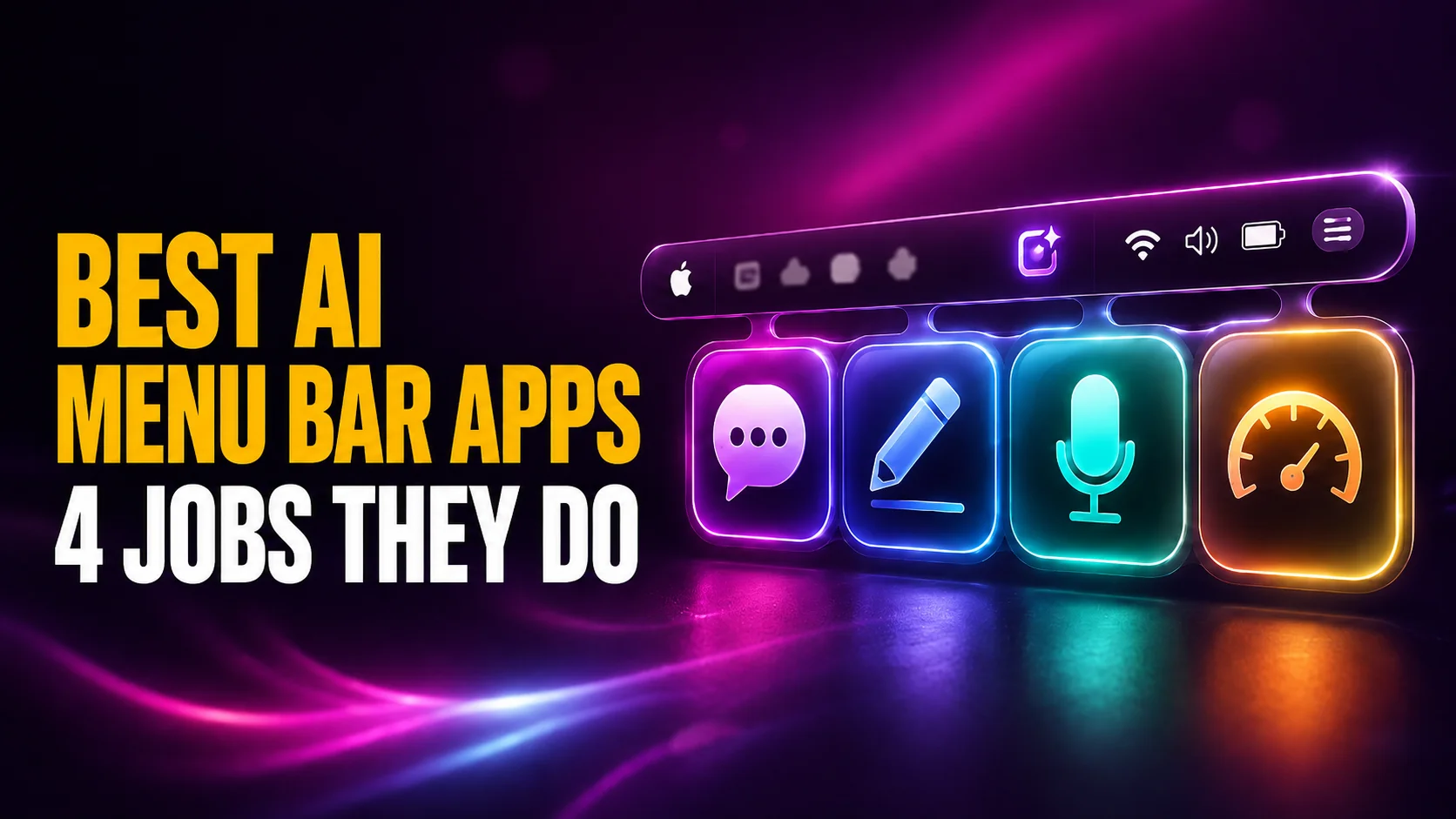
Once you start listing the apps people recommend, they split into four groups that barely overlap. The first is asking any model, which means a chat window on a hotkey, ideally with more than one model behind it. The second is rewriting text in place. You select a paragraph in any app, press a key, and the improved version replaces it, with no chat window involved at any point. For full desktop chat apps rather than menu bar tools, see our guide to the best AI apps for Mac.
The third is dictation, meaning speech to text that is meaningfully better than the one built into macOS. The fourth arrived only recently: watching your limits, a readout of how much of your weekly allowance you have already burned. Four jobs, four different best answers.
Almost every article on this subject mixes these together and ranks them against each other, which is like ranking a kettle against a fridge. Decide which job you have first. The answer changes which app is correct, and it is the reason so many people install one, feel underwhelmed, and conclude the category is hype.
Menu bar or launcher?
There is a second split worth understanding. A menu bar app has a permanent icon and a dropdown. A launcher, like Raycast or Alfred, replaces Spotlight and appears in the centre of the screen when you press a key. Several AI tools blur the line by doing both. The practical difference is that a launcher wants to be your one entry point for everything, files and calculations included, while a menu bar app wants to do one job well and stay quiet. If you already live in Spotlight and like it, a menu bar app is the lighter change, though it is worth knowing what Siri AI now does inside Spotlight before you decide.
The Best AI Menu Bar Apps for Mac at a Glance
Prices rechecked against each vendor's own pricing page on 10 October 2026. This category changes prices often, so treat the date as part of the figure.
| App | Job | Models or providers | Price | Where your text goes |
|---|---|---|---|---|
| Fello AI | Ask any model | 20+ frontier models | $11.99 per month | Fello AI's service |
| ChatGPT Mac app | Ask any model | OpenAI only | Free app, Plus from $20 per month | OpenAI |
| Claude Desktop | Ask any model | Anthropic only | Free app, paid plans above it | Anthropic |
| BoltAI | Ask any model | Bring your own key, plus Ollama and LM Studio | $79, $99 or $199 once | Whichever provider's key you use |
| Raycast | Launcher with AI | Pro models, top-tier models on Plus, or your own keys and local models | $10 per month, $20 for Plus | Raycast, your own provider, or nowhere |
| GroAsk | Ask any model | Launches ChatGPT, Claude, Gemini, Monica and six CLI agents | Free in early access | The service it opens |
| Utilix (formerly AppleAI) | Ask any model | ChatGPT, Claude, Gemini and more, or your own key | Name your own price | Each service you open, or your key's provider |
| RewriteBar | Rewrite in place | 37+ providers, or Ollama, LM Studio and Apple Intelligence | $29 or $59 once | Your key, its gateway, or nowhere |
| MacWhisper | Dictate | Whisper and Parakeet, on device | Free, or 65 euros for Pro | Nowhere, it runs locally |
| tokn.watch | Watch limits | Claude and ChatGPT | Free | Reads your browser session cookies |
Job One: Ask Any Model From One Hotkey
This is what most people mean when they search for the category, and it is the crowded end of the market. The meaningful difference between these apps is not the interface, it is how many models sit behind the shortcut and who you pay for them.
Fello AI
This one is ours, so take the recommendation with that in mind and check the alternatives below it. Fello AI is a native app for Mac, iPhone and iPad that puts more than 20 frontier models behind a single subscription at $11.99 a month. The argument for it is arithmetic rather than magic. Paying for ChatGPT Plus, Claude Pro and a Gemini plan separately puts you near $60 a month, which we work through in detail in our complete AI pricing comparison. One subscription that covers the same ground costs less than one of them.
On a Mac the entry point is the Floating Chat Bar, rebuilt in September 2026 and opened with Option and Space from any app, including over full screen ones. It appears in the centre of the screen rather than pinned to the top right corner, and you can move it. From the bar you can screenshot a region of the screen and ask about it, dictate the prompt instead of typing it, attach a document or an image, switch model, and hand the whole thread to the main window when a quick question turns into a real one. The menu bar icon is still there for anyone who would rather click than remember a key, and it carries the model picker and a reminder of the shortcut.
Two caveats belong with that. The dictation is speech into the prompt box, not a system wide replacement for macOS transcription, so it does not do job three. And Option and Space is the same combination the ChatGPT app claims, so if you run both, one of them has to move.
What it does not do is run models locally, and it does not take your own API keys. If either of those is a requirement, BoltAI is the better fit and we would rather you installed the right thing. If you are not sure whether you need an API key at all, settle that question first.
BoltAI
BoltAI is the strongest option for anyone who already has API keys. You bring your own credentials for OpenAI, Anthropic, Google Gemini, Mistral, Azure OpenAI or Amazon Bedrock, and it connects to Ollama and LM Studio for models running on your own machine. The company advertises access to more than three hundred models on that basis.
Pricing is refreshingly old fashioned. Essential is $79 for one device, Pro is $99 for two desktops and a phone, and Pro+ is $199 for three desktops and two phones. All three are one time purchases with a perpetual licence and a year of updates, not subscriptions. If you use AI heavily but in bursts, paying per token through your own keys frequently costs less than a monthly plan, and the licence pays for itself over a couple of years. The hotkey is configurable, though BoltAI does not publish a default anywhere we could find.
The free and nearly free options
Two options cost nothing, or as little as you choose, and both are worth knowing about. GroAsk is a native menu bar app that opens on Option and Space, falling back to Option and G if something else has claimed the first combination. You type, press Tab to choose a destination, and it hands the question to ChatGPT, Claude, Gemini or Monica, or to one of six command line agents including Claude Code and Gemini CLI. It is free with every feature during early access, which means the price is a snapshot rather than a promise.
Utilix is the successor to AppleAI, the free GitHub app that used to fill this slot. AppleAI's repository now says it is discontinued and no longer maintained, and that every feature lives on in Utilix: the same menu bar AI chat for ChatGPT, Claude, Gemini and others, plus chat on your own API key, a Command and Space command palette and some 25 other utilities. Utilix is sold on itch.io on a name your own price basis and is still marked as in development. The last AppleAI release still works, but it will get no new versions.
A third name comes up constantly and deserves a warning. Peek is a pay what you want menu bar app covering ChatGPT, Gemini, Claude, Perplexity and others, and people still recommend it. Its listing shows a last update of 30 April 2024.
Two and a half years is a very long time in this field. An unmaintained AI client eventually breaks when the services it wraps change, so install it knowing that.
You May Already Have an AI Menu Bar App for Mac
Before you buy anything, check whether the app you already pay for does this. Both of the big first party Mac clients ship a global shortcut, and a surprising number of people who go shopping for a third party tool simply have not turned theirs on. We compare the first party clients properly in our breakdown of which Mac desktop app wins.
The ChatGPT Mac shortcut
The ChatGPT Mac app opens its Chat Bar with Option and Space by default. From that bar you can ask a question, attach a file, take a screenshot or capture a photo without ever opening the main window. If the combination clashes with something else, change it in Settings. OpenAI documents the behaviour in its own help article on the macOS launcher. The app itself is free. You only pay if you want a plan above the free tier.
The Claude Desktop shortcut
Claude Desktop is the one people miss, because its default is unusual. You open quick entry by double tapping the Option key, not by holding a combination. In Settings, under General, you can switch that to Option and Space, set a custom combination, or turn it off. Anthropic's quick entry documentation notes two things worth knowing before you blame the app. Claude has to be running, though it can sit in the background, and quick entry needs Accessibility permission before it will do anything at all. If you granted nothing when you installed it, the shortcut is silently dead. For what the paid tiers above the free app include, see our guide to Claude's plans and costs.
Raycast: The Launcher That Ate the Menu Bar
Raycast is the app most often recommended in this category and the one most often mispriced. It is a Spotlight replacement rather than a menu bar app, but it has absorbed so much of the same territory that leaving it out would be dishonest.
What Raycast AI costs
The free tier has no AI at all. Raycast's own pricing page describes it as essential productivity tools without AI, and lists Quick AI, AI Chat, Agents and AI Commands as paid features. Pro is $10 a month, or $96 billed annually, which works out at $8 a month, and includes 500 AI credits a month. The top-tier models need Plus at $20 a month, or $192 a year, which is $16 a month, with 3,000 credits. Max costs $50 a month with 7,500 credits. Raycast's AI page shows its agents running on GPT-6 Astra, Claude Opus 5 and Gemini 3.1 Pro. Teams Pro is $15 per user per month, or $144 a year per user.
Raycast also lets paid users skip the credits. Its AI page says you can use your own API keys or an existing Claude or ChatGPT subscription without consuming AI credits, and run a local model through its Ollama integration.
You will see Raycast quoted at a flat $8 a month in a lot of roundups. That is the annual rate reported without its condition. Pay monthly and it is $10, and if you want the models most people are actually thinking of, it is $20. You can check the current figures on Raycast's pricing page. One honest gap: Raycast's table puts "fast and powerful" models on Pro and keeps "top-tier" models for Plus and Max, without listing which model sits in which group, so we are not going to guess on its behalf.
Job Two: Rewriting Text Without a Chat Window
This is the job people underrate, and it is the one that changes your day the most. You are in Mail, or Slack, or a form in Safari. You select a paragraph, press a shortcut, and the improved version replaces it. There is no chat window, no copying, no pasting back.
RewriteBar is the clearest example. It handles grammar, rewriting, tone changes and translation directly inside whatever app you are in. It costs $29 for one device or $59 for three, once, and the trial gives you 35,000 credits to see whether the habit sticks. The Pro tier bundles three million monthly credits and a year of the company's gateway service.
What makes it interesting is the routing, though the tiers matter here and most write-ups blur them. The $29 Standard licence does not include RewriteBar's hosted gateway. On that tier you bring your own key for any of the thirty seven or more providers it supports. You can also point it at Ollama, LM Studio or Apple Intelligence so that nothing leaves your Mac. The $59 Pro licence is the one that bundles the gateway, and buying that access on its own costs $40 a year. The local option is rare in this category and it is the reason RewriteBar belongs in a serious list rather than only in its own marketing.
Job Three: Dictation That Beats the Built-In One
Dictation gets bundled into these roundups because the good Mac option lives in the menu bar too. MacWhisper transcribes audio using Whisper and Nvidia's Parakeet models, and the important detail is that it runs on your machine. The developer states that no data leaves your device, which puts it in a different category from every cloud transcription service when the recording is a client call or a medical note.
The free version is useful rather than a teaser. It does drag and drop transcription, editing, a hundred languages, GPU acceleration and export to SRT, VTT, CSV, DOCX, PDF, Markdown and HTML. Pro costs 65 euros once and adds batch transcription, speaker recognition, a command line interface, YouTube transcription, live captions with translation and watch folders. Note the figure. It is quoted in euros, and it is 65, not the 59 that circulates in several roundups.
Job Four: Watching Your Usage Limits
The newest job on the list exists because the plans got complicated. Weekly caps, rolling windows and separate limits for reasoning models mean that running out is now a thing that happens on a Wednesday for no visible reason.
tokn.watch is a free menu bar app that shows Claude and ChatGPT usage side by side. For Claude it reads the five hour session window, the weekly all models cap and the weekly Opus limit on Max plans. For ChatGPT it tracks the rolling three hour window and the weekly cap on Thinking models. There is a tip jar, no account and no subscription. ClaudeUsageBar does the same job for Claude alone.
One caveat matters more than the feature list. tokn.watch works by reading your existing claude.ai and chatgpt.com session cookies rather than by using API keys. That is what makes it effortless, and it is also a real decision you are making about an app's access to live logged in sessions. Understand it before you install rather than after.
Where Your Text Actually Goes
Every article in this category raises privacy in a sentence and then moves on. It deserves better, because the answer differs for each app and it is the one question with consequences.
The three routes
There are only three paths your text can take, and knowing which one an app uses tells you everything. The first runs through the app maker's own service. Fello AI, Raycast on its own credits and RewriteBar's bundled gateway all work this way, which is the simplest thing to set up and also means trusting one more company with what you type.
The second goes straight to a model provider on a key you own. BoltAI works like this, and so does RewriteBar in bring your own key mode. Your text reaches OpenAI or Anthropic without an intermediary in the middle, and you pay per token rather than per month. The third path is the interesting one, because your text goes nowhere at all. MacWhisper transcribes on the machine, and RewriteBar pointed at Ollama, LM Studio or Apple Intelligence never opens a connection. Local models are slower and less capable than frontier ones, and this is the only route that is actually private.
What this means in practice
If you write client material, source code under a contract, or anything covered by a confidentiality obligation, the route matters more than the model quality. A free app that sends your text through a server you have never heard of is not a bargain. Equally, do not let this paralyse you for ordinary work. Rewriting an email to your landlord does not need local inference. Pick the route that matches the document, and be willing to keep two apps for two kinds of work. Our roundup of the Mac apps worth installing makes the same point about utilities generally.
Which AI Menu Bar App for Mac Should You Install?
Start by turning on the shortcut in the app you already pay for. If you have ChatGPT, that is Option and Space. If you have Claude, double tap Option.
A week of that tells you whether friction was ever the problem, and it costs nothing.
If it was the problem and you want more than one model, the choice is between paying once and paying monthly. BoltAI at $79 to $199 with your own API keys suits heavy, bursty use and anyone who wants local models in the same window. A subscription like Fello AI at $11.99 a month suits people who would rather not manage keys or think about tokens, and who want the same thing on an iPhone. If you want to rewrite text in place rather than chat, RewriteBar is a different purchase and a better one for that job. If you talk faster than you type, MacWhisper is the single best value here.
What almost nobody needs is one app to do all four jobs. That app does not exist, and the roundups implying otherwise are the reason this category disappoints people. Pick the job, then pick the app. If you want to go further with keyboard driven AI, our guide to AI shortcuts and automations for your Mac covers the layer underneath all of this.
Frequently Asked Questions
What is the ChatGPT keyboard shortcut on Mac?
The ChatGPT Mac app opens its Chat Bar with Option and Space by default. From it you can ask a question, attach a file, take a screenshot or start a photo capture without opening the main window. The shortcut is configurable in Settings if it clashes with Spotlight or a launcher.
What is the Claude Desktop shortcut on Mac?
Claude Desktop opens quick entry when you double tap the Option key. In Settings, under General, you can switch it to Option and Space, a custom combination, or off entirely. Claude has to be running, though it can sit in the background, and quick entry needs Accessibility permission before it works.
What is the Fello AI shortcut on Mac?
Fello AI opens its Floating Chat Bar on Option and Space, from any app and over full screen ones. The bar can screenshot a region you choose, take dictation, and accept file attachments, and it lets you pick the model before you send. The menu bar icon opens the same bar for anyone who prefers to click. Because the ChatGPT app defaults to the same combination, running both means rebinding one of them.
Is there a free AI menu bar app for Mac?
Yes, several. The ChatGPT and Claude desktop apps are free downloads with free tiers. GroAsk is free during early access, Utilix is name your own price, MacWhisper has a real free tier, and tokn.watch costs nothing. The paid apps buy you multiple models or one time licensing, not basic access.
Is Raycast AI worth paying for?
It depends on whether you want a launcher or an assistant. Raycast replaces Spotlight and does far more than AI, so if you will use the rest of it, the $10 a month is reasonable. If you only want a chat window on a hotkey, you are paying for a lot of app you will not open, and reaching the frontier models takes the bill to $20 a month.
Can I run an AI menu bar app without sending data to the cloud?
Yes, with limits. MacWhisper transcribes entirely on your Mac. RewriteBar and BoltAI can both point at Ollama or LM Studio, and RewriteBar can also use Apple Intelligence, so your text never leaves the machine. Local models are slower and less capable than frontier ones, which is the trade you are making.