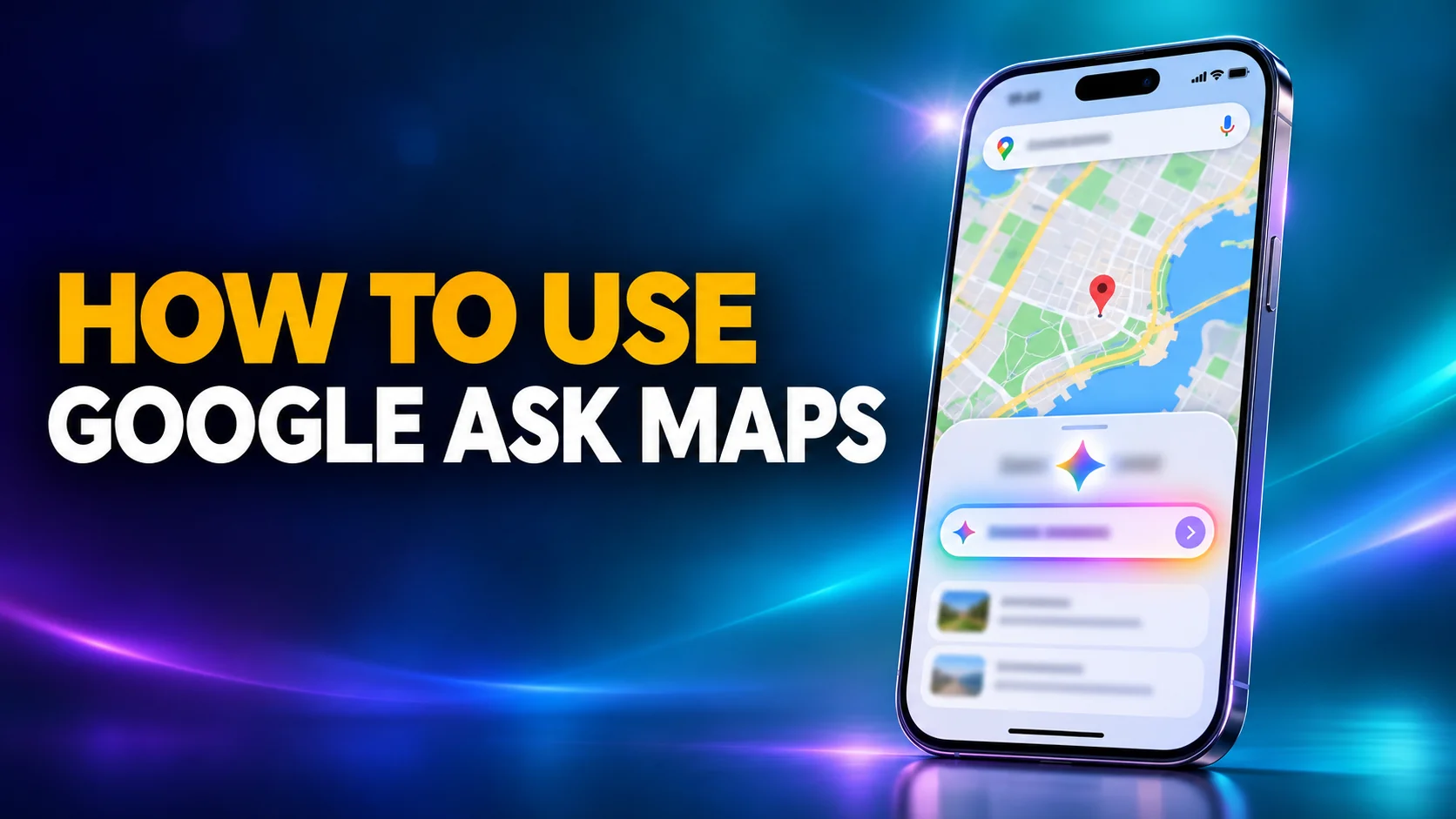
Google Ask Maps is the Gemini chat built into Google Maps. You type or say a question about real places, and Ask Maps answers in plain language with a custom map underneath. Google launched it on 12 March 2026 in the US and India. On 6 August it expanded to Australia, Brazil, Canada, Indonesia, Japan and Mexico, plus more than 150 countries and territories in English. It now runs on iPhone, Android and the Google Maps website.
Most guides that rank for Ask Maps were written on launch day and still say Ask Maps works only in the US and India and is coming to desktop "soon". Neither is true any more. This guide is current as of 3 November 2026 and is built on Google's own help pages and announcements. It covers where Google Ask Maps works, how to use it on each device and what the August update added. It also answers the question launch coverage skipped: can you turn Ask Maps off? The short answer is no, not completely, but four settings control what it saves and what it knows about you.
The Key Takeaways
- What it is: a Gemini-powered chat inside Google Maps that draws on more than 300 million places and reviews from more than 500 million contributors.
- Where it works: the US and India since March, plus 6 named countries and 150+ more in English since 6 August 2026. Google has not published the full list.
- How to open it: tap Ask Maps under the search bar on iPhone or Android, or click Menu > Ask Maps on the Google Maps website.
- Turning it off: Google documents no setting that removes the Ask Maps button. You can delete your chats, stop Maps saving history, turn off personalisation and keep Gmail disconnected.
- US-only extras: food ordering, hotel and event search, and conversational edits. Ordering through partners needs you to be 18 or over, in the US, and writing in English.
What Is Google Ask Maps?
Google Ask Maps is a conversational search mode inside Google Maps, powered by Google's Gemini models. Instead of typing a keyword and scrolling pins, you ask a full question and get a written answer plus a map of the options. Miriam Daniel, VP and GM of Google Maps, wrote the launch post. Her example is a dying phone: where can you charge it without queuing for a coffee you do not want?
Ask Maps answers from Google Maps' own data. According to Google's 12 March announcement, Maps analyses information from over 300 million places, including reviews from more than 500 million contributors. Ask Maps also personalises answers using places you searched for or saved in Maps. Google's example: if you often look for vegan restaurants, Ask Maps already knows that when you ask for a dinner spot for four.
The answer is not the end of the job. Ask Maps can book a restaurant reservation, save a place to a list, share it with friends or start navigation from the same conversation. Ask Maps sits inside an app used by more than 2 billion people, according to the Associated Press.
Ask Maps is separate from Gemini in navigation. Gemini in navigation is the voice assistant you talk to while driving: you say "Hey Google" and give a command such as "Add stop". Ask Maps is the chat you open before you leave. Since 21 October 2026, Gemini in navigation also works in Google Maps on CarPlay in the US, with a global rollout underway, according to 9to5Google and AppleInsider. Google's own help page still said Gemini "isn't currently available for CarPlay" when this guide was checked on 3 November.
Where Google Ask Maps Works
Google Ask Maps works in the US, India, Australia, Brazil, Canada, Indonesia, Japan and Mexico, plus more than 150 further countries and territories in English. That is the wording of Google's 6 August update. Google's Malaysia blog describes the same rollout as "over 160 new countries and territories", which adds New Zealand to the named list. Google has not published the full country list, and none of its announcements names an EU country.
Not every Ask Maps feature reached every country. The table shows what Google says is available where, as of 3 November 2026.
| Ask Maps feature | Where it works | Source |
|---|---|---|
| Ask Maps chat | US and India (March); Australia, Brazil, Canada, Indonesia, Japan, Mexico and 150+ countries in English (August) | Google blog, 12 March and 6 August |
| iPhone and Android | Everywhere Ask Maps is available | Google Maps Help |
| Google Maps website | Live now: Menu > Ask Maps. Needs a browser with WebGL | Google Maps Help |
| Live transit widget | Everywhere Ask Maps is available | Google blog, 6 August |
| Conversation memory | Everywhere, if your history settings are on | Google blog, 6 August |
| Gmail connection (Personal Intelligence) | Rolling out everywhere; off by default | Google blog, 6 August |
| Food ordering, hotels and events, conversational edits | US first, "more countries to come over time" | Google blog, 6 August |
| Ordering through partners such as Toast or Uber Eats | US only, 18 or over, English only | Google Maps Help |
Why You Might Not See the Ask Maps Button
If Google Maps shows no Ask Maps button, one of three things is usually true. Your country is not in the rollout yet. Your Google Maps app is out of date, so update it from the App Store or Google Play first. Or Google is still enabling the feature for your account, because Google rolls Maps features out gradually rather than to everyone on the same day. Google also states that the website version needs WebGL, the browser technology Maps uses for 3D, so an old or locked-down browser can hide Ask Maps on desktop. When Ask Maps reaches your account, the button appears under the search bar.
How to Use Google Ask Maps on iPhone, Android and Desktop
To use Google Ask Maps, open Google Maps, tap Ask Maps under the search bar, and type or speak your question. The steps below come from Google's Ask Maps help page, which has a separate tab for each platform.
On iPhone and Android
- Open the Google Maps app and make sure you are signed in to your Google account.
- Under the search bar, tap Ask Maps.
- Type your question, or tap the Microphone and say it.
- Tap Send, then keep asking follow-up questions in the same chat.
On a Mac or PC
- Open Google Maps in your browser.
- Click Menu, then Ask Maps.
- Type your question in the prompt box and click Send.
Past chats sit under History inside Ask Maps on every platform, and Google saves the threads to your Google account when your Maps history is on.
Example Prompts for Ask Maps
Ask Maps works best with questions that have several conditions, the kind a keyword search cannot express. Google's help page suggests prompts like "Any fun things to do this weekend within a 15-minute drive?" Another of its examples is a three-part airport pickup question: the fastest route, the time to leave, and a place to buy flowers on the way. When Ask Maps reached everyone in the US and India, the official Google Maps account posted a thread of six starter prompts:
Ask Maps is now available to everyone in the U.S. and India.
— Google Maps (@googlemaps) March 30, 2026
Here are six prompts to get you started. 🧵
Trip planning is the prompt Google pushes hardest, and the same thread spells out how to phrase it:
Ask Maps to help you plan itineraries when traveling. Share your destination and things you’d like to do, and it will string together a cohesive trip built just for you.
— Google Maps (@googlemaps) March 30, 2026
Three habits get better answers. Name the constraint that matters most (open now, quiet, step-free, under a set budget). Give a starting point and a time window. Then push back in a follow-up. Telling Ask Maps that a place is too far and asking for something closer works the way it would with a person.
How to Turn Off Google Ask Maps
You cannot fully turn off Google Ask Maps. As of 3 November 2026, none of Google's Maps help pages documents a setting that removes the Ask Maps button, and users who went looking said the same. When Ask Maps launched, a Reddit user quoted by The Mirror wrote: "How do I turn this off. I didn't ask for it, don't need it, don't want it. I can't find a toggle." The practical option is to ignore the button. If what bothers you is what Ask Maps saves and what it knows about you, four controls do exist.
1. Delete Your Ask Maps Conversations
Open Google Maps, tap Ask Maps, then History, and tap Delete next to a conversation. Google's help page warns that you can only delete a whole conversation, not part of one. The same threads also appear on your Google account's history page, where you can delete them in bulk.
2. Stop Google Maps Saving Your History
Ask Maps conversations are saved as part of your Maps history. For Search, Maps, Shopping, Flights, Hotels, Translate and News, Google is replacing the old Web & App Activity control with a new setting called Search Services History. Web & App Activity still covers other Google products. Turn it off in your Google account and pick Turn off and delete activity if you also want past activity gone. The trade-off: according to Google's 6 August post, Ask Maps only remembers past conversations when your history settings are on. With history off, every chat starts from zero. Google says the new settings are rolling out gradually, so older accounts may still show Web & App Activity instead.
3. Turn Off Personalized Recommendations
Personalized Recommendations is the setting that lets Ask Maps tailor answers to your searches, saved places, reviews and connected Google apps. Go to your Google account, then Data & privacy, then Personalization settings, and switch off Personalized Recommendations in Search services. You can also open google.com/search-personalization directly. Ask Maps keeps working, but its answers stop drawing on your account history.
4. Keep Gmail Disconnected
Since August, Ask Maps can read your Gmail through Google's Personal Intelligence feature, for example to plan around a hotel booking or a flight. That connection is off by default. Maz Khorasani, a product director for Google Maps, told Engadget: "Connecting Ask Maps to your Gmail is off by default, and you decide whether to turn it on." If you never connected it, there is nothing to undo. For the rest of Google's AI features outside Maps, see how to turn off Gemini on Android, Gmail, Chrome and every other device.
On a work or school account, an administrator can switch Google Maps off for the organisation in the Google Admin console. That control covers all of Google Maps, not Ask Maps on its own, and it does not stop you using Maps with a personal account.
What Google Ask Maps Can Do Since the August Update
Since 6 August 2026, Google Ask Maps can act on an answer as well as give one. Google calls these agentic capabilities, and most of them start in the US.
| Ask Maps feature | What it does | Where |
|---|---|---|
| Food ordering | Ask for a dish, pick a restaurant, and Ask Maps adds it to your cart with a partner. Google's 8 October post names Uber Eats, Toast and Square. | US |
| Hotels and events | Describe the stay, including budget and what you want nearby. Ask Maps compares real-time prices and availability, then links out to book. It also lists concerts and shows with ticket links. | US |
| Live transit widget | Ask about a bus, train, subway or ferry and get a widget with up-to-the-minute delays. | Everywhere Ask Maps works |
| Conversation memory | "Remind me, what activities did you suggest for my trip to Seattle?" works when your history settings are on. | Everywhere Ask Maps works |
| Conversational edits | Upload a photo of a storefront sign. Ask Maps reads the new opening hours and asks you to confirm before it submits the change. | US |
Google's help page is clear that the ordering partner, not Google, is the merchant. Payment, order tracking and refunds stay in the partner's app.
The ordering features have the strictest rules. Google's help page for third-party actions requires you to be 18 or over, in the US, signed in, and writing in English. Food ordering is the most practical feature for most readers. It is also the one most likely to be missing outside the US until Google names a date.
How Accurate Is Ask Maps, and What It Cannot Do
Ask Maps makes mistakes, and Google says so on its own help page: "AI-powered answers can sometimes be incorrect." Google's advice is to check important information in more than one place. Open the linked sources, and rephrase the question to compare answers. Opening hours, step-free access and whether a place is really quiet are exactly the details a summary of reviews can get wrong. Check the place's own page before you drive across town.
Ask Maps also stops where the map stops.
Google built Ask Maps to find and rank places, routes and events. It does not pitch Ask Maps for jobs like checking a visa rule or writing a packing list. Our guide to using Gemini with Maps and YouTube on iPhone shows the Gemini app covering more of that ground. The best AI travel itinerary generators go further still on full trip plans.
Plan the Rest of the Trip in Fello AI
Ask Maps finds the café. The rest of the trip, from the visa check to the hotel shortlist, needs a general assistant. Fello AI plans the whole trip in one conversation: its Travel skill researches destinations, checks visa rules, compares accommodation and builds the itinerary. It runs Gemini next to ChatGPT, Claude and Grok, so you can ask a second model when the first answer looks thin, without opening another account. Fello AI works on Mac, iPhone and iPad. Ask Maps then handles the part it is best at: getting you to the door.
Ask Maps for Businesses: Can You Pay to Be Recommended?
No, not as of November 2026. Google has announced no ads or paid placement inside Ask Maps. At the March launch, the Associated Press reported: "Google executives declined to answer a question about whether the company eventually plans to sell ads to boost businesses' chances of being displayed in Ask Maps' recommendations." Google also has not said how it ranks the places Ask Maps recommends.
What Google has said is where Ask Maps gets its information: the Maps places database and contributor reviews. For a business, that points to the same basics that already drive Google Maps. Keep the Business Profile complete and current, especially opening hours and attributes. Ask happy customers for reviews, because the official Google Maps account says Ask Maps "sifts through millions of community reviews" to judge things like how quiet a bar is. Since August, customers in the US can also correct your hours through Ask Maps by photographing your door sign. A wrong listing is now easier for others to fix.
The Verdict: Use It for Places, Not for Trust
Google Ask Maps is the best way yet to search Google Maps when your question has more than one condition. It is now available far beyond the US, it runs on phones and on the web, and the August update turned it from a search box into something that can order dinner. It is still an AI summary of reviews, so check anything you would be annoyed to get wrong. If you would rather not use it, you cannot remove the button, but you can stop it saving your chats, turn off personalisation and keep Gmail disconnected. That covers most of what people actually object to. For privacy settings beyond Maps, read how to stop AI from training on your data. For the other AI apps worth having on your phone, see the best AI apps for iPhone.
FAQ
Is Google Ask Maps free?
Ask Maps is built into the free Google Maps app and website, and Google lists no subscription or plan requirement for it. Partner actions such as food ordering are paid through the partner, the same as ordering in their own app.
Is Ask Maps available in the UK and Europe?
Google has not said. The 6 August expansion covers more than 150 countries and territories in English, but Google has not published the list. None of its announcements names the UK or an EU country. The reliable test is your own Google Maps app: if the Ask Maps button is under the search bar, it works in your account.
Does Ask Maps work on desktop?
Yes. On the Google Maps website, click Menu and then Ask Maps. Google's help page says the browser must support WebGL. The launch announcement in March said desktop was "coming soon", which is why older guides still say it is phone-only.
Does Ask Maps save my conversations?
Yes, if your Maps history is on. Past chats appear under History inside Ask Maps and on your Google account's history page. You can delete whole conversations, or turn off Search Services History so new chats are not saved.
Is Ask Maps the same as Gemini?
Ask Maps runs on Google's Gemini models, but it is a feature of Google Maps, not the Gemini app. It answers from Maps' place data and reviews. The Gemini app is a general assistant that can also use Maps, YouTube and other Google tools.