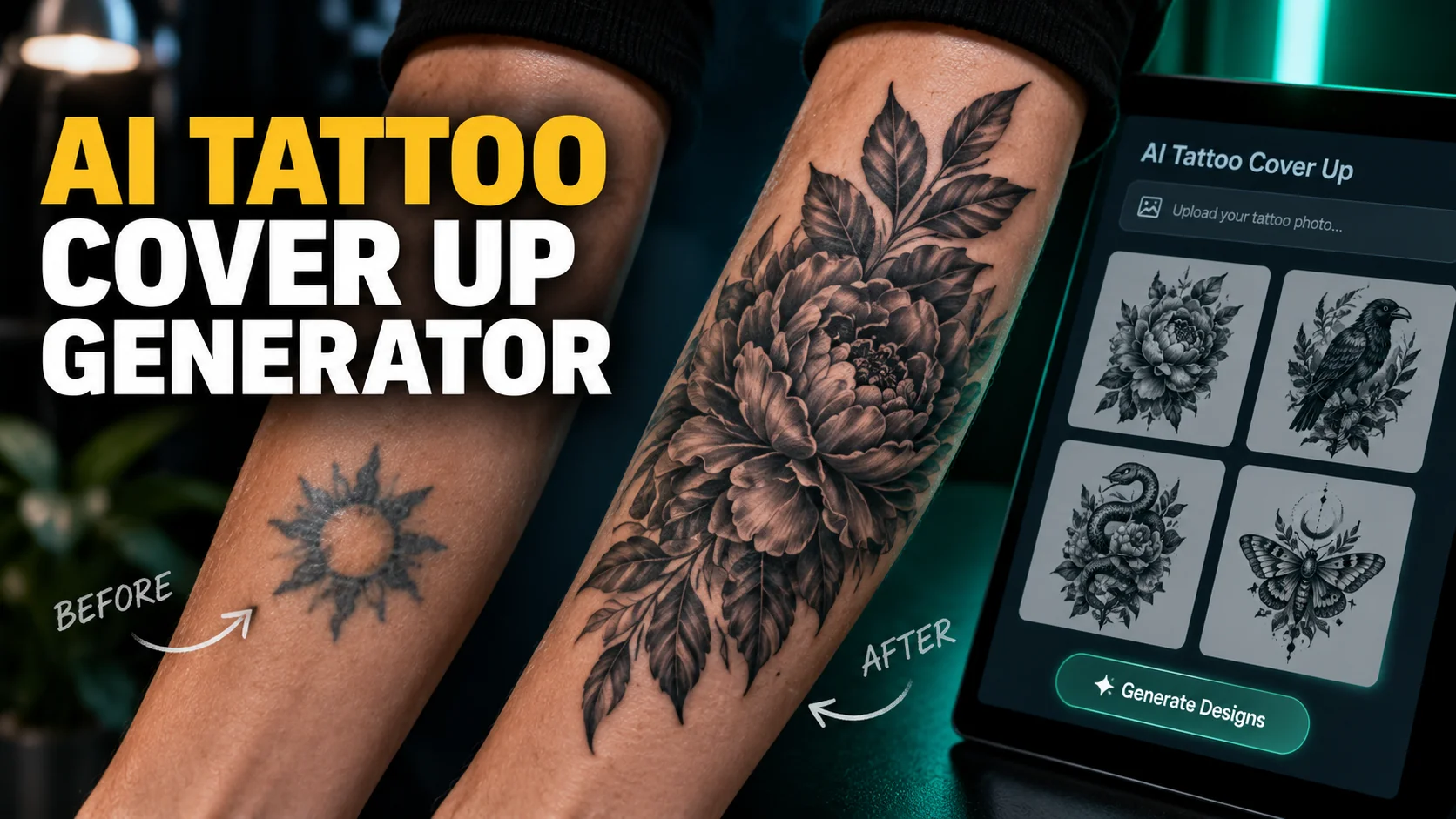
An AI tattoo cover up generator will hand you a design in about twenty seconds. Upload a photo of the tattoo you regret, pick a style, and the tool returns a stack of options laid neatly over your arm. It looks like an answer. What it actually is, according to the ink manufacturers and dermatologists whose work decides whether any of it holds, is a picture of a tattoo rather than a plan for one.
The gap is not that the designs are ugly. Some of them are lovely. The gap is that a cover-up is decided by things no image model can see. How saturated the old ink still is, how it has aged, how deep the heavy areas sit. Whether your skin needs months of laser work before anyone touches it. This article covers what the generators are good for, and why the rules of coverage work against everything an image model likes to draw. Then it covers the order the job actually happens in, which is the part every tool in this category has backwards.
The Key Takeaways
- The tools draw, they do not diagnose: an AI tattoo cover up generator sees a photograph of your skin, not the ink in it.
- Cover-ups go one direction: bigger, darker, denser. The ink manufacturer StarBrite Colors states plainly that white ink cannot completely cover black ink, which kills the most common piece of advice in this whole category.
- Nobody agrees on the size rule: one guide says 1.5 to 2 times the dimensions, another says 2 to 3 times the area. Those are opposite answers, and a third figure circulating online has no traceable source at all.
- Laser comes first, not last: the American Academy of Dermatology says a laser cannot safely break down all the layers in one session, so the arm your design gets built against is not the arm that will be tattooed.
- Most people do not regret their tattoos: Pew Research Center found in July 2023 that 24% of tattooed Americans ever regret one, out of the 32% of adults who have one at all.
What an AI Tattoo Cover Up Generator Actually Does
Strip the marketing off and every tool in this category does the same two things. It takes your photograph as an image-to-image reference, and it generates a new design weighted toward the shape and position of what is already there. Some of them composite the result back onto your skin so you get a preview rather than a flat drawing.
What you get back
You get options, fast, in quantity. That is the real product. Sitting with a stack of twenty directions and discovering that you hate florals and want something architectural is real work, and it is work you would otherwise do slowly and expensively in a consultation chair. The same logic applies to designing a fresh tattoo with ChatGPT, where the ideas stage is where the model earns its place.
What you also get is a render optimised to look good on a screen. Fine gradients, hairline detail, soft edges, colours that glow against unmarked skin. Every one of those choices is the opposite of what a cover-up needs.
What it never sees
The generator reads pixels. A cover-up artist reads ink. Those are different objects.
A photograph flattens saturation, loses depth entirely, hides scarring under good lighting, and gives no information at all about how many passes the original artist made or how the pigment has migrated over fifteen years.
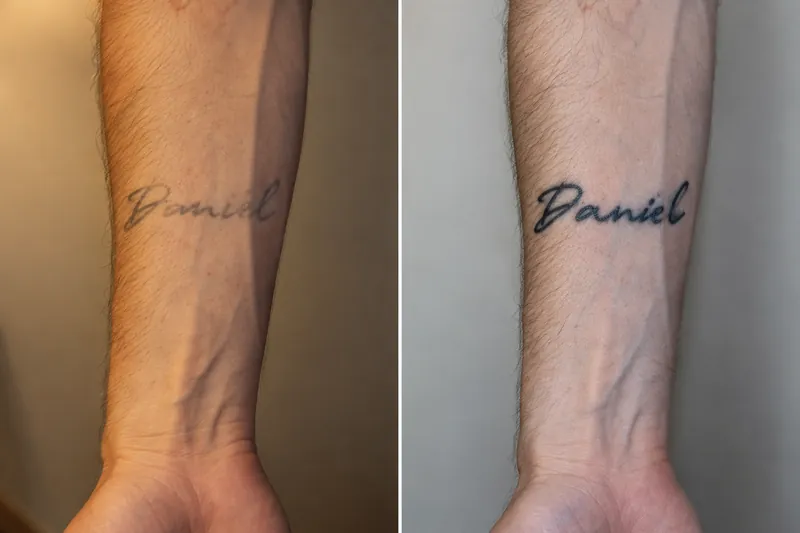
Paul Briske, a tattoo artist and studio owner, put the general version of this to ABC News in August 2026. "Tattoos have to be done at a certain size for the details to hold over time," he said. Brenton Eldridge, vice president of the Professional Tattooing Association of Australia, told the same reporter that clients are not aware of how designs heal over time, grow and change colour. "AI cannot take that into account," he said. Both were talking about fresh work. On a cover-up, where the new piece is fighting the old one for the same space in your skin, every one of those factors matters more, not less.
Can You Cover Up a Black Tattoo?
Yes, and it is the hardest case. Black holds its pigment better than almost anything else, so a cover-up over black has to be bigger, darker and denser than what is already sitting there. Heavy blackwork and dark realism are the usual answers. Laser lightening first is common enough that you should assume it applies until an artist tells you otherwise.
The reason is layering. Ink goes into the dermis and stays there. New ink does not replace it, it sits with it. World Famous Tattoo Ink, which makes the pigments, defines opacity as "how much an ink can cover and block out what's underneath the skin". It lists hiding old lines as the job high-opacity inks exist for. Low-opacity ink lets what is underneath influence the final colour, which is exactly what you do not want here.
This is where a popular piece of advice on this topic goes badly wrong. Several high-ranking pages tell readers that light colours such as white, yellow or pale green will stand out against black ink. They will not. StarBrite Colors, another ink manufacturer, states that white tattoo ink cannot completely cover black ink. Layering it produces softening or slight lightening, not coverage. The black is still there, deeper in the skin, showing through. If a generated design solves your old tattoo with pale colour, the design is wrong.
The Size Rule Nobody Agrees On
Search for how much bigger a cover-up has to be and you will get a number. Read three sources and you will get three numbers, and two of them are not even measured in the same unit.
Three sources, three numbers
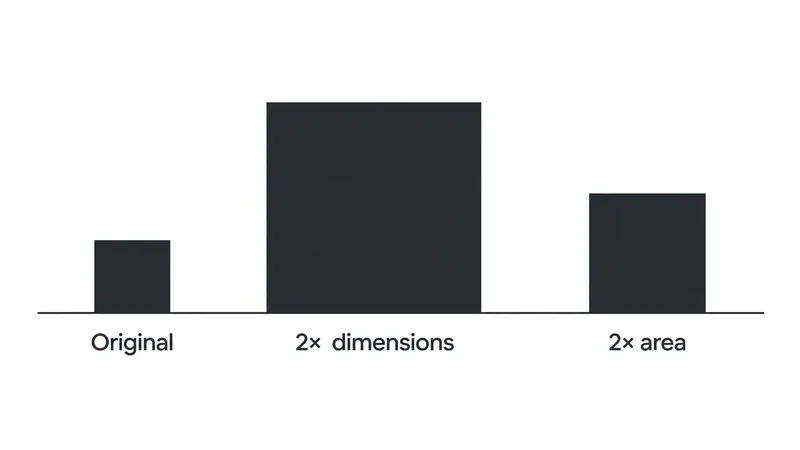
The cover-up guide published by the generator vendor aifortattoo.com states that the new design needs roughly 1.5 to 2 times the dimensions of the original. A guide on atlascloud.ai reports that artists in practice talk about two to three times the area. Those sound compatible and they are not. Doubling the dimensions of a design quadruples its area, so 2 times the dimensions is a far larger demand than 2 to 3 times the area. A third figure, 30% larger, circulates widely. The atlascloud guide points out that it has no traceable source attached to it, and it is right.
What the careful sources do instead
What is more telling is what the careful sources do when pressed. They stop giving a number and start describing a consultation. Fame Tattoos, a Miami studio, says artists assess coverage by examining the original under proper lighting, and warns that even faded tattoos present coverage challenges, because remaining pigment becomes more apparent during healing. That last point matters, because it cuts against the obvious assumption that waiting for a tattoo to fade solves the problem on its own.
So the useful version of the rule is directional rather than numerical. Expect the new piece to be meaningfully larger. Expect a dark, recent, well-executed tattoo to demand more room than a blurry twenty-year-old one. And treat any tool that hands you a precise multiplier without looking at your skin as guessing, because it is. There is also a reason the number is unanswerable on the day you ask it, which comes a little further down.
Styles That Cover and Styles That Do Not
Image models have aesthetic preferences baked in by their training data, and those preferences run almost exactly counter to what a cover-up needs.
Ask for something beautiful and you get delicacy. Delicacy is transparent.
| Style | Covers? | Why |
|---|---|---|
| Heavy blackwork | Yes | Solid mass is the whole mechanism. Dense black is what hides a shape underneath. |
| Dark realism | Yes | Builds deep tonal values across a wide area, which absorbs an existing outline. |
| Neo-traditional | Usually | Bold outlines and saturated fills, with enough structure to reorganise the space. |
| Japanese | Usually | Background elements like wind bars and water give an artist filler to bury edges in. |
| Fine line | No | No density anywhere. The old tattoo reads straight through the gaps. |
| Watercolour | No | Built from washes and soft edges, which is transparency by design. |
| White ink | No | Does not cover black at all, per the ink manufacturers above. |
| Minimal lettering | No | Too little surface area to absorb anything. |
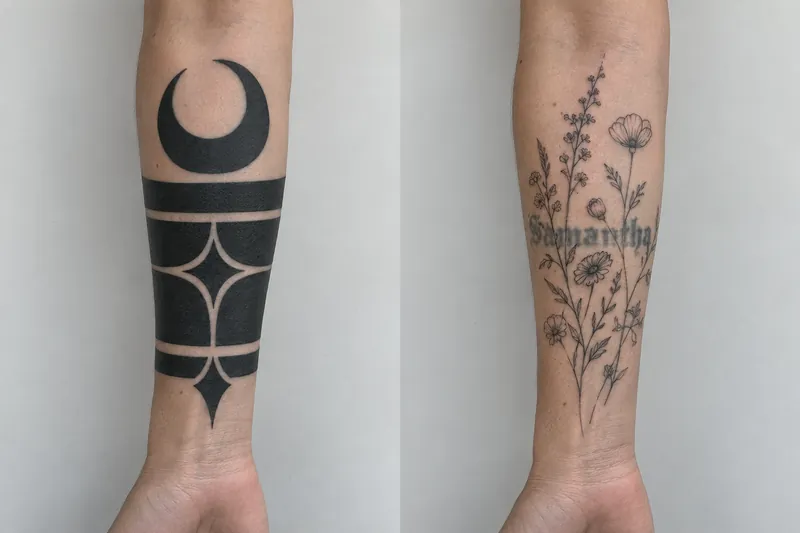
The practical consequence is that you have to fight the model. Left alone it will offer you the bottom four rows, because they photograph beautifully. Name the top rows in your prompt, explicitly, every time.
The Step an AI Tattoo Cover Up Generator Puts in the Wrong Place
Here is the thing the whole category gets backwards, and it has nothing to do with aesthetics. These tools ask you to photograph your tattoo as it is today and design against that. For a large number of cover-ups, the tattoo as it is today is not the surface anyone will be working on.
Why your body sets the timetable
If an artist decides the original is too dark or too dense, the job starts with laser lightening rather than with a design. The American Academy of Dermatology explains the mechanism: the laser shatters the ink into tiny particles and your body flushes them out, so after each treatment the tattoo lightens. It also warns that "a laser cannot safely break down all the layers in 1 treatment session", because the artist layered the ink when they put it in. And it notes that "a single laser cannot remove all ink colors".
That has a consequence people rarely connect. The clock is set by your immune system, not by the clinic. The AAD notes that you need a healthy immune system for laser removal to work at all. Sessions are spaced to let skin heal and let your body do the clearing, which is why this stage runs in months.
What that means for the mockup
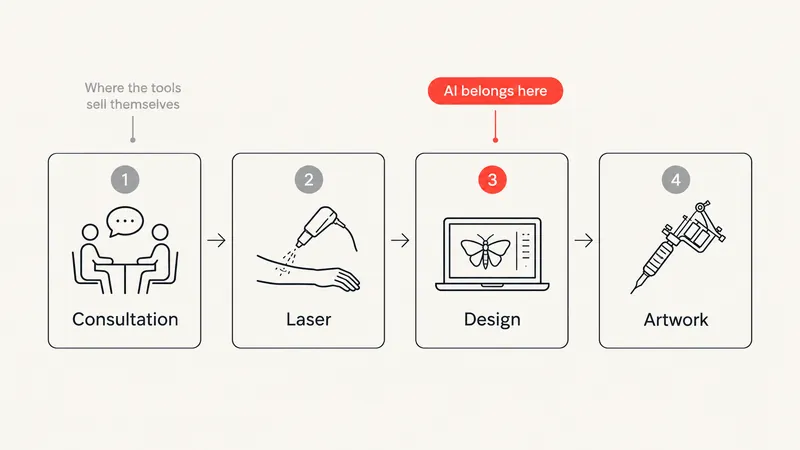
A design generated against today's photograph is a design for a tattoo that is about to stop existing in that form. By the time the skin is ready, the old piece is paler, softer at the edges and shaped differently. The constraints that forced a heavy composition have loosened, and the design should be revisited rather than executed.
So the sequence worth following is: artist consultation first, laser decision second, design exploration third, final artwork last.
The generator belongs at step three, and only at step three. Every tool in this category sells itself as step one.
Be careful with session counts and fade percentages while you research this. Figures such as lightening the old tattoo by 50 to 80% across three to six sessions circulate widely, and they trace back to businesses that sell laser removal. The AAD publishes no session count at all. The independent clinical sources that do give one, such as the Cleveland Clinic's six to twelve, are describing complete removal, not lightening a tattoo enough to take a cover-up. Those are different jobs with different finish lines. Treat any number you find as marketing until an actual clinician has looked at your tattoo.
Using the Image Models You Already Pay For
You do not need a dedicated tattoo site for any of this. The general-purpose image models handle image-to-image work at a higher standard than most of the dedicated AI tattoo generators, and you are probably already paying for at least one of them. ChatGPT Images 2.5 takes a reference photograph and a detailed brief, and Nano Banana on a Mac is strong at holding a composition steady across edits. We ran the wider field in our roundup of free AI image generators we tested.
The photograph you are uploading
Worth stopping on, because nobody in this category mentions it.
A cover-up mockup requires you to upload a clear photograph of a part of your own body, usually one you are unhappy with, to a free website you found through a search result. That image is training data, storage and a liability all at once, and most of these sites are small operations with a generic privacy policy.
Using a model you already have an account with does not make the photo private, but it does put it somewhere you can audit and delete. Our guides on how to stop AI training on your data and what ChatGPT keeps cover the controls that actually exist. If you go ahead with a dedicated tattoo tool anyway, crop tightly to the tattoo, strip the location metadata, and keep your face out of the frame.
Cover-Up Prompts That Work
The prompt matters more than the model here, because the default behaviour of every image model runs against you. Left alone it draws delicacy. These four are the ones worth keeping, and they run in this order. Our guide to writing prompts that work covers the general structure.
1. The coverage brief
The workhorse. It front-loads the constraint the model would otherwise ignore, which is that something already occupies the space. Describe the old piece in plain terms: shape, rough size, how dark it still is.
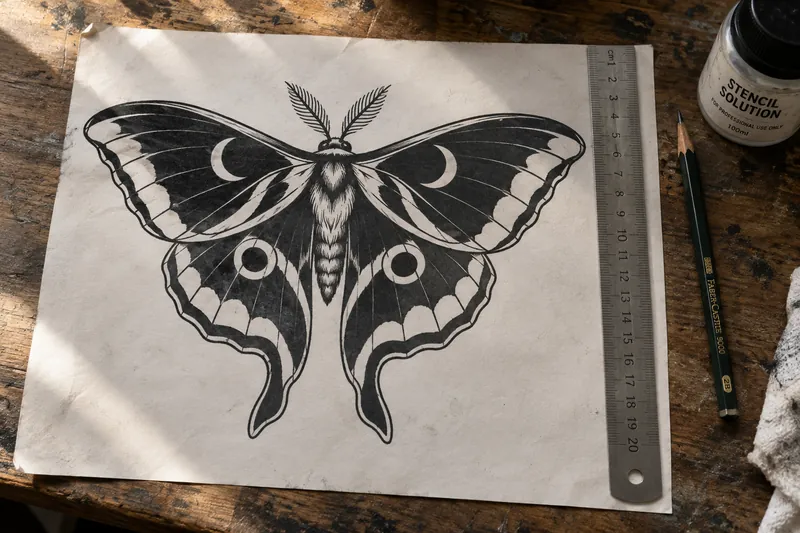
Tattoo cover-up design, flat black linework on a plain white background. It has to bury an existing tattoo that is [shape, for example a wide horizontal name] roughly [size] centimetres across, still [dark and solid / faded and grey]. Style: [heavy blackwork / dark realism / neo-traditional / Japanese]. Build solid dark mass over the area the old piece occupies and give the composition room around it. No fine line, no watercolour, no pale colour, no gradients, no white highlights doing the covering. Flat drawing, not a render on skin.
2. The ideas prompt
This is what the tools are best at and what most people skip. Ask for directions rather than a design, and you get the twenty options that tell you what you actually want.
I want to cover an existing tattoo that is [description]. List fifteen subjects that carry enough solid dark mass to hide a shape like that, grouped by style. For each one, say in a sentence what makes it work as a cover-up rather than as a nice tattoo. Do not draw anything yet.
3. The mass test
The most useful prompt on this page, and one no generator offers. Take any design you like and ask for it as a pure silhouette. Everything that reads as coverage in a pretty render disappears here, and what is left is the actual dark mass doing the work.
Redraw this design as a pure black silhouette on white. Fill every area that would be solid saturated ink, leave everything else white. No outlines, no shading, no detail. Then draw the outline of the old tattoo, [shape and size], on top in red at the same scale, so I can see which parts of it fall outside the black.
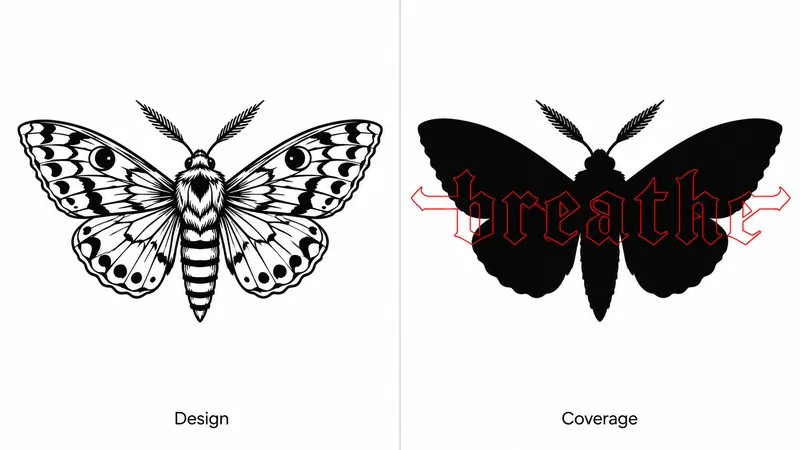
If red shows outside the black, that design does not cover. It is a two-second answer to the question the whole category charges you to guess at.
4. The reality check
Models are agreeable, and an agreeable collaborator is the wrong one for a permanent decision. This one asks it to argue the other side before you take anything to a studio.
You are a tattoo artist who specialises in cover-ups and you think this design will not work. Give me your five strongest objections, specifically about coverage: where the old tattoo will still show, which areas lack the density to hide anything, what will blur as the ink spreads over ten years, and how much larger the piece would need to be. Do not soften it.
Take the answers as questions for a consultation rather than as verdicts. The model is guessing at all of them. The point is that it produces the right questions, which is the one thing it can do without seeing your skin.
What to Take to a Cover-Up Artist
The generated images are not the deliverable. The photograph is. Take a clear shot of the existing tattoo in daylight, flat on, with no filter and no flattering angle, because the artist needs the worst-case version rather than the best one. Bring the history with it: when you got it, how many times it has been worked on, whether it has had laser already, and whether it scarred.
Then bring three or four directions instead of one design. A single finished-looking render invites a conversation about why it will not work, which burns the appointment. Styles and subjects you responded to are more useful than a polished image you are attached to.
The most valuable thing you can decide in advance is your own limit. How much larger are you willing to go, and where will you not go? Answer that before you walk in and the consultation becomes a design conversation rather than a negotiation. Expect the final artwork to differ substantially from anything the model drew, because it has to.
Book with someone who does cover-ups specifically rather than with whoever is available. It is a separate specialism inside the trade, and the difference in outcome is large.
One App for the Photo and the Redraw
This article asks two things of you that pull against each other. Use a general image model rather than a single-purpose cover-up site, and keep the photograph of your own skin somewhere you can audit and delete. Doing both usually means an account with every vendor and the same unflattering photo uploaded four times.
Fello AI puts that in one place. It runs GPT, Claude, Gemini, Grok, Kimi, DeepSeek, GLM and Qwen in a single Mac app, with image generation through GPT Image, so the reference photograph goes in once and the same coverage brief travels across models instead of across signups.
It is $9.99 a month with a free tier, rated 4.7 stars across more than 27,000 reviews, on Mac, iPhone and iPad. A cover-up is the one design where you want several directions before you commit to anything, and the quickest way to get them is to put the identical brief to more than one model.
The Verdict
An AI tattoo cover up generator is a good idea-generation tool being sold as a diagnostic one. Use it for what it does: producing many directions quickly, letting you find out what you actually want before you sit in a chair, and giving you vocabulary for a conversation with a specialist.
Do not use it to decide whether your tattoo will take a cover-up, how much bigger the new piece needs to be, or what goes on your skin. Those answers live in the ink under your arm. Every source that matters here agrees that reading it takes a person in the room: the dermatologists, the ink manufacturers and the artists doing the work. Get the consultation first, find out whether laser is in your future, and bring the pictures to step three.
FAQ
Can an AI tattoo cover up generator tell me if my tattoo is coverable?
No. It works from a photograph, which carries no information about ink saturation, depth, scarring or how many passes the original took. It will produce a confident-looking design over a tattoo that needs laser work first, because it has no way to know the difference.
Will white or light ink cover a dark tattoo?
No, and this is the most common bad advice in the category. StarBrite Colors, which manufactures tattoo ink, states that white ink cannot completely cover black ink. Layering it softens or slightly lightens what is underneath. The dark ink stays in the dermis and shows through.
How much bigger does a cover-up tattoo need to be?
There is no fixed multiplier, and the published guides contradict each other. One says 1.5 to 2 times the dimensions, another says 2 to 3 times the area, which are not the same demand. Expect meaningfully larger, and expect the actual number to come from an artist assessing your skin rather than from a tool.
Do I need laser removal before a cover-up?
Sometimes, and only an artist or clinician can say. The American Academy of Dermatology explains that a laser shatters ink into particles your body then clears, which is why the tattoo lightens gradually across spaced sessions rather than in one visit. Session counts published by removal companies are marketing, not medicine.
Is it safe to upload a photo of my tattoo to a free AI tool?
Treat it as publishing the photo. Most of these sites are small operations with generic policies and no clear deletion path. Using a model you already have an account with at least gives you controls you can audit. Crop tightly, remove location metadata and keep your face out of the shot.