Researcher use of AI jumped from 57% in 2024 to 84% in 2025, according to Wiley’s ExplanAItions study of more than 2,400 researchers worldwide. Use for research and publication tasks specifically climbed from 45% to 62% in the same twelve months. The AI tools for students and researchers behind that jump are mostly not chatbots. They are specialist tools built on citation graphs and paper databases.
This guide covers the research side of the stack, the tools you open once a general chatbot has stopped being enough. We have grouped them by the stage of work they belong to and we list what each one costs. FelloAI sells nothing in this category, which is worth saying plainly, because most guides on this topic are published by the companies making the tools. For the study side, see our guide to the best AI tools for students.
The Key Takeaways
- 84% of researchers used AI in some part of their work in 2025, up from 57% a year earlier.
- Semantic Scholar is genuinely free and indexes over 200 million papers, making it the best starting point for anyone with no budget.
- The free tiers shrank this year. ResearchRabbit now caps its free plan at 50 seed articles, with ResearchRabbit+ at $10 per month billed annually, and Scite has dropped its free tier entirely for a 7-day trial then $20 per month.
- The model labs now ship researcher products of their own. OpenAI’s ChatGPT for Academic Researchers gives 10,000 academics free GPT-5.6 Sol Pro this summer and 100,000 through 2027, but only at selected universities.
- No single tool covers the whole workflow. Most researchers end up running two or three, typically one for discovery, one for extraction and one reference manager.
Best AI Tools for Students and Researchers at a Glance
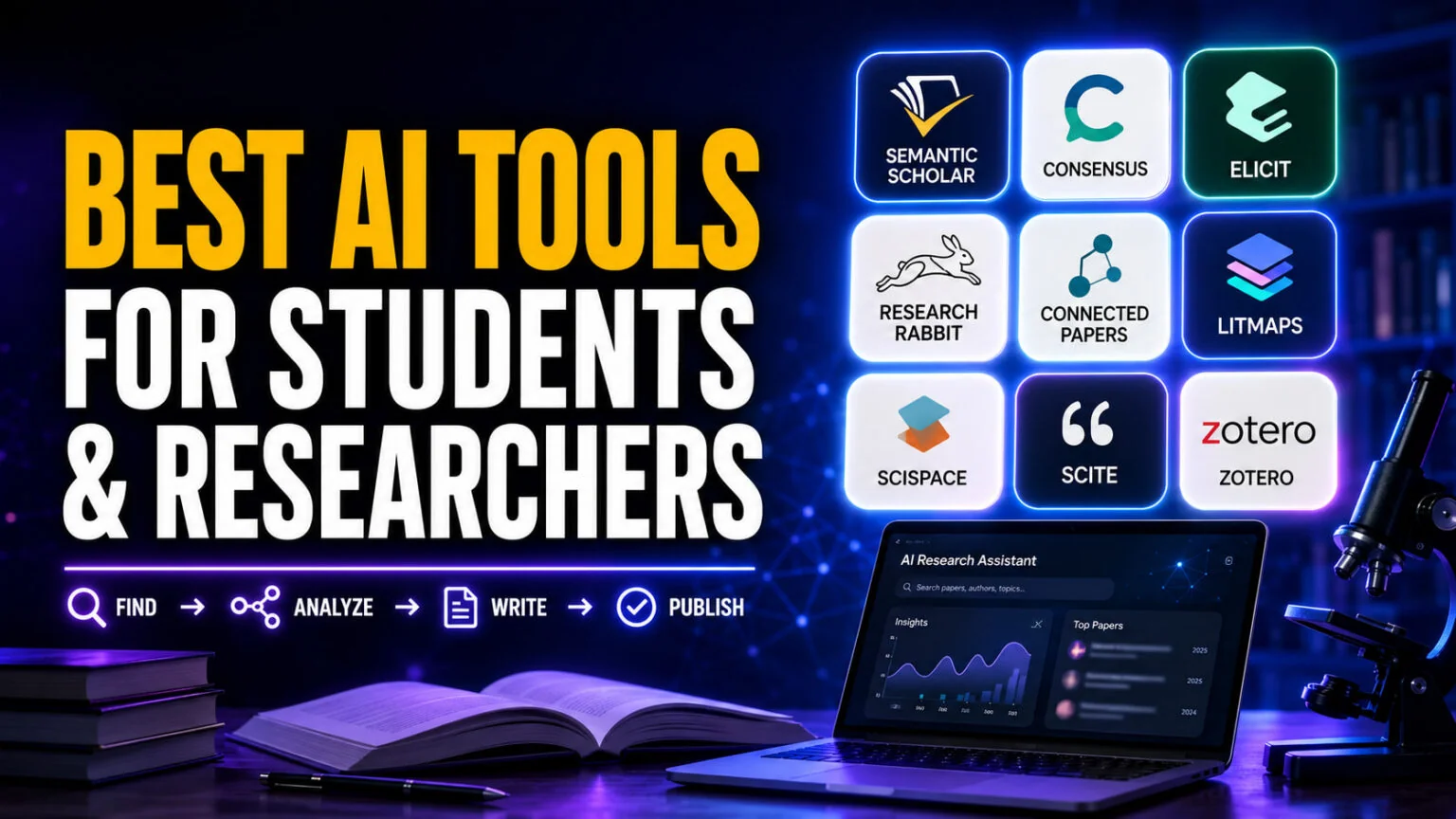
| Tool | Best for | Free tier | Cost | Watch out for |
|---|---|---|---|---|
| Semantic Scholar | Free paper discovery | Everything, no account needed | Free | No extraction or synthesis features |
| Elicit | Extracting findings across many papers | Unlimited search of 138M+ papers, limited agent runs | Pro $49/mo, $588/yr | The useful automation sits behind the paywall |
| Consensus | Quick evidence-backed answers | Free plan available | Paid tiers above it | Best for narrow empirical questions, not broad topics |
| ResearchRabbit | Building a reading list from one paper | 310M+ articles, 50 seed articles | RR+ $10/mo annual, $12.50/mo monthly | The 50-seed cap bites fast on a full review |
| Connected Papers | Seeing a field as a visual graph | Limited graphs per month | Academic and business tiers | One graph shows one neighbourhood, not a field |
| Litmaps | Ongoing alerts on a topic | 1 map, 100 articles, 20 inputs | Pro $10/mo, $120/yr | Free tier is a demo rather than a working tool |
| SciSpace | Reading dense PDFs | Limited daily use | Premium $20/mo, $12/mo annual | Simplification can flatten important caveats |
| Scite | Checking if a claim held up | None, 7-day trial only | Basic $20/mo, Pro $50/mo | Classification is automated and occasionally wrong |
| Zotero | Managing references | Software free, 300 MB storage | $20/yr for 2 GB, $120/yr unlimited | AI features come from plugins, not the core app |
| Julius AI | Statistics and data analysis | Limited free use | Paid tiers above it | Always check the code it wrote, not just the chart |
| Paperpal | Academic language editing | Limited monthly checks | Paid tiers above it | Edits style, not the strength of your argument |
Every exact figure above was checked against the vendor’s own pricing page on 28 July 2026.
What Researchers Actually Use AI For
The Wiley data is the clearest picture available of how fast this moved. Overall AI use among researchers went from 57% to 84% in a single year, and 85% of those using it said it improved their efficiency. Close to three-quarters reported gains in both the quantity and the quality of their output.
Adoption has also outrun the rules. A survey of around 1,600 academics across 111 countries, run by the publisher Frontiers and reported by Nature, found that more than 50% had used AI tools while peer reviewing manuscripts. Much of that use ran against the guidance of the journals involved.
The norms, in other words, are still being written.
Researcher AI use rose from 57% to 84% in one year, and 85% of users said it improved their efficiency. More than half of peer reviewers have used AI on manuscripts, often against journal guidance.
The practical takeaway is that the tools are now normal, but disclosure is not yet standardised. Assume that your department, your funder and your target journal each have a different policy, and check all three before you rely on anything in this guide for work you will submit.
AI Tools for Finding Papers
This is the stage where a general chatbot fails most obviously. Ask one for sources and it will sometimes produce a plausible author, a plausible journal and a DOI that resolves to nothing. The tools below search real indexes instead of generating from memory.
Semantic Scholar
Run by the Allen Institute for AI, the non-profit founded by Paul Allen, Semantic Scholar indexes over 200 million academic papers and is free with no paid tier at all. It gives you AI-generated summaries of abstracts, citation counts, influential-citation flags and alerts on new work. For a student with no budget, this is the single best place to start.
The limit is that it finds papers and stops there. There is no synthesis, no extraction into tables, no way to compare methods across a set of studies. It is a search engine with good metadata, not a research assistant.
Consensus
Consensus answers a specific empirical question by pulling from peer-reviewed literature and showing you how the weight of evidence falls. It works best on questions with a yes or no shape, something like whether a particular intervention improves a particular outcome. There is a free plan, and paid tiers sit above it.
The limit is scope. Ask a broad conceptual question and the answer thins out quickly, because the tool is built to aggregate findings rather than explain a field. Use it to test a claim, not to learn a topic.
Elicit
Elicit’s free Basic plan gives you unlimited search across more than 138 million papers, unlimited summaries and unlimited chat with papers you have full-text access to, plus Zotero import. That is a real free tier rather than a teaser, and more generous than most of the field.
The limit is that Elicit’s real capability, the part covered in the extraction section below, is metered. Pro costs $49 per user per month or $588 per year, and Scale runs $169 per month. There is no advertised student discount on the pricing page, which is a gap worth noting given how much of the user base is academic.
AI Tools for Mapping a Field
Once you have three or four good papers, the question changes. You no longer want more results, you want to know what sits around the papers you already trust and whether you have missed an entire strand of the literature. These tools work on the citation graph rather than on keywords.
ResearchRabbit
You give ResearchRabbit a seed paper and it expands outward through citations, co-authors and related work, building a reading list you can keep refining. It covers over 310 million articles and the free tier is labelled forever free, with unlimited searches and unlimited collections.
The catch is the seed cap. The free plan allows up to 50 seed articles, which is fine for a term paper and tight for a thesis. ResearchRabbit+ raises that to 300 seeds and adds advanced search controls, multiple projects and alerts, at $10 per month billed annually or $12.50 billed monthly. A lot of roundups still describe this tool as completely free, and that has not been accurate for a while.
Connected Papers
Connected Papers builds a single visual graph around one origin paper, arranging similar work by similarity and citation overlap rather than by direct citation. It is the fastest way to orient yourself in an unfamiliar subfield, and the visual layout makes clusters obvious in a way a list never does. There is a limited free allowance of graphs per month, with academic and business tiers above it.
The limit is conceptual. One graph shows the neighbourhood around one paper, so if your seed sits at the edge of a field, the map you get will be lopsided. Build two or three from different seeds before you trust the picture.
Litmaps
Litmaps is the one to pick if your problem is staying current rather than catching up. It monitors a topic and alerts you when relevant new work appears, which matters over a multi-year project. Pro costs $10 per month or $120 per year, and there is an education discount if you sign up with an academic email address.
The free tier is thin. You get one map, 100 articles, up to 20 inputs and a monthly alert summary. That is enough to evaluate the tool and not enough to run a review on, so treat it as a trial rather than a free option.
AI Tools for Reading and Extracting Findings
Finding fifty relevant papers creates a new problem, which is reading fifty papers. This stage is where AI earns its place, because pulling the same four fields out of every study is exactly the kind of work that rewards automation and punishes human attention.
SciSpace
SciSpace lets you highlight any passage in a PDF and get it explained in plain language, which is the fastest route into a paper written for specialists in a field that is not yours. It also handles literature search, paraphrasing and citation generation. Premium costs $20 per month, dropping to $12 per month if you pay annually, and the company says over 1 million researchers use it.
The limit is that simplification loses things. Hedges, sample limitations and the careful conditionals authors put around their claims are precisely what gets smoothed away when a model rewrites a paragraph for clarity. Use it to get into a paper, then read the actual methods section.
Elicit for structured extraction
This is the feature that justifies Elicit’s price. You define the columns you want, something like sample size, population, intervention and effect, and Elicit fills that table across an entire set of papers. Pro screens up to 5,000 papers per workflow, supports 20 table columns and pulls from up to 135 data sources. For a systematic review, that replaces weeks of manual tabulation.
The limit is that extraction accuracy varies with how clearly the source paper reports things. Elicit shows you the source passage for each cell, and you should read those passages. The tool is a first pass, not a finished extraction.
Julius AI
Julius handles the analysis end, taking a dataset and running statistics, producing charts and writing the code behind both. It is useful for researchers who know which test they need but would rather not fight with R syntax to get it. There is limited free use with paid tiers above it.
The limit is that a chart always looks confident. Ask it to show the code it ran and read that code, because a model that picks the wrong test will still produce a clean-looking output and a p-value.
AI Tools for Checking Whether a Claim Held Up
Citation counts tell you a paper was noticed. They do not tell you whether the people citing it agreed with it, failed to replicate it, or cited it as an example of what not to do. This is the least served stage of the workflow and arguably the most important one.
Scite
Scite reads the sentences around each citation and classifies them as supporting, contradicting or merely mentioning the cited work. Its index covers over 1.6 billion citations drawn from more than 300 million scholarly sources, and the company reports over 2 million users. Finding that a heavily cited paper has a cluster of contradicting citations is the kind of thing that changes an argument.
The pricing changed and most guides have not caught up. Scite no longer offers a free tier. You get a 7-day free trial, after which Basic is $20 per month and Pro is $50 per month.
Student and academic discounts exist, but only if you recommend the tool to your institution and copy their team on the email. Scite is now part of Research Solutions. Check the date on any guide that still calls it free.
The limit is that the classification is automated. A citation labelled as supporting often does something more qualified than that, so read the extracted sentences before you build on the signal.
AI Tools for Citations and Academic Writing
The last stage is the least glamorous and the one that costs students the most marks. Reference formatting errors and unclear academic prose are both solvable problems, and neither needs an expensive tool.
Zotero
Zotero is free, open source and the default reference manager across most of academia for good reason. A browser extension saves any paper in one click, and the word processor plugin handles in-text citations and bibliographies in whatever style your department demands. The software costs nothing, and only cloud storage is metered, with 300 MB free, 2 GB for $20 per year, 6 GB for $60 and unlimited for $120.
One correction worth making is that Zotero is not an AI tool, whatever some roundups claim. Its AI capabilities come from third-party plugins. The core application is a very good database, and that is the reason to use it.
Paperpal
Paperpal edits for academic register specifically, which is what separates it from a general grammar checker. It works inside Word, Google Docs and Overleaf rather than in a separate tab, and it is aimed at researchers writing in English as a second or third language. There is a limited free allowance with paid tiers above it.
The limit is that it improves how an argument reads, not whether the argument is any good. No language tool will tell you that your discussion section overclaims.
Free AI Tools for Researchers: What You Actually Get
Free means different things across this category, and the difference matters more than the word does. Semantic Scholar is free in the ordinary sense, with no paid tier and no cap, funded by a non-profit. Zotero is free software where only storage costs money, and 300 MB covers a lot of PDFs if you are disciplined.
Elicit’s Basic plan is the most generous of the freemium tiers, because unlimited search across 138 million papers and unlimited paper chat are real capabilities rather than a teaser. What is metered is the automation, the research agent and the extraction workflows.
ResearchRabbit and Litmaps gate on volume instead. Fifty seed articles or one map with a hundred articles will carry an essay and will not carry a dissertation. Scite has no free tier at all now, which is the change most likely to catch out anyone following an older guide.
A workable free stack exists. Semantic Scholar for discovery, ResearchRabbit for mapping, Elicit Basic for reading, Zotero for references.
That combination costs nothing and covers an undergraduate dissertation comfortably.
OpenAI and Anthropic Now Build AI Tools for Researchers Too
Every tool above was built by a specialist. That stopped being the whole picture in the last month, because both OpenAI and Anthropic shipped products aimed at academics rather than at general users. Neither one replaces a citation graph, and the gap between what was announced and what you can actually open matters more than the headlines suggest.
ChatGPT for Academic Researchers
OpenAI announced ChatGPT for Academic Researchers on 29 July 2026. Selected academics get free access to GPT-5.6 Sol Pro across ChatGPT, ChatGPT Work and Codex, plus an expanded version of deep research, higher usage limits and larger context windows. Their data is not used to train models by default.
The programme starts with roughly 10,000 researchers this summer and scales to 100,000 through 2027. Each participant can invite four collaborators from the same institution. It sits inside a commitment of more than $250 million through 2027 to fund outside scientific research, as SiliconANGLE reported.
The catch is access. It launched at a limited number of universities, with the Institute for Advanced Study and France’s École normale supérieure named as the first two, and everyone else applies through OpenAI’s own programme page.
Until your institution is in, this is not a tool you can add to your stack.
Claude Science
Anthropic launched Claude Science on 30 June 2026, describing it as an app that integrates the tools and packages researchers already use, produces auditable artifacts and gives flexible access to computing resources. It ships with over 60 curated skills and connectors covering genomics, single-cell, proteomics, structural biology and cheminformatics, according to Anthropic’s own announcement.
It is not free and it is not universal. Claude Science is in beta for Claude Pro, Max, Team and Enterprise plans only, and it runs locally on macOS and Linux or on a remote machine over SSH, so Windows users are out for now. There is a Team plan with discounted seats for active labs at academic institutions and nonprofit research organisations.
Anthropic also ran an AI for Science credits programme worth up to $30,000 each for up to 50 projects, but applications closed on 15 July 2026. If you want Anthropic’s academic offer that is still open, the free tier for educators is covered in our guide to Claude for Teachers, and our guide to the best AI tools for teachers covers the wider set of classroom tools.
What this changes for your stack
Not much yet, and that is the honest answer. One product is gated behind institutional selection and the other behind a paid plan and a Mac or Linux machine, so neither displaces the free stack for most people reading this. What they do signal is that the general-purpose labs now treat research workflow as worth a dedicated product rather than a prompt.
Watch the gating, not the announcements. If your university joins the OpenAI programme, a year of GPT-5.6 Sol Pro is worth more than any single paid tool in the table above, and if you already pay for Claude, Claude Science costs nothing extra to try. Neither one finds papers the way a citation graph does, so the discovery half of your stack is unchanged either way.
Best AI Tools for Researchers by Career Stage
The right stack depends less on your field than on the size of the literature you are accountable for. A final-year undergraduate and a postdoc preparing a systematic review have very different problems.
Undergraduate dissertation
Stay free.
Semantic Scholar finds the papers, ResearchRabbit’s free tier maps enough of the field for a literature review chapter, Elicit Basic helps you read, and Zotero keeps the bibliography honest. The binding constraint at this level is your reading time, not tool capability, so paying for more throughput solves a problem you do not have. Pair this with the study-focused AI tools for students for the writing and revision side. If your field is quantitative, the general assistant is the wrong default and our benchmark of the best AI for math shows how far apart the models sit.
Master’s and PhD
This is where the seed caps and map limits start to hurt, and where one paid tool is defensible. If your work is a structured review, Elicit Pro at $49 per month pays for itself in tabulation time. If you are tracking a fast-moving field over years, Litmaps Pro at $10 per month is the cheaper and better fit.
Buy the one that matches your bottleneck, not both.
Postdoc and publishing
At this level, verification matters more than discovery, because you already know your field and your risk is building on a finding that did not replicate. Scite is the tool that addresses that directly, and Paperpal earns its place if English is not your first language and you are submitting to journals. Discovery tools become background infrastructure rather than the main event.
Where AI Research Tools Still Fail
Fabricated citations remain the headline risk, and they come from general chatbots rather than the tools in this guide. A model asked for sources will produce references that look correct in every respect except existing.
The specialist tools here search real indexes, which is why they are worth using. The summaries they generate on top of those indexes can still misstate what a paper found.
Summarisation flattens uncertainty. Academic writing is full of deliberate hedging, and a summary optimised for clarity strips exactly that. A paper that found an effect in one population under specific conditions can come back to you as a paper that found an effect.
Retractions and corrections are handled inconsistently. Not every tool flags that a paper has been retracted, and a retracted paper can still carry a healthy citation count. Check anything load-bearing against the publisher’s own page.
One rule survives all of this. Read the passage the tool extracted before you cite it.
Every tool worth using shows you its source, and the ones that do not are the ones to avoid. If you are also worried about how your own writing will be assessed, our guide to the best free AI detector covers what those checks actually measure.
Is Using AI for Research Cheating?
Using AI to find, map and summarise literature is accepted at most universities. Using it to generate text you submit as your own work is usually not. The line institutions draw is authorship rather than assistance, and it holds up reasonably well as a rule of thumb.
Disclosure is where the requirements are actually moving. A growing number of departments and journals now expect a statement naming which tools you used and for what, and that is a very different obligation from a ban. At undergraduate level the same shift is visible in Google Classroom's AI tools, which surface AI use to instructors rather than blocking it. The Frontiers finding that more than half of peer reviewers have used AI against journal guidance shows how far practice has run ahead of policy on all sides.
Three checks cover almost every case. Your institution’s academic integrity policy governs your submissions, your funder may have separate conditions, and your target journal will have its own author guidelines. Where they conflict, the strictest one applies, and the disclosure requirements are the part most people miss.
How to Build Your Research Stack in Four Steps
Most people collect tools and use none of them properly. Adding one at a time, in the order the work happens, produces a stack you actually open.
Step 1: Start with a reference manager, not an AI tool
Install Zotero before anything else and use it from your first paper. Every tool downstream imports into it, and retrofitting a bibliography onto two years of scattered PDFs is miserable work that nothing can automate away.
Step 2: Add one discovery tool and learn it properly
Semantic Scholar is the sensible default because it costs nothing and covers everything. Spend an hour learning its alerts and citation filters rather than an hour comparing it against three alternatives that do the same job. Depth on one tool beats shallow familiarity with four, and the difference shows up in what you find.
Step 3: Add a mapping tool when your reading list stalls
The signal is specific. When searches stop returning anything new but you suspect you are missing something, that is a citation graph problem and keyword search will not solve it. Add ResearchRabbit or Connected Papers at that point and not before.
Step 4: Add a general model for the thinking, not the sourcing
A capable chat model is still the right tool for interrogating a paper you have already found, stress-testing an argument, or explaining a method you have not met before. Keep it away from citation generation, which is where it fails.
On a Mac, Fello AI lets you run several models side by side in one app, which helps when you want a second reading of a difficult passage. Our guide to which AI model to use when covers picking between them. If you want to compare the built-in research modes in the major chatbots instead, we have those deep research modes compared.
One tool worth knowing about separately is Google’s NotebookLM, which grounds its answers only in documents you upload. That makes it a good fit for interrogating a set of papers you have already collected. We cover what NotebookLM is and how to use it in a dedicated guide. If its 50-source cap or the missing desktop app gets in your way, we also rank the best NotebookLM alternatives by the problem each one solves.
Conclusion
The research tool market has matured past the point where one product covers the workflow, and the vendors claiming otherwise are selling something. Discovery, mapping, extraction, verification and citation are five different jobs, and the tools that do one of them well tend to do the rest badly.
Start with the free stack, which is Semantic Scholar, ResearchRabbit, Elicit Basic and Zotero. Run it for a month, notice which stage keeps slowing you down, then pay for that one tool and nothing else.
When the work turns from writing up research to applying for the next position, a different comparison applies, and we tested AI for resumes and cover letters the same way.
Check every price before you subscribe. This category changes its pricing quietly and often, as ResearchRabbit and Scite both did in the last year.
FAQ
What are the best AI tools for students and researchers?
Semantic Scholar is the best tool for finding papers, ResearchRabbit and Connected Papers for mapping a field, and Elicit for extracting findings across many studies. SciSpace helps you read dense PDFs, Scite checks whether a claim held up, and Zotero manages references.
What are the best free AI tools for researchers?
Semantic Scholar is completely free with no paid tier and indexes over 200 million papers. Zotero is free software with 300 MB of free storage. Elicit’s Basic plan gives you unlimited search across more than 138 million papers and unlimited chat with papers. ResearchRabbit has a free tier, though it caps you at 50 seed articles. Together these four cover an undergraduate dissertation without costing anything.
Is ResearchRabbit still free?
Partly. There is still a free tier that covers unlimited searches across more than 310 million articles and unlimited collections, but it limits you to 50 seed articles. ResearchRabbit+ raises that to 300 seeds and adds advanced search, multiple projects and alerts, costing $10 per month billed annually or $12.50 billed monthly. Older guides describing it as entirely free are out of date.
Can AI write my literature review?
AI tools are good at finding candidate papers, mapping how a field connects and pulling comparable data points out of many studies into a table. The synthesis, the argument about what the literature collectively shows, is the part your marks and your credibility depend on, and it is also the part most institutions treat as your own authorship.
Is using AI for research cheating?
Using AI to search, map and summarise literature is accepted at most universities. Submitting AI-generated text as your own writing usually is not.