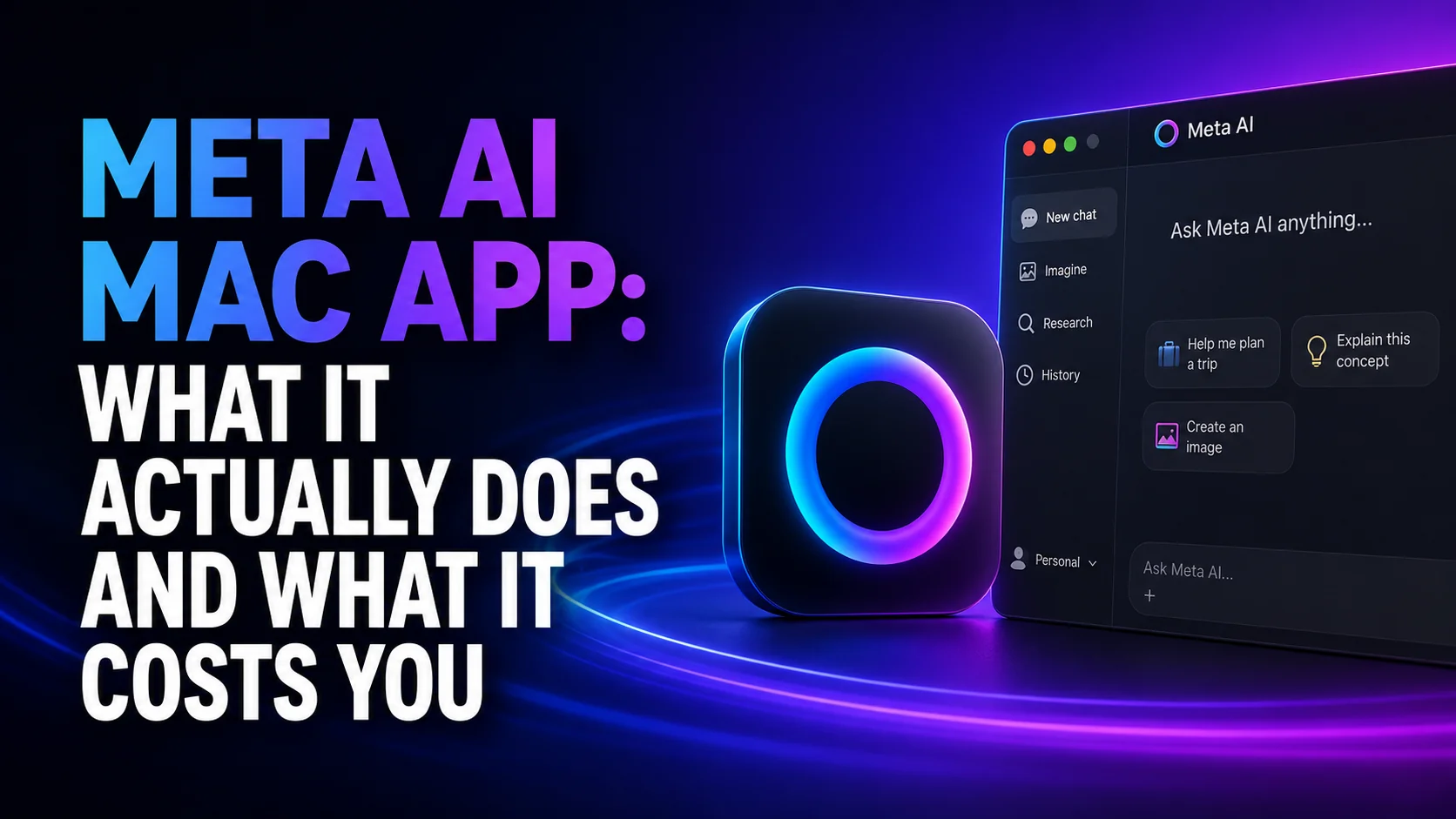
Meta released a native Meta AI Mac app on August 19, 2026. It is native in the real sense, built on AppKit and SwiftUI with WebKit only for the chat content, which makes it a Mac application rather than a website in a window. It installs at around 16MB, it is free, and it runs only on Apple silicon Macs with macOS 15 or later. For an assistant that spent two years as a web page and a phone app, that is a serious debut.
It is also the fourth AI assistant to ask for a permanent hotkey on your Mac, and the first one funded by advertising.
This guide covers what the app does, exactly what it wants from your machine, the keyboard conflict nobody warned you about, and the trade you are making when you point it at your screen. One thing to know before you read anywhere else. Meta announced this on its business newsroom, pitched at small businesses, and published no system requirements at all. Every specification you see quoted, here included, comes from journalists who installed it and looked.
The Key Takeaways
- Released August 19, 2026 as a 1.0 beta, free, roughly 16MB installed.
- Apple silicon and macOS 15 or later, per hands-on press inspection. No Intel build has been announced and Meta published no requirements page.
- Option-Space opens Quick Invoke, the same default chord ChatGPT and Gemini already use on a Mac.
- Pointing it at a window needs both Screen Recording and Accessibility permission, which is how it reads on-screen text and captures screenshots.
- Meta's own policy says AI interactions personalize content and ads recommendations. No rival Mac assistant is funded this way.
- It gathers context but cannot control your Mac, which puts it behind ChatGPT's Computer Use.
- Meta says it is free to get started and that heavier users will be able to subscribe to Meta One, which is still in limited testing on mobile.
What the Meta AI Mac App Actually Is
Strip away the launch coverage and the app is a chat window with three desktop powers bolted on: a global hotkey, the ability to read a window you point it at, and system-wide dictation. The sidebar carries media, saved artifacts, scheduled tasks, chat history and an About Me section. You can switch thinking modes, attach files, generate images and video, and set up recurring jobs such as a weekly performance report. You can also hide the Dock icon and run the whole thing from the keyboard.
The pitch, though, is not aimed at you if you are a general Mac user. Meta announced the app on its business newsroom, and in its own words you can now have Meta AI work directly with your Instagram and Facebook accounts, Meta ad campaigns, and Google Workspace. The assistant reads how a post performed, suggests what to publish next, and builds decks and spreadsheets from that data. MacRumors and AppleInsider both report that the Workspace connection needs a professional Facebook or Instagram account, which Meta's own post does not mention. That is the context Meta owns outright and nobody else can copy, and it is the reason the app exists.
What it cannot do is act. 9to5Mac, which inspected the app at launch, calls this context gathering rather than computer control "for now". It looks at a window and talks about it. It does not click, type or navigate on your behalf. OpenAI ships Computer Use in the ChatGPT desktop app for ChatGPT Work and Codex, and Anthropic offers its version in Cowork and Claude Code as a research preview limited to Pro and Max. Meta has neither in this app, and says more is coming, which is what every beta says. The Meta Mac app that does act turned out to be a separate product: Muse, Meta’s personal AI agent, reached the Mac on 17 September 2026 and gained computer use at Connect six days later.
How to Install the Meta AI Mac App
Installation is a normal Mac drag-and-drop, with one caveat worth stating first. Because the product is days old and the query is brand new, lookalike download pages are already ranking above some of the real coverage. It is the same trap that misspelled AI names set for ChatGPT, Gemini and DeepSeek users. Get the file from Meta directly and nowhere else.
What you need first
You need a Mac with Apple silicon running macOS 15 or later, and no Intel build has been announced. AppleInsider reports you also need a Meta account, and any Facebook, Messenger, Instagram or WhatsApp login works. Disk space is not a consideration at roughly 16MB.
Note the gap here. Meta announced the app but published no requirements page and no release note, and AppleInsider puts it flatly: Meta "doesn't provide any publicly-facing system requirements". Those figures come from outlets that installed it, and 9to5Mac hedges its own with "based on initial inspection". Treat them as reliable but unofficial, and expect them to move while the app is in beta.
The install steps
- Go to meta.ai in a browser and find the Mac download. Ignore any other domain offering the installer.
- Open the downloaded file and drag Meta AI into your Applications folder.
- Launch it from Applications and sign in with your Meta account.
- Press Option-Space to confirm Quick Invoke works. If nothing happens, see the shortcut section below, because something else has almost certainly claimed those keys.
- Grant permissions only when you first need them, not preemptively. The app runs fine as a plain chat window without any of them.
The Option-Space Problem Nobody Warned You About
Here is the thing every launch write-up missed. Meta chose Option-Space for Quick Invoke, and that chord was already spoken for twice over.
OpenAI's help centre documents that the ChatGPT Chat Bar opens with Option-Space by default. Google's support documentation for the Gemini Mac app says the same: use the keyboard shortcut Option + Space to bring up the Gemini chat window. Anthropic's Claude Desktop defaults to double-tapping Option instead, but Option-Space is one of the three presets it offers. So on a Mac running two or three of these apps, one assistant wins the chord and the others quietly do nothing.
The good news is that all three of the established apps let you move it. ChatGPT's shortcut is changeable in Settings, Gemini's is changeable in the app's settings, and Claude's lives under Settings, then General, under Desktop app.
Meta has not documented whether Quick Invoke moves at all, which makes Meta AI the one to install last.
If you already run Gemini on your Mac and you want the full picture on what it claims and where its shortcuts sit, our Gemini for Mac setup guide covers it in detail.
What the Meta AI Mac App Can See
The headline feature is attaching a window to the conversation. Point Meta AI at a document, a design, a spreadsheet or a browser tab, and it answers questions about what is on screen. It is useful, and it is the most consequential thing in the app, because of what it needs in order to work.
Two permissions, not one
Per 9to5Mac's hands-on, window attach requires Screen Recording and Accessibility permission together. Screen Recording captures the picture. Accessibility reads the text elements inside other applications. Granting both hands one app a complete view of whatever you put in front of it, and macOS makes both awkward to grant for that exact reason.
The dictation feature is a smaller ask, and the best thing in the app. Hold a shortcut, speak, and the words are typed into whatever app has focus, including mail clients and code editors. If dictation is the only reason you are considering this app, there are better and less demanding options in our roundup of the best AI dictation apps for Mac.
The part that is not in the launch coverage
Every AI assistant that reads your screen inherits a security problem: text on that screen can contain instructions aimed at the model rather than at you. A support page, a shared document or an email can carry a hidden line that the assistant treats as a command. That class of attack is worth understanding before you grant screen access to anything, and we explain it plainly in our guide to what prompt injection is and why it matters.
Meta is not alone in taking that trade. On August 20, 2026 the ChatGPT desktop app added an Apple Messages plugin that reads your message history and can send messages for you, which is the same bargain aimed at a different surface. Our guide to what the ChatGPT Mac app can now reach sets out what it asks for.
The Real Price of a Free App
The app costs nothing today. Meta's wording is that it is free to get started with these features now, and that as it expands, businesses wanting to use them more will be able to subscribe to Meta One. That is future tense. Meta One's own help page describes it as reaching Meta apps on mobile devices and currently in limited testing, so there is no Meta One bill for a Mac user to pay yet. CNBC reported the AI tiers at $7.99 and $19.99 a month when testing began in May 2026 in Singapore, Guatemala and Bolivia.
The more important cost is not money.
In October 2025 Meta announced that it would use AI interactions to personalize content and ads recommendations. Its own wording was that this begins "after these changes go into effect on December 16." Meta's post says it does not use "topics such as" religious views, sexual orientation, political views, health, racial or ethnic origin, philosophical beliefs or trade union membership to show ads. It frames that as standing policy rather than a new concession. That phrasing is illustrative, not a closed list. It describes the rollout as reaching "most regions" without naming exceptions. Reuters reported at the time that the UK, the European Union and South Korea were left out, and that users would not get an opt-out.
Put that next to the screen-reading feature and the shape of the trade becomes clear. This is the only major Mac AI assistant whose parent company monetises your conversations through advertising. Meta does offer Incognito Chat, announced on May 13, 2026 for WhatsApp and the Meta AI app and rolling out over the months after. Meta's claim for it is that messages are processed in a secure environment even Meta cannot access, and are not saved. Note what that does not say. Meta makes no training-exclusion claim for it. It is a real protection, and it is a separate mode you have to choose, not the default state of the app.
None of this makes the app malware. It makes it a different bargain from the one ChatGPT or Claude offers, and the bargain is the thing to weigh. If you have not thought about where your chat history goes generally, our breakdown of what happens to your data in ChatGPT is a useful comparison point. We weigh the two assistants against each other, bargain included, in our full Meta AI vs ChatGPT comparison.
What Model Is Inside It
Meta AI runs on Muse Spark, the first model line in the Muse family that Meta Superintelligence Labs introduced in April 2026. Meta's own Mac page names the model without a version, and nobody has confirmed which point release the app calls, so a page telling you the desktop app runs a specific version is guessing. The million token context window came later, with Muse Spark 1.1 in July 2026, and carries into 1.2 and 1.3. Meta shipped Muse Spark 1.3 on September 2, 2026 into its API and the Muse Code terminal agent, naming no consumer surface at all, so whatever version the Mac app calls, it is not that one. On Meta's own coding charts 1.2 trails Claude Opus 5 across the board, including 82.9% against 86.7% on Terminal-Bench 2.1, though it does lead on MCP Atlas. The full picture is in our write-ups of Muse Spark 1.2 and Meta's coding agent and what Muse Spark 1.3 actually scores. If what you want is the current model on a Mac rather than whatever version Meta’s own app calls, our Muse Spark desktop client for Mac guide covers that route.
Practically, this matters because a desktop app is only as good as the model behind it, and Muse Spark is a strong second-tier model rather than a frontier one. You are not installing this because it out-reasons GPT or Claude. You are installing it because of what it can see inside your Meta business accounts.
Meta AI Mac App vs ChatGPT, Claude and Gemini
The rows that decide this are not the feature lists everyone prints. They are the shortcut, the permissions and the data terms.
| App | Default shortcut | Reads your screen | Controls your Mac | Price | Chats feed ad targeting |
|---|---|---|---|---|---|
| Meta AI | Option-Space | Yes, window attach | No | Free, paid tier for limits | Yes, per Meta's policy |
| ChatGPT | Option-Space | Yes | Yes, Work and Codex | Free tier, $20/month Plus | No |
| Claude | Double-tap Option | Yes | Research preview, Pro and Max | Free tier, $20/month Pro, $17 annual | No |
| Gemini | Option + Space | Yes, share window | Limited, Speak to Window | Free tier, paid Google AI plans | No |
| Fello AI | Configurable | No | No | $9.99/month, all models | No |
Read down the shortcut column and the absurdity of the current situation is obvious. Three of these five ship with the same default chord. For a fuller head-to-head of the three big desktop clients on macOS specifically, see how ChatGPT, Claude and Gemini compare as Mac apps.
The Multi-Model Alternative
There is a pattern worth naming here. Every model vendor now wants a permanent process on your Mac, a global hotkey, screen access and a subscription. Install all of them and you are running four background apps, fighting over one keyboard shortcut, paying three bills, and spreading your chat history across four privacy policies with four different sets of terms.
That is the problem we built Fello AI to solve. One native Mac app, one flat $9.99 a month, and access to GPT, Claude, Gemini, Grok, DeepSeek, Perplexity and Llama through a single window, with image generation included and sync to iPhone and iPad. Stacking ChatGPT Plus, Claude Pro and Google AI Pro on their own runs to roughly $60 a month for three models. If you want the wider field rather than our own pitch, the full ranking sits in our guide to the best ChatGPT alternatives for Mac.
The Verdict
Meta shipped a better piece of software than most people expected. A 16MB native AppKit build with a working global hotkey and real system dictation is more Mac-respecting than several apps that have sat on the platform for years. The business integration is something no competitor can replicate, because no competitor owns Instagram.
Install it if you run a business on Facebook or Instagram and you want your analytics inside a chat window. That use case is real and it is well served.
Skip it if you want a general assistant. It cannot control your Mac, its model is not the strongest available, and it is the only one of these apps that turns your conversations into advertising signal. Whichever way you go, decide which app owns Option-Space before you install, not after.
FAQ
Is the Meta AI Mac app free?
Yes. The app is free and needs only a Meta account. Meta says it is free to get started and that businesses wanting more will be able to subscribe to Meta One in future. Meta One is currently described as reaching mobile devices and in limited testing, so there is no Mac subscription to buy today. CNBC reported the AI tiers at $7.99 and $19.99 a month when testing began in May 2026.
Does Meta AI work on Intel Macs?
No Intel build has been announced. Outlets that installed the app report Apple silicon only, on macOS 15 or later, and AppleInsider notes that Meta "doesn't provide any publicly-facing system requirements", so there is no vendor document to check against. On an Intel Mac, the web version at meta.ai remains your option.
Why does Option-Space not open Meta AI?
Because something else already claimed it. ChatGPT's Chat Bar and Google's Gemini Mac app both use Option-Space by default, and Claude offers it as a preset. Change the shortcut in whichever app you care about less. ChatGPT and Gemini both allow it in their settings, and Claude's sits under Settings, then General.
Does Meta AI use my conversations for advertising?
Meta announced in October 2025 that it would use AI interactions to personalize content and ads recommendations from December 16 of that year. It says sensitive categories such as health, religion and political views are excluded. Reuters reported that the UK, the EU and South Korea were left out of the rollout and that there is no opt-out elsewhere.
Can Meta AI control my Mac?
No. It reads a window you attach to the conversation and answers questions about it, but it does not click, type or navigate for you. OpenAI ships Computer Use in the ChatGPT desktop app for ChatGPT Work and Codex, and Anthropic offers its version in Cowork and Claude Code as a research preview on Pro and Max plans. Meta AI has neither.