Canva still costs $0 on its free plan, and that free tier does real work, not a stripped-back demo. If you want more, Canva Pro is $18/month or $144/year, and Canva Business (the plan that replaced Teams) runs $25 per user/month or $250 per user/year. Those four numbers cover what most people are actually searching for when they ask how much Canva costs.
This guide breaks down every Canva plan in 2026, what each one includes, and the part most pricing pages skip, how Canva’s AI credits quietly shape the value of each tier. You will also see where the free plan is plenty, when Pro pays for itself, and a cheaper multi-model alternative worth knowing about if your main reason to upgrade is AI generation.
The Key Takeaways
- Canva Free costs $0 forever with 1.6M+ templates, 5GB storage, and basic AI tools.
- Canva Pro is $18/month or $144/year (about $12/month billed annually), with a 30-day free trial.
- Canva Business is $25 per user/month or $250 per user/year, with no seat minimum.
- Canva Enterprise uses custom pricing for organizations of 50+ users.
- AI generation runs on a monthly credit pool, Free gets 20 Premium AI uses, Pro gets 200, Business gets 400.
How Much Does Canva Cost in 2026?
Canva uses a simple four-tier structure. The free plan is permanent, Pro and Business are subscriptions, and Enterprise is custom-quoted for large organizations. Prices below are in USD and current as of June 2026. If you are still deciding whether the platform fits, start with our guide to what Canva is.
| Plan | Monthly | Annual | Storage | Brand kits | Best for |
|---|---|---|---|---|---|
| Free | $0 | $0 | 5 GB | 1 | Casual use, students, simple social posts |
| Pro | $18 | $144 ($12/mo) | 100 GB | 5 | Freelancers, creators, solo marketers |
| Business | $25/user | $250/user | 500 GB | 100 | Teams that need shared brand control |
| Enterprise | Custom | Custom | 1 TB | 1,000 | Large orgs, 50+ seats |
Monthly vs Annual Billing
Annual billing is the obvious saving on Pro. Paying $144 up front works out to about $12/month, versus $18 month to month, so the yearly plan saves you roughly a third if you know you will keep using it. Business follows the same pattern, with the annual plan trimming the per-user rate.
Canva runs frequent promotions of up to 50% off Pro and Business for new customers, so the first-year price is often lower than the list price above. Always check the live offer on Canva’s official pricing page before you commit.
Is Canva Free? What the Free Plan Includes
Yes, Canva is free, and the free plan is the reason so many people never feel pushed to upgrade. It is permanent, not a trial, and it covers far more than most beginners expect.
What You Get on the Free Plan
You get over 1.6 million templates, 5GB of cloud storage, real-time collaboration, more than 100 design types, and a set of basic AI tools. For one-off graphics, simple presentations, and social posts, it holds up well.
Where the Free Plan Stops
The limits show up when you need scale or polish. Free caps you at one brand kit, blocks premium stock and premium templates, and locks the most-loved Pro features like the Background Remover and one-click resizing. You also get the smallest slice of Canva’s AI generation, 20 Premium AI uses a month, which disappears fast if you generate images.
Canva Pro Pricing: What $18/Month Gets You
Canva Pro costs $18/month, or $144/year. It is the tier most individual creators land on, and the jump from Free is significant.
What Canva Pro Adds
Pro adds 141M+ premium photos, videos, and graphics, the full 3.6M+ template library, 5 brand kits, the Background Remover, Magic Resize, and 100GB of storage. If your work depends on consistent branding, the Brand Kit alone often justifies the price.
Canva Pro AI Limits
On the AI side, Pro lifts your monthly allowance to 2,000 Standard AI uses or 200 Premium AI generations (image and video generation count as Premium). That is a 10x bump over Free on the credits that matter for AI art. New users get a 30-day free trial before the first charge, so you can test the limits before paying. For what the video side can actually do, see Canva’s AI video generator.
Canva Business Pricing (Formerly Canva Teams)
Canva Business costs $25 per user/month or $250 per user/year, with no minimum seat count. If you remember the “Canva Teams” plan, this is its replacement. Canva Teams has been discontinued, with no new signups, and all new team features now ship to Business only. Existing Teams subscribers keep their plan until they switch or cancel.
What Canva Business Adds
Business adds the things teams actually fight over, 100 brand kits, brand controls and approvals, shared template locking, and a bigger AI pool of 4,000 Standard or 400 Premium AI uses a month. It also bundles extras like Leonardo.Ai Essential.
Is Canva Business Worth It?
For agencies and marketing teams that need everyone on-brand, the per-user math is easy to justify. The shared brand controls and approval flows save more time than the extra $7 a head costs once more than two or three people are designing together.
Canva Enterprise Pricing
Canva Enterprise uses custom pricing and is aimed at organizations with 50 or more users. You will not find a public number, you contact Canva sales for a quote. It layers on enterprise-grade controls like single sign-on, advanced admin and security, the largest AI pool (400 Premium AI uses per person), and up to 1,000 brand kits. Unless you are running design at company scale, Business is the practical ceiling.
Canva AI Pricing: How the Credits Actually Work
This is the part most pricing guides gloss over. Canva’s AI tools do not cost extra on top of your plan, but they draw from a shared monthly credit pool that resets each month. Canva splits AI features into three tiers, and higher tiers burn more of your allowance.
The Three AI Credit Tiers
| Plan | Standard AI | Premium AI | Ultra AI |
|---|---|---|---|
| Free | up to 200 | up to 20 | none |
| Pro | up to 2,000 | up to 200 | up to 20 |
| Business | up to 4,000 | up to 400 | up to 40 |
| Enterprise | up to 4,000 | up to 400 | up to 40 |
Standard AI covers tools like Magic Write. Premium AI is where image generation, Canva AI video, and Canva Code sit, so if you create a lot of visuals, this is the number that matters. Ultra AI is reserved for the heaviest features like Canva AI 2.0’s conversational design (rolling out) and high-quality AI video clips. Not every AI extra draws from this pool, the built-in AI voice generator is free text-to-speech on every plan.
Want to learn the image side in depth? Our guide to the Canva AI image generator covers Dream Lab, styles, and how fast those Premium credits go. For the full feature picture, see what Canva AI can do. If you want to edit existing photos rather than generate new ones, see the Canva AI photo editor.
What Is AI Pass?
If you hit your monthly limit, Canva sells AI Pass, a paid add-on for Pro and Business that raises your AI allowance. It is recurring, on top of your subscription, and only worth it for true power users who routinely exhaust the included pool.
Affinity by Canva Is Now Free
Worth knowing if you want pro-grade design without a subscription, Affinity by Canva is now completely free. The full Affinity Studio (photo, vector, and layout) costs $0, with no trial and no catch on the desktop tools. Everything that runs locally on your machine stays free forever.
The Catch with Affinity’s AI
The catch is small and AI-shaped. Affinity’s AI-powered features pull from Canva’s servers, so those specific tools require a paid Canva plan (Pro, Business, or Enterprise). The core editing suite, though, is yours for nothing.
Which Canva Plan Should You Choose?
The right Canva plan comes down to how often you design and whether you work alone or with a team. Most people are well served by the free plan, upgrade to Pro when premium content and AI credits start to matter, and only move to Business when several people need shared brand controls. Here is how to decide.
Free, Pro, or Business?
Match the plan to how you actually work, not to the longest feature list. Stay on Free if you make occasional graphics, social posts, or simple slides and rarely need premium assets or heavy AI. Step up to Pro ($18/mo) if you design consistently for one brand, want the Background Remover and Brand Kit, or generate images and video often enough to need 200 Premium AI credits a month. Business ($25/user/mo) earns its price the moment multiple people share templates and you need brand controls, approvals, and a bigger shared AI pool.
Students, Teachers, and Nonprofits
Students and teachers can often get Canva’s premium features free through education programs, and registered nonprofits qualify for free Business-level access. Enterprise only makes sense at 50+ seats with single sign-on and security requirements, so most people never need to look past Business. Check eligibility before paying for anything.
A Cheaper Alternative If You Mainly Want AI
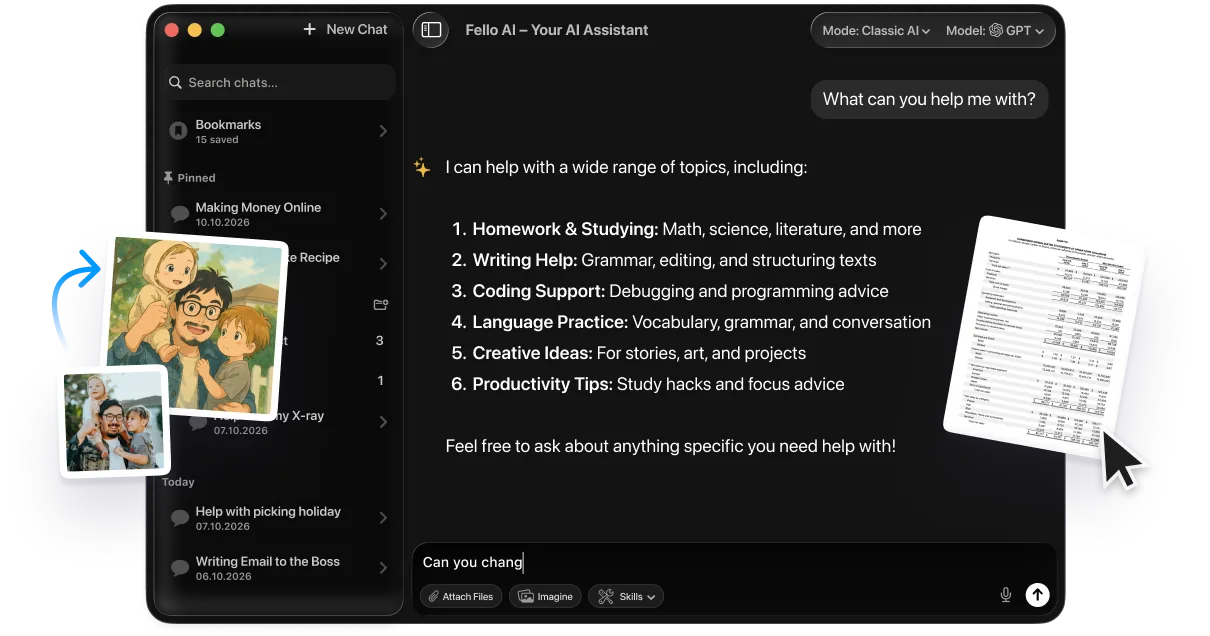
If your real reason to pay for Canva is the AI generation, the credit caps can sting. This is where a multi-model tool like Fello AI fits in. For a flat $9.99/month, Fello AI gives you GPT, Claude, Gemini, Grok and more in one workspace, and it does more than chat. It generates images, builds presentations, writes documents, and runs research before producing the artifact.
The split is simple. Canva wins on the design canvas, templates, and visual polish, while Fello AI wins as the cheaper multi-model brain for generating and drafting. Many creators use both, drafting and generating in Fello AI, then finishing the design in Canva. You can try Fello AI here to see where it fits your workflow.
Conclusion
Canva pricing in 2026 stays refreshingly simple, free forever, Pro at $18/month, Business at $25/user, and Enterprise on request. The free plan covers more than most people expect, Pro is the sweet spot for serious solo creators, and Business earns its keep the moment a team needs shared brand control.
Before you upgrade, look at the AI-credit table, not just the feature list. If AI generation is your main driver, the monthly Premium caps matter, and a flat-rate multi-model alternative may stretch your budget further. Start free, and pay only when a specific limit gets in your way.
FAQ
How much does Canva cost per month?
Canva Free is $0. Canva Pro is $18/month ($12/month if billed annually). Canva Business is $25 per user/month. Enterprise is custom-quoted.
Is Canva really free?
Yes. The free plan is permanent and includes 1.6M+ templates, 5GB storage, collaboration, and basic AI tools. You only pay for Pro-tier extras like Background Remover, Brand Kits, and higher AI limits.
How much does Canva Pro cost per year?
$144 per year, which works out to about $12/month, versus $18 month to month. A 30-day free trial is available before the first charge.
What happened to Canva Teams?
Canva Teams was discontinued and folded into Canva Business ($25 per user/month). Existing Teams users keep their plan until they switch or cancel, but new team features ship to Business only.
How much does Canva AI cost?
Canva AI is included in your plan but runs on a monthly credit pool. Free gets 20 Premium AI uses, Pro gets 200, and Business gets 400. The paid AI Pass add-on raises those limits for power users.