Over the past two months, Fello AI has shipped a series of iterative upgrades focused on performance, reliability, and workflow. The goal was strengthening the app’s foundation so future releases can move faster without breaking day-to-day use.
Along the way, we also shipped a set of smaller improvements that add up: option to run more simultaneous chat sessions, persistent default models, shortcut-based model switching, smoother streaming, smarter file handling with automatic retries, and cross-platform notifications. Plus, we added Claude Sonnet 4.6 — Anthropic’s latest model — just days after its release.
Together, these changes improve the overall user experience, address some of the most common pieces of feedback, and make the app feel meaningfully more effortless.
1. Default Model Preferences
If you always like to start your chats with certain version of Claude, or GPT, or Gemini — you’ve probably gotten tired of selecting it every single time. Now you don’t have to.
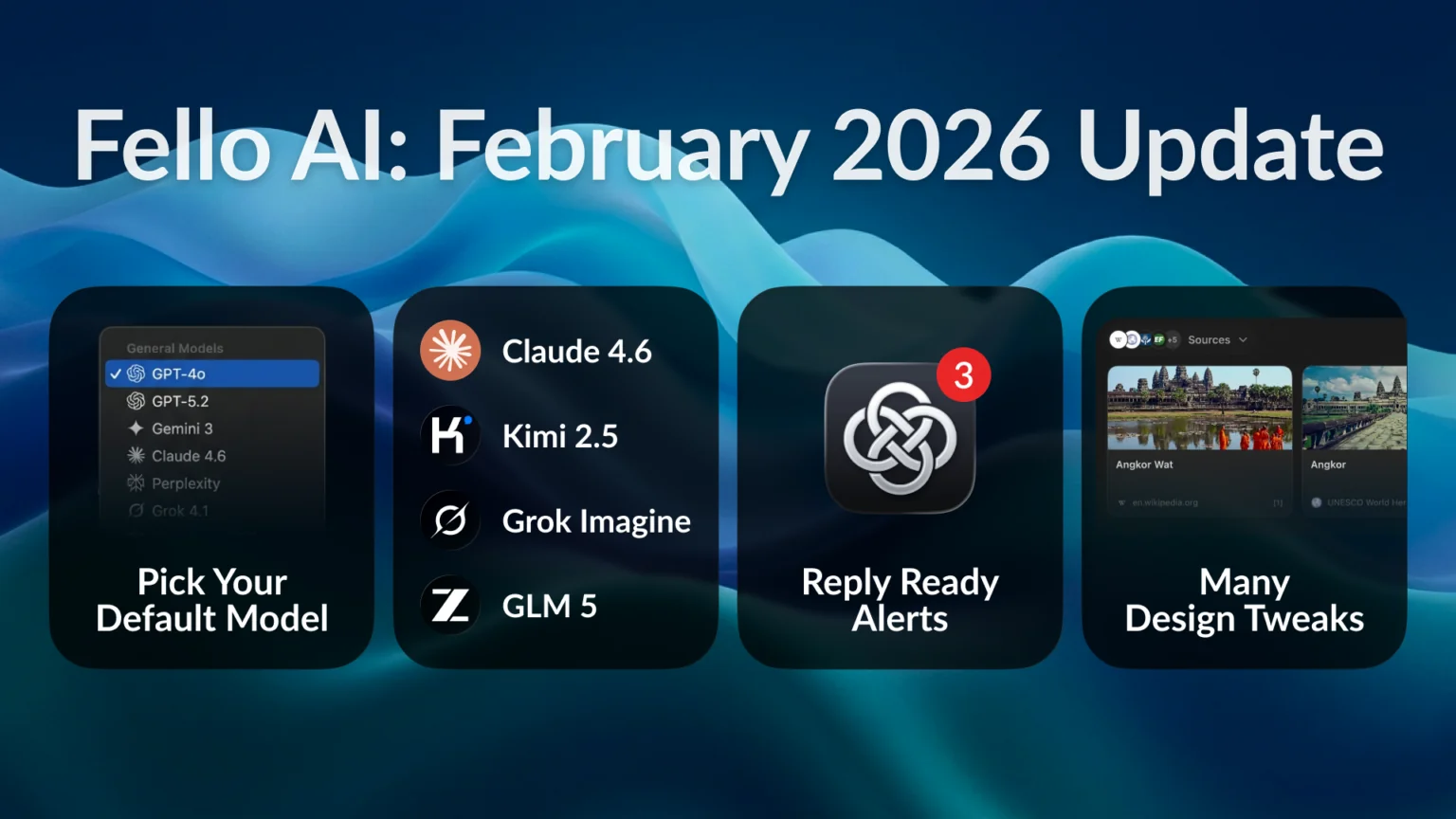
Pick your default AI model once in settings (Models tab on macOS, settings screen on iOS) and every new conversation opens with it. One less thing to think about before you can actually start talking to the AI.

2. Quick Access Shortcuts (macOS)
Maybe you don’t want just one default — you use different models for different things. Claude for writing. GPT for code. Grok for generating images.
The empty chat screen on macOS now shows quick access shortcut buttons for your favorite models. Tap one, and you’re in a new conversation with that model. No menus, no scrolling through a list.
Now you can even choose which models appear there — up to 5, from the full list in Fello AI. Set them up in Settings → Models, or just right-click any shortcut to swap it out. The empty chat screen becomes your personal launchpad.

3. New AI Models
Four new models, four new things you can do:
| Model | What You Get |
|---|---|
| Claude Sonnet 4.6 | The newest model from Anthropic, replacing Sonnet 4.5. Faster, smarter, and better at writing, analysis, and coding. Added to Fello AI within days of launch. |
| Kimi K2.5 | A top Chinese model from Moonshot AI, hosted in the USA. Especially great for coding, technical questions, and research. |
| Grok Imagine | xAI’s brand-new image generator, now powering the Grok app. High-quality, realistic images and any other graphics you need. |
| GLM 5 | The successor to GLM 4.7 — noticeably better at reasoning and understanding context. |
Want to compare how different models answer the same question? Or need image generation without leaving the app? Now you can.
4. Simultaneous Chats & Notifications
You send a long prompt and switch to another chat while it’s thinking. In earlier versions, that simple act would break the stream — the response would stop mid-sentence, or never finish at all.
That’s now fixed. Fello AI can stream responses across multiple chats simultaneously, so you can move between conversations without interrupting anything. When a chat finishes while you’re not viewing it, a blue dot appears to flag that there’s a fresh response waiting.
We also added push notifications on both iOS and macOS, so you know the moment a response lands — even if you’ve switched apps entirely. The app only asks for permission after your first message, and you can turn notifications off or hide previews on the lock screen so nobody can read what you’re chatting about.

5. Design Tweaks
A handful of small changes to how the app looks and feels. Together they make the daily experience noticeably smoother.
Web Search Citations
When you ask something and the AI searches the web for an answer — how do you know if it’s right? Now you can check. A Resources button appears on those responses, showing clickable source links you can open and verify. Great for research, fact-checking, or just going deeper on something interesting.

Bookmark Compacting (macOS)
If you bookmark a lot of messages, your list used to get hard to scan. Bookmarked messages now show a 3-line preview with a “Show more” toggle — so you can quickly find what you saved without scrolling through full-length responses.
Scroll-to-Bottom Button
Ever scroll up in a long conversation to re-read something, then have to swipe all the way back down? A floating button now appears that takes you to the bottom in one tap. Small thing, but you’ll use it constantly.

Smoother Streaming
Long AI responses used to stutter a bit while rendering, and the screen would jump when the response finished. Both fixed. Text flows in smoothly now, and the conversation stays exactly where you’re reading.
6. Many Small Bug Fixes
We also went through a long list of bugs and rough edges that were bugging us (and probably you too):
- Text-to-speech — plays more reliably, stops when you leave the conversation, and the play button is easier to tap on iPhone
- Automatic file re-upload — if a file you attached expires on the server, the app re-sends it and retries automatically. You won’t even notice it happened
- Drag & drop (macOS) — dragging files from the screenshot preview into a chat works properly now
- iPad navigation — the sidebar layout on iPad works the way you’d expect it to
- Crash fixes — squashed crashes in the menu bar widget and during message streaming
- Mode reset — starting a new chat now properly resets the AI mode on both platforms
The Bigger Picture
This release also reflects a broader priority: delivering a polished, native experience across the Apple ecosystem.
Fello AI runs on macOS, iPad, and iPhone — and the focus has been on making it feel like it truly belongs on each device. Smooth animations, predictable navigation, reliable notifications, and consistent behavior across platforms.
Many of the updates come directly from user feedback. Default model preferences, quicker model access, improved streaming, smarter file handling — features people asked for, implemented in a way that strengthens the overall experience rather than adding clutter.
The goal is simple: an AI client that feels fast, stable, and native on every Apple device — with the latest AI models available just hours or days after they’re released. When Anthropic launched Claude Sonnet 4.6, it was in Fello AI almost immediately. That’s the standard we hold ourselves to.
Download Fello AI now for your Mac, iPhone, and iPad.