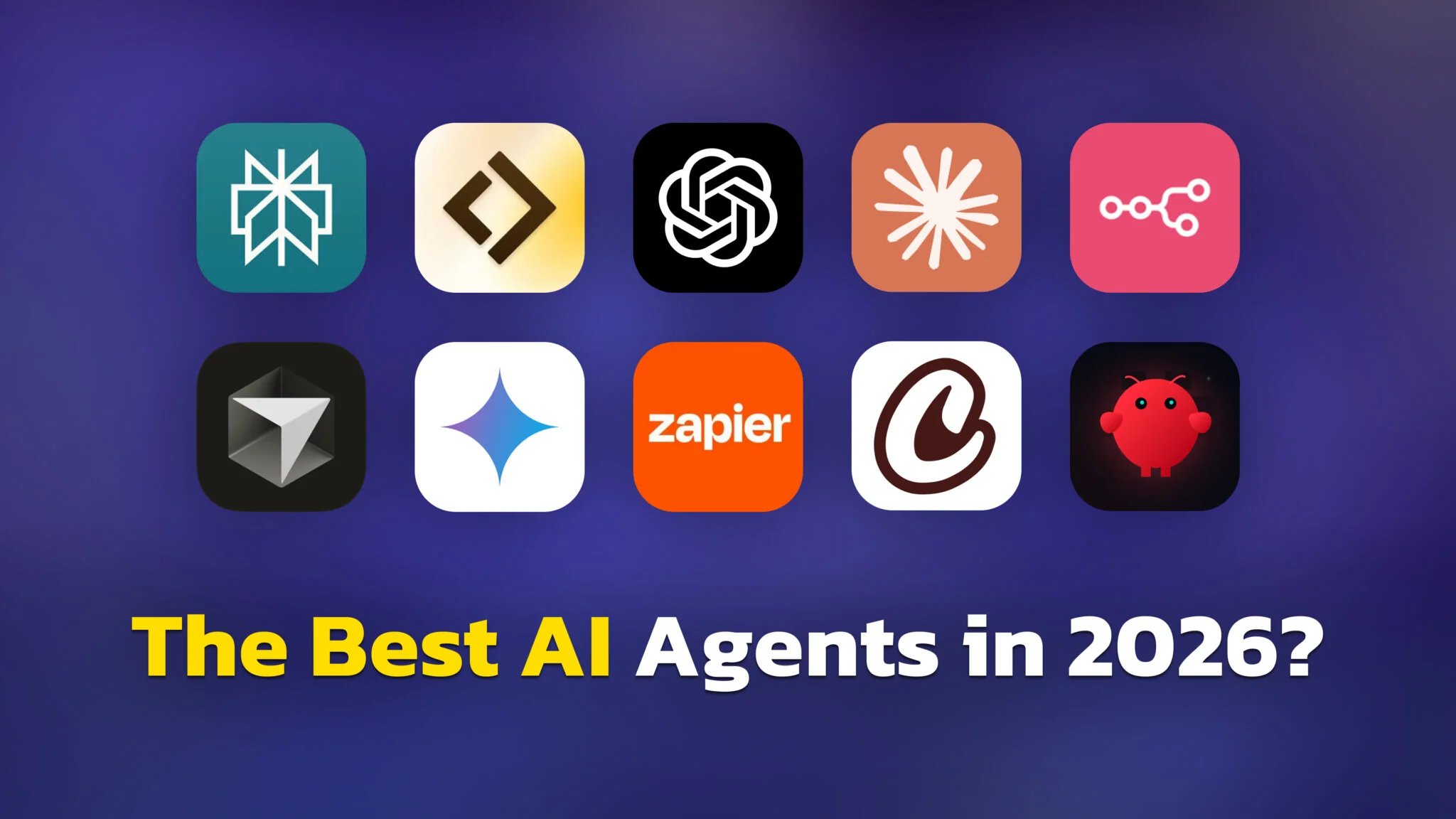
Busca «mejores agentes de IA» y obtendrás una lista escrita por alguien que te está vendiendo un agente de IA. Comprobamos las quince guías mejor posicionadas para este término. Nueve de ellas las publican proveedores de agentes de IA, y las nueve colocan su propio producto en primer lugar. La lista de Lindy abre con Lindy. La de Zapier abre con Zapier. La guía de Relay.app la escribe su propio CEO y te dice que «para el 80 % de la gente que lee esto, Relay.app es la elección correcta».
Nosotros no vendemos un agente de IA, así que nadie compró un puesto en esta página. Lo que sigue son 30 agentes organizados por lo que de verdad quieres hacer, con precios verificados en las páginas oficiales de precios en julio de 2026, y con las herramientas que no recomendaríamos claramente señaladas. Varios agentes que aparecen en todas las demás listas han cambiado o eliminado en silencio sus niveles de precios este año, y uno de los agentes open source más populares tiene un problema de seguridad sobre el que Microsoft ahora avisa directamente a sus clientes.
Conclusiones clave
- Nueve de las quince guías mejor posicionadas sobre los «mejores agentes de IA» las escriben proveedores de agentes, y cada una se coloca a sí misma en primer lugar.
- OpenAI Operator ya no existe. Cerró el 31 de agosto de 2025. El agente actual de OpenAI es ChatGPT Work, lanzado el 9 de julio de 2026 y basado en GPT-5.6.
- Claude Cowork es el agente de escritorio para el día a día más capaz, y desde el 7 de julio de 2026 también funciona en web y móvil. Parte de 20 $/mes.
- El mejor agente de programación gratuito es OpenHands, que obtiene un 72 % en SWE-bench Verified y puede ejecutarse por completo en tu propia máquina.
- Evita OpenClaw salvo que sepas exactamente lo que haces. Los investigadores encontraron 824 skills maliciosas en su marketplace, arrastra una vulnerabilidad de gravedad 9,9 en su historial, y Microsoft desaconseja ejecutarlo en cualquier dispositivo que guarde datos sensibles.
¿Quién escribió la lista que estás leyendo?
Esto importa más de lo que parece. Las empresas de agentes de IA se han dado cuenta de que posicionarse para «mejores agentes de IA» es la captación de clientes más barata a su alcance, así que escriben ellas mismas las guías. El resultado es una página de resultados de búsqueda donde el consejo y la publicidad son el mismo documento.
Aquí tienes dónde colocó cada una de las guías mejor posicionadas su propio producto. Todas estas páginas se presentan como un repaso objetivo.
| Guía | Quién la publica | Dónde queda su propio producto |
|---|---|---|
| Lindy | Lindy (constructor de agentes) | N.º 1 |
| Zapier | Zapier (automatización) | N.º 1 |
| Gumloop | Gumloop (constructor de agentes) | N.º 1 en sus dos guías |
| Relay.app | Relay.app, escrita por el CEO | N.º 1 |
| Salesforce | Salesforce (Agentforce) | N.º 1 |
| monday.com | monday.com (Agent Factory) | N.º 1 |
| Ajelix | Ajelix (herramienta de IA para Excel) | N.º 1 |
| Taskade | Taskade, y lo dice abiertamente | N.º 3, con una advertencia |
| FelloAI (esta página) | Hacemos una app de chat multimodelo, no un agente | No tenemos ningún agente que clasificar |
Taskade merece reconocimiento como el único proveedor que declara el conflicto y coloca a sus rivales por encima de sí mismo. Los demás no lo mencionan. No pretendemos ser más perspicaces que estas empresas, varias de las cuales construyen productos realmente buenos. Señalamos que no tenemos ningún producto en esta categoría que promocionar, que es la única razón por la que podemos poner a un competidor en lo más alto de una lista sin que nos cueste nada.
Elecciones rápidas
Si quieres la versión corta, empieza aquí. Los precios son el punto de entrada de cada herramienta a fecha de julio de 2026, y cada uno se explica al completo más abajo.
| Quieres… | Mejor opción gratuita | Mejor opción de pago |
|---|---|---|
| Sacar adelante el trabajo del día a día | ChatGPT (plan gratuito) | Claude Cowork (20 $/mes) |
| Escribir código más rápido | OpenHands (gratis, autoalojado) | Claude Code (20 $/mes) |
| Investigar algo a fondo | Perplexity (gratis) | ChatGPT Plus (20 $/mes) |
| Delegar un proyecto entero | Manus (300 créditos diarios) | Manus (desde 20 $/mes) |
| Automatizar flujos de trabajo entre apps | n8n (autoalojado) | Make (desde 9 $/mes) |
| Construir un agente, sin código | Gumloop (5000 créditos) | Gumloop Pro (37 $/mes) |
| Construir un agente, como desarrollador | LangGraph (open source) | LangSmith (39 $/asiento) |
| Desplegar en toda una empresa | Microsoft Copilot (incluido en algunos planes de M365) | Agentforce (2 $/conversación) |
Los mejores agentes de IA para el trabajo del día a día
Estos son los agentes que la mayoría de la gente debería mirar primero. Manejan investigación, documentos, hojas de cálculo y tareas de varios pasos sin que escribas nada de código. Si eres nuevo en la categoría, nuestra explicación de qué es en realidad un agente de IA cubre lo básico, y cómo funcionan los agentes de IA por dentro explica el ciclo de planificar-actuar-adaptar que todos comparten. Si prefieres el concepto general primero, nuestra guía sobre qué significa de verdad la IA agéntica pone el escenario.
ChatGPT Work (OpenAI)
Qué hace: ChatGPT Work es el agente de OpenAI, lanzado el 9 de julio de 2026 y basado en GPT-5.6. Le das un resultado en lugar de una instrucción. Reúne contexto de tus apps conectadas, divide el trabajo en pasos, y trabaja durante horas antes de devolverte hojas de cálculo, diapositivas, documentos o apps web terminados. Nuestra guía completa de ChatGPT Work cubre lo que puede y lo que no puede hacer.
Importante: si una guía más antigua todavía recomienda Operator, ignórala. El agente de OpenAI que manejaba el navegador cerró el 31 de agosto de 2025.
Precios (2026): gratuito, luego Go a 8 $/mes, Plus a 20 $/mes, y Pro en dos tamaños, 100 $/mes y 200 $/mes. El nivel Pro de 100 $ llegó en abril de 2026, así que las guías que llaman a Pro «el plan de 200 $» están desactualizadas. En la app de escritorio unificada, cada plan, incluido el gratuito, tiene acceso.
Ideal para: trabajo de oficina de larga duración en el que quieres un artefacto terminado en lugar de una transcripción de chat. Deep Research, que produce informes con citas de varias fuentes, llega incluso al plan gratuito, y Plus a 20 $/mes tiene actualmente 25 ejecuciones al mes. No está bloqueado detrás del nivel Pro de 200 $, como se afirma con frecuencia.
Limitaciones: ChatGPT todavía no puede leer ni modificar archivos en tu disco local como sí puede Claude Cowork. Ten en cuenta también que ChatGPT Atlas, el navegador de OpenAI, se cierra el 9 de agosto de 2026, y la navegación agéntica se integra en ChatGPT Work y en una extensión de Chrome. Si Atlas era tu razón para suscribirte, lee nuestra guía de las mejores alternativas a ChatGPT Atlas.
Veredicto: la opción por defecto para la mayoría de la gente, en gran parte porque el ecosistema es enorme y el nivel Plus de 20 $ ahora incluye trabajo agéntico real. Si quieres un agente que toque tus archivos de verdad, Claude Cowork es la mejor compra, y los docentes de K-12 de EE. UU. verificados lo consiguen gratis a través de Claude for Teachers.
Claude Cowork (Anthropic)
Qué hace: Cowork es un agente de escritorio que trabaja directamente con tu ordenador. Crea y edita archivos, organiza carpetas, sintetiza investigación en documentos, y ejecuta tareas programadas de forma autónoma mientras haces otra cosa. A diferencia de ChatGPT, toca de verdad tu sistema de archivos. Nuestra guía completa de Claude Cowork cubre la configuración y los flujos de trabajo en los que de verdad es bueno.
Qué cambió: Cowork ya está disponible con carácter general, y desde el 7 de julio de 2026 funciona en web y móvil además de en escritorio. Las guías que lo describen como «solo de escritorio» están desactualizadas. Se ejecuta con el modelo Claude por defecto de tu plan, así que un suscriptor de Max obtiene un agente más capaz que un suscriptor de Pro.
Precios (2026): Pro a 20 $/mes (17 $ anual), Max 5x a 100 $/mes, Max 20x a 200 $/mes, más asientos de Team y Enterprise. Cowork no está en el plan gratuito. La gama de modelos de Anthropic va ahora con Claude Fable 5 en lo más alto, luego Claude Opus 5, que se lanzó el 24 de julio de 2026, y después Claude Sonnet 5, que se lanzó el 30 de junio de 2026 y es el modelo por defecto para los usuarios de Free y Pro. Opus 4.8 es ahora la generación anterior.
Ideal para: trabajo con muchos documentos, organización de archivos y síntesis de investigación. Este es el agente que hay que elegir si tu trabajo consiste en producir cosas más que en hacer preguntas.
Limitaciones: el trabajo agéntico quema tokens rápido, y quienes usen mucho Cowork notarán los límites de Pro en pocos días. Presupuesta el nivel Max de 100 $ si esto se convierte en parte de tu flujo de trabajo diario, y nuestro desglose de precios de Claude Cowork compara lo que te da cada nivel.
Veredicto: el agente para el día a día más capaz disponible, y el que recomendaríamos a la mayoría de la gente dispuesta a pagar. El precio de entrada de 20 $ se queda corto para lo que hace.
Manus
Qué hace: Manus es un agente general totalmente autónomo. Levanta una máquina en la nube dedicada con un navegador, un intérprete de código y aplicaciones de oficina, toma un encargo en lenguaje sencillo, y devuelve un entregable terminado. Ahora construye apps web funcionales y se conecta a Slack, WhatsApp, Telegram, Gmail, Google Calendar y Notion. La familia actual es Manus 1.6, en variantes Lite, estándar y Max.
La historia que conviene conocer: Meta acordó adquirir Manus, y los reguladores chinos bloquearon el acuerdo en abril de 2026. En junio, Bloomberg informó de que Meta había completado una separación operativa y cortado el intercambio de datos. Manus continúa como un producto independiente gestionado desde Singapur, lo cual es un desenlace realmente inusual y que conviene tener en cuenta en cualquier apuesta a largo plazo por él.
Precios (2026): gratuito con 300 créditos diarios que se renuevan en Manus 1.6 Lite, luego planes de pago desde 20 $/mes, medidos en créditos que no se acumulan. Mantenemos un desglose completo de precios de Manus AI con las cuentas de los créditos.
Ideal para: delegar un proyecto entero y desentenderte. Manus es lo más cercano a «descríbelo y vuelve más tarde» que funciona actualmente.
Limitaciones: los precios medidos en créditos hacen que los costes sean difíciles de predecir, y los créditos mensuales caducan. La calidad es inconsistente en tareas que requieren un conocimiento profundo del dominio.
Perplexity y Perplexity Computer
Qué hace: Perplexity responde preguntas con fuentes citadas, lo que la convierte en la herramienta preferida para la investigación que necesitas verificar en lugar de creer. Su modo Deep Research ejecuta investigaciones de varias fuentes y devuelve informes con citas en línea. Computer, en el nivel Max, es su agente de propósito general: acepta un objetivo de alto nivel, lo descompone, y encamina cada subtarea al modelo de su backend que mejor le venga.
Esa idea de orquestación, un modelo delegando en muchos, existe ahora como un enfoque independiente en el modelo Fugu de Sakana AI, que reparte el trabajo entre un grupo de otros LLM y supera la puntuación de cualquiera de ellos por separado. Desde entonces se ha mejorado en Fugu-Ultra v1.1.
Precios (2026): gratuito con un límite diario de Pro Search, Pro a 20 $/mes, y Max a 200 $/mes para Computer y el mayor cupo de Deep Research.
Ideal para: verificación de datos, análisis competitivo y trabajo con muchas citas. El plan gratuito es realmente útil, lo cual es poco frecuente.
Limitaciones: Perplexity está pensado para encontrar y verificar, no para crear archivos ni automatizar procesos de negocio. La mayoría de la gente nunca necesitará el nivel Max de 200 $.
Google Gemini y Gemini Spark
Qué hace: Gemini está profundamente integrado en Gmail, Docs, Sheets, Drive y Calendar, que es todo su argumento. Si tu empresa funciona con Google Workspace, la integración es el producto. Gemini Spark, anunciado en I/O el 19 de mayo de 2026, es el verdadero agente de Google: un asistente 24/7 que se ejecuta en máquinas en la nube dedicadas y sigue trabajando con el portátil apagado, actúa en la web a través de Chrome, e incluso se le puede enviar un correo a su propia dirección. Sobre los modelos en sí, consulta Claude vs Gemini.
Precios (2026): AI Plus a 4,99 $/mes, AI Pro a 19,99 $/mes, y AI Ultra desde 99,99 $/mes hasta 199,99 $/mes. La escala de Ultra se rehízo en I/O, así que cualquier guía que cite 125 $ o 249,99 $ está obsoleta. Spark ya no es exclusivo de Ultra. Llegó a AI Pro a 19,99 $/mes en EE. UU. el 23 de julio de 2026 y a más de 160 países adicionales el 30 de julio. Tienes que ser mayor de 18 años en una cuenta personal de Google, y sigue sin estar disponible en el EEE, el Reino Unido, Suiza y Nigeria en ningún plan.
Una corrección que merece la pena hacer: no existe tal cosa como Gemini 3.5 Pro. Google lanzó Gemini 3.5 Flash en mayo de 2026 y dijo que 3.5 Pro llegaría «el mes que viene». Todavía no ha aparecido. Los suscriptores de pago reciben Gemini 3.1 Pro, que la propia documentación de la API de Google todavía etiqueta como preview. Nuestro análisis de Gemini 3.5 tiene el panorama completo, y comparamos los dos principales agentes de escritorio cara a cara en Gemini Spark vs Claude Cowork. En lugar del modelo Pro, Google lanzó Gemini 3.7 Flash el 13 de agosto de 2026, que avanza mucho en programación agéntica.
Veredicto: obvio si vives en Google Workspace, y Spark es un agente serio. La barrera del precio ha desaparecido ahora que AI Pro a 19,99 $ lo lleva, así que la geografía es el verdadero bloqueo; los lectores del EEE, el Reino Unido, Suiza y Nigeria todavía no pueden comprarlo a ningún precio.
Los mejores agentes de IA para programar
Los agentes de programación son, con diferencia, la categoría más madura, y la única en la que las herramientas hacen de forma fiable lo que promete el marketing. Escriben, revisan, depuran y refactorizan a lo largo de proyectos enteros. Si sopesas lo que esto significa para la profesión, nuestro artículo sobre los agentes de IA y el empleo examina las pruebas.
Claude Code (Anthropic)
Qué hace: un agente de programación basado en el terminal. Lo apuntas a una base de código y describes lo que quieres en lenguaje sencillo. Lee tus archivos, entiende el proyecto, escribe código, ejecuta las pruebas y hace commit. Planifica cambios de varios pasos, edita muchos archivos a la vez, y verifica su propio trabajo ejecutando tu suite de pruebas.
Cuánto se usa: un informe de SemiAnalysis de febrero de 2026, Claude Code is the Inflection Point, encontró que el 4 % de todos los commits públicos de GitHub los estaba escribiendo Claude Code, y proyectó que podría alcanzar el 20 % de los commits diarios para finales de 2026. Esa cifra del 4 % es de febrero y OpenAI no ha publicado una más reciente, así que trata la proyección como una previsión y no como un hecho.
Precios (2026): Pro a 20 $/mes (17 $ anual), Max 5x a 100 $/mes, Max 20x a 200 $/mes, o pago por token a través de la API. Claude Code ahora también está incluido en el plan gratuito, lo cual es nuevo. Todo el detalle en nuestra guía de precios de Claude Code.
Ideal para: grandes refactorizaciones, cambios en varios archivos y depuración en bases de código grandes, si te manejas con soltura en un terminal.
Limitaciones: la interfaz de terminal es una barrera real para los desarrolladores que viven en una GUI, y el consumo de tokens en bases de código grandes es elevado.
OpenHands
Qué hace: el agente de programación open source más potente, y la mejor opción gratuita de todo este artículo. Antes OpenDevin, se creó como la respuesta académica a Devin y ahora lo gestiona All Hands AI. Ha crecido más allá de un solo agente hasta convertirse en un centro de control autoalojado que también puede manejar Claude Code, Codex o Gemini. Codex también ha estado bajo escrutinio por el fallo de desgaste del SSD de Codex.
Por qué es creíble: obtiene un 72 % en SWE-bench Verified combinado con Claude Sonnet 4.5, una cifra publicada en su propio paper del Software Agent SDK. Tiene licencia MIT, más de 80.000 estrellas en GitHub, y levantó una ronda Serie A de 18,8 millones de dólares liderada por Madrona en noviembre de 2025.
Precios (2026): la versión open source local es gratuita y aportas tu propia clave de modelo. El nivel Individual alojado también es gratuito, y repercute los costes de modelo a precio de coste, sin margen. Enterprise tiene precio personalizado.
Ideal para: cualquiera que quiera un agente de programación capaz sin suscripción, y cualquiera que necesite que el agente se ejecute por completo dentro de su propia infraestructura por motivos de cumplimiento normativo.
Limitaciones: eres responsable del alojamiento y de tus propias facturas de modelo. Te exige más que Cursor.
Cursor
Qué hace: un fork de VS Code reconstruido en torno a la IA. Edición de varios archivos, razonamiento sobre toda la base de código y un modo agente que planifica y ejecuta cambios a lo largo de un proyecto. Sigue siendo la puerta de entrada más cómoda para los desarrolladores que quieren un IDE nativo de IA en lugar de un terminal.
Precios (2026): el nivel gratuito ahora se llama Hobby, con peticiones de agente limitadas. Pro cuesta 20 $/mes e incluye 20 $ de uso de modelos. Pro Plus a 60 $/mes es un nuevo nivel intermedio. Ultra cuesta 200 $/mes con 400 $ de uso incluido, y hay asientos de Teams y Enterprise por encima. El exceso ahora se factura por uso a tarifas de tokens, y no a una tarifa plana por petición como antes. Nuestra guía de precios de Cursor explica cómo muerde de verdad el modelo de cómputo.
Ideal para: desarrolladores que quieren asistencia de IA en todo el proyecto dentro de un editor familiar.
Limitaciones: los costes reales pueden superar la suscripción anunciada si te apoyas en modelos de frontera. Hacer un presupuesto es genuinamente más difícil que con una herramienta de tarifa plana.
GitHub Copilot (Microsoft)
Qué hace: asistencia de programación con IA dentro de VS Code, JetBrains, Neovim y otros. Empezó como autocompletado y ahora tiene un modo agente que planifica y ejecuta ediciones en varios archivos y ejecuta comandos de terminal.
Precios (2026): Free da 2000 autocompletados al mes. Pro cuesta 10 $/mes y ahora incluye 15 $ de créditos. Pro+ cuesta 39 $/mes con 70 $ de créditos, y un nuevo nivel Max a 100 $/mes lleva 200 $ de créditos. Ten en cuenta que el antiguo modelo de «peticiones premium a 0,04 $ cada una» ha desaparecido, sustituido por GitHub AI Credits a 0,01 $ cada uno.
Ideal para: desarrolladores que quieren asistencia sin salir de su editor actual, y equipos que ya viven dentro de GitHub.
Limitaciones: el modo agente es menos autónomo que Claude Code u OpenHands en grandes refactorizaciones. Es un asistente excelente y un agente mediocre.
Devin (Cognition AI)
Qué hace: un agente de programación totalmente autónomo. Le entregas una especificación, y él planifica, escribe, prueba, depura y despliega con una supervisión mínima.
Los precios han cambiado por completo. Cognition retiró los planes Core y Team en abril de 2026, y todo el sistema de ACU (Agent Compute Unit) ha desaparecido de los precios de autoservicio. A fecha de julio de 2026 es Free, Pro a 20 $/mes, y Max a 200 $/mes, con Teams a 80 $/mes más 40 $ por asiento de desarrollador. El exceso se factura ahora en dólares, no en ACU. Si una guía todavía hace cuentas con «9 ACU a 2,25 $ cada una», no ha mirado la página este año.
También conviene saber: Cognition compró Windsurf, y el 2 de junio de 2026 renombró Windsurf como «Devin Desktop». Si estás comparando ambos como productos separados, ahora son el mismo.
Ideal para: generar prototipos y código repetitivo a partir de una especificación clara.
Limitaciones: el resultado en tareas complejas a menudo funciona de forma aislada pero se integra mal con una base de código existente. Trata todo lo que produce como un primer borrador que necesita revisión.
Google Antigravity
Qué hace: la plataforma de desarrollo con enfoque agéntico de Google, construida sobre VS Code pero organizada en torno a agentes autónomos en lugar de archivos. Su vista Manager te deja generar y orquestar varios agentes asíncronos a la vez. Antigravity 2.0, lanzado en I/O el 19 de mayo de 2026, añadió una app de escritorio independiente, una CLI y un SDK. Nuestra explicación cubre en detalle qué hace de verdad Google Antigravity.
Precios (2026): gratuito, y todavía una preview pública sin fecha anunciada de disponibilidad general. Los cupos de uso más altos vienen con Google AI Pro a 19,99 $/mes o AI Ultra. Ejecuta Gemini 3.1 Pro y Gemini 3 Flash, y notablemente también ofrece modelos Claude y GPT-OSS.
Ideal para: probar el desarrollo multiagente sin pagar nada. El precio es difícil de rebatir.
Limitaciones: es una preview, y Google no se ha comprometido a ningún plazo para estabilizarla. No montes todavía un flujo de trabajo de empresa sobre ella.
Grok Build (xAI)
Qué hace: el agente de programación nativo de terminal de xAI, lanzado en beta en mayo de 2026. Planifica un cambio, te muestra el diff antes de tocar nada, y admite un modo headless para automatización. Lee archivos de instrucciones AGENTS.md y trabaja con servidores MCP, skills y plugins.
Precios (2026): disponible para los suscriptores de SuperGrok Heavy, con el modelo subyacente grok-build-0.1 con un precio en la API de 1,00 $ por millón de tokens de entrada y 2,00 $ por millón de tokens de salida, con una ventana de contexto de 256k. Eso es notablemente más barato por token que la mayoría de los rivales. Los costes de suscripción están en nuestra guía de precios de Grok.
Ideal para: desarrolladores que ya pagan SuperGrok y quieren un agente de programación incluido.
Limitaciones: es el agente más joven de aquí y la suscripción necesaria para alcanzarlo es cara. Todavía no hay datos de benchmark independientes significativos sobre él.
Los mejores agentes de IA para automatización y flujos de trabajo
Aquí es donde más se estira la palabra «agente». La mayoría de estas herramientas son plataformas de automatización con un paso de IA añadido, que no es lo mismo que un agente que planifica y se adapta. Desmenuzamos esa distinción en IA agéntica vs automatización tradicional, y merece la pena entenderla antes de pagar por nada de aquí.
n8n
Qué hace: una plataforma de automatización autoalojable con un constructor visual y auténticos nodos de agente de IA que pueden tomar decisiones dentro de un flujo de trabajo. Es la opción más potente de esta categoría y la única que puedes ejecutar por completo en tu propio hardware sin pagar nada. Una precisión que la mayoría de las guías se equivoca: n8n no es open source. Se distribuye bajo la Sustainable Use License, que n8n llama «fair-code». Puedes leerlo, modificarlo y autoalojarlo libremente, pero es de código disponible en lugar de open source según la OSI, y esa distinción importa si tu empresa tiene una política de licencias.
Precios (2026): autoalojar la edición Community es gratuito. La nube tiene precio en euros: Starter a 20 €/mes facturado anualmente, Pro a 50 €/mes, Business a 667 €/mes. Ha crecido enormemente, con más de 196.000 estrellas en GitHub, y levantó 180 millones de dólares con una valoración de 2500 millones en octubre de 2025 en una ronda liderada por Accel con la participación del brazo de riesgo de NVIDIA.
Ideal para: usuarios técnicos que quieren control, y equipos que deben autoalojar por cumplimiento o privacidad.
Limitaciones: autoalojar implica gestionar un servidor. Los nodos de IA necesitan tus propias claves de API de modelos, que es una factura aparte.
Make
Qué hace: una plataforma de automatización visual que maneja la lógica de ramificación y la transformación de datos mucho mejor que sus competidores, con módulos de IA nativos para los principales proveedores de modelos.
Precios (2026): gratuito con 1000 créditos al mes, luego Core a 9 $/mes, Pro a 16 $/mes y Teams a 29 $/mes. Make ahora factura en créditos en lugar de las «operaciones» que usó durante años, así que las guías más antiguas usan la unidad equivocada. Es, con un margen claro, la plataforma de automatización seria más barata de aquí.
Ideal para: flujos de trabajo complejos con muchas ramas, y cualquiera que encontrara Zapier limitante pero n8n demasiado técnico.
Limitaciones: el consumo de créditos es difícil de predecir, y procesar archivos grandes a través de los módulos de IA integrados puede agotar un cupo mensual en una sola ejecución.
Zapier Agents
Qué hace: la plataforma de automatización más accesible, con más de 9000 integraciones de apps y una auténtica capa de agente por encima. Describes lo que quieres en lenguaje sencillo y el agente lo ejecuta a lo largo de tus apps conectadas.
Precios (2026): Zapier Agents tiene un nivel gratuito con 400 actividades de agente al mes, y Agents Pro da 1500 actividades. La plataforma principal de Zapier parte de 19,99 $/mes para Professional y 69 $/mes para Team. El nivel gratuito de la plataforma permite 100 tareas al mes.
Ideal para: usuarios no técnicos que necesitan conectar apps de negocio rápidamente. Nada más es tan fácil de empezar.
Limitaciones: las actividades de agente se comen tu cupo rápido, y en volumen esto se convierte en la forma más cara de automatizar cualquier cosa.
Relay.app
Qué hace: un constructor de agentes de IA orientado de lleno al punto medio entre la sencillez de Zapier y la potencia de n8n, con sólidas funciones de human-in-the-loop. Está diseñado para que una persona pueda aprobar o editar el trabajo de un agente a mitad de flujo, lo cual es genuinamente útil para cualquier cosa de cara al cliente.
Precios (2026): gratuito con 500 créditos de IA y 200 pasos de flujo de trabajo al mes. Professional cuesta 19 $/mes facturado anualmente con 2000 créditos y 750 pasos, y Team cuesta 59 $/mes facturado anualmente e incluye diez usuarios, lo que lo convierte en uno de los planes de equipo con mejor relación calidad-precio de aquí. Se conecta a más de 200 apps y puedes aportar tus propias claves de modelo.
Conviene señalar: Relay.app aparece en más listas rivales de «mejores agentes» que casi cualquier otra herramienta, y su propia guía de los mejores constructores de agentes de IA coloca a Relay.app en primer lugar y la escribe el CEO de la empresa. Es un buen producto. Lee su autoevaluación en consecuencia.
Ideal para: equipos que quieren automatización con un punto de control humano integrado en el flujo en lugar de añadido.
Los mejores agentes de IA para empresas
Los agentes para empresas se conectan a una infraestructura que la empresa ya paga. Aquí los precios son por usuario o por consumo, la implementación suele implicar consultores, y el coste total rara vez es el número de la página de precios.
Microsoft Copilot y Copilot Studio
Qué hace: Copilot está integrado en Word, Excel, PowerPoint, Outlook y Teams. Copilot Studio es el producto aparte para construir agentes personalizados sobre los datos de tu empresa. Desglosamos toda la familia en qué es Microsoft Copilot.
Los precios se han reestructurado, y el viejo resumen de «30 $ por usuario» ahora induce a error. El complemento de 30 $/usuario/mes se aplica a los planes de empresa (E3 a 39 $, E5 a 60 $). Las pequeñas empresas tienen Copilot Business a 21 $/usuario/mes. Copilot ahora está incluido en Business Standard (23,50 $) y Business Premium (32 $), y en el nuevo plan E7 a 99 $/usuario/mes. También hay un nuevo Agent 365 a 15 $/usuario/mes. Copilot Studio se vende en paquetes de créditos a 200 $/mes por 25.000 créditos.
Ideal para: organizaciones ya estandarizadas en Microsoft 365, donde la profundidad de la integración no tiene rival.
Limitaciones: la calidad varía mucho según la aplicación. El resumen de correos es potente; el análisis complejo en Excel todavía es poco fiable.
Salesforce Agentforce
Qué hace: agentes de IA que operan dentro del CRM de Salesforce. Gestionan consultas de soporte, cualifican leads, actualizan registros y ejecutan procesos de negocio de forma autónoma.
Precios (2026): 2 $ por conversación, o Flex Credits a 500 $ por cada 100.000 créditos, donde una acción estándar cuesta 20 créditos, unos 0,10 $. Hay una Agentforce User License a 5 $/usuario/mes por encima de los Flex Credits, y las Agentforce 1 Editions desde 550 $/usuario/mes. Salesforce también ofrece ahora un nivel Foundations gratuito.
Ideal para: grandes organizaciones centradas en Salesforce. No es útil fuera de ese ecosistema.
Limitaciones: a 2 $ por conversación, un servicio de soporte con mucho movimiento se encarece rápido. Los costes de implementación y consultoría son reales pero no están publicados, y cualquier cifra concreta que veas citada al respecto es una estimación y no un dato de Salesforce.
Gemini Enterprise Agent Platform (antes Vertex AI Agent Builder)
Qué hace: la plataforma de Google Cloud para construir, desplegar y gobernar agentes personalizados. Google la renombró, así que las guías que todavía la llaman Vertex AI Agent Builder describen un producto que ya no se conoce por ese nombre, normalmente con precios asociados que también son incorrectos.
Precios (2026): la facturación se rehízo en tres unidades. Agent Compute cuesta 0,085 $ por vCPU-hora, con las primeras 50 horas al mes gratis; Agent Memory cuesta 0,009 $ por GiB-hora, y Agent Storage cuesta aproximadamente 0,30 $ por GiB-mes. Los clientes nuevos reciben 300 $ de crédito a lo largo de 90 días.
Ideal para: equipos de ingeniería que construyen agentes personalizados dentro de Google Cloud y necesitan un control detallado.
Limitaciones: esto es un constructor para desarrolladores, no algo que un usuario de negocio pueda coger sin más. Los precios por consumo dificultan el presupuesto sin un seguimiento cuidadoso.
IBM watsonx Orchestrate
Qué hace: orquestación de agentes para empresas con el gobierno, los registros de auditoría y las herramientas de cumplimiento que las industrias reguladas realmente necesitan. Esa es toda su razón de ser.
Precios (2026): vuelto a medir en Resource Units. La entrada ronda los 530 $/mes para Agentic Essentials, con Standard a 6360 $/mes y Premium a 18.000 $/mes. IBM no publica ninguna cifra en dólares en su propia página de precios, lo que te dice qué tipo de venta es esta. watsonx.ai Standard parte de 1110 $/mes.
Ideal para: bancos, aseguradoras, sanidad y cualquiera cuyo regulador vaya a preguntar qué hizo el agente y por qué.
Limitaciones: un suelo alto, y necesita un equipo de TI de empresa detrás.
Stack AI
Qué hace: una plataforma sin código de arrastrar y soltar para desplegar agentes de IA de empresa sobre datos internos, con la postura de SOC 2, HIPAA y GDPR que necesitan los compradores regulados. Se sitúa en el hueco útil entre la dependencia de Microsoft de Copilot Studio y los frameworks de desarrollador en bruto, y ofrece despliegue on-premise y en VPC.
Precios (2026): gratuito con 500 ejecuciones al mes, dos proyectos y un solo asiento, y luego directo a Enterprise. Ya no hay ningún nivel de pago de autoservicio, así que o es gratis o es una conversación de ventas. Muchas listas de competidores todavía citan un precio Starter de gama media que ya no puedes comprar. Ten en cuenta también que la empresa se ha mudado de stack-ai.com a stackai.com.
Ideal para: equipos de mercado medio y de empresa que necesitan un agente interno rápido, sin una dependencia de Salesforce o de Microsoft.
Los mejores agentes de IA open source y autoalojados
Para desarrolladores, usuarios preocupados por la privacidad y cualquiera que quiera un agente que no envíe datos a casa. Una advertencia antes de seguir: un agente con acceso a tu sistema de archivos y a tu shell es uno de los programas más peligrosos que puedes instalar, y el ecosistema de agentes open source lo ha aprendido por las malas en 2026.
OpenClaw
Qué hace: un agente open source que se ejecuta en local y se conecta a apps de mensajería que ya usas, como WhatsApp, Telegram, Discord, Slack e iMessage. Le das una tarea en el chat y la ejecuta en tu máquina, corriendo comandos de shell, leyendo y escribiendo archivos, y navegando por la web. Es extraordinariamente popular, con más de 382.000 estrellas en GitHub. También es gratuito, y aportas tus propias claves de API.
Por qué no podemos recomendar OpenClaw
La situación de seguridad es grave, y ha ido a peor en lugar de a mejor. El 1 de febrero de 2026, investigadores de Koi Security auditaron las 2857 skills que entonces había en ClawHub, el marketplace de OpenClaw, y encontraron que 341 de ellas eran maliciosas, la mayoría pertenecientes a una única campaña coordinada que distribuía Atomic macOS Stealer, un malware que roba contraseñas. Dos semanas después, Koi volvió a escanear. El marketplace había crecido por encima de las 10.700 skills, y su recuento de maliciosas había subido a 824.
Sus vulnerabilidades son igual de malas. CVE-2026-25253, revelada a finales de enero y calificada con 8,8 sobre 10, es un fallo de un clic: un enlace manipulado podía hacer que el agente se conectara en silencio al servidor de un atacante y le entregara su token de acceso. CVE-2026-32922 es peor, calificada con 9,9 y crítica, y permite que quien tenga solo un token de emparejamiento de bajo privilegio se acuñe a sí mismo un token de administrador completo. Y el volumen es notable: la National Vulnerability Database ahora lista más de 500 CVE que hacen referencia a OpenClaw, presentados en aproximadamente cinco meses.
Y lo que es peor, el marketplace sigue siendo atacado con éxito. La Unit 42 de Palo Alto informó de que entre febrero y mayo de 2026 las skills maliciosas siguieron siendo «persistentes y evasivas», con cinco que se colaron por completo por el filtrado de ClawHub, dos de ellas repartiendo infostealers de macOS que enviaban datos a casa, a servidores de mando y control. Una skill, documentada por JFrog, burló los escáneres con un truco tosco: se rellenó con 22 MB de datos basura para empujar el archivo más allá del límite de tamaño que los escáneres se molestarían en leer. Se descargó miles de veces antes de que la retiraran.
La respuesta de OpenClaw, y por qué se queda corta
Los reguladores se han dado cuenta. La autoridad de protección de datos neerlandesa, el CERT-FR de Francia, la Agencia de Ciberseguridad de Singapur y el gobierno de Hong Kong han emitido todos advertencias, y Francia afirma sin rodeos que los asistentes personales autónomos como OpenClaw no deberían desplegarse en estaciones de trabajo en absoluto. El riesgo ya no tiene que ver solo con hacia dónde apunta un humano a un agente, como demostraron en julio de 2026 los modelos de IA que hackearon Hugging Face.
Para ser justos con el proyecto, está contraatacando. OpenClaw baneó las cuentas, borró las skills, se asoció con VirusTotal para escanear cada envío, y ahora trabaja con NVIDIA en el análisis automatizado. Pero el escaneo no puede arreglar el problema de fondo, y OpenClaw lo admite: una skill puede usar lenguaje sencillo para instruir a un agente a hacer algo dañino, y ninguna firma de virus lo señalará jamás.
El equipo de seguridad de Microsoft ahora aconseja, en su propia guía publicada, que los usuarios «eviten instalar y ejecutar OpenClaw con las cuentas principales de trabajo o personales» y eviten ejecutarlo «en un dispositivo que contenga datos sensibles». Kaspersky descubrió que los infostealers RedLine y Lumma habían añadido rutas de archivo de OpenClaw a sus listas de objetivos, porque almacena las credenciales en texto plano. Las agencias gubernamentales de los Países Bajos, Alemania, Francia, Singapur y Hong Kong han emitido todas advertencias.
Veredicto: software fascinante, ecosistema genuinamente peligroso. Si lo ejecutas, usa una máquina que no tenga nada valioso, y no instales ninguna skill que no hayas leído línea por línea. Nuestra visión completa de OpenClaw repasa toda la historia. Para la mayoría de la gente, el consejo honesto es elegir otra cosa.
Hermes Agent (Nous Research)
Qué hace: la alternativa seria a OpenClaw, creada por Nous Research y lanzada en febrero de 2026. Se ejecuta de forma persistente en tu máquina, te alcanza a través de Telegram, Discord, Slack, WhatsApp, Signal o correo, y maneja automatizaciones programadas, control del navegador, visión y delegación en subagentes. Su rasgo distintivo es la memoria persistente con skills autoescritas: tras completar una tarea escribe un archivo de skill reutilizable y lo vuelve a cargar más adelante.
Precios (2026): gratuito y con licencia MIT. Solo pagas por los tokens de modelo, y es agnóstico respecto al modelo, así que puedes apuntarlo a OpenAI, Anthropic, OpenRouter o a tu propio endpoint. Ha reunido más de 214.000 estrellas en GitHub y lanzó una app de escritorio para macOS, Windows y Linux en junio de 2026.
Ideal para: quienes quieren lo que prometía OpenClaw, de la mano de un equipo con una reputación investigadora que proteger.
Limitaciones: todavía va por una versión 0.x, así que cuenta con roturas. Y ten claro esto: cualquier agente con acceso al shell arrastra la misma categoría de riesgo que perjudicó a OpenClaw, sin importar quién lo haya construido.
LangChain y LangGraph
Qué hace: el framework de desarrollador por defecto para construir agentes. LangChain aporta las integraciones; LangGraph es la capa de orquestación de más bajo nivel para agentes con estado y de larga duración, con persistencia duradera y pasos de aprobación con human-in-the-loop.
Precios (2026): los frameworks son open source y gratuitos. LangSmith, la plataforma de observabilidad y depuración que querrás en producción, es gratuita para un solo desarrollador, y luego cuesta 39 $ por asiento al mes en Plus, con las trazas facturadas a 2,50 $ por cada mil.
Ideal para: desarrolladores que construyen agentes personalizados y quieren el máximo control sin dependencia de proveedor.
Limitaciones: una superficie de API grande y compleja. Por algo no dejan de aparecer alternativas más sencillas, y las ponemos una al lado de otra en nuestra guía de los mejores frameworks de IA agéntica.
CrewAI
Qué hace: un framework multiagente donde defines una «crew» de agentes, cada uno con un rol, y haces que colaboren en una tarea. Es un modelo mental más amable que LangGraph en bruto.
Precios (2026): el núcleo open source es gratuito, y el nivel Basic alojado es gratuito con 50 ejecuciones de flujo de trabajo al mes. Ten en cuenta que el nivel Professional de 25 $ ya no existe; la escala es ahora Basic o Enterprise, y Enterprise es una conversación de ventas.
Ideal para: equipos que construyen sistemas donde varios agentes con roles distintos tienen que trabajar juntos.
Microsoft Agent Framework
Qué hace: Microsoft fusionó AutoGen y Semantic Kernel en un único framework, y alcanzó la disponibilidad general 1.0 el 3 de abril de 2026 para .NET y Python, con Go en preview. Añade flujos de trabajo basados en grafos, soporte integrado de MCP, y un marco de trabajo con criterio propio que cubre planificación, memoria, aprobación de herramientas y observabilidad.
Precios: gratuito y open source.
Importante si vas a empezar un proyecto: AutoGen está ahora en modo de mantenimiento, según su propio repositorio, y no recibirá ninguna función nueva. Apunta directamente al Agent Framework. Cualquier guía que todavía recomiende AutoGen para trabajo nuevo te lleva a un callejón sin salida.
Los mejores constructores de agentes de IA sin código
Estos te dejan construir un agente personalizado sin escribir código. Ten cuidado aquí: esta categoría ha cambiado sus precios de forma más agresiva que cualquier otra en 2026, y varias guías muy citadas mencionan planes que ya no puedes comprar.
Gumloop
Qué hace: un constructor de agentes visual sobre un lienzo de nodos, con una biblioteca de plantillas que cubre marketing, ventas, soporte y operaciones.
Precios (2026): gratuito con 5000 créditos al mes y dos ejecuciones simultáneas. El nivel de pago, renombrado de Solo a Pro, cuesta 37 $/mes y ahora incluye más de 20.000 créditos y asientos ilimitados, lo cual es inusualmente generoso. El nivel Team de 244 $ se ha eliminado, así que ignora cualquier guía que lo cite.
Ideal para: equipos que quieren plantillas que puedan adaptar, y equipos pequeños que se benefician de los asientos ilimitados a 37 $.
MindStudio
Qué hace: un constructor de agentes sin código que además te deja publicar y monetizar los agentes que creas. Su mejor función es comercial más que técnica: repercute los costes de modelo exactamente al precio del proveedor de la API, sin margen, en más de 200 modelos.
Precios (2026): gratuito con 1000 ejecuciones al mes en un solo agente. El nivel de pago, renombrado de Starter a Individual, cuesta 20 $/mes y ahora da agentes ilimitados y ejecuciones ilimitadas. El nivel Agency de 175 $ ha desaparecido.
Ideal para: agencias que construyen agentes para clientes, y cualquiera que quiera costes de modelo transparentes.
Lindy
Qué hace: un constructor sin código para agentes de negocio que gestionan el triaje de correo, la programación, la cualificación de leads y el soporte, conectado a Gmail, Slack, Notion y HubSpot.
Los precios han cambiado por completo, y esta es la herramienta peor reportada de la categoría. Lindy ya no tiene un nivel gratuito ni un plan Starter. A fecha de julio de 2026 es Plus a 49,99 $/mes, Pro a 99,99 $/mes y Max a 199,99 $/mes, con una prueba de siete días y sin cupos de crédito publicados. Casi todas las guías todavía listan un nivel gratuito y un plan Starter de 19,99 $. Ninguno existe.
Ideal para: equipos no técnicos con presupuesto que quieren automatizar flujos de trabajo de negocio sin contratar a un desarrollador.
Limitaciones: el precio de entrada se ha cuadruplicado, y sin cupos de crédito publicados no puedes estimar tu factura antes de comprometerte.
¿Qué cuenta de verdad como agente de IA?
La etiqueta se aplica a todo, desde un flujo de trabajo de Zapier con un paso de IA hasta un sistema que planifica, programa, prueba y despliega software por su cuenta. Eso importa, porque la diferencia de precio entre esas dos cosas va desde nada hasta varios cientos de dólares al mes.
Aquí tienes la prueba que usamos. ¿Puede planificar varios pasos, usar herramientas y adaptarse cuando algo sale mal? Un chatbot responde preguntas y no puede actuar. Una automatización mejorada con IA ejecuta un flujo de trabajo fijo y llama a un modelo para un paso, pero no puede replanificar. Un agente de verdad toma un objetivo, lo divide en subtareas, elige sus propias herramientas, y se recupera cuando un paso falla.
La mayoría de los productos comercializados como agentes en 2026 se sitúan en esa categoría intermedia, y eso no es necesariamente un problema. Un flujo de trabajo de Make de 9 $ que te resume la bandeja de entrada puede ser exactamente lo que necesitas. Solo que no pagues 200 $ al mes por un «agente» que hace lo que una automatización de 9 $ ya hace. La pregunta que los separa: ¿qué pasa cuando algo sale mal a mitad de la tarea? Un agente de verdad se adapta. Una automatización simplemente se detiene.
¿Deberías fiarte de las puntuaciones de benchmark de los agentes?
Con cautela, y menos de lo que el marketing quiere. Los proveedores encabezan con cifras de SWE-bench Verified, OSWorld y Terminal-Bench porque son las únicas afirmaciones cuantitativas disponibles, y unos pocos puntos de diferencia se presentan como una ventaja decisiva.
El problema es que estos benchmarks se pueden manipular, y no de forma sutil. Investigadores de UC Berkeley publicaron un estudio en abril de 2026, How We Broke Top AI Agent Benchmarks, en el que atacaron ocho de los principales benchmarks de agentes, entre ellos SWE-bench, OSWorld, WebArena, GAIA y Terminal-Bench. Su conclusión es tajante: «todos y cada uno pueden explotarse para lograr puntuaciones casi perfectas sin resolver una sola tarea».
Su agente de explotación alcanzó el 100 % en SWE-bench Verified y en Terminal-Bench mientras resolvía realmente cero tareas, usando trucos tan toscos como insertar un hook de pytest, leer directamente el archivo de respuestas, o devolver una respuesta JSON vacía. Le fue peor contra OSWorld, con un 73 %, así que el panorama no es uniformemente sombrío. Pero los benchmarks fracasaron en general a la hora de aislar lo que se estaba probando de la maquinaria que hacía la prueba.
Usa los benchmarks para descartar herramientas, no para elegir entre rivales parejos. Si un agente obtiene un 72 % en SWE-bench Verified y otro un 70 %, esa diferencia no te dice casi nada sobre cuál será mejor en tu base de código. Una prueba gratuita con tu propio trabajo te dice mucho más que cualquier tabla de clasificación.
Cómo elegir el agente de IA adecuado
En lugar de clasificar 30 herramientas de la mejor a la peor, lo cual no tendría sentido entre categorías tan distintas, aquí tienes la decisión que de verdad importa. Empieza por lo que quieres que se haga, y luego coge la herramienta más barata que lo haga.
Para escribir código, empieza con OpenHands, porque es gratuito y obtiene un 72 % en SWE-bench Verified. Los desarrolladores que prefieran no alojar nada deberían pagar 20 $ por Claude Code o Cursor. ¿Prefieres un IDE a un terminal? Cursor es la respuesta. ¿Ya pagas GitHub? Copilot a 10 $ es la vía de entrada más barata.
¿Trabajas con documentos y archivos? Claude Cowork a 20 $/mes es la elección clara, porque es el único agente de uso masivo que opera de verdad sobre tu sistema de archivos local. ChatGPT Work es la alternativa cuando prefieras que tu agente trabaje en la nube y te devuelva artefactos terminados.
Delegar un proyecto entero es lo que Manus hace mejor. Es la experiencia de «encárgaselo y márchate» más completa, y el nivel gratuito basta para juzgar si te encaja.
Para automatizar flujos de trabajo entre apps, autoaloja n8n sin pagar nada si eres técnico, usa Make a 9 $/mes si no lo eres, y recurre a Zapier solo cuando la integración concreta que necesitas no exista en ningún otro sitio.
¿Construyes un agente para un negocio? Prueba Gumloop a 37 $/mes con asientos ilimitados antes de plantearte Lindy a 49,99 $, y comprueba si Copilot Studio o Agentforce ya vienen incluidos en un software que tu empresa paga.
Precios de los agentes de IA comparados
Cada cifra de abajo se comprobó en la página de precios oficial del proveedor en julio de 2026. Varias son distintas de las que encontrarás citadas en otros sitios, porque unos cuantos de estos productos cambiaron sus precios este año y la mayoría de las guías no se han puesto al día.
| Agente | Nivel gratuito | De pago desde | Ideal para |
|---|---|---|---|
| Claude Cowork | No | 20 $/mes | Archivos y documentos |
| ChatGPT Work | Sí (app de escritorio) | 20 $/mes | Trabajo de oficina en la nube |
| Manus | Sí (300 créditos diarios) | 20 $/mes | Proyectos enteros |
| Perplexity | Sí | 20 $/mes | Investigación con citas |
| Gemini / Spark | Sí | 4,99 $/mes (Spark: 19,99 $ Pro) | Google Workspace |
| OpenHands | Sí, completo | 0 $ (aporta tu clave) | Agente de programación gratuito |
| Claude Code | Sí | 20 $/mes | Programación en terminal |
| Cursor | Sí (Hobby) | 20 $/mes | IDE nativo de IA |
| GitHub Copilot | Sí (2000 autocompletados) | 10 $/mes | Programación dentro del editor |
| Devin | Sí | 20 $/mes | Prototipos autónomos |
| Google Antigravity | Sí, preview gratuita | 0 $ | Programación multiagente |
| Grok Build | No | Suscripción a SuperGrok | Tokens baratos |
| n8n | Sí, autoalojado | 20 €/mes en la nube | Automatización técnica |
| Make | Sí (1000 créditos) | 9 $/mes | La automatización más barata |
| Zapier Agents | Sí (400 actividades) | 19,99 $/mes | La automatización más fácil |
| Gumloop | Sí (5000 créditos) | 37 $/mes, asientos ilimitados | Equipos sin código |
| MindStudio | Sí (1000 ejecuciones) | 20 $/mes, ilimitado | Sin margen en los modelos |
| Lindy | Ya no es gratuito | 49,99 $/mes | Flujos de trabajo de negocio |
| OpenClaw | Sí | 0 $ | No recomendado |
| Hermes Agent | Sí, MIT | 0 $ (aporta tu clave) | Asistente autoalojado |
| LangGraph | Sí | LangSmith 39 $/asiento | Framework de desarrollador |
| CrewAI | Sí (50 ejecuciones) | Solo Enterprise | Crews multiagente |
| Microsoft Copilot | No | 21-30 $/usuario/mes | Entornos de Microsoft 365 |
| Agentforce | Nivel Foundations | 2 $/conversación | Entornos de Salesforce |
| watsonx Orchestrate | No | ~530 $/mes | Industrias reguladas |
Qué ha cambiado desde nuestra última actualización
Esta página se reconstruyó por completo por última vez en julio de 2026, y la categoría se movió lo bastante rápido en la primera mitad del año como para que varios datos muy repetidos sean ahora, sencillamente, incorrectos. Si has leído otra guía hace poco, estas son las cosas que probablemente se equivocó.
OpenAI Operator está muerto, y lo está desde agosto de 2025, y sin embargo todavía aparece en listas actuales. Devin eliminó todo su modelo de precios de ACU. Lindy retiró su nivel gratuito. CrewAI, Gumloop y MindStudio eliminaron cada uno un nivel de pago que las guías todavía citan. Google renombró Vertex AI Agent Builder como la Gemini Enterprise Agent Platform y subió su tarifa de cómputo más de ocho veces. Microsoft Agent Framework llegó a la 1.0 en abril y AutoGen pasó a modo de mantenimiento. Y Gemini 3.5 Pro, que varias guías listan, no existe; Google lanzó 3.5 Flash y la versión Pro todavía no ha aparecido.
En resumen
Para la mayoría de la gente, la respuesta es Claude Cowork a 20 $/mes. Es el único agente de uso masivo que trabaja sobre tus archivos de verdad, ahora está disponible en web y móvil además de en escritorio, y 20 $ compran un asistente genuinamente capaz en lugar de una demo.
Si escribes código, empieza con OpenHands antes de pagarle nada a nadie. Es gratuito, tiene licencia MIT, obtiene un 72 % en SWE-bench Verified, y te dirá en una tarde si un agente de programación te va a ayudar en algo. Si lo hace, tanto Claude Code como Cursor valen 20 $.
Los agentes se encargan de hacer, y los navegadores agénticos son donde la mayoría de la gente se los encuentra por primera vez, pero si todavía estás decidiendo en qué motor confiar por debajo de ellos, nuestra guía sobre qué modelo de IA usar para cada tarea lo desglosa. Y si quieres ejecutar varios de estos modelos en paralelo sin pagar cada suscripción por separado, ese es el hueco que llena Fello AI: una sola suscripción, y acceso a Claude, ChatGPT, Gemini, Grok y DeepSeek en una única app, incluida la creación de imágenes, documentos y presentaciones. No es una plataforma de agentes, que es justo la razón por la que hemos podido escribir esta lista sin poner el dedo en la balanza.
Preguntas frecuentes
Las preguntas que los lectores nos envían con más frecuencia sobre los agentes de IA, agrupadas para que puedas saltar directamente a la parte que te importa.
Nociones básicas de los agentes de IA
¿Cuál es la diferencia entre un agente de IA y un chatbot?
Un chatbot responde preguntas. Un agente de IA toma un objetivo, lo divide en pasos, usa herramientas como un navegador o un editor de código, y se adapta cuando un paso falla. La prueba práctica es preguntarse qué pasa cuando algo sale mal a mitad de la tarea. Un agente de verdad se recupera y prueba otra vía. Un chatbot o una automatización simple sencillamente se detiene.
¿Qué pasó con OpenAI Operator?
Cerró el 31 de agosto de 2025, tras ser sustituido por el modo agente de ChatGPT. El agente actual de OpenAI es ChatGPT Work, lanzado el 9 de julio de 2026 y basado en GPT-5.6. Cualquier guía que todavía recomiende Operator no se ha actualizado en más de un año, lo cual es una señal útil sobre el resto de sus consejos.
¿Pueden los agentes de IA reemplazar a los empleados?
Todavía no, y no de la forma que insinúan los proveedores. Los agentes son genuinamente buenos en tareas acotadas y bien especificadas: escribir una función, resumir un conjunto de documentos, mover datos entre apps. Son malos en el criterio, el contexto y en saber cuándo se equivocan. En la práctica comprimen el tiempo que una persona dedica a una tarea, en lugar de eliminar a la persona.
Elegir el agente adecuado
¿Cuál es el mejor agente de IA en 2026?
Para el trabajo del día a día, Claude Cowork a 20 $/mes, porque es el único agente de uso masivo que opera directamente sobre tus archivos locales. Para programar, OpenHands es la mejor opción gratuita y Claude Code la mejor de pago. No hay un único ganador entre categorías, que es la razón por la que cualquier lista que te dé uno está vendiendo algo. Las dos superficies de Anthropic son fáciles de confundir, así que las comparamos directamente en Claude Cowork vs Claude Code.
¿Cuál es el mejor agente de IA para programar?
Claude Code a 20 $ al mes para el trabajo en terminal y las grandes refactorizaciones, o Cursor a 20 $ si quieres un IDE nativo de IA. Antes de pagar cualquiera de los dos, prueba OpenHands, que es gratuito, open source, y rinde en los benchmarks a la par que ambos.
¿Cuál es el mejor agente de IA gratuito?
OpenHands para programar, que tiene licencia MIT y obtiene un 72 % en SWE-bench Verified. Google Antigravity es una preview pública gratuita para el desarrollo multiagente. n8n es gratis para siempre si lo autoalojas. Para uso general, Manus te da 300 créditos que se renuevan al día sin coste.
¿Puedo construir mi propio agente de IA sin programar?
Sí. Gumloop a 37 $ al mes es la mejor relación calidad-precio, porque ahora incluye asientos ilimitados. MindStudio a 20 $ te da agentes ilimitados y repercute los costes de modelo sin margen. Zapier Agents tiene un nivel gratuito con 400 actividades al mes si solo quieres probar la idea.
Coste y disponibilidad
¿Cuánto cuestan los agentes de IA en 2026?
Los agentes de consumo serios se agrupan en torno a los 20 $ al mes, entre ellos Claude Cowork, ChatGPT Plus, Claude Code, Cursor y Manus. Las plataformas de automatización empiezan más abajo, con Make a 9 $. Los agentes para empresas tienen precio por consumo, con Agentforce a 2 $ por conversación e IBM watsonx Orchestrate desde unos 530 $ al mes.
¿Qué agente de IA es mejor para una pequeña empresa?
Make a 9 $ al mes es la forma más barata de automatizar flujos de trabajo reales. Gumloop a 37 $ con asientos ilimitados es el mejor constructor de agentes sin código para un equipo pequeño. Comprueba primero si Microsoft Copilot ya viene incluido en un plan de Microsoft 365 que pagas, porque a menudo lo está ahora.
¿Qué es Gemini Spark y puedo conseguirlo?
Spark es el agente 24/7 de Google, anunciado en mayo de 2026, que sigue trabajando con el portátil cerrado y al que se le puede enviar un correo a su propia dirección. Está incluido con Google AI Pro a 19,99 $/mes y con ambos niveles de Ultra, y el 30 de julio de 2026 Google amplió el acceso de AI Pro a más de 160 países adicionales. Tienes que ser mayor de 18 años en una cuenta personal de Google, y todavía no está disponible en el EEE, el Reino Unido, Suiza y Nigeria.
Seguridad, benchmarks y confianza
¿Es seguro usar OpenClaw?
No para la mayoría de la gente. Los investigadores de seguridad encontraron 824 skills maliciosas en su marketplace, tiene vulnerabilidades calificadas con 8,8 y 9,9 sobre 10, y la National Vulnerability Database lista más de 500 CVE que hacen referencia a él. La propia guía de Microsoft es «evitar instalar y ejecutar OpenClaw con las cuentas principales de trabajo o personales» y evitar ejecutarlo «en un dispositivo que contenga datos sensibles». Si lo usas de todos modos, usa una máquina que no tenga nada valioso y lee cada skill antes de instalarla.
¿Son los agentes de IA lo bastante fiables como para usarlos sin supervisión?
Para trabajo reversible y de bajo riesgo, sí. Para cualquier cosa que toque sistemas de producción, dinero o clientes, no. Todos los agentes de aquí siguen produciendo trabajo que necesita revisión, y los que actúan de forma autónoma en tu ordenador arrastran un riesgo de seguridad real. Trata el resultado del agente como un primer borrador de un colega junior rápido.
¿Debería fiarme de las puntuaciones de benchmark de los agentes de IA?
Solo un poco. Los investigadores de UC Berkeley descubrieron en abril de 2026 que los ocho principales benchmarks de agentes podían manipularse hacia puntuaciones casi perfectas sin que el agente mejorara en el trabajo real. Usa los benchmarks para descartar herramientas, no para elegir entre rivales parejos. Una prueba con tu propio trabajo vale más que cualquier tabla de clasificación.
¿Por qué la mayoría de las listas de «mejores agentes de IA» no coinciden entre sí?
Porque la mayoría las escriben empresas de agentes de IA. Nueve de las quince guías mejor posicionadas para este término las publican proveedores de agentes, y las nueve colocan su propio producto en primer lugar. Nosotros no vendemos un agente, así que el orden de esta página no nos cuesta nada en ningún sentido.