ChatGPT Desktop Client for Your Mac

Use ChatGPT and other AIs with ease on your Mac, iPhone & iPad.

Como visto en

Fello AI is a powerful macOS and iOS AI client that lets you chat with ChatGPT, Claude, Gemini, Grok, and more in one clean app, with image generation, file analysis, and multi-device support.

Why Use ChatGPT as a Desktop App?

Using ChatGPT in a desktop app is faster and more practical than keeping it buried in browser tabs. You can launch it quickly, work with files more easily, keep your conversations organized, and make AI part of your normal Mac workflow instead of treating it like a website you open only when you remember.

The real question in 2026 is no longer whether ChatGPT works on Mac. It does. The better question is which Mac app gives you the best everyday workflow. If you only want OpenAI, the official app makes sense. If you want more flexibility, broader device support, and access to multiple top models in one place, Fello AI is the more useful long-term setup.

How to Use ChatGPT in an App on Your Mac?

Opción 1: Usar Fello AI

Fello AI is the best choice for Mac users who want more than just ChatGPT. It gives you ChatGPT alongside Claude, Gemini, Grok, and more in one native app for Mac, iPhone, and iPad.

How it works:

  • Download Fello AI from the App Store
  • Open the app on your Mac, iPhone, or iPad
  • Pick the model that fits the task
  • Start chatting, uploading files, searching the web, or creating documents

Why this option makes the most sense:

  • One app instead of multiple AI subscriptions and browser tabs
  • Multiple top AI models in one workflow
  • Works on macOS 12+, unlike the official ChatGPT Mac app which requires newer hardware and software
  • Available on Mac, iPhone, and iPad
  • Supports PDFs, images, Word, Excel, and PowerPoint files
  • Creates real downloadable PPTX, XLSX, DOCX, and PDF files
  • Available through the App Store

This is the strongest option if you want AI to become part of your actual daily workflow, not just a single-model chat window.

Option 2: Using the Official ChatGPT Mac App

OpenAI’s official ChatGPT Mac app is the best fit if you only want ChatGPT and prefer using OpenAI’s first-party desktop experience.

How it works:

  • Download the app from OpenAI
  • Sign in with your OpenAI account
  • Use ChatGPT in a native Mac desktop app

Why this option makes sense:

  • Official OpenAI app
  • Native desktop experience
  • Fast access from the Mac menu bar and keyboard shortcut
  • Good fit for users who only want ChatGPT

Limitations:

  • Requires macOS 14+ and Apple Silicon
  • No Intel Mac support
  • Focused on OpenAI only
  • Not ideal if you regularly compare different AI models

This option is best if your workflow starts and ends with ChatGPT.

Option 3: Using a Browser or PWA

You can also use ChatGPT in Safari, Chrome, or as a Progressive Web App. This is the lightest option, but it also gives you the least native-feeling experience.

Why people choose it:

  • No extra app install
  • Works on more Mac setups
  • Fine for occasional use

Why it is weaker:

  • Less convenient for daily work
  • Still browser-based
  • More friction than a dedicated app

How Does ChatGPT (GPT-5.6) Compare to Other AIs?

The AI landscape in 2026 is crowded with strong contenders. Gemini 3.1 Pro leads most academic reasoning benchmarks, Claude Opus 4.8 excels at complex coding and structured writing, and Grok 4.5 brings real-time data from X. Where does ChatGPT, powered by GPT-5.6, actually stand?

The short answer: GPT-5.6 is the strongest model for everyday use, computer-control tasks, and knowledge-work documents. It is built to operate software and finish real desktop work, not just answer questions.

Below is a clear, use-case-driven comparison.

ChatGPT (GPT-5.6) vs. Gemini 3.1 Pro

Google’s Gemini 3.1 Pro is one of the most factually reliable models available. It leads most academic reasoning benchmarks, scores 94.3% on GPQA Diamond (graduate-level science questions), and ships with native Google Search grounding for real-time fact access. It is the safest default for research, scientific writing, and any task where factual accuracy matters most.

GPT-5.6 takes a different approach.

Where Gemini focuses on accuracy and reasoning depth, GPT-5.6 excels in execution and computer use. It can operate software, fill out forms, manage files, and complete multi-step desktop workflows autonomously, and it is especially strong on knowledge-work documents.

Practical takeaway:

  • Use Gemini 3.1 Pro for research, scientific accuracy, and long-context document analysis.
  • Use ChatGPT (GPT-5.6) when you want the model to operate software, complete documents, or execute multi-step desktop tasks.

Gemini is the researcher. GPT-5.6 is the operator.


ChatGPT (GPT-5.6) vs. Claude Opus 4.8

Anthropic’s Claude Opus 4.8 is one of the strongest models for complex coding and structured engineering work. It is a top performer on real-world coding benchmarks like SWE-bench Verified and supports parallel sub-agent coordination through Claude Code, letting it tackle multi-file refactors and large codebase work that single-context models struggle with.

GPT-5.6 approaches the same tasks differently.

Instead of heavy planning and multi-agent orchestration, GPT-5.6 prioritizes momentum and tool use. It is stronger for developers who need rapid prototyping, IDE automation, and direct computer-use tasks like UI navigation, with efficient tool calling that keeps token costs down in agentic workflows.

Practical takeaway:

  • Choose Claude Opus 4.8 for complex multi-file engineering, structured planning, and long-form professional writing.
  • Choose ChatGPT (GPT-5.6) for rapid prototyping, IDE automation, and tool-heavy agentic workflows.

Claude is the architect. GPT-5.6 is the sprinter.


ChatGPT (GPT-5.6) vs. Grok 4.5

xAI’s Grok 4.5 takes a structurally different approach. It leans on real-time data from X and the broader web, plus a multi-agent style of deliberation that fact-checks itself before answering. That makes Grok 4.5 useful for brainstorming, current events, and creative tasks where divergence from the expected answer is a feature, not a bug. It is also priced aggressively at the API level.

GPT-5.6 is less stylistically experimental, but more reliable once tasks become technical or multi-step. It maintains better internal consistency across longer workflows, especially in code, computer-use tasks, and structured document work.

Practical takeaway:

  • Use Grok 4.5 for brainstorming, real-time information, and creative work where unexpected ideas matter.
  • Use ChatGPT (GPT-5.6) when correctness, execution, and follow-through matter.

ChatGPT (GPT-5.6) vs. Perplexity

Perplexity is not a direct competitor in the same category.

Perplexity is optimized for search-first answers with citations. It shines when the goal is to verify facts, explore sources, or quickly understand a topic with references, essentially functioning as an AI-powered research tool rather than a general-purpose assistant.

GPT-5.6 is stronger at transformation and execution: turning information into code, plans, summaries, finished documents, or completed software workflows.

Practical takeaway:

  • Use Perplexity to gather facts and sources.
  • Use ChatGPT (GPT-5.6) to act on those facts.

ChatGPT (GPT-5.6) vs. DeepSeek

DeepSeek V4 is among the strongest open-weight models, with reasoning and coding abilities competitive with frontier closed models. Its API pricing undercuts most proprietary models by a wide margin. For developers building cost-sensitive automation or organizations with data-privacy requirements, it is a genuinely viable alternative to closed models.

GPT-5.6 still leads in consistency, ecosystem integration, and computer-use capabilities, especially in production-level tasks where predictability matters. It is also more deeply integrated with third-party tools, GitHub Copilot, and the broader macOS environment.

Practical takeaway:

  • Use DeepSeek when cost, privacy, or self-hosting matter most.
  • Use ChatGPT (GPT-5.6) when reliability, ecosystem, and execution quality are the priority.

Use All of Them in One App

The honest reality is that no single AI model is best at everything. The most effective setups use two or three models in parallel, routing each task to whichever model handles it best.

That’s exactly what Fello AI is built for. Instead of managing separate subscriptions, logins, and apps for ChatGPT, Claude, Gemini, Grok, Perplexity, and DeepSeek, you get all of them in one native app for Mac, iPhone, and iPad, for one price, starting at $9.99/month with a free tier available. Models are added and updated regularly, so you always have access to the latest versions without waiting or paying extra.

For a full, regularly updated comparison of all major AI models with current benchmarks and pricing, see our Best AI Models page.

See also: Claude · Gemini · Grok · Perplexity · DeepSeek · LLaMA

How to choose the right ChatGPT plan in 2026 — comparing Go, Plus, Pro and Enterprise pricing tiers

ChatGPT Pricing Guide: Free, Go, Plus, Pro $100, Pro $200 & Alternatives [July 2026]

ChatGPT pricing in 2026 covers seven pricing plans plus pay-per-token API access: Free at $0, Go at $8/month, Plus at $20/month, Pro at $100/month, Pro at $200/month, Business at $25-30/user/month, and Enterprise on custom pricing. The biggest recent change is GPT-5.6 (Sol, Terra, Luna) reaching ChatGPT on July 9, 2026, putting the new flagship GPT-5.6 […]

Official ChatGPT Mac App vs Fello AI​

FeatureOfficial ChatGPT Mac AppFello AI
Main focusNative OpenAI ChatGPT experienceMulti-model AI workspace
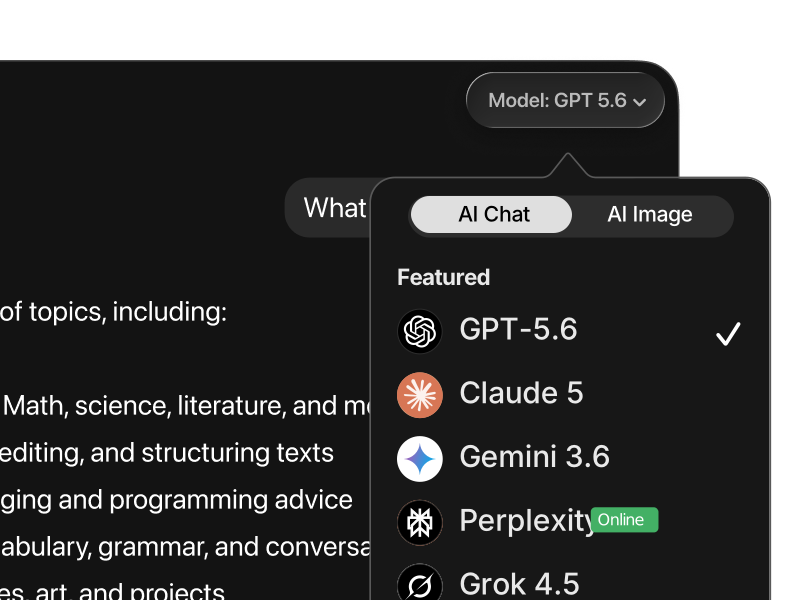
Models availableChatGPT onlyChatGPT, Claude, Gemini, Grok, and more
Mac requirementmacOS 14+ with Apple SiliconmacOS 12+
Intel Mac supportNoYes
Available devicesMac, iPhone, iPadMac, iPhone, iPad
File analysisYesYes
Create Word, Excel, PowerPoint, and PDF filesLimited native workflowYes
App Store availabilityYesYes
Best forUsers who only want OpenAIUsers who want one app for all major AI models

Why Use ChatGPT (GPT-5.6) in Fello AI?

Fello AI es uno de los chatbots más versátiles y fáciles de usar con múltiples LLM.

An icon of chat bubbles.

Rápido y sin límites

Respuestas en tiempo real, sin ningún tipo de límites.


An icon of a computer.

Soporte para múltiples LLM

Supporting ChatGPT, Gemini, Claude, DeepSeek, Grok, Perplexity and more.


Chat with PDFs & Other Files

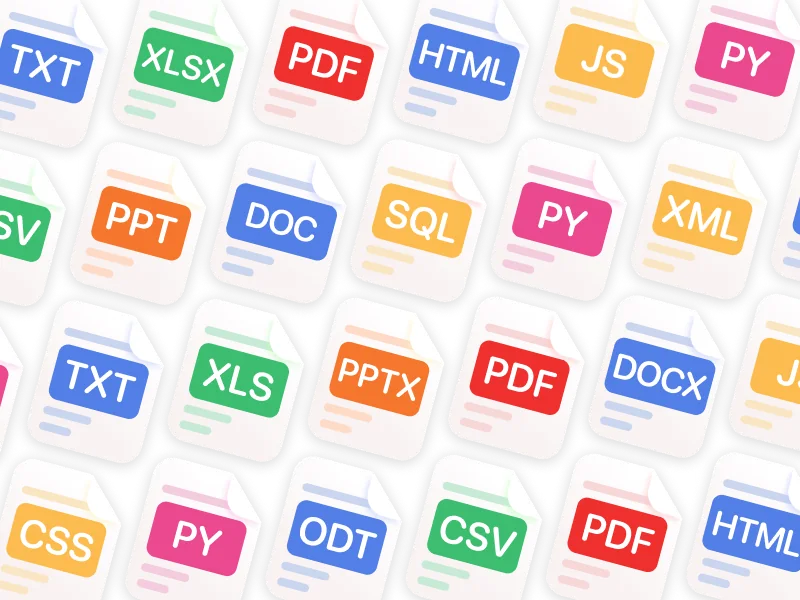
Analyze, summarize, and get insights from images, PDF, Powerpoint, Excel, and other files.


An icon of a photo with sparks.

Generate & Edit Images

Use latest GPT-Image-1.5 and Gemini Nano Banana to create or edit your photos.


An icon of a chat bubbles with various language signs.

Chatee en cualquier idioma

Interfaz en 12 idiomas, respuestas en más de 200 idiomas reales e inventados.


Use on All Your Devices

Fello AI works seamlessly across Mac, iPhone, and iPad.

What You Can Actually Do in Fello AI

Fello AI is more than a place to chat. It is built for people who want one app that can handle everyday AI work across writing, research, files, planning, and real document creation. Instead of switching between separate tools for ChatGPT, Claude, Gemini, Grok, file analysis, and web research, you can do it all in one native workflow on Mac, iPhone, and iPad.

Use the right AI model for the task

Different models are better at different kinds of work. In Fello AI, you can switch between ChatGPT, Claude, Gemini, Grok, and more without leaving the app or rebuilding your workflow. That makes it much easier to compare outputs, move faster, and use the model that fits the task instead of forcing everything through one tool.

Chat with PDFs, images, and Office files

Fello AI is designed for file-based work, not just plain text prompts. You can upload PDFs, images, Excel sheets, slide decks, and documents, then ask for summaries, explanations, rewrites, extracted insights, or next-step recommendations. This makes the app much more useful for study, research, content work, reporting, and day-to-day professional tasks.

Create real documents you can actually use

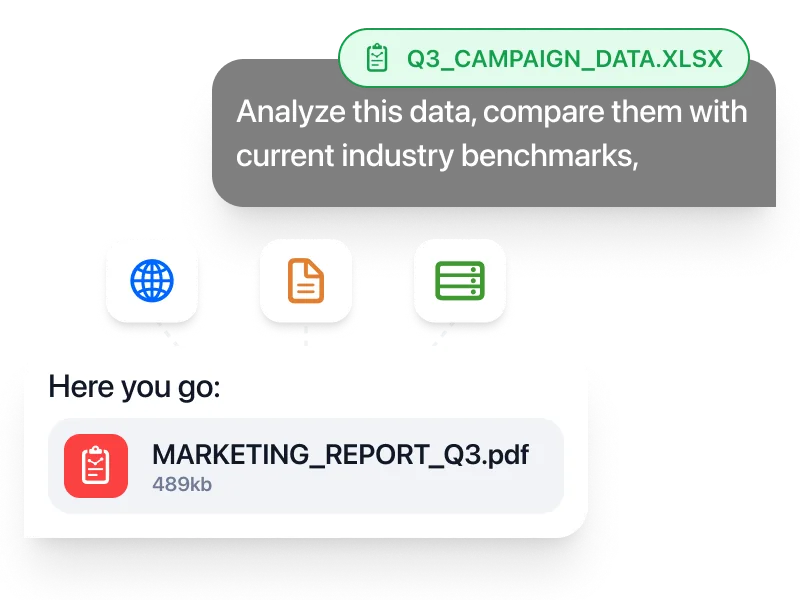
One of Fello AI’s strongest advantages is that it can generate real output files directly from chat. You can build PowerPoint presentations, Excel spreadsheets with formulas, Word documents, and PDFs, then download and use them immediately. That turns AI from a brainstorming tool into something much closer to a real productivity workspace.

Search the web and keep working in one place

When you need current information, Fello AI can search the web with cited sources instead of forcing you to leave the app and manually piece things together. That is especially useful when you are researching a topic, checking facts, building a deck, or turning fresh information into a finished document.

Keep one workflow across Apple devices

Fello AI is available on Mac, iPhone, and iPad, so you do not need one setup on desktop and a completely different one on mobile. You can keep the same app, same workflow, and same broader AI toolkit across your Apple devices. The App Store listing also shows macOS 12.0 or later support and a privacy label of “Data Not Collected.”

Get broader value from one app

The practical appeal of Fello AI is not just that it gives you access to more models. It is that it combines model choice, file analysis, document creation, web search, and cross-device use in one place. If you only want a single-provider ChatGPT app, the official option is fine. If you want a broader everyday AI workflow that can handle more types of work inside one app, Fello AI is the stronger setup.

Herramienta definitiva con posibilidades infinitas

Esencial para profesionales

Fello AI gives professionals a practical way to use ChatGPT, Claude, Gemini, Grok, and other top models across Mac, iPhone, and iPad as part of one consistent workflow.

It is especially useful when your work changes fast and different tasks need different strengths. You might use one model for writing, another for research, another for brainstorming, and another for reviewing documents or structured files. Instead of switching between separate apps and accounts, Fello AI keeps everything in one place.

For professionals, that means less friction and more real output. You can analyze PDFs, Word files, Excel sheets, presentations, and images, then turn the result into real downloadable documents you can actually use in client work, internal workflows, and day-to-day execution.

Perfecto para estudiantes

Fello AI helps students handle everyday academic work more efficiently across Mac, iPhone, and iPad.

It is useful for summarizing readings, explaining difficult topics more clearly, comparing different answers across models, organizing research, and working with PDFs, slides, notes, and other study materials in one place. Instead of relying on a single AI answer, students can use a broader workflow that fits the task better.

That makes Fello AI a stronger long-term study tool for many users. You can move from quick explanations to deeper research, file-based work, and real document creation without jumping between multiple AI apps.

Preguntas frecuentes

Is the Official ChatGPT Mac App Still Worth Using?

Yes, if you only want OpenAI’s native desktop experience and your Mac meets the system requirements. The official app is polished and convenient for users who are fully committed to ChatGPT.

But for many users, the better question is not whether the official app is good. It is whether it is enough. If you want to compare models, work across Apple devices, handle more file types, and create downloadable documents in one place, Fello AI gives you more practical value.

Is there an official ChatGPT desktop app for Mac?

Yes. OpenAI offers an official ChatGPT Mac app. It is designed for macOS 14 or later and requires Apple Silicon.

What is the best ChatGPT alternative for Mac?

If you want more than just ChatGPT, Fello AI is one of the strongest alternatives because it combines ChatGPT, Claude, Gemini, Grok, and more in one app for Mac, iPhone, and iPad.

Why use Fello AI instead of the official ChatGPT app?

Use the official app if you only want OpenAI’s native experience. Use Fello AI if you want a multi-model workflow, broader Apple-device support, App Store convenience, and the ability to create real documents in one app.

Can I use ChatGPT, Claude, and Gemini in one Mac app?

Yes. Fello AI is designed for exactly that use case. You can switch between leading AI models inside one app instead of juggling separate tools.

Does the official ChatGPT Mac app work on Intel Macs?

No. OpenAI’s official Mac app requires Apple Silicon. If your Mac cannot run it, you need a different option.

What Macs can run Fello AI?

Fello AI supports macOS 12 or later, which makes it accessible to more Mac users than the official ChatGPT desktop app.

Is Fello AI available on iPhone and iPad too?

Yes. Fello AI is available on Mac, iPhone, and iPad, so you can keep one workflow across your Apple devices.

Can Fello AI analyze PDFs and Office files?

Yes. You can work with PDFs, images, Word files, Excel sheets, and PowerPoint presentations inside the app.

Can Fello AI create real Word, Excel, PowerPoint, and PDF files?

Yes. Fello AI can generate files you can download and use, which makes it more practical than a basic chat-only workflow.

Is Fello AI on the App Store?

Yes. Fello AI is available through the App Store, which makes installation and updates more convenient for many Mac users.

What is the ChatGPT keyboard shortcut on Mac?

The official ChatGPT Mac app is known for its Option + Space shortcut, which opens ChatGPT quickly from anywhere on your Mac.

Is the official ChatGPT app better than the browser version?

For many users, yes. A native app usually feels faster and more integrated. But if you want a broader AI setup rather than just OpenAI, Fello AI is often the more useful option.

Do I need separate subscriptions for different AI models?

With Fello AI, the main value proposition is that you can access multiple top models in one app instead of managing several separate AI tools.

Which app is better for multi-model AI workflows on Mac?

Fello AI is the stronger option for multi-model workflows because that is exactly what it is built for. The official ChatGPT app is stronger if you want only OpenAI.

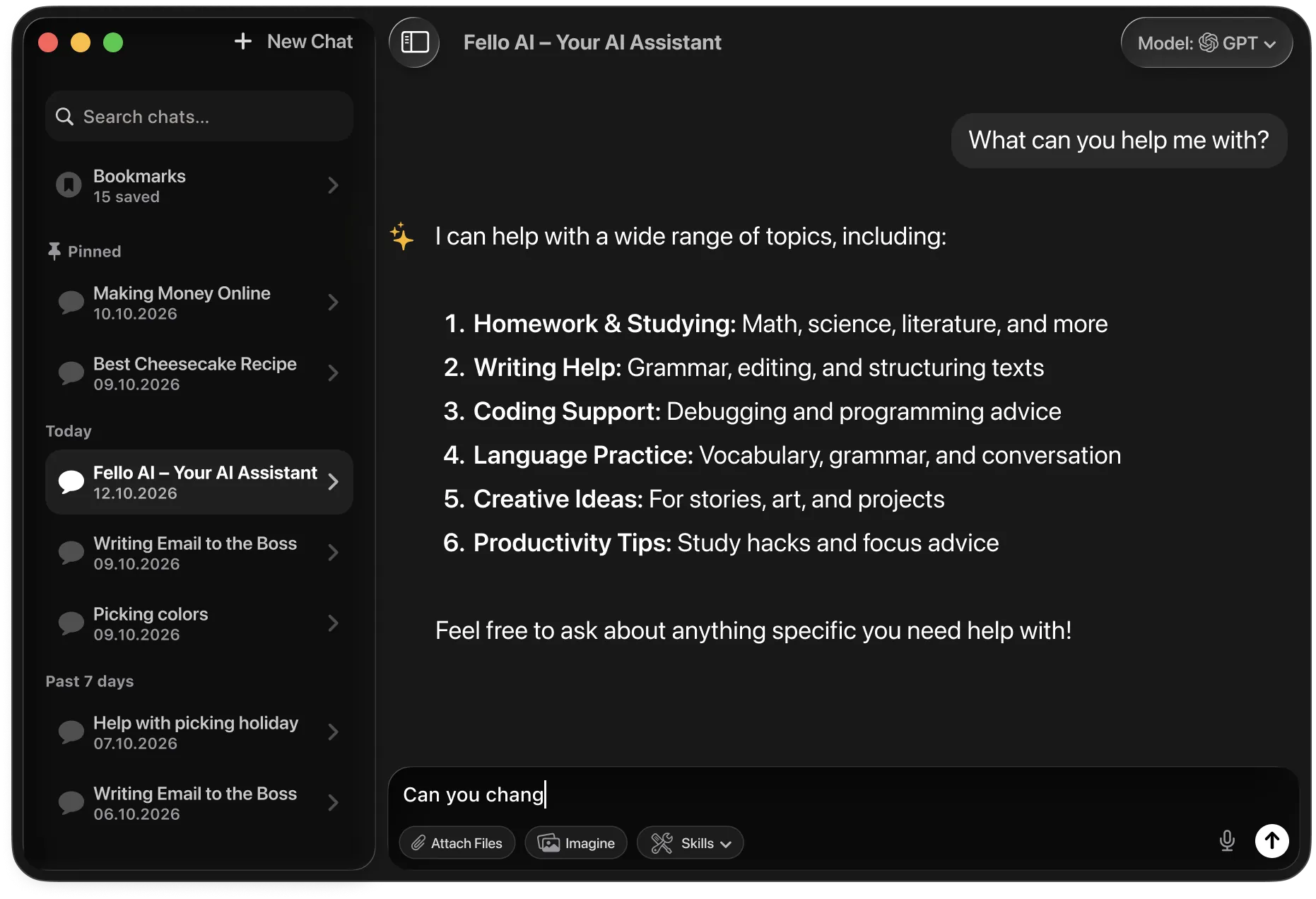
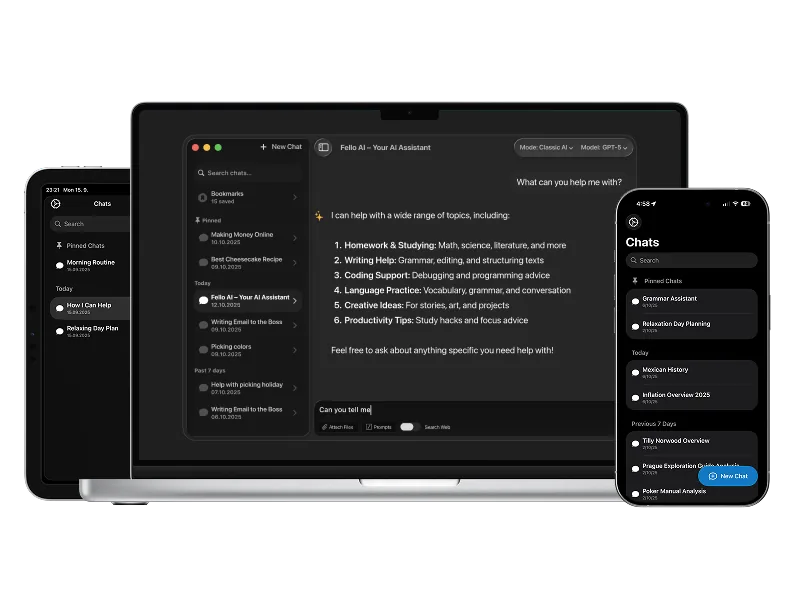
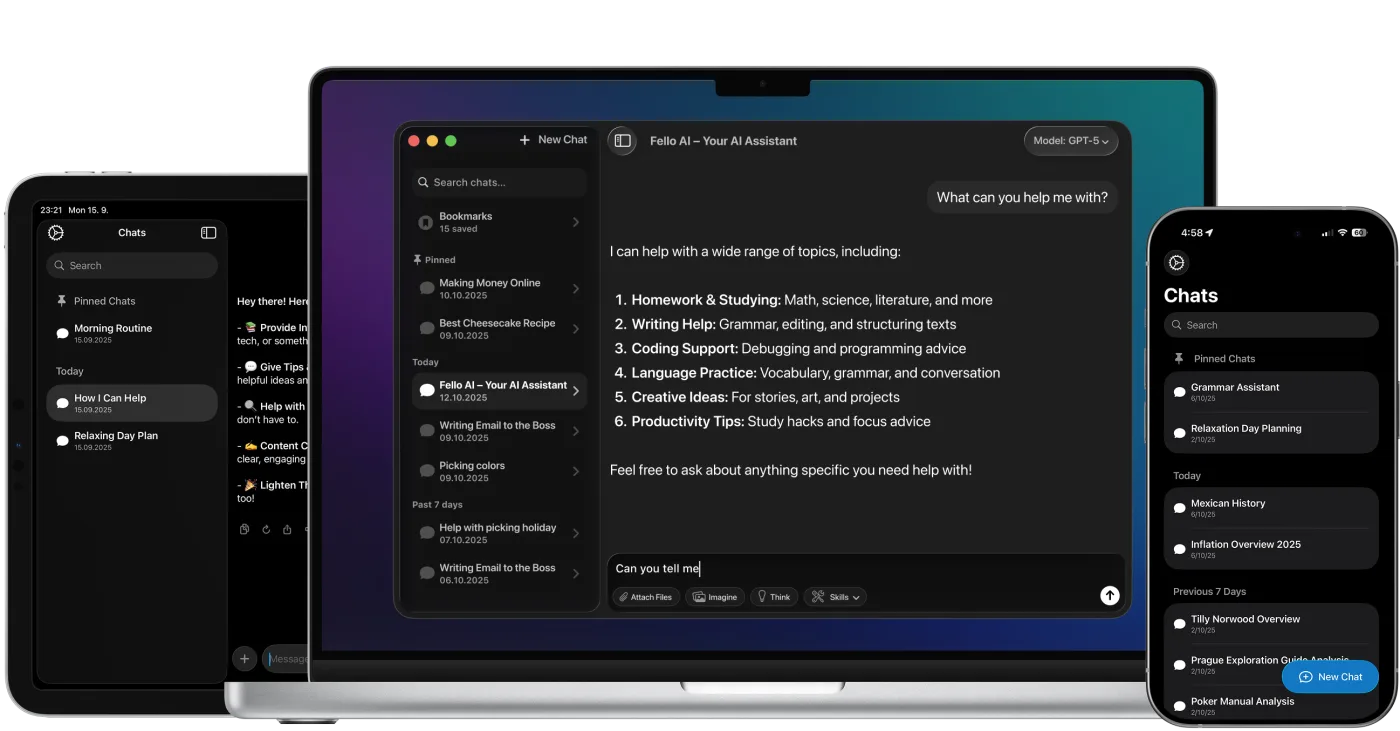
Fello AI macOS app interface showing an AI chat workspace with file attachments, image generation, document analysis, and bookmarked conversations in a dark desktop UI.

¡Descarga Fello AI,
ChatGPT Client for Mac, iPhone & iPad!

rating 4.7, 27K+ reviews