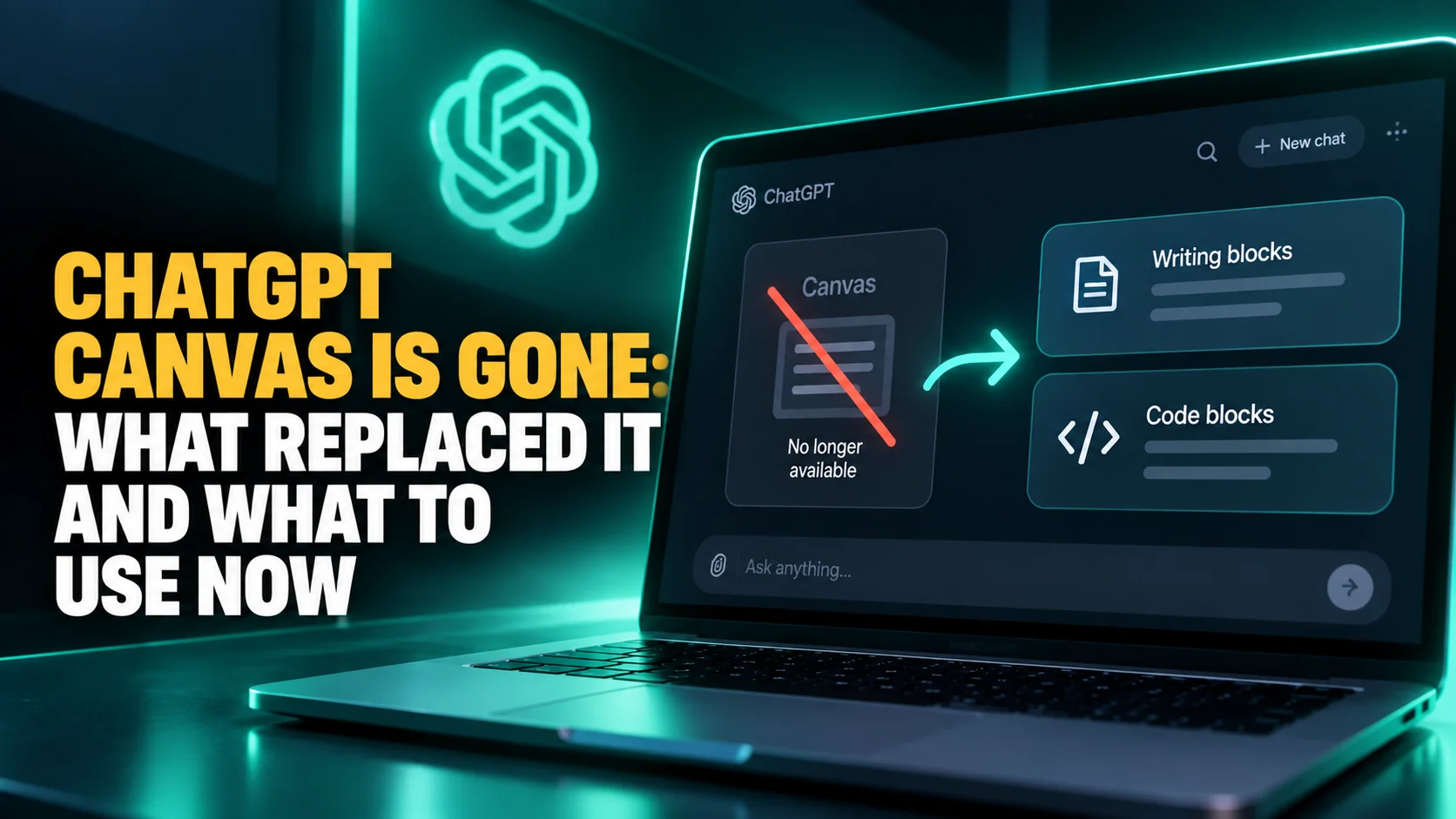
If you have gone hunting for Canvas in ChatGPT and cannot find it, you are not missing a menu item. OpenAI removed it. Its own model release notes say so under the dated heading for 28 May 2026: "With this update, canvas will no longer be available in GPT-5.5 Instant or GPT-5.5 Thinking." The same paragraph names the replacement. Writing and coding now happen "directly in chat responses through writing blocks and code blocks."
Most guides still ranking for ChatGPT Canvas describe a version of the app that has since changed twice over. They walk you to a model picker and tell you to select GPT-4o, but that model was retired on 13 February 2026, and on 10 June 2026 OpenAI replaced the named picker entirely. Here is what Canvas was, where each of its features went, and how to do that work today.
The Key Takeaways
- Canvas is gone: OpenAI removed it from GPT-5.5 Instant and GPT-5.5 Thinking on 28 May 2026.
- What replaced it: writing blocks and code blocks, which live inside the chat thread instead of a side panel.
- The escape hatch has closed: OpenAI said paid users could keep Canvas "for a limited time through legacy models", and every model documented as running it has since been retired from ChatGPT.
- You cannot pick an old model anyway: on 10 June 2026 the model picker lost its model names, becoming Instant, Medium, High, Extra High, Pro Standard and Pro Extended.
- Writing blocks got better, not worse: since 8 June 2026 they open full screen, save to your Library, build a table of contents and support downloads.
What ChatGPT Canvas Was
Canvas was a separate editing panel that opened to the right of your conversation. Instead of a draft scrolling away as soon as you sent another message, it stayed anchored in a workspace you could edit by hand. You could highlight a paragraph and ask for a change to that paragraph alone, and ChatGPT would edit in place rather than reprinting the whole thing.
According to OpenAI's launch post, it rolled out to "ChatGPT Plus and Team users globally" first, with Enterprise and Edu the following week and Free users promised access once it left beta. The release notes date it to 3 October 2024. Canvas was "built with GPT-4o", a model that had shipped that May, and you selected it by hand in the model picker during the beta. It reached the macOS app on 15 January 2025.
The Writing Shortcuts
Canvas carried a fixed menu of one-click actions for prose: suggest edits, adjust the length, change reading level, add final polish and add emojis. The reading-level control was the memorable one, sliding a draft anywhere "from Kindergarten to Graduate School" without you having to describe the audience in a prompt.
The Coding Shortcuts
The code side had its own five: review code, add logs, add comments, fix bugs and port to a language, the last of which translated between JavaScript, TypeScript, Python, Java, C++ and PHP. There was also a version history, described in the launch post as restoring previous work "by using the back button in canvas".
Where Is Canvas in ChatGPT?
It is not there any more. No setting brings it back.
Canvas was removed from GPT-5.5 Instant and GPT-5.5 Thinking on 28 May 2026. OpenAI left one temporary door open, writing that "paid users can continue using canvas for a limited time through legacy models until those models are sunset."
That door has closed twice over. Every model OpenAI documented as canvas-capable has been retired from ChatGPT, and three things are checkable today: the help-centre article that explained Canvas now returns a 404, the current model documentation does not mention Canvas at all, and OpenAI's own support pages have carried no Canvas entry since that May note.
Then there is the simpler obstacle. On 10 June 2026 OpenAI rebuilt the model picker with "simplified options: Instant, Medium, High, Extra High, Pro Standard, Pro Extended". Model names are gone from it. Any tutorial that tells you to switch to GPT-4o is describing a control that no longer exists, whatever it says about Canvas. Our running list of discontinued AI models tracks the wider pattern, and it is the same one that took ChatGPT Atlas offline.
What Replaced ChatGPT Canvas
The replacement is not a single feature with a launch event. It is two surfaces that OpenAI had been building inside the chat thread for months before Canvas was switched off, and they are documented in the ChatGPT release notes.
Writing Blocks
A writing block is an editable document that appears in the conversation itself. The 8 June 2026 release note is the one that matters. It turned writing blocks from a convenience into a Canvas replacement: they now cover "essays, PRDs, reports, blog posts, notes, and other document work", and longer pieces "can now open in a focused full-screen editor." The same entry adds saving to your Library, a wider document layout, a table of contents for long documents and download support. Since 7 October 2026, GPT-6 can also build charts, forms and small tools inside an ordinary answer. OpenAI calls that ChatGPT Intelligent UI, and it is a different feature from Canvas.
Code Blocks
Code blocks were upgraded earlier, on 19 February 2026, to make them "more interactive." OpenAI lists three capabilities. You write and edit text in line, preview diagrams and mini apps directly in chat, and review code in split-screen views. A one-file Snake game is a good first test, and our guide to games you can play with ChatGPT ends with the exact prompt. That split-screen view is the closest thing to the old side panel, except it belongs to the code block rather than to the session.
Where Each Canvas Feature Went
| What Canvas did | Where it lives now | What changed |
|---|---|---|
| Side-panel document | Writing block, full screen for long pieces | In the thread, not beside it |
| Direct text editing | Writing block, edited in place | Unchanged in substance |
| Highlight a section to edit it | Writing block inline editing | No longer a separate panel action |
| Writing shortcut menu | No documented equivalent | Ask for the change in words instead |
| Coding shortcut menu | No documented equivalent | Code review moved into split-screen |
| Version history back button | Undo and redo in writing blocks | Not a like-for-like replacement |
| Keeping a document | Save to Library, plus downloads | Better than Canvas had it |
The honest summary is that the container changed and most of the capability survived, but the shortcut menus did not. If your habit was clicking "adjust the length" or "fix bugs", that habit is now a sentence you type.
Every Model That Ran Canvas Has Been Retired
This is the part no ranking tutorial mentions, and it is why switching models cannot rescue Canvas. Every date below is from OpenAI's model release notes, and each applies to ChatGPT only. Several of these models are still alive in the API, which is a separate question.
| Model | Retired from ChatGPT | Note |
|---|---|---|
| GPT-4o | 13 February 2026 | The model Canvas was built with |
| GPT-4.1 and o4-mini | 13 February 2026 | Retired in the same announcement |
| GPT-4.5 | 26 June 2026 | See the date discrepancy below |
| o3 | 26 August 2026, as announced | Announced with a 90-day sunset |
Canvas is not the only format to go this way: OpenAI has since said it plans to retire custom GPTs too. Two honest caveats belong with that table. OpenAI's own pages disagree on GPT-4.5: the model release notes say it will be retired on 27 June 2026, while the ChatGPT release notes say 26 June twice, including the confirmation entry "As of June 26, 2026, GPT-4.5 is no longer available in ChatGPT, including for custom GPTs." We use the confirmed date. And for o3, OpenAI published the 26 August schedule but never a same-day confirmation of the kind GPT-4.5 received, so that one rests on the announcement rather than a recorded event.
Set that against the current lineup, where GPT-6 Astra arrived on 3 September 2026, and the picture is clear. Canvas belonged to a generation of models that has been fully cycled out.
How to Do Canvas Work in ChatGPT Today
- Ask for the document, not the panel. Prompts such as "write this as a report" produce a writing block. You do not open one from a menu.
- Expand it. Long pieces open in the full-screen editor, which is where the wider layout and the table of contents appear.
- Edit in place. Type into the block directly, the way you edited a canvas.
- Describe the change instead of clicking a shortcut. "Cut this to 400 words and raise the reading level" replaces two of the old buttons.
- Save it to the Library so the document survives the conversation, and use download support to take it out of ChatGPT.
- For code, work in the code block and use the split-screen review view rather than looking for the old side panel.
If you kept long-running work in Canvas, ChatGPT Projects is the better home for it now, because it keeps files and chats together across sessions rather than inside one thread.
What This Means on a Mac
Canvas reached the macOS app on 15 January 2025, in a release note that reads "now, you can create and edit canvases on macOS using GPT 4o." That model was retired thirteen months later, and the desktop app release notes, whose newest entry is dated 9 July 2026, carry no writing-blocks entry at all. Mac users were given the feature, then given no documented account of what took its place.
There is a wider lesson here that has nothing to do with writing tools. A workspace you build a habit around disappears in a single release note, and no amount of loyalty to one vendor protects you from that. The defence is keeping more than one model within reach, which is the case we make for running ChatGPT, Claude and Gemini from one Mac app. Claude's Artifacts panel is the closest surviving equivalent to what Canvas actually felt like, and it is still a side panel.
The Bottom Line
ChatGPT Canvas was a good feature that OpenAI folded back into the chat window. Writing blocks are a fair trade for long-form work and arguably better, since they save to a Library and download cleanly, but the one-click shortcut menus are gone and nothing documented replaces them. Anyone still hunting for the Canvas button is chasing a feature switched off on 28 May 2026. Every guide promising to show you where it hides is describing a version of ChatGPT that no longer exists.
FAQ
Was ChatGPT Canvas removed?
Yes. OpenAI's model release notes state that as of 28 May 2026, canvas is no longer available in GPT-5.5 Instant or GPT-5.5 Thinking, and that writing and coding moved into chat responses as writing blocks and code blocks.
Can I still use Canvas through an older model?
OpenAI said paid users could keep canvas "for a limited time through legacy models until those models are sunset". Every model documented as running it has since been retired from ChatGPT, and since 10 June 2026 the model picker no longer lists model names at all, so there is nothing left to switch to.
What is a writing block in ChatGPT?
An editable document that appears inside the conversation. Since 8 June 2026 writing blocks cover essays, reports, blog posts and notes, open in a full-screen editor for longer pieces, save to your Library and support downloads.
Why do guides still explain how to open Canvas?
Most were written before May 2026. Some have since added a note about the change while leaving the original steps in place, so they still walk you to a model picker and tell you to select GPT-4o. That step fails twice over: the model was retired in February 2026, and the named picker was replaced in June.
Is there an alternative that works like Canvas?
Claude's Artifacts panel is the closest match, since it still opens a document beside the conversation rather than inside it. Gemini Canvas is the other one still standing, and it is on the free tier. For ongoing work in ChatGPT itself, Projects keeps files and chats together across sessions.