Gemini Gems became read-only on 17 November 2026 and disappear on 17 December 2026 for personal Google accounts held by anyone 18 or over. From today you can still open your Gems, but you cannot use them, edit them, or create new ones. Google is replacing them with skills, and it says it will turn your Gems into skills automatically.
The automatic move does not carry everything. Audio, video and GitHub files are dropped, anything over 100 MB gets trimmed, and most of the default tools a Gem could open in do not work in skills yet. This guide covers the dates, what to save before 17 December, how to rebuild a Gem as a skill yourself, and what changes when you do.
The Key Takeaways
- Read-only since 17 November 2026: Google's transition page says you "can still access your Gems, but can't use or edit them, or create new ones." On 17 December 2026 they are removed from Gemini Apps.
- Skills replace them automatically: Google will recreate each Gem as a skill, and sharing permissions carry over. You do not need to reshare.
- Some files will not survive: skills have a 100 MB total file cap and do not accept audio, video, GitHub files, legacy .doc, .xls and .ppt files, or archives. Download those before 17 December.
- Default tools mostly stop working: Create video, Create music, Canvas, Deep Research and Guided Learning do not work with skills for now.
- Work and school accounts get longer: Workspace business, enterprise and non-profit accounts move in March 2027, education accounts in June 2027.
What Is Happening to Gemini Gems?
Google is retiring Gemini Gems and moving everything they did into skills. The change was announced in the Gemini release notes on 30 September 2026, the day skills rolled out in Gemini chat: "Skills will soon replace Gems as the tool for tailoring instructions for specific tasks." The dates depend on the account you sign in with, according to Google's help page on the transition from Gems to skills.
| Account type | What happens | When |
|---|---|---|
| Personal account, 18 or over | Gems become read-only and turn into skills | 17 November 2026 |
| Personal account, 18 or over | Gems are removed from Gemini Apps | 17 December 2026 |
| Personal account, under 18 | Gems transition to skills | A later date Google has not announced |
| Workspace business, enterprise and non-profit | Support for Gems ends | March 2027 |
| Workspace education | Support for Gems ends | June 2027 |
Two related products go at the same time. Google says Opal, its experiment for building mini apps, and Gems by Google Labs, the mini-app Gems built on Opal, also go away in November.
What to Do Before 17 December 2026
Download any Gem file that will not move into a skill, before 17 December 2026. Google's page is blunt about the deadline: after that date, "your Gems and their files will no longer be available in Gemini Apps." The automatic migration covers instructions and supported files. It does not cover everything, so check each Gem you care about against the three points below.
Files That Will Not Carry Over
Skills reject several file types that Gems accepted, and Google drops them during the transition. The excluded types are:
- GitHub files
- Audio files
- Video files
- Legacy Microsoft Office formats: .doc, .xls and .ppt
- Archives and compressed files: .zip, .tar, .7z, .rar, .gz and .tgz
Size is the second trap. A skill can hold 100 MB of files in total, while a Gem accepted up to 100 MB per file. If a Gem is larger than 100 MB when it transitions, Google says it will "automatically remove the largest files first until it's under the limit." Your biggest reference document is the one most likely to vanish.
To keep a file, open the Gem in its editor, click the file under Knowledge, and click Download. There is no bulk export: Google confirms you have to download Gem files one by one, although you can upload them to a skill all at once. If you have an old .doc or .xls file, save it as .docx or .xlsx, which skills do accept.
Default Tools That Stop Working
Most default tools a Gem could open in do not work with skills yet. Google lists Create video, Create music, Canvas, Deep Research and Guided Learning as unsupported for now. A research Gem set to open straight into Deep Research becomes a skill that runs in a normal chat. If that default tool was the point of the Gem, start the chat in the tool yourself. A drafting Gem that opened in the Canvas editing surface now needs you to open Canvas first.
Shared Gems and Gems Shared With You
Sharing permissions carry over from a Gem to its skill, so you do not need to reshare anything you own. Gems other people shared with you behave differently: after the transition they appear on your Skills page under "All" as inactive, and you get a notification asking you to review and accept them. Until you accept, Gemini will not use them.
How to Recreate a Gem as a Skill
You do not have to wait for the automatic migration. Rebuilding a Gem as a skill yourself takes a few minutes and lets you check that the files arrived. Google's manual steps, on gemini.google.com:
- Open the sidebar, click Gems, and click Edit next to the Gem you want to keep.
- Download each file under Knowledge into a new folder. Name the folder the way the skill will be named: all lowercase, words joined by hyphens, like meeting-notes.
- In a second tab, open Customize, then Skills, then Create and Create manually.
- Copy the name, description and instructions from the Gem into the skill, then click Create.
- If the Gem had files, download the new skill from its More options menu. You get a .zip file containing a SKILL.md file.
- Move SKILL.md into the folder with your Gem files, then choose Replace skill on the same skill and upload the whole folder. The folder name must match the skill name.
The upload step is the fiddly one, and it is also the one that tells you whether every file made it under the 100 MB cap. If you already write system prompts for other tools, our guide to how system instructions work across every major AI tool covers the habits that transfer.
Gemini Gems vs Skills: What Changes
Skills do what Gems did, saved instructions plus reference files, but you use them differently. A Gem was a separate chat you opened from a list. A skill works inside any chat: you call it with / (or @ on the updated shortcut), or Gemini applies it on its own when your prompt matches the skill's description.
| Gemini Gems | Gemini skills | |
|---|---|---|
| Status | Read-only since 17 November 2026, removed 17 December 2026 (personal accounts) | Live since 30 September 2026 |
| How you use it | Open the Gem, chat inside it | Type / or @ in any chat, or let Gemini pick it automatically |
| Several at once | One Gem per chat | Stack several skills in one chat |
| Files | Up to 10 files, 100 MB each | 100 MB in total per skill |
| File types | Included audio, video and GitHub code | Documents, spreadsheets, slides, images and text files; no audio, video or archives |
| Default tools | Could open in Canvas, Deep Research, Guided Learning and more | Create video, Create music, Canvas, Deep Research and Guided Learning do not work for now |
| How many | No published cap | Unlimited, but only 100 active at a time |
| Who can use it | 13 or over (or the age in your country) | 18 or over |
| Where | Built on the web, used on web and mobile | Gemini web app, Gemini mobile app and the Gemini app on Mac |
| Chat history | Each Gem had its own list of recent chats | No per-skill list; chats sit in the normal side panel |
Skills stay free. Google's plan page lists Skills in the Free column, as of November 2026, the same way Gems were free on every plan after 13 March 2025. Our breakdown of what each Gemini plan actually costs covers where the paid tiers differ, and our guide to what the free Gemini tier includes shows where the real paywalls sit.
The Age Change
The age floor is the change most likely to lock someone out. Gems needed you to be 13 or over, or the applicable age in your country. Skills need you to be 18 or over. That is why Google is holding back the transition for personal accounts under 18 and has not given a date for them yet.
The Default Tool, Now Documented
Google's Gems help pages do not mention the Default tool dropdown in the Gem editor. The transition page does name it: "most default tools that are available in Gems do not work with skills, including" Create video, Create music, Canvas, Deep Research and Guided Learning. It is the clearest official list of what the dropdown offered, and it arrives as the feature goes away.
What Gems Were
Gems were saved, reusable versions of Gemini. Google's own definition called them "customized versions of Gemini that help you tackle repetitive tasks or get deep expertise in new areas". You wrote instructions once, a role, a task, a format, attached reference files, and every chat with that Gem started with all of it loaded.
The history, from Google's release notes:
- August 2024: Gems launched for Gemini Advanced and Gemini for Workspace subscribers.
- 13 March 2025: Google made Gems available to more Gemini users at no cost.
- 18 September 2025: sharing arrived, working "just like sharing files in Google Drive".
- 16 December 2025: experimental Gems from Google Labs added AI mini-apps built on Opal.
- 30 September 2026: skills launched in Gemini chat, with Gems announced to follow.
- 17 November 2026: Gems became read-only for personal accounts.
Premade Gems such as Brainstormer, Career guide, Coding partner, Learning coach and Writing editor were the easiest way in. Skills have an equivalent: the Skills page shows a Recommended shelf of prefilled templates you can edit and save.
Four Instructions You Can Carry Into a Skill
Each of these started as a Gem template and works as a skill with two changes. Give it a lowercase, hyphenated name that starts with a verb, and write a one or two sentence description that starts with "Use when". Google's guidance is that Gemini reads only the name and description to decide whether a skill fits your prompt, so a vague description means the skill never fires.
The Editor That Does Not Rewrite
Name: mark-up-draft. Description: Marks up a draft for grammar, clarity and structure without rewriting it. Use when I paste a draft and ask for edits. Instructions: you are a line editor, not a ghostwriter. Quote the original line, then the suggested change, then one sentence on why. Never return a rewritten draft.
The last sentence is the one that matters. Without it, every writing assistant hands back a version of your text with the personality sanded off.
The Meeting Note Processor
Name: sort-meeting-notes. Description: Turns raw meeting notes into decisions, owners and open questions. Use when I paste notes from a meeting. Instructions: act as a chief of staff. Return three headed lists, decisions first. Mark anything ambiguous as an open question rather than guessing an owner. Attach your team roster and a project brief as files.
The Study Partner
Name: tutor-by-questions. Description: Helps me understand course material by asking questions instead of giving answers. Use when I ask about my attached readings. Instructions: never give the answer first. Ask me a question that gets me to it, and only explain directly if I ask twice. Attach your course readings.
The Gem version of this one opened in Guided Learning, which skills do not support. If study is your main use case, Gemini's study notebooks are purpose-built for it in a way a skill is not.
The Research Brief
Name: brief-me-on-topic. Description: Briefs me on a named topic, split into settled, contested and unknown. Use when I ask to be briefed on something. Instructions: act as a research analyst. List what is settled, what is contested and what nobody has data on, in that order, with sources for every claim in the first two.
The Gem version opened in Deep Research. As a skill it runs in a normal chat, so for a long cited report, start Deep Research yourself and paste the brief into it.
Sharing a Skill Still Shows Your Instructions
Sharing a skill hands over its instructions and files in full, exactly as sharing a Gem did. Google's skills page says a Viewer can "View the skill's description, instructions, and uploaded files", and an Editor can change them and share the skill onward. There is still no mode that shares the output while hiding how it was built.
The mechanics changed slightly. You share from Customize, Skills, More, Share skill, on the web only for now, and Google says this creates a copy of the skill in Google Drive. If the skill includes files, you also have to share access to those files. You can set an expiry date, and the owner can transfer ownership.
The risk runs the other way too. A shared skill carries instructions written by someone else, and because Gemini can apply active skills on its own, those instructions can shape answers you did not ask them to touch. That is the same shape of problem we covered in how prompt injection actually works. Read a shared skill's instructions before you activate it.
Gemini Gems vs Custom GPTs: Both Are Retiring
Google and OpenAI are retiring their custom assistants within weeks of each other, and both are moving to skills. ChatGPT's custom GPTs are scheduled to retire on 11 December 2026, and OpenAI's migration path turns a GPT's instructions into a skill inside a ChatGPT plugin.
| Gemini Gems | Custom GPTs | |
|---|---|---|
| Retirement | 17 December 2026 for personal accounts; March or June 2027 for Workspace | 11 December 2026 on all plans; 11 February 2027 for FedRAMP and approved deferrals |
| Replacement | Skills | Plugins, with the instructions becoming a skill |
| Migration | Automatic, or rebuild by hand | You click Migrate to plugin when it is available for your account |
| Files | Supported files move, up to 100 MB in total | Knowledge files are copied into the plugin's reference files |
| What breaks | Audio, video, GitHub files and most default tools | Custom actions do not transfer; the selected model does not carry over |
| Building new ones | Not possible since 17 November 2026 | Not available on personal accounts (Free, Go, Plus and Pro) |
The practical difference is who does the work. Google migrates your Gems for you. OpenAI's custom GPT retirement FAQ puts the migration in the creator's hands, says a migrated plugin starts private, and notes that people using a GPT do not get access to its replacement automatically. If you use both assistants, our full ChatGPT versus Gemini comparison covers the rest of the gap, and ChatGPT Projects, which keep instructions and files together even on the Free plan, are the closest thing to a Gem left on a personal ChatGPT account.
Where Skills Stop Helping
Skills fix the biggest weakness of Gems, lock-in, but only partly. A skill downloads as a .zip with a SKILL.md file at its root, and Google says you can import SKILL.md files made on other platforms. That is the same file format Anthropic uses for Claude, which we cover in how to create your own Claude Code skills. Your instructions are now a file you can keep.
The limits are the ones the transition already showed. Google Drive files and notebooks are left out of a skill's download, to keep their live connection, so a skill built on Drive files does not travel with them. If you mix Gemini's notebook products, our explainer on what happened when NotebookLM became Gemini Notebook untangles the names. Skills do not yet work with Canvas or Deep Research. And a skill still runs on Gemini only.
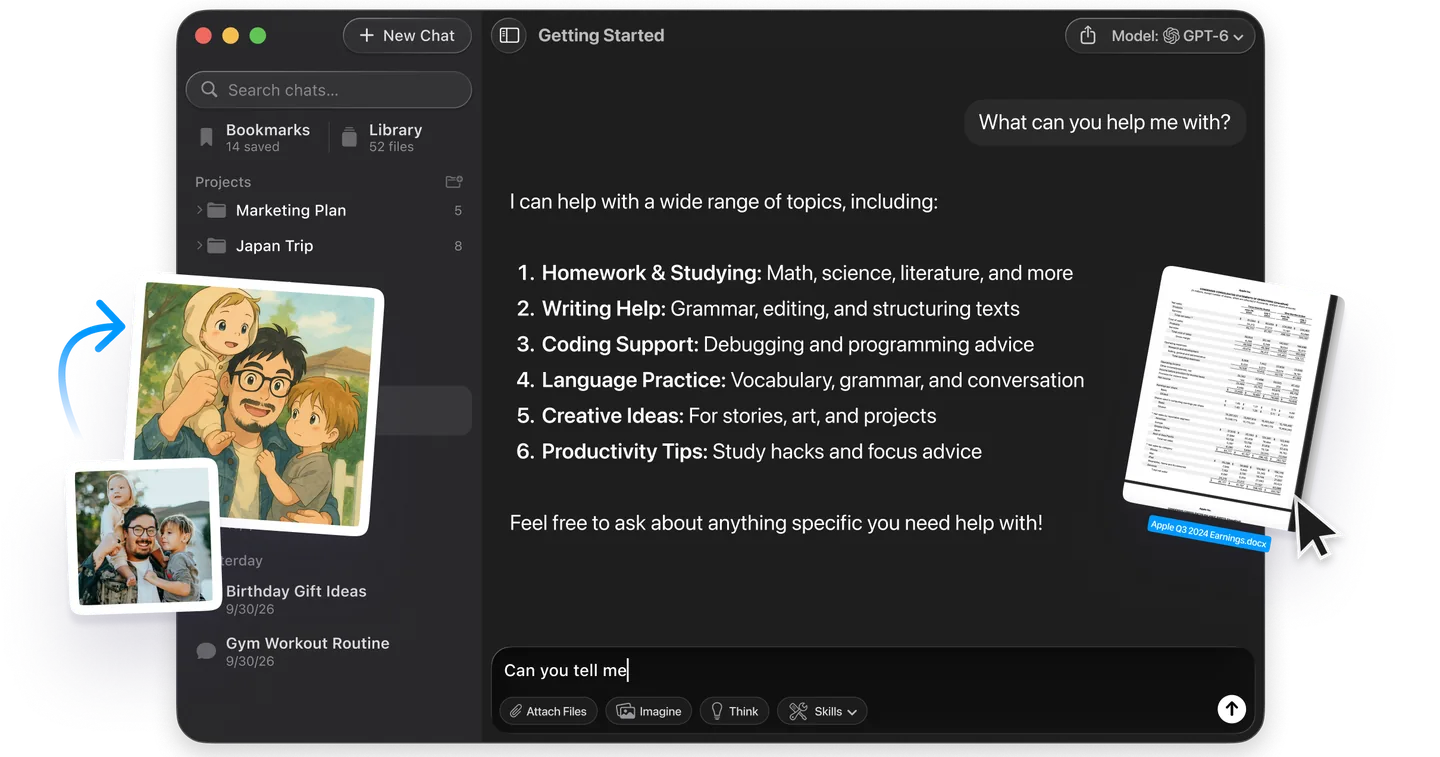
That last point is the one a migration does not fix. Keep the instructions as a text file you own and the model becomes a choice, not a commitment. In Fello AI you can paste the same setup into GPT, Claude or Gemini in one Mac window and keep the answer that works, without a second subscription. Our current ranking of the best AI models shows how much that choice moves the result.
What Should Gem Users Do Now?
Open your Gems list today and sort it into three groups. Gems with only instructions and documents under 100 MB in total can be left to Google's automatic migration. Gems with audio, video, GitHub files, old Office formats or more than 100 MB of files need their files downloaded before 17 December 2026. Gems you rely on daily are worth rebuilding as skills by hand now, so you can test them while the original is still there to compare against.
Then rewrite each skill's description so it starts with "Use when". A Gem waited for you to open it. A skill has to be recognised, and the description is the only thing Gemini reads to decide.
Frequently Asked Questions
Are Gemini Gems going away?
Yes. For personal Google accounts held by anyone 18 or over, Gems became read-only on 17 November 2026 and are removed from Gemini Apps on 17 December 2026. Workspace business, enterprise and non-profit accounts follow in March 2027, and education accounts in June 2027. Google is replacing Gems with skills.
Will my Gems become skills automatically?
Yes. Google says it will automatically transition your Gems, with their supported files, to skills, and sharing permissions carry over. Audio, video, GitHub files, legacy .doc, .xls and .ppt files and archives are not included, and a Gem over 100 MB loses its largest files first.
Can I still create or use a Gem?
No, not on a personal account. Since 17 November 2026 you can still open your Gems, but you cannot use or edit them or create new ones. Build a skill instead from Customize, then Skills, on gemini.google.com or in the Gemini app on Mac.
How do I save the files in my Gems?
Open the Gem's editor on gemini.google.com, click each file under Knowledge, and click Download. There is no bulk download, so each file goes one at a time. Do it before 17 December 2026, when Gems and their files stop being available.
Are Gemini skills free?
Yes. Google's Gemini plan page lists Skills in the Free plan as of November 2026. You need to be 18 or over and signed in with a Google account. You can create as many skills as you want, with up to 100 active at a time.
Can other people see my skill's instructions?
Yes, if you share the skill. Google states that a Viewer can view the skill's description, instructions and uploaded files, the same exposure shared Gems had. An unshared skill is private to you.
L’image principale de cet article a été créée avec l’aide de l’IA.