On 9 August 2026, ChatGPT Atlas stopped working. OpenAI's support page was blunt about it at the time: "Atlas is scheduled to stop working on August 9, 2026." After that date, it warned, Atlas "may no longer open, browse, or support browser-based agentic workflows." Atlas had launched on 21 October 2025, which gave it a lifespan of 292 days. Search for the best AI browser in November 2026 and you will still find Atlas recommended as a live product in lists published by sites with far more authority than this one. Arc, the browser those lists grew up on, is next: The Browser Company shuts it down on 22 December 2026.
That is the real problem with this category. It is not that there are too few AI browsers, it is that the ones people recommend keep dying, and the roundups do not get updated. This guide covers only what is verifiably still running as of 21 November 2026, what each one costs, which platforms it is actually available on, and the security question that most lists skip entirely. Every price and requirement below comes from the vendor's own page, checked on that date.
The Key Takeaways
- Start with Comet: the browser is free, Perplexity lists it as "available for Mac, Windows, iOS, and Android", and its agent comes with a paid Perplexity plan. The free plan gets no agent queries.
- Four are gone or going: ChatGPT Atlas, Sidekick, Edge's Copilot Mode as a separate product, and Arc, which stops working on 22 December 2026. Atlas lasted 292 days.
- Dia is free, its AI is not: the free plan is a browser "with no AI features". AI starts at $10 a month. Dia reached Windows on 6 October 2026 and is where Arc users are being sent.
- The extension route is often better: Claude in Chrome has 24 million users and a 3.5 star rating, which tells you more than any review does. On most paid plans its side panel is a full Claude Cowork session, so work started in a tab continues on desktop and mobile.
- Nobody has solved the safety problem: Anthropic's own documentation says its extension "is enhanced with our safety classifiers but is still risky".
What Is an AI Browser?
An AI browser is a web browser with a language model built into the interface rather than bolted on as an extension. Instead of only loading pages, it can summarise what is on screen, answer questions about your open tabs, and in agentic browsers such as Perplexity Comet, click through a task on your behalf.
Three things get called "AI browser" and they are not the same product, which is most of the confusion in this category:
| What it is | Example | |
|---|---|---|
| AI browser | A whole browser built around a model. The address bar doubles as a prompt | Comet, Dia |
| AI extension | A sidebar added to a browser you already use | Claude in Chrome |
| Agentic browser | Either of the above, but it can click, type and navigate for you | Comet, Chrome auto browse |
The agentic layer is where the interesting capability and all of the risk live. A summariser reads. An agent acts, using your logged-in sessions, which is a very different thing to hand to software. If the distinction is new to you, the fuller explanation is in our guide to what agentic AI actually means.
The Best AI Browser: The Shortlist
Everything in this table was checked against the vendor's own page on 21 November 2026. The status and platform columns are the two that the big roundups leave out, and they are the two that matter most right now.
| Browser | Best for | Platforms | Price | Agent | Status |
|---|---|---|---|---|---|
| Perplexity Comet | Most people, research | Mac, Windows, iOS, Android | Browser free; agent needs Perplexity Pro or Max | Yes, paid plans | Live |
| Dia | Work across your apps, Arc refugees | macOS, Windows | Free browser has no AI; AI from $10/month | Limited | Live |
| Gemini in Chrome | Staying in Chrome | Chrome on computers, iPhone, iPad | Auto browse needs AI Pro or Ultra | Yes, US only | Live |
| Claude in Chrome | Long documents, work that continues elsewhere | Chrome on desktop only | Paid Claude plans only | Yes | Live |
| Microsoft Edge | Windows users who want Copilot built in | Windows, macOS, Linux, iOS, Android | Free | Limited | Live |
| Opera Neon | Power users who will pay | macOS, Windows | $19.90/month | Yes | Live |
| Brave Leo | Privacy | macOS, Windows, Linux, iOS, Android | Free, premium tier | Opt-in test only | Live |
Perplexity Comet: Start Here
Comet is the default recommendation, and the reasons are boring rather than exciting. The browser is free to use. It has a genuine agent rather than a summariser with ambitions. And Perplexity's own product page states it is "available for Mac, Windows, iOS, and Android", which makes it the only AI-first browser on this list you can use on every device you own.
The catch is the agent. Perplexity's plan comparison lists "Browser Agent (Comet Assistant) Queries" as "No" on the free plan. Pro and Max get monthly agent limits, with Max sized for "advanced use". So the free Comet is a capable research browser, and the part that clicks through tasks for you needs a paid Perplexity plan.
Cross-platform reach is doing more work than it looks. Atlas never shipped on anything but macOS and then died. Dia runs on Mac and Windows but not on your phone. Claude's extension does not run on mobile at all. Cross-platform availability is rare among AI-first browsers, and it is the difference between a tool you adopt and a tool you try.
What Comet is good at is research: reading across your open tabs, comparing sources, and answering questions about what you are looking at with citations. What it is less good at is being trusted with a logged-in session, which is covered further down. If you already pay Perplexity, our breakdown of what each Perplexity plan includes covers where Comet sits.
Dia: Arc's Replacement, Now on Mac and Windows
Dia is the browser The Browser Company is moving every Arc user to, and it now runs on both Mac and Windows. The company's changelog dates Dia for Windows version 1.0 to 6 October 2026, and its homepage now reads "Available for macOS and Windows". Atlassian announced on 4 September 2025 that it had agreed to acquire The Browser Company, and its stated plan is to "make Dia the browser: Optimized for the SaaS apps where you spend your day."
Arc Shuts Down on 22 December 2026
Arc stops working on 22 December 2026. The Browser Company's farewell page says it plainly: "We've decided to sunset Arc on December 22, 2026." New Arc accounts could no longer be created from 22 October 2026. On 23 November, Browse for Me and the other AI features in Arc Search on iOS and Android switch off. On 22 December, "You will no longer be able to access or use Arc on macOS or Windows", Arc accounts are deactivated, and their personal data is deleted within 30 days.
The company's reason is security: keeping a browser secure "takes constant, dedicated work that is only increasing in the age of AI", so its engineers now work on Dia only. The migration is the gentlest in this category. "Your passwords, bookmarks, extensions and history come over to Dia," and Arc's Spaces become Profiles, its Folders become Tab Groups. Any list still recommending Arc Max as a current AI browser is recommending a product with a shutdown date.
What Dia Costs
Dia is free to download, but the free plan is described as a browser "with no AI features". The AI starts with Better Answers at $10 a month, which adds the Morning Brief and lets you ask Dia to "find, summarize, draft, or build what you need" across your connected tools. Better Days costs $100 a month for "20x more asks". Every new user gets a 14-day free trial of Better Days, and no credit card is needed to start. As a reading and work assistant it is the most refined thing here. As a browser for your phone it does not compete, because it does not try to.
The Extension Route: Gemini and Claude in Chrome
For a lot of people the honest answer is that you do not want a new browser at all. You want the AI in the browser you already use, with your extensions, passwords and profiles intact. Two options do that properly.
Gemini in Chrome
Google put Gemini directly into Chrome, on computers through an Ask Gemini button at the top of the window and on iPhone and iPad under Page tools, and added an agentic layer it calls auto browse. Google's Chrome page describes it as putting "Gemini on the job" for tasks from "filling up your shopping cart to booking the perfect reservation". The catch is in the footnote on that page: "Auto browse is available only to Google AI Ultra and Pro subscribers in the U.S."
So the side panel is broadly available and the part that actually does things is gated behind a paid plan and a country. If you are weighing whether that plan is worth it for more than the browser, our full Gemini pricing breakdown covers what each tier includes.
Claude in Chrome
Anthropic's extension is the strongest option for long documents. On 21 November 2026 its Chrome Web Store listing showed 24,000,000 users and an average rating of 3.5 stars from around 2,000 ratings, last updated on 12 November 2026. In August the same listing showed 13 million users and 2.7 stars. Enormous reach, middling satisfaction. That gap is the most honest summary of the entire AI browsing category that exists in public.
Anthropic's own setup documentation is unusually candid about the limits. "Claude in Chrome is available on paid plans (Pro, Max, Ultra, Team, and Enterprise)," so there is no free route in. It "is not supported on other Chromium-based web browsers or mobile devices," so Edge, Brave, Opera and your phone are out.
It also stopped being just a sidebar. On 12 August 2026 Anthropic turned the side panel into a full Claude Cowork session. Your conversations save to your history, your skills and connectors work inside the browser, and a task you start in a tab can be finished later on the desktop, web or mobile app. As of November 2026 the Cowork side panel runs on Max, Ultra and Team plans, reaches Pro plans as the rollout gets to them, and on Enterprise only where an admin has switched it on.
The point of it is the software that has no AI integration of its own. Anthropic's framing is that plenty of tools connect to Claude directly, but internal dashboards, legacy systems and vendor portals never will, so the browser becomes the connector. Claude can click links, type, navigate between pages and fill in forms using the logins you already have. That is genuinely useful and it is also exactly the capability that makes the security section below worth reading.
Claude's Own Browser in Cowork
Claude no longer needs your browser at all for many web tasks. On 26 August 2026 Anthropic added a browser built into Claude Cowork in the desktop app, on Pro, Max, Ultra and Team plans, on macOS, Windows and Linux (in beta). Anthropic's own line is that "a lot of web tasks don't need your browser, just a browser". It is separate from your own browser: Claude "never sees your tabs, bookmarks, or passwords", and you bring logins over site by site, with banking, email and single sign-on sites left out unless you include them. If you already use Claude in Chrome, the extension stays your default, and you can switch in Cowork's settings.
Microsoft Edge, Opera Neon and Brave Leo
Three products round out the list for people whose priority is neither research nor staying in Chrome.
Microsoft Edge
Microsoft Edge is the free option with AI already inside. Microsoft says Copilot in Edge "works across your tabs to compare options, explain what matters, and help complete tasks by using your browsing history". Edge retired Copilot Mode as a separate mode in May 2026 and, as Engadget reported, built its features directly into the browser on desktop and mobile. Edge runs on Windows, macOS, Linux, iOS and Android. If you already live in Windows and Microsoft 365, it is the AI browser you have without installing anything.
Opera Neon
Opera Neon is the paid, agent-first option. Opera describes it as "a browser built to act" and asks you to subscribe "to activate agentic functionalities and top world LLMs", priced at "$19.90/month". It is "currently available for macOS and Windows". It is aimed at people who want agents chaining multi-step work rather than a chat sidebar.
Brave Leo
Brave Leo is the opposite trade. Its agent is an opt-in experiment, and privacy is the point. Brave states that "Leo doesn't retain or share chats, or use them for additional model training," that "no account or login is required," and that it does "not collect identifiers that can be linked to you (such as IP Address)". It runs on macOS, Windows, Linux, Android and iOS, is free to use, and offers a premium tier with more models and faster responses. Brave's agentic "AI browsing" has been available for early testing in all release channels by May 2026, but only behind an opt-in flag and in an isolated profile. If your objection to AI browsers is what they see rather than what they can do, Leo is the one to look at. The broader version of that question is covered in our guide to using AI without giving up your privacy.
The AI Browsers That Died
This is the section no affiliate-funded roundup will write, and it is the most useful one on the page. Four products that appear on current first-page results are gone or about to go.
| Product | What happened | When |
|---|---|---|
| ChatGPT Atlas | Deprecated by OpenAI, features folded into ChatGPT and Codex | Stopped working 9 August 2026 |
| Arc and Arc Max | Being shut down; users are told to move to Dia | Stops working 22 December 2026 |
| Edge Copilot Mode | Retired as a separate mode, features moved inline into Edge | Reported May 2026 |
| Sidekick | Discontinued. Its site now redirects to Perplexity's Comet page | 2025 |
The Atlas case is worth understanding in detail, because it is the template. OpenAI's migration guidance warned that bookmarks, open tabs and browsing history would not carry over on their own, and told people to export them by hand. The page was inconsistent about which of the three was a hard "will not" and which was a softer "may not", which told you something about how quickly it was written. Anyone who built a workflow on Atlas had roughly thirty days to get their data out. The same page now reads "ChatGPT Atlas has been retired" and says recovery for anyone who did not export "is not guaranteed". We covered the migration in what to switch to now that Atlas is gone, and the full story of the product in what happened to OpenAI's browser.
The lesson is not that AI browsers are doomed. It is that switching browsers is one of the highest-friction things a person does with a computer, and the category is consolidating fast enough that betting your bookmarks on a nine-month-old product is a genuine risk. Weight that when you choose.
Are AI Browsers Safe?
Comet is reasonably safe for reading and research, and risky for anything involving a logged-in account. Brave's security team demonstrated an indirect prompt injection in which a Reddit comment carrying hidden instructions made Comet open the user's Perplexity account page, pull a one-time code from their Gmail, and post both back as a reply. Brave reported at the time that Perplexity had not fully mitigated it.
How the Attacks Worked
The detail that matters is the mechanism, not the incident. In Brave's August 2025 write-up, the instructions were hidden behind a spoiler tag, and the user did nothing more dangerous than click "Summarize the current webpage". Brave's diagnosis was that Comet "feeds a part of the webpage directly to its LLM without distinguishing between the user's instructions and untrusted content from the webpage". Two months later the same team showed the attack working through screenshots, using faint light blue text on a yellow background that OCR reads and human eyes do not. That one was Comet again. The same post demonstrated a separate navigation-based injection against Fellou, and Brave disclosed a third flaw in Opera Neon at the end of October 2025, using instructions hidden in elements set to zero opacity.
Why No Vendor Has Fixed It
This is not a Perplexity problem, it is the category's problem. OpenAI, writing about its own browser agent in December 2025, called prompt injection "a long-term AI security challenge" and compared defending against it to "ever-evolving online scams that target humans". In the same post it went further, saying prompt injection "is unlikely to ever be fully 'solved'". Anthropic's documentation says its extension "is enhanced with our safety classifiers but is still risky". Announcing the Cowork side panel in August 2026 it described a further defence, a separate check that reviews a consequential action such as submitting a form or downloading a file "against what you originally asked for and blocks anything that doesn't match", and then conceded the point in the same breath: these measures "meaningfully reduce the risk, they cannot eliminate it." Brave, launching its own agent test, keeps it behind a flag and in a separate profile for the same reason. Every vendor is describing an unsolved condition, not a bug awaiting a patch. Our explainer on why prompt injection resists fixing goes through the reasons.
How to Use an AI Browser Safely
Practical rules that follow from this: do not run an agent in a browser session logged into your bank or your email. Keep agentic browsing in a separate profile from your real accounts. Require confirmation before anything sends, buys or shares. And treat "summarise this page" on an unfamiliar site as an action, because it is one.
Which Is the Best AI Browser for Mac?
For a Mac, the answer is Comet for an AI-first browser, Dia if you are leaving Arc, and Claude in Chrome if you would rather keep the browser you have. The Mac is where this category has been most active and most brutal, which is why the answer needs that much qualification.
Atlas was macOS-only and it died. Arc, the other Mac favourite, stops working on 22 December 2026. Dia, its replacement, is no longer Mac-only, since it now runs on Windows too. Comet is the only AI-first browser here that also follows you to your iPhone. If you want a single recommendation, it is Comet, with the agent unlocked by a paid Perplexity plan only if you will use it.
The structural limit is worth naming before you commit to any of them. An AI browser welds one vendor's model to your browsing. Comet gives you Perplexity. Dia gives you Atlassian's stack. Gemini in Chrome gives you Gemini. The moment you want a second opinion from a different model, you are back to opening tabs, which is the thing the AI browser was supposed to fix. That is a limitation of the category rather than a criticism of any one product, and it is why a lot of Mac users end up running a multi-model app alongside a normal browser instead of switching browsers at all.
A Second Opinion Without Switching Browsers
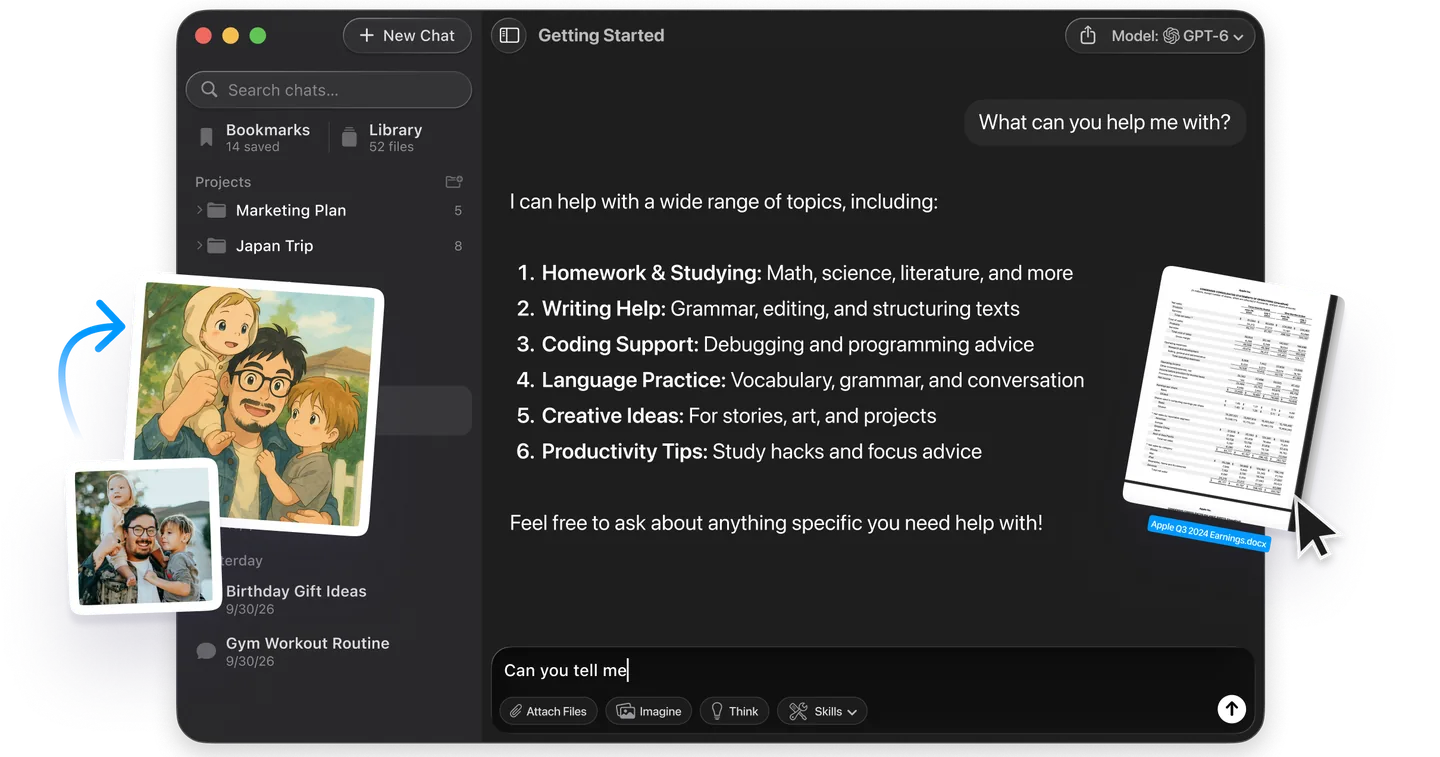
If the reason you wanted an AI browser was to stop copying text between tabs to ask a different model, you do not need a new browser for that. With Fello AI, you ask GPT, Claude, Gemini or Perplexity the same question in one window and compare the answers, without a second subscription or a second tab. It runs on Mac, iPhone and iPad, has a free tier, and sits next to whichever browser you already use, so your bookmarks never have to move.
The Verdict
Install Comet. The browser costs nothing, it runs on every device you own, and it is the only AI-first entry here that is both cross-platform and properly agentic, once a paid Perplexity plan switches the agent on. Keep it out of sessions where you are logged into anything that holds money or mail.
If you are on Arc, move to Dia before 22 December 2026, because Dia imports your setup and Arc deletes it. If switching browsers is not something you are willing to do, and for most people it should not be, add Claude in Chrome or the Gemini side panel to the browser you already use, or use the Copilot already in Edge. You get most of the benefit with none of the migration risk, and the Claude panel carries its work over to the desktop and mobile apps rather than stranding it in a tab. Skip anything that asks you to move your bookmarks into a product younger than a year, because the last four that asked are gone or going.
FAQ
What is the best AI browser right now?
Perplexity Comet, for most people. The browser is free, Perplexity lists it as available for Mac, Windows, iOS and Android, and its agent comes with a paid Perplexity plan. Dia is more refined for work across your apps and runs on Mac and Windows, but its AI starts at $10 a month.
Is Comet AI browser safe?
Safe enough for reading and research, risky for logged-in accounts. Brave's security team showed hidden instructions in a Reddit comment making Comet extract a one-time code from the user's Gmail and post it publicly, and reported in August 2025 that Perplexity had not fully mitigated the attack. Keep agents out of sessions holding money or mail.
What happened to ChatGPT Atlas?
OpenAI deprecated it and moved browser-based agentic work into ChatGPT and Codex. Its support page said Atlas was "scheduled to stop working on August 9, 2026", and now says Atlas "has been retired". Bookmarks did not transfer automatically, so anyone who did not export them lost them.
Is Arc browser shutting down?
Yes. The Browser Company is shutting Arc down on 22 December 2026, when Arc stops working on macOS and Windows and Arc accounts are deactivated, with personal data deleted within 30 days. The company points Arc users to Dia, which imports passwords, bookmarks, extensions and history. Export or import before that date.
Are there any free AI browsers?
Yes, with limits. Comet is free to use, but its agent needs Perplexity Pro or Max. Microsoft Edge includes Copilot for free, and Brave Leo has a free tier with no account required. Dia is free to download, but its free plan has no AI features. The paid ones are Opera Neon at $19.90 a month, Dia's AI from $10 a month, Chrome's auto browse which needs a Google AI Pro or Ultra plan, and Claude in Chrome which needs a paid Claude plan.
Which paid AI browsers are worth the subscription?
Only the ones whose agent you will use every week. Dia's Better Answers at $10 a month is the cheapest way into a paid AI browser. Opera Neon costs $19.90 a month. Comet's agent and Chrome's auto browse come bundled with a Perplexity or Google AI plan, so they are worth it only if you already want that plan. If you only need summaries and answers, the free tiers of Comet, Edge and Brave Leo cover it.
Is an AI browser the same as an AI extension?
No. An AI browser is a whole browser built around a model, so switching means moving your bookmarks, passwords and habits. An extension such as Claude in Chrome adds a sidebar to the browser you already use. The extension route carries far less risk if the product is discontinued.
A imagem de destaque deste artigo foi criada com a ajuda de IA.