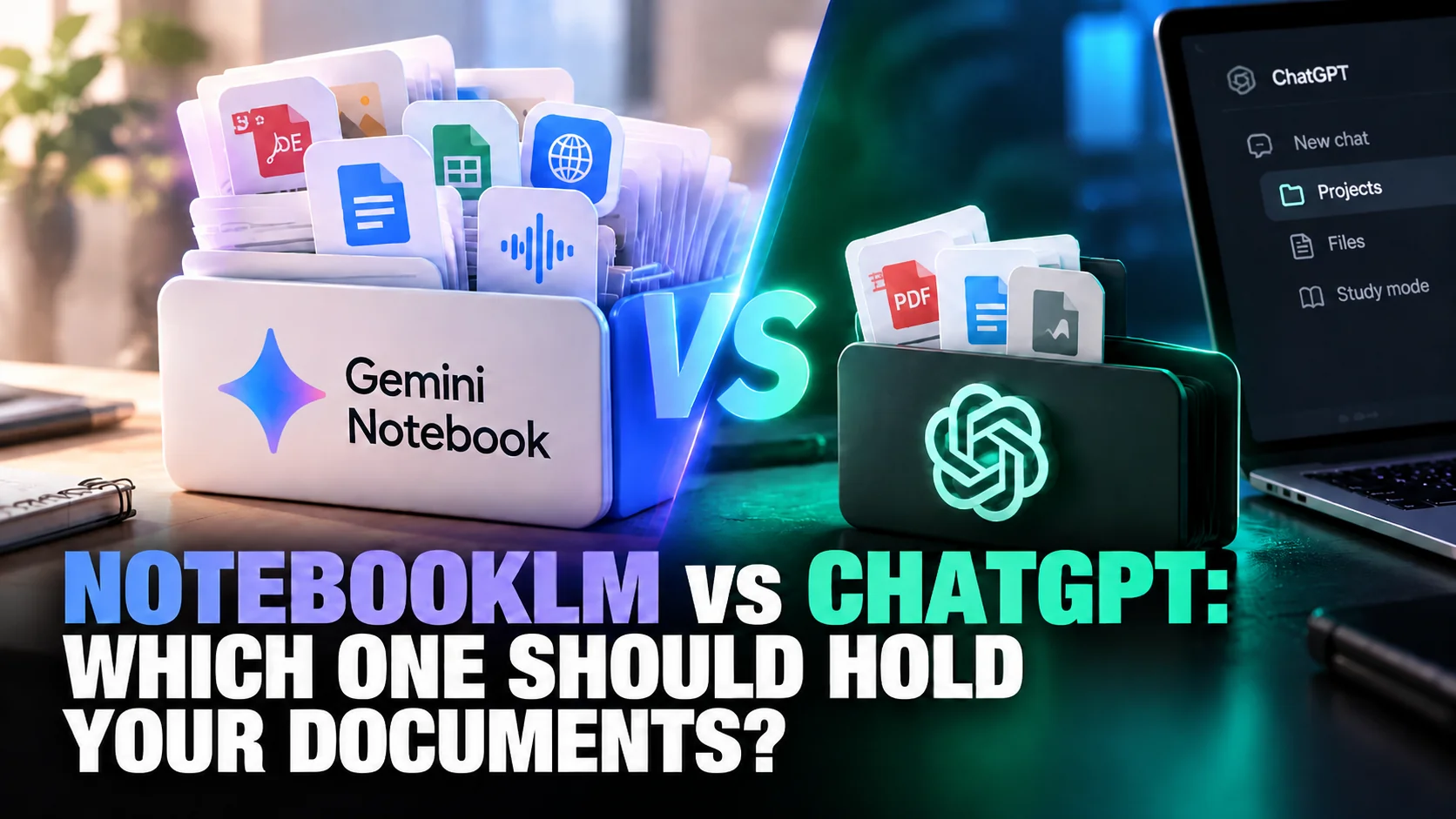
A free Gemini Notebook, the tool Google called NotebookLM until 16 July 2026, holds 50 sources in one notebook. A free ChatGPT Project holds 5 files. That tenfold gap decides the NotebookLM vs ChatGPT question for most people with a pile of documents, and almost no comparison on the first page of Google prints it. Most of those pages were written before the rename, and several still describe ChatGPT models that OpenAI has since replaced.
This comparison is built from what Google and OpenAI publish about their own products. That means the Gemini Notebook help centre, the ChatGPT Projects and study mode help pages, and both pricing pages, all read on 29 September 2026. It is not a hands-on benchmark. It answers a narrower question: you have lecture notes, papers or a stack of PDFs, so which tool should they go into, and what does each free plan let you do with them?
The Key Takeaways
- Same product, new name: NotebookLM became Gemini Notebook on 16 July 2026. Your notebooks and shared links carried over, and old links redirect.
- Capacity: free Gemini Notebook takes 50 sources per notebook; a free ChatGPT Project takes 5 files. Paid ChatGPT tops out at 40, paid Gemini Notebook at 600.
- Grounding: Gemini Notebook answers only from your sources and links every claim to the quoted passage. ChatGPT treats your files as context for a general assistant.
- Studying: Gemini Notebook generates Audio Overviews, flashcards, quizzes and mind maps from your files. ChatGPT's study mode is free on every plan and tutors you question by question.
- On a Mac: ChatGPT has a desktop app. Gemini Notebook has an iPhone and iPad app but runs in the browser on a Mac.
NotebookLM vs ChatGPT: The Short Answer
Pick Gemini Notebook (NotebookLM) when the answer has to come from your documents; pick ChatGPT when you want an assistant that also knows everything outside them. Gemini Notebook is a research workspace: you load sources, and it answers from those sources alone, with a citation on every point. ChatGPT is a general assistant, and a ChatGPT Project is a folder that keeps files, instructions and chats together so that assistant has your material to hand.
The difference shows up in Google's own help text. The Gemini Notebook FAQ says that when an answer is missing from your material, "it won't provide a response". OpenAI's Projects page describes files the other way round, as reference material ChatGPT "can use" to "provide more informed answers".
One tool treats your documents as a boundary. The other treats them as a head start.
NotebookLM Is Now Gemini Notebook
Gemini Notebook and NotebookLM are the same product. Google announced the rename on 16 July 2026 and said Gemini Notebook "remains a standalone product". The one new feature is a secure cloud computer inside each notebook that can write and run code for data analysis. At launch that code feature went to Google AI Ultra subscribers and some Workspace business customers first, with AI Pro users on the web promised it "over the coming weeks". Google also put the user count at more than 30 million people and over 600,000 organizations.
Nothing about your existing notebooks changes, and both names will be in circulation for a while. This article uses Gemini Notebook for the product and NotebookLM where people still search for it. Our explainer on what changed when NotebookLM became Gemini Notebook covers the rename in detail, including how the standalone app differs from the Notebooks section inside the Gemini chat app.
How Each Tool Handles Your Documents
Gemini Notebook is built around the documents; ChatGPT is built around the conversation. That design choice explains almost every practical difference between NotebookLM and ChatGPT, from which files each will accept to how far you can trust a summary.
Gemini Notebook answers only from your sources
Gemini Notebook uses direct quotes, text and images from your sources as citations, and selecting a citation jumps to the quoted passage in context. The Gemini Notebook help centre says that when a notebook holds many sources, the tool retrieves the most relevant passages for your question and builds the answer from them.
If the material does not contain the answer, Gemini Notebook tells you so rather than handing you a guess.
Gemini Notebook also accepts far more kinds of source than ChatGPT Projects. Google lists PDFs, Word, PowerPoint, CSV, Markdown and text files, plus Google Docs, Slides and Sheets. Images, audio files, ePub books and Google Play Books purchases work too, and so do web page URLs and public YouTube videos. Each source can run to 500,000 words or 200MB, with no page limit. Two caveats matter: a web URL imports only the page's text and paywalled pages are refused, and a YouTube link imports only the video's transcript. Google Drive sources re-sync every few minutes, so a notebook built on a live Google Doc stays current.
ChatGPT Projects keep files next to a general assistant
A ChatGPT Project holds files, custom instructions and chats in one place, and every chat started inside it inherits that context. OpenAI's help page lists PDFs, spreadsheets, documents, images and pasted text as project files. You can also link Google Drive files and folders or Slack channels, and save a good ChatGPT answer back into the project as a source. The same page lists no web-page or YouTube source type, so a web article has to go in as a saved file.
ChatGPT Projects have two features Gemini Notebook does not match directly. Project-only memory keeps a project's context sealed off from your other chats, which is useful for a client or a thesis you do not want bleeding into everything else. And because ChatGPT is a general assistant, the same project can hold a research chat, a drafting chat and a planning chat, all reading the same files. Our guide to how ChatGPT Projects work walks through memory and sharing settings.
NotebookLM vs ChatGPT Limits, Side by Side
Gemini Notebook allows more sources per notebook than ChatGPT allows files per project on every tier, and 10 times more on the free plans. The figures below come from Google's Gemini Notebook upgrade page and OpenAI's Projects help page, as of September 2026. Google notes its limits are "subject to change" and revised them on 2 September.
Sources and files per plan
| Tier | Gemini Notebook (NotebookLM) | ChatGPT Projects |
|---|---|---|
| Free | 50 sources per notebook, 100 notebooks, standard usage allowance | 5 files per project, unlimited projects, 5 collaborators on a shared project |
| Entry paid | Google AI Plus, $4.99/month: 100 sources, 200 notebooks, 2x the standard allowance | Go or Plus: 25 files per project, 10 collaborators |
| Mid paid | Google AI Pro, $19.99/month: 300 sources, 500 notebooks, 4x the standard allowance | Pro: 40 files per project, 100 collaborators |
| Top paid | Google AI Ultra, $99.99 or $199.99/month: 500 or 600 sources, 5x or 20x the AI Pro allowance | 40 files per project (Business, Enterprise and Edu also cap at 40) |
OpenAI also caps a single ChatGPT upload at 10 files at a time. If you already know you will be working from more than 25 documents, ChatGPT Projects cannot hold them on Plus, and a free Gemini Notebook can. For the rest of what Google's free tier includes, see what the free version of NotebookLM covers.
Google changed how usage is counted on 2 September
Gemini Notebook's usage column is now a compute allowance, not a count. Since 2 September 2026, Google's Gemini Notebook usage limits page says chats and studio features share one allowance that "refreshes every 5 hours until you reach your weekly limit". A complex prompt or a heavy feature uses more of it. Google's upgrade page still prints the older per-day counts, such as 50 chats a day on the free tier. Treat any figure quoted from that page as out of date. When the allowance runs out, the web version lets you queue a studio item to generate later.
NotebookLM vs ChatGPT for Studying
Gemini Notebook is better for turning a course pack into revision material; ChatGPT is better for being taught a concept you do not yet understand. If you can use both, that is the split to make.
Gemini Notebook turns sources into study material
Gemini Notebook's studio generates flashcards, quizzes, mind maps, reports, slide decks and infographics from the sources you pick, and every one of them stays tied to your material. Its signature feature is the Audio Overview, a podcast-style conversation between two AI hosts about your documents. Since September these draw on the same compute allowance as chat. An Audio Overview costs more of it than a quiz, and Gemini Notebook shows the expected cost before you generate. AI Pro raises the whole allowance fourfold, which matters mostly to students who generate audio or video every day. The chat also has a Learning Guide style, which Google describes as best for educational content.
ChatGPT study mode tutors you instead
ChatGPT study mode asks questions, explains ideas step by step and checks your understanding, rather than handing over the answer. OpenAI says study mode is "available across ChatGPT plans globally on web, iOS, and Android", for all ChatGPT models, so it costs nothing to try. You can upload notes, slides, a syllabus or a photo of a problem, and ask it to quiz you one question at a time and explain what to review next. One catch: OpenAI says study mode is not available inside Projects, so the material goes into the study chat itself rather than a project. Our guide to ChatGPT study mode shows how to turn it on.
What ChatGPT does not offer is a generated audio episode. OpenAI documents no counterpart to Audio Overviews in its Projects or study mode help pages. Ask ChatGPT for a podcast and you get a script, or a voice conversation you hold yourself. If listening is how you revise, our guide to turning notes into audio revision covers the options.
NotebookLM vs ChatGPT for Research
Gemini Notebook wins when the job is interrogating a fixed body of sources; ChatGPT wins when the job needs knowledge, writing or reasoning beyond them. A literature review, a set of interview transcripts or a due-diligence pack is Gemini Notebook territory, because every answer is traceable to a passage and nothing from outside slips in.
Gemini Notebook also reaches outward on its own terms. Its Deep Research feature searches the web for new sources to add to a notebook, and the new cloud computer can run code over a spreadsheet you added. ChatGPT, by contrast, is the better drafting partner once the reading is done. It can take the conclusions, pull in general context your sources lack, and turn them into an essay, an email or a plan in the same project. The trade-off is traceability: an answer shaped by a general model is harder to audit line by line than one built only from quoted passages.
Privacy settings differ as well. Google says Gemini Notebook uploads are not used to train the product unless you send feedback. For personal ChatGPT accounts, OpenAI says shared project data trains models only when the owner and every contributor have "Improve the model for everyone" switched on.
NotebookLM and ChatGPT on a Mac
ChatGPT runs as a native desktop app on a Mac; Gemini Notebook does not. Since 9 July 2026, OpenAI's desktop app for macOS combines Chat, Work and Codex, alongside its iPhone and Android apps. Gemini Notebook's App Store listing covers iPhone and iPad only. On a Mac you use it in a browser tab at notebook.google.com, where old notebooklm.google.com links now redirect, or through the Notebooks section of the Gemini web app.
For occasional research that matters little. For daily work it means Gemini Notebook lives in a tab, without a keyboard shortcut to summon it over another app. Our page on the ChatGPT desktop client for Mac covers the native option.
What Each One Costs
Both tools are free to start, and for document work the paid tiers mostly buy capacity rather than new features. Gemini Notebook comes with Google's AI plans: AI Plus at $4.99 a month, AI Pro at $19.99, and AI Ultra at $99.99 or $199.99. Each plan also includes Gemini, storage and other Google features. ChatGPT's personal plans are Free, Go at $8 a month in the US, Plus at $20 and Pro from $100, with $200 and $500 Pro tiers above it.
For someone already paying for one of these, the cheapest route is usually the one you have. A Google AI Pro subscriber gets 300-source notebooks at no extra cost, and a ChatGPT Plus subscriber gets 25-file projects. Full breakdowns are in our ChatGPT pricing guide and NotebookLM pricing guide.
Fello AI: One Mac App for Both Jobs
Fello AI is a great alternative to both NotebookLM and ChatGPT if you want a research tool and an assistant in one native app on your Mac, iPhone and iPad. You can drop up to 16 files into a single conversation, including PDFs of up to 500 pages and Word, Excel and PowerPoint documents. Then ask questions across all of them at once. The document sits in a side panel next to the chat, so you can read along as the answer points to the section it came from.
The part NotebookLM fans will recognise is the Podcast skill. Fello AI turns a PDF, a web link, your notes or a plain prompt into a natural two-host audio episode. It is the same listen-instead-of-read idea as an Audio Overview, without leaving the Mac app. Paste a YouTube link and Fello AI summarises the video.
The bigger difference is choice. Unlike Gemini Notebook, Fello AI lets you switch the same conversation between GPT, Claude, Gemini, Grok, DeepSeek and other models, so you can see how each one reads your material. When you are done, export the result as a PDF, Word or PowerPoint file.
Fello AI has a free tier, and the full app costs $9.99 a month or $79.99 a year, less than either ChatGPT Plus or Google AI Pro. It holds 4.7 stars from more than 27,000 App Store reviews. Our chat with PDF page shows the document features in detail.
Which One Should You Use?
Use Gemini Notebook when your sources are the point. That means more than a handful of documents, a need to cite them, or revision material generated from them, and 50 sources on the free tier leave a lot of room. Use ChatGPT when your sources are the starting point for work that goes past them, such as drafting, explaining, or planning, and when a native Mac app matters. If you are already paying for Google AI Pro or ChatGPT Plus, start with the one you have. And if you would rather not split your documents across two tools at all, Fello AI keeps the files, the models and the podcast in one Mac app. For other research tools built on the same idea, see our list of NotebookLM alternatives.
FAQ
Is NotebookLM better than ChatGPT?
NotebookLM, now called Gemini Notebook, is better for working from your own documents: it takes 50 sources per notebook on the free tier against 5 files in a free ChatGPT Project, and it cites the exact passage behind every answer. ChatGPT is better for tasks that need knowledge beyond your files, such as drafting, explaining or planning.
Is Gemini Notebook the same as NotebookLM?
Yes. Google renamed NotebookLM to Gemini Notebook on 16 July 2026. It is the same standalone product, and Google says existing notebooks and shared links keep working through automatic redirects.
Does ChatGPT have a NotebookLM equivalent?
The closest equivalent is ChatGPT Projects, which keep files, instructions and chats together. Projects hold far fewer files (5 on Free, 25 on Go and Plus, 40 on Pro), and OpenAI documents no counterpart to NotebookLM's Audio Overviews. For studying, ChatGPT's free study mode covers the quiz-and-explain side, though it runs in a regular chat, not inside a Project.
Which is better for studying, NotebookLM or ChatGPT?
Gemini Notebook is better for turning a course pack into flashcards, quizzes, mind maps and Audio Overviews, all available on the free tier within Google's compute-based usage allowance. ChatGPT study mode is better for learning a concept from scratch, because it asks you questions and explains step by step. Using both, for those two jobs, is a sensible split.
Does NotebookLM have a Mac app?
No. Gemini Notebook has apps for iPhone and iPad, but on a Mac it runs in the browser at notebook.google.com (the old notebooklm.google.com address redirects there) or inside the Gemini web app. ChatGPT offers a native desktop app for macOS.