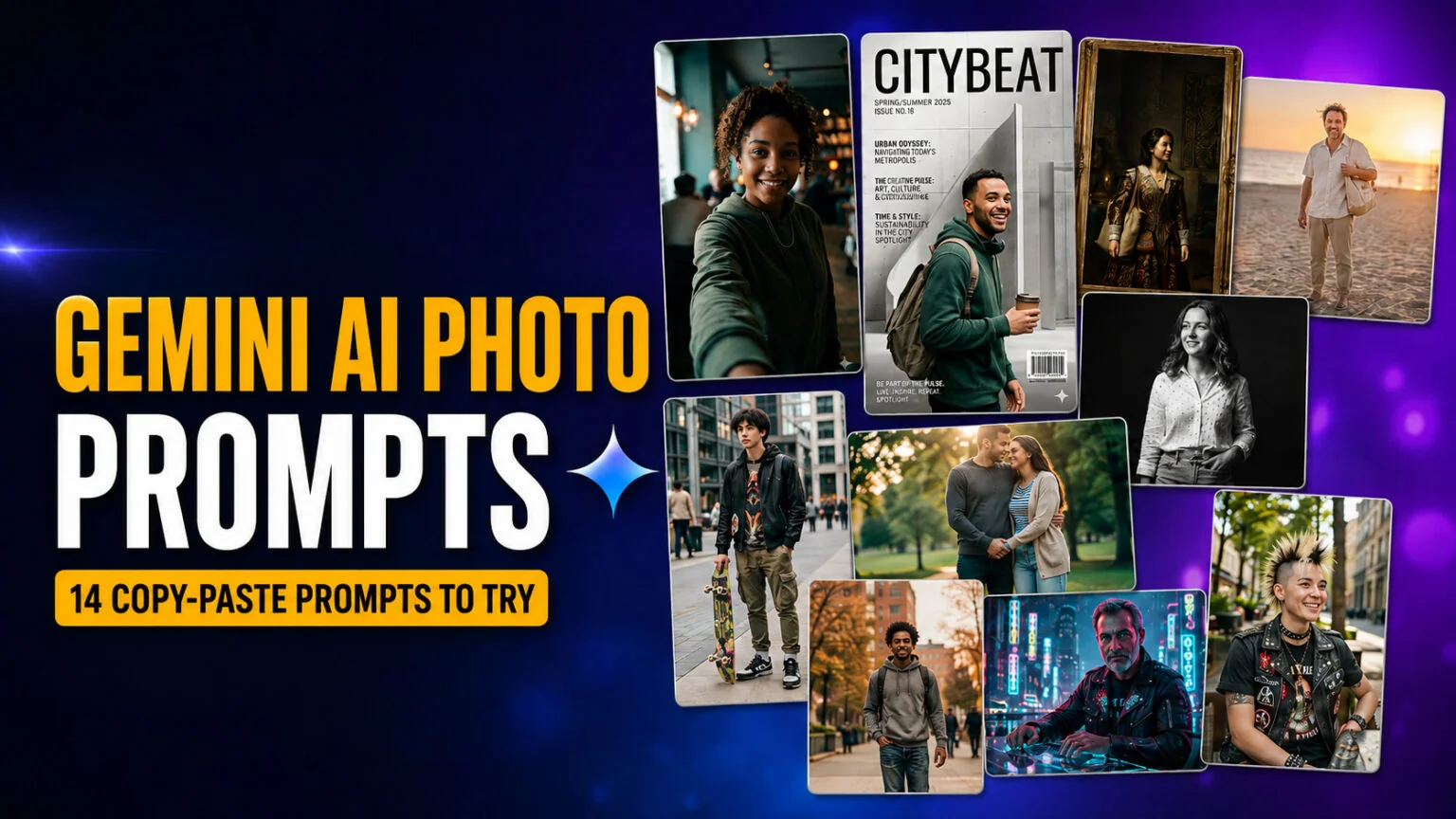
Těchto 14 Gemini AI photo promptů promění jednu obyčejnou selfie ve filmový záběr, obálku módního časopisu, retro polaroid, studiový portrét nebo renesanční malbu, a každý z nich je připravený ke zkopírování. Běží na Nano Banana, nativním obrazovém modelu Google uvnitř aplikace Gemini, což znamená žádný Photoshop, žádný Lightroom a žádnou znalost psaní promptů z vaší strany. Nahrajete fotku, vložíte prompt a Gemini vám za pár sekund vrátí upravený portrét.
Je to tentýž virální trend, kvůli kterému v roce 2025 vybuchly fotoúpravy v ChatGPT. Laťka kvality se od té doby posunula k modelu Nano Banana 2.1, nejnovějšímu obrazovému modelu Gemini, který Google 6. října 2026 začal zavádět do bezplatné aplikace Gemini. Níže dostanete prompty seskupené podle stylu a osobnosti, s variantami vyladěnými pro dívky, chlapce a páry. Dostanete také pětikrokový návod, jak je spouštět, a jednoduchý vzorec pro psaní vlastních. Každý prompt byl sestaven a otestován v aplikaci Gemini, takže jej můžete vložit tak, jak je, a upravit jen odstín pleti, oblečení nebo pozadí, aby seděly vám.
Hlavní poznatky
- 14 hotových Gemini AI photo promptů pokrývajících filmový, časopisecký, polaroidový, studiový, plážový, párový a retro vzhled.
- Běží na modelu Nano Banana v bezplatné aplikaci Gemini, kde Google výchozí Nano Banana 2 nahrazuje novějším Nano Banana 2.1.
- Bez potřeby editačního softwaru nebo zkušeností; nahrajte, vložte, odešlete a doladíte během sekund.
- Znovupoužitelný pětidílný vzorec promptu, takže si sami napíšete neomezené množství variant.
- Ke každému promptu přidejte svůj skutečný odstín pleti, oblečení a pozadí pro nejrealističtější výsledek věrný vaší identitě.
Jak tyto Gemini AI photo prompty používat
Nepotřebujete API, platební kartu ani žádnou editační aplikaci. Bezplatná aplikace Google Gemini na iOS, Androidu nebo webu spouští každý prompt níže na Nano Banana. Postupujte podle těchto pěti kroků. Kompletní příručku k psaní promptů, které fungují napříč všemi modely, najdete v našem úplném průvodci AI prompty.
- Otevřete aplikaci Gemini a přihlaste se účtem Google.
- Klepněte na ikonu obrázku nebo „+“ a nahrajte jasnou, dobře osvětlenou fotku sebe.
- Zkopírujte prompt z tohoto článku a vložte jej do pole zprávy.
- Vyměňte části v hranatých závorkách, jako
[describe hairstyle], aby výsledek seděl vám, a odešlete. - Doladíte odpovědí. Pokud vám Gemini vrátí původní fotku beze změny, odpovězte „Apply the edit. Change the lighting, color, and background. Keep only my face and identity.“ Toto druhé kolo transformaci téměř vždy vynutí.
Krátká poznámka k modelům. Nano Banana je rodina obrazových modelů Google a zahrnuje několik možností potvrzených v oficiální dokumentaci Google ke generování obrázků. Bezplatná aplikace Gemini používá jako výchozí Nano Banana 2 (gemini-3.1-flash-image), který Google 6. října 2026 začal nahrazovat nejnovějším modelem Nano Banana 2.1 (gemini-nano-banana-2.1). Nano Banana Pro (gemini-3-pro-image) je nejkvalitnější volba pro placené plány Google AI a původní Nano Banana (gemini-2.5-flash-image) stále pohání úpravy o velkém objemu. Generování obrázků je v aplikaci Gemini zdarma s denním limitem. Stránka nápovědy Google uváděla pro bezplatnou verzi až 20 obrázků denně do května 2026, pak číslo odstranila, a stránka s limity Gemini teď uvádí, že uživatelé bez plánu jsou při nedostatku kapacity omezeni jako první. Pokud chcete hlubší provedení samotným modelem, tady je co Nano Banana vlastně je a čím se jeho čtyři verze liší. Další bezplatné možnosti najdete v našem přehledu nejlepších bezplatných AI generátorů obrázků.
Rychlý přehled všech 14 promptů
| # | Styl promptu | Nejlepší pro | Nálada | Klíčový pokyn promptu | Obtížnost |
|---|---|---|---|---|---|
| 1 | Filmový záběr | Profilové obrázky | Zamyšlená, filmová | malá hloubka ostrosti, 35mm | Snadné |
| 2 | Obálka módního časopisu | Výrazné příspěvky | Editorial, lesklá | text obálky, studiový záblesk | Snadné |
| 3 | Profesionální studiový portrét | LinkedIn, CV | Čistá, korporátní | softbox, neutrální pozadí | Snadné |
| 4 | Retro polaroid | Trendující feedy | Nostalgická, teplá | filmové zrno, bílý okraj | Snadné |
| 5 | Renesanční olejomalba | Výrazné umělecké příspěvky | Klasická, malířská | chiaroscuro, olejová textura | Střední |
| 6 | Plážový portrét ve zlaté hodince | Letní obsah | Teplá, snová | protisvětlo, sluneční záblesk | Snadné |
| 7 | Černobílý editorial | Nadčasové portréty | Kontrastní, výtvarná | tvrdé světlo, stupně šedi | Snadné |
| 8 | Streetwear móda (chlapci) | Pánské IG portréty | Městská, sebejistá | zatažené světlo, 50mm | Střední |
| 9 | Soft glam beauty (dívky) | Beauty detaily | Zářivá, čistá | beauty dish, rosná pleť | Snadné |
| 10 | Retro film z 90. let | Estetické feedy | Vybledlá, analogová | prošlý film, únik světla | Snadné |
| 11 | Filmový párový portrét | Páry, výročí | Romantická, filmová | zlaté protisvětlo, dva subjekty | Střední |
| 12 | Kyberpunkový neon | Výrazné, drsné příspěvky | Futuristická, elektrizující | neonové obrysové světlo, déšť | Střední |
| 13 | Old money tichý luxus | Elegantní životní styl | Kultivovaná, decentní | přirozené světlo, tlumené tóny | Střední |
| 14 | Proměna účesu a oblečení | Zkoušení nového vzhledu | Praktická, realistická | zachovat obličej, změnit jen styl | Snadné |
1. Filmový záběr
Tento promění obyčejnou selfie v okénko z celovečerního filmu, s jemnou hloubkou ostrosti a barevným gradingem, který působí draze. Je to jednoznačně nejspolehlivější prompt pro nový profilový obrázek. Pokud vyzkoušíte jen jeden, začněte tady.
Prompt: Restyle the uploaded photo into a cinematic 35mm film still. Relight it with soft directional window light from the left, add a moody teal-and-orange color grade, shallow depth of field, subtle film grain, and a softly blurred atmospheric background. Keep the same person’s face and identity clearly recognizable; restyle only, do not alter their facial features. This is an edit, the lighting, color, and background must visibly change. Photorealistic, natural skin texture, no plastic smoothing.
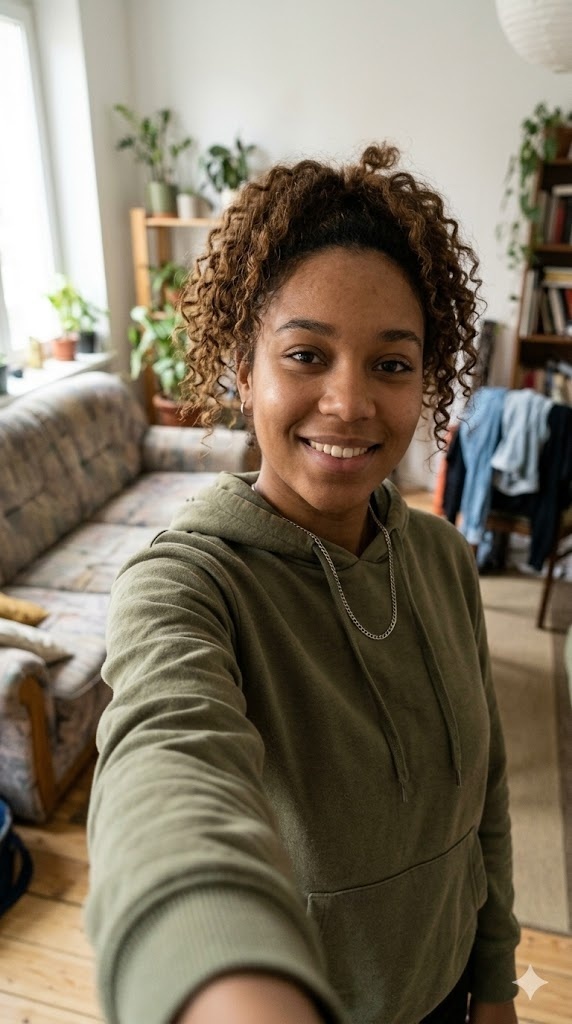

Před (vlevo) a po (vpravo): Gemini AI photo prompt Filmový záběr, vygenerováno pomocí Nano Banana.
2. Obálka módního časopisu
Tento vás umístí na lesklou obálku s realistickým názvem časopisu a studiovým osvětlením. Je to jeden z nejsdílenějších vzhledů, protože působí aspiračně, aniž by vypadal falešně. A pokud vám někdy fotka připadá příliš dokonalá, tady je návod, jak poznat, že je fotka vygenerovaná AI.
Prompt: Turn the uploaded photo into a high-fashion magazine cover. Replace the background with a clean studio set, add bright studio strobe lighting, a glossy editorial look, a realistic magazine masthead at the top, a few small cover lines, a barcode in the corner, and the date 2026. Keep the same person’s face and identity clearly recognizable; restyle only, do not change their features. This is an edit, the background, lighting, and layout must visibly change. Photorealistic, high detail.

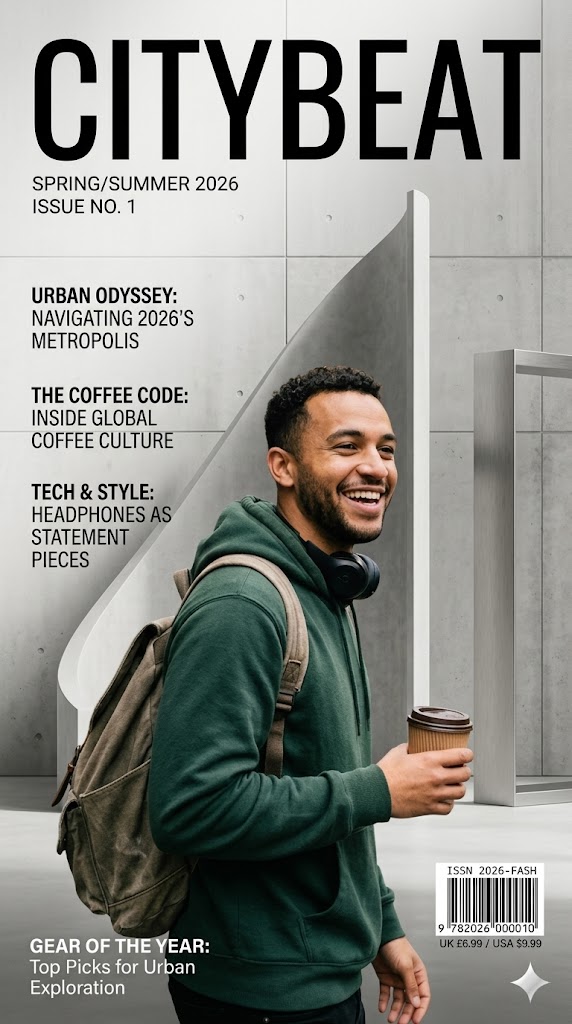
Před (vlevo) a po (vpravo): Gemini AI photo prompt Obálka módního časopisu, vygenerováno pomocí Nano Banana.
3. Profesionální studiový portrét
Tohle je ten praktický. Převede běžnou fotku na čistý korporátní portrét pro LinkedIn, CV nebo firemní stránku, s neutrálním osvětlením a upraveným pozadím.
Prompt: Convert the uploaded photo into a clean professional studio headshot. Replace the background with a neutral light-grey backdrop, add soft three-point softbox lighting, dress the person in business-casual attire, and give a confident relaxed expression with sharp eyes. Keep the same face and identity clearly recognizable; do not change their facial features. This is an edit, the background, outfit, and lighting must visibly change. Shot on an 85mm portrait lens, photorealistic, realistic skin texture.


Před (vlevo) a po (vpravo): Gemini AI photo prompt Profesionální studiový portrét, vygenerováno pomocí Nano Banana.
4. Retro polaroid
Polaroidový vzhled je právě teď jedním z nejvirálnějších stylů Gemini, s teplým filmovým nádechem, měkkým zaostřením a klasickým bílým okrajem instantní fotky.
Prompt: Restyle the uploaded photo as a vintage 1990s polaroid. Apply a warm faded color cast, soft focus, light vignette, subtle film grain, slight overexposure, and add a classic white polaroid border with a blank handwritten-style caption strip at the bottom. Keep the same person’s face and identity clearly recognizable; restyle only. This is an edit, the colors, grain, and border must visibly change. Authentic instant-camera look, photorealistic.
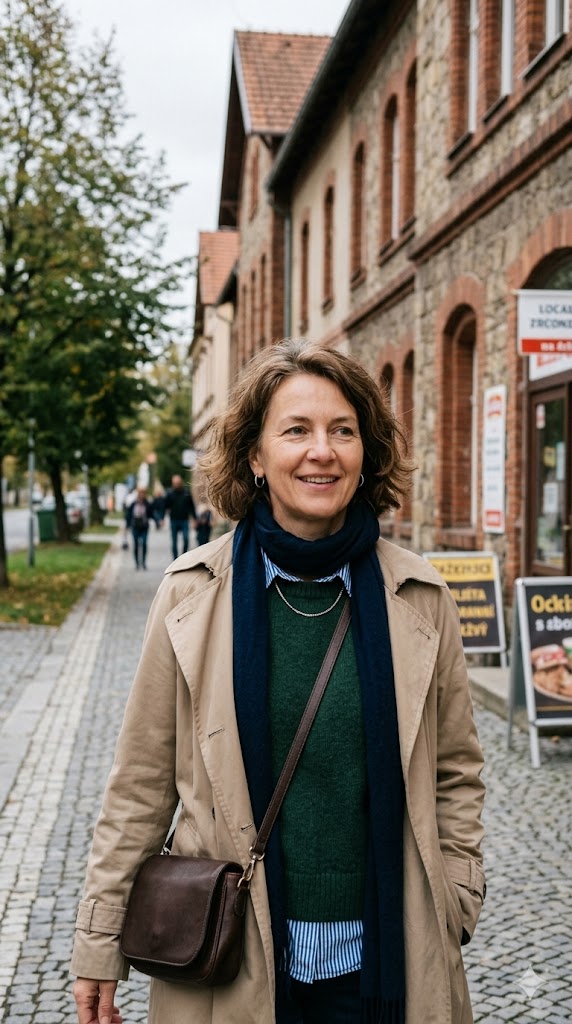
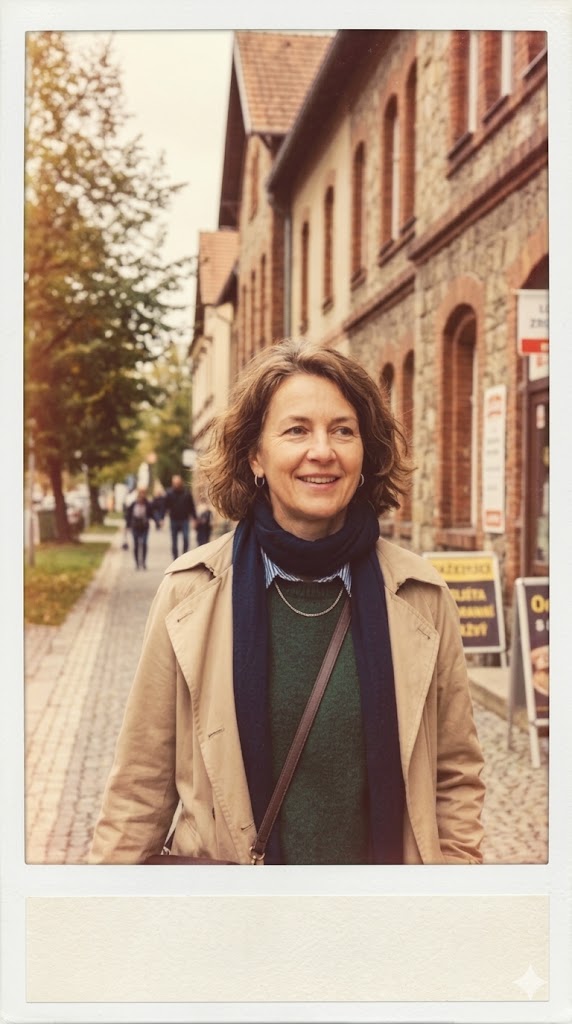
Před (vlevo) a po (vpravo): Gemini AI photo prompt Retro polaroid, vygenerováno pomocí Nano Banana.
5. Renesanční olejomalba
Tento vás přestylizuje do podoby klasického renesančního nebo barokního portrétu, s dramatickým světlem a viditelnými tahy štětce. Zastaví scrollování, protože vypadá jako galerijní umění, ne jako filtr.
Prompt: Transform the uploaded photo into a 17th-century Renaissance oil painting. Repaint it with dramatic chiaroscuro lighting, a dark muted background, period clothing, visible oil brushstrokes and canvas texture, and rich warm tones. Keep the same person’s face and likeness clearly recognizable. This is an edit, the medium, lighting, and background must visibly change. Museum-quality classical portrait.
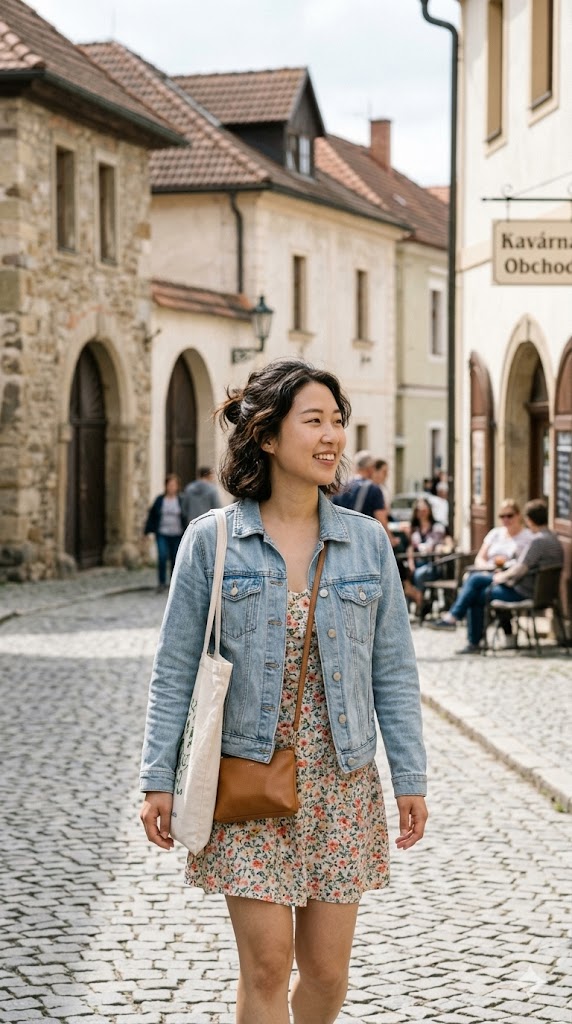
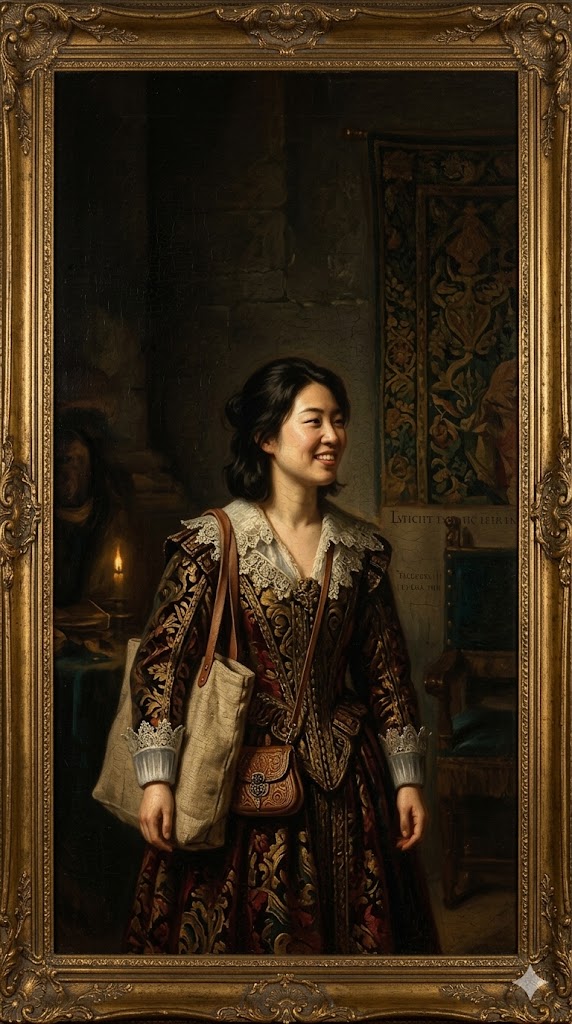
Před (vlevo) a po (vpravo): Gemini AI photo prompt Renesanční olejomalba, vygenerováno pomocí Nano Banana.
6. Plážový portrét ve zlaté hodince
Letní vzhled s teplým protisvětlem a jemným slunečním zábleskem. Dobře funguje pro cestovatelské feedy a sezónní obsah. Pokud chcete celou sadu destinací místo jediné pláže, těchto devět AI cestovatelských photo promptů je postaveno stejně.
Prompt: Restyle the uploaded photo into a golden hour beach portrait. Replace the background with a sandy beach and calm sea at sunset, add warm low-sun backlight, a soft lens flare, light breeze in the hair, and breezy summer clothing. Keep the same person’s face and identity clearly recognizable; restyle only. This is an edit, the background and lighting must visibly change. Cinematic, photorealistic, glowing natural skin.
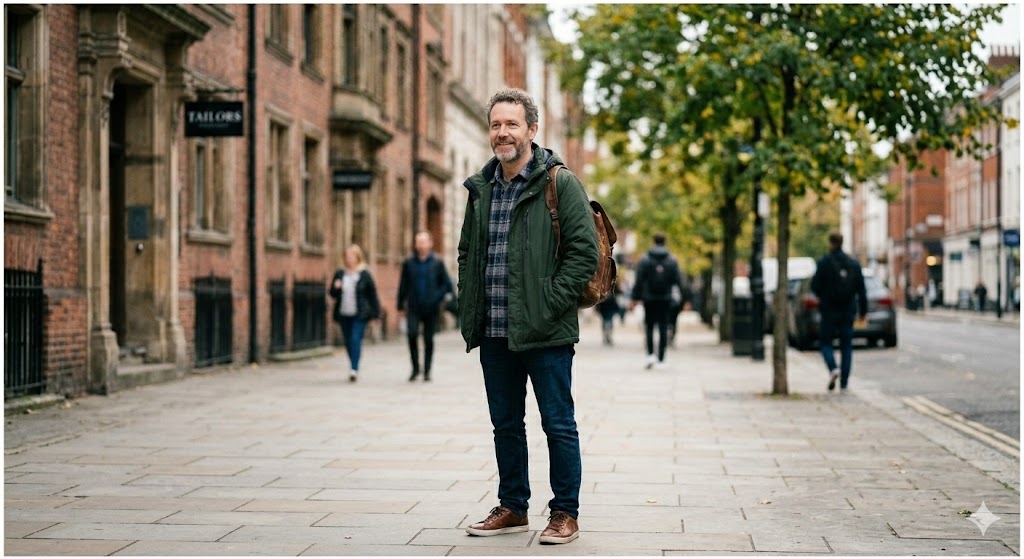
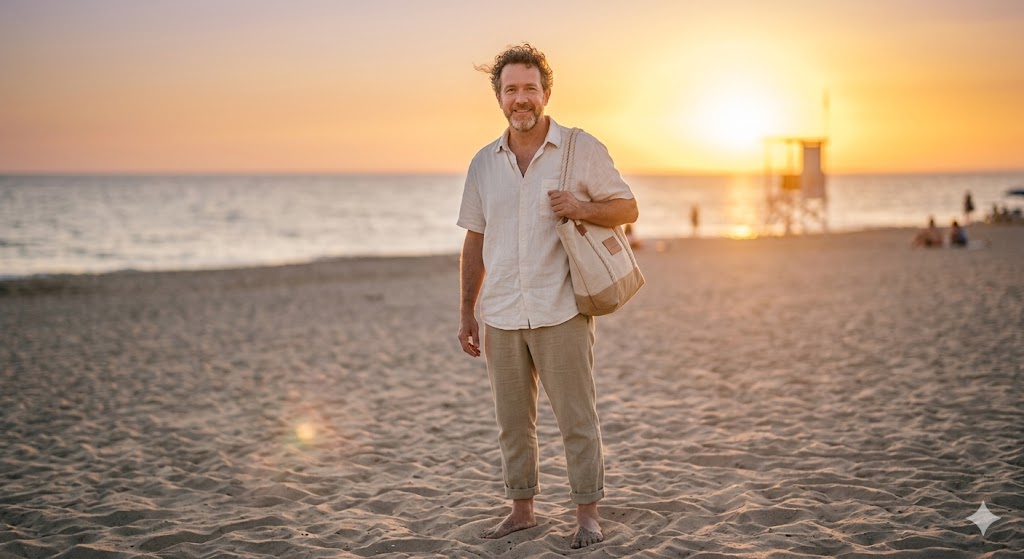
Před (vlevo) a po (vpravo): Gemini AI photo prompt Plážový portrét ve zlaté hodince, vygenerováno pomocí Nano Banana.
7. Černobílý editorial portrét
Nadčasový, vysoce kontrastní monochromní portrét, který vypadá jako výtvarná fotografie a sluší téměř každé tváři, protože odstraňuje rušivý vliv barvy.
Prompt: Convert the uploaded photo into a fine-art black-and-white editorial portrait. Apply hard directional studio light with deep shadows, a rich tonal range, a plain dark background, and crisp detail in the eyes. Keep the same person’s face and expression clearly recognizable; restyle only. This is an edit, the photo must become high-contrast monochrome with a new background. High-end monochrome photography, photorealistic, natural skin texture.
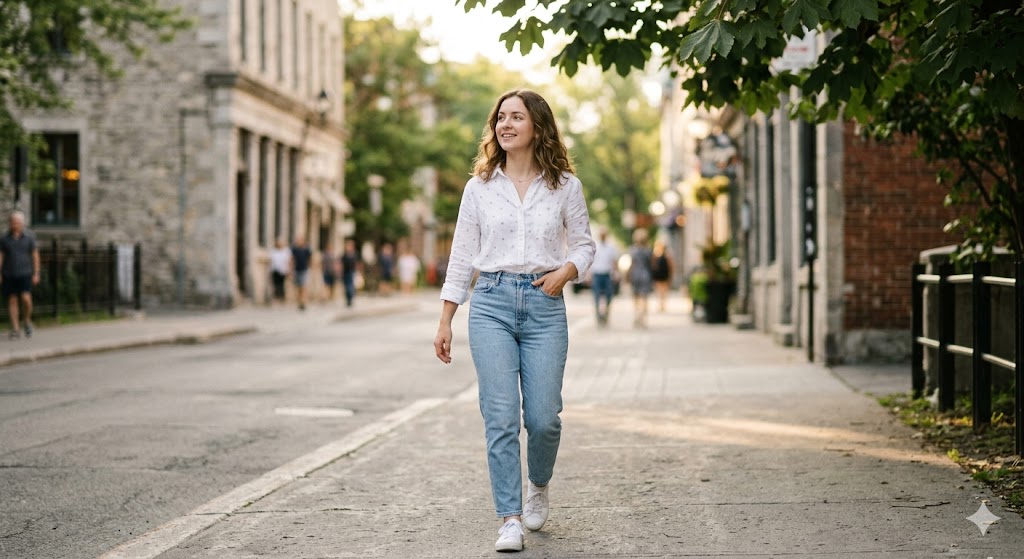
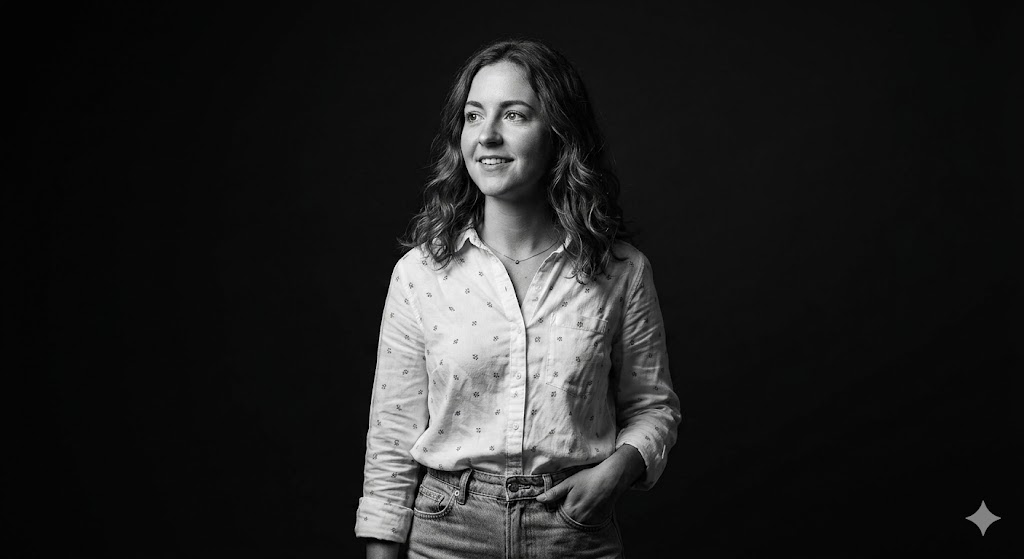
Před (vlevo) a po (vpravo): Gemini AI photo prompt Černobílý editorial portrét, vygenerováno pomocí Nano Banana.
8. Streetwear módní focení (skvělé pro chlapce a muže)
Vyladěno pro sebejistý pánský portrét s městským pozadím a měkkým zataženým světlem. Vyměňte oblečení, aby odpovídalo vašemu vlastnímu stylu.
Prompt: Restyle the uploaded photo into an urban streetwear fashion shoot. Replace the background with a modern city street softly blurred, add soft overcast daylight, a confident relaxed pose, and stylish streetwear clothing. Keep the same person’s face and identity clearly recognizable; restyle only. This is an edit, the background, outfit, and lighting must visibly change. Shot on a 50mm lens with shallow depth of field, photorealistic, realistic skin texture.
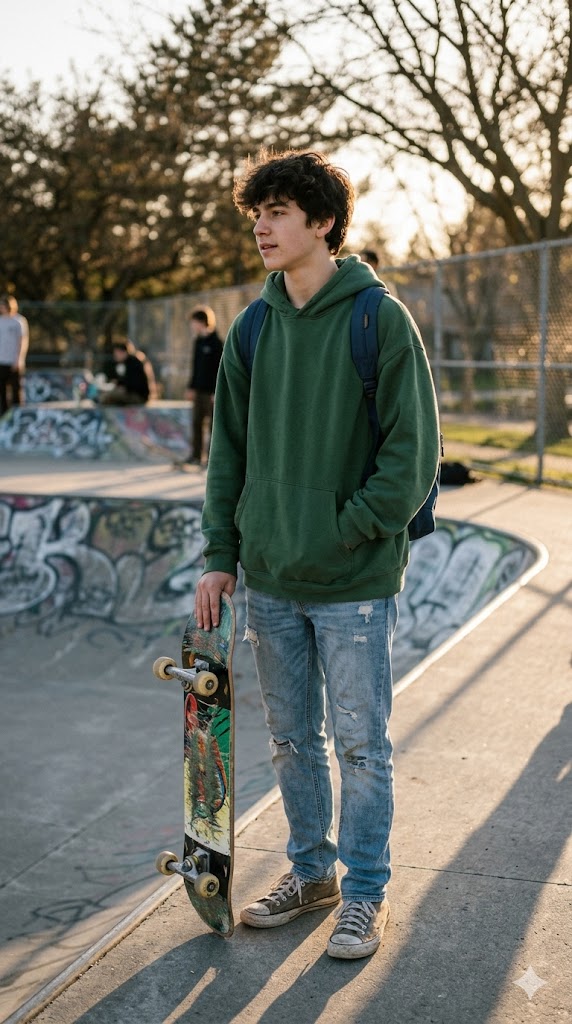
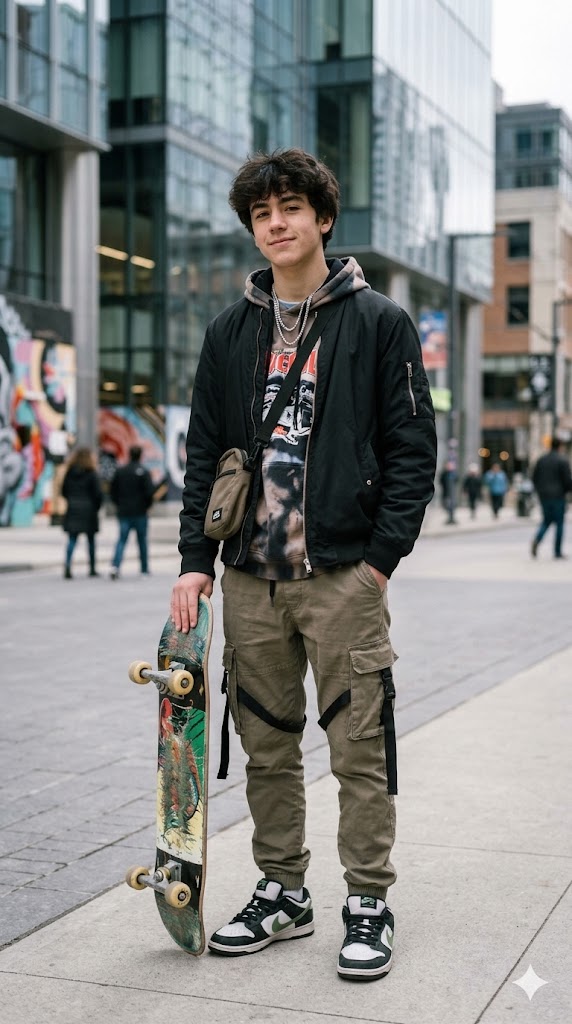
Před (vlevo) a po (vpravo): Gemini AI photo prompt Streetwear módní focení, vygenerováno pomocí Nano Banana.
9. Soft glam beauty vzhled (skvělé pro dívky a ženy)
Zářivý beauty portrét zblízka s čistou, uvěřitelnou pletí. Klíčem je požádat o přirozenou texturu, aby nikdy nevypadala přeretušovaně. Právě tato jedna věta odděluje reálně vypadající úpravu od zjevného filtru.
Prompt: Restyle the uploaded photo into a soft glam beauty portrait. Add beauty-dish lighting, soft glowing dewy skin with visible natural texture, subtle clean makeup, a gentle pastel background, and sharp catchlights in the eyes. Keep the same person’s face and bone structure clearly recognizable; restyle only, do not slim or reshape the face. This is an edit, the lighting and background must visibly change. High-end beauty photography, photorealistic, no plastic smoothing.


Před (vlevo) a po (vpravo): Gemini AI photo prompt Soft glam beauty vzhled, vygenerováno pomocí Nano Banana.
10. Retro film z 90. let
Vybledlý analogový vzhled s únikem světla a zrnem, stylizovaný jako naskenovaný filmový negativ z počátku 90. let.
Prompt: Restyle the uploaded photo as a 1990s retro film photograph. Apply slightly faded colors, a warm cast, visible film grain, a soft light leak in one corner, and gentle blur, like a scanned film negative. Keep the same person’s face and identity clearly recognizable; restyle only. This is an edit, the colors and grain must visibly change. Nostalgic analog look, photorealistic.

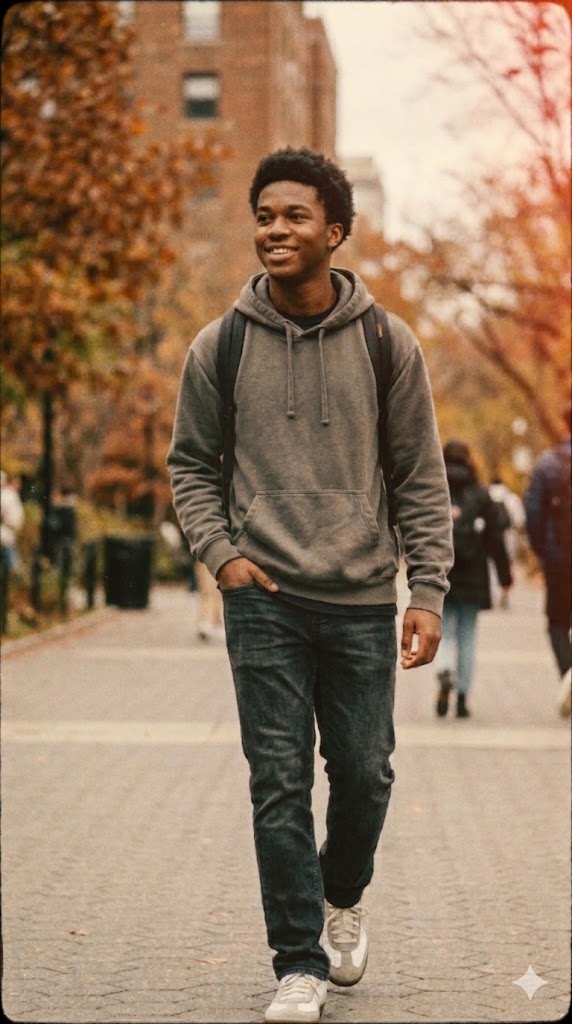
Před (vlevo) a po (vpravo): Gemini AI photo prompt Retro film z 90. let, vygenerováno pomocí Nano Banana.
11. Filmový párový portrét
Pro dva lidi na jedné fotce. Zarámuje vás oba do teplého, filmového světla, aniž by změnil kterýkoli obličej. Pokud má vaše zdrojová fotka dva subjekty, Gemini zachová obě identity.
Prompt: Restyle the uploaded couple photo into a cinematic portrait. Add warm golden backlight, a soft bokeh background, an intimate natural pose, gentle film grain, and a romantic teal-and-amber color grade. Keep both people’s faces and identities clearly recognizable; restyle only, do not change either face. This is an edit, the lighting, background, and color must visibly change. Shot on 35mm, photorealistic, movie-poster mood.
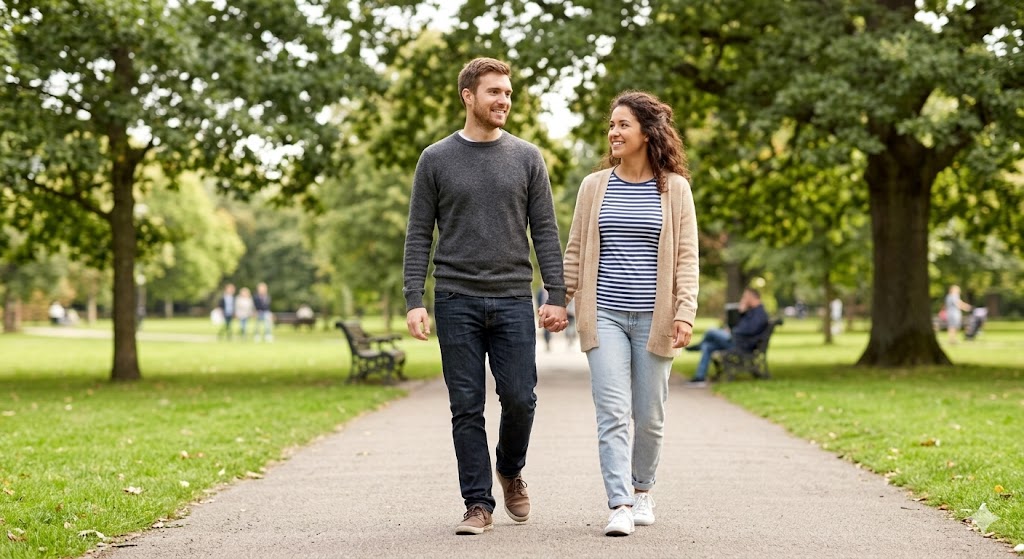
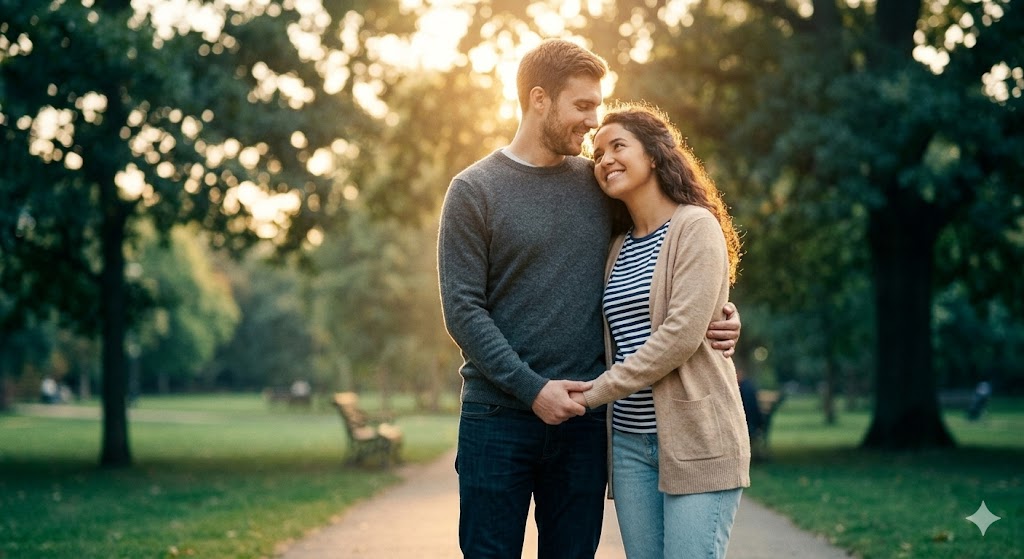
Před (vlevo) a po (vpravo): Gemini AI photo prompt Filmový párový portrét, vygenerováno pomocí Nano Banana.
12. Kyberpunkový neon
Výrazný, futuristický portrét s neonovým obrysovým světlem a deštivým nočním pozadím. Tento je záměrně stylizovaný a přitom zachovává váš obličej.
Prompt: Transform the uploaded photo into a cyberpunk neon portrait. Replace the background with a rainy neon-lit city night, add magenta and cyan rim lighting on the face, reflective wet surfaces, atmospheric haze, and futuristic clothing. Keep the same person’s face and features clearly recognizable. This is an edit, the background, lighting, and wardrobe must visibly change. Cinematic, high-contrast, photorealistic sci-fi mood.
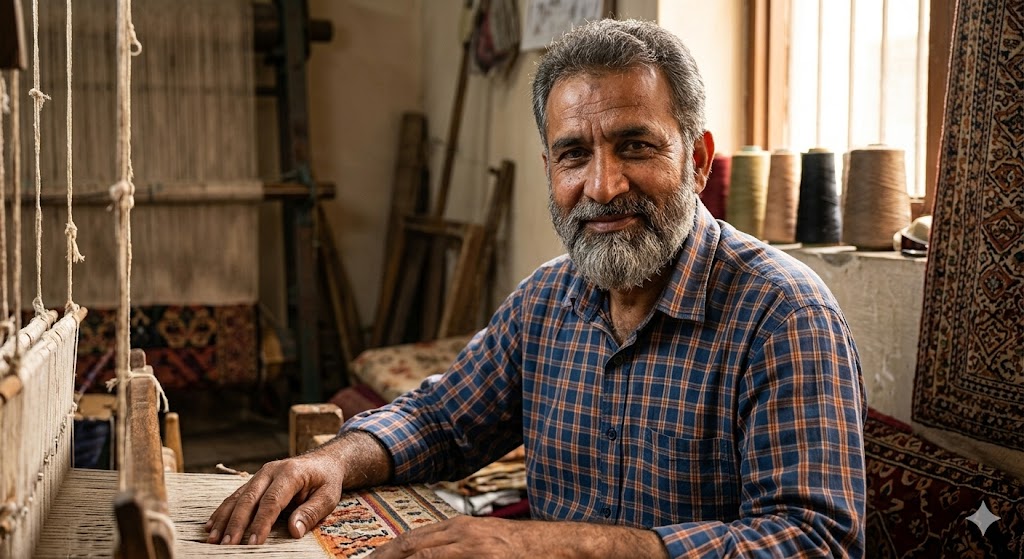
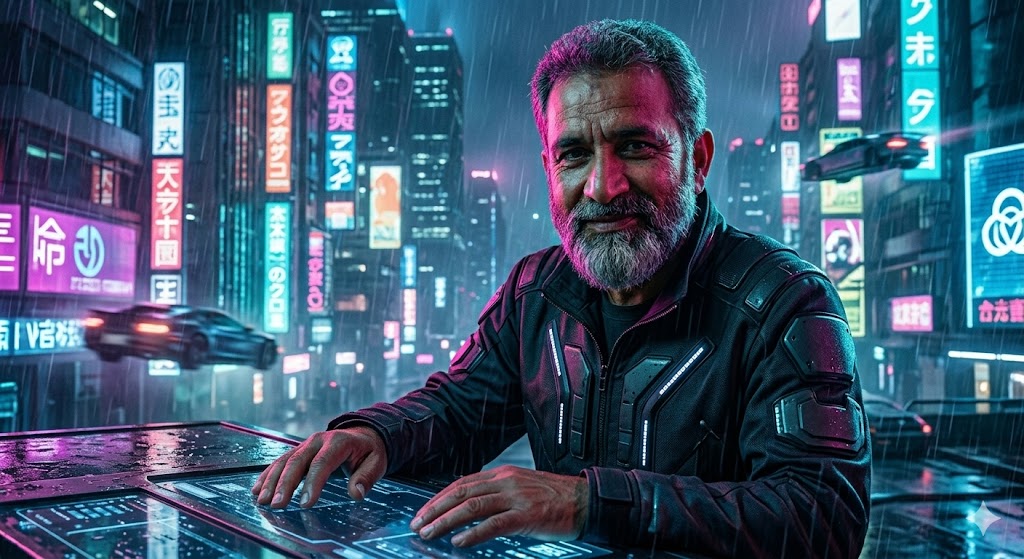
Před (vlevo) a po (vpravo): Gemini AI photo prompt Kyberpunkový neon, vygenerováno pomocí Nano Banana.
13. Old money tichý luxus
Decentní, kultivovaná estetika, která silně trenduje. Práci odvede měkké přirozené světlo, tlumené tóny a vkusné prostředí, ne těžké efekty.
Prompt: Restyle the uploaded photo into an old-money quiet-luxury portrait. Add soft natural window light, a muted neutral color palette, tailored classic clothing, and an elegant understated background such as a library or country estate, with a relaxed confident pose. Keep the same person’s face and identity clearly recognizable; restyle only. This is an edit, the background, outfit, and lighting must visibly change. Refined, editorial, photorealistic.
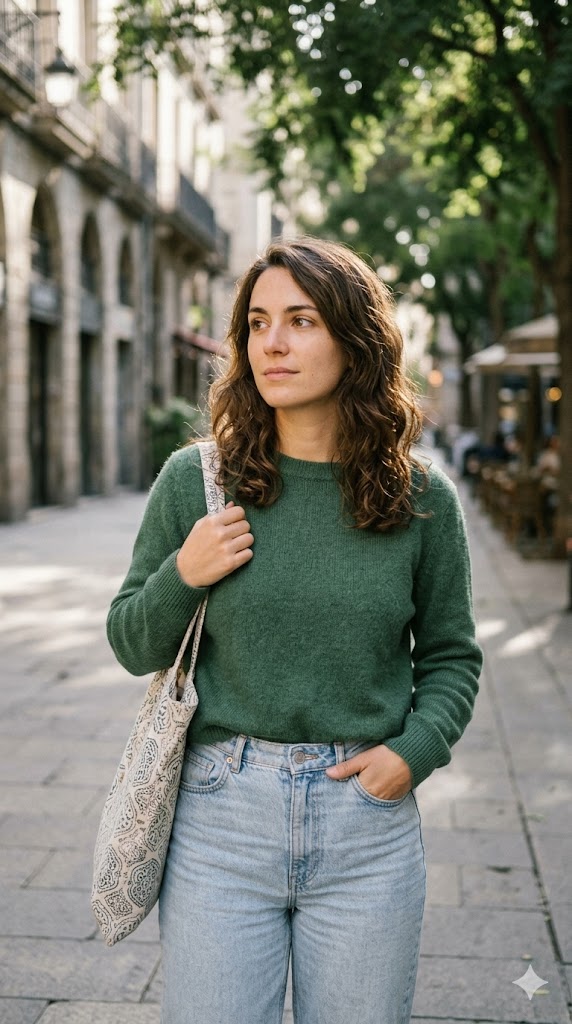
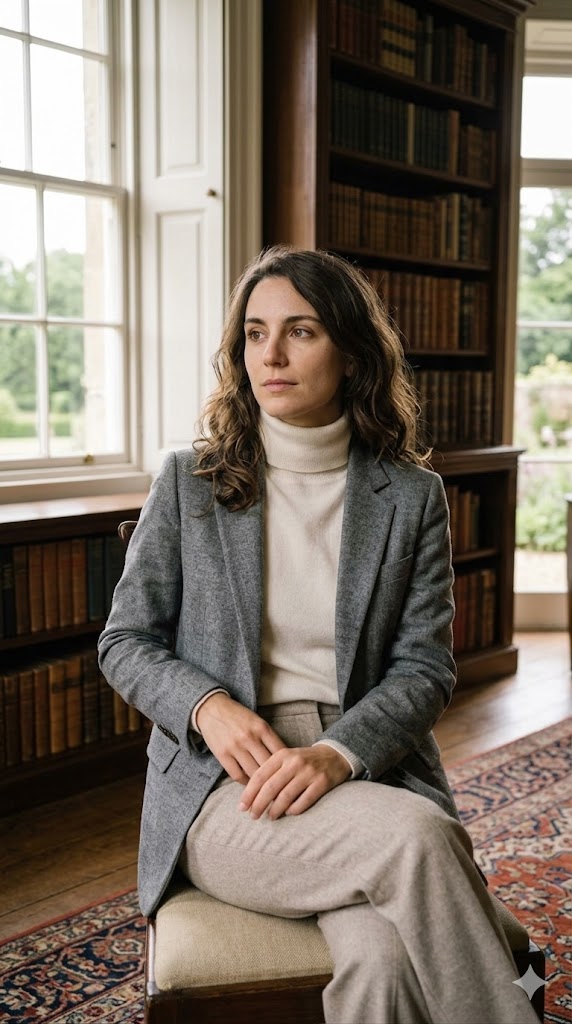
Před (vlevo) a po (vpravo): Gemini AI photo prompt Old money tichý luxus, vygenerováno pomocí Nano Banana.
14. Proměna účesu a oblečení
Nejpraktičtější prompt. Místo přestylizování celé scény změní jen vaše vlasy nebo oblečení, takže si můžete vyzkoušet nový vzhled na své skutečné tváři.
Prompt: Edit the uploaded photo to restyle only the hair and clothing. Change the hairstyle to a [describe hairstyle] and the outfit to a [describe outfit], keeping the same face, pose, and background. Make the new hair and clothing photorealistic and naturally lit to match the original photo. This is an edit, the hair and outfit must visibly change while the face stays identical. Do not alter the facial features.
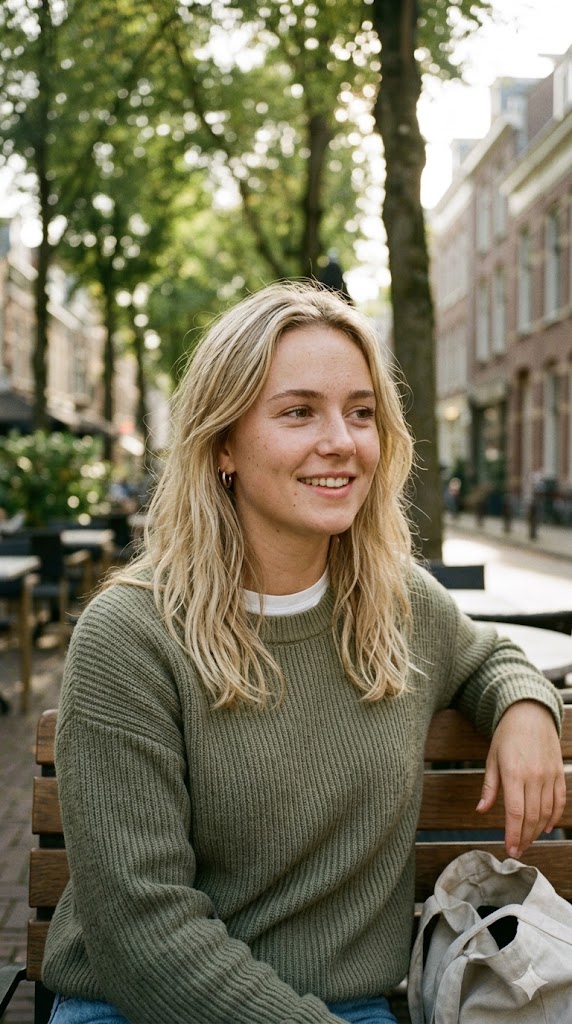
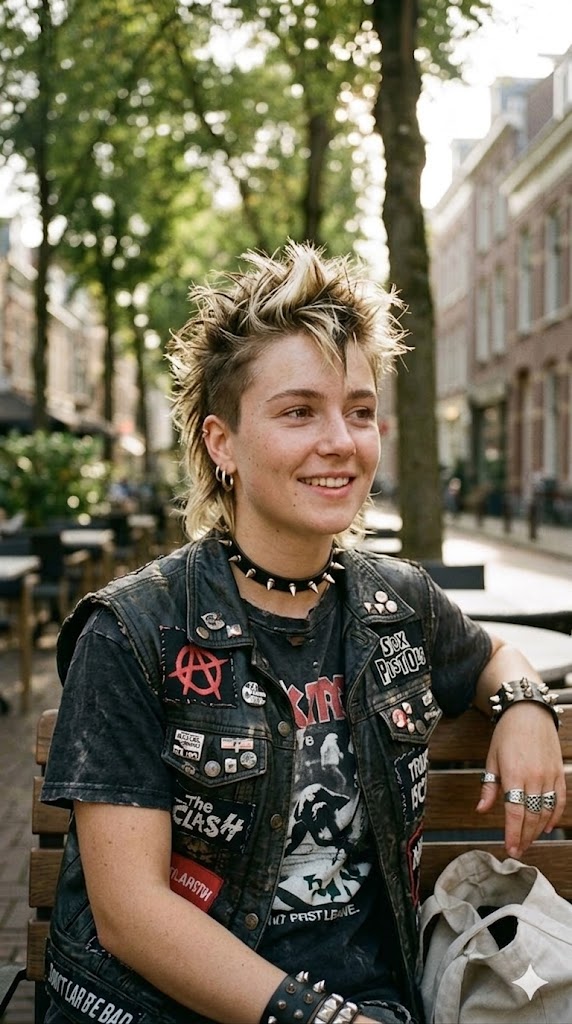
Před (vlevo) a po (vpravo): Gemini AI photo prompt Proměna účesu a oblečení, vygenerováno pomocí Nano Banana.
Jak napsat vlastní Gemini AI photo prompt
Jakmile vzorec pochopíte, dokážete sestavit neomezené množství promptů. Silný Gemini photo prompt začíná změnou, kterou chcete, a pak chrání vaši identitu. Sestavte jej z pěti částí.
- Nejprve pokyn k úpravě. Začněte slovy „Restyle the uploaded photo into…“, aby model věděl, že musí transformovat, ne vrátit originál.
- Viditelné změny. Vypište přesně, co se má změnit: pozadí, osvětlení, barvu a oblečení.
- Zámek identity, jako druhý. Přidejte „keep the same person’s face and identity clearly recognizable; restyle only, do not alter their facial features.“
- Řádek proti nezměně. Přidejte „this is an edit, the lighting and background must visibly change,“ což Geminimu zabrání vrátit váš originál.
- Značka realismu. Zakončete slovy „photorealistic, natural skin texture, no plastic smoothing.“
Celé to udržte na dvou nebo třech přesných větách. Delší prompty výsledek ředí a právě to, že začnete úpravou, brání modelu vrátit vaši fotku nedotčenou. Pokud chcete spíš základní vzorec než hotové recepty, náš průvodce prompty pro Nano Banana rozebírá pět prvků, které jmenuje každý oficiální návod od Googlu. Pro další inspiraci, co model zvládne, si projděte virální ukázky a nečekané výsledky Nano Banana, a pokud jej zvažujete proti editačnímu softwaru, tady je, zda Nano Banana může nahradit Photoshop.
Spuštění Gemini, ChatGPT, Claude a dalších z jedné aplikace
Gemini je na tyto fotoúpravy vynikající, ale pro jiný vzhled můžete chtít ChatGPT nebo jiný model a žonglování se samostatnými aplikacemi a přihlášeními rychle omrzí. Fello AI je aplikace pro Mac, která staví Gemini, ChatGPT, Claude, Grok a DeepSeek za jediné rozhraní, takže můžete spustit tentýž photo prompt napříč modely a ponechat si nejlepší výsledek. Jedno předplatné pokryje všechny za $9.99 měsíčně, místo abyste platili za několik pro plánů zvlášť.
To má význam právě pro práci s prompty. Tentýž prompt může dopadnout velmi odlišně na Nano Banana od Gemini oproti obrazovému modelu ChatGPT a schopnost porovnat je vedle sebe je nejrychlejší cesta, jak najít vzhled, který chcete. Pokud vás zajímá, jak si přední modely stojí v kvalitě obrazu, podívejte se na naše porovnání Nano Banana Pro vs GPT Image.
Shrnutí
Gemini AI photo prompty jsou nejsnazší způsob, jak získat profesionálně vypadající portrét bez sáhnutí po editační aplikaci, a 14 výše pokrývá téměř každý vzhled, který lidé skutečně chtějí, od čistého LinkedIn portrétu po virální polaroid. Začněte Filmovým záběrem nebo Profesionálním studiovým portrétem, protože oba jsou shovívavé a fungují na téměř jakékoli zdrojové fotce. Pak použijte pětidílný vzorec a vytvořte si vlastní varianty. Pokud chcete porovnat, jak Gemini zvládá prompt oproti ChatGPT, náš přehled ChatGPT promptů pro úpravu fotek je ideální doplněk.
FAQ
Je fotoúprava v Gemini AI zdarma?
Ano. Každý prompt zde můžete spustit v bezplatné aplikaci Google Gemini, která ve výchozím nastavení používá Nano Banana 2. Bezplatní uživatelé mají denní limit obrázků, Google pro něj ale už neuvádí žádné číslo: jeho stránka nápovědy do května 2026 uváděla až 20 denně. Přegenerování obrázku kvalitnějším modelem Nano Banana Pro vyžaduje placený plán Google AI (Plus, Pro nebo Ultra).
Proč mi Gemini vrací původní fotku beze změny?
To je nezměna, obvykle způsobená promptem, který začíná slovy „keep everything the same“. Začněte místo toho úpravou („Restyle the uploaded photo into…“), přidejte „this is an edit, the lighting and background must visibly change,“ a pak odpovězte „apply the edit, change the lighting and background, keep only my face,“ pokud stále vrací originál.
Který model Gemini upravuje mé fotky?
Bezplatná aplikace Gemini používá Nano Banana 2 (gemini-3.1-flash-image), který Google 6. října 2026 začal nahrazovat svým nejnovějším obrazovým modelem Nano Banana 2.1. Nano Banana Pro (gemini-3-pro-image) je nejvyšší volba v placených plánech a původní Nano Banana (gemini-2.5-flash-image) stále zvládá úpravy o velkém objemu.
Jak zachovám stejný obličej?
Zahrňte „keep the same person’s face and identity clearly recognizable“ a „do not alter their facial features,“ umístěné za pokyn k úpravě. Nahrání jasné, čelní, dobře osvětlené fotky také modelu pomáhá zachovat vaši identitu mnohem přesněji.
Můžu tyto prompty použít pro páry nebo konkrétně pro chlapce a dívky?
Ano. Prompt 11 je postavený pro fotky párů a zachovává obě tváře, prompt 8 je vyladěný pro pánské streetwear portréty a prompt 9 je soft glam vzhled oblíbený u žen. Každý další prompt je genderově neutrální; jen upravte formulaci oblečení a stylu, aby seděla vám.