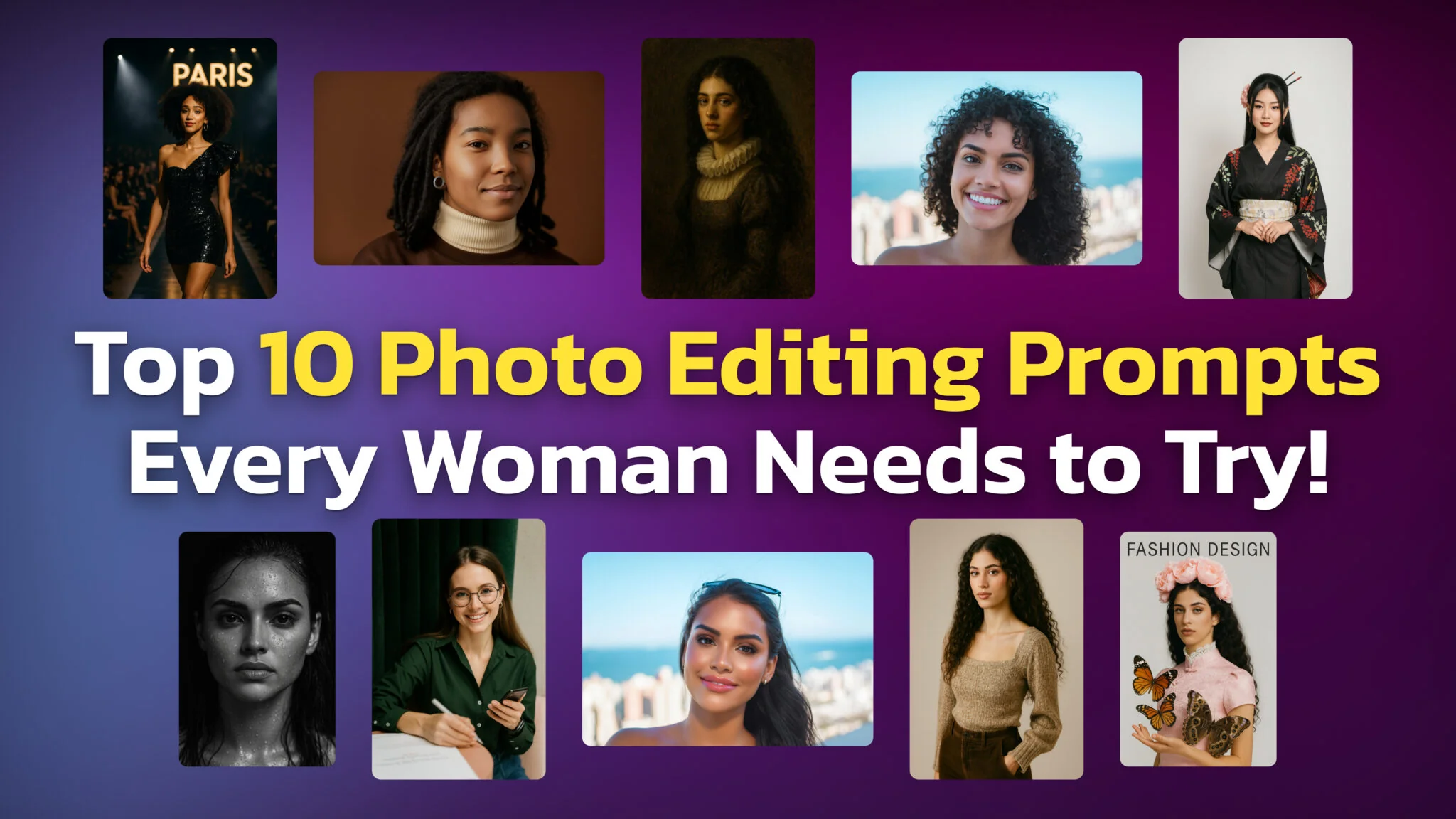
These 10 ChatGPT photo editing prompts for women turn one selfie into a new look. Try a magazine cover, a new hairstyle, a makeup look, an older or younger you or a black-and-white editorial portrait. Upload your photo to ChatGPT, paste the prompt and send it. You do not need any photo editing experience, and every prompt tells ChatGPT to keep your face the same.
The wording decides the result. A small change in how you describe the look, the lighting or the background sends ChatGPT toward a very different picture. That is why each prompt below names the style, two or three visual details and what must not change.
Every prompt here works in ChatGPT Images, the image model inside ChatGPT, on the Free plan as well as on paid plans. Copy the prompt text, pick one of the options in square brackets and keep the rest as written.
10 copy-paste prompts cover a fashion magazine cover, an age change, a studio photoshoot, an outfit makeover, a Renaissance painting, makeup, hairstyles, clear skin, a Paris runway and a black-and-white portrait.
ChatGPT Images is available on every ChatGPT plan, including Free. OpenAI says the ChatGPT Images 2.5 update left image limits unchanged, and it publishes no per-plan number.
Upload a photo, paste the prompt, send it. To change one area only, highlight it with the selection tool first. OpenAI warns that edits may extend beyond the area you select.
Every prompt locks your identity with a line such as “keep my face and expression unchanged”. Keep that line when you write your own.
Edited images are saved under Images in ChatGPT. Deleting the conversation that created an image deletes the image.
How to Use These ChatGPT Photo Editing Prompts for Women
Od vydavatele
Každý AI model v jedné aplikaci
Fello AI přináší GPT-6, Claude 5.5, Gemini 4 Argon, Grok 4.7 a další v jedné nativní aplikaci pro Mac a iPhone.
Editing a photo in ChatGPT takes four steps and works on the web and in the ChatGPT apps for iPhone and Android.
Upload your photo. Open a new chat and attach a clear, well-lit photo of your face and upper body.
Paste a prompt. Copy one of the prompts below and choose one option in each pair of square brackets.
Send it and wait. A detailed edit can take a few minutes, and you can keep using ChatGPT while it works.
Refine the result. Ask for a change in plain words, or open the image, choose Select, highlight one area and describe what should change there. The aspect ratio picker turns the same edit into a square post or a story.
Start from a front-facing photo with even light. The more of your face ChatGPT can see, the more it has to keep.
Try These Edits on iPhone With AI Image Studio
AI Image Studio on iPhone runs the same kind of edits with Google’s Nano Banana model, with no sign-up:
Pick a style or write your own prompt, then upload your photo.
Get instant results.
1. Fashion Magazine Cover
The fashion magazine cover prompt turns a plain portrait into a glossy editorial shot. It adds a pink cheongsam-style dress, a floral headpiece, a lace collar, butterflies and the words “FASHION DESIGN” on a light gray studio background. Use it for a standout profile picture or a social post.
Prompt: Transform this uploaded photo into a fashion magazine cover. Use a minimalist, light gray background and frame the person as the central model. Add pink cheongsam-style fashion, floral headwear, white lace collar, and large butterflies in one hand. Include the text ‘FASHION DESIGN’ at the top center. Use high-definition detailing, studio lighting, and fashion editorial composition.
2. Age-Changer Prompt
The age-changer prompt shows you at a different age while keeping your facial structure. Pick 10, 20, 30 or 40 years in the brackets. The example below runs it in reverse and turns an older woman into her younger self. Treat the result as a creative guess, not a prediction of how you will age.
Prompt: Edit this uploaded photo to make me look [10 / 20 / 30 / 40] years old. Keep facial structure and identity clear while naturally adjusting skin texture, facial volume, and age-related details.
3. Studio Background Model Photoshoot
The studio photoshoot prompt keeps your face and pose and replaces a busy background with a clean white or pastel studio backdrop. It suits LinkedIn photos, portfolios and clean social content. For more studio portraits built on the same idea, see these ChatGPT headshot prompts.
Prompt: Recreate this uploaded image as a high-end model studio photoshoot. Keep all original facial and body features identical. Place the subject against a white or pastel seamless studio backdrop with soft shadows and clean lighting.
4. Personalized Outfit Recommendation Prompt
The outfit prompt asks ChatGPT to act as your stylist and dress you in a look that suits your features and body shape. It keeps your face and pose and changes only the clothes, which makes it a quick way to test a style before you shop.
Prompt: Change the outfit in this uploaded photo into a fashionable look that complements my facial features and body shape. Use natural styling, flattering colors, and high-quality fabric textures. Keep my face and pose the same.
The classical painting prompt turns your portrait into a Renaissance or Baroque oil painting with dramatic light, visible brushwork and historical clothing such as a ruffled collar. It works well as wall art or as an unusual profile picture.
Prompt: Transform this uploaded portrait into a classical oil painting in Renaissance or Baroque style. Use dramatic lighting, oil paint texture, and add historical attire like a ruffled collar or vintage gown. Background should be dark and painterly.
6. Luxury Fresh Makeup Look
The luxury makeup prompt adds a soft, radiant glam look: even foundation, subtle contouring, dewy highlights, glossy lips and fuller lashes. Use it to preview a new makeup style or to refresh a profile picture.
Prompt: Apply a fresh, luxurious makeup look to me in this uploaded photo. Use soft foundation, radiant skin, subtle contouring, dewy highlights, glossy lips, and natural but voluminous lashes. Keep it elegant and well-lit.
7. AI Hairstyle Prompt
The hairstyle prompt changes only your hair and keeps your face and expression untouched. Pick one option in the brackets: natural lock-curls, soft beach waves, sleek straight hair, a high ponytail or a bob. The example below swaps straight dark hair for voluminous curls.
Prompt: Change my hairstyle in this photo to [natural lock-curls / soft beach waves / sleek straight hair / high ponytail / trendy bob]. Keep my face and expression unchanged, and make sure the new hairstyle looks realistic, voluminous, and detailed with natural texture and shine.
Hairstyle Prompts for Long and Short Hair
Long hair prompt: Change my hairstyle in this photo to long [layered waves / sleek straight hair / curtain bangs with layers / a braided half-up style]. Keep my face, expression, skin tone and background unchanged. Make the hair realistic, with natural volume, shine and individual strands.
Short hair prompt: Change my hairstyle in this photo to a short [pixie cut / chin-length bob / textured lob / short curly cut]. Keep my face, expression, skin tone and background unchanged. Show how the cut frames my face, with a realistic texture and a natural hairline.
8. Clear Skin / Acne Cleanup
The clear skin prompt removes acne and blemishes and keeps your natural skin texture and tone. The phrase “natural skin texture” does the work here: without it, an edit can drift into a plastic, airbrushed look.
Prompt: Remove all visible acne and blemishes from this uploaded photo while keeping my natural skin texture, face shape, and lighting realistic and untouched.
9. Paris Fashion Show Catwalk
The runway prompt places you mid-stride on a Paris fashion show catwalk, with spotlights, an audience and a couture outfit. It is the most dramatic edit in this list. For the real Paris rather than the runway, try these realistic AI vacation photos.
Prompt: Transform this photo into a scene where I’m walking down the catwalk at a luxury fashion show in Paris. Keep my face and body the same. Add spotlight lighting, a glamorous runway outfit, audience in the background, and a dramatic fashion show vibe.
10. Black & White Portrait
The black-and-white portrait prompt creates a tight, high-contrast close-up with water droplets, wet hair and a black background, shot as if on a 35mm lens. For more film-style shots, see these ChatGPT prompts for cinematic photos. Expect the biggest change from your original here, because the prompt also asks for a new, proud expression.
Prompt: Without changing my facial features at all, create a high contrast very close up portrait of my face focusing on front head, in black and white closeup, 35mm lens, 4K HD quality, giving proud expression, water droplets on my face black shadow background, only face is visible with my profile looking sharper, adding wet hair.
How to Write Your Own ChatGPT Photo Editing Prompt
A good ChatGPT photo editing prompt names an action, a style, a few visual details and what must stay the same. Use this checklist to write your own.
Start with a clear action verb Convert, Transform or Recreate tells ChatGPT what to do with the photo.
Name the style Be specific: fashion magazine, Paris runway, K-beauty or watercolor painting.
Add 2 or 3 visual details Describe the styling, such as dewy skin, dramatic shadows, a pastel background or a ruffled collar.
Mention materials or textures if they matter Lace, velvet, glossy lipstick, oil paint or silk.
Say what must not change Ask ChatGPT to keep your face, expression, pose or composition exactly as they are.
Keep it short Two or three clear sentences are usually enough.
Example prompt (makeup): Apply a glamorous red-carpet makeup look to me in this uploaded photo. Use glowing foundation, sharp eyeliner, rich red lips and subtle glittery eyeshadow, keeping my face and expression unchanged.
What ChatGPT Gets Wrong When It Edits Your Photo
ChatGPT often changes more than you ask for. The usual problems are a face that drifts away from yours, edits that spill outside the area you selected, and details you never requested.
Face drift. If the face stops looking like you after several rounds of edits, go back to your original photo in a new chat instead of editing the last result again.
Edits outside the selection. OpenAI’s own help page for ChatGPT Images says highlights “are not always precise, and edits may extend beyond the area you selected.” Name the area in the prompt as well, for example “change only the hair”.
Extra changes. A prompt about the background can also change your clothes or your expression. List what must stay the same: face, expression, skin tone and pose.
Other people’s photos. Edit only photos of yourself or of people who agreed to it.
Everything ChatGPT creates is saved under Images, and deleting the conversation that made an image deletes the image. The new Try on button for clothes also saves a reference photo. You can change or delete it in Settings → Personalization → Reference photos. Our ChatGPT privacy guide covers what else OpenAI stores.
Edit Your Photos With Several Image Models
ChatGPT is not the only model that can run these prompts, and no single model wins every edit. One model may keep your face better on the makeup prompt while another gets the runway lighting right, and you only find out by running the same prompt through both.
Fello AI is a native Mac, iPhone and iPad app that puts ChatGPT, Gemini, Claude, Grok and other leading models behind one subscription, with image generation built in. Attach your photo to a message, paste any prompt from this list and download the result. Fello AI starts at $9.99 a month, has a free tier to try first and holds a 4.7-star rating across 27,000+ reviews.
Conclusion
Ten prompts and one selfie are enough to see yourself on a magazine cover, in a Renaissance painting, with a new haircut or in a cinematic black-and-white portrait. ChatGPT Images does the editing on every ChatGPT plan, including Free. The line that keeps your face the same is what makes each result still look like you.
Use the edits to preview a haircut, a makeup look or an outfit before you change anything in real life. When a result drifts, go back to your original photo and run the prompt again with a clearer list of what must stay the same.
FAQ
Can you edit photos in ChatGPT for free?
Yes. OpenAI says ChatGPT Images is available on all tiers, including Free. Upload a photo, describe the change and ChatGPT returns the edited image. OpenAI publishes no per-plan image limit, and our ChatGPT limits guide explains what the plans do say.
How do I keep my face the same in a ChatGPT photo edit?
Say it in the prompt. Add a line such as “keep my face, expression and skin tone unchanged” and start from a clear front-facing photo. If the face drifts after several edits, start a new chat from the original photo.
What is the best ChatGPT prompt for a new hairstyle?
Name one hairstyle and lock everything else: “Change my hairstyle in this photo to [style]. Keep my face, expression, skin tone and background unchanged.” For a length-specific result, put the length in the style, such as “a short pixie cut” or “long layered waves”.
Does ChatGPT save the photos I edit?
Yes. Every image ChatGPT creates is saved under Images on the web and in the mobile apps. To delete an image, delete the conversation it was made in. A reference photo saved for the Try on feature is stored separately, in Settings → Personalization → Reference photos.
Which model does ChatGPT use to edit photos?
ChatGPT edits photos with ChatGPT Images. OpenAI updated it to ChatGPT Images 2.5 on 8 September 2026, with sharper details and more precise editing, according to its ChatGPT release notes. Our ChatGPT Images 2.5 guide covers what changed.
ChatGPT, Claude, Gemini, Grok, DeepSeek, Perplexity a další v jedné odlehčené nativní aplikaci pro Mac, iPhone a iPad. Nahrávejte soubory, vytvářejte dokumenty, prohledávejte web. Začněte zdarma.