ChatGPT is usually slow for one of four reasons: high server load at peak times, a high reasoning effort setting that makes the model think before it answers, a very long conversation the model has to reprocess, or a local browser, extension, or network problem. The good news is that most cases clear up in under a minute once you know which one you are dealing with.
This guide breaks down every reason ChatGPT feels slow in 2026, then walks you through 8 fixes that actually work. You will learn how to tell whether the problem is on OpenAI’s side or yours, why GPT-5 models can feel sluggish by design, and what to change on your computer, laptop, phone, or browser to get fast responses back. One thing changed on 6 August 2026 that breaks most older advice, so start there.
The Key Takeaways
- ChatGPT slowness comes from 4 main sources: server load, model choice, long chats, and your local setup.
- Since 6 August 2026 Plus and Pro no longer pick Instant or Thinking; one GPT-5.6 Sol handles both, and a reasoning-effort slider sets the speed. A high-effort reply still takes 30 to 60+ seconds by design.
- A 50-message chat can hit 30,000+ tokens, all reprocessed on every new reply, which slows things down fast.
- Check status.openai.com first to rule out an outage before troubleshooting your own device.
- Most issues fix in seconds: lower the effort, start a new chat, clear cache, or disable extensions.
Is It OpenAI or You? The 30-Second Check
Before you change a single setting, find out where the slowdown actually lives. If ChatGPT is so slow now that it is unusable for everyone, no amount of cache clearing will help. If it is just you, an outage page will look perfectly green while you sit and wait.
Start with OpenAI’s official status page. If it shows degraded performance or an outage, the problem is server-side and you simply have to wait it out. You can cross-check with Downdetector, which spikes when thousands of users report problems at once. If both look healthy, the issue is local to your device, browser, or connection.
Timing matters too. ChatGPT processes millions of requests a day, and during peak hours the system queues prompts even when your own request is tiny. If ChatGPT feels slow right now during a busy afternoon, server demand is the most likely culprit, and free-tier accounts feel it first because paid plans get priority access to compute. If it has only felt slow lately or recently rather than all the time, that points to either rising traffic or a build-up of browser cache, both covered below.
Why Is ChatGPT So Slow? The 6 Real Causes
Most “why is my ChatGPT so slow” complaints trace back to the same handful of causes. Here is what is actually happening under the hood.
1. Server load and peak-time traffic
ChatGPT runs on shared infrastructure, and when too many people send prompts at once, requests get queued. That queue adds seconds even to short prompts. This is why ChatGPT can feel fast at 6am and crawl at 2pm. Free accounts hit this wall sooner because paid tiers are served first when capacity is tight. If you are on the free tier, our breakdown of ChatGPT’s free plan limits shows exactly what you get and when it throttles.
2. Your reasoning effort is set too high
This is the most common hidden cause in 2026, and it is not a bug. When ChatGPT reasons, it works through the problem step by step before writing anything, which can take 30 to 60 seconds or more. The Pro level takes even longer on hard tasks. If replies suddenly feel glacial, this is almost certainly why.
What changed is how you control it. Until 6 August 2026 you picked a named model, Instant or Thinking, from the model menu. Now, on Plus and Pro, those two are one model, and you drag a reasoning-effort slider instead. Drag it down and answers come back quickly; drag it up and you are asking for the slow, careful reply on purpose.
3. Your conversation is too long
ChatGPT reprocesses your entire conversation history with every new message. Each word is a token, and a thread with 50+ messages can carry 30,000+ tokens that the model must read before it writes a single new word. As the context window fills, replies slow down noticeably. This is why a chat that started fast turns sluggish after an hour of back-and-forth.
4. Browser cache, cookies, and extensions
If ChatGPT was fine yesterday and slow today, stale browser cache is a frequent offender. Browser extensions are worse, especially ad blockers, script blockers, and privacy tools, which interfere with ChatGPT’s JavaScript and can make it freeze, lag, or stop responding entirely. This is the usual answer to “why is ChatGPT so slow on Chrome” or Safari.
5. Your internet connection
Your connection still matters because ChatGPT has to send your prompt, stream the reply back token by token, and keep the session alive the whole time. Weak Wi-Fi, high latency, packet loss, a crowded public network, or VPN routing can all make answers arrive late or stall mid-sentence. A VPN that routes your traffic through a distant server is a common reason ChatGPT types so slowly.
6. Your device or app
An old browser version, a phone low on memory, dozens of open tabs, or a stale ChatGPT app can all add lag on the client side. This is often the answer to “why is ChatGPT so slow on my computer” or “on my laptop” when everything else checks out.
Which ChatGPT Model Is Fastest in 2026?
Model choice is the lever most people forget, and on 6 August 2026 OpenAI moved the lever. GPT-5.6 launched on 26 June 2026 as a government-gated preview and opened up broadly on 9 July 2026, so it is no longer a limited preview. GPT-5.6 Sol now powers both the fast and the deep replies for Plus and Pro, and GPT-5.6 Luna is the default on Free and Go. The GPT-5.5 family still exists, but it is a legacy option you select in settings, not the default on any plan.
| What you are on | Speed control | Speed |
|---|---|---|
| GPT-5.6 Luna (Free, Go default) | Think button | Fast by default; slower only when you tap Think |
| GPT-5.6 Sol, low effort (Plus, Pro) | Reasoning-effort slider | Fastest everyday; emails, questions, brainstorming |
| GPT-5.6 Sol, high effort (Plus, Pro) | Reasoning-effort slider | Slow (30-60s+); complex reasoning, math, multi-step logic |
| Pro level (Pro plan) | Slider, top setting | Slowest; the hardest problems where accuracy is everything |
| GPT-5.5 family | Legacy model menu in settings | Still selectable, but no longer the default anywhere |
If you are asking “why is ChatGPT 5 so slow,” the answer is no longer “check which variant is selected.” On Plus and Pro it is “check where the slider is sitting.” Leave it low for everyday work and raise it only when you genuinely need deep reasoning. For a full breakdown of how each version performs, see our ultimate ChatGPT model comparison.
On Free and Go there is no slider. You get a Think button instead, a straight on-or-off choice that hands Luna more time on a hard question. OpenAI is rolling that button out alongside unlimited text chats from the week of 10 August 2026, so if you are on a free account and cannot see it yet, it is still on its way to you.
How to Make ChatGPT Respond Faster: 8 Fixes
Work through these in order. The first three solve the majority of cases.
- Lower the reasoning effort. On Plus and Pro, drag the effort slider down for everyday tasks. On Free and Go, simply do not tap Think. This is the biggest single speedup.
- Start a new chat. Open a fresh conversation and paste a short summary of what you need. This clears the token load from a long thread instantly.
- Check the status page. If OpenAI reports an outage or degraded performance, wait it out; nothing on your end will help.
- Clear your browser cache and cookies. This resolves most “fine yesterday, slow today” cases on Chrome, Safari, and other browsers.
- Disable extensions. Turn off ad blockers, script blockers, and privacy add-ons, or open ChatGPT in an incognito window to test.
- Test your connection. Run a speed test, switch from Wi-Fi to wired if you can, and turn off your VPN to see if response time improves.
- Refresh or restart. Reload the page, close extra tabs, or restart the app and your device to clear memory pressure.
- Try off-peak. If you can, run heavy tasks outside busy daytime hours when server queues are shorter.
ChatGPT Slow on Specific Devices and Browsers
The fix changes slightly depending on where you are seeing the slowdown.
On a computer, laptop, or PC (Chrome, Safari, Edge)
Clear cache and cookies, disable extensions, and update your browser. If it is slow only on Chrome but fine in another browser, an extension is almost certainly the cause. Too many open tabs eating RAM is a common laptop-specific reason ChatGPT feels laggy.
On Mac
On a Mac, both the browser and the ChatGPT desktop app can lag if the app is outdated or memory is tight. Quit and reopen the app, install any pending update, and close background apps hogging RAM. Safari users should clear website data for chat.openai.com specifically.
On my phone (iPhone and Android)
If ChatGPT is slow on your phone, force-close and reopen the app, check for an app update, and confirm you are on a strong signal rather than a weak mobile connection. Switching between Wi-Fi and cellular often reveals a network-side slowdown, and a weak signal is also why ChatGPT can appear to type so slowly, streaming each word with a lag.
Why Is ChatGPT So Slow at Generating Images?
If ChatGPT feels especially slow at making images, that is normal and separate from text speed. Generating an image runs a dedicated image model that renders pixels instead of streaming words, so it naturally takes longer, often 10 to 30 seconds or more per image, and longer at busy times or on the free tier.
A few specific things make ChatGPT slow at creating images:
- Image generation is compute-heavy and queues behind other requests at peak times.
- The free tier has tighter image limits and lower priority than paid plans, so generating images is slower there.
- Detailed, high-resolution, or very complex prompts take longer to render.
- Editing or regenerating an image re-runs the entire render from scratch rather than tweaking the existing one.
To speed up image generation, simplify your prompt, ask for one image at a time, try again off-peak, and start a fresh chat if the thread is long. Our guide on how to create images with ChatGPT covers the current image model and the prompts that render fastest.
Why Is ChatGPT Slow Even With Plus?
A ChatGPT Plus or Pro subscription buys you priority access to compute and faster service during busy periods, but it does not make reasoning itself run faster. If you are on Plus with the effort slider raised and a reply takes a minute, that is the model doing its job, not a fault with your plan. The same long-conversation and browser issues also slow Plus users down. To see exactly what each tier includes, check our ChatGPT pricing guide.
There is also a wider point. When OpenAI’s servers are overloaded, no plan fully insulates you, which is why a lot of people keep a second AI model on hand for the moments ChatGPT stalls.
What to Do When ChatGPT Is Down
Sometimes “slow” is really “down.” If responses hang indefinitely, fail to load, or error out, you are likely looking at an outage rather than a performance dip. Our guide on what to do when ChatGPT is down walks through how to confirm an outage and keep working until it is back.
Tired of Waiting on ChatGPT? Try Fello AI
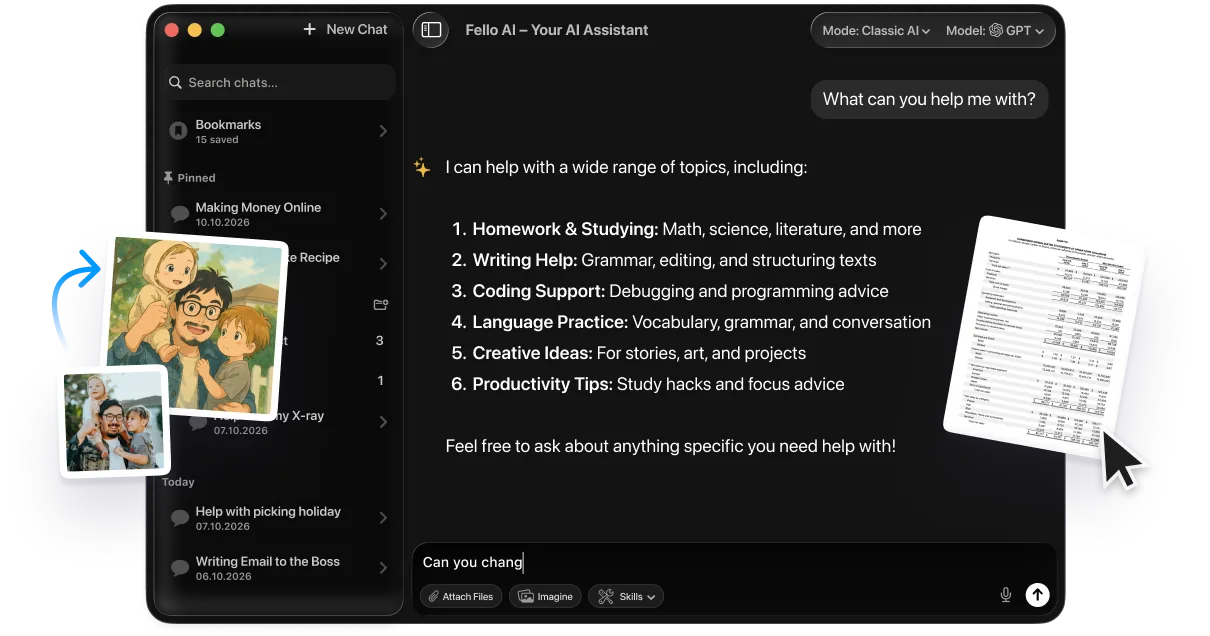
Does it bother you that ChatGPT is so slow? You do not have to sit and wait it out. Fello AI lets you swipe across several frontier AI models in one app, so the moment ChatGPT is crawling or down, you switch to another in seconds and nothing holds you back.
Fello AI puts ChatGPT, Claude, Gemini, Grok, and DeepSeek behind one subscription, with one chat history and one set of files. If one model is slow at a task, you jump to a faster one without losing your place. It also makes images, podcasts, PDFs, spreadsheets, slides, and documents in the same chat, so it works as a genuine alternative for most of your day.
Download Fello AI on the App Store and stop letting a slow chatbot set your pace.
Conclusion
ChatGPT feels slow for predictable reasons, and almost all of them have a fast fix. Start by checking whether the problem is OpenAI’s or yours, then lower the reasoning effort, start a fresh chat, and clear your cache. Those three moves resolve most slowdowns in seconds. If the issue persists across devices and the status page is green, work down the rest of the fix list. And when a real outage hits, having a backup model ready keeps you moving while everyone else waits.
FAQ
Why is ChatGPT so slow today?
Check status.openai.com first. Outages and peak-hour traffic slow everyone at once, and free accounts feel it first. If the status page is green, the problem is local, so refresh, start a new chat, or switch model.
Why is ChatGPT 5 so slow?
Your reasoning effort is probably set high. A reasoning reply takes 30 to 60+ seconds by design, and the Pro level longer. Since 6 August 2026, Plus and Pro no longer choose between Instant and Thinking; drag the effort slider down for everyday tasks and speed returns immediately. Our guide on how to use ChatGPT effectively covers when the slow, careful reply is actually worth the wait.
Does a long conversation slow ChatGPT down?
Yes. ChatGPT reprocesses the whole thread on every reply, and a 50+ message chat can hit 30,000+ tokens. Starting a fresh chat with a short summary is the most effective fix.
Why is ChatGPT so slow even with Plus?
Plus gives priority compute and faster service in busy periods, but it cannot make a reasoning model think faster, and it does not fix long chats or browser issues. The same troubleshooting steps apply.
Why is ChatGPT slow on Chrome or Safari?
Usually stale cache or an interfering extension. Clear your cache and cookies, disable ad blockers and privacy add-ons, or test in an incognito window to confirm.