Most tools that call themselves a free AI voice generator are really free trials in disguise. Out of the ten tools we tested for 2026, only a handful let you generate and download audio without a paywall, a hard character cap, or a ban on commercial use. ElevenLabs gives you the most realistic voices but limits its free tier to 10,000 credits a month, roughly 10 minutes of audio, while Microsoft Edge’s built-in text-to-speech is the closest thing to genuinely unlimited and free.
This guide ranks the best free AI voice generators you can use right now, with the real free-tier limits spelled out so you know exactly what you get before you type a word. You will see which tools work with no sign-up, which are safe for YouTube and other commercial projects, and which “free” plans quietly block your download button. We tested each one on the same script and compared voice quality, languages, and the catch behind every free plan.
The Key Takeaways
- ElevenLabs has the most realistic voices, but the free tier caps you at 10,000 credits a month (about 10 minutes) with no commercial license and no voice cloning.
- Microsoft Edge (Edge TTS) is the only pick that is effectively unlimited, free, and cleared for commercial use, with 300+ neural voices across 70+ languages and no sign-up.
- Google’s Gemini TTS in AI Studio is free to use but the audio is non-commercial unless you switch to paid Cloud billing.
- Watch the hidden catches. Murf blocks downloads on its free plan and Speechify’s free voices are basic and robotic.
- Several tools like NoteGPT, Quillbot, and Camb.ai work with no sign-up for quick, one-off clips.
What Is a Free AI Voice Generator?
A free AI voice generator is a text-to-speech tool that turns typed text into natural-sounding spoken audio at no cost, using AI voices. You paste a script, pick a voice and language, adjust the speed or tone, and the tool reads it back in seconds. The technology behind it is called text-to-speech (TTS), and the newest neural models sound close to a real human narrator.
The word “free” is where things get slippery. Most free tiers cap how much you can generate each month, limit downloads, restrict commercial use, or add a watermark. A true free AI voice generator lets you create and export a usable clip without paying, and the best also skip the sign-up. Below we separate the genuinely free tools from the free trials wearing a costume.
The Best Free AI Voice Generators in 2026 (Tested)
Here is the quick comparison, then a short breakdown of each tool. We focused on the three things that actually decide whether a free plan is usable, the monthly limit, whether you can use the audio commercially, and whether you need an account.
| Tool | Free tier limit | Voices / languages | Commercial use on free? | Sign-up? | Best for |
|---|---|---|---|---|---|
| Microsoft Edge TTS | Effectively unlimited | 300+ / 70+ | Yes | No | Unlimited free voiceovers |
| ElevenLabs | 10,000 credits/mo (~10 min) | Many / 70+ | No | Yes | Most realistic voices |
| Google Gemini TTS | Free with rate limits | 30+ / 70+ | No | Yes | Expressive, multi-speaker |
| Speechify | 10 basic voices, 1.5x cap | 10 / limited | Personal only | Yes | Reading documents aloud |
| Murf AI | 10 min, no downloads | Many / 20+ | No | Yes | Trying premium voices |
| Play.ht | 12,500 chars/mo | Many / many | No (attribution) | Yes | Voice variety |
| MiniMax Audio | Free online | 300+ / 32 | Check terms | Yes | Many languages |
| NoteGPT | Free, no account | 100+ / 40+ | Check terms | No | Quick no-signup clips |
| Quillbot | Free, no account | Multiple / multiple | Check terms | No | Fast text-to-speech |
| Camb.ai | 500 chars per generation | Male/female / many | Check terms | No | Short multilingual lines |
ElevenLabs (Most Realistic)
ElevenLabs is the tool to beat on realism. Its flagship Eleven v3 model went generally available in early 2026 and covers 70+ languages with expressive, emotional delivery that sounds like a trained voice actor. If you only care about how human the voice sounds, this is the one.
The free tier gives you 10,000 credits a month, about 10 minutes of speech, and includes text-to-speech, sound effects, and voice design. The catch is real: the free plan has no commercial license and no voice cloning, so anything you make is for personal use only. Paid plans start at $6/month (Starter) for commercial rights, or $22/month (Creator) to unlock professional voice cloning.
Microsoft Edge TTS (Best Free and Unlimited)
Microsoft Edge’s built-in Read Aloud feature is the quiet winner for anyone who wants free voiceovers with no limits. It runs on Microsoft’s neural TTS service, with 300+ voices across 70+ languages, and it is free for both personal and commercial use with no character cap and no account. Free online tools built on the same Edge TTS engine let you paste text and download an MP3 in seconds.
The trade-off is polish. This is a browser and read-aloud service rather than a full studio, so you will not get the fine emotional control or the one-click editing that dedicated apps offer. For narration, YouTube voiceovers, and long scripts where you just need clean audio at zero cost, nothing else comes close.
Google Gemini TTS (Best for Expressive Speech)
Google AI Studio gives you free access to Google’s Gemini TTS models, including the newest Gemini 3.1 Flash TTS. It covers 70+ languages and 30+ voices, and it can produce native multi-speaker dialogue, which is handy for podcasts and scripted conversations. You can steer the tone, accent, and pace with plain-language prompts.
Free use comes with rate limits, and the important catch is licensing. Free-tier audio is not cleared for commercial use; production work for commercial projects requires switching to paid Cloud billing. For testing, prototyping, and personal projects, though, the quality is excellent for zero cost.
Speechify (Best for Reading Documents)
Speechify is built for listening to articles, PDFs, and emails rather than producing polished voiceovers. The free plan gives you around 10 basic voices that sound noticeably robotic, plus a 1.5x speed cap and no premium features. It is a fine reading aid, less so a creation tool.
The natural, human-sounding voices sit behind Premium, which runs about $139/year and unlocks 200+ voices, 60+ languages, faster playback, and offline downloads. If your goal is text-to-speech for consuming content, the free tier works; if you want export-ready audio, look elsewhere.
Murf AI (Polished Voices, but Downloads Locked)
Murf AI has a clean studio and polished voices across 20+ languages, which is why it shows up on so many lists. The problem is the free plan. It gives you only a one-time 10 minutes of voice generation, and crucially, it blocks all downloads. You can preview audio in the browser but cannot export a file until you pay.
That makes Murf’s free tier a demo more than a working tool. It is great for auditioning voices before you commit, but you cannot ship anything from it. Treat the free plan as a test drive, not a free voice generator you can actually use for a project.
Play.ht (Big Voice Library)
Play.ht (also known as Play.ai) offers a huge voice library and solid quality. The free plan gives you 12,500 characters a month plus one instant voice clone, but the audio is non-commercial and requires attribution back to Play.ht. That makes it fine for testing and personal projects, not for client work.
Paid plans start around $39/month and remove the attribution requirement while adding commercial rights and voice cloning. If you need many different voices and accents in one place, the free tier is a reasonable way to sample them first.
MiniMax Audio, NoteGPT, Quillbot and Camb.ai (Quick Web Tools)
A cluster of browser tools cover the “I just need a clip now” use case. MiniMax Audio offers 300+ voices across 32 languages online, with strong quality for a free tool. NoteGPT runs 100+ voices in 40+ languages with tone control and no account needed.
Quillbot’s AI voice generator is completely free with no sign-up and generates speech in whatever language you type. Camb.ai is built for multilingual output, with male and female voices across many languages and a 500-character limit per generation on the free web tool. None of these match ElevenLabs on realism, but for fast, throwaway audio they get the job done without friction.
Free AI Voice Generators With No Sign-Up
If you want to generate a voice online without creating an account, a few tools are built exactly for that. Microsoft Edge TTS web tools, NoteGPT, Quillbot, and Camb.ai all let you paste text, pick a voice, and download audio with no login. Magic Hour offers a similar no-signup flow, capped at 3 free generations per day.
No-signup tools are perfect for one-off clips, quick tests, or when you do not want another account in your inbox. The trade-off is that you usually cannot save projects, and voice cloning or advanced editing stays behind a login. For anything recurring, a free account on ElevenLabs or Google AI Studio gives you more control. For a built-in option, Canva’s AI voice generator is free on every plan and handy if you already design there.
Which Free AI Voice Generator Is Actually Worth It?
It comes down to what you are making. For the most realistic voice, use ElevenLabs and accept the 10-minute monthly cap, or check our test of which AI sounds most human to see how the top models compare. For unlimited free audio you can actually publish, Microsoft Edge TTS wins outright thanks to its commercial-use clearance and lack of a character cap.
Best Free AI Voice Generator for YouTube
YouTube creators need two things, no watermark and the right to use the audio commercially, since monetized videos count as commercial use. Microsoft Edge TTS is the safest free pick because it is cleared for commercial use with no watermark. If you want more expressive delivery for a voiceover, the paid ElevenLabs Starter tier at $6/month is the cheapest way to get commercial rights on top-tier voices. Pair your narration with music from our roundup of the best AI music generators, or turn the script into footage with the best free AI video generators to finish a video.
How to Use a Free AI Voice Generator
The workflow is nearly identical across tools. Here is the five-step process that works with almost any free AI voice generator.
- Pick your tool. Choose based on your need, Edge TTS for unlimited free audio, ElevenLabs for realism, or a no-signup web tool for a quick clip.
- Paste your text. Drop your script into the input box. Shorter blocks process faster and are easier to fix if a word sounds off.
- Choose a voice and language. Browse the voice library, preview a few, and select the accent and gender that fit your project.
- Adjust speed and tone. Tweak pace, pitch, and emphasis. Some tools support SSML tags or plain-language style prompts for finer control.
- Generate and download. Create the audio, listen back, and export the MP3. Confirm your plan allows downloads before you rely on it.
A Word on Celebrity and Cloned Voices
Searches for celebrity AI voices are common, but cloning a real person’s voice without consent is where free tools become a legal and ethical minefield. Using someone’s voice to make them appear to say something they never said can breach publicity rights, defamation law, and a growing list of state and national rules on synthetic media. It is not worth the risk.
The legitimate path is different. Use the built-in character-style voices these tools ship with, or clone your own voice with a paid plan that supports it. Voice cloning is a useful feature when you own the voice or have clear permission, so keep it to your own narration, your team, or licensed talent. If you are on the other side of it and need to check whether a voice clip is AI-generated, that is a different job with different tools.
Start With the Right Model, Then Add a Voice
The best free AI voice generator depends on the job. Reach for Microsoft Edge TTS when you need unlimited, commercial-ready audio for free, ElevenLabs when realism matters most, and a no-signup web tool when you just need a quick clip. Always check the free-tier catch first, especially downloads and commercial rights, because that is where “free” usually breaks.
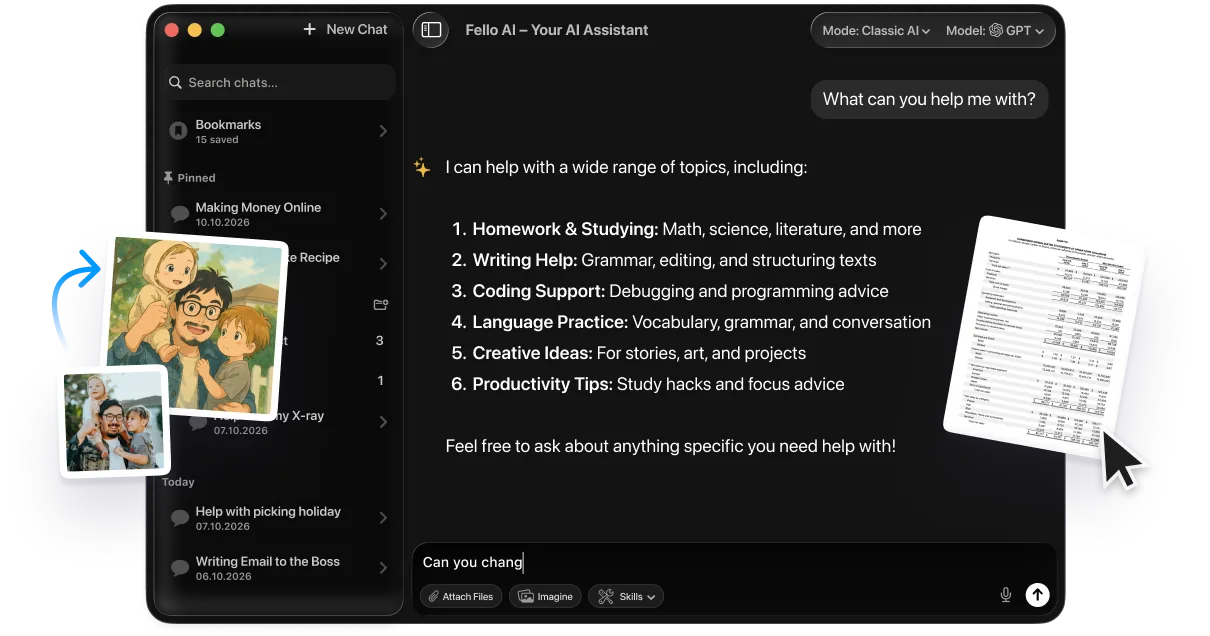
Great audio starts with a great script, and that is where a multi-model AI assistant helps. Fello AI puts leading AI models behind one Mac-native app, so you can draft, refine, and translate your voiceover script before sending the final text to your voice tool of choice. It is $9.99/month with 27,000+ reviews, and it is the front door to picking the right model for the words your AI voice will speak.
FAQ
Is there a truly free AI voice generator?
Yes. Microsoft Edge’s built-in text-to-speech (Edge TTS) is effectively unlimited, free, cleared for commercial use, and needs no sign-up. ElevenLabs and Google Gemini TTS are also free, but with monthly caps and limits on commercial use.
Which free AI voice generator is the most realistic?
ElevenLabs, whose Eleven v3 model produces the most human, expressive voices of any free tool. The free tier caps you at about 10 minutes a month, and the audio is for personal use only until you upgrade to a paid plan.
Can I use free AI voices commercially?
Only some. Microsoft Edge TTS allows commercial use for free. ElevenLabs, Google Gemini TTS, and Play.ht restrict commercial use on their free tiers, so you need a paid plan for monetized YouTube videos, client work, or ads.
Is there a free AI voice generator with no sign-up?
Yes. NoteGPT, Quillbot, Camb.ai, and Edge TTS web tools all let you generate and download audio without an account. They are ideal for quick, one-off clips, though you cannot save projects or clone voices without logging in.
Can I clone a voice for free?
Sometimes, and you should only clone a voice you own or have permission to use. Play.ht’s free plan includes one instant voice clone, while ElevenLabs locks cloning behind paid plans. Cloning a celebrity or anyone else without consent can breach publicity and synthetic-media laws.