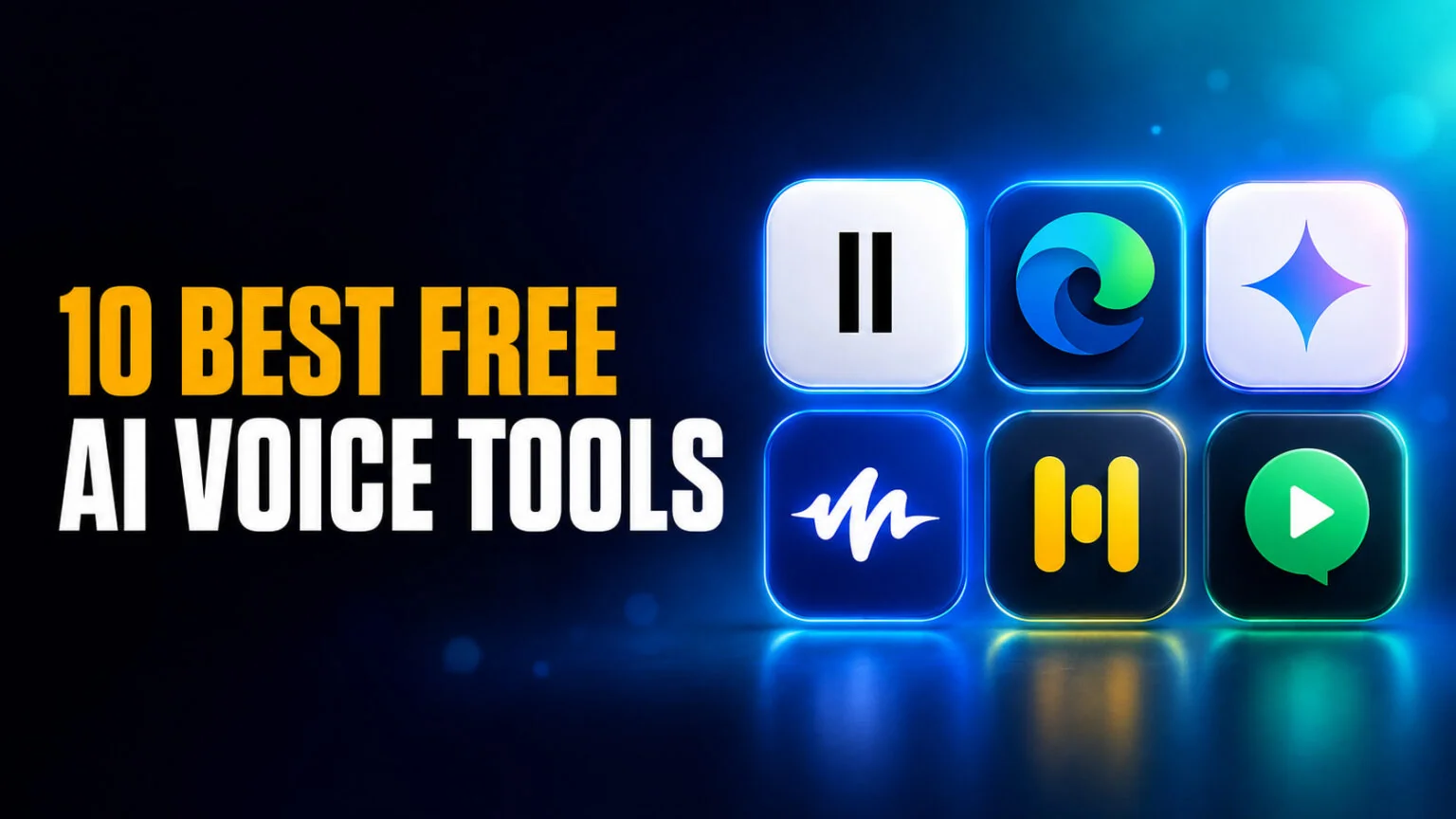
Most tools that call themselves a free AI voice generator are really free trials in disguise. Out of the ten tools we tested for 2026, only a handful let you generate and download audio without a paywall, a hard character cap, or a ban on commercial use. ElevenLabs gives you the most realistic voices but limits its free tier to 10,000 credits a month, roughly 10 minutes of audio. Microsoft Edge’s built-in Read Aloud is free for listening, but Microsoft grants commercial rights to its neural voices only to paying Azure customers, so it is not a free voiceover tool.
This guide ranks the best free AI voice generators you can use right now, with the real free-tier limits spelled out so you know exactly what you get before you type a word. You will see which tools work with no sign-up, which are safe for YouTube and other commercial projects, and which “free” plans quietly block your download button. We tested each one on the same script and compared voice quality, languages, and the catch behind every free plan.
The Key Takeaways
- ElevenLabs has the most realistic voices, and its free plan includes the new Eleven v4 model, but it caps you at 10,000 credits a month (about 10 minutes) with no commercial license and no voice cloning.
- Microsoft Edge Read Aloud is free, but it is a listening tool: Microsoft’s product terms grant commercial use of its neural voice audio to paid-tier Azure customers only.
- Google’s Gemini 3.8 Flash TTS is free in AI Studio, and Google’s terms say it won’t claim ownership of the audio. The trade-off is privacy: on the free tier, Google uses your prompts and output to improve its products.
- Watch the hidden catches. Murf blocks downloads on its free plan, Speechify’s free voices are basic and robotic, and PlayHT has shut down, so cross it off any older list.
- NoteGPT and Magic Hour work with no sign-up for quick, one-off clips, though Magic Hour stops at 3 free generations a day.
What Is a Free AI Voice Generator?
A free AI voice generator is a text-to-speech tool that turns typed text into natural-sounding spoken audio at no cost, using AI voices. You paste a script, pick a voice and language, adjust the speed or tone, and the tool reads it back in seconds. The technology behind it is called text-to-speech (TTS), and the newest neural models sound close to a real human narrator.
The word “free” is where things get slippery. Most free tiers cap how much you can generate each month, limit downloads, restrict commercial use, or add a watermark. A true free AI voice generator lets you create and export a usable clip without paying, and the best also skip the sign-up. Below we separate the genuinely free tools from the free trials wearing a costume.
The Best Free AI Voice Generators in 2026 (Tested)
Here is the quick comparison, then a short breakdown of each tool. We focused on the three things that actually decide whether a free plan is usable, the monthly limit, whether you can use the audio commercially, and whether you need an account.
| Tool | Free tier limit | Voices / languages | Commercial use on free? | Sign-up? | Best for |
|---|---|---|---|---|---|
| Microsoft Edge Read Aloud | Free listening, no file export | Varied / many | No (paid Azure tier only) | Not stated | Listening to text |
| ElevenLabs | 10,000 credits/mo (~10 min) | Many / 90+ (Eleven v4) | No | Yes | Most realistic voices |
| Google Gemini TTS | Free with rate limits | 30 + hundreds more / 130+ | Not barred by Google’s terms | Yes | Free audio you can publish |
| Speechify | 10 basic voices, 1.5x cap | 10 / not stated | Not stated | Yes | Reading documents aloud |
| Murf AI | 10 min, no downloads | 200+ / 35+ | No | Yes | Trying premium voices |
| Microsoft Azure AI Speech | 0.5M characters/mo | 550+ / 140+ locales | No (paid tier only) | Yes | Developers testing at volume |
| MiniMax Audio | Daily free credits | 300+ / 40 | Check terms | Yes | Many languages |
| NoteGPT | Free, no account | 100+ / 40+ | Paid plans | No | Quick no-signup clips |
| Quillbot | Free, MP3 download | Multiple / multiple | Check terms | Not confirmed | Fast text-to-speech |
| Camb.ai | 5,000 one-time credits, 500 chars per generation | Many / 150+ | Check terms | Yes | Short multilingual lines |
ElevenLabs (Most Realistic)
ElevenLabs is the tool to beat on realism. Its newest model, Eleven v4, launched at the end of September 2026 and covers 90+ languages with expressive, emotional delivery that sounds like a trained voice actor, and the free plan includes it alongside Eleven v3. If you only care about how human the voice sounds, this is the one. Our full ElevenLabs pricing breakdown costs every plan out per minute.
The free tier gives you 10,000 credits a month, about 10 minutes of speech, and includes text-to-speech, sound effects, and voice design. The catch is real: the free plan has no commercial license and no voice cloning, so anything you make is for personal use only. Paid plans start at $6/month (Starter) for commercial rights and instant voice cloning, or $22/month (Creator) to unlock professional voice cloning, as of November 2026.
Microsoft Edge Read Aloud (Free, for Listening Only)
Microsoft Edge’s built-in Read Aloud is the best free option for listening. It reads a web page or any text you select in a variety of natural-sounding voices and accents and costs nothing. It also works offline, though Microsoft says only a few voices are available without a connection, and it is built into the Edge app on iOS and Android.
The catch is rights, not quality. Read Aloud plays audio in the browser rather than handing you a file, and the free “Edge TTS” tools that do export MP3s are third-party projects that tap Microsoft Edge’s online text-to-speech service. Microsoft’s product terms let only customers of the paid Azure text-to-speech tier use neural voice audio “including for commercial purposes,” and a Microsoft answer on its Q&A forum warns that commercial use of these voices without a valid Azure subscription “could be a violation of our terms of service.” Use Edge to listen, not to voice a monetized video.
Google Gemini TTS (Best for Expressive Speech)
Google AI Studio gives you free access to Google’s Gemini TTS models, Gemini 3.8 Flash TTS and Gemini 3.8 Flash-Lite TTS, which became generally available on September 22, 2026. Flash TTS covers more than 130 languages (Flash-Lite more than 100), with 30 featured studio voices plus an Extended Voice Library of hundreds more, and native two-speaker dialogue, which is handy for podcasts and scripted conversations. It reads your script word for word, so you steer the tone, accent, and pace with a separate plain-language style field and inline vocal tags, not instructions typed into the text.
Free use comes with rate limits, and the trade-off is data rather than licensing. Google’s Gemini API terms say “Google won’t claim ownership” of generated content, but on the free tier Google uses your prompts and generated audio to improve its products and human reviewers may read them, so keep confidential scripts out of it (in the EEA, Switzerland and the UK, the paid-tier data rules apply to free use too). Cloning a real voice with Voice replication needs a paid-tier project and a consent recording. If you move to paid billing, Flash TTS output costs $9 per million audio tokens, about $0.00225 per 10 seconds, through December 31, 2026, and doubles on January 1, 2027.
Speechify (Best for Reading Documents)
Speechify is built for listening to articles, PDFs, and emails rather than producing polished voiceovers. The free plan gives you 10 robotic-sounding voices, a 1.5x speed cap and text-to-speech features only. It is a fine reading aid, less so a creation tool.
The natural, human-sounding voices sit behind Premium, which costs $29/month or $139 billed yearly and unlocks 400+ voices, 60+ languages, and playback up to 5x speed, as of November 2026. If your goal is text-to-speech for consuming content, the free tier works; if you want export-ready audio, look elsewhere.
Murf AI (Polished Voices, but Downloads Locked)
Murf AI has a clean studio and polished voices, 200+ of them across 35+ languages, which is why it shows up on so many lists. The problem is the free plan. It gives you only 10 minutes of voice generation with no commercial license, and crucially, Murf voices can only be downloaded on paid plans. You can preview audio in the browser but cannot export a file until you pay.
That makes Murf’s free tier a demo more than a working tool. It is great for auditioning voices before you commit, but you cannot ship anything from it. Treat the free plan as a test drive, not a free voice generator you can actually use for a project.
Microsoft Azure AI Speech (Free Tier for Developers)
Microsoft Azure AI Speech is the official, metered route to the same family of neural voices. Its free F0 tier includes 0.5 million characters of neural text-to-speech a month, and Microsoft’s language-support table lists more than 550 standard neural voices across 140+ locales by our count. You need an Azure account to use it.
The license is the catch again. Microsoft’s product terms give commercial-use rights for prebuilt neural voice audio to paid-tier customers only, so treat F0 as a free test bench and move to the paid tier before you publish. Azure takes the slot PlayHT held in earlier versions of this list: PlayHT shut down, and its site has carried the notice “We have shut down the service” since January 2026.
MiniMax Audio, NoteGPT, Quillbot and Camb.ai (Quick Web Tools)
A cluster of browser tools cover the “I just need a clip now” use case. MiniMax Audio offers 300+ voices across 40 languages, with strong quality for a free tool, and its terms say logged-in free users may receive daily, time-limited free credits plus limited voice cloning. NoteGPT runs 100+ voices in 40+ languages with tone control and no account needed, though its FAQ ties commercial rights to paid plans.
Quillbot’s free text-to-speech converter lets you pick a voice and tone and generates an MP3 file, according to Quillbot’s own help page; its tool page blocked our checks in November 2026, so confirm the sign-up rule when you try it. Camb.ai is built for multilingual output in 150+ languages, but its free plan is now a one-time 5,000 credits with a 500-character limit per generation, and it needs an account. None of these match ElevenLabs on realism, but for fast, throwaway audio they get the job done without friction.
Free AI Voice Generators With No Sign-Up
If you want to generate a voice online without creating an account, a few tools are built exactly for that. NoteGPT lets you paste text, pick a voice, and download an MP3 with no login. Magic Hour offers a similar no-signup flow, capped at 3 free generations per day and limited to personal, non-commercial use until you pay. Edge Read Aloud is free too, but it reads text aloud rather than exporting a file.
No-signup tools are perfect for one-off clips, quick tests, or when you do not want another account in your inbox. The trade-off is that you usually cannot save projects, and voice cloning or advanced editing stays behind a login. For anything recurring, a free account on ElevenLabs or Google AI Studio gives you more control. For a built-in option, Canva’s AI voice generator is free on every plan and handy if you already design there.
Which Free AI Voice Generator Is Actually Worth It?
It comes down to what you are making. For the most realistic voice, use ElevenLabs and accept the 10-minute monthly cap, or check our test of which AI sounds most human to see how the top models compare. For free audio you can actually publish, Gemini TTS in Google AI Studio is the strongest pick, because Google claims no ownership of the output and its terms do not limit commercial use to paying customers. Note that Google’s API terms are for people 18 and over using it for professional or business purposes, not consumer use, and the free tier carries the data trade-off described above. For listening only, Edge Read Aloud is free.
Best Free AI Voice Generator for YouTube
YouTube creators need two things, no watermark and the right to use the audio commercially, since monetized videos count as commercial use. Most free plans fail the second test: ElevenLabs, Murf, Magic Hour and Microsoft all keep commercial rights for paying customers. Gemini TTS is the best free starting point, since Google’s terms claim no ownership of the output, but read them against your own use. If you want commercial rights spelled out on top-tier voices, the paid ElevenLabs Starter tier at $6/month is the cheapest way to get them. Pair your narration with music from our roundup of the best AI music generators, or turn the script into footage with the best free AI video generators to finish a video.
How to Use a Free AI Voice Generator
The workflow is nearly identical across tools. Here is the five-step process that works with almost any free AI voice generator.
- Pick your tool. Choose based on your need, Gemini TTS for free audio you can publish, ElevenLabs for realism, Edge Read Aloud for listening, or a no-signup web tool for a quick clip.
- Paste your text. Drop your script into the input box. Shorter blocks process faster and are easier to fix if a word sounds off.
- Choose a voice and language. Browse the voice library, preview a few, and select the accent and gender that fit your project.
- Adjust speed and tone. Tweak pace, pitch, and emphasis. Some tools support SSML tags or plain-language style prompts for finer control.
- Generate and download. Create the audio, listen back, and export the MP3. Confirm your plan allows downloads before you rely on it.
A Word on Celebrity and Cloned Voices
Searches for celebrity AI voices are common, but cloning a real person’s voice without consent is where free tools become a legal and ethical minefield. Using someone’s voice to make them appear to say something they never said can breach publicity rights, defamation law, and a growing list of state and national rules on synthetic media. It is not worth the risk. Scammers already do it, and our guide to AI voice scams shows how a cloned voice gets used on a family phone call.
The legitimate path is different. Use the built-in character-style voices these tools ship with, or clone your own voice with a paid plan that supports it. Voice cloning is a useful feature when you own the voice or have clear permission, so keep it to your own narration, your team, or licensed talent. If you are on the other side of it and need to check whether a voice clip is AI-generated, that is a different job with different tools.
Start With the Right Model, Then Add a Voice
The best free AI voice generator depends on the job. Reach for Gemini TTS when you need free audio you can publish, ElevenLabs when realism matters most, Edge Read Aloud when you only need to listen, and a no-signup web tool when you just need a quick clip. Always check the free-tier catch first, especially downloads and commercial rights, because that is where “free” usually breaks.
Great audio starts with a great script, and that is where a multi-model AI assistant helps. Fello AI puts leading AI models behind one Mac-native app, so you can draft, refine, and translate your voiceover script before sending the final text to your voice tool of choice. It is $11.99/month in the US (prices vary by country) with 27,000+ reviews, and it is the front door to picking the right model for the words your AI voice will speak.
FAQ
Is there a truly free AI voice generator?
Yes, for listening. Microsoft Edge’s Read Aloud is free, but Microsoft grants commercial rights to its neural voices only to paid Azure customers. For free audio files, Google’s Gemini TTS in AI Studio is the strongest option, and ElevenLabs gives you about 10 minutes a month for personal use.
Which free AI voice generator is the most realistic?
ElevenLabs, whose Eleven v4 model, included on the free plan, produces the most human, expressive voices of any free tool. The free tier caps you at about 10 minutes a month, and the audio is for personal use only until you upgrade to a paid plan.
Can I use free AI voices commercially?
Only some. Google’s Gemini API terms claim no ownership of generated audio and do not restrict commercial use to paying customers. ElevenLabs, Murf, Magic Hour and Microsoft (Edge voices and Azure) keep commercial rights for paid plans, so on those you need to pay for monetized YouTube videos, client work, or ads.
Is there a free AI voice generator with no sign-up?
Yes. NoteGPT and Magic Hour let you generate and download audio without an account. They are ideal for quick, one-off clips, though you cannot save projects or clone voices without logging in.
Can I clone a voice for free?
Rarely, and you should only clone a voice you own or have permission to use. ElevenLabs puts cloning on paid plans from Starter up, Google’s Gemini Voice replication needs a paid-tier project and a consent recording, and MiniMax offers limited cloning to logged-in free users. Cloning a celebrity or anyone else without consent can breach publicity and synthetic-media laws.
Is Microsoft Edge text-to-speech free for commercial use?
No. Edge’s Read Aloud is free to listen to, but Microsoft’s product terms grant commercial use of its neural voice audio only to customers of the paid Azure text-to-speech tier. A Microsoft answer on its Q&A forum adds that commercial use of these voices through third-party “Edge TTS” tools without an Azure subscription could violate its terms.
The featured image for this article was created with the help of AI.