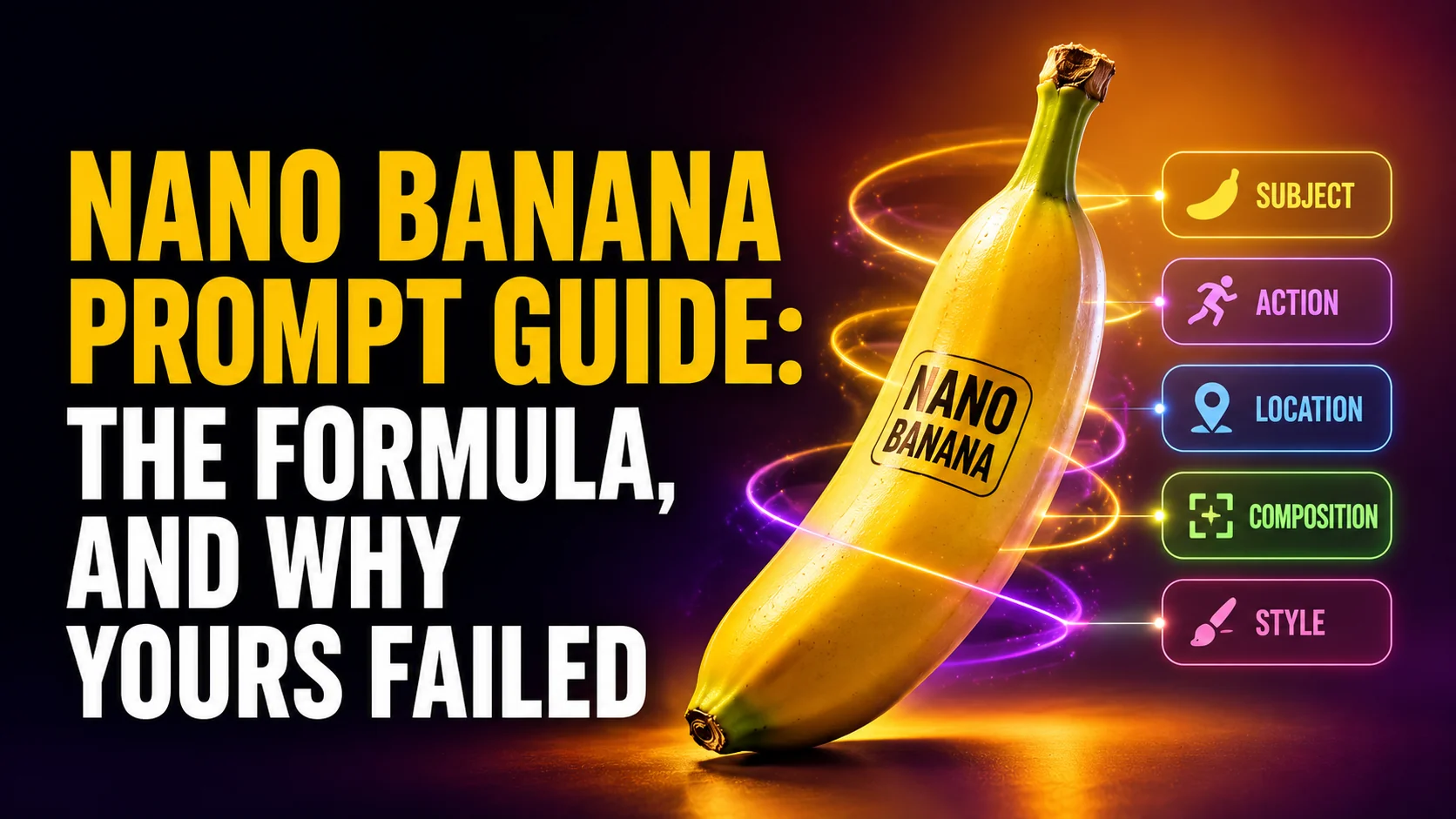
Every Nano Banana prompt guide on the internet points back to the same place, which is Google’s own documentation. That documentation has a problem: Google publishes the prompt formula in three separate places, with the same five elements listed in three different orders. The DeepMind guide leads with style. The Google Cloud guide leads with subject. The Gemini blog post leads with subject too, but then adds a sixth element the other two leave out.
That inconsistency is not a footnote. The Cloud guide also tells you to list details “from most important to least important, as earlier details have more influence on the final result.” So the order is doing real work, and three official orders cannot all be the best one. This guide covers the five elements that stay stable across all three sources, how to decide your own order, and the four specific mistakes that ruin more Nano Banana prompts than anything else. If you are still working out where the model lives, start with how to use Nano Banana first.
The Key Takeaways
- Five elements, three official orders: subject, action, location, composition and style are stable across every Google source. The sequence is not.
- Lead with whatever is non-negotiable: earlier details carry more weight, so the first thing you write should be the thing you refuse to compromise on.
- Say what you want, never what you do not: Google’s own best practice is positive framing. A prompt full of prohibitions leaves the model to invent everything you failed to specify.
- Quote your text and name the font: the official example is a headline “URBAN EXPLORER” rendered in bold, white, sans-serif, not a request for a poster with a title on it.
- Fourteen references means different things per model: Nano Banana Pro takes 6 object, 5 character and 3 style images, 14 in total. Nano Banana 2 and 2.1 take 10 objects plus 4 characters, and Nano Banana 2 Lite takes 14 objects.
What Is a Nano Banana Prompt?
A Nano Banana prompt is the plain language description you give Google’s Gemini image models to generate or edit a picture. It is not code and it has no required syntax. What separates a good one from a bad one is coverage: a strong prompt specifies the subject, what it is doing, where it is, how the shot is framed, and what it looks like. A weak prompt names a subject and leaves the model to guess the other four, which it does by defaulting to the blandest possible answer.
That last part explains most disappointment with these models. When people say the output looks generic, what usually happened is that they wrote one element and the model filled in four. The fix is rarely a longer prompt. It is a more complete one.
The Five Element Nano Banana Prompt Formula
Here is what each element controls, and what the difference looks like in practice.
| Element | What it controls | Weak | Strong |
|---|---|---|---|
| Subject | Who or what the image is of | a woman | a woman in her sixties with cropped grey hair and reading glasses |
| Action | What is happening, and the implied story | standing | halfway through pulling a tray of bread out of the oven |
| Location | The setting and everything it implies | in a kitchen | in a narrow tiled bakery kitchen, flour dust in the air |
| Composition | Framing, angle, depth, aspect ratio | a photo | waist up, slightly low angle, shallow depth of field |
| Style | Medium, lighting, colour, era | nice looking | documentary photography, hard overhead fluorescent light, muted colour |
Google’s ultimate prompting guide for Nano Banana writes this as subject, then action, then location, then composition, then style. The DeepMind image prompt guide opens with style instead and calls location “setting”. The Gemini prompting tips post from November 2025 lists six, adding editing instructions as a separate slot.
So Which Order Do You Use?
Yours. The elements are the stable part and the order is the variable, so treat the sequence as a decision rather than a rule you are failing to remember correctly.
The practical version is this: lead with the element you refuse to compromise on. If you need a specific person to look like themselves, subject goes first. If you are producing a set of images that all have to match visually, style goes first, which is likely why the DeepMind guide is written that way. If you are illustrating a moment, action goes first. Everything else follows in descending order of how much you care.
Why Your Nano Banana Prompt Failed
These four account for most bad results, and all four are directly addressed by Google’s own best practices. They are also the part that no prompt library will teach you, because a library gives you prompts that already work rather than showing you why yours did not.
Mistake 1: You Stacked Competing Styles
The most common bad prompt is not too short. It is a pile of quality words that contradict each other.
Weak: “a beautiful cinematic photorealistic oil painting of a woman in a city, anime style, 8k, hyperrealistic, dramatic lighting, trending”
Strong: “an oil painting of a woman waiting at a tram stop in a rainy city, visible brush texture, muted greens and greys, three quarter view”
An oil painting is not photorealistic, and neither of those is anime. The model cannot satisfy all three, so it picks, and what it picks changes run to run.
We ran the weak prompt twice. One run abandoned the oil painting entirely and returned a glossy anime illustration of a neon street. The other kept the brushwork, the rain and the tram, then sat an anime face on top of it, and threw in a destination board reading “LINE 4” that nothing in the prompt asked for. Same prompt, same model, two unrelated results, neither of them what anyone would have asked for on purpose.
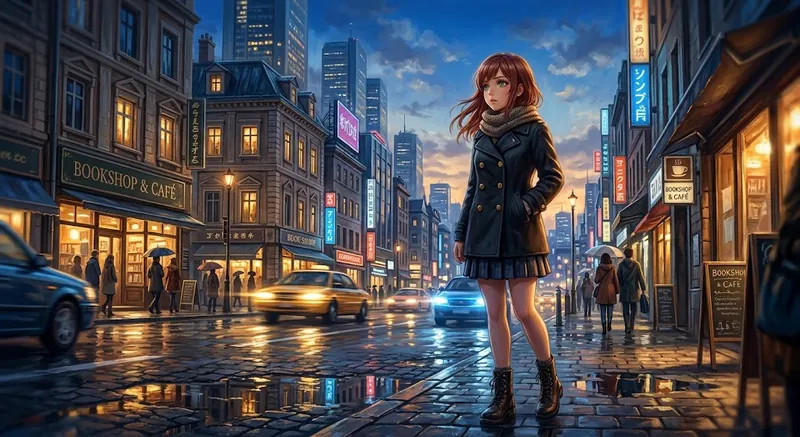
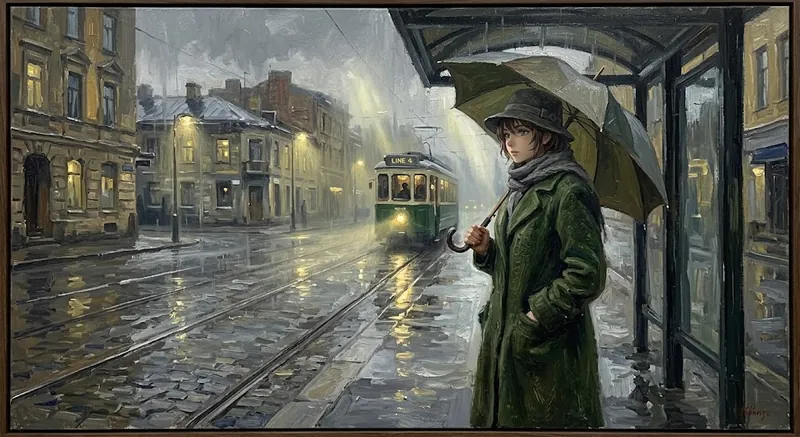
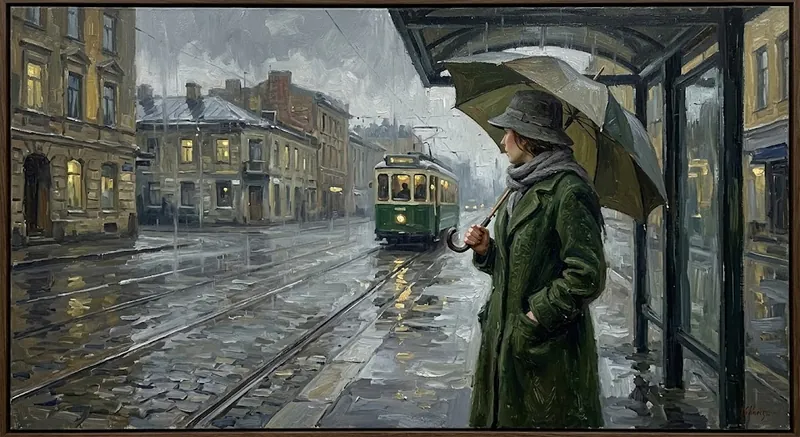
That is the real cost of stacking styles. You are not blending them, you are running a lottery, and a prompt you cannot repeat is worth very little. The focused version returned the same kind of picture every time. Words like 8k and trending contributed nothing to any of the runs.
Mistake 2: You Left the Lighting Blank
Google’s guide has an entire creative director section built around designing your lighting, choosing your camera and lens, and defining the colour grading. Most people write none of it, and lighting is the single element that does the most work.
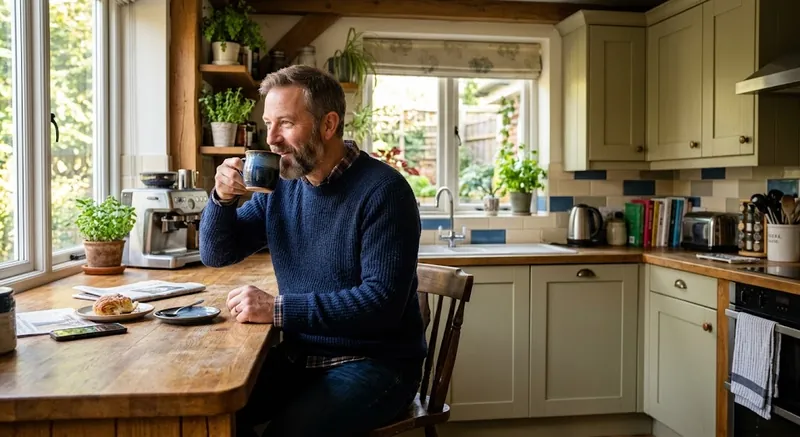
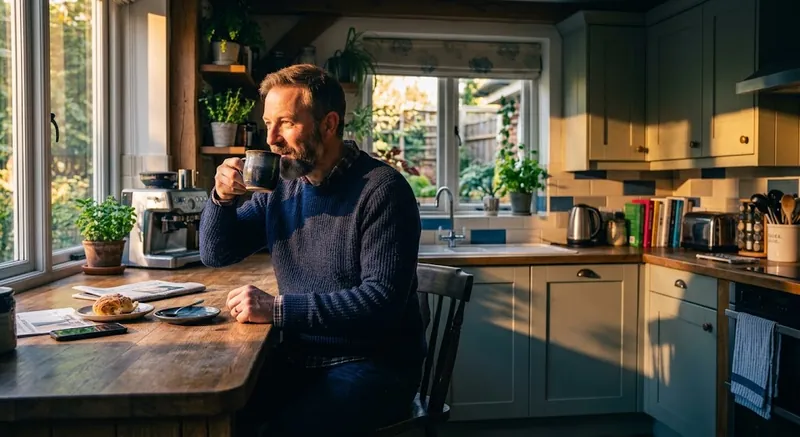
Weak: “a man drinking coffee in a kitchen”
Strong: “a man drinking coffee at a kitchen counter, low winter sun coming through the window behind him, long shadows across the worktop, warm highlights and cool shadows”
Same subject, same action, same location. The second one has a time of day, a light source with a direction, and a colour relationship. That is the whole difference between a stock photo and a photograph.
Mistake 3: You Described What You Did Not Want
Google states the rule plainly in its best practices: use positive framing, and describe what you want rather than what you do not. This is the mistake people carry over from older image generators that had a separate negative prompt field.
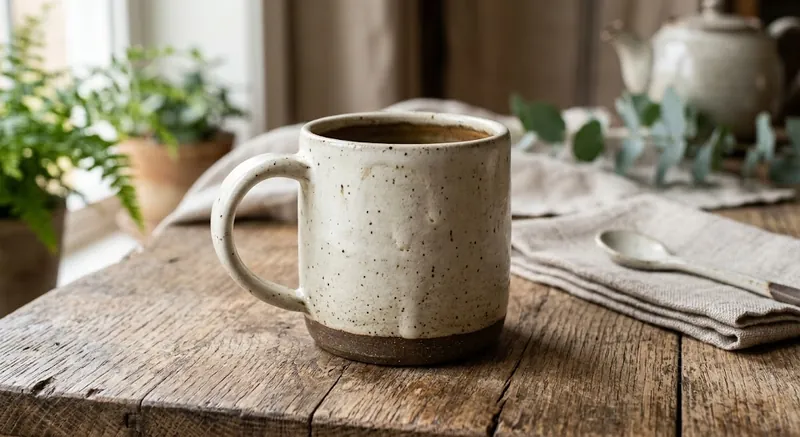
Weak: “a product shot of a ceramic mug, no text, no watermark, not cartoonish, no people”
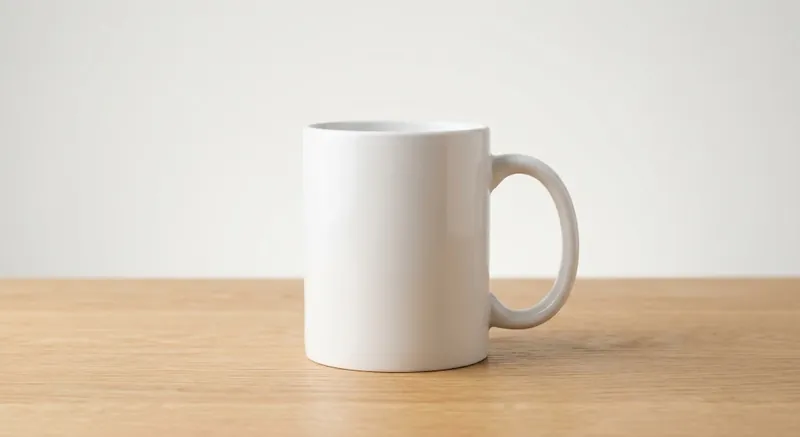
Strong: “a product shot of a plain white ceramic mug on a light oak surface, soft diffused studio light from the left, clean seamless background”
We ran both. The interesting part is that the negatives were obeyed: no text, no watermark, no people. What came back instead was a styled lifestyle scene, a speckled stoneware mug on weathered wood surrounded by ferns, folded linen and a teapot. Perfectly nice, and useless as a product shot.
That is how negative instructions actually fail. They do not summon the thing you forbade. They spend your whole prompt on what the image must not contain and leave the model to invent everything it must, so it fills the frame with props. The fix is not a firmer prohibition, it is naming the surface, the light and the background so there is no space left to fill. If the mug is a real product you sell, our AI product photography guide shows how to edit your own photo instead of generating a new one.
Mistake 4: You Asked for Text Without Quoting It
Legible text is the thing these models got good at, and it is also where vague prompts fail most visibly.
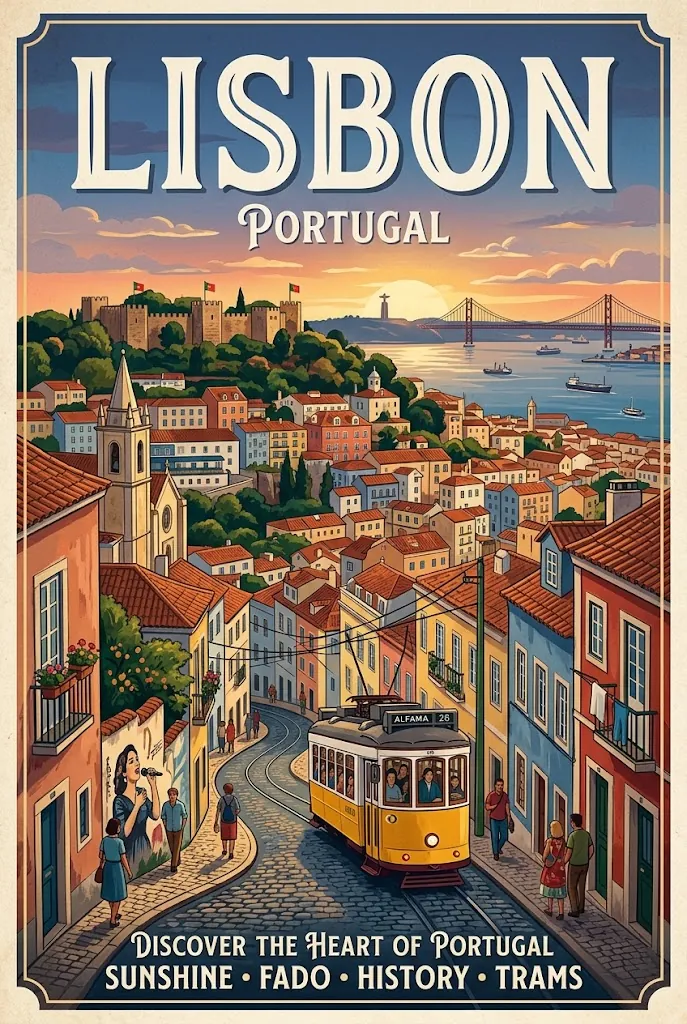
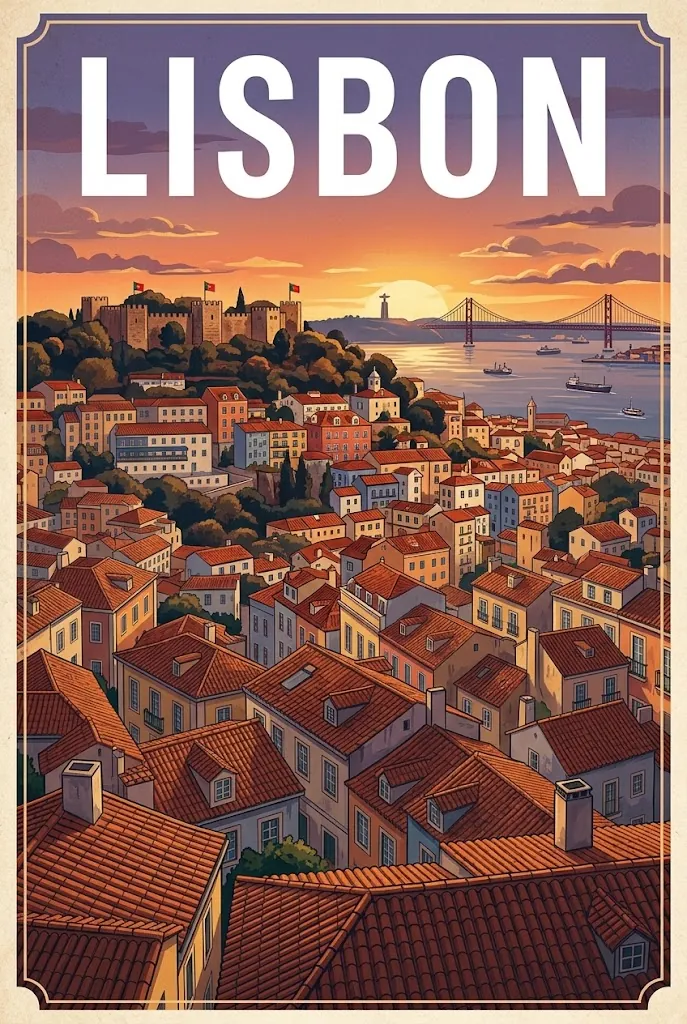
Weak: “a travel poster for Lisbon with the city name at the top”
Strong: “a travel poster of Lisbon rooftops at sunset, the headline ‘LISBON’ rendered in bold, white, sans-serif type across the top third”
Google’s own example follows exactly this shape, quoting the words and then naming weight, colour and typeface. Quote the string, specify the type, and say where on the canvas it goes. Anything you leave out is a coin flip.
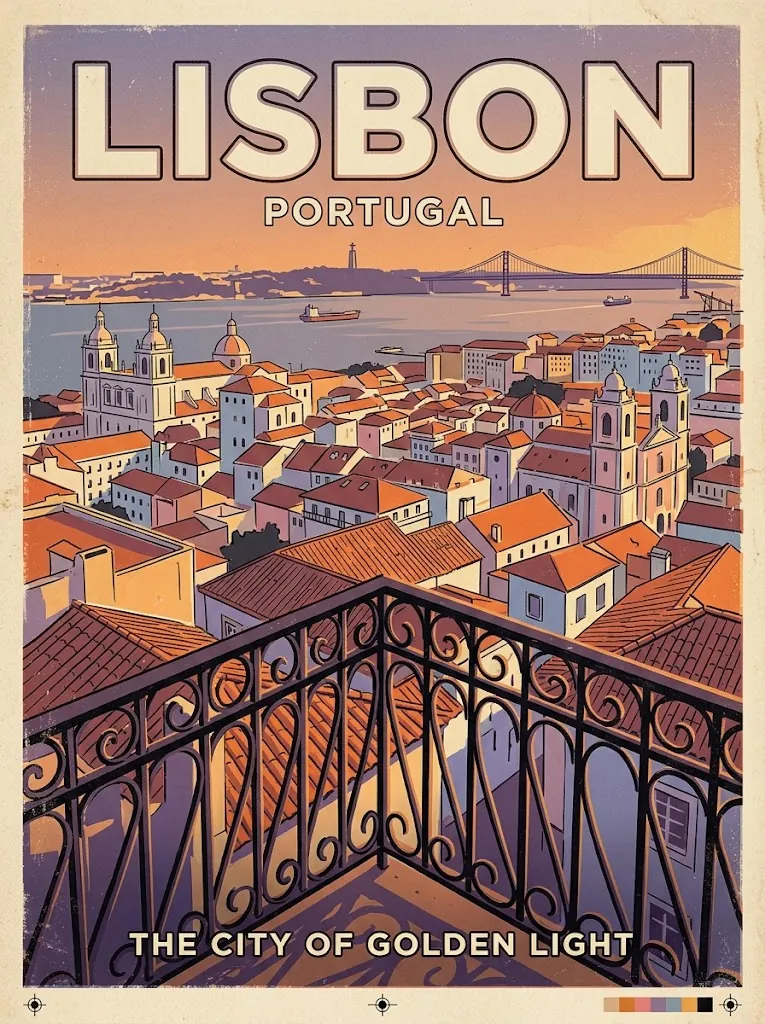
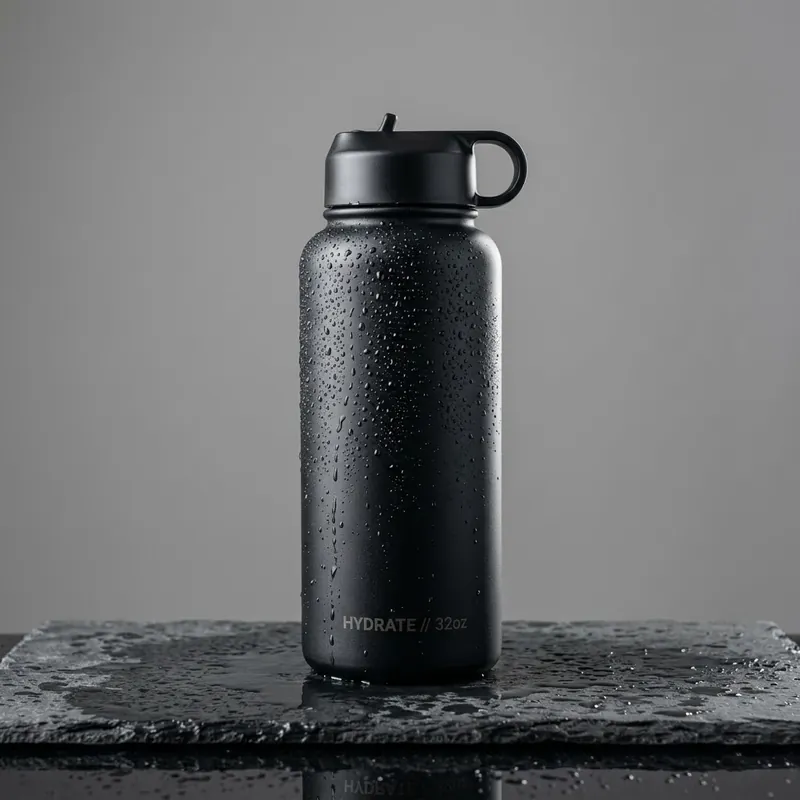
Testing this produced something we have not seen written down anywhere, so treat it as the practical rule underneath the official one. Nano Banana adds text you did not ask for. The vague poster prompt came back carrying an invented strapline, “DISCOVER THE HEART OF PORTUGAL, SUNSHINE, FADO, HISTORY, TRAMS”, in a typeface nobody chose. A product shot of a water bottle, with no mention of text at all, arrived with “HYDRATE // 32oz” printed down the side. Even the careful Pro version of the poster added “PORTUGAL” and a line reading “THE CITY OF GOLDEN LIGHT”.
So the model has a strong prior that posters and packaging carry words, and it will fill that slot whether you asked or not. Specifying your text is not only how you get the words you want. It is how you stop the words you did not want.
Six Worked Nano Banana Prompts
Each of these covers all five elements, and each one is annotated so you can see the formula doing the work rather than take it on faith. Copy one, then swap the subject for yours and leave the structure alone. Portraits are deliberately missing here because our 14 copy and paste portrait prompts already cover them in depth.
1. A Poster With Legible Text
“A travel poster of Lisbon rooftops at golden hour, terracotta tiles descending toward the river, viewed from a high balcony, mid century screen print style with flat colour separations and visible registration, the headline ‘LISBON’ in bold cream sans-serif across the top third.”
Subject: Lisbon rooftops. Action: descending toward the river. Location: from a high balcony. Composition: top third reserved for type. Style: mid century screen print. Run this one on Pro, since text is where Pro separates itself.
2. A Product Shot
“A matte black insulated water bottle standing upright on a wet slate surface, condensation beading down the side, shot square on at product height, soft diffused studio light from the left with one subtle rim highlight on the right edge, clean seamless mid grey background.”
Subject: the bottle, described physically. Action: condensation beading. Location: wet slate. Composition: square on at product height. Style: the two light sources. Notice there is no instruction to avoid clutter, only a description of the surface that leaves no room for any.
3. An Implied Story
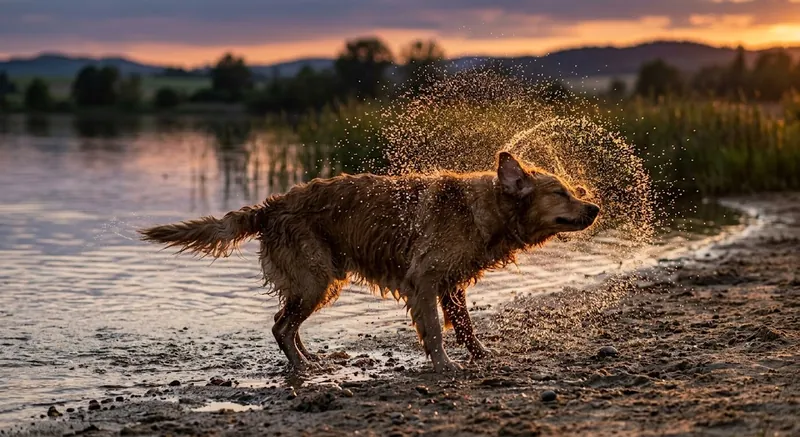
“A golden retriever mid shake after a swim, water flying off in a ring around him, shallow lake edge behind, low evening sun catching the spray, shot side on at dog height.”
Action leads here instead of subject, because the moment is the point. Note how short it is. Thirty words with a real moment in them beat sixty words of set dressing, and “mid shake” is doing more work than every adjective you could stack around a dog standing still.
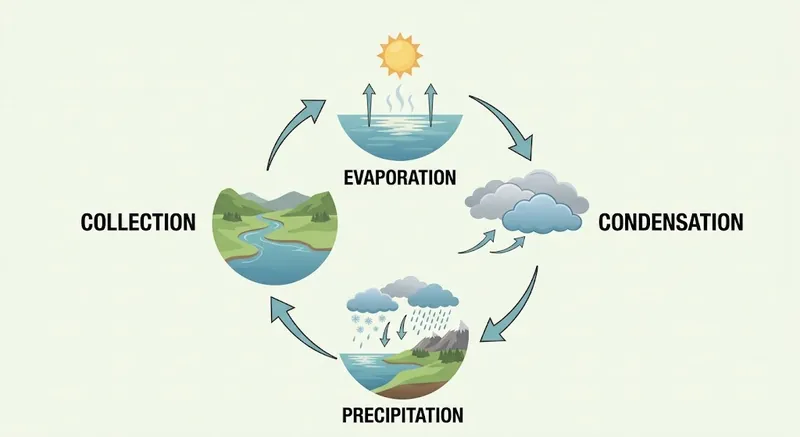
4. A Diagram That Has to Be Right
“A clean instructional diagram showing the water cycle, four labelled stages arranged clockwise, arrows indicating direction of flow, labels reading ‘EVAPORATION’, ‘CONDENSATION’, ‘PRECIPITATION’ and ‘COLLECTION’ in a plain bold sans-serif, flat vector illustration on a pale background, muted blues and greens.”
Every label is quoted and the arrangement is specified. Diagrams are the use case where vague framing fails hardest, because a diagram that is nearly right is worse than no diagram.
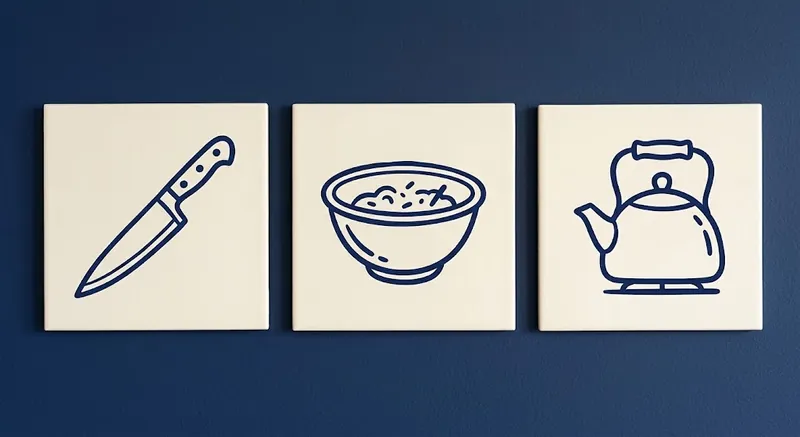
5. A Set That Has to Match
“Three square icons in one consistent style for a recipe app, a chef’s knife, a mixing bowl and a stovetop kettle, each centred on its own tile, thick uniform line weight, two colour palette of deep navy on cream, flat with no gradients or shadows.”
Style goes first because consistency across the set outranks any single icon. This is the case the DeepMind ordering is built for, and it is worth generating as one prompt rather than three so the model holds the treatment steady.
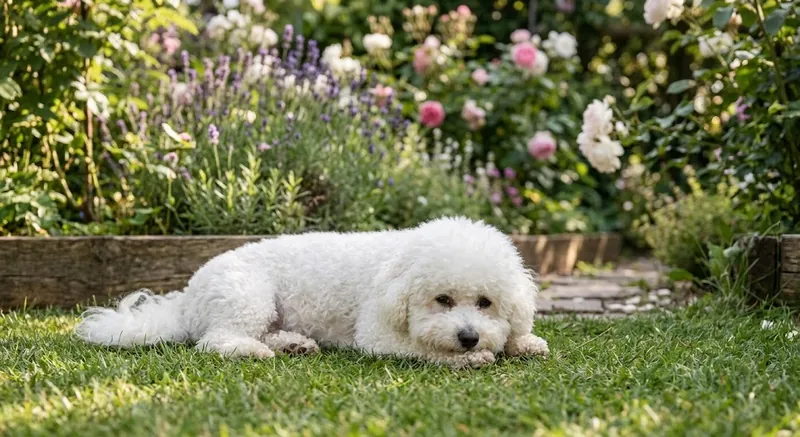
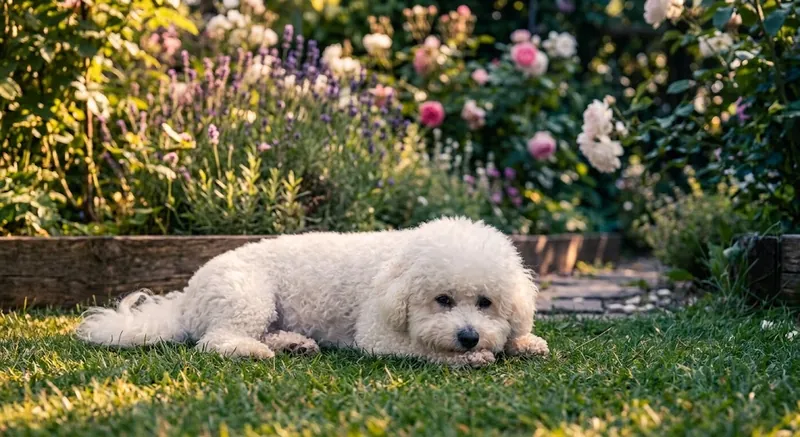
6. Editing a Photo You Already Have
“Relight this photo as late afternoon, sun low and behind the subject on the left, long soft shadows falling toward the camera, warm highlights against cooler shadows. Keep the framing, the pose and the background exactly as they are.”
Editing prompts start with a strong verb, which tells the model the primary operation before anything else. The second sentence matters as much as the first: naming what stays fixed is how you stop an edit turning into a fresh generation.
Which Model Runs Your Nano Banana Prompt
There are five models in the Nano Banana family, and the prompt you write should account for which one is answering. This is also where the most widely repeated number about Nano Banana, fourteen, needs unpacking.
| Model | Official name | Reference images it accepts |
|---|---|---|
| Nano Banana 2 Lite | Gemini 3.1 Flash Lite Image | up to 14 images, all objects |
| Nano Banana 2 | Gemini 3.1 Flash Image | 10 object, 4 character (API shutdown 29 Oct 2026) |
| Nano Banana 2.1 | Gemini Nano Banana 2.1 | 10 object, 4 character |
| Nano Banana Pro | Gemini 3 Pro Image | 6 object, 5 character, 3 style (14 total) |
| Original | Gemini 2.5 Flash Image | legacy, superseded |
Read that middle column again, because it inverts the usual advice. Nano Banana Pro accepts the fewest object references of the current models. The cheapest model in the family takes the most. Pro earns its name on reasoning, text rendering and resolution, not on how much you can hand it at once. A prompt built around eight product photos belongs on a Flash model.
The figure you have probably read elsewhere is that you can attach fourteen reference images to Nano Banana Pro. That is true only as a total. Google’s API documentation says Pro “supports 5 images with high fidelity, and up to 14 images in total”, split into six object images, five character images and three style references. Hand Pro fourteen product photos and only six count as objects.
Fourteen is a real number in three places, which is why the figures get mixed up. It is Pro’s total across three kinds of reference, the all-object cap for Nano Banana 2 Lite, and the combined cap for Nano Banana 2 and Nano Banana 2.1, at 10 objects plus 4 characters. Separately, DeepMind’s product page uses fourteen as an output figure: how many objects the model keeps faithful in the picture it produces, alongside five characters. Our breakdown of what changed in Nano Banana 2 keeps the specifications apart.
Keeping a Character Consistent
Character drift is the complaint that comes up more than any other, and the prompt-side fix is unglamorous: name your characters. When you attach references, define the role of each one rather than assuming the model will infer it, and give every person a distinct name you then reuse in the instruction. “Put Maya and Tomas at the same table” gives the model two anchors. “Put them at the same table” gives it none.
The second half is to change one thing at a time. These models edit conversationally. A follow up message that adjusts the light while keeping everything else fixed will hold a face together. A fresh prompt that redescribes the whole scene quietly rerolls it. If you want fully worked examples rather than principles, our copy and paste Gemini photo prompts cover portraits in detail.
Writing Nano Banana Prompts on a Mac
Prompting well is iterative, and iteration is where the browser hurts. A good prompt usually arrives on the fourth attempt, after you have changed the light, then the framing, then the style, keeping notes on which change did what. Doing that across browser tabs, with a separate tab for the model you use to write the prompt in the first place, is most of the friction.
Running Nano Banana next to the text models in one desktop app removes that. You draft the prompt, generate, compare the result against another image model on the same brief, and keep the whole thread in one window. Fello AI puts Gemini, ChatGPT, Claude and Grok behind a single interface on macOS, which is the setup this kind of iteration actually wants. There is a per generation cost to be aware of either way, and our Nano Banana pricing breakdown covers what each tier includes. Our Nano Banana desktop client guide for macOS walks through that setup step by step.
The Bottom Line
The five elements are settled and the order is not, which is why chasing a single canonical Nano Banana prompt template is a waste of time. Cover subject, action, location, composition and style, lead with the one you cannot compromise on, and you are already past most of what a prompt library will give you.
Then check the four mistakes before you blame the model. Competing styles, missing light, negative instructions and unquoted text explain most bad generations. All four are cheaper to fix than to work around. If none of that helps, the problem is usually the model rather than the prompt, and the answer is a different one in the family rather than a fifth rewrite.
FAQ
What is the Nano Banana prompt formula?
Subject, action, location, composition and style. Those five elements appear in every official Google source, though the three sources list them in different orders. Cover all five and lead with whichever one matters most for your image.
Does the order of a Nano Banana prompt matter?
Yes. Google’s Cloud guide says earlier details have more influence on the result, so put your non-negotiable element first. That is also why the three official orderings cannot all be optimal, and why you should choose the order per image rather than memorise one.
How many reference images can I attach?
It depends on the model. Nano Banana Pro takes 6 object, 5 character and 3 style images, 14 in total. Nano Banana 2 and Nano Banana 2.1 take 10 object plus 4 character images, and Nano Banana 2 Lite takes up to 14 objects. DeepMind’s “14 objects” is a separate output figure.
Why is the text in my image garbled?
Usually because the words were described rather than quoted. Put the exact string in quotation marks, name the weight and typeface, and say where it sits in the frame. Nano Banana Pro is the model to reach for when the image has to carry text.
Why do I keep getting generic looking images?
Almost always missing elements rather than a short prompt. If you name a subject and leave action, location, composition and style unspecified, the model picks the safest option for all four. Adding a light source and a camera angle fixes more images than adding adjectives.