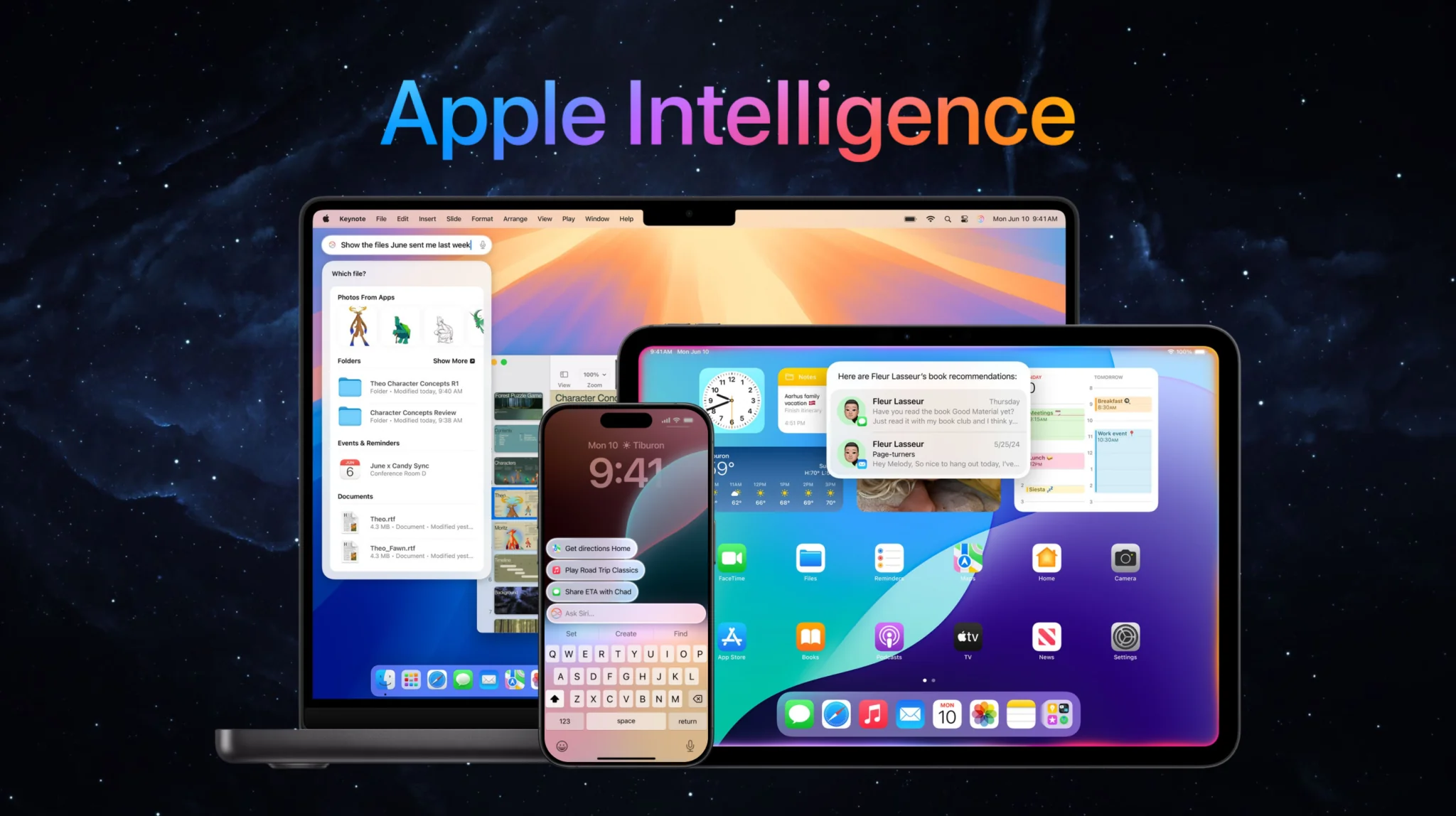
Apple Intelligence is Apple’s built-in artificial intelligence system for iPhone, iPad, and Mac, and in 2026 it got its biggest overhaul yet. At WWDC 2026 on June 8, Apple introduced Siri AI, a far more capable assistant running on Apple Foundation Models that Apple refined using Google Gemini. It joins writing tools, image generation, photo editing, and notification summaries that already ship on hundreds of millions of devices. It runs most tasks on-device for privacy and sends heavier requests to Private Cloud Compute.
This guide explains what Apple Intelligence is, exactly what it does, which iPhones, iPads, and Macs support it, and how the new Siri AI, and the Gemini deal behind it, change things. You will also see how to get it, whether it is worth turning on, and how it compares to running every major AI model directly on your Mac.
The Key Takeaways
- Apple Intelligence is free and built into iOS, iPadOS, and macOS; there is no separate app or subscription.
- It needs an iPhone 15 Pro, iPhone 16 or later, an M1 iPad or Mac or newer, or an A17 Pro iPad mini.
- At WWDC 2026, Apple unveiled Siri AI, which runs on Apple Foundation Models refined using Google Gemini. The widely quoted 1.2 trillion parameters and $1 billion a year are reported figures for the licensing deal, not specs Apple has published.
- Core features include Writing Tools, Image Playground, Genmoji, Clean Up, Notification Summaries, and Visual Intelligence.
- The full Siri AI experience ships with iOS 27 on Monday, September 14, 2026, as an English-only beta behind a waitlist; Apple is not releasing it on EU iPhones, iPads, or Apple Watches, and it is unavailable in China for now.
What Is Apple Intelligence?
Apple Intelligence is Apple’s built-in artificial intelligence system for iPhone, iPad, and Mac. It powers writing tools, image generation, photo cleanup, notification summaries, and a smarter Siri. Most tasks run on-device for privacy, with heavier requests handled by Private Cloud Compute. In 2026 Apple rebuilt its own foundation models, using Google Gemini during training, to power the new Siri AI.
Apple first previewed Apple Intelligence at WWDC in June 2024 and shipped the first features later that year. Unlike standalone chatbots, it is woven into the apps you already use, so the AI shows up inside Mail, Notes, Photos, Messages, and Safari rather than in a separate window. The idea is simple, AI that understands your personal context without shipping your data off to a server.
That privacy-first design is the part Apple repeats most. Routine requests are processed directly on your device, and anything that needs more power is sent to Private Cloud Compute, where Apple says your data is never stored or made accessible to Apple. For deeper general-knowledge questions, the system can also hand off to ChatGPT with your permission, still the only Siri extension Apple has ever shipped.
What Does Apple Intelligence Do?
Apple Intelligence can rewrite and summarize your text with Writing Tools, generate images in Image Playground, create custom Genmoji, remove objects from photos with Clean Up, summarize notifications, and answer questions through Visual Intelligence using your camera. The new Siri AI adds on-screen awareness, personal context, web answers, and the ability to take actions across your apps.
Here are the core capabilities you get today.
Writing Tools rewrite, proofread, and summarize text anywhere you type, including Mail, Notes, Pages, and most third-party apps. You can shift the tone of a message, tighten a paragraph, or turn a wall of text into a bullet summary in a couple of taps.
Image Playground and Genmoji generate original images and custom emoji from a text description. Image Playground now produces more photorealistic results, and Genmoji lets you build a one-off emoji for any group chat moment.
Clean Up and photo editing let you remove distracting objects or people from a shot, while newer tools like Spatial Reframing and Extend improve composition after you have already taken the picture. Our guide to what Apple Intelligence does to your photos covers their limits and the watermark every edit carries.
Notification Summaries condense long stacks of alerts into a short preview, so you get the gist of a busy group thread or inbox without opening every message. Apple added more controls here after early summaries occasionally garbled news headlines.
Visual Intelligence turns your camera into a search and action tool. Point it at a restaurant, a flyer, or a product and ask what it is, add an event to your calendar, or pull details into Apple Wallet.
Siri AI is the headline upgrade. The assistant can now hold a back-and-forth conversation, understand what is on your screen, draw on your personal context across apps, pull real-time answers from the web, and carry out multi-step actions for you.
Siri AI and the 2026 Gemini Reset
The biggest change to Apple Intelligence arrived at WWDC 2026, held on June 8 during Tim Cook’s final keynote as CEO, months before John Ternus took over the job. Apple announced Siri AI, which Craig Federighi described as “a profoundly more intelligent, knowledgeable, and capable Siri.” It ships as part of iOS 27, iPadOS 27, and macOS 27, according to Apple’s WWDC 2026 announcement.
Behind the scenes, Siri AI runs on Apple Foundation Models, not on Gemini. Apple built that generation of models for Apple Silicon and refined them using outputs from Google Gemini, under the multi-year deal the two companies announced on January 12, 2026. You will see “Gemini-powered Siri” written everywhere, and Apple disputes the shorthand. Craig Federighi said Apple uses “none of the models that Google deploys to their customers” and that the amount of the Google Assistant in Siri is “none,” per MacRumors’ post-keynote report. The widely quoted ~1.2-trillion-parameter model and $1 billion a year price come from Bloomberg’s reporting on what Apple licensed, and neither company has published them as specs. Google does host part of Apple’s cloud inference, which is a separate question from whose model answers you. The switch also gave Apple room to move against its former partner, and Apple is now suing OpenAI over alleged trade secret theft.
What this means in practice is a Siri that finally behaves like a modern assistant. It keeps context across multiple questions, reads what is on your screen, answers open-ended general-knowledge questions, and triggers actions inside system apps. One example Apple showed, the updated Passwords app can navigate to a website, sign you in, and update a saved password on its own.
Timing matters here. Developers got the first build on June 8, 2026, the public beta followed on July 14, and the general release lands with iOS 27 on Monday, September 14, 2026 as a free update. Two caveats, Apple is not releasing Siri AI on EU iPhones, iPads, or Apple Watches and has given no timeline (it works on Mac and Vision Pro there), and the features are unavailable in China while Apple clears local regulatory requirements.
Which iPhones, iPads, and Macs Support Apple Intelligence?
Apple Intelligence works on iPhone 16 and later, plus iPhone 15 Pro and 15 Pro Max. It also runs on iPad (M1 or later), iPad mini (A17 Pro), Mac (M1 or later), Apple Vision Pro, and Apple Watch Series 10 or later when paired with a supported iPhone. The standard iPhone 15, iPhone 14, and older models do not support it because they lack the required chip.
| Device | Supported models | Minimum chip | Minimum OS | Siri AI |
|---|---|---|---|---|
| iPhone | iPhone 16 series, iPhone 15 Pro, 15 Pro Max | A17 Pro | iOS 18.1+ (full Siri AI on iOS 27) | Yes |
| iPad | iPad (M1+), iPad mini (A17 Pro) | M1 / A17 Pro | iPadOS 18.1+ (Siri AI on iPadOS 27) | Yes |
| Mac | Mac (M1+), MacBook Neo (A18 Pro) | M1 | macOS Sequoia 15.1+ (Siri AI on macOS 27) | Yes |
| Apple Watch | Series 10+, Ultra 2+, SE 3 | — | watchOS 27 | Via paired iPhone |
| Apple Vision Pro | Apple Vision Pro | M2 | visionOS 27 | Yes |
The pattern is straightforward, you need an A17 Pro chip or better on iPhone, and Apple silicon (M1 or newer) on iPad and Mac. If you own a standard iPhone 15 or anything from the iPhone 14 line or earlier, your only upgrade path to Apple Intelligence is new hardware, such as one of the AI features on the latest iPhones.
How to Get and Turn On Apple Intelligence
If your device qualifies, Apple Intelligence is free. Update to the latest software, then open Settings, tap Apple Intelligence & Siri, and turn it on, the same steps Apple Support outlines. On a Mac, you will find the same controls in System Settings. The features then download in the background, which can take anywhere from a few minutes to longer depending on your connection.
You can also switch features off individually if something annoys you. Notification Summaries, for example, have their own toggle, so you can disable AI summaries for news apps while keeping them for group chats. Turning the whole system off is a single switch in the same menu, and our guide to how to turn off Apple Intelligence walks through every toggle step by step.
For the deeper setup walkthroughs, see our companion guides on how to get Apple Intelligence working on your iPhone and our guide to what Siri AI brings in iOS 27 for how the rollout has actually gone. If you want the bigger picture on the assistant overhaul, our explainer on what Siri AI is breaks it down.
Is Apple Intelligence Worth It?
For most people on a supported device, Apple Intelligence is worth turning on because it is free, private, and built into apps you already use. Writing Tools and Clean Up are useful day to day, and the new Siri AI finally makes the assistant competitive with Google Gemini on Android and ChatGPT.
That said, it is not a reason to buy a new phone on its own. Early features shipped slowly, notification summaries had a rocky start, and the most impressive piece, Siri AI, only reaches everyone with iOS 27 on September 14, 2026, behind an English-only waitlist. If you already own an iPhone 15 Pro or newer, switch it on. If you are on older hardware, there is no rush.
It is also worth knowing the limits. Apple Intelligence only runs on Apple devices, it is region-restricted, and it leans on Apple’s chosen models rather than letting you pick. If you want more flexibility, you have options.
Run Every AI Model on Your Mac With Fello AI
Apple Intelligence is locked to recent Apple hardware and to the models Apple selects. If you would rather choose your AI, Fello AI is a native Mac app that puts Claude, ChatGPT, Gemini, Grok, and DeepSeek in one place for $9.99 a month. You switch between models with a click instead of being tied to a single provider.
That flexibility is the main difference. Where Apple Intelligence focuses on system-level tasks inside iOS and macOS, Fello AI is built for actual chat, writing, coding help, and research across the strongest models available, all from your desktop. It runs on Macs that Apple Intelligence does not even support, so older Apple silicon and Intel users are not left out. That matters more now that macOS 27 Golden Gate drops every Intel Mac.
Conclusion
Apple Intelligence in 2026 is no longer the cautious, slow-rolling feature set it launched as. With Siri AI running on Apple’s own foundation models and a full release arriving with iOS 27 on September 14, 2026, it is finally a serious AI assistant. If you own an iPhone 15 Pro, iPhone 16, or newer, or an M1 iPad or Mac, turn it on and start with Writing Tools and Clean Up.
If you want access to every leading model rather than just Apple’s pick, try Fello AI on your Mac and compare Claude, ChatGPT, Gemini, Grok, and DeepSeek side by side.
FAQ
Is Apple Intelligence free?
Yes. Apple Intelligence is free and built into iOS, iPadOS, and macOS. There is no separate subscription or app to buy, you just need a supported device and the latest software.
Does the iPhone 15 have Apple Intelligence?
Only the iPhone 15 Pro and iPhone 15 Pro Max support it. The standard iPhone 15 and iPhone 15 Plus do not, because they use the older A16 chip rather than the A17 Pro.
Is Apple Intelligence the same as Siri?
No. Apple Intelligence is the overall AI system, and Siri is one part of it. In 2026 Apple rebuilt the assistant as Siri AI, running on Apple Foundation Models inside Apple Intelligence.
Is Apple Intelligence powered by ChatGPT or Gemini?
Both have featured. Apple originally added optional ChatGPT integration, which is still the only Siri extension it has shipped, and in 2026 it rebuilt the foundation models behind Siri AI using Google Gemini under a multi-year deal. The shipping assistant runs on Apple’s models, not on Gemini. If you are deciding between them, we put Apple Intelligence and ChatGPT side by side.
When does the new Siri AI launch?
Developers got the first build on June 8, 2026, with a public beta the following month. The general release for everyone arrives with iOS 27 on Monday, September 14, 2026 as a free update, though Apple is not releasing Siri AI on EU iPhones, iPads, or Apple Watches, and it is unavailable in China at launch.