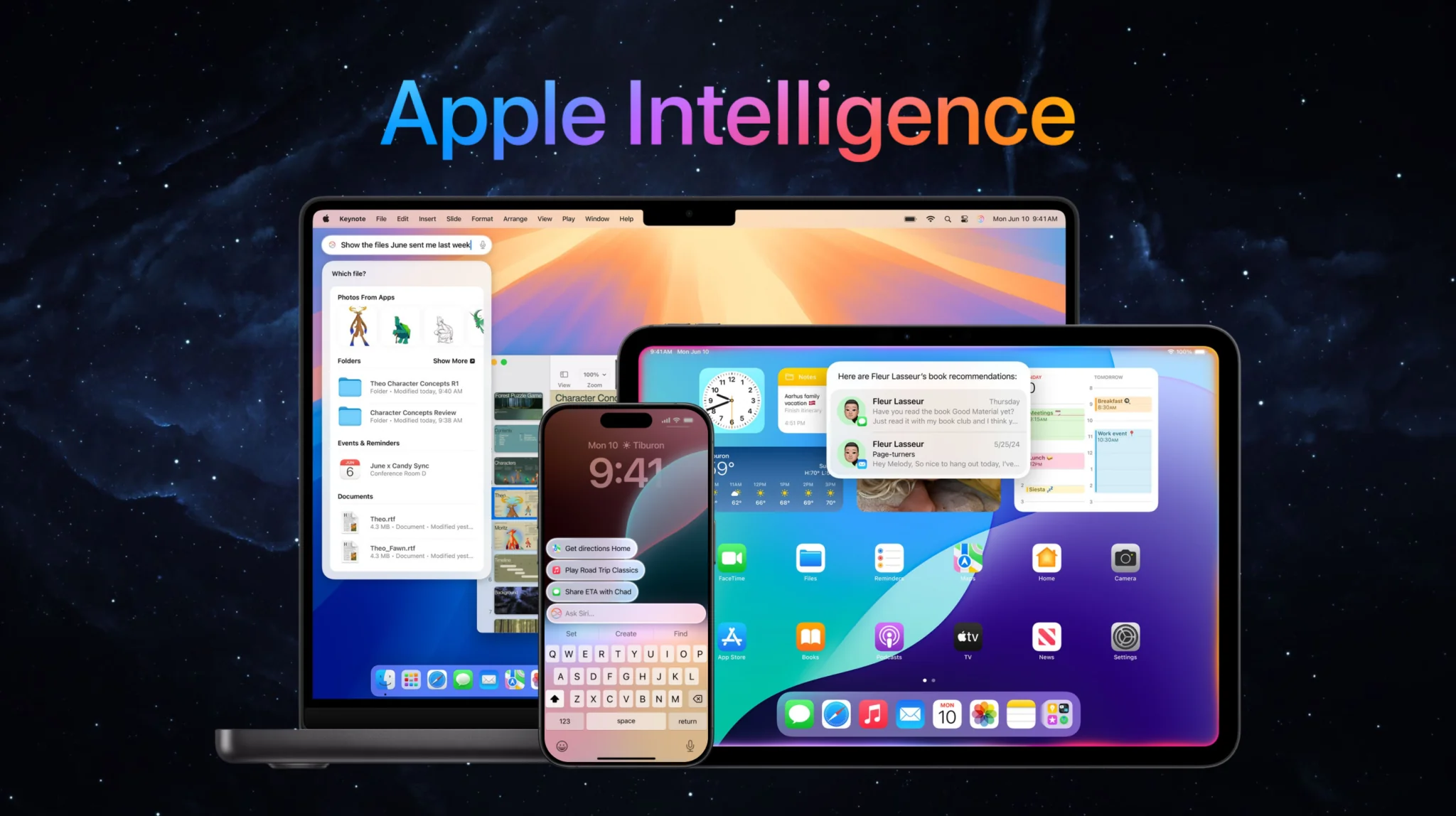
Apple Intelligence is Apple’s built-in artificial intelligence system for iPhone, iPad, and Mac, and in 2026 it got its biggest overhaul yet. Apple introduced Siri AI at WWDC 2026 on June 8 and shipped it with iOS 27 on September 14, 2026, as an English-only beta. It is a far more capable assistant running on Apple Foundation Models that Apple refined using Google Gemini, and it joins writing tools, image generation, photo editing, and notification summaries. Apple Intelligence runs most tasks on-device for privacy and sends heavier requests to Private Cloud Compute.
This guide explains what Apple Intelligence is, exactly what it does, which iPhones, iPads, and Macs support it, and how the new Siri AI, and the Gemini deal behind it, change things. You will also see how to get it, whether it is worth turning on, and how it compares to running every major AI model directly on your Mac.
The Key Takeaways
- Apple Intelligence is built into iOS, iPadOS, and macOS at no extra cost, with no separate app or subscription, but server-side features such as Siri AI and Image Playground now have daily usage limits, and Apple says expanded access will cost a fee in the future.
- It needs an iPhone 15 Pro, iPhone 16 or later, iPhone Air, or iPhone Duo, an M1 iPad or Mac or newer, an A17 Pro iPad mini, or a MacBook Neo.
- At WWDC 2026, Apple unveiled Siri AI, which runs on Apple Foundation Models refined using Google Gemini. The widely quoted 1.2 trillion parameters and $1 billion a year are reported figures for the licensing deal, not specs Apple has published.
- Core features include Writing Tools, Image Playground, Genmoji, Clean Up, Notification Summaries, and Visual Intelligence.
- Siri AI shipped with iOS 27 on September 14, 2026 as an English-only beta behind a waitlist, with five more languages promised for October. Apple is not releasing it on EU iPhones, iPads, or Apple Watches, and new Apple Intelligence features are unavailable in China.
What Is Apple Intelligence?
Apple Intelligence is Apple’s built-in artificial intelligence system for iPhone, iPad, and Mac. It powers writing tools, image generation, photo cleanup, notification summaries, and a smarter Siri. Most tasks run on-device for privacy, with heavier requests handled by Private Cloud Compute. In 2026 Apple rebuilt its own foundation models, using Google Gemini during training, to power the new Siri AI.
Apple first previewed Apple Intelligence at WWDC in June 2024 and shipped the first features later that year. Unlike standalone chatbots, it is woven into the apps you already use, so the AI shows up inside Mail, Notes, Photos, Messages, and Safari rather than in a separate window. The idea is simple, AI that understands your personal context without shipping your data off to a server.
That privacy-first design is the part Apple repeats most. Routine requests are processed directly on your device, and anything that needs more power is sent to Private Cloud Compute, where Apple says your data is never stored or made accessible to Apple. For deeper general-knowledge questions, the system can also hand off to ChatGPT with your permission, still the only Siri extension Apple has ever shipped.
What Does Apple Intelligence Do?
Apple Intelligence can rewrite and summarize your text with Writing Tools, generate images in Image Playground, create custom Genmoji, remove objects from photos with Clean Up, summarize notifications, and answer questions through Visual Intelligence using your camera. The new Siri AI adds on-screen awareness, personal context, web answers, and the ability to take actions across your apps.
Here are the core capabilities you get today.
Writing and Images
Writing Tools rewrite, proofread, and summarize text anywhere you type, including Mail, Notes, Pages, and most third-party apps. You can shift the tone of a message, tighten a paragraph, or turn a wall of text into a bullet summary in a couple of taps. Once you join Siri AI, the same job moves to Write with Siri, which can draft from scratch, edit what you wrote, or give feedback, and iOS 27 also proofreads automatically as you type.
Image Playground and Genmoji generate original images and custom emoji from a text description. Image Playground was rebuilt for iOS 27 on a new model that runs on Private Cloud Compute, so it now produces photorealistic images and takes edits you simply describe. Genmoji lets you build a one-off emoji for any group chat moment.
Photos and Notifications
Clean Up and photo editing let you remove distracting objects or people from a shot, while newer tools like Spatial Reframing and Extend improve composition after you have already taken the picture. Our guide to what Apple Intelligence does to your photos covers their limits and the watermark every edit carries.
Notification Summaries condense long stacks of alerts into a short preview, so you get the gist of a busy group thread or inbox without opening every message. Apple added more controls here after early summaries occasionally garbled news headlines.
Visual Intelligence and Siri AI
Visual Intelligence turns your camera into a search and action tool. Point it at a restaurant, a flyer, or a product and ask what it is, add an event to your calendar, or pull details into Apple Wallet. With Siri AI it gets a Siri mode in the iPhone Camera app, and it now also works on iPad, Mac, and Apple Vision Pro, in English.
Siri AI is the headline upgrade. The assistant can now hold a back-and-forth conversation, understand what is on your screen, draw on your personal context across apps, pull real-time answers from the web, and carry out multi-step actions for you. A new Siri app keeps those conversations synced through iCloud across iPhone, iPad, Mac, Apple Watch, and Apple Vision Pro.
Siri AI and the 2026 Gemini Reset
The biggest change to Apple Intelligence arrived at WWDC 2026, held on June 8, the last WWDC before John Ternus took over as CEO on September 1, 2026. Apple announced Siri AI, which Craig Federighi described as “a profoundly more intelligent, knowledgeable, and capable Siri.” It shipped on September 14, 2026 as part of iOS 27, iPadOS 27, and macOS 27, which Apple first detailed in Apple’s WWDC 2026 announcement.
Behind the scenes, Siri AI runs on Apple Foundation Models, not on Gemini. Apple built that generation of models for Apple Silicon and refined them using outputs from Google Gemini, under the multi-year deal the two companies announced on January 12, 2026. You will see “Gemini-powered Siri” written everywhere, and Apple disputes the shorthand. Craig Federighi said Apple uses “none of the models that Google deploys to their customers” and that the amount of the Google Assistant in Siri is “none,” per MacRumors’ post-keynote report. The widely quoted ~1.2-trillion-parameter model and $1 billion a year price come from Bloomberg’s reporting on what Apple licensed, and neither company has published them as specs. Google does host part of Apple’s cloud inference, which is a separate question from whose model answers you. The switch also gave Apple room to move against its former partner, and Apple is now suing OpenAI over alleged trade secret theft.
What Siri AI Can Do
What this means in practice is a Siri that finally behaves like a modern assistant. It keeps context across multiple questions, reads what is on your screen, answers open-ended general-knowledge questions, and takes actions across your apps, such as sending messages and creating events. Apple also showed a Passwords app that flags weak or compromised passwords and updates them for you, but Apple’s own Apple Intelligence page still lists that feature as coming in a future software update.
Release, Languages, and Regions
Developers got the first build on June 8, 2026, the public beta followed in July, and the general release arrived with iOS 27 on Monday, September 14, 2026 as a free update. Siri AI is still a beta. It launched in English only, you join a waitlist to get it, and Apple promised French, Japanese, Korean, Portuguese, and Spanish for October, yet its Siri AI support page still listed English only on October 22, 2026. Two regional caveats remain, Apple is not releasing Siri AI on EU iPhones, iPads, or Apple Watches and has given no timeline (it works on Mac and Vision Pro there, in English), and Siri AI and the other new features are unavailable in China while Apple works through regulatory requirements.
Which iPhones, iPads, and Macs Support Apple Intelligence?
Apple Intelligence works on iPhone 16 and later, plus iPhone 15 Pro and 15 Pro Max, iPhone Air, and iPhone Duo. It also runs on iPad (M1 or later), iPad mini (A17 Pro), Mac (M1 or later), MacBook Neo (A18 Pro), Apple Vision Pro, and Apple Watch Series 9 or later, Ultra 2 or later, and SE 3 when paired with a supported iPhone. The standard iPhone 15, iPhone 14, and older models do not support it because they lack the required chip.
| Device | Supported models | Minimum chip | Minimum OS | Siri AI |
|---|---|---|---|---|
| iPhone | iPhone 16 series and later, iPhone 15 Pro, 15 Pro Max, iPhone Air, iPhone Duo | A17 Pro | iOS 18.1+ (Siri AI on iOS 27) | Yes (not in the EU) |
| iPad | iPad (M1+), iPad mini (A17 Pro) | M1 / A17 Pro | iPadOS 18.1+ (Siri AI on iPadOS 27) | Yes (not in the EU) |
| Mac | Mac (M1+), MacBook Neo (A18 Pro) | M1 / A18 Pro | macOS Sequoia 15.1+ (Siri AI on macOS 27) | Yes |
| Apple Watch | Series 9+, Ultra 2+, SE 3 | S9 or later | watchOS 26+ (Siri AI on watchOS 27) | Via paired iPhone (not in the EU) |
| Apple Vision Pro | Apple Vision Pro | M2 or M5 | visionOS 2.4+ (Siri AI on visionOS 27) | Yes |
The pattern is straightforward, you need an A17 Pro chip or better on iPhone, and Apple silicon (M1 or newer) on iPad and Mac, with the A17 Pro iPad mini and the A18 Pro MacBook Neo as the two exceptions. If you own a standard iPhone 15 or anything from the iPhone 14 line or earlier, your only upgrade path to Apple Intelligence is new hardware, such as one of the AI features on the latest iPhones.
How to Get and Turn On Apple Intelligence
If your device qualifies, Apple Intelligence is free to use. On iOS 27, iPadOS 27, and macOS 27 it is available automatically once you update, as long as your device language and Siri language match a supported language, according to Apple Support. Siri AI is the part you opt into. Open Settings, tap Siri, tap Try Siri AI (Beta), then pick a voice and finish voice enrollment, which adds you to a waitlist. On a Mac, the same controls sit in System Settings under Siri. On iOS 18 to 26 the older switch lived under Apple Intelligence & Siri.
Make room before you update. Apple lists up to 8 GB of storage for most supported devices and up to 14 GB for iPhone Duo, iPhone 17 Pro models and later, iPhone Air, M4 iPads and M3 Macs with at least 12 GB of unified memory, and Apple Vision Pro (M5). Apple Watch needs up to 1.5 GB. The models then download in the background.
You can also switch features off one at a time. Notification Summaries have their own switch under Settings > Notifications > Summarize Notifications, and Siri AI turns off under Settings > Siri, where you can also go back to Siri Classic. Apple’s iOS 27 guide lists these switches feature by feature, and our guide to how to turn off Apple Intelligence walks through every toggle step by step.
For the deeper setup walkthrough, see our guide on how to turn on Apple Intelligence and our guide to what Siri AI brings in iOS 27 for how the rollout has actually gone. If you want the bigger picture on the assistant overhaul, our explainer on what Siri AI is breaks it down.
Is Apple Intelligence Worth It?
For most people on a supported device, Apple Intelligence is worth turning on because it costs nothing extra, keeps your data private, and is built into apps you already use. Writing Tools and Clean Up are useful day to day, and the new Siri AI finally makes the assistant competitive with Google Gemini on Android and ChatGPT.
That said, it is not a reason to buy a new phone on its own. Early features shipped slowly, notification summaries had a rocky start, and the most impressive piece, Siri AI, is still a beta. Since iOS 27 arrived on September 14, 2026, it has been English-only, and you join a waitlist to get it. If you already own an iPhone 15 Pro or newer, switch it on. If you are on older hardware, there is no rush.
Free also no longer means unlimited. Since iOS 27, features that run on Apple’s servers, including Siri AI, the photo editing tools, Image Playground, and the cloud models in Shortcuts, carry daily usage limits that vary with demand. Apple says expanded access will be available for a fee in the future, and it has not published a price.
It is also worth knowing the limits. Apple Intelligence only runs on Apple devices, it is region-restricted, and it leans on Apple’s chosen models rather than letting you pick. If you want more flexibility, you have options.
Run Every AI Model on Your Mac With Fello AI
Apple Intelligence is locked to recent Apple hardware and to the models Apple selects. If you would rather choose your AI, Fello AI is a native Mac app that puts Claude, ChatGPT, Gemini, Grok, and DeepSeek in one place from $11.99 a month. You switch between models with a click instead of being tied to a single provider.
That flexibility is the main difference. Where Apple Intelligence focuses on system-level tasks inside iOS and macOS, Fello AI is built for actual chat, writing, coding help, and research across the strongest models available, all from your desktop. It also runs on Intel Macs, which Apple Intelligence has never supported, so Intel users are not left out. That matters more now that macOS 27 Golden Gate drops every Intel Mac.
Conclusion
Apple Intelligence in 2026 is no longer the cautious, slow-rolling feature set it launched as. With Siri AI running on Apple’s own foundation models and shipping with iOS 27 since September 14, 2026, it is finally a serious AI assistant, even while Siri AI stays an English-only beta. If you own an iPhone 15 Pro, iPhone 16, or newer, or an M1 iPad or Mac, update and start with Clean Up and Writing Tools.
If you want access to every leading model rather than just Apple’s pick, try Fello AI on your Mac and compare Claude, ChatGPT, Gemini, Grok, and DeepSeek side by side.
FAQ
Is Apple Intelligence free?
Yes, for everyday use. Apple Intelligence is built into iOS, iPadOS, and macOS, with no separate subscription or app to buy. Since iOS 27, features that run on Apple’s servers, such as Siri AI and Image Playground, have daily usage limits, and Apple says expanded access will be available for a fee in the future.
Does the iPhone 15 have Apple Intelligence?
Only the iPhone 15 Pro and iPhone 15 Pro Max support it. The standard iPhone 15 and iPhone 15 Plus do not, because they use the older A16 chip rather than the A17 Pro.
Is Apple Intelligence the same as Siri?
No. Apple Intelligence is the overall AI system, and Siri is one part of it. In 2026 Apple rebuilt the assistant as Siri AI, running on Apple Foundation Models inside Apple Intelligence.
Is Apple Intelligence powered by ChatGPT or Gemini?
Both have featured. Apple originally added optional ChatGPT integration, which is still the only Siri extension it has shipped, and in 2026 it rebuilt the foundation models behind Siri AI using Google Gemini under a multi-year deal. The shipping assistant runs on Apple’s models, not on Gemini. If you are deciding between them, we put Apple Intelligence and ChatGPT side by side.
When does the new Siri AI launch?
Siri AI launched with iOS 27 on Monday, September 14, 2026, as part of a free update, after a developer build on June 8 and a public beta in July. It is still a beta: English only so far, behind a waitlist, with French, Japanese, Korean, Portuguese, and Spanish promised for October. Apple is not releasing Siri AI on EU iPhones, iPads, or Apple Watches, and it is unavailable in China.
How much storage does Apple Intelligence need?
Apple lists up to 8 GB of free storage for most supported iPhones, iPads, Macs, and Vision Pro models, and up to 14 GB for iPhone Duo, iPhone 17 Pro models and later, iPhone Air, M4 iPads and M3 Macs with at least 12 GB of unified memory, and Apple Vision Pro (M5). Apple Watch needs up to 1.5 GB.