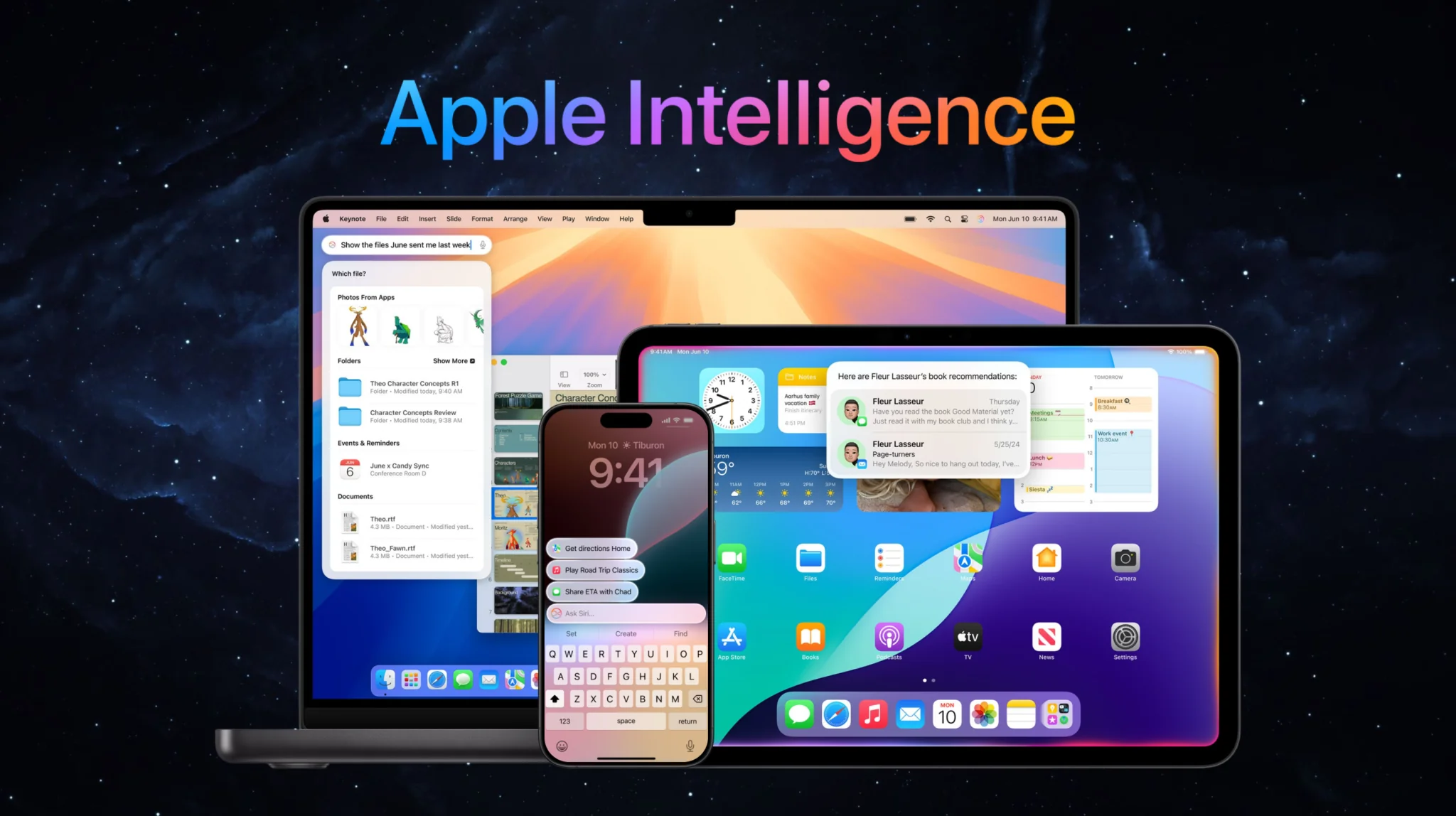
Apple Intelligence is Apple’s built-in artificial intelligence system for iPhone, iPad, Mac, Apple Watch, and Apple Vision Pro. It rewrites text, creates images, cleans up photos, summarizes notifications, and powers the new Siri AI, which shipped with iOS 27 on September 14, 2026. Most requests run on-device, and heavier ones go to Apple’s Private Cloud Compute servers. It is free on supported devices, with daily limits on the features that use Apple’s servers.
So what is Apple Intelligence in practice, and does it matter that Apple built its new models in collaboration with Google? This guide explains exactly what Apple Intelligence does, which iPhones, iPads, and Macs support it, and how private it is. It also shows how the Apple Intelligence Report lists what left your device. You will also see how to get it, whether it is worth turning on, and how it compares to running every major AI model directly on your Mac.
The Key Takeaways
- Apple Intelligence is built into iOS, iPadOS, and macOS at no extra cost, with no separate app or subscription, but server-side features such as Siri AI and Image Playground now have daily usage limits. From iOS 27.3, an iCloud+ plan of 200GB or more raises them, except in the EU, the UK, China, Brazil and South Korea.
- It needs an iPhone 15 Pro, iPhone 16 or later, iPhone Air, or iPhone Duo, an M1 iPad or Mac or newer, an iPad mini with A17 Pro or A20 Pro, or a MacBook Neo.
- At WWDC 2026, Apple unveiled Siri AI, which runs on Apple Foundation Models refined using Google Gemini. The widely quoted 1.2 trillion parameters and $1 billion a year are reported figures for the licensing deal, not specs Apple has published.
- Core features include Writing Tools, Image Playground, Genmoji, Clean Up, Notification Summaries, and Visual Intelligence. Most run on your device, and the Apple Intelligence Report under Settings > Privacy & Security logs the requests sent to Apple’s Private Cloud Compute servers.
- Siri AI shipped with iOS 27 on September 14, 2026 as an English-only beta, and the 27.2 update on October 26 added French, Japanese, Korean, Portuguese, and Spanish. Apple is not releasing it on EU iPhones, iPads, or Apple Watches, and new Apple Intelligence features are unavailable in China.
What Is Apple Intelligence?
Apple Intelligence is Apple’s built-in artificial intelligence system for iPhone, iPad, and Mac. It powers writing tools, image generation, photo cleanup, notification summaries, and a smarter Siri. Most tasks run on-device for privacy, with heavier requests handled by Private Cloud Compute. In 2026 Apple rebuilt its own foundation models, using Google Gemini during training, to power the new Siri AI.
Apple first previewed Apple Intelligence at WWDC in June 2024 and shipped the first features later that year. Unlike standalone chatbots, it is woven into the apps you already use, so the AI shows up inside Mail, Notes, Photos, Messages, and Safari rather than in a separate window. The idea is simple, AI that understands your personal context without shipping your data off to a server.
That privacy-first design is the part Apple repeats most. Routine requests are processed directly on your device, and anything that needs more power is sent to Private Cloud Compute, where Apple says your data is never stored or made accessible to Apple. For deeper general-knowledge questions, the system can also hand off to ChatGPT with your permission, still the only Siri extension Apple has ever shipped.
What Does Apple Intelligence Do?
Apple Intelligence can rewrite and summarize your text with Writing Tools, generate images in Image Playground, create custom Genmoji, remove objects from photos with Clean Up, summarize notifications, and answer questions through Visual Intelligence using your camera. It also translates messages and calls live with Live Translation. The new Siri AI adds on-screen awareness, personal context, web answers, and the ability to take actions across your apps.
Here are the core capabilities you get today.
| Feature | What it does | Devices | Daily usage limit |
|---|---|---|---|
| Writing Tools | Rewrites, proofreads, and summarizes text anywhere you type | iPhone, iPad, Mac, Vision Pro | Not listed |
| Image Playground | Creates images from a description, now including photorealistic ones | iPhone, iPad, Mac, Vision Pro | Yes |
| Genmoji | Makes a custom emoji from a description | iPhone, iPad, Mac, Vision Pro | Not listed |
| Clean Up, Spatial Reframing, Extend | Removes objects, reframes, and extends photos after you take them | iPhone, iPad, Mac | Yes |
| Notification Summaries | Condenses a stack of alerts into a short preview | iPhone, iPad, Mac, Vision Pro, Apple Watch | Not listed |
| Visual Intelligence | Answers questions about what your camera or screen shows | iPhone, iPad, Mac, Vision Pro (English) | Not listed |
| Live Translation | Translates messages, phone and FaceTime calls, and conversations through AirPods | iPhone, iPad, Mac, Apple Watch | Not listed |
| Siri AI (beta) | Holds a conversation, reads your screen, finds personal details across apps, and takes actions | iPhone, iPad, Mac, Apple Watch, Vision Pro, Apple TV 4K, Apple HomeView (not EU iPhone, iPad, or Watch) | Yes |
In the last column, Not listed means Apple has not named the feature among those with daily limits. Apple’s list of limited features says “including but not limited to,” so Not listed is no promise of unlimited use.
Writing and Images
Writing Tools rewrite, proofread, and summarize text anywhere you type, including Mail, Notes, Pages, and most third-party apps. You can shift the tone of a message, tighten a paragraph, or turn a wall of text into a bullet summary in a couple of taps. Once you join Siri AI, the same job moves to Write with Siri, which can draft from scratch, edit what you wrote, or give feedback, and iOS 27 also proofreads automatically as you type.
Image Playground and Genmoji generate original images and custom emoji from a text description. Image Playground was rebuilt for iOS 27 on a new model that runs on Private Cloud Compute, so it now produces photorealistic images and takes edits you simply describe. Genmoji lets you build a one-off emoji for any group chat moment.
Photos and Notifications
Clean Up and photo editing let you remove distracting objects or people from a shot, while newer tools like Spatial Reframing and Extend improve composition after you have already taken the picture. Our guide to what Apple Intelligence does to your photos covers their limits and the watermark every edit carries.
Notification Summaries condense long stacks of alerts into a short preview, so you get the gist of a busy group thread or inbox without opening every message. Apple suspended its AI summaries of news alerts in January 2025 after early versions garbled headlines.
Visual Intelligence and Siri AI
Visual Intelligence turns your camera into a search and action tool. Point it at a restaurant, a flyer, or a product and ask what it is, add an event to your calendar, or pull details into Apple Wallet. With Siri AI it gets a Siri mode in the iPhone Camera app, and it now also works on iPad, Mac, and Apple Vision Pro, in English.
Siri AI is the headline upgrade. The assistant can now hold a back-and-forth conversation, understand what is on your screen, draw on your personal context across apps, pull real-time answers from the web, and carry out multi-step actions for you. A new Siri app keeps those conversations synced through iCloud across iPhone, iPad, Mac, Apple Watch, and Apple Vision Pro.
Siri AI and the 2026 Gemini Reset
The biggest change to Apple Intelligence arrived at WWDC 2026, held on June 8, the last WWDC before John Ternus took over as CEO on September 1, 2026. Apple announced Siri AI, which Craig Federighi described as “a profoundly more intelligent, knowledgeable, and capable Siri.” It shipped on September 14, 2026 as part of iOS 27, iPadOS 27, and macOS 27, which Apple first detailed in Apple’s WWDC 2026 announcement.
Behind the scenes, Siri AI runs on Apple Foundation Models, not on Gemini. Apple built that generation of models for Apple Silicon and refined them using outputs from Google Gemini, under the multi-year deal the two companies announced on January 12, 2026. You will see “Gemini-powered Siri” written everywhere, and Apple disputes the shorthand. Craig Federighi said Apple uses “none of the models that Google deploys to their customers” and that the amount of the Google Assistant in Siri is “none,” per MacRumors’ post-keynote report. The widely quoted ~1.2-trillion-parameter model and $1 billion a year price come from Bloomberg’s reporting on what Apple licensed, and neither company has published them as specs. Google does host part of Apple’s cloud inference, which is a separate question from whose model answers you. The switch also gave Apple room to move against its former partner, and Apple is now suing OpenAI over alleged trade secret theft.
What Siri AI Can Do
Siri AI finally behaves like a modern assistant. It keeps context across multiple questions, reads what is on your screen, answers open-ended general-knowledge questions, and takes actions across your apps, such as sending messages and creating events. Apple also showed a Passwords app that flags weak or compromised passwords and updates them for you, but Apple’s own Apple Intelligence page still lists that feature as coming in a future software update.
Release, Languages, and Regions
Siri AI is a free beta that arrived with iOS 27 on Monday, September 14, 2026, after a developer build on June 8, 2026 and a public beta in July. It launched in English only. The 27.2 updates on October 26, 2026 added French, Japanese, Korean, Portuguese, and Spanish, and Apple says Chinese (Traditional), Norwegian, Turkish, and Vietnamese follow by the end of the year. You opt in under Settings > Siri, and when demand is high Apple puts you on a waitlist first. Siri AI is not available to users under 13. Two regional caveats remain. Apple is not releasing Siri AI on EU iPhones, iPads, or Apple Watches and has given no timeline, though it works on Mac and Vision Pro there. Siri AI and the other new features are also unavailable in China while Apple works through regulatory requirements.
Is Apple Intelligence Private?
Yes, Apple Intelligence is designed so that Apple does not collect your personal data. Many requests run entirely on your device. Heavier ones go to Private Cloud Compute, where Apple says your data is processed only to fulfill the request and is never stored or made accessible to Apple. Two things sit outside that promise, the optional ChatGPT extension and the opt-in setting that lets Apple keep what you say to Siri.
On-Device Processing and Private Cloud Compute
Apple Intelligence checks each request to see whether your device can handle it. Priority Notifications, for example, run on an on-device model. Image Playground sends your description to Private Cloud Compute, where a larger server model makes the image and the result returns to your device without being kept. Private Cloud Compute runs on Apple silicon servers with the Secure Enclave and Secure Boot protections of an iPhone, and your device verifies the server before it sends anything. Independent researchers can inspect the server code to check Apple’s promise.
Apple still records a little. For each Private Cloud Compute request it collects the approximate size of the request and response, which feature you used, and how long the request took. None of that includes what you asked, and none of it is linked to your Apple Account. Apple executives also said in June that its most capable model, AFM Cloud Pro, runs on Nvidia GPUs hosted in Google’s cloud. Apple extended Private Cloud Compute to that hardware, so researchers can verify it too.
What Is the Apple Intelligence Report?
The Apple Intelligence Report is an exportable log of the requests your device sent to Apple’s Private Cloud Compute servers. On iPhone and iPad, open Settings > Privacy & Security > Apple Intelligence Report. Pick a report duration, the last 15 minutes (the default) or the last 7 days, or Off. Then tap Export Activity, choose where to save the file, and tap Export. On a Mac the same option sits in System Settings > Privacy & Security. The file is called Apple_Intelligence_Report.json, and any text reader opens it.
Inside, the report lists each model request with the full prompt Apple sent to the model, the model’s name, and the app that asked, according to TidBITS and The Eclectic Light Company. That means the export can contain text you typed, so treat the file as private. The Eclectic Light Company also found that most of a typical report is encoded attestation data. Those are the records your device uses to check Apple’s servers, and they are hard to read without Apple’s security research tools.
The report covers more than your phone. Apple’s privacy notice for Apple Intelligence says it includes requests that started on Apple Watch. If you turned on Apple Intelligence extensions, it also lists requests sent to them from features such as Siri or Image Playground. That notice calls the setting Apple Intelligence & PCC Report, while Apple’s iOS 27 and macOS 27 user guides call it Apple Intelligence Report, so look for either name. Two gaps matter. The report stays empty if nothing went to Private Cloud Compute since you changed the duration. It also does not always show recent requests while Face ID or Touch ID is temporarily disabled.
ChatGPT and Siri Data Sharing
The ChatGPT extension is off until you turn it on. Without a ChatGPT account, OpenAI receives your request with your IP address hidden, and it must not store the request or use it to train its models. Once you sign in to a ChatGPT account, OpenAI’s own privacy policy applies, and OpenAI may log your requests and use them for training.
Siri recordings are a separate opt-in called Improve Siri & Apple Intelligence, which you review while setting up Siri AI. If you agree, Apple stores and reviews the audio and text of what you say to Siri, plus your Siri app conversation history. That data is tied to a random identifier that rotates several times an hour, not to your Apple Account. You can change the choice at any time under Settings > Privacy & Security > Analytics & Improvements.
Which iPhones, iPads, and Macs Support Apple Intelligence?
Apple Intelligence works on iPhone 16 and later, plus iPhone 15 Pro and 15 Pro Max, iPhone Air, and iPhone Duo. It also runs on iPad (M1 or later), iPad mini (A17 Pro or A20 Pro), Mac (M1 or later), MacBook Neo (A18 Pro), and Apple Vision Pro. Apple Watch Series 9 or later, Ultra 2 or later, and SE 3 get it when paired with a supported iPhone. The standard iPhone 15, iPhone 14, and older models do not support it because they lack the required chip. Every iPhone 16 model runs Apple Intelligence and Siri AI. Only Siri’s expressive voices and the improved dictation need newer hardware, an iPhone 17 Pro or 18 Pro model, iPhone Air, or iPhone Duo.
Apple Intelligence Devices at a Glance
| Device | Supported models | Minimum chip | Minimum OS | Siri AI |
|---|---|---|---|---|
| iPhone | iPhone 16 series and later, iPhone 15 Pro, 15 Pro Max, iPhone Air, iPhone Duo | A17 Pro | iOS 18.1+ (Siri AI on iOS 27) | Yes (not in the EU) |
| iPad | iPad (M1+), iPad mini (A17 Pro, A20 Pro) | M1 / A17 Pro | iPadOS 18.1+ (Siri AI on iPadOS 27) | Yes (not in the EU) |
| Mac | Mac (M1+), MacBook Neo (A18 Pro) | M1 / A18 Pro | macOS Sequoia 15.1+ (Siri AI on macOS 27) | Yes |
| Apple Watch | Series 9+, Ultra 2+, SE 3 | S9 or later | watchOS 26+ (Siri AI on watchOS 27) | Via paired iPhone (not in the EU) |
| Apple Vision Pro | Apple Vision Pro | M2 or M5 | visionOS 2.4+ (Siri AI on visionOS 27) | Yes |
If Your Device Is Not Supported
If your device is not supported, the only way to get Apple Intelligence is new hardware. The rule is an A17 Pro chip or better on iPhone and Apple silicon (M1 or newer) on iPad and Mac. The iPad mini (A17 Pro or A20 Pro) and the A18 Pro MacBook Neo are the exceptions. That leaves out the standard iPhone 15 and everything from the iPhone 14 line or earlier. If you are shopping, start with the AI features on the latest iPhones.
How to Get and Turn On Apple Intelligence
If your device qualifies, Apple Intelligence is free to use. On iOS 27, iPadOS 27, and macOS 27 it is available automatically once you update, as long as your device language and Siri language match a supported language, according to Apple Support. Siri AI is the part you opt into. Open Settings, tap Siri, tap Try Siri AI (Beta), then pick a voice, finish voice enrollment, and review your privacy settings. When demand is high, Apple puts you on a waitlist first. On a Mac, the same controls sit in System Settings under Siri. On iOS 18 to 26 the older switch lived under Apple Intelligence & Siri.
How Much Storage Apple Intelligence Needs
Apple Intelligence needs up to 8 GB of storage on most supported devices, so make room before you update. Apple lists up to 14 GB for iPhone Duo, iPhone 17 Pro models and later, iPhone Air, M4 iPads and M3 Macs with at least 12 GB of unified memory, and Apple Vision Pro (M5). Apple Watch needs up to 1.5 GB. The models then download in the background.
How to Turn Apple Intelligence Features Off
You can switch Apple Intelligence features off one at a time. Notification Summaries have their own switch under Settings > Notifications > Summarize Notifications, and Siri AI turns off under Settings > Siri, where you can also go back to Siri Classic. Apple’s iOS 27 guide lists these switches feature by feature, and our guide to how to turn off Apple Intelligence walks through every toggle step by step.
For the deeper setup walkthrough, see our guide on how to turn on Apple Intelligence and our guide to what Siri AI brings in iOS 27 for how the rollout has actually gone. If you want the bigger picture on the assistant overhaul, our explainer on what Siri AI is breaks it down.
Is Apple Intelligence Worth It?
For most people on a supported device, Apple Intelligence is worth turning on because it costs nothing extra, keeps your data private, and is built into apps you already use. Writing Tools and Clean Up are useful day to day, and the new Siri AI finally makes the assistant competitive with Google Gemini on Android and ChatGPT.
That said, it is not a reason to buy a new phone on its own. Early features shipped slowly, notification summaries had a rocky start, and the most impressive piece, Siri AI, is still a beta. It arrived with iOS 27 on September 14, 2026 in English only. The 27.2 update on October 26 added French, Japanese, Korean, Portuguese, and Spanish, and at busy times Apple still puts you on a waitlist first. If you already own an iPhone 15 Pro or newer, switch it on. If you are on older hardware, there is no rush.
Is Apple Intelligence Free?
Free also no longer means unlimited. Since iOS 27, features that run on Apple’s servers, including Siri AI, the photo editing tools, Image Playground, and the cloud models in Shortcuts, carry daily usage limits that vary with demand. Apple's iCloud+ usage limits page, published on 16 November 2026, sets out the fee: starting with the 27.3 release, iCloud+ plans of 200GB and up raise the standard per-device limit up to 2x on 200GB, 5x on 2TB, 10x on 6TB and 20x on 12TB. Free accounts and the 50GB plan keep the standard limit, and the higher limits are not offered in the EU, the UK, China, Brazil or South Korea. If you hit the Siri AI limit, everyday requests such as setting a timer still work.
It is also worth knowing the limits. Apple Intelligence only runs on Apple devices, it is region-restricted, and it leans on Apple’s chosen models rather than letting you pick. If you want more flexibility, you have options.
Run Every AI Model on Your Mac With Fello AI
Apple Intelligence picks the model for you, so when a Siri answer falls short you have nowhere else to ask. Fello AI lets you put the same question to Claude, ChatGPT, Gemini, Grok, or DeepSeek in the same window, without opening a second app or paying for a second subscription. It is a native app for Mac, iPhone, and iPad, with all of those models behind one plan.
The two tools do different jobs. Apple Intelligence handles system-level tasks inside iOS and macOS, like proofreading a sentence or summarizing a thread. Fello AI is built for the longer work, real chat, writing, coding help, and research across several leading models, from your desktop. Fello AI runs on any Mac with macOS 12 or later, and on iPhone and iPad, while the newest Apple Intelligence features need a Mac with M1 or later, or a MacBook Neo, on macOS 27 Golden Gate.
Conclusion
Apple Intelligence in 2026 is no longer the cautious, slow-rolling feature set it launched as. With Siri AI running on Apple’s own foundation models and shipping with iOS 27 since September 14, 2026, it is finally a serious AI assistant, even while Siri AI stays a beta in six languages. If you own an iPhone 15 Pro, iPhone 16, or newer, or an M1 iPad or Mac, update and start with Clean Up and Writing Tools.
If you want access to every leading model rather than just Apple’s pick, try Fello AI on your Mac and compare Claude, ChatGPT, Gemini, Grok, and DeepSeek side by side.
FAQ
Is Apple Intelligence free?
Yes, for everyday use. Apple Intelligence is built into iOS, iPadOS, and macOS, with no separate subscription or app to buy. Since iOS 27, features that run on Apple’s servers, such as Siri AI and Image Playground, have daily usage limits. From iOS 27.3, an iCloud+ plan of 200GB or more raises them, except in the EU, the UK, China, Brazil and South Korea.
Does the iPhone 15 have Apple Intelligence?
Only the iPhone 15 Pro and iPhone 15 Pro Max support it. The standard iPhone 15 and iPhone 15 Plus do not, because they use the older A16 chip rather than the A17 Pro.
Is Apple Intelligence the same as Siri?
No. Apple Intelligence is the overall AI system, and Siri is one part of it. In 2026 Apple rebuilt the assistant as Siri AI, running on Apple Foundation Models inside Apple Intelligence.
Is Apple Intelligence powered by ChatGPT or Gemini?
Both have featured. Apple originally added optional ChatGPT integration, which is still the only Siri extension it has shipped, and in 2026 it rebuilt the foundation models behind Siri AI using Google Gemini under a multi-year deal. The shipping assistant runs on Apple’s models, not on Gemini. If you are deciding between them, we put Apple Intelligence and ChatGPT side by side.
When does the new Siri AI launch?
Siri AI launched with iOS 27 on Monday, September 14, 2026, as part of a free update, after a developer build on June 8 and a public beta in July. It is still a beta. It started in English, the 27.2 update on October 26 added French, Japanese, Korean, Portuguese, and Spanish, and Apple puts you on a waitlist when demand is high. Apple is not releasing Siri AI on EU iPhones, iPads, or Apple Watches, and it is unavailable in China.
How much storage does Apple Intelligence need?
Apple lists up to 8 GB of free storage for most supported iPhones, iPads, Macs, and Vision Pro models, and up to 14 GB for iPhone Duo, iPhone 17 Pro models and later, iPhone Air, M4 iPads and M3 Macs with at least 12 GB of unified memory, and Apple Vision Pro (M5). Apple Watch needs up to 1.5 GB.
What is the Apple Intelligence Report?
The Apple Intelligence Report is an exportable log of the requests your iPhone, iPad, or Mac sent to Apple’s Private Cloud Compute servers. Turn it on under Settings > Privacy & Security > Apple Intelligence Report and choose the last 15 minutes or the last 7 days. Then tap Export Activity to save it as a JSON file.