OpenAI released ChatGPT Images 2.6 on 4 November 2026. The headline feature: ChatGPT can now turn a prompt or a photo into an animated GIF. The update also lets you save reference images of yourself, your pets or a recurring character, so you stop re-uploading the same photo for every new scene.
Developers get two new API models, GPT-Image-2.6 Flare and GPT-Image-2.6 Sunburst, plus SVG export, animated GIF output and a new planning control called complexity. This guide covers how to make a GIF in ChatGPT, what reference images do, and how Flare and Sunburst differ. It also covers the cost change OpenAI left out of its launch posts: at low quality, an API image now uses more than four times as many tokens.
The Key Takeaways
- GIFs in ChatGPT: type a prompt or upload an image, get an animated GIF, then change its speed or edit single frames. Images 2.6 is on every ChatGPT plan.
- Reference images: save a photo of yourself, a pet or a character once and reuse it in new images without uploading it again.
- Faster, two API models: OpenAI says Images 2.6 generates images 50% faster. In the API, Flare returns a low-quality image in as little as six seconds; Sunburst targets detail and edit consistency.
- Same token price, more tokens: OpenAI's own calculator shows a 1024x1024 low-quality image going from 196 to 823 tokens, about $0.006 to $0.025.
- Arena: on launch day Sunburst (Medium) placed #2 in text-to-image with 1409 points and Flare (Medium) #4 with 1384.
What ChatGPT Images 2.6 Changes
ChatGPT Images 2.6 adds two features for ChatGPT users, animated GIFs and saved reference images, and two new image models for developers. OpenAI announced it on 4 November 2026 in a blog post and a thread on X, and the API changelog lists the release on the same date. According to OpenAI's announcement, people now create 4 billion images a week across ChatGPT, Codex and the API.
The update follows ChatGPT Images 2.5, which arrived on 8 September 2026 with comment-based edits and the first Flare and Sunburst models. Version 2.6 keeps the same split between a fast model and a quality model. What it adds is motion and memory: the GIF feature makes ChatGPT's images move, and reference images let it remember a face or a mascot between conversations.
OpenAI opened the launch thread with this post:
Images, upgraded—introducing ChatGPT Images 2.6.
— OpenAI (@OpenAI) November 4, 2026
Now with GIFs and reference images.
Plus, two new models are coming to the API with 50% faster image generation.
The thread ties the speed-up to the API models, but the announcement itself is broader: "Images 2.6 generates images 50% faster than before." OpenAI has not published how it measured that figure.
How to Make a GIF in ChatGPT Images 2.6
To make a GIF in ChatGPT Images 2.6, describe the motion you want, or upload a picture and describe how it should move, and ask for an animated GIF. OpenAI's launch post lists three controls once the GIF exists: you can adjust the speed, edit individual frames, and share it "on repeat".
The GIF announcement is short, so here it is in full:
GIFS!
— OpenAI (@OpenAI) November 4, 2026
With ChatGPT Images 2.6, turn a prompt or image into an animated GIF.
Adjust the speed, edit individual frames, and share it on repeat.
Step by Step
- Open a new chat in ChatGPT.
- Add a starting image if you have one. A photo, a sketch, a logo or a mascot all work as the first frame. Without an image, ChatGPT draws the subject from your prompt.
- Describe the motion, not just the subject. Say what moves, in which direction, and how the loop ends. A bare subject such as a cat gives ChatGPT nothing to animate; a cat stretches, yawns and curls back up does.
- Ask for a seamless loop if the GIF will repeat, so the last frame leads back into the first.
- Adjust the speed and fix weak frames with the controls OpenAI describes, then download or share the result.
The basics of prompting ChatGPT for a still image, from style words to aspect ratios, are covered in our ChatGPT image generator guide. Everything there still applies; a GIF prompt just needs a verb.
GIF Prompts to Copy
These prompts follow the pattern OpenAI's developer guide recommends for GIF output: describe the subject, the motion and the loop. Paste one in, or swap in your own subject.
Make an animated GIF of a small orange cat on a windowsill. It stretches, yawns, blinks once and curls back into the same sleeping pose, so the loop is seamless. Flat illustration style, soft morning light.
Turn the logo I uploaded into a short looping GIF. Keep the shapes and colours exactly the same. The logo scales up slightly, glows once and settles back to its original size. Plain white background.
Animate this photo of my dog as a GIF. Only the tail and ears move: the tail wags three times and the ears twitch once. Everything else in the photo stays still.
Make a pixel-art GIF of a coffee cup with steam rising and fading, 8 frames, looping. Keep the cup in exactly the same position in every frame.
OpenAI's own showcase prompts in the announcement take a more technical route. They ask for "a single animation sprite sheet for a seamless looping GIF" with an exact frame count in a fixed grid. Every panel keeps the same camera and outfit, and the final frame leads back to the first. Copy that structure when a simple prompt drifts.
The last two prompts above name what must stay fixed. That matters, because frame-to-frame consistency is where the first testers found the feature weakest.
What the GIF Feature Can and Cannot Do
A ChatGPT Images 2.6 GIF is a short frame-by-frame loop, not a video clip. OpenAI does not publish frame or length limits for GIFs made inside ChatGPT. Its image generation guide for the API is the only place with numbers. A GIF there has 2 to 16 frames (9 by default), each shown for 20 to 2,000 milliseconds (200 by default). At the defaults, that is a 1.8-second loop.
Early quality reports are mixed. In the Hacker News launch thread, the developer minimaxir wrote that "the splotchiness on that simple chess animation makes this GIF feature a nonstarter". Another commenter found the results inconsistent, but much better on a simpler subject. For a reaction GIF or a social post, that is usually fine. For brand animation, plan on checking every frame before you use it.
Reference Images: Save a Face Once
Reference images in ChatGPT Images 2.6 let you store a picture of yourself, a pet or a character and reuse it in later images without uploading it again. OpenAI's launch post puts it as "Save once. Create again and again."
The practical change is consistency across sessions. Until now, keeping a character on-model meant re-attaching the same photo to every new chat and hoping the details survived. A saved reference turns that into a one-time setup. That matters for anyone making a series: a children's book character, a brand mascot, or the same dog in every holiday card.
OpenAI has not documented how many references you can keep, where they appear in settings, or how to delete them. If you plan to save another person's face, ask their permission first. A photo of a real person is personal data in most jurisdictions, whichever app holds it.
GPT-Image-2.6 Flare vs Sunburst in the API
GPT-Image-2.6 Flare is the fast model and GPT-Image-2.6 Sunburst is the detailed one. OpenAI describes Flare as built for "fast iteration" and says that when quality is set to low, it can generate images in as little as six seconds. Sunburst is for "detailed visual work" and, in OpenAI's words, "brings higher-quality generation and greater consistency across edits", with that claim scoped to medium or high quality. Both run on the Image API's generation and edit endpoints, under the model IDs gpt-image-2.6-flare and gpt-image-2.6-sunburst.
What Is New for Developers
GPT Image 2.6 gives developers four new controls: complexity, SVG output, animated GIF output and markup-guided edits.
Complexity. A new complexity field (low, medium or high, default high) controls how much the model plans before it draws. OpenAI suggests low for focused edits such as swapping a background, and higher settings for dense text and busy layouts. It costs nothing extra, but higher settings can add latency and unwanted changes.
SVG output. Set output_format to svg on the generation endpoint to get an editable vector file. The API draws a reference image first, then a separate authoring model writes the SVG from it, and you pay for both.
Animated GIF output. Set output_format to gif on the generation or edit endpoint, with frame_count and frame_duration_ms.
Markup-guided edits. Circle the part of an image you want changed on a transparent overlay and send it with the edit. This works on supported 2.5 and 2.6 models through the Image API edit endpoint, at no extra fee.
There is one undocumented catch. A developer in the Hacker News thread reported that SVG requests fail with the error "SVG generation requires 'svg.model'". The fix is to also name the authoring model that writes the vector file.
Flare and Sunburst Side by Side
| GPT-Image-2.6 Flare | GPT-Image-2.6 Sunburst | |
|---|---|---|
| Built for | Fast iteration, interactive tools | Detailed compositions, precise edits |
| Speed claim | As little as six seconds (low quality) | No figure published |
| GIF and SVG output | Yes | Yes |
| Complexity control | Low, medium, high | Low, medium, high |
| Image tokens (per 1M) | $8 in, $30 out | $8 in, $30 out |
| Arena text-to-image (Medium, at launch) | #4, 1384 | #2, 1409 |
| Arena image edit (Medium, at launch) | #5, 1462 | #3, 1476 |
Is ChatGPT Images 2.6 More Expensive in the API?
Yes, at low and medium quality. The price per token is unchanged, but each image uses more tokens. OpenAI's API pricing page lists the same rates for 2.6 as for 2.5 and GPT Image 2. Image input costs $8 per million tokens, image output $30 per million, and text input $5 per million.
The difference sits in OpenAI's own token calculator, which lives in the same image generation guide. Its code multiplies the 2.5 token count by 4.2 at low quality and 3.3 at medium for any 2.6 model, and by 1 from high quality upward. For a 1024x1024 image, the calculator's estimates look like this:
| Quality | GPT Image 2.5 | GPT Image 2.6 | Change |
|---|---|---|---|
| Low | 196 tokens, about $0.006 | 823 tokens, about $0.025 | 4.2x |
| Medium | 439 tokens, about $0.013 | 1,449 tokens, about $0.043 | 3.3x |
| High | 1,756 tokens, about $0.053 | 1,756 tokens, about $0.053 | Same |
These are OpenAI's estimates for output tokens only; your bill also counts prompt and reference-image tokens. Two developers in the Hacker News thread logged real requests that matched the calculator within a few tokens. One more change for high-volume users: the Batch price table lists 2.5 and GPT Image 2 at half price, but has no row for 2.6.
The trade-off is straightforward. If you generate drafts at low quality, 2.6 buys speed at roughly four times the cost, so staying on 2.5 Flare can make sense. If you already work at high quality, 2.6 costs the same and adds GIF, SVG and complexity control. For older rates, see our GPT Image 2 pricing breakdown.
How Good Is ChatGPT Images 2.6? Arena's First Numbers
ChatGPT Images 2.6 debuted near the top of Arena's blind-vote leaderboards but did not take first place. OpenAI published no benchmarks of its own. Arena, which ranks image models by head-to-head votes, posted these launch-day placements:
GPT Image 2.6 Sunburst and Flare by @OpenAI are here, running almost 2x faster than GPT Image 2.5.
— Arena.ai (@arena) November 5, 2026
In the Text-to-Image Arena, Sunburst (Medium) is #2 with 1409 pts, and Flare (Medium) #4 with 1384 pts! By category, Sunburst landed #1 in Cartoon, Anime & Fantasy.
In the Image Edit Arena, Sunburst (Medium) is #3 with 1476 pts, and Flare (Medium) #5 with 1462 pts. See leaderboard in thread.
With this release, @OpenAI remains the #1 lab in both arenas and holds all top 5 Text-to-Image spots!
GPT Image 2.6 lands on Arena with enhanced speed. According to @OpenAI, Sunburst (Medium) and Flare (Medium) are more than 2x faster than GPT Image 2.5 while maintaining the lead over competing labs. They report similar quality to Image 2.5, with enhanced photorealism, greater editing consistency, and a dynamic reasoning level that enables latency as low as 5 seconds. Find more details at their blog linked below.
Congrats to the @OpenAI team on this release!
What the Arena Numbers Mean
Arena's speed figure, "almost 2x faster", is higher than the 50% in OpenAI's own launch posts, and neither side has published a test setup. Two other details in the post matter more. First, OpenAI itself describes the quality as "similar" to Images 2.5, so the upgrade is about speed and new formats, not sharper pictures. Second, Arena says OpenAI holds all of the top five text-to-image spots, which means an older OpenAI model sits above Flare. Leaderboards move weekly; for how OpenAI compares with Google, Midjourney and the rest, see our best AI image generator ranking.
Who Gets ChatGPT Images 2.6
ChatGPT Images 2.6 is available on every ChatGPT plan. OpenAI's announcement says it is "available globally today in ChatGPT and Codex across all subscription tiers on desktop, mobile, and web", and the API models are open to developers now. OpenAI does not break that down by feature, and it publishes no per-plan quota for GIFs or reference images.
Image generation in ChatGPT has always carried its own usage cap, separate from messages. OpenAI does not post the numbers, but our guide to ChatGPT limits explains how the caps work and when they reset.
Make Images Without Picking a Subscription
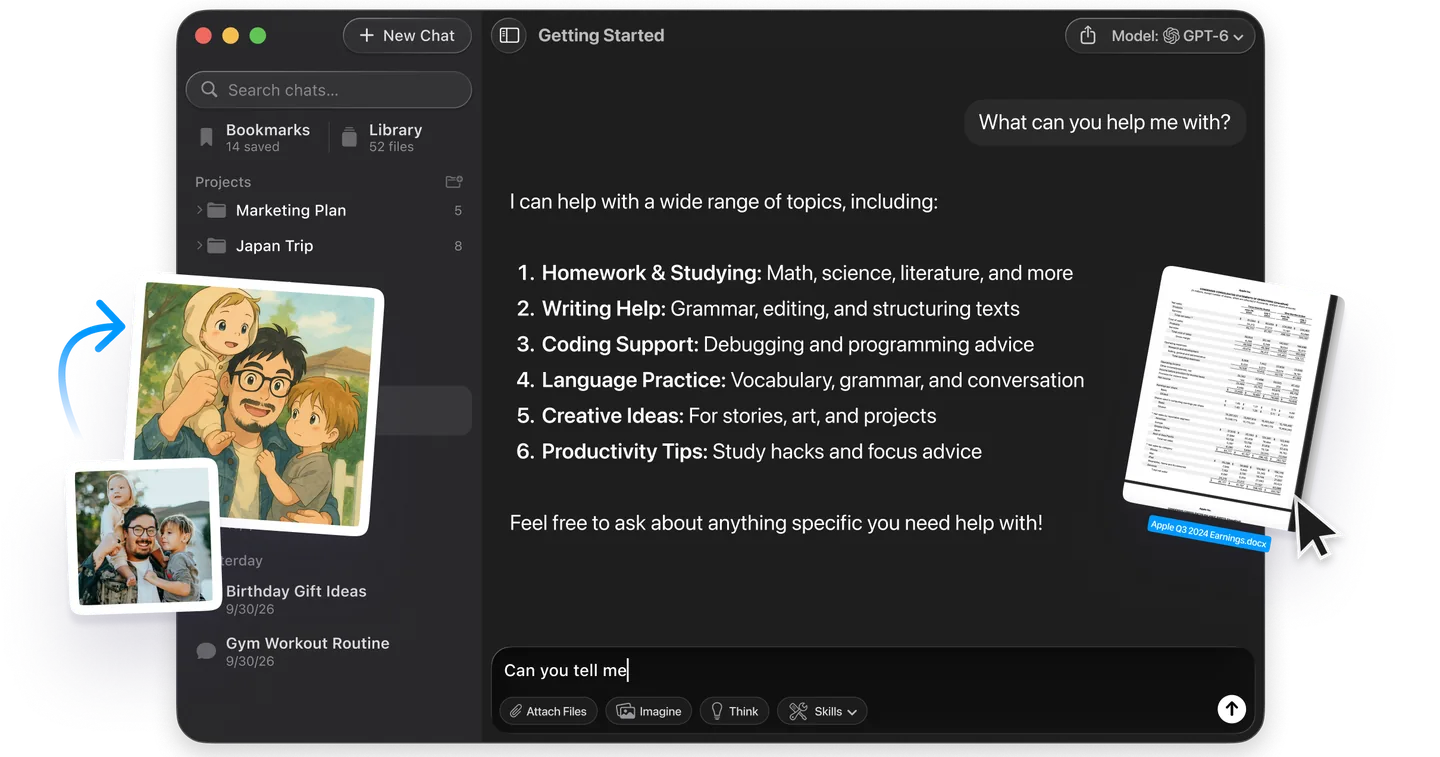
Want to try a GIF idea or a new character without signing up for another plan? Fello AI generates images with GPT Image inside the same app where you chat with GPT, Claude, Gemini, Grok and other models. You describe the picture and get the picture, without a second tab or a second bill.
That is useful when the image is part of a bigger job. Draft the caption with one model, ask another for a second opinion, and generate the visual in the same conversation. Fello AI runs on Mac, iPhone and iPad, has a free tier, and holds 4.7 stars from more than 27,000 reviews.
Should You Use ChatGPT Images 2.6?
In ChatGPT, yes: GIFs and saved reference images reach every plan, and both solve problems that previously needed a second tool or a lot of re-uploading. Treat the GIFs as fun loops rather than production animation until the frame consistency improves.
In the API, it depends on your quality setting. At high quality and above, 2.6 is a free upgrade with GIF, SVG and complexity control. At low and medium, you pay three to four times as much per image for faster generation and quality that OpenAI itself calls similar. Run your own prompts through OpenAI's calculator before you switch a production pipeline.
Frequently Asked Questions
Is ChatGPT Images 2.6 free?
Yes, the model is on every plan. OpenAI released ChatGPT Images 2.6 on 4 November 2026 across all ChatGPT and Codex subscription tiers, on desktop, mobile and web. OpenAI does not say whether GIFs and reference images carry different limits on the Free plan, and it publishes no image quotas.
Can ChatGPT make GIFs?
Yes. Since ChatGPT Images 2.6, ChatGPT can turn a text prompt or an uploaded image into an animated GIF. You can adjust the speed and edit individual frames before you download or share it.
How long can a ChatGPT GIF be?
OpenAI does not publish a length limit for GIFs made in ChatGPT. In the API, a GIF has 2 to 16 frames, each lasting 20 to 2,000 milliseconds, and the default is 9 frames of 200 milliseconds, a 1.8-second loop.
What is the difference between GPT-Image-2.6 Flare and Sunburst?
Flare is the fast model, returning a low-quality image in as little as six seconds. Sunburst is the quality model, aimed at detailed compositions and consistent edits. Both cost the same per token and both support GIF and SVG output.
Is GPT Image 2.6 more expensive than 2.5?
At low and medium quality, yes. The token price is unchanged, but OpenAI's calculator estimates 4.2 times as many output tokens at low quality and 3.3 times at medium. At high quality and above, the cost per image is the same.