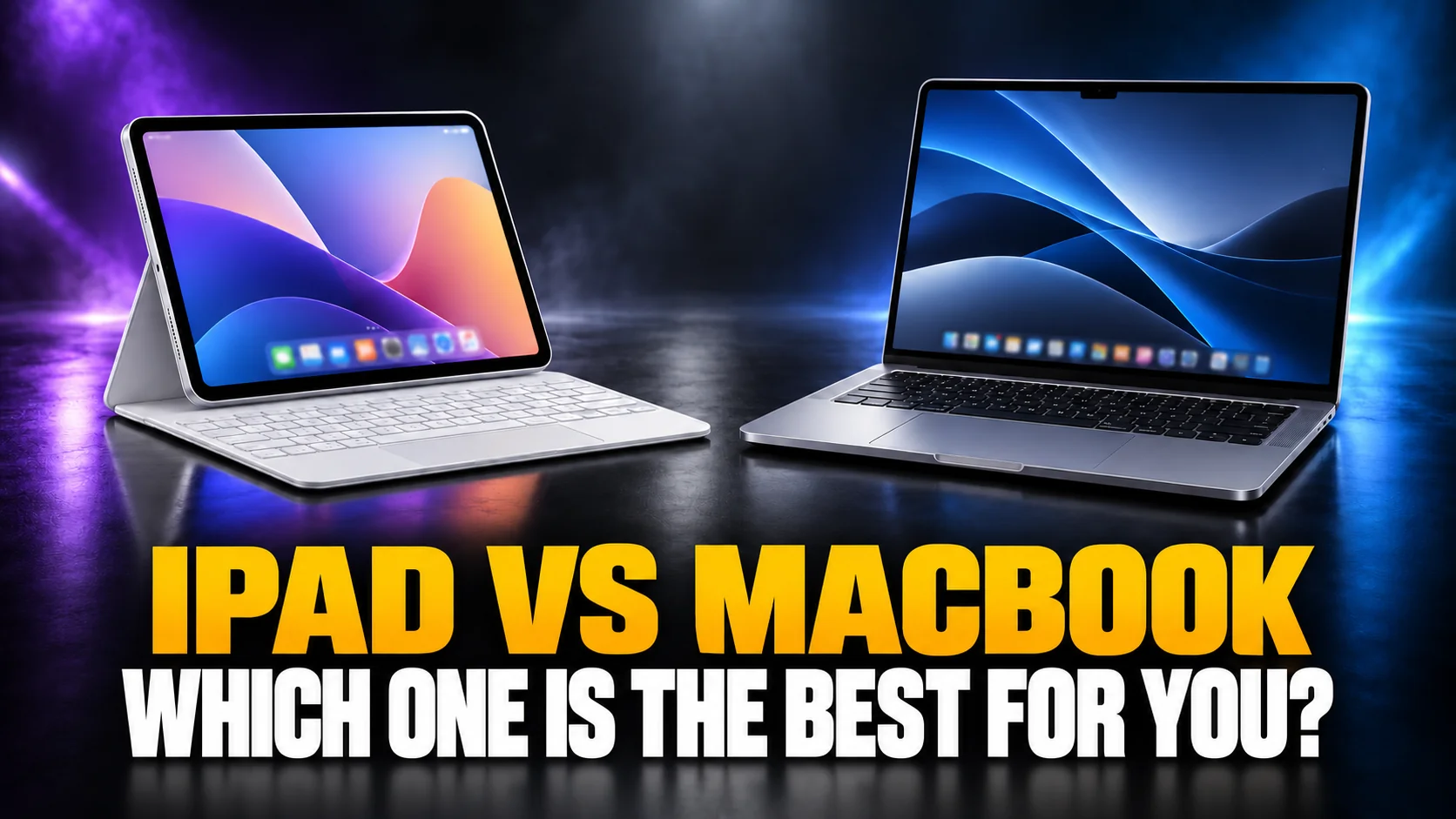
An iPad with Apple’s keyboard now costs $698, and a MacBook Neo costs $699. That one-dollar gap is the clearest sign of how much the iPad vs MacBook decision changed in 2026. Apple raised Mac and iPad prices on 25 June 2026, blaming a memory-chip shortage. Almost every iPad vs MacBook comparison on the first page of Google still prints the old prices.
This guide compares the iPad and the MacBook on three things that decide the purchase. What each one really costs once you add a keyboard. What iPadOS 27 and macOS 27 can and cannot do. And how far each one goes with AI. AI is the newest difference, and the least covered one. Every price is Apple’s US list price, checked on 4 October 2026.
The Key Takeaways
- Price parity: the base iPad plus Magic Keyboard Folio costs $698; the MacBook Neo costs $699 with the keyboard built in.
- The real split is the operating system: macOS runs desktop apps, a terminal and apps from anywhere; iPadOS 27 runs iPad apps only, almost all from the App Store.
- AI favours the Mac for power users: local model tools like Ollama run on macOS, not iPadOS, and Claude’s agent needs a Mac or Windows computer to touch your local files.
- AI favours the iPad for handwriting: in iPadOS 27, Siri can turn handwritten lecture notes into a study guide, and you can circle anything in a screenshot with Apple Pencil to ask about it.
- The EU split: Apple says EU users get Siri AI on macOS 27, but not on iPadOS 27, with no timeline.
iPad vs MacBook: The Short Answer
Buy a MacBook if you need one computer for typing, files, desktop apps and serious AI tools. Buy an iPad if you mainly read, draw, take handwritten notes, watch video, or already own a computer.
The MacBook is the safer single device. It runs every macOS app, it comes with a keyboard and trackpad, and it lasts longer on a charge. The iPad is the better second device and the better device for the Apple Pencil. If you are unsure and can only buy one, the MacBook is less likely to block you later.
There is one exception. Take a student whose courses run on PDFs, handwriting and web apps. An iPad Air with an Apple Pencil does more for that student than a MacBook Neo, because the Pencil does things no Mac can do.
iPad vs MacBook Compared Side by Side
The table compares the iPads and MacBooks most people choose between. “With Apple keyboard” adds the cheapest Apple keyboard that fits each iPad, so the totals compare like with like.
| Device | Chip | Memory | Price | With Apple keyboard | Apple Intelligence | Weight | Rated battery |
|---|---|---|---|---|---|---|---|
| iPad (A16) | A16 | Not listed by Apple | $449 | $698 | No | 1.05 lb | 10 hours |
| MacBook Neo | A18 Pro | 8GB | $699 | $699 (built in) | Yes | 2.7 lb | 16 hours video |
| iPad Air 11-inch | M4 | 12GB | $749 | $1,018 | Yes | 1.02 lb | 10 hours |
| iPad Pro 11-inch | M5 | 12GB (16GB on 1TB and 2TB) | $1,199 | $1,498 | Yes | 0.98 lb | 10 hours |
| MacBook Air 13-inch | M5 | 16GB | $1,299 | $1,299 (built in) | Yes | 2.7 lb | 18 hours video |
Weights are for the iPad alone, without the keyboard. Battery figures are Apple’s ratings: the iPads are rated for 10 hours of web browsing or video, and the MacBooks for video streaming.
What an iPad and a MacBook Really Cost in 2026
An iPad that works like a laptop costs about the same as the MacBook it competes with, because the keyboard is extra. Apple’s 25 June 2026 price rise moved every number in this comparison.
According to CNN’s report on the price rise, the MacBook Neo went from $599 to $699 and the base iPad from $349 to $449. The iPad mini rose by $100 to $599. Apple blamed AI data centres, which it said had “created an extraordinary surge in demand for memory and storage.” Many retailer listings and older reviews still show the old prices.
The $449 iPad vs the $699 MacBook Neo
The base iPad with the $249 Magic Keyboard Folio costs $698, one dollar less than the MacBook Neo. For that money the MacBook Neo gives you a 13-inch screen, 256GB of storage instead of 128GB, two USB-C ports and Apple Intelligence. The base iPad gives you a touchscreen, Apple Pencil support and a tablet you can detach from its keyboard.
The AI difference is the sharpest one. The base iPad runs on the A16 chip, and the A16 is not on Apple’s list of Apple Intelligence devices. The MacBook Neo is on that list. At $699, the Mac is the cheaper way into Apple Intelligence.
iPad Air vs MacBook Air
The iPad Air 11-inch with its $269 Magic Keyboard costs $1,018, which is $281 less than the $1,299 MacBook Air 13-inch. Add the $129 Apple Pencil Pro and the iPad Air setup reaches $1,147, still $152 below the MacBook Air.
The MacBook Air earns its premium with 16GB of memory against the iPad Air’s 12GB, and 512GB of storage against 128GB. It also has two Thunderbolt 4 ports and a rated 18 hours of video playback. The iPad Air wins on weight, at 1.02 lb against 2.7 lb before the keyboard, and on the Pencil.
iPad Pro vs MacBook Air
The iPad Pro 11-inch with its $299 Magic Keyboard costs $1,498, which is $199 more than a MacBook Air 13-inch. That is the clearest case where the tablet costs more than the laptop. The iPad Pro is worth it only for what the MacBook Air cannot give you. That means the Ultra Retina XDR display, the Apple Pencil Pro, and a 0.98 lb tablet that detaches from its keyboard.
iPadOS 27 vs macOS 27: The Real Difference
The operating system decides the iPad vs MacBook question more than the chip does. An iPad Air with an M4 chip is fast enough for almost anything. But it runs iPadOS 27, which runs only iPad apps, almost all of them from Apple’s App Store.
What macOS 27 does that iPadOS 27 cannot
macOS 27 Golden Gate installs apps from anywhere, not only the Mac App Store. An iPad installs apps only from the App Store, except in the EU, where Apple also allows alternative app marketplaces on iPad. That matters for developer tools, many creative apps, plug-ins and system utilities, which are often distributed outside the store. macOS also has the Terminal, a full Finder, unlimited overlapping windows and support for external displays. The MacBook Neo supports one external display at up to 4K, and the MacBook Air M5 has two Thunderbolt 4 ports.
A Mac also runs most iPhone and iPad apps if the developer allows it, so the overlap only runs one way. If an app you depend on exists only for desktop computers, the iPad is out.
What iPadOS 27 does that macOS 27 cannot
iPadOS 27 has a touchscreen and the Apple Pencil, and no Mac has either. That makes the iPad the better device for drawing, marking up PDFs, handwritten notes and reading in portrait orientation. iPadOS also runs windowed apps side by side, and Apple says iPadOS 27 moves files to an external drive up to five times faster than before.
The iPad is also easier to pick up and use. It has instant-on, it works without a desk, and it runs the mobile-only apps and games that never reach the Mac.
AI on iPad vs MacBook
For everyday AI, an iPad and a MacBook do the same job: ChatGPT, Claude, Gemini and Apple Intelligence all work on both. The differences start with local AI models, AI agents and the EU, where the MacBook wins, and with handwriting, where the iPad wins.
Apple Intelligence and Siri AI
Every current MacBook and every current iPad except the base model runs Apple Intelligence. Apple’s device requirements list the iPad mini (A17 Pro), the MacBook Neo (A18 Pro), and iPads and Macs with an M1 chip or later. The $449 iPad with the A16 chip is missing, so it gets no Writing Tools, no Image Playground and no Siri AI. Our guide to which devices support Apple Intelligence lists every model.
Siri AI, Apple’s new conversational Siri, arrived as a beta in both iPadOS 27 and macOS 27, in English to start. On a supported iPad it adds two things a Mac cannot match. You can take a screenshot, circle anything in it with the Apple Pencil and ask Siri about it. And Siri in Notes can turn handwritten lecture notes into a detailed study guide.
Siri AI in the EU: Mac yes, iPad no
In the European Union, Apple says Siri AI works on macOS 27 but not on iPadOS 27. Apple’s 8 June 2026 announcement states that “EU users will be able to access Siri AI on macOS 27 and visionOS 27.” For iPadOS, Apple has no timeline and blames the Digital Markets Act. Apple’s macOS feature-availability page agrees: it excludes only mainland China from Siri AI on the Mac. The rest of the new Apple Intelligence features, such as Image Playground and the photo-editing tools, work in the EU on both devices.
For an EU buyer who wants the new Siri, that tips the iPad vs MacBook choice toward the MacBook.
Local AI models: iPad vs MacBook
A MacBook runs local AI models properly; an iPad runs small ones in a single app. Ollama, a widely used tool for running open models, downloads for macOS, Linux and Windows, with no iPad version. The MacBook Air M5 starts at 16GB of memory, which leaves room for useful open models.
On iPad, apps like Locally AI, now part of LM Studio, run small open models such as Llama, Gemma and Qwen offline on iPhone, iPad and Mac. That works for private, offline chat. It does not give you the Mac’s model servers, coding tools or larger models. Our guide to the best MacBook for AI covers how much memory each model size needs.
AI agents need a computer
AI agents that work on your files and apps need a Mac or a PC. Claude Cowork, Anthropic’s agent, is rolling out on mobile as a beta for paid plans. But Anthropic’s support page says local file access, browser use and computer use require the Claude Desktop app for macOS or Windows. On an iPad, the agent works in the cloud and cannot reach the files on your device. OpenAI made a similar split: its new ChatGPT desktop app, which combines Chat, Work and Codex, runs on macOS and Windows, and OpenAI says some new agent features are available only in that app. Our Claude Cowork guide explains what the agent does on each surface.
The AI chat apps run on both
ChatGPT, Claude and Gemini all have apps for iPad and for Mac, so everyday chat is not a reason to pick one device. If you use both devices, Fello AI puts GPT, Claude, Gemini, Grok, DeepSeek and other models in one app on Mac, iPhone and iPad, and syncs your chats between them. You can start a conversation on the MacBook at your desk and finish it on the iPad on the sofa. It costs $9.99 a month, instead of one subscription per AI company.
iPad vs MacBook for Students
Most students should buy a MacBook, and students who take handwritten notes should add an iPad later if they can.
The MacBook handles long essays, citations, many browser tabs and any software a course requires. An iPad handles lectures, PDFs and diagrams better than any laptop.
Check your course requirements before buying an iPad as your only device. Exam browsers, coding environments, statistics packages and design tools often need macOS or Windows. Humanities, education and health courses that run on reading, writing and web platforms fit an iPad best.
For a student who handwrites, iPadOS 27 adds a real AI reason to choose the iPad: Siri in Notes turns handwritten lecture notes into a study guide. For everything else, our guide to the best AI for students covers the tools that work on both devices.
Can an iPad Replace a MacBook?
An iPad can replace a MacBook if everything you do runs in a browser or an App Store app.
It cannot replace a MacBook if you need desktop-only software, the Terminal, local AI tools or an AI agent that works on your files.
An iPad replaces a laptop well for email, web browsing, writing, video calls, reading, streaming, Microsoft 365 and Google Workspace in the browser, and light photo editing. An iPad does not replace a laptop for coding, desktop creative software with plug-ins, large file libraries on external drives, or multi-monitor work.
The MacBook Neo changed this question. It launched in March 2026 at the same price as the base iPad with Apple’s keyboard, and the June price rise kept that parity: $698 against $699. You no longer save money by choosing the iPad as a laptop.
Which Should You Buy?
Pick the device that handles the hardest thing you will do on it every week. These are the clearest matches.
| Buy | From | Buy it if |
|---|---|---|
| MacBook Neo | $699 | You want the cheapest Apple computer with a keyboard, Apple Intelligence and macOS, and 8GB of memory is enough. |
| MacBook Air 13-inch | $1,299 | It is your only computer for work or university, or you want to run local AI models. |
| iPad Air with Apple Pencil Pro | $878 without a keyboard | You draw, handwrite notes or annotate PDFs, and your apps work on iPadOS. |
| iPad Pro | $1,199 | You need its display or its performance in iPad apps. With a keyboard it costs more than a MacBook Air. |
| iPad (A16) | $449 | You want a reading, streaming and note-taking tablet, not a laptop and not an AI device. |
If you already own a Mac, the iPad is the better second device. Our guide to the best iPad for AI compares the four iPads on memory and AI features. If you are also weighing a non-Apple laptop, see MacBook vs Googlebook vs Chromebook.
The Verdict
The MacBook wins the iPad vs MacBook comparison for most buyers in 2026. Apple’s price rise made an iPad with a keyboard cost as much as a MacBook Neo. For that money, the Mac gives you a full operating system, longer battery life and the AI tools that matter most: local models, file-aware agents and, in the EU, Siri AI. Buy the iPad when the Apple Pencil is the point. For handwriting, drawing and reading, nothing Apple makes beats it.
FAQ
Is an iPad better than a MacBook?
An iPad is better than a MacBook for drawing, handwritten notes, reading and watching video. A MacBook is better for typing, files, desktop apps and AI tools such as local models and file-aware agents. For one device that does everything, the MacBook is the safer choice.
Is an iPad with a keyboard cheaper than a MacBook?
Not by much. The $449 iPad with the $249 Magic Keyboard Folio costs $698, one dollar less than the $699 MacBook Neo. The iPad Air 11-inch with its keyboard costs $1,018, against $1,299 for a MacBook Air, and the iPad Pro 11-inch with its keyboard costs $1,498, more than the MacBook Air.
Should I get the MacBook Neo or an iPad?
Get the MacBook Neo if you need a laptop: it costs $699 with the keyboard built in and runs Apple Intelligence. Get an iPad if you want a tablet first. The base iPad does not run Apple Intelligence, so for AI features the iPad Air is the iPad to compare with the Neo.
Does Siri AI work on iPad?
Yes, on any iPad that supports Apple Intelligence, as a beta in iPadOS 27, in English to start. The $449 iPad with the A16 chip does not get it. In the EU, Apple says Siri AI is not available on iPadOS 27 and has no timeline, while EU Macs get it with macOS 27.
Can an iPad run AI models locally?
Yes, small ones. Apps like Locally AI run open models such as Llama, Gemma and Qwen offline on iPad. Larger models and tools like Ollama need a Mac. The MacBook Air M5 starts with 16GB of memory, twice the MacBook Neo’s 8GB.