Microsoft launched MAI Image 2.7 and a cheaper MAI Image 2.7 Flash on 17 November 2026, at its Ignite conference. It is now first on image editing at 1,215 on the leaderboard run by the independent benchmarking firm Artificial Analysis. That is four points ahead of OpenAI's GPT Image 2.6 Sunburst. On the same board, MAI Image 2.7 costs $34.82 per 1,000 images and Sunburst $210.72.
Most coverage of MAI Image 2.7 still describes the October preview, which could only edit images and had no price. The launch version also makes images from text, adds a Flash model at about $10 per 1,000 images and a new Canvas workspace, and is open to developers. This guide covers what MAI Image 2.7 does, how it scores against GPT Image and Nano Banana, what it costs, and where you can use it today.
The Key Takeaways
- Best editor on the board: MAI Image 2.7 leads Artificial Analysis's image editing leaderboard at 1,215, against 1,211 for GPT Image 2.6 Sunburst. The two are statistically tied.
- Not the best generator: on text-to-image it is fourth at 1,214, well behind Sunburst's 1,261.
- About a sixth of OpenAI's price: $34.82 per 1,000 images against $210.72 for Sunburst. Google's Nano Banana 2.1 costs about the same as MAI Image 2.7, $33.60, but scores lower on both boards.
- Flash for volume: MAI Image 2.7 Flash costs $10.24 per 1,000 images and is seventh on editing.
- Where to use it: public preview on Microsoft Foundry, plus fal, Genspark, OpenRouter and Vercel, and in the Fello AI app on Mac, iPhone and iPad. Microsoft's MAI Labs site is for personal, non-commercial use only.
What Is MAI Image 2.7?
MAI Image 2.7 is Microsoft AI's newest image model, built both to generate images from a text prompt and to edit images you already have. Microsoft released it on 17 November 2026 together with MAI Image 2.7 Flash, which its model card describes as "an optimized version of MAI Image 2.7".
Microsoft's MAI Image 2.7 model card lists the specifications. It is a diffusion model with 20 billion non-embedding parameters and a 32K-token context. It accepts text, plus images for editing. The largest output is 4,194,304 pixels, the same as a 2048 by 2048 square, and either side can run past 2048 as long as the total stays under that limit. Microsoft advertised MAI Image 2.6 at up to 1.5K.
Three practical features stand out. MAI Image 2.7 takes up to five reference images, so you can combine a person, a product and a setting from separate photos. Both 2.7 models output transparent backgrounds, which Microsoft pitches for product shots, logos and icons. And MAI Image 2.7 is tuned for what Microsoft calls fine-grained edits. You can change one object's color, material or position without disturbing the rest of the picture.
Microsoft also says the model stays consistent across several rounds of edits, so you can refine an image step by step instead of starting over.
What Changed Since the October Preview
MAI Image 2.7 first appeared on 27 October 2026 as an editing-only preview. Microsoft's post that day said "We're starting with editing, with text-to-image generation coming soon." The preview debuted third on Arena's image editing board and second on Artificial Analysis's. Most pages ranking for MAI Image 2.7 today were written from that post. That is why they still say it cannot generate images and has no price or API.
The 17 November launch closed all three gaps. MAI Image 2.7 now generates images from text and edits them. It has a published price. It is in public preview for developers. Microsoft also added the Flash model and Canvas, an editing workspace in its MAI Labs site.
The MAI Image Family So Far
MAI Image 2.7 follows four earlier MAI Image versions, all released since October 2025. MAI Image 1 arrived on 13 October 2025, MAI Image 2 on 19 March 2026 and MAI Image 2.5 Pro on 23 July 2026. On 4 September 2026 MAI Image 2.6 reached Microsoft Foundry with a Flash version, and 2.7 followed in October and November. Our guide to Microsoft's MAI models covers the wider family, from voice to transcription. MAI Image 2.7 shipped alongside the coding model covered in our MAI Code 2 review.
How Good Is MAI Image 2.7? The Benchmark Numbers
MAI Image 2.7 is the best-scoring image editing model and the fourth-best image generator, according to Artificial Analysis, as of 18 November 2026. Artificial Analysis runs two blind-vote boards: AA-Image-Editing v2.1 scores changes to an existing image, and AA-Image-T2I v2.1 scores images made from a text prompt. Voters pick the better of two images without knowing which model made them, and the votes become Elo scores. Our AI benchmarks explainer covers how these boards work.
| Model | Image editing (rank) | Text-to-image (rank) | Price per 1,000 images |
|---|---|---|---|
| MAI Image 2.7 | 1,215 (1st) | 1,214 (4th) | $34.82 |
| GPT Image 2.6 Sunburst (max) | 1,211 (2nd) | 1,261 (1st) | $210.72 |
| GPT Image 2.6 Flare (max) | 1,205 (3rd) | 1,227 (3rd) | $210.72 |
| MAI Image 2.7 Flash | 1,179 (7th) | 1,158 (11th) | $10.24 |
| Nano Banana 2.1 | 1,152 (10th) | 1,176 (8th) | $33.60 |
| MAI Image 2.6 | 1,150 (11th) | 1,168 (9th) | Not shown |
Source: the Artificial Analysis image leaderboards, read on 18 November 2026. Prices are Artificial Analysis's per-image API figures.
Image Editing: First, but in a Tie
MAI Image 2.7 is listed first on editing, but its lead over GPT Image 2.6 Sunburst is four points, inside the margin of error. Artificial Analysis prints a likely rank range for every model. MAI Image 2.7's range runs from first to third, and Sunburst's from first to fourth. Read the top three as a tie that MAI Image 2.7 wins on price, not as a clear win on quality.
The jump from the previous version is not in doubt. MAI Image 2.6 scores 1,150 on the same editing board, 65 points below 2.7. Artificial Analysis's launch post names the edit types where MAI Image 2.7 is first:
Microsoft AI has launched MAI-Image-2.7, the new #1 in AA-Image-Editing v2.1 at one sixth the price of the four models behind it
— Artificial Analysis (@ArtificialAnlys) November 17, 2026
MAI-Image-2.7 and MAI-Image-2.7-Flash both take new places on the Quality vs Price frontier in Image Editing and Text to Image, at $34.82 and $10.24 per 1k images.
Both perform best in Image Editing: MAI-Image-2.7 ranks #1 for Text or Symbol, Scene & Style and Enhancement & Restoration edits, and MAI-Image-2.7-Flash ranks #3 for Scene & Style edits.
Congratulations to @MicrosoftAI on the launch of MAI-Image-2.7 and MAI-Image-2.7-Flash!
See below for our detailed analysis of both models in Image Editing and Text to Image 🧵
Text-to-Image: Fourth
MAI Image 2.7 is fourth on Artificial Analysis's text-to-image board at 1,214, and that gap is real. GPT Image 2.6 Sunburst leads at 1,261, 47 points ahead, and its rank range is first and nothing else. Two other OpenAI models, GPT Image 2.5 Sunburst at 1,229 and GPT Image 2.6 Flare at 1,227, also sit above MAI Image 2.7. If you want the best picture from a blank prompt, OpenAI still makes it. Our ChatGPT Images 2.6 guide covers that model.
Microsoft frames the same result as "ranked #4, making us the second-best lab", which is accurate: the three models above it all come from OpenAI.
Blind votes are not the only verdict.
In Decrypt's Ignite coverage, the reporter's quick side-by-side tests found MAI Image 2.7's images beat GPT Image and Nano Banana "on realism, creativity, and overall quality". The same article also called the model "quite censored", so expect refusals on prompts that other generators accept.
What Arena Says
Arena, the other big blind-vote leaderboard, puts MAI Image 2.7 in a similar place: third on multi-image editing, fourth on single-image editing and fourth on text-to-image. That makes Microsoft AI the second-best lab on all three of Arena's image boards. Arena's biggest jump over MAI Image 2.6 is in text rendering, from 13th to fourth on single-image editing:
MAI-Image-2.7 from @MicrosoftAI is out of preview, making Microsoft AI the #2 lab across all 3 Image Arenas. It’s also on the Pareto frontier across all at $0.035 per image, providing a strong cost-effective option.
— Arena.ai (@arena) November 17, 2026
The latest model lands #3 on Multi-Image Edit, #4 on Single Image Edit, and #4 on Text-to-Image. That’s roughly ~+50 pts over MAI-Image-2.6 across Image Arenas.
Its largest gains vs 2.6 are in Single Image Edit performance:
- #3 Photorealistic & Cinematic Imagery (from #8)
- #4 Text Rendering (from #13)
- #4 Product, Branding & Commercial Design (from #10)
- #4 3D Imaging & Modeling (from #9)
- #4 Portraits (from #9)
- #5 Cartoon, Anime & Fantasy (from #11)
How Much Does MAI Image 2.7 Cost?
MAI Image 2.7 costs about $35 per 1,000 images and MAI Image 2.7 Flash about $10 per 1,000 images, according to Microsoft's MAI Image 2.7 launch post. Artificial Analysis measures the same models at $34.82 and $10.24.
Arena quotes $0.035 per image, the same price.
Developers who reach MAI Image 2.7 through OpenRouter pay by token instead. OpenRouter lists $5 per million text-input tokens and $34 per million image-output tokens. The per-image cost then depends on its size and on how many reference images you send.
One Fifth or One Sixth of GPT Image?
Microsoft and Artificial Analysis describe the price gap with different numbers, and both are accurate. Microsoft says MAI Image 2.7 beats GPT Image 2.6 Sunburst (max) "at just one-fifth of the cost", and its official account repeated the claim on launch day:
We also have some of the very best multimodal models in the world. MAI Image 2.7 is #1 on Artificial Analysis image editing, outperforming GPT Image 2.6 Sunburst (max) at just 20% of the price. https://aka.ms/introducing-mai-image-2-7
— Microsoft AI (@MicrosoftAI) November 17, 2026
On Artificial Analysis's own price figures, $34.82 against $210.72, MAI Image 2.7 costs 16.5% of Sunburst, closer to one sixth. That is the ratio Artificial Analysis uses in its launch post. Either way, MAI Image 2.7 matches OpenAI's best editor for a fraction of the price.
The Comparison Microsoft Leaves Out
MAI Image 2.7 is cheap next to OpenAI, but not next to Google. Nano Banana 2.1 costs $33.60 per 1,000 images on Artificial Analysis, about the same as MAI Image 2.7's $34.82. At that price, MAI Image 2.7 scores 63 points higher on editing and 38 points higher on text-to-image. Our Nano Banana 2.1 guide covers Google's model. MAI Image 2.7's real advantage is quality at Google's price, not a lower price than Google.
MAI Image 2.7 vs MAI Image 2.7 Flash
Choose MAI Image 2.7 for editing and for images where detail matters. Choose Flash when you need many images, cheaply and fast.
MAI Image 2.7 Flash costs $10.24 per 1,000 images on Artificial Analysis, under a third of the full model's $34.82. Microsoft's own wording is more cautious: "less than half the cost of our flagship model".
The quality gap between the two models is larger on generation than on editing. On Artificial Analysis's editing board, MAI Image 2.7 Flash is seventh at 1,179, 36 points behind MAI Image 2.7 and still ahead of Nano Banana 2.1. On text-to-image, Flash falls to eleventh at 1,158, 56 points behind. Artificial Analysis ranks Flash third of all models for scene and style edits, such as restyling a photo or changing its mood. That makes Flash a sensible default for batches of variations of an existing image, and the full model the better choice for a new image from a prompt.
Flash also powers Canvas, the new workspace in Microsoft's MAI Labs site. In Canvas you start from a prompt or a sketch, then select any part of the image to replace, move or restyle it, all in one place.
Where Can You Use MAI Image 2.7?
You can use MAI Image 2.7 today in five kinds of places: Microsoft's MAI Labs site, Microsoft Foundry, four API partners, a set of creative apps and the Fello AI app. One place you cannot count on yet is Copilot.
| Where | What you get | Who it suits |
|---|---|---|
| MAI Labs | Both 2.7 models and the Canvas workspace, with a Microsoft sign-in, 18+ only | Personal, non-commercial experiments |
| Microsoft Foundry | Both 2.7 models in public preview, priced per image | Developers and companies on Azure |
| fal, Genspark, OpenRouter, Vercel | MAI Image 2.7 and MAI Image 2.7 Flash, which Microsoft lists as launch partners | Developers already using one of these platforms |
| Fello AI | MAI Image next to GPT Image, Nano Banana and other image models, plus chat with GPT, Claude and Gemini, under one subscription | Anyone who wants to try it on Mac, iPhone or iPad without a developer account |
| Partner creative apps | Adobe, Figma Weave, Minute (whose brands include Sports Illustrated), Wirestock and Manus are working with MAI Image | Designers inside those tools, as each rollout lands |
MAI Labs is the only option without a developer account or per-image billing. It comes with a limit. Its sign-up screen says MAI Labs "is intended for personal, non-commercial use only", so keep client and work images out of it.
The Adobe line is a promise, not a feature you can use yet. Matt Chotin, Senior Director of Product at Adobe, is talking about Adobe Firefly in Microsoft's launch post. He says "MAI Image 2.7 within that will give creators another option to tailor their images with strong prompt adherence". Itay Schiff, Creative Director of Figma Weave, says in the same post: "We're excited to bring MAI Image 2.7 to Figma Weave."
Is MAI Image 2.7 in Copilot or Bing?
Microsoft has not said that MAI Image 2.7 is in Copilot or Bing. Its launch post says only that the MAI Image family has been the default in Bing Image Creator since Microsoft's Build conference in June. Microsoft says usage has grown at a compounded rate of about 15% a week since then. The post does not name which MAI Image version Bing Image Creator runs today. The model card lists MAI Labs and Microsoft Foundry as the first places to get MAI Image 2.7. If you want MAI Image 2.7 specifically, use MAI Labs, Microsoft Foundry or an API partner rather than Copilot. Our Microsoft Copilot pricing guide covers what each Copilot plan includes.
How to Prompt MAI Image 2.7 for Edits
MAI Image 2.7 does its best work on scoped edits: one change at a time, with what must stay the same named as clearly as what should change.
These five prompts follow the edit types where Artificial Analysis and Microsoft say the model is strongest. Copy them, swap the details for your own image and keep the structure.
- Relight a product shot:
Relight this photo for golden hour, warm low sun from the left. Keep the product, its label and its colors exactly as they are. Change nothing else. - Change text on a sign:
Change the sign text to "OPEN LATE". Keep the same font style, size, color and perspective, so the new text looks painted on like the old one. - Restore an old photo:
Restore this scanned photo: remove dust, scratches and the fold line, and fix the faded colors. Keep the faces, the grain and the composition unchanged. - Move a product to a new scene:
Place the mug from the reference image on a marble kitchen counter in soft morning light. Same mug, same angle, same handle position. Only the setting and lighting change. - Restyle a scene:
Restyle this street photo as a 1970s film photograph: warm grain, slightly faded blacks, soft halation on the lights. Keep every person, car and building in place.
When an edit misses, go back to the original image and try again rather than fixing the broken result. Small errors add up when you edit an edit. Before you use an edited image anywhere public, check product shapes, logos and the letters of any text at full size.
Try MAI Image Without Another Account
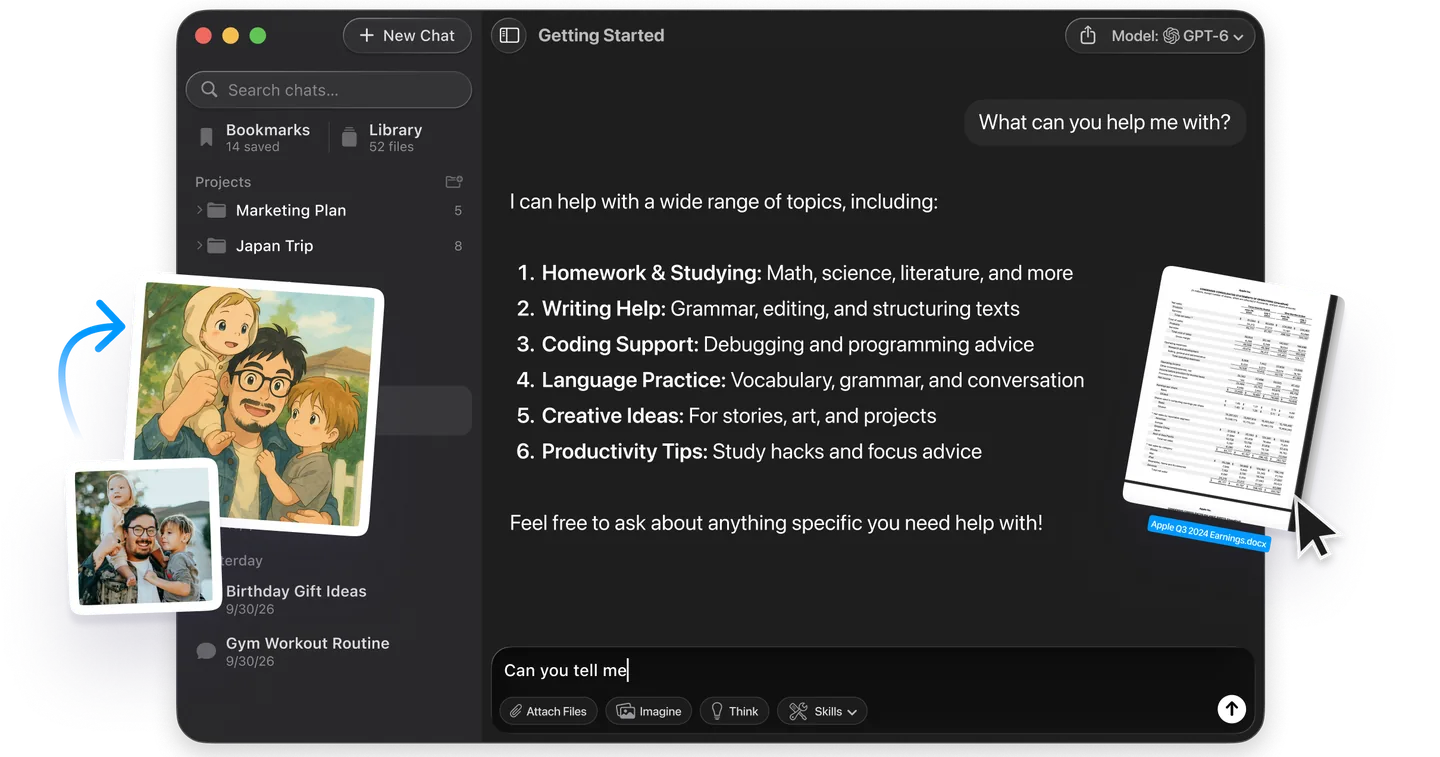
You don't need a Microsoft developer account or a separate API bill to try MAI Image on your own photos. Fello AI includes MAI Image next to GPT Image, Nano Banana, Seedream, FLUX and other image models, in one app on Mac, iPhone and iPad.
That matters because MAI Image and GPT Image trade places depending on the job. MAI Image leads on editing and OpenAI leads on generation. In Fello AI you run the same prompt on both and keep the better image, without choosing between them first. The same subscription covers chat with GPT, Claude, Gemini and Grok, and there is a free tier to start with.
If you want to compare more models first, our guide to the best AI image generator ranks every major one on the same two leaderboards.
Should You Use MAI Image 2.7?
Use MAI Image 2.7 if most of your image work is editing pictures you already have, or if you pay per image. For editing, MAI Image 2.7 is tied with OpenAI's best model at about a sixth of the price, and it beats Google's Nano Banana 2.1 at the same price. For a brand-new image from a blank prompt, GPT Image 2.6 Sunburst is still clearly better. Pay for it when the first image has to be the one you use. Developers with high-volume jobs should start with MAI Image 2.7 Flash at $10.24 per 1,000 images and move up to the full model only where Flash falls short.
Frequently Asked Questions
What is MAI Image 2.7?
MAI Image 2.7 is Microsoft AI's image generation and editing model, released on 17 November 2026 with a faster MAI Image 2.7 Flash. It ranks first on Artificial Analysis's image editing leaderboard and fourth on text-to-image, and costs about $35 per 1,000 images.
Is MAI Image 2.7 free?
You can try it on Microsoft's MAI Labs site, which lists no price, but only for personal, non-commercial use, and you must be 18 or older. For anything else you pay per image through Microsoft Foundry or partners such as fal and OpenRouter, at about $35 per 1,000 images for MAI Image 2.7 and $10 for Flash.
Is MAI Image 2.7 better than GPT Image 2.6?
For editing, they are tied: MAI Image 2.7 scores 1,215 and GPT Image 2.6 Sunburst 1,211 on Artificial Analysis, within the margin of error. For text-to-image, GPT Image 2.6 Sunburst is clearly ahead, 1,261 to 1,214. MAI Image 2.7 costs about a sixth as much per image.
Can MAI Image 2.7 generate images from text, or only edit?
It does both. The 27 October 2026 preview was editing only, but the version released on 17 November 2026 also generates images from a text prompt, at up to about 2048 by 2048 pixels.
What is the difference between MAI Image 2.7 and MAI Image 2.7 Flash?
MAI Image 2.7 Flash is a faster, cheaper version of MAI Image 2.7 at $10.24 per 1,000 images, against $34.82. Flash is seventh on Artificial Analysis's editing board and eleventh on text-to-image, against first and fourth for the full model.
A imagem de destaque deste artigo foi criada com a ajuda de IA.