Claude AI Desktop Client for Your Mac

Use the latest Claude 4.5 Sonnet and other AI models with ease on Mac, iPhone & iPad.

As seen on

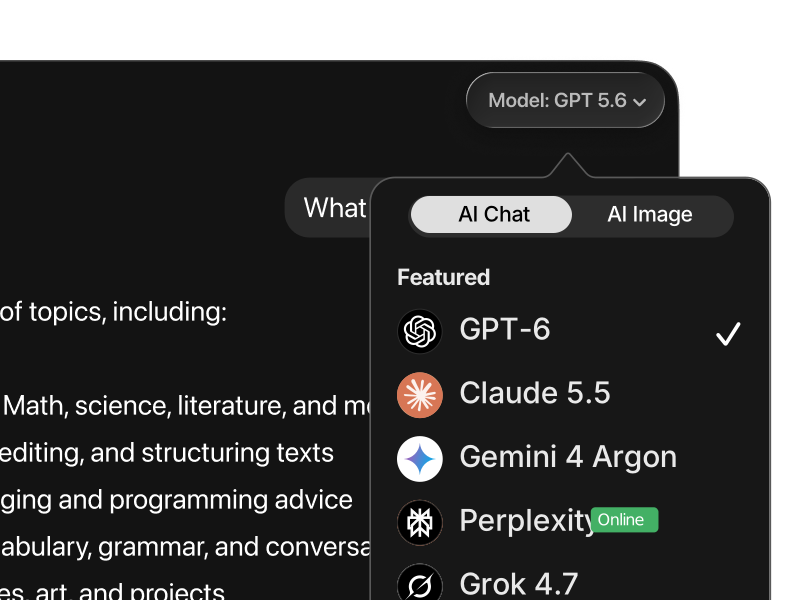
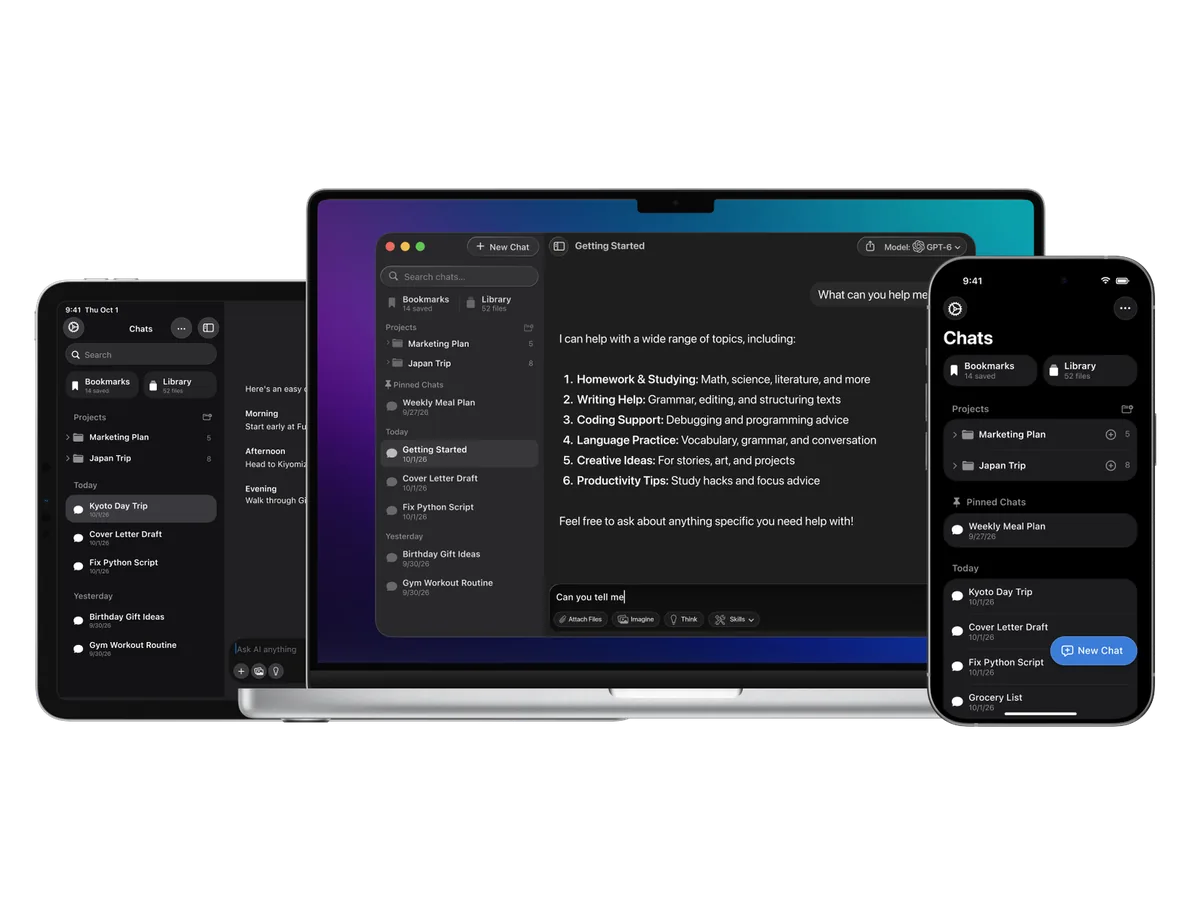
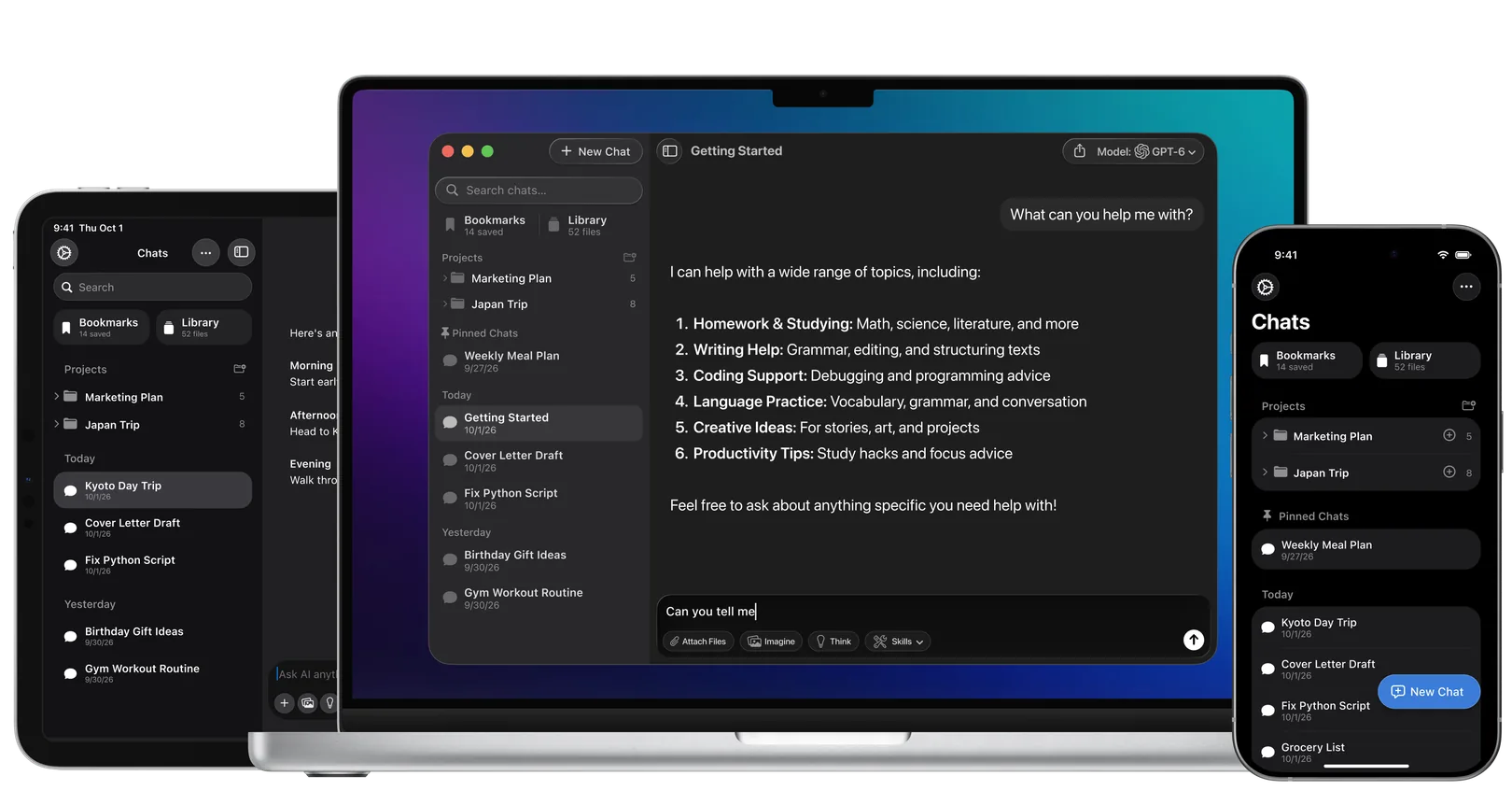
Fello AI displayed across Mac, iPad, and iPhone, showing chat, image generation, and the model selector with Claude 4.5 highlighted. The layout demonstrates how the app works seamlessly across all Apple devices.

Why Use Claude 4.5 as a Desktop App?

Anthropic’s latest Claude 4.5 model brings major improvements in speed, accuracy, reasoning, and tool use—making it one of the top choices for writing, coding, research, and automation. But despite its power, Claude’s current macOS app is still just a basic browser wrapper. It doesn’t feel native, and it lacks the performance, fluidity, and deep integration Mac users expect.

If you’re using Claude multiple times a day, relying on a browser or a lightweight wrapper becomes frustrating. Tabs get buried, sessions time out, and context is easily lost. A true desktop app changes that—launch Claude instantly, stay signed in, and keep it in focus without distractions.

The newest Claude 4.5 model supports long documents, extended context windows (up to 200K tokens), and advanced instruction-following with very low hallucination rates. It’s built to handle serious, real-world tasks—like large-scale content creation, code refactoring, or document analysis—with speed and consistency.

Whether you’re a developer, writer, or knowledge worker, using Claude through a native Mac app makes your workflow faster, cleaner, and more focused. No browser clutter, no constant reloading—just powerful AI, always one click away.

How to Use Claude AI on Your Mac?

Option 1: Using Fello AI

Fello AI provides a seamless way to access Claude directly from your Mac and now also on iPhone and iPad. Here’s how to get started:

  1. Download and Install: Head over to the Mac App Store and download Fello AI.
  2. Open Fello AI: No login is needed—just open the app.
  3. Select Claude: From the list of supported AI models, choose Claude 4.5.
  4. Start Interacting: Begin using Claude 4.5 without the need to switch between browser tabs or deal with frequent logins.

In addition to Claude 4.5, Fello AI also supports other top models like Gemini and ChatGPT. You can now use the same setup across macOS, iOS, and iPadOS, making it easy to switch between desktop and mobile work.

Option 2: Creating a Progressive Web App (PWA)

If you prefer to use Claude AI without third-party apps, you can turn the Claude AI website into a desktop app-like experience by creating a Progressive Web App (PWA). Here’s how:

  1. Open Safari: Navigate to the Claude AI website using Safari.
  2. Add to Home Screen: Click on “Add to Home Screen” to create a shortcut.
  3. Access from Dock: You can now launch Claude AI from your dock, giving you faster access without needing to open a browser every time.

Option 3: Using the Official Claude Desktop App

Anthropic offers an official macOS app for Claude, with synced chats between desktop and web—a handy feature if you switch devices often. However, it’s essentially a browser wrapper with limited functionality, lacking the speed and integration of a true native app.

For a smoother, more productive experience, Fello AI offers a polished alternative with full desktop performance and support for multiple AI models.

How Does Claude Compare to Other AIs?

Claude vs. ChatGPT (GPT-5.2)

Both Claude and GPT-5.2 excel in natural conversation, writing, coding, and general productivity tasks. Claude puts a stronger emphasis on safety, reliability, and strict instruction-following through its Constitutional AI training. With Claude 4.5, it supports very long context (up to ~200K tokens), stable hybrid reasoning, and consistent performance in complex workflows.

GPT-5.1 focuses on speed and versatility. It excels in creative tasks, image generation, voice input, real-time browsing, and automation through built-in tools. It’s better suited for users who want one model that can handle many different formats inside a single workflow.

If safe reasoning, long documents, and coding stability matter most, Claude is the better choice. If you rely on multimedia tools, browsing, and fast task switching, GPT-5.2 still holds the edge.


Claude vs. DeepSeek 3.2

DeepSeek 3.2 is a powerful open-weights alternative known for strong benchmark performance and extremely low operating costs. It’s widely used for local deployment and self-hosted setups, but it can show alignment gaps, weaker safety controls, and less consistent long-context behavior than Claude.

Claude offers a more predictable and stable experience, especially in long-form writing, multi-step reasoning, and production-grade coding. In verified benchmarks like SWE-bench and long-context evaluation, Claude consistently outperforms DeepSeek in reliability and accuracy.

Choose Claude for professional, high-stakes work. Choose DeepSeek if you prioritize low cost, local control, and open-source flexibility.


Claude vs. Gemini 3

Gemini 3 leads in advanced reasoning and visual workflows. It stands out for building interactive dashboards, handling multimodal data, and solving complex scientific or analytical problems.

Claude focuses more on text precision, structured thinking, and safe long-form output. It’s more consistent for document analysis, writing, and code maintenance, while Gemini is stronger in visual and data-driven tasks.

Use Gemini 3 for visual reasoning and complex analytics. Choose Claude for deep text work and reliable structured output.


Claude vs. Grok 4.1

Grok 4.1 is optimized for real-time information and social data through live platform access. It’s known for its personality, conversational tone, and fast access to current events.

Claude is designed for stable professional work—coding, research, documentation, and structured reasoning—where correctness and alignment matter more than real-time news.

Use Grok for live updates and creative tone. Use Claude for technical, analytical, and regulated workflows.


Claude vs. Perplexity

Perplexity is built primarily for search. It delivers fast, citation-backed answers using real-time web data and is ideal for fact-checking and quick research on macOS.

Claude 4.5 is optimized for deep understanding, long reasoning chains, document analysis, and technical problem solving. With large output capacity, it handles complex tasks that go far beyond short factual answers.

For fast factual lookup, Perplexity is the better tool. For strategic thinking, writing, and engineering work, Claude is the stronger option.

Read more in our extensive overview.

A minimalist illustration on an orange background showing a smiling cartoon man standing next to a friendly robot with a brain icon on its chest. Above them, the text reads “Claude Sonnet 4.5” in large font with the Anthropic logo. Below the characters, a bold banner states: “Here Is All You Need To Know.” The style is clean, flat, and simple, resembling retro comic art.

Anthropic Launches Claude Sonnet 4.5: Frontier AI Built for Code & Complex Tasks

On September 29, 2025, Anthropic has released Claude Sonnet 4.5, its latest frontier AI model, positioning it as the most capable and most aligned model the company has developed to date. The launch builds on the foundation of previous Claude Sonnet and Opus releases, with a focus on sustained autonomous performance, coding ability, tool use, and […]

Why Use Claude in Fello AI?

Fello AI is one of the most versatile and easy-to-use Chatbots with multi-LLM.

Fast & Without Limits

Real-time answers, without any limits.


Multiple LLM Support

Supporting GPT-5.1, Gemini, Claude, DeepSeek, and more.


Full-text Search

Quickly search your past chats.


Save Prompts

Save your most used prompts to a library.


Chat in Any Language

Interface in 12 languages, replies in over 200 real and made up languages.


24/7 Availability

Always here, anytime you need.

Ultimate Tool with Endless Possibilities

Indispensable for Professionals

For professionals, Fello AI delivers a powerful desktop experience built on Claude 4, Anthropic’s most advanced AI model to date.

Whether you're crafting marketing copy, managing your Etsy store, writing reports, analyzing complex data, or generating production-ready code, Fello AI helps you complete tasks faster—with more precision and less effort.

Thanks to Claude 4.5’s improved reasoning, long-context handling, and reliable instruction-following, it’s an ideal tool for high-stakes workflows. From deep research to creative execution, Fello AI gives you the clarity, speed, and confidence to get real work done—all in one clean, responsive Mac app.

Read more>

Perfect for Students

The Fello AI macOS app, now powered by Claude 4.5, is the perfect companion for students managing busy schedules and demanding coursework.

With Claude 4’s enhanced speed, clarity, and long-context understanding, students can generate summaries, draft essays, take research notes, and brainstorm ideas—faster and with less friction.

Whether it’s tackling writing assignments, organizing study materials, or handling simple coding tasks, Fello AI helps students stay productive and focused, all within a clean, user-friendly interface built for everyday academic life.

Read more>

Frequently Asked Questions About Claude AI

Whether you’re new to Claude or exploring advanced features, this FAQ covers everything you need to know—from setup to model differences and Mac usage:


Is Claude AI available on Mac?

Yes. Claude works on Mac through any modern web browser. For a faster, cleaner experience without browser clutter, you can use a native client like Fello AI, or create a PWA (Progressive Web App) shortcut in your dock.


How can I install Claude AI on my MacBook?

You have two main options:

  • Install Fello AI from the Mac App Store for a true desktop-style experience.
  • Use Safari to add Claude as a PWA shortcut for one-click dock access.

Both options let you launch Claude instantly without opening a normal browser tab.


Is Claude AI free to use?

Yes. Claude has a free tier with daily usage limits. For higher limits, faster access, and priority usage of the newest models, Claude Pro is available as a paid plan.


Does Fello AI support the latest Claude 4.5 model?

Yes. Fello AI supports Claude Sonnet 4.5, including its improved reasoning, long-context handling, and coding performance. New model updates are typically added within days of release. Fello AI is also available on iPhone and iPad, so you can use the same setup across macOS, iOS, and iPadOS.


Which is better—Claude Opus 4.5 or Sonnet 4.5?

  • Opus 4.5 is the most powerful variant, built for heavy research, multi-agent workflows, and long-running engineering tasks.
  • Sonnet 4.5 is faster, cheaper, and more responsive for daily work like writing, studying, research, and coding.

For most users, Sonnet 4.5 is the best balance of speed, quality, and cost.


How does Claude compare to ChatGPT (GPT-5.2)?

Claude focuses on safety, clarity, low hallucination rates, and long structured reasoning through its Constitutional AI training. It’s especially strong in writing, analysis, and coding reliability.

ChatGPT with GPT-5.2 offers broader tool integration such as image generation, voice, browsing, and automation. If you value safer outputs and long documents, Claude is the better choice. If you want maximum flexibility and built-in tools, ChatGPT still leads.


Can Claude AI help with coding?

Yes. Claude 4.5 is one of the top models for:

  • Code generation
  • Debugging
  • Refactoring large codebases
  • Technical documentation

It’s widely used with tools like VS Code, JetBrains IDEs, and GitHub-based workflows, and it performs especially well on long-context coding tasks.


How fast is Claude AI?

Claude 4.5 is optimized for both low latency and deep reasoning. Sonnet 4.5 responds quickly for daily work, while Opus 4.5 prioritizes depth over speed. Claude supports context windows up to ~200,000 tokens, enabling large-scale analysis.


Can Claude AI handle large documents?

Yes. Claude can process:

  • Long PDFs
  • Contracts
  • Research papers
  • Slide decks
  • Technical manuals

It also supports very large outputs (tens of thousands of tokens), making it suitable for reports, documentation, and full project drafts.


How does Claude ensure safe and ethical responses?

Claude is built using Constitutional AI, which trains the model to follow safety and ethical guidelines through self-correction instead of human moderation alone. Claude 4.5 models also pass advanced red-teaming and enterprise safety evaluations used in regulated environments.


When was Claude 4.5 released?

Claude 4.5 was released in late 2025, replacing Claude 4 as the primary production model across most platforms. It introduced stronger coding performance, better reasoning stability, and improved long-context efficiency.


Can I use Claude AI on my laptop?

Yes. Claude works on any laptop through a browser. For a smoother experience on macOS, many users prefer Fello AI as a dedicated desktop client.


What’s the difference between Claude 3, 3.5, 3.7, 4, and 4.5? Which should I use?

  • Claude 3 – First widely adopted version
  • Claude 3.5 – Faster and more natural
  • Claude 3.7 – Improved reliability for writing and coding
  • Claude 4 – Introduced hybrid reasoning and much longer context
  • Claude 4.5 – Current best version: strongest reasoning, coding safety, and long-document performance

If you’re starting today, Claude Sonnet 4.5 is the recommended default.

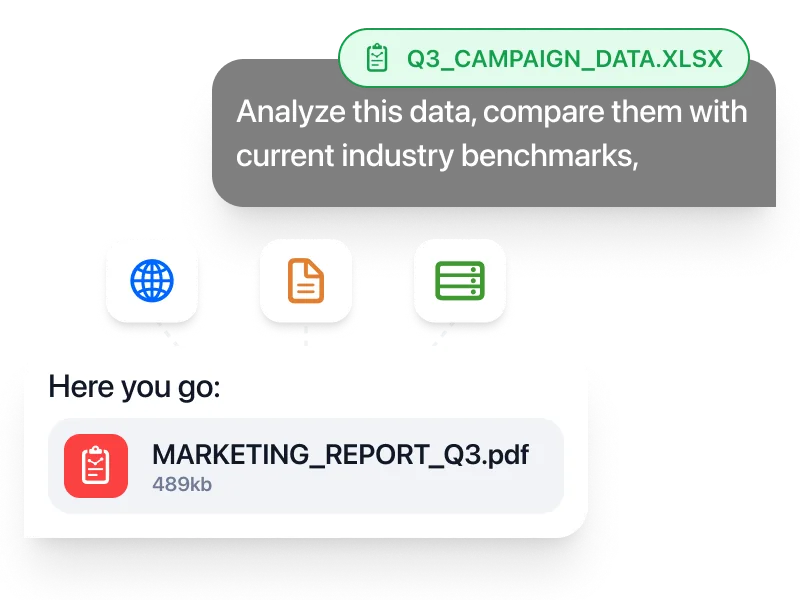
Fello AI macOS app interface showing an AI chat workspace with file attachments, image generation, document analysis, and bookmarked conversations in a dark desktop UI.

Download Fello AI,
Claude App for Mac!

rating 4.7, 10K+ reviews