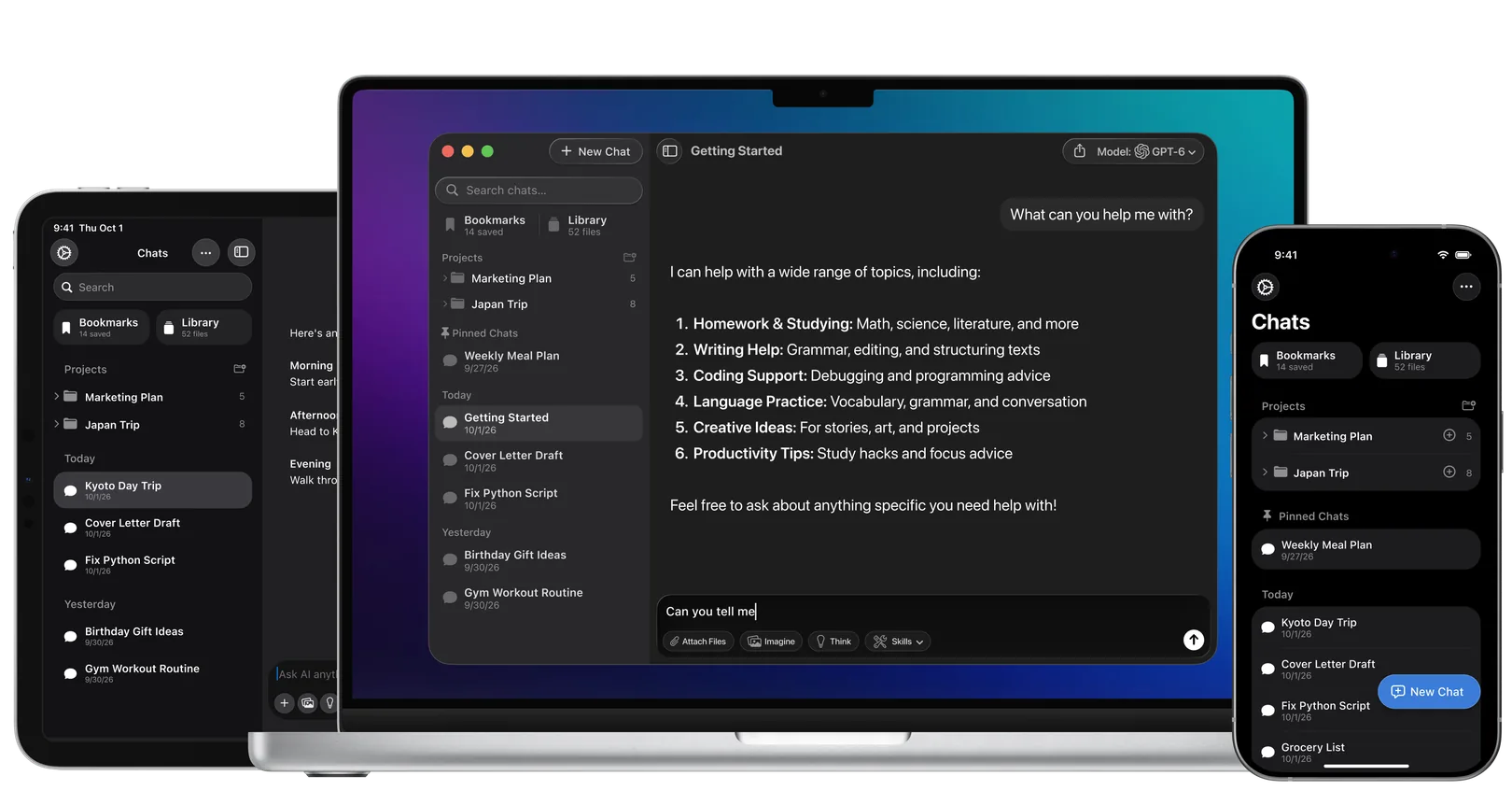
DeepSeek Desktop Client for Your Mac

Use the latest DeepSeek alongside other AI models on your Mac, iPhone & iPad.

As seen on

Why Use DeepSeek as a Desktop App?

DeepSeek is the strongest open-weights AI model on the market in 2026. Its flagship sits in the top tier of open-weights models on the Artificial Analysis Intelligence Index, and its lighter variants price in at a small fraction of what closed-source flagships like ChatGPT and Claude charge per million tokens. For Mac users who want frontier-grade math, coding, and reasoning without the API bill, DeepSeek is the practical choice.

DeepSeek’s specialised math variant has taken gold-medal results at the 2025 IMO, CMO, ICPC World Finals, and IOI, putting it in the same tier as Gemini on hard reasoning benchmarks. A long-context architecture using DeepSeek Sparse Attention (DSA) keeps inference cheap even on long documents. And because DeepSeek publishes open weights, you can run earlier reasoning models locally on capable Apple Silicon Macs with zero data leaving your machine.

Quick verdict: DeepSeek is the best open-weights AI in 2026, frontier-grade reasoning at a fraction of the closed-source API cost.

How to Use DeepSeek on Your Mac

You have three options. Read all three before picking, because the right choice depends on your hardware, your privacy concerns, and how often you’ll actually use it.

Option 1: Run DeepSeek Locally (Ollama, LM Studio, or MLX)

Local installation is the only fully private option. Your prompts never leave your Mac, and the model keeps working offline. There are three common paths.

Ollama is the most popular. Install Ollama from ollama.com, then run a command like ollama run deepseek-r1:7b in Terminal (swap the tag for whichever DeepSeek release and size you want). Easy to script, easy to update.

LM Studio is the GUI-friendly path. Download LM Studio from lmstudio.ai, search “DeepSeek” in the model browser, click download, click load, start chatting. No Terminal required.

MLX is Apple’s own framework, optimised for Apple Silicon. It runs DeepSeek models 2 to 3× faster than GGUF formats on the same hardware. The trade-off is more setup friction; this path is mostly for developers comfortable with Python.

Hardware reality (this is the honest part):

Mac configuration

Largest usable DeepSeek model

Real-world feel

8 GB M1 / M2 / M3

~1.5B distilled

Toy speeds, weak quality

16 GB M1 / M2 / M3 / M4

~7B–8B distilled

Usable for short tasks

32 GB M-series Pro

~14B distilled, mid-sized quantised

Useful for daily work

64 GB M-series Max

~32B quantised

Strong daily driver

128 GB M-series Ultra (Mac Studio)

Full DeepSeek at 4-bit, lighter variant full

Frontier quality

256 GB+ Mac Studio M4 Ultra

Full DeepSeek flagship unquantised

Reference-class local inference

Intel Mac (any year)

None (no Apple Silicon GPU)

Locked out

If your Mac has less than 32 GB of unified memory, local DeepSeek will feel slow and limited. If you’re on an Intel Mac, this path is closed entirely. Skip to Option 2.

Option 2: Use Fello AI (the easiest path for most Mac users)

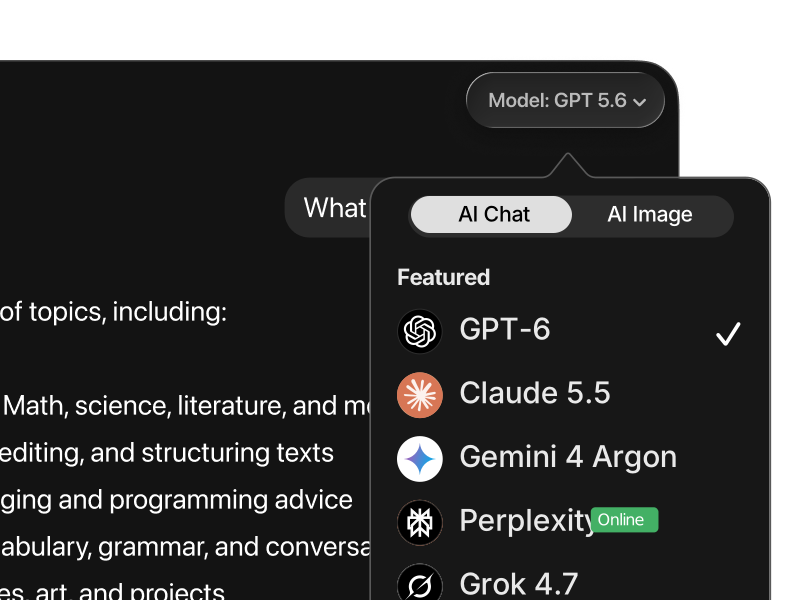
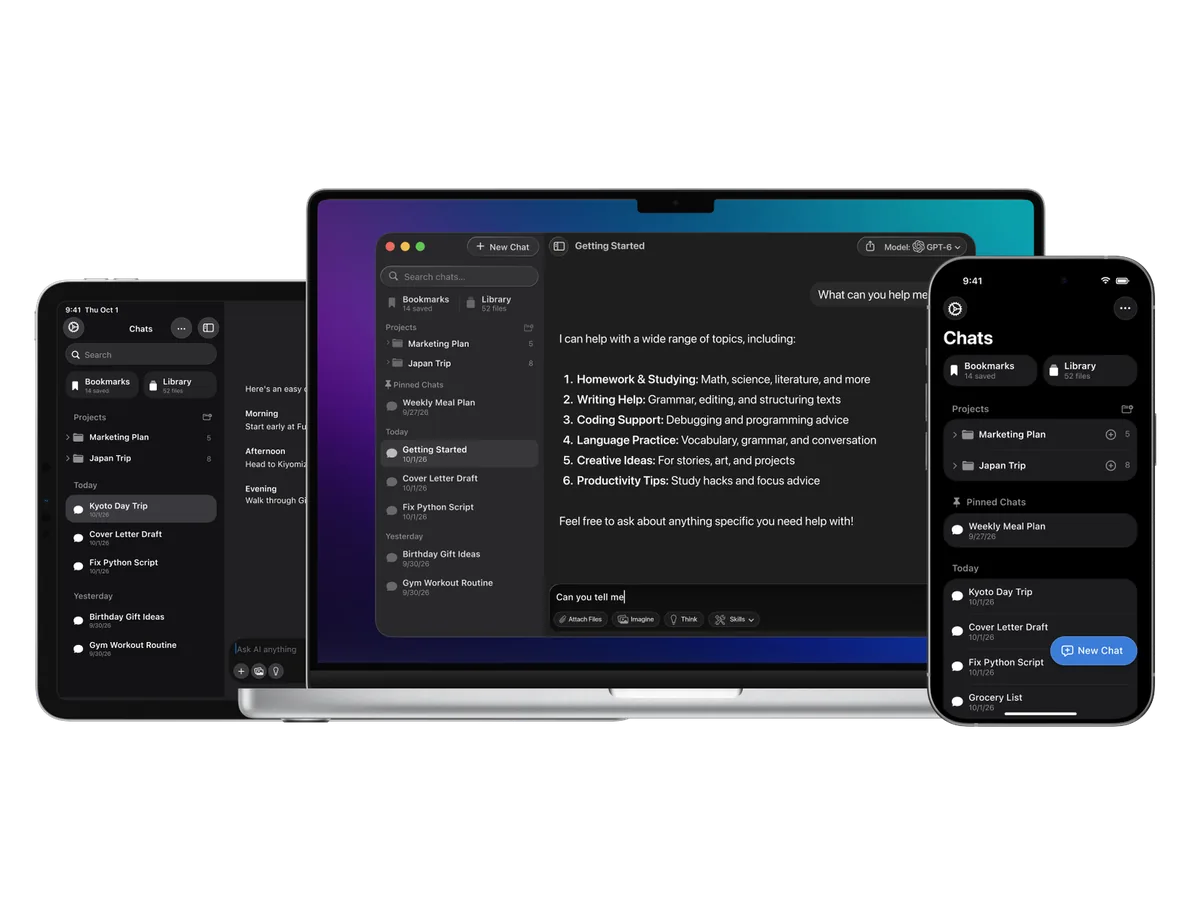
Fello AI is a native Mac, iPhone, and iPad app that gives you DeepSeek alongside ChatGPT, Claude, Gemini, Grok, and Perplexity under one $9.99/month subscription. No Terminal commands, no quantisation choices, no 32 GB RAM requirement, and no data routing through Chinese infrastructure.

Why this is the right pick for most readers:

  • Works on any Mac running macOS 12 or later, including Intel Macs and 8 GB M1s

  • Runs the same DeepSeek model the web app uses, but with US-routed infrastructure

  • Lets you switch to ChatGPT for image generation, Claude for long writing, or Gemini for grounded search without leaving the app

  • Includes Nano Banana, ChatGPT image generation, and Grok Imagine for image generation

  • One subscription covers Mac, iPhone, and iPad with synced conversations

If you’ve ever opened five tabs to compare answers across models, this is the cleaner setup.

Option 3: Use the Official DeepSeek Web App or PWA

If you can’t run DeepSeek locally and don’t want to pay for a multi-model client, the official web app at chat.deepseek.com is free, fast, and runs the latest production model.

You can turn it into a desktop-style experience by creating a Progressive Web App (PWA) in Safari (File → Share → Add to Dock) or in Chrome (the install icon in the address bar). It feels app-like, but it’s still the website.

The privacy trade-off: the DeepSeek web app routes your prompts and conversation history through servers operated by Hangzhou Deep Seeker Artificial Intelligence Basic Technology Research Co., Ltd. in China. If your work involves anything sensitive (client data, internal documents, code under NDA), you should not paste it into chat.deepseek.com. Use Option 1 (local) or Option 2 (Fello AI) instead.

How Does DeepSeek Compare to Other AIs?

DeepSeek is one model in a five-model conversation. Here’s where it wins and where the others pull ahead.

DeepSeek vs ChatGPT

ChatGPT has the broadest product surface on the market. You get Work with Apps, native image generation, Advanced Voice Mode, Deep Research, Codex coding agents, custom GPTs, and tight Mac integration through the official desktop app. If your workflow lives across documents, presentations, browser tabs, and voice conversations, ChatGPT has the most polished entry point for each of them.

DeepSeek is narrower but deeper. It matches ChatGPT on math and coding benchmarks at a small fraction of the API price, and its reasoning model gives you visible chain-of-thought you can audit. For developers running thousands of API calls a day the cost difference compounds fast. The trade-off is no image generation, no voice mode, and no built-in tool ecosystem.

Pick ChatGPT for image work, voice conversation, document Q&A, and anything that benefits from Mac integrations. Pick DeepSeek for pure reasoning, code generation, math, and budget-sensitive batch processing. Most readers want both, which is why Fello AI bundles them under one subscription.

ChatGPT is the operator. DeepSeek is the engineer.

DeepSeek vs Claude

Claude is the writing model. It leads on long-form prose, document analysis, legal review, code review, and reasoning over messy text where context and nuance matter more than raw benchmark scores. Anthropic’s safety tuning also means Claude pushes back more on dubious prompts, which professionals tend to appreciate. The Mac app integrates with Files, Memory, and shared Projects for writing sessions across hundreds of pages.

DeepSeek is the math model. It leads on formal logic, competitive programming, and any task with a verifiable answer. Where Claude reasons in prose and prefers careful trade-off discussions, DeepSeek commits to a single answer faster and at a fraction of the per-token cost. For high-volume code generation or proof-style problems, that combination of speed and price is hard to beat.

Pick Claude for memos, legal review, technical writing, content production, and code review across large files. Pick DeepSeek for proofs, contest-grade problems, batch code generation, and any workflow where you’d rather pay a fraction of the price for the same chunk of compute. Used together, you get the strongest writing model in the industry alongside the strongest open-weights reasoner.

Claude is the writer. DeepSeek is the mathematician.

DeepSeek vs Gemini

Gemini ships with native multimodality, real-time Google grounding, Deep Think mode for complex reasoning, and one of the largest context windows in production. It’s the only flagship that searches the live web inside the same conversation, which makes it the default pick for current-events research, fact verification, and anything where the answer changes day-to-day. Tight ties into Gmail, Docs, Calendar, and Drive make it the natural choice for anyone already living inside Google Workspace.

DeepSeek has none of that. It’s text-only, has no built-in search grounding, and can’t see the live web at all. Where Gemini wins on freshness and multimodality, DeepSeek wins on cost; its API runs many times cheaper per token, and its raw reasoning depth sits closer to Gemini than the price gap suggests.

Pick Gemini for image-rich workflows, current-events research, Google Workspace integration, and any task that requires the live web. Pick DeepSeek for offline reasoning, math, and any task where multimodality and freshness aren’t the point. The two are complementary far more than they’re competitive.

Gemini is the researcher. DeepSeek is the solver.

DeepSeek vs Grok

Grok has the broadest real-time feature set on the market. Live X integration, native image generation via Grok Imagine, native video input, a multi-agent Heavy system for complex tasks, and one of the largest context windows among Western closed models. For anyone monitoring viral trends, breaking news, or social conversation, Grok is the only AI with first-class access to the platform that generates much of that content.

DeepSeek has none of that. No real-time data access, no image generation, and no video input. What it has is reasoning that’s competitive with Grok on most benchmarks at a small fraction of the cost. For coding, math, and analytical work, where freshness rarely matters, the trade-off favours DeepSeek heavily.

Pick Grok for real-time social context, viral monitoring, image generation, and tasks that benefit from X data. Pick DeepSeek for reasoning-first work where freshness doesn’t matter and budget does. The natural pairing is Grok for live signals and DeepSeek for the analysis layer on top.

Grok is the journalist. DeepSeek is the analyst.

DeepSeek vs Perplexity

Perplexity is built around one thing, cited and sourced answers with live web search. Every response comes with linked sources, every claim has a footnote, and the model is tuned to refuse to fabricate when sources don’t exist. For research, fact-checking, and any workflow where provenance matters, Perplexity is the most defensible choice on the market.

DeepSeek doesn’t search the web at all. It answers from training data and whatever context you paste in. That’s a real limitation for current-events work, but it’s an advantage for offline reasoning; you’re not paying for search hops you don’t need, and the model’s full attention goes to the problem rather than to source synthesis.

Pick Perplexity when the answer requires citations or current sources. Pick DeepSeek when the task is reasoning over content you already have. Many users run both, with Perplexity handling source-gathering and DeepSeek handling the analysis pass on top.

Perplexity is the librarian. DeepSeek is the thinker.

Use All of Them in One App

The honest answer is that no single model wins every task. The right setup is to pick the right model for each job, and that’s exactly what Fello AI is built for. One subscription, one app, every flagship model on your Mac.

See also: ChatGPT for Mac · Claude for Mac · Gemini for Mac · Grok for Mac · Perplexity for Mac · LLaMA for Mac

DeepSeek on the Web vs Fello AI

Feature

DeepSeek (web)

DeepSeek (local via Ollama)

Fello AI

Latest model

Current production DeepSeek

Distilled and full DeepSeek models (size dependent)

DeepSeek + ChatGPT, Claude, Gemini, Grok

Multi-model in one app

DeepSeek only

DeepSeek only

All major flagships

Mac platform

Browser / PWA

Apple Silicon required

Native macOS app, macOS 12+

Intel Mac support

Yes (browser)

No

Yes

iPhone & iPad

Browser

No

Yes (synced)

File chat (PDFs, docs)

Limited

Manual setup

Built in

Image generation

No

No

Nano Banana, ChatGPT image gen, Grok Imagine

Pricing

Free

Free (hardware cost)

$9.99/month, free tier available

Data residency

Servers in China

Stays on your Mac

US-routed infrastructure

Futuristic AI thumbnail background showing a glowing blue neural network sphere in the center, surrounded by floating prompt and code interface panels on a dark blue gradient background.

DeepSeek Prompt Hacks: 30 Tips That 10x Your AI Results (Updated)

DeepSeek R1-0528 is a 685 billion-parameter open-source model under an MIT license, adding deeper chain-of-thought reasoning, native JSON outputs, and low-latency inference compared to its predecessors. How you phrase your prompt determines how much of that power you actually use. A vague request gives a generic answer; a well-structured prompt gives you exactly what you […]

Why Use DeepSeek in Fello AI?

Fello AI is one of the most versatile and easy-to-use Chatbots with multi-LLM.

All Top AIs With No Limits

GPT, Claude, Gemini, DeepSeek, Perplexity, Grok,...


Create & Edit Images

Create logos, edit photos, or generate images in seconds.


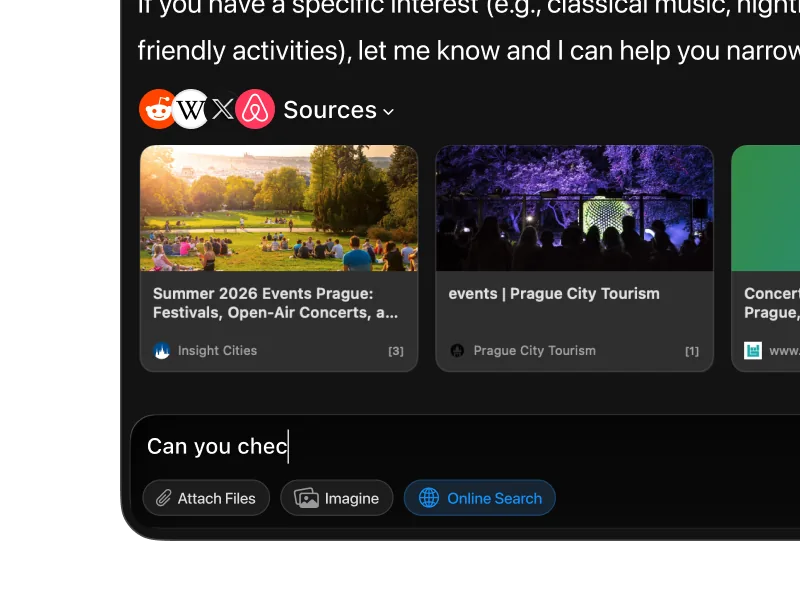
Full-text & Online Search

Quickly search your past chats and online resources.


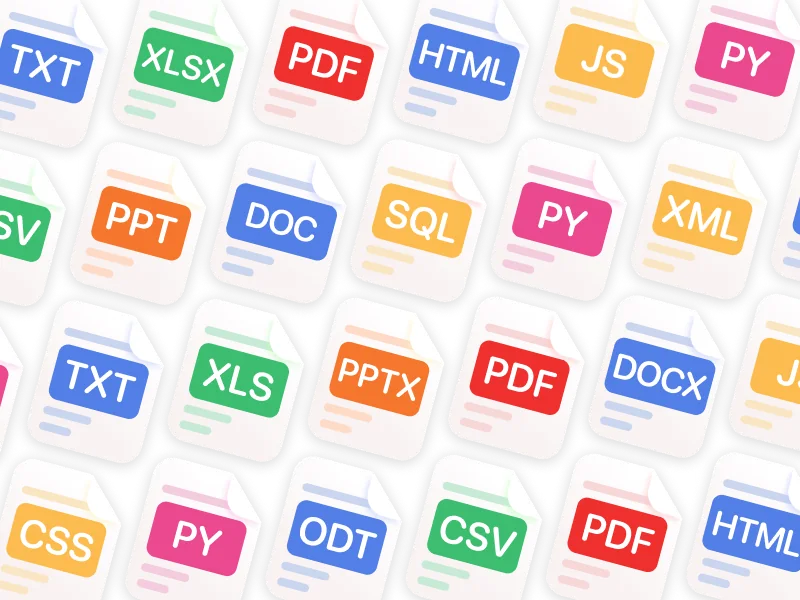
Chat with PDFs & Other Files

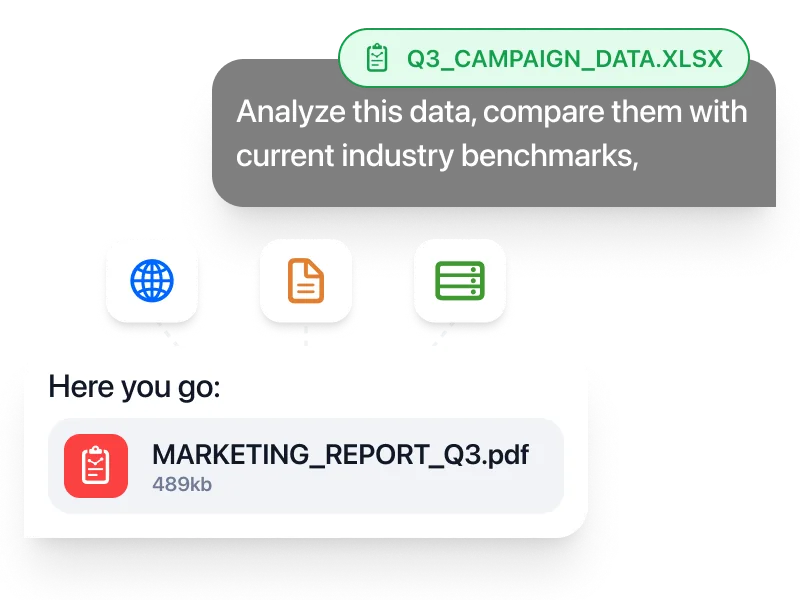
Analyze, summarize, and get insights from images, PDFs, or documents.


Chat in Any Language

Interface in 12 languages, replies in over 200 real and made up languages.


24/7 Availability

Always here, anytime you need.

What You Can Actually Do in Fello AI

Use the Right Model for the Right Task

Use DeepSeek for math proofs, code review, and budget-sensitive batch work. Switch to Claude for long writing, ChatGPT for image work, Gemini for grounded research, Grok for real-time X data, and Perplexity for cited sources.

Chat with Your Files

Drop a 200-page contract, a CSV of survey results, or a folder of code, and ask DeepSeek to find the issues. Fello AI keeps the file context across follow-up questions.

Create Real Documents

Outline with DeepSeek, draft with Claude, polish with ChatGPT. The hand-off is one click, not three apps.

Search the Web

Switch to Perplexity or Gemini when you need current sources, then come back to DeepSeek to reason over what you found.

Keep One Workflow Across Apple Devices

Continuity Camera, iCloud sync, Universal Clipboard. Fello AI plugs into the same Apple ecosystem flow you already use.

Get Broader Value From One App

A single $9.99/month replaces ChatGPT Plus ($20), Claude Pro ($20), Gemini Pro, and Grok premium. The math is straightforward.

Ultimate Tool with Endless Possibilities

Indispensable for Professionals

Software engineers use DeepSeek for code generation and Claude for architecture review. Researchers use DeepSeek's specialised math variant for derivations and Perplexity for sourcing. Founders use ChatGPT for pitch decks and DeepSeek for budget-aware coding work. One app, one subscription, every workflow.

Read more>

Perfect for Students

DeepSeek's gold-medal performance on the 2025 IMO, IOI, and ICPC World Finals makes it uniquely useful for STEM students. Pair it with Claude for essay writing and Gemini for research with citations, and your $9.99/month outperforms most paid academic tools.

Read more>

Frequently Asked Questions 

Is there an official DeepSeek app for Mac?

No. As of May 2026, DeepSeek does not publish a native macOS app. The official “DeepSeek – AI Assistant” on the App Store is iPhone and iPad only.

How do I use DeepSeek on a Mac?

Three ways: run it locally with Ollama, LM Studio, or MLX (offline, private, requires capable hardware); use the web app at chat.deepseek.com (free, but data routes through China); or use a multi-model client like Fello AI ($9.99/month, US-routed, includes other flagship models).

Is DeepSeek free?

The web app at chat.deepseek.com is free with generous daily limits. The API has a free tier and paid pricing at a small fraction of what closed-source flagships like ChatGPT and Claude charge per million tokens. Running DeepSeek locally on your own Mac is also free, ignoring hardware cost.

Is DeepSeek safe to use on a Mac?

The model itself is safe. The web app routes your prompts to servers in China, which is a real concern for anyone handling sensitive data. The privacy-respecting paths are running DeepSeek locally via Ollama or using Fello AI, which routes through US infrastructure.

Which DeepSeek model should I use?

For most Mac users via the web app or Fello AI, the latest production model is the right default; you don’t have to choose, it’s served for you. For local install on a 32 GB Mac, a mid-sized distilled model is the practical sweet spot. For competition-grade math, DeepSeek’s specialised math variant is the strongest choice when available.

Does DeepSeek work offline?

Only if you install it locally via Ollama, LM Studio, or MLX. The web app and Fello AI both require an internet connection.

Does DeepSeek work on Intel Macs?

The web app works in any browser, including Intel Macs. Local installation does not, since DeepSeek’s Mac performance depends on Apple Silicon’s unified memory. Fello AI works on Intel Macs running macOS 12 or later.

How much RAM do I need to run DeepSeek locally?

The 1.5B distilled model runs on 8 GB. The 7B–8B distilled models need 16 GB. The 14B distilled model needs 32 GB. The full hundred-billion-plus parameter DeepSeek models require a 128 GB+ Mac Studio.

Is DeepSeek better than ChatGPT?

DeepSeek matches ChatGPT on math and coding benchmarks at a small fraction of the API cost. ChatGPT has the broader product surface (image generation, voice mode, Work with Apps). For pure reasoning and budget, DeepSeek wins. For everything else, ChatGPT does.

Can I use DeepSeek on iPhone alongside my Mac?

Yes. The official iOS app works on iPhone and iPad. If you want continuity between Mac and iPhone with synced conversations, Fello AI handles this natively across all three devices.

Is DeepSeek good at coding?

Yes. DeepSeek sits in the top tier of coding models on the Artificial Analysis Intelligence Index and matches ChatGPT and Claude on math and coding benchmarks. Its long-context architecture also makes it strong for code review and refactoring across large files.

Is DeepSeek good at math?

Exceptionally. DeepSeek’s specialised math variant won gold at the 2025 IMO, CMO, ICPC World Finals, and IOI, putting it among the strongest math models in production.

Is DeepSeek banned anywhere?

DeepSeek is restricted on US federal government devices and on some enterprise networks. It is not banned for personal consumer use in the US, EU, or UK as of May 2026, but check your employer’s policy before using it for work.

Does Fello AI run the same DeepSeek model as the web app?

Yes. Fello AI provides access to DeepSeek’s production model through API integration, with the difference that your data routes through US-based infrastructure rather than directly to chat.deepseek.com.

How much does Fello AI cost?

$9.99/month, with a free tier and a 7-day trial available. One subscription covers Mac, iPhone, and iPad.

Fello AI macOS app interface showing an AI chat workspace with file attachments, image generation, document analysis, and bookmarked conversations in a dark desktop UI.

Download Fello AI,
DeepSeek App for Mac!

rating 4.7, 25K+ reviews