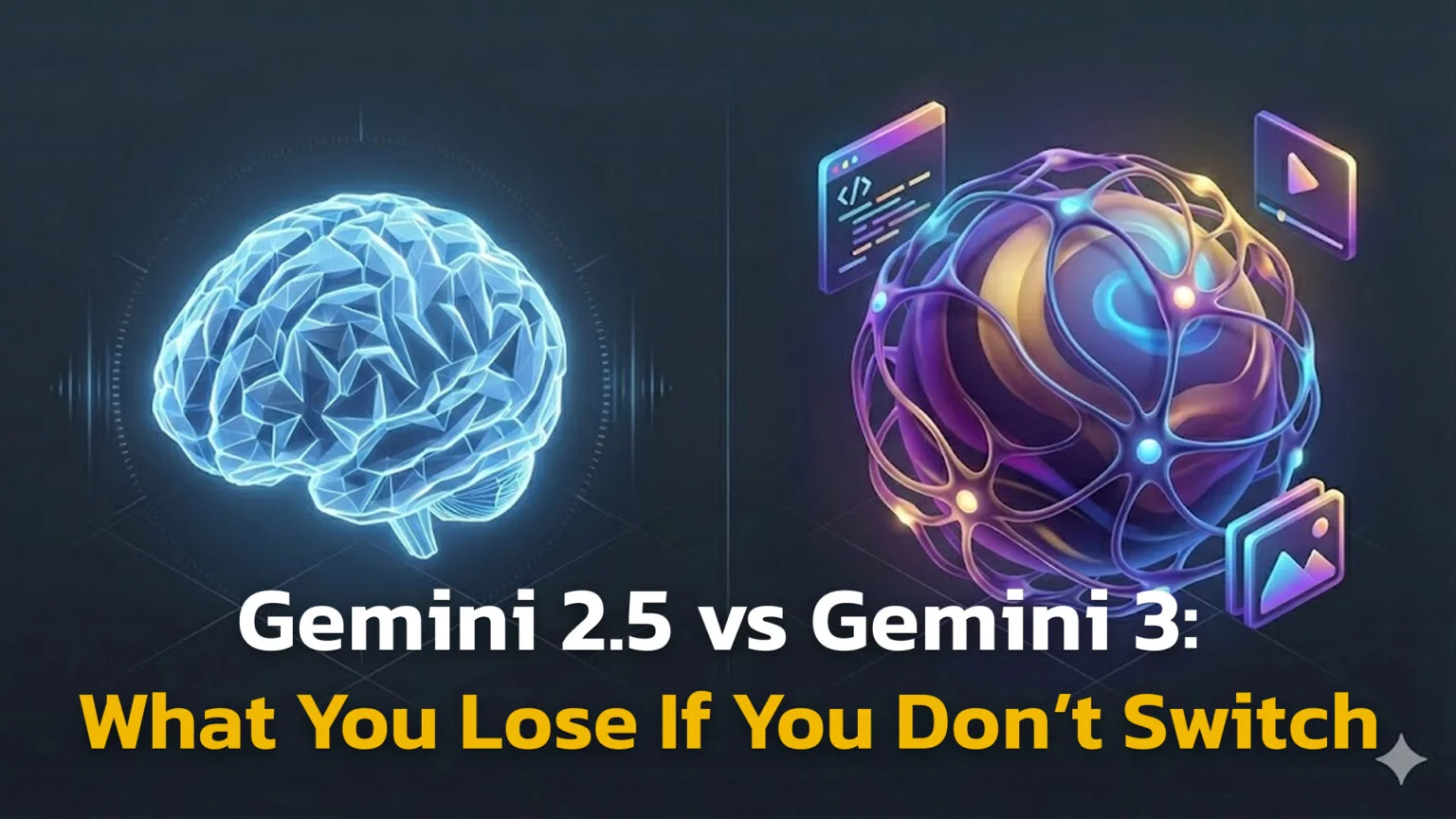
Google moves fast. Just as most of us finally got used to Gemini 2.5 as the “smart” thinking model that could reason, code, and explain complex ideas, Gemini 3 has arrived – and it’s not shy about its claims. Google is positioning it as the most intelligent version yet: not just a chatbot that answers questions, but something closer to a digital coworker that can plan, execute, and iterate on real tasks with you. Google has since moved on again with Gemini 3.5, launched at Google I/O 2026.
On paper, that sounds exciting. In practice, it raises a very simple question: for a casual user, does this actually matter? If you’re a student, freelancer, or developer who already leans on Gemini 2.5 every day, you’re probably wondering whether Gemini 3 will genuinely change your workflow – or whether it’s just a more expensive way to do the same things a bit fancier.
Is this a real leap in capability, or mostly a marketing upgrade with a higher price tag attached? What are the major differences between Gemini 3 and 2.5 in real-world use – not just in lab benchmarks? Do you actually need to upgrade to feel a benefit in your day-to-day work, or is 2.5 still the best value for most people?
The Key Takeaways (TL;DR)
- Gemini 2.5 is the workhorse: It is fast, cheap, and handles daily tasks like summaries perfectly.
- Gemini 3 is the agent: It plans multi-step projects, understands complex videos, and fixes its own code.
- The Toggle: In the app, “Fast” mode is usually 2.5, while “Thinking” mode is often 3.0.
Quick Comparison: Gemini Generations
| Feature | Gemini 2.5 | Gemini 3.0 |
|---|---|---|
| Main Role | Thinking Model | Agentic World Model |
| LMArena Score | ~1380-1440 | 1501 (First to cross 1500) |
| Best For | Coding, Math, Chat | Planning, Research, Agents |
| Vision/Video | Good Understanding | Deep Visual Reasoning |
| Cost (Input) | ~$1.25 / 1M tokens | ~$2.00 / 1M tokens |
How We Compared
- Analyzed official technical reports from Google DeepMind and Google AI for Developers (Nov 2025).
- Compared benchmark scores on reasoning (ARC-AGI-2), coding (SWE-bench), and visual understanding.
- Reviewed pricing documentation for API and consumer “Advanced” plans.
This data provides a clear snapshot of where Google’s AI stands today, distinguishing between marketing hype and actual performance gains.
What is Gemini 2.5?
Gemini 2.5 was released in early 2025 as a “thinking model.” This marked a major shift from previous AI generations. Instead of simply predicting the next word as fast as possible, Gemini 2.5 was trained to pause and process logic before answering. This “thinking” capability is what makes it surprisingly good at math, coding, and logical puzzles compared to older models.
Because it powers much of what you see in Google Workspace and standard chatbots today, it strikes the perfect balance between speed and intelligence. However, “Gemini 2.5” isn’t just one AI; it is a family of models designed for different jobs:
- Gemini 2.5 Pro (The Smart One): Released to the public on June 17, 2025, this version is designed for complex tasks, deep instruction following, and handling nuanced creative writing.
- Gemini 2.5 Flash (The Fast One): Released on June 17, 2025, this lightweight version is optimized for everyday chat, high-speed summarization, and cost efficiency.
- Gemini 2.5 Flash-Lite: Released on July 22, 2025, this is an ultra-efficient version built purely for speed and high-volume tasks.
Think of Gemini 2.5 as a smart university student. They are excellent at passing exams, following specific instructions, and answering questions accurately. They are reliable, eager to help, and rarely make basic mistakes—but they still look to you for guidance on what to do next.
Mini Example: If you paste a 50-page PDF report and ask for a summary, Gemini 2.5 Flash reads it instantly and gives you the key points without costing much computing power. It doesn’t need “deep thought” to summarize text, so the Flash version is the perfect tool.
What is Google Gemini 3?
If Gemini 2.5 is the university student, Gemini 3.0 is the PhD researcher who can run their own lab. Officially launched on November 18, 2025, it represents a complete architectural overhaul designed for autonomy. It doesn’t just answer your questions; it can be assigned a “job” and left alone to finish it.
Gemini 3.0 is built on three massive pillars that separate it from the previous generation:
1. “Deep Think” & Thought Signatures
While 2.5 can “think,” Gemini 3.0 introduces a formal Deep Think mode (available in the “High” thinking level).
- Internal Monologue: Before writing a single word of response, Gemini 3 simulates the problem in its “head.” It might try three different ways to solve a coding bug, reject two of them, and only present you with the working solution.
- Thought Signatures: When using tools (like searching the web or running code), it generates an encrypted “Thought Signature.” This allows it to remember why it did something five steps ago, preventing the “memory loss” that plagues older bots during long tasks.
2. Antigravity & Agentic Workflows
Gemini 3 is the engine behind Google’s new Antigravity platform, a specialized environment for developers.
- The Co-Developer Loop: Unlike a chatbot that writes code snippets, Gemini 3 in Antigravity can map an entire software repository. It can autonomously create files, run terminal commands, read error logs, and self-correct.
- Example: If you ask it to “Add a dark mode to this app,” it doesn’t just give you CSS. It edits the files, runs the app, notices the text is unreadable, fixes the contrast, and then tells you it’s done.
3. The “World Model” & Nano Banana Pro
Gemini 3 doesn’t just “see” images; it understands the physics and context of the world.
- Video Understanding: It can watch a video and understand user intent, emotion, and cause-and-effect (e.g., “The user is frustrated because the menu didn’t open”).
- Nano Banana Pro: This is the new image generation model built into Gemini 3. It solves the biggest headaches of AI art:
- Text Rendering: It can create posters with perfectly spelled text.
- Consistency: It can generate the same character in different poses and lighting conditions (a massive leap for storyboarding).
- Real-time Grounding: It can generate an image of “The current weather in Tokyo” by actually checking the live weather data first.
This model is built to be a coworker. It can look at a screen, understand what is happening, and take actions based on that visual information. It recently became the first model to cross the 1500 Elo score on the LMArena leaderboard, a major milestone in AI capability.
Mini Example: Instead of just writing a snippet of code, Gemini 3 can plan an entire app, write the code, run a test to see if it works, and fix its own errors autonomously within a developer environment.
The Main Differences Between Versions
The gap isn’t about knowing more facts; it is about reasoning depth and “senses.” While Gemini 2.5 is an excellent encyclopedia that can recite information, Gemini 3 is built to be an active problem solver. It doesn’t just predict the next word; it simulates a “thinking process”, exploring multiple solution paths, checking its own logic, and discarding dead ends before it ever starts typing.
This represents a major architectural shift. While Gemini 2.5 relied on a simple “token budget” (thinking for a set amount of time), Gemini 3 uses Dynamic Thinking. It assesses the complexity of your request and “thinks” exactly as long as it needs to. Instantly for simple queries, or deeply for complex physics problems, making it feel less like a chatbot and more like a collaborative partner.
Furthermore, its “senses” have evolved from simple recognition to World Modeling. Where Gemini 2.5 might see a “screenshot of a website,” Gemini 3 understands the function of the buttons, the flow of the user interface, and the intent behind the design. It perceives video not as a slideshow of images, but as a continuous stream of cause-and-effect.
1. Reasoning & Logic (The “Deep Think” Advantage)
Gemini 3 uses “Deep Think” capabilities. It scores significantly higher on very hard benchmarks.
- ARC-AGI-2 (Abstract Reasoning): Gemini 2.5 Pro scored roughly 4.9%. Gemini 3 Pro jumped to 31.1% (and up to 45% with Deep Think). This is a massive leap in solving novel puzzles it hasn’t seen before.
- Coding Accuracy: On GitHub issue resolution (SWE-bench Verified), Gemini 3 shows a 35% higher accuracy than 2.5 Pro. It doesn’t just write code; it fixes it.
These scores indicate that Gemini 3 isn’t just guessing based on patterns; it is truly understanding the underlying logic behind complex prompts.
2. Multimodal Skills & Nano Banana Pro
Gemini 2.5 can see an image. Gemini 3 can analyze a long video, understand the user interface in a screenshot, or read handwriting on a whiteboard much better. It also supports Nano Banana Pro, the new image generation model that allows for precise text editing on images. It is fixing the “weird text” problem common in older AI images.
3. Speed vs. Cost
Gemini 2.5 Flash is incredibly cheap and fast. Gemini 3 Pro is heavier and more expensive to run because it “thinks” deeper before responding.
Estimated API Pricing (per 1M tokens):
- Gemini 2.5 Flash: ~$0.10 – $0.40 (Very Cheap)
- Gemini 2.5 Pro: ~$1.25 Input / $10 Output
- Gemini 3 Pro: ~$2.00 Input / $12 Output
Use 2.5 for speed and simple answers; use 3.0 when you need the AI to reason through a difficult problem.
New Ecosystem Tools: Antigravity & More
Gemini 3 isn’t just a chatbot update; it launched with new tools designed for “Agents.”
- Google Antigravity IDE: A new coding platform where Gemini 3 acts as an autonomous developer. It can open a terminal, run code, and browse the web to debug errors. This level of “agency” is difficult for Gemini 2.5 to handle reliably.
- Agentic Workflows: Gemini 3 is designed to handle “loops”, where it tries something, fails, corrects itself, and tries again. Gemini 2.5 often gives up or hallucinates after a failure.
These features mark the transition from AI as a simple chatbot to AI as a comprehensive development platform that can work independently.
Which Model Is Right for You?
You probably don’t want to think in “model numbers.” You just want to know: for my actual work, which one makes sense? Let’s see.
Quick Decision Matrix
| User Profile | Default Choice | Upgrade to Gemini 3 IF… |
|---|---|---|
| Student / Casual | Gemini 2.5 | You are writing a thesis, doing complex data analysis, or need multi-step planning. |
| Developer | Gemini 2.5 | You need to map a whole repo, fix complex system bugs, or use Antigravity. |
| Freelancer / Biz | Gemini 2.5 | You want to automate full workflows (leads -> email -> report) without hand-holding. |
The Simple Rule: Use Gemini 2.5 for reading, writing, and asking questions. Use Gemini 3 when you need an AI to plan, execute, and iterate on real projects.
1. If you’re a Student or Casual User
Stick with Gemini 2.5 unless you’re doing very advanced research.
For 90% of your workload, Gemini 2.5 is the right tool. It is perfect for summarizing textbooks, explaining specific math or coding concepts, and general study help where speed and data usage matter.
When to switch: The upgrade to Gemini 3 is only necessary if you are working on a major thesis or research project that requires complex data analysis, or if you need the model to remember a long-term plan and execute it step-by-step over several days.
2. If you’re a Developer or Engineer
Gemini 2.5 is a coding assistant. Gemini 3 is a coding partner.
Use Gemini 2.5 for the daily grind: writing short scripts, checking syntax, or fixing isolated bugs. It is faster for prototyping and won’t slow you down with long “thinking” pauses.
When to switch: Upgrade to Gemini 3 when dealing with large, messy repositories where the model needs to build a mental map of the whole system. It is also essential for using environments like Antigravity, where you need an agent to autonomously open files, run tests, and iterate on fixes without you holding its hand.
3. If you’re a Freelancer or Small Business
Gemini 2.5 is your assistant. Gemini 3 is your junior employee.
Gemini 2.5 is ideal for tasks that require human supervision: drafting blog posts, writing email templates, or summarizing meeting notes. It keeps your costs low and predictable.
When to switch: Reach for Gemini 3 when you want to automate entire workflows—like finding leads, drafting outreach, and updating spreadsheets automatically. If paying a bit more saves you 5–10 hours of manual work per week, the ROI is immediate.
Bottom Line: Keep Gemini 2.5 as your default, everyday workhorse. Reach for Gemini 3 on the hardest 10–20% of tasks. The ones that usually eat up your evenings and weekends.

How to Stop Managing Gemini Versions
The rule above, one version by default and the other for the hardest fifth of the work, only pays off if switching costs nothing. In practice the newest Gemini sits behind a paid Google tier, as the FAQ below notes, and on the API side you are reading two price tables to decide which version should answer a question you have not asked yet.
Fello AI is a native Mac, iPhone and iPad app that gives you Gemini behind one subscription, along with ChatGPT, Claude, Grok, DeepSeek, Perplexity, Kimi, GLM and Qwen. It starts at $9.99 a month, with a free tier to try first and a 4.7-star rating across 27,000+ reviews. The current frontier Gemini is simply there when you open it, no version picker and no tier to upgrade, and when a problem does not suit Gemini at all you can hand it to a rival model in the same conversation.
Conclusion & Final Verdict
Google Gemini 3 marks a real shift: from AI as a smart chatbot to AI as a junior coworker that can plan, act, and revise its own work. Gemini 2.5, meanwhile, continues to shine as the fast, affordable “do-everything” assistant most people interact with every day.
In plain terms:
- Gemini 2.5 is still the default choice for everyday users who mostly read, write, and ask questions.
- Gemini 3 is worth switching for when your work regularly demands deep reasoning, complex coding, or multi-step workflows that you’d otherwise spend hours doing manually.
| Gemini 2.5 – The Value Choice | Gemini 3 – The Power Choice |
|---|---|
| Fast responses, and wide availability in free and built-in tools. | State-of-the-art reasoning on hard problems and stronger planning ability. |
| Ideal for chat, summaries, homework help, light coding, and drafting content. | Ideal for large codebases, agentic workflows, UI/video understanding, and research projects. |
| Lower risk of surprise bills and great as an “always-on” assistant. | Slower, but can replace hours of manual trial-and-error on tough tasks. |
A simple rule of thumb:
- Use Gemini 2.5 by default for speed, price, and day-to-day reliability.
- Switch to Gemini 3 for the hardest 10–20% of tasks—the ones that usually eat up your evenings.
Pricing, features, and tooling around Gemini will keep evolving, but the core trade-off won’t change: do you need a fast assistant, or a patient problem-solver that can act more like a coworker?
Next Step: Open your Gemini app and toggle on “Thinking Mode” to see if you can spot the difference in reasoning quality on your next difficult question. If you work on a Mac, you can run either model outside the browser, and our Gemini desktop client guide for macOS covers the native options.
Frequently Asked Questions (FAQ)
Is Gemini 3 Pro free to use?
Typically, Gemini 3 Pro is part of the Google AI Premium/Advanced paid plans, though limited previews may appear in free tiers.
Can Gemini 3 generate images?
Yes, Gemini 3 powers advanced image generation tools (like Nano Banana Pro), allowing for complex edits and legible text-on-image creation.
When was Gemini 3 released?
Gemini 3 was officially launched around November 18, 2025, succeeding the 2.5 family.
Does Gemini 3 replace Gemini 2.5?
Not entirely. Gemini 2.5 (especially Flash-Lite) remains a core “workhorse” model for fast, high-volume tasks in the background.
Is Gemini 3 better than Gemini 2.5?
Yes, for complex reasoning and planning. Gemini 3 outperforms 2.5 on major benchmarks like ARC-AGI-2 (31% vs 4.9%), but 2.5 is often faster for simple chats.
What is the difference between Gemini 3 and GPT-5?
Gemini 3 focuses heavily on “agentic” workflows and multimodal inputs (video/images), aiming to be a doer rather than just a talker. It specifically targets autonomous coding environments like Antigravity.
How do I switch from Gemini 2.5 to Gemini 3?
In the Gemini app, switching from the standard mode to “Thinking” mode usually activates the Gemini 3 Pro model for deep reasoning tasks.
Is Gemini 3 safe to use?
Google claims Gemini 3 is their most secure model yet, with reduced “sycophancy” (it won’t blindly agree with you) and better protection against cyber-attack prompts (injection attacks).
Methodology & Sources
Sources: We analyzed official Google Developer blogs, technical documentation for the Gemini API, and release notes from November 2025.
Comparisons: Performance claims are based on Google’s published benchmark scores (LMArena, ARC-AGI-2) and our own qualitative testing of workflows.
Pricing: References are based on the official “pay-as-you-go” API rates listed on Google AI for Developers.