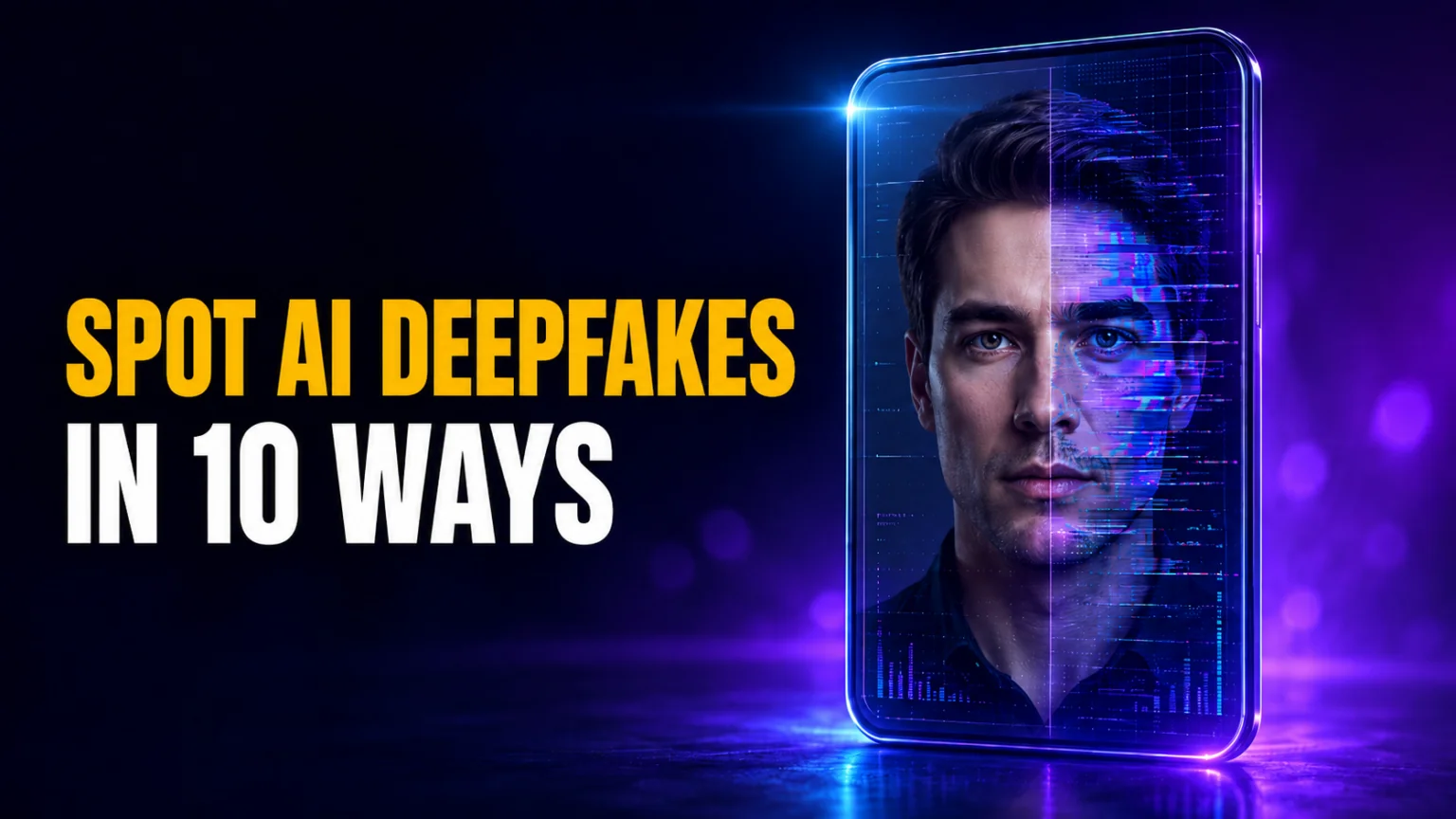
Fraud losses enabled by generative AI in the United States are projected to reach $40 billion by 2027, up from $12.3 billion in 2023, according to Deloitte’s Center for Financial Services. That is a 32% compound annual growth rate. A large share of that is powered by deepfakes, AI-generated video, voice, and images convincing enough to impersonate your boss, a celebrity, or a family member. The good news is that even in 2026, deepfakes still leave small, catchable mistakes, and knowing how to detect AI deepfakes is now a basic digital-safety skill.
This guide walks through 10 practical ways to spot a fake, from unnatural blinking and lip-sync errors to voice-clone tells and a live behavioral test you can run during a video call. You will also get a 5-step verification protocol used by media-literacy experts, a rundown of detection tools, and a clear answer on whether AI deepfakes are actually illegal in 2026. No single sign is proof on its own, so the goal is to stack several signals and verify the context, not to trust one glance.
The Key Takeaways
- No single sign is proof: modern deepfakes can beat any one test, so always look for multiple signals.
- Focus on micro-details: AI still fails at fine textures like hair, skin pores, hands, and complex shadow physics.
- Test in real time: asking a video caller to turn fully sideways or wave a hand across their face can break a live deepfake.
- Verify the context: deepfakes fall apart fast when you check the source, timing, and official coverage.
- The law is catching up: the US TAKE IT DOWN Act and the EU AI Act now force takedowns and AI-content labelling through 2026.
What are AI deepfakes?
A deepfake is any video, photo, or audio recording that has been modified or created from scratch using artificial intelligence. The term comes from “deep learning,” the technology that lets computers study a person’s face and voice to build a digital copy. By analyzing thousands of data points, the software can recreate someone’s likeness with startling accuracy. The same tech fuels still images, so it helps to know how to tell if a photo is AI generated.
The deepfake meaning has expanded fast. The term spread from online face-swapping communities in the late 2010s, when these were mostly novelty face-swaps on social media. They are now a primary tool for misinformation and financial fraud. Many early deepfakes used Generative Adversarial Networks (GANs), but since 2023 there has been a sharp rise in diffusion-model deepfakes, which generate entire scenes and people from scratch rather than just swapping a face. Newer systems can even animate a single photo into a crazy-real full-body deepfake.
Because they look so real, the best defense is no longer “seeing is believing.” No single visual cue proves a deepfake on its own, so you should run a structured verification process that checks both the media and its context.
The 5-step deepfake verification protocol
Before acting on an urgent request or sharing a shocking video, follow this canonical sequence to verify the truth. This protocol is used by media-literacy experts to cut through the noise of synthetic media.
- Pause: do not share or comply with urgent requests immediately. Scammers rely on emotional hijacking to stop you thinking clearly.
- Investigate the source: who posted this? Check their history, follower count, and whether they have a track record of reliable posting.
- Find better coverage: if a world leader said something shocking, every major news outlet would cover it. Search for official confirmation.
- Trace to origin: use reverse image or video search to find the earliest upload. Deepfakes are often edited versions of old, real footage.
- Confirm via a second channel: if it is a call or message from someone you know, hang up and call them back on a known, saved number.
How to run this protocol in Fello AI (2 minutes)
A fast way to verify suspicious media is a “multi-source, multi-model” workflow. Fello AI gives you Claude, ChatGPT, Gemini, Grok, and DeepSeek under one $9.99/month subscription, so you can cross-check a clip with several models plus live web search instead of trusting one detector alone.
- Paste the claim and context (where you found it, what it is asking you to do).
- Upload a screenshot or keyframe, or paste a transcript for audio and video.
- Ask one model to list every deepfake red flag it can see or hear (visual, audio, behavioral).
- Ask a second model for the strongest innocent explanations (compression, filters, re-uploads).
- Ask it to find the earliest source, better coverage, and official confirmation. Adaptive Search goes online for this on its own, and the Online Search skill is there if you want to force it.
This is the same reason web search matters so much for verification: read why you should stop using AI without web search.

1. Watch for unnatural blinking
One of the most discussed deepfake signs is the eyes. Humans blink in a random, natural rhythm, usually 10 to 20 times per minute. In many AI videos the person either does not blink at all or blinks in a mechanical, rhythmic way. This is not a guarantee, though; top-tier deepfakes in 2026 can mimic natural blinking quite well.
Instead of just looking for “no blinking,” watch for micro-movements. Eye motion can look off because temporal consistency, the ability to keep motion smooth over several seconds, is still hard for AI to render. You might notice one eye blinking slightly out of sync with the other, a dead or glassy stare where pupils do not dilate correctly, or an occasional pupil twitch as the model struggles to hold the eye’s shape during a head turn.
2. Check for lip-sync mismatches
Knowing how to detect deepfake video often means focusing on the lower half of the face. Lip-syncing remains a major technical hurdle, especially in real time. There is often a tiny delay, sometimes as small as 100 milliseconds, between the audio and the mouth movement, and the human brain is trained to notice even that slight lag.
Watch the speaker closely on sounds like M, F, or T. These require sharp contact between the lips, or the teeth and lips. AI often blurs these movements or makes the mouth look like it is “melting” or transparent, because rendering internal mouth textures like the tongue and teeth is difficult. If the mouth looks like it is floating slightly above the face rather than part of the jaw, be very suspicious.
3. Spot flaws in hair and skin texture
AI often struggles with the fine grain of being human. If skin looks impossibly smooth, like a permanent beauty filter, you may be looking at a deepfake. Real skin has pores, tiny wrinkles, moles, and slight imperfections, and while some models try to add these back, they often look repetitive or tiled.
Hair is even harder to fake than skin. Look at the edges where hair meets the forehead or the background. If the hair looks like a solid, blurry block, or if individual strands disappear and reappear, you are likely looking at a digital mask. This asymmetry in detail is a common byproduct of how AI blends different images together.
4. Look for lighting and shadow errors
Spotting a deepfake effectively involves studying the environment. If a person stands in a sunny park but the shadows on their face look like a dark studio with one light source, the image has been manipulated. AI often fails to account for the complex physics of light reflecting off nearby objects.
Check the shadows around the nose and neck. In real life these shift instantly when a person moves. In a deepfake they may stay static, look jittery, or be missing entirely. If someone moves a hand near their face and no shadow is cast on their skin, the hand and face were likely generated separately.
5. Analyze hand and finger distortions
If you are trying to work out how to tell if an AI image is fake, the hands are usually the biggest giveaway. Even in 2026, AI still finds hands complex to render because they have many joints and move in countless ways, so look for asymmetry where one hand differs from the other in an unnatural way.
Start by counting the fingers, since AI still occasionally adds a sixth finger or merges two fingers into one thick, distorted digit. Then check the joints for fingers that bend in impossible directions or melt into objects they are holding, like phones or coffee cups. Finally, watch the jewelry, because rings often look distorted, have missing sections, or blend straight into the skin of the finger. For an image-only checklist covering noise patterns and geometry, see our guide on how to spot AI-faked images.
6. Listen for flat audio, then for the script
The voice deepfake has become a primary tool for scams, and the old tells are fading. A cheap clone can still sound flat or robotic, so listen closely to the tone, as the FBI advises. But the same FBI warning concedes that a cloned voice and the real one “can sound nearly identical”, so a natural-sounding voice proves nothing. When you have a recording, run it through the best AI voice detectors and treat the score as a signal rather than a verdict.
Word choice is the more reliable half of that advice. Strange pauses and a wavering tone used to count as red flags, but CNN notes they may no longer be present now that the technology has advanced. What a scammer cannot hide is the script: a deadline, a demand for secrecy, and payment by wire transfer, gift card, cryptocurrency or courier.
| Device Tip: Call Back |
|---|
| If a call sounds suspicious, hang up and call the person back on the number saved in your phone, not the one that rang. Caller ID can be spoofed, so a familiar name on the screen is not proof either. |
7. Perform a live behavioral test
If you are on a video call and suspect a deepfake, test it by asking the person to do something spontaneous. Most real-time deepfake tools struggle with depth and occlusion, when one object blocks another, which makes this one of the strongest ways to catch a live deepfake video stream.
Ask them to turn their head completely to one side, which forces the AI to render a profile view and often makes the face mask slip or flicker. Then have them wave a hand quickly in front of their face, since the model usually cannot process the hand and the face at once, leading to heavy blurring or the hand passing through the face. Finally, ask them to reach up and scratch their nose, because that complex movement frequently breaks the digital overlay for a few seconds.
8. Verify the source and metadata
Before you believe a shocking video, check who posted it. If a major event is happening, multiple reputable outlets will cover it. If a video only exists on one random account with no history, it is likely fake.
You can also check for Content Credentials (C2PA). Some cameras and editing tools attach provenance information to media, and the “CR” icon signals that Content Credentials are present and viewable. Clicking it can reveal helpful context, like whether generative AI was used and what edits were applied; learn more about the official Content Credentials icon.
Important: if you do not see credentials, that does not prove something is real. Platforms often strip metadata, and not all content is signed. For privacy best practices around what you share and how it may be reused, see our guide on how to stop AI from training on your data.
9. Use specialized detection tools
Sometimes human eyes are not enough, and professional-grade tools can give you a second opinion. These use AI to look for patterns invisible to people, like mathematical inconsistencies in the lighting or noise in the pixels. The DeepFake-O-Meter, an open-source platform from the University at Buffalo, lets anyone upload a file for free and returns a probability score in under a minute.
| Tool | Best for | Media types | Output type | Privacy note |
|---|---|---|---|---|
| InVID-WeVerify | News verification | Video, image | Frame breakdown | Journalist focus |
| DeepFake-O-Meter | Research analysis | Video, image, audio | Probability score | Free, academic |
| Reverse search | Finding origins | Image, video | Matching links | Standard search |
| Forensic tools | Deep analysis | All files | Metadata, EXIF | Enterprise only |
Limits of detectors: real-world deepfakes often show major vulnerabilities when run through automated detectors. Treat detector outputs as signals, not verdicts, and prioritize the overall meaning and context of the media over its technical appearance alone, as shown in CSIRO research on deepfake detector vulnerabilities.
10. Confirm with a safe phrase
This is the most practical way to beat an AI voice cloning scam. Set a safe phrase or codeword with your family and close coworkers. It should be simple but random, like “Blue Pineapple” or “Green Tractor.”
If you get an urgent call from a loved one asking for money or sensitive info, ask for the safe phrase. If they cannot give it, hang up and call them back on their saved number. This bypasses all the tech and relies on a human connection that AI cannot fake. The same trick is the standard defence against AI voice scams aimed at older relatives, which we cover in our guide to setting AI up for a parent.
Are AI deepfakes illegal? Deepfake laws in 2026
The law is finally catching up. In the United States, the TAKE IT DOWN Act was signed into federal law on May 19, 2025, criminalizing the publication of non-consensual intimate imagery, including AI-generated deepfakes. Covered platforms must run a notice-and-takedown process and remove flagged content within 48 hours, with full compliance required by May 19, 2026. The FTC has already sent warning letters to major platforms, and the first conviction landed in April 2026. Penalties run to two years in prison for depictions of adults, with harsher penalties for images involving minors. You can read the bill text on Congress.gov, and our report on how Grok AI was used to undress women on X shows exactly the kind of abuse the law targets.
State law is moving too. By early 2026, roughly 46 states had enacted laws addressing sexually explicit deepfakes, and about 30 states restrict deepfakes in political or election communications. Some face First Amendment challenges; a federal judge struck down parts of California’s election-deepfake law (AB 2839) in 2025, so the exact rules still depend on where you live.
In the European Union, Article 50 of the EU AI Act requires anyone deploying AI to create a deepfake to disclose that the content is artificially generated or manipulated. These transparency obligations took effect on 2 August 2026, with narrow exceptions for law enforcement and clearly artistic work; the full text sits in Article 50 of the EU AI Act.
The practical takeaway is that laws mostly help after the damage is done. Detection and verification are still your front line, and if you are targeted you should report it to the platform and, where a crime is involved, to law enforcement.
Conclusion
As AI becomes a standard part of our digital world, “seeing is believing” no longer holds. By slowing down and checking these 10 signs, from odd blinking to missing shadows, you can stay one step ahead of the fakes, whether it is a viral clip or a suspicious phone call. When something is time-sensitive, combine context checks with live web sources instead of trusting “looks real” alone, and browse more of our deepfake coverage on FelloAI to stay current.
FAQ
Can anyone make a deepfake?
Yes. In 2026, many mobile apps and websites make it easy to create simple deepfakes from a few photos or a short voice clip. The highest-quality fakes still need powerful computers, but “good enough” fakes for scams can be made in minutes on a smartphone.
Are AI deepfakes illegal?
It depends on use and location. Non-consensual intimate deepfakes are criminal under the US TAKE IT DOWN Act, roughly 46 states regulate explicit deepfakes, and the EU AI Act has required deepfake labelling since 2 August 2026. Satire and clearly labelled creative work are usually treated differently.
What should I do if I find a deepfake of myself?
Report it to the platform immediately, since most have AI-disclosure and impersonation rules and a 48-hour takedown obligation for intimate imagery. If it is being used for blackmail, harassment, or any crime, also contact local law enforcement.
Is there a tool that is 100% accurate?
No. Deepfake technology and detection tools are in a constant race; as detectors improve, AI creators find new ways to hide their tracks. The best approach combines visual checks, detection tools, and common sense. Those are video tools; for written work, separate AI text detectors apply, and they are far less reliable.
Why do AI images always mess up hands?
Hands are very complex and move in many ways, and AI does not understand hand anatomy; it only knows what a hand looks like in a photo. Because hands often overlap or hold objects, the model gets confused about where one finger ends and another begins, leading to melting or extra digits.