DeepSeek Desktop Client for Your Mac

Use the latest DeepSeek V3.2 & R1 alongside other AI models on your Mac, iPhone & iPad.

Mohli ste nás vidět na

Why Use DeepSeek as a Desktop App?

DeepSeek has quickly become one of the most talked-about AI labs in the world. Their DeepSeek R1 model delivers exceptional reasoning performance that rivals top closed-source models—at a fraction of the cost. And their DeepSeek V3.2 model offers blazing-fast general-purpose AI for everyday tasks.

If you’re using DeepSeek multiple times a day, relying on a browser becomes frustrating. Tabs get buried, sessions time out, and context is easily lost. A true desktop app changes that—launch DeepSeek instantly, stay signed in, and keep it in focus without distractions.

DeepSeek R1 supports long documents, extended context windows (up to 128K tokens), and advanced chain-of-thought reasoning. It’s built to handle serious, real-world tasks—like complex problem-solving, code generation, mathematical reasoning, and document analysis—with exceptional depth and accuracy.

Whether you’re a developer, researcher, or student, using DeepSeek through a native Mac app makes your workflow faster, cleaner, and more focused. No browser clutter, no constant reloading—just powerful AI, always one click away.

Use DeepSeek Without the Risk

DeepSeek’s R1 and V3 models are among the most powerful open-source AI models available — praised by independent US experts for their reasoning capabilities and efficiency. But there’s an important distinction between the model and the app.

The official DeepSeek app routes all user data — chat logs, uploaded files, even keystroke patterns — to servers in China, where it falls under the 2017 National Intelligence Law. That means Chinese authorities can request access to your data at any time. On top of that, the app layers in censorship that filters responses on politically sensitive topics, giving you a distorted version of what the model can actually do.

Fello AI gives you the full power of DeepSeek, without any of that.

When you use DeepSeek through Fello AI, your data never leaves US-hosted servers. There’s no external transmission, no foreign surveillance exposure, and no censorship layer altering your results. You get the unfiltered model — the same technology researchers and developers trust — wrapped in infrastructure that respects your privacy.

Overview of deepseek app vs. model.

The model is safe. Where you run it matters. Fello AI keeps it secure.

How to Use DeepSeek AI on Your Mac?

Možnost 1: Použití Fello AI

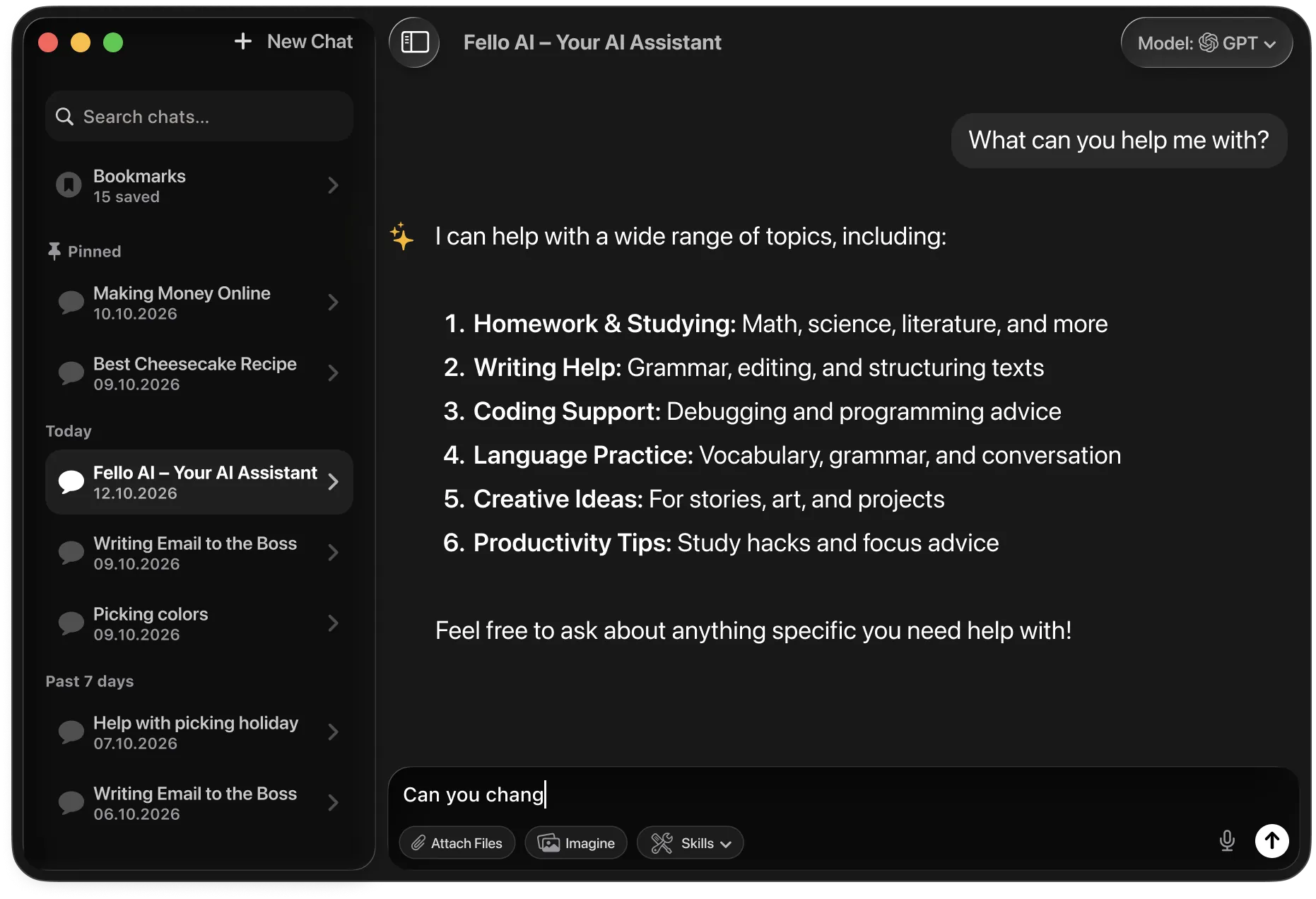
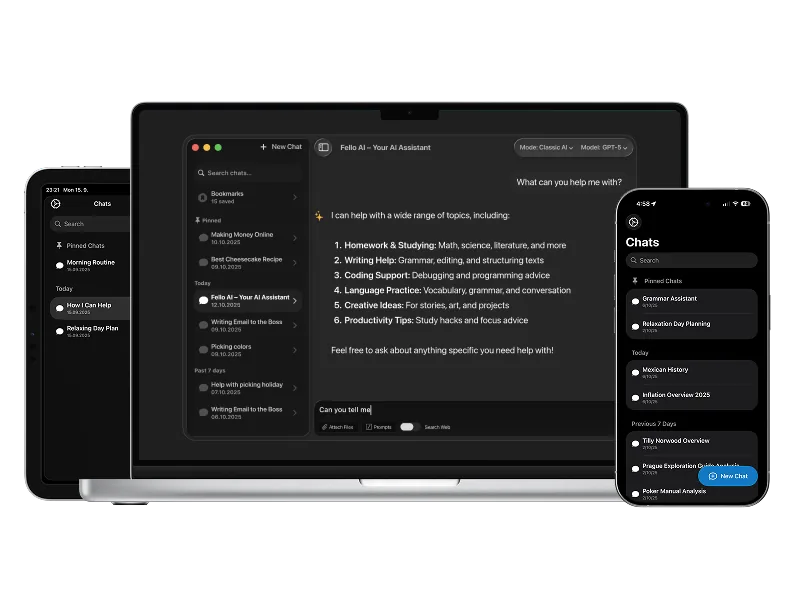
Fello AI provides a seamless way to access DeepSeek directly from your Mac and now also on iPhone and iPad. Here’s how to get started:

  1. Stáhněte a nainstalujte: Přejděte do Mac App Storu a stáhněte Fello AI..
  2. Otevřete Fello AI: Není potřeba žádné přihlášení – stačí aplikaci otevřít.
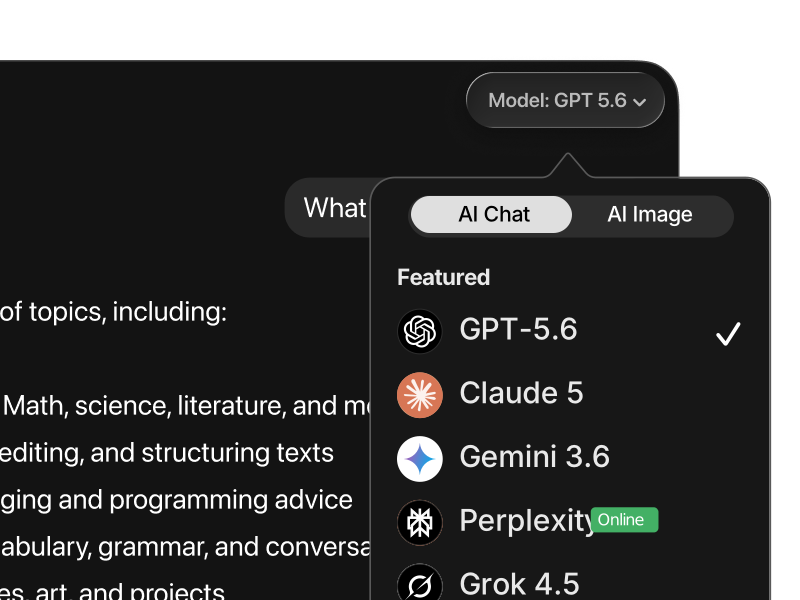
  3. Select DeepSeek: From the list of supported AI models, choose DeepSeek R1 or V3.2
  4. Začněte komunikovat: Begin using DeepSeek without the need to switch between browser tabs or deal with frequent logins.

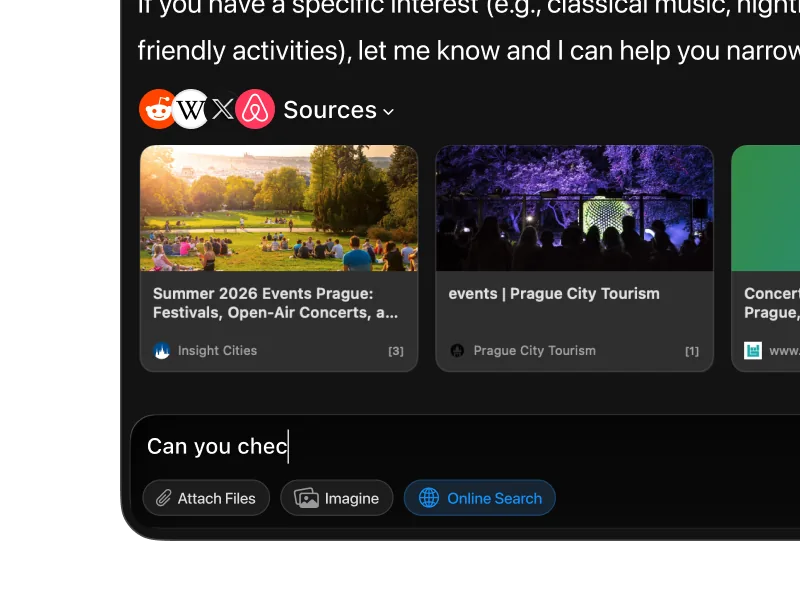
In addition to DeepSeek, Fello AI also supports other top models like Claude, Gemini, and ChatGPT. You can now use the same setup across macOS, iOS, and iPadOS, making it easy to switch between desktop and mobile work.

Vytvoření progresivní webové aplikace (PWA)

If you prefer to use DeepSeek without third-party apps, you can turn the DeepSeek website into a desktop app-like experience by creating a Progressive Web App (PWA). Here’s how:

  1. Otevřete Safari:: Navigate to chat.deepseek.com using Safari.
  2. Přidat na plochu: Klikněte na „Přidat na plochu“ pro vytvoření zástupce.
  3. Přístup z Docku: You can now launch DeepSeek from your dock, giving you faster access without needing to open a browser every time.

Option 3: Using the Official DeepSeek Web App

DeepSeek offers a free web interface at chat.deepseek.com with access to DeepSeek R1 and V3.2 models. It provides chat history and basic features, but runs entirely in the browser without native Mac integration or multi-model support.

For a smoother, more productive experience, Fello AI offers a polished alternative with full desktop performance and support for multiple AI models.

How Does DeepSeek Compare to Other AIs?

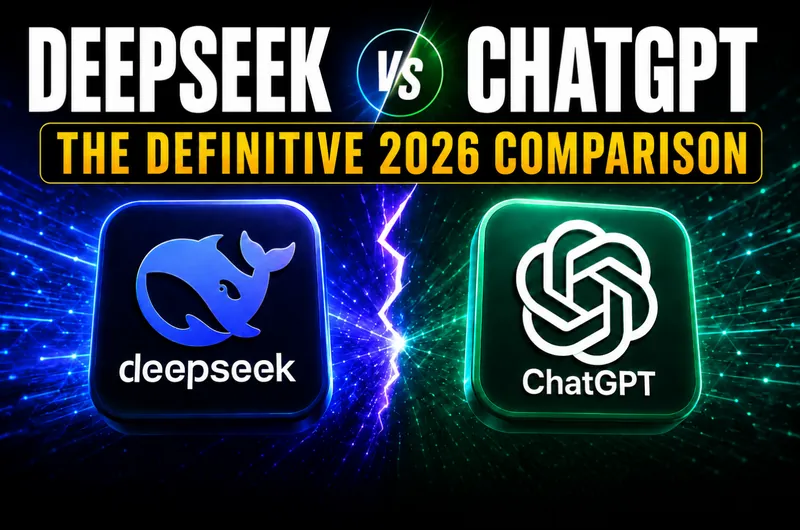
DeepSeek vs. ChatGPT (GPT-5.2)

DeepSeek R1 delivers advanced chain-of-thought reasoning that competes head-to-head with GPT-5.2 on complex tasks—often at significantly lower cost. It excels at mathematical reasoning, logic puzzles, and coding challenges, matching or exceeding GPT-5.2 on many reasoning benchmarks.

GPT-5.2 offers a more mature ecosystem with speed and versatility. It excels in creative tasks, image generation, voice input, real-time browsing, and automation through built-in tools. It’s better suited for users who want one model that can handle many different formats inside a single workflow.

If deep reasoning, math, coding, and cost matter most, DeepSeek is the better choice. If you rely on multimedia tools, browsing, and a mature plugin ecosystem, GPT-5.2 still holds the edge.


DeepSeek vs. Claude 4.6

DeepSeek 3.2 is a powerful open-weights alternative known for strong benchmark performance and extremely low operating costs. It’s widely used for local deployment and self-hosted setups, but it can show alignment gaps, weaker safety controls, and less consistent long-context behavior than Claude.

DeepSeek R1 offers exceptional reasoning depth, open-source flexibility, and dramatically lower costs. It matches or exceeds Claude on many reasoning and coding benchmarks while giving users the option to self-host, fine-tune, and inspect model weights.

Choose DeepSeek for deep reasoning, cost efficiency, and open-source flexibility. Choose Claude if you prioritize long-context safety and structured enterprise output.


DeepSeek vs. Gemini 3

Gemini 3 leads in advanced reasoning and visual workflows. It stands out for building interactive dashboards, handling multimodal data, and solving complex scientific or analytical problems.

DeepSeek focuses on pure reasoning performance, open-source access, and cost efficiency. It’s stronger for mathematical reasoning, coding, and analytical tasks, while Gemini leads in visual and multimodal workflows.

Use Gemini 3 for visual reasoning and Google-integrated workflows. Choose DeepSeek for deep analytical reasoning, coding, and open-source flexibility.


DeepSeek vs. Grok 4.1

Grok 4.1 is optimized for real-time information and social data through live platform access. It’s known for its personality, conversational tone, and fast access to current events.

DeepSeek is designed for deep analytical work—coding, mathematical reasoning, research, and complex problem-solving—where reasoning depth matters more than real-time news.

Use Grok for live updates and social context. Use DeepSeek for technical analysis, coding, and deep reasoning tasks.


DeepSeek vs. Perplexity

Perplexity is built primarily for search. It delivers fast, citation-backed answers using real-time web data and is ideal for fact-checking and quick research on macOS.

DeepSeek R1 is optimized for deep understanding, long reasoning chains, and complex problem-solving. With its chain-of-thought approach, it handles complex tasks that go far beyond short factual answers.

For fast factual lookup, Perplexity is the better tool. For deep reasoning, coding, and complex analytical work, DeepSeek is the stronger option.

Přečtěte si více v našem rozsáhlém přehledu.

Futuristic AI thumbnail background showing a glowing blue neural network sphere in the center, surrounded by floating prompt and code interface panels on a dark blue gradient background.

DeepSeek Prompt Hacks: 30 Tips That 10x Your AI Results (Updated)

DeepSeek R1-0528 is a 685 billion-parameter open-source model under an MIT license, adding deeper chain-of-thought reasoning, native JSON outputs, and low-latency inference compared to its predecessors. How you phrase your prompt determines how much of that power you actually use. A vague request gives a generic answer; a well-structured prompt gives you exactly what you […]

Dark blue background with subtle wave-like patterns and glowing particles. Centered at the top is the DeepSeek logo—a stylized white whale—and the text “deepseek v4” in clean, white font. Below it, bold yellow and white headline text reads: “DeepSeek V4 Stats Leaked – This AI Could Break the Game!”

DeepSeek V4 Has the Internet Buzzing: Is It Gonna Beat ChatGPT, Gemini & Claude?

In past months, most AI headlines have focused on bigger models (like recently released GPT-5.2, Gemini 3 or Claude Opus 4.5), higher GPU counts, and flashy demos. Now a Chinese AI startup is quietly pushing a different narrative: better results with smarter architecture. DeepSeek is preparing to release DeepSeek V4, a new flagship AI model focused almost entirely […]

A graphic with a digital circuit board background. Text at the top reads, "JAN 2026". Three humanoid figures, colored blue/red, green, and orange, are breaking a large golden crown into four pieces. Text bubbles identify them as "Gemini 3 Pro," "GPT-5.2," and "Claude Opus 4.5." The crown pieces are labeled "PREFERENCE #1," "REASONING #1" (twice), and "CODING #1." Large text at the bottom says, "THE AI THRONE HAS FRACTURED. JANUARY 2026 RANKINGS: New Data Changes Everything."

Best AI Models In January 2026: Gemini 3, Claude 4.5, ChatGPT (GPT-5.2), Grok 4.1 & Deepseek

TL;DR: In January 2026, there isn’t one “best” AI for everything. On LMArena’s Text leaderboard, Gemini 3 Pro leads user-preference rankings, while the updated Artificial Analysis Intelligence Index v4.0 reports GPT-5.2 (with extended reasoning) as the top overall benchmark performer. Choose based on your task: Gemini for daily assistance, Claude for coding, and GPT-5.2 for […]

Blue thumbnail image with the white DeepSeek whale logo and text that reads “deepseek v3.2” at the top and “DeepSeek V3.2: The Model That Scares ChatGPT & Gemini” over an abstract swirling blue background.

DeepSeek-V3.2-Speciale Just Dropped! How It Compares to Gemini 3 or GPT 5.1?

TL;DR: DeepSeek-V3.2 is a newly released family of open-source, 685B-parameter AI models that rival GPT-5 and Gemini 3.0 Pro in advanced reasoning benchmarks while cutting operational costs by over 50%. It features a standard “daily driver” version optimized for tools and chat, and a “Speciale” variant designed specifically for complex math, coding, and logic tasks. […]

Why Use DeepSeek in Fello AI?

Fello AI je jedním z nejvšestrannějších a nejjednodušších chatbotů s podporou více LLM.

Všechny špičkové umělé inteligence bez omezení

GPT, Claude, Gemini, DeepSeek, Perplexity, Grok,...


Create & Edit Images

Create logos, edit photos, or generate images in seconds.


Full-text & Online Search

Quickly search your past chats and online resources.


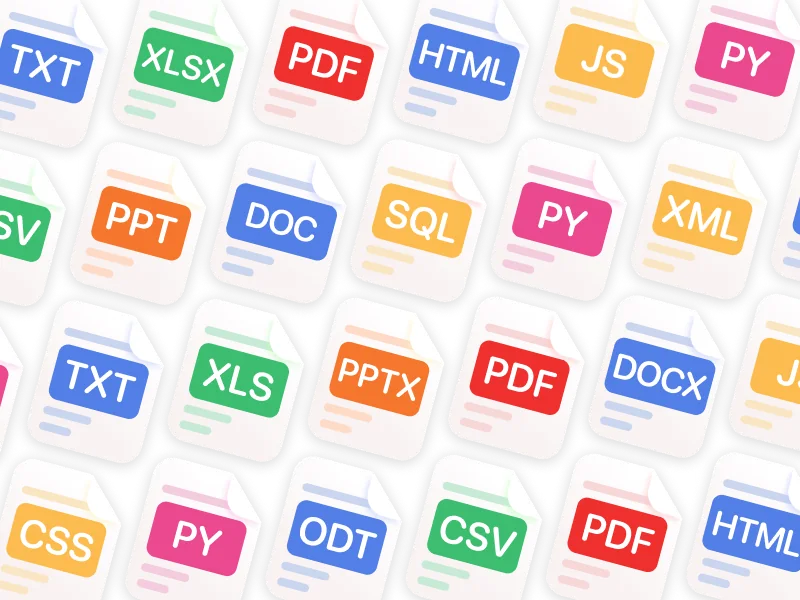
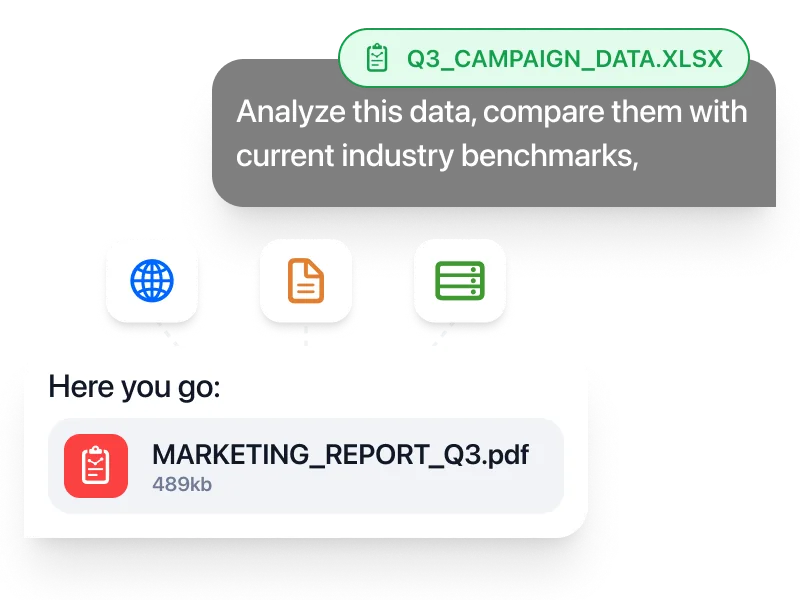
Chat with PDFs & Other Files

Analyze, summarize, and get insights from images, PDFs, or documents.


Chatujte v jakémkoliv jazyce

Rozhraní ve 12 jazycích, odpovědi ve více než 200 reálných i vymyšlených jazycích.


Dostupnost 24/7

Vždy dostupná. Kdykoliv potřebujete.

Ultimátní nástroj s nekonečnými možnostmi

Nezbytné pro profesionály

For professionals, Fello AI delivers a powerful desktop experience built on DeepSeek R1, one of the most capable reasoning models available today.

Whether you're crafting marketing copy, managing your Etsy store, writing reports, analyzing complex data, or generating production-ready code, Fello AI helps you complete tasks faster—with more precision and less effort.

Thanks to DeepSeek R1’s exceptional chain-of-thought reasoning and coding capabilities, it’s an ideal tool for demanding workflows. From deep research to complex problem-solving, Fello AI gives you the clarity, speed, and confidence to get real work done—all in one clean, responsive Mac app.

Přečtěte si více >

Perfektní pro studenty

The Fello AI macOS app, with access to DeepSeek R1, is the perfect companion for students managing busy schedules and demanding coursework.

With DeepSeek R1’s exceptional reasoning and step-by-step problem-solving, students can break down complex problems, draft essays, take research notes, and brainstorm ideas—faster and with less friction.

Whether it’s tackling writing assignments, organizing study materials, or handling simple coding tasks, Fello AI helps students stay productive and focused, all within a clean, user-friendly interface built for everyday academic life.

Přečtěte si více >

Frequently Asked Questions About DeepSeek AI

Whether you’re new to DeepSeek or exploring advanced features, this FAQ covers everything you need to know—from setup to model differences and Mac usage:


Is DeepSeek AI available on Mac?

Yes. DeepSeek works on Mac through any modern web browser at chat.deepseek.com. For a faster, cleaner experience without browser clutter, you can use a native client like Fello AI, which supports DeepSeek alongside other top AI models.


How can I install DeepSeek AI on my MacBook?

You have two main options:

  • Install Fello AI from the Mac App Store for a true desktop-style experience.
  • Use Safari to create a PWA shortcut from chat.deepseek.com for one-click dock access.

Both options let you launch DeepSeek instantly without opening a normal browser tab.


Is DeepSeek AI free to use?

Yes. DeepSeek offers a free tier through their web interface. Their models are also open-source, meaning developers can run them locally for free. In Fello AI, you can access DeepSeek models as part of the app’s supported model lineup.


Does Fello AI support the latest DeepSeek models?

Yes. Fello AI supports DeepSeek R1 and V3.2, including their advanced reasoning and coding capabilities. New model updates are typically added within days of release. Fello AI is also available on iPhone and iPad, so you can use the same setup across macOS, iOS, and iPadOS.


What’s the difference between DeepSeek R1 and V3?

  • DeepSeek R1 is the reasoning-focused model, designed for complex problem-solving, math, coding, and tasks that benefit from step-by-step thinking.
  • DeepSeek V3.2 is the general-purpose model, optimized for speed and everyday tasks like writing, translation, and quick answers.

For most users, R1 is the best choice for demanding tasks, while V3.2 is great for fast, general use.


How does DeepSeek compare to ChatGPT (GPT-5.2)?

DeepSeek R1 matches or exceeds GPT-5.2 on many reasoning benchmarks—especially in math, logic, and coding—often at a fraction of the cost.

ChatGPT with GPT-5.2 offers broader tool integration such as image generation, voice, browsing, and automation. If you prioritize reasoning depth and cost efficiency, DeepSeek is the better choice. If you want maximum flexibility and built-in tools, ChatGPT still leads.


Can DeepSeek AI help with coding?

Absolutely. DeepSeek R1 is one of the strongest coding models available:

  • Code generation
  • Debugging
  • Refactoring large codebases
  • Technical documentation

It supports all major programming languages and is especially strong in Python, JavaScript, C++, and Rust. It excels at algorithm design, debugging, and explaining complex logic.


How fast is DeepSeek AI?

DeepSeek V3.2 is extremely fast for general tasks. DeepSeek R1 takes a bit longer on complex reasoning tasks because it thinks through problems step by step—but this extra processing results in significantly more accurate answers. In Fello AI, responses are streamed in real-time so you see results as they’re generated.


Can DeepSeek AI handle large documents?

Yes. DeepSeek models support a 128K token context window and can process:

  • Long PDFs
  • Contracts
  • Research papers
  • Slide decks
  • Technical manuals

For even longer documents, Fello AI can help you work through them in segments. DeepSeek is well-suited for reports, documentation, and full project drafts.


Is DeepSeek open-source?

Yes. DeepSeek is one of the few top-tier AI labs that releases their model weights publicly. This means developers and researchers can run DeepSeek models locally, fine-tune them, and integrate them into their own applications—completely free. For most users, accessing DeepSeek through Fello AI is the easiest option.


What makes DeepSeek different from other AI models?

DeepSeek stands out for three reasons: 


  1. Exceptional reasoning performance that rivals the best closed-source models, 
  2. Open-source availability so anyone can inspect, run, or fine-tune the models.
  3. Very competitive pricing that makes advanced AI accessible to more people.

Can I use DeepSeek AI on my laptop?

Yes. DeepSeek works on any laptop through a browser. For a smoother experience on macOS, many users prefer Fello AI as a dedicated desktop client. You can also use DeepSeek on iPhone and iPad with the Fello AI iOS app.


Which DeepSeek model should I use?

  • DeepSeek V3.2 – Fast general-purpose model for everyday tasks
  • DeepSeek R1 – Advanced reasoning model for complex problem-solving

If you’re starting today, DeepSeek R1 is the recommended default for demanding tasks, and V3 for fast general use.

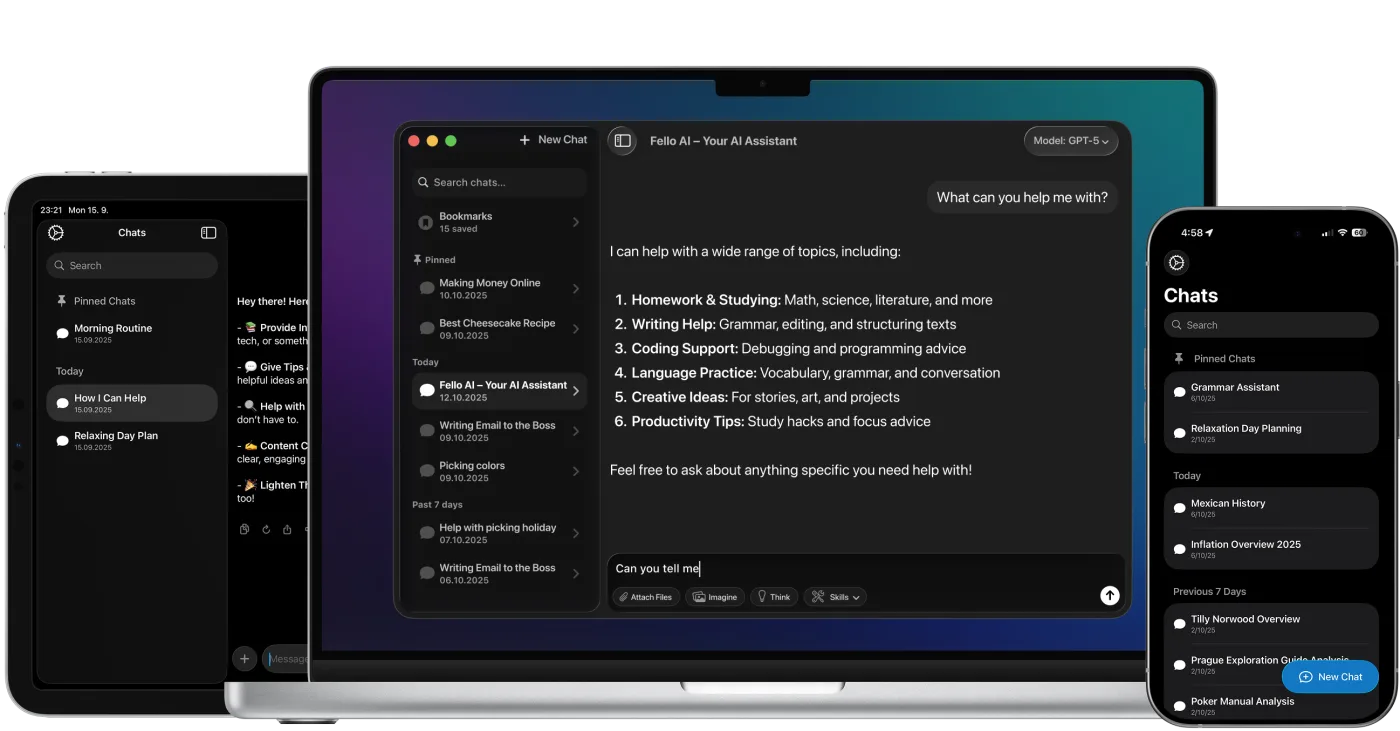
Fello AI macOS app interface showing an AI chat workspace with file attachments, image generation, document analysis, and bookmarked conversations in a dark desktop UI.

Stáhněte si Fello AI,
DeepSeek App for Mac!

rating 4.7, 25K+ reviews