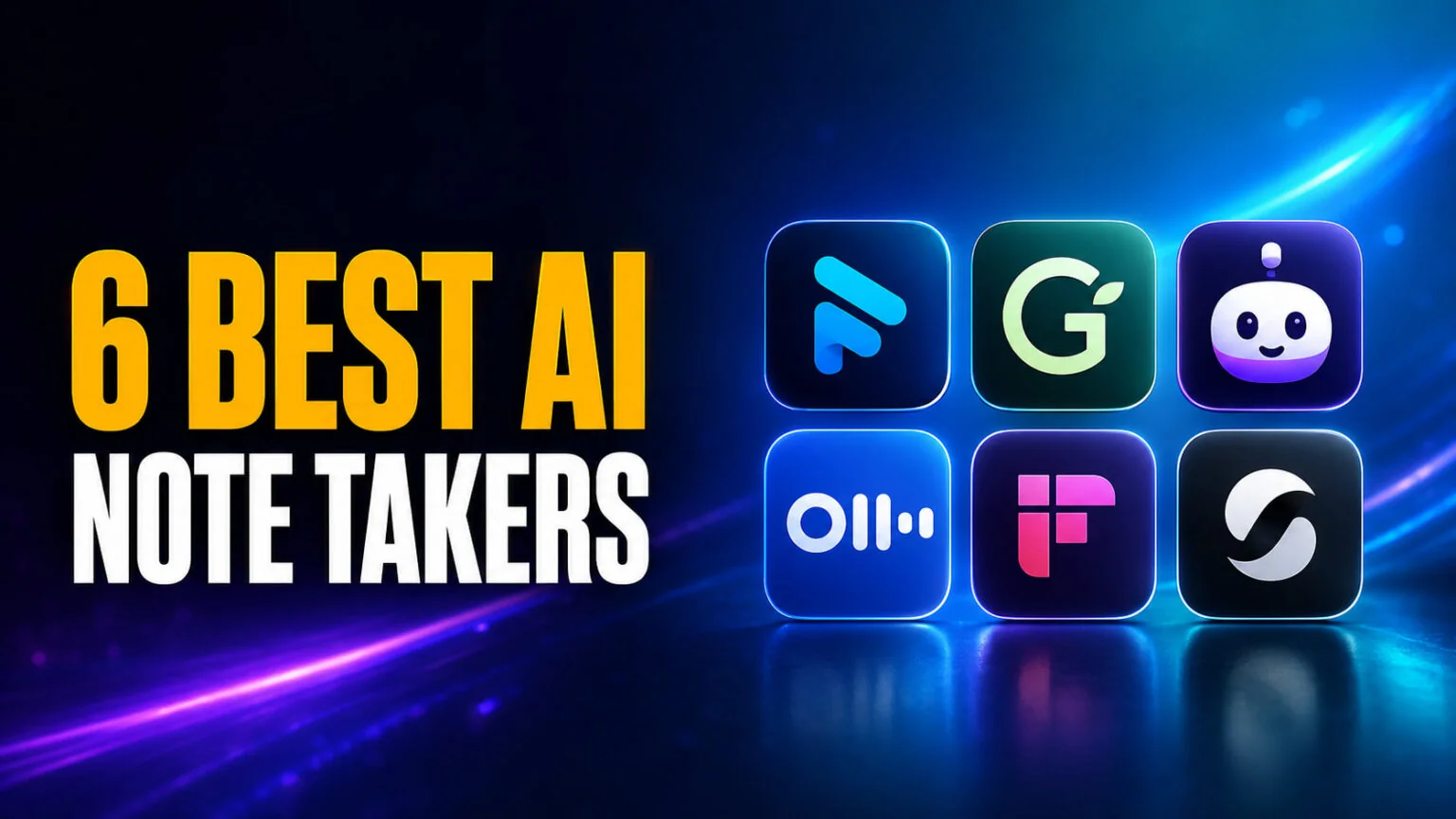
Every ranking of the best AI note taker on the first page of Google is published by a company that sells one. Shadow ranks Shadow first, under a byline that openly describes the author as an AI writer. Jamie ranks Jamie first. The most thorough roundup of the lot has not been updated since 4 March 2026, and several of the prices in it are now wrong.
We sell no meeting note taker, so we have nothing to put at the top. What follows is six apps ranked on what they actually do, with every price pulled directly from the vendor on 1 August 2026. We also cover two things no vendor will tell you. Your Mac already transcribes audio at no cost, and the two most recommended tools in this category are both defending class actions over how they record people.
The Key Takeaways
- Fathom has the only genuinely unlimited free tier. Unlimited recording and unlimited transcription at $0, with limits on the advanced AI features rather than on your meetings.
- Capture method matters more than features. Some apps join your call as a visible bot. Others record system audio from your Mac and never appear in the participant list. That one choice decides etiquette, privacy and whether the tool works in a room at all.
- Your Mac already transcribes audio for free. Apple Notes does it on any Mac with M1 or later across ten languages, and FaceTime call recordings save straight into Notes.
- Jamie is priced in euros, not dollars. Plans run €25, €47 and €33 per seat. Most English-language roundups print these figures with a dollar sign, which is simply wrong.
- Otter and Fireflies are both in court. Four suits against Otter are consolidated in California, and Fireflies faces a biometric privacy class action in Illinois. Neither has produced a substantive ruling yet.
What Is an AI Note Taker?
An AI note taker records a meeting, transcribes the audio to text, and generates a written summary with action items. Some join the call as a visible bot participant. Others run on your computer and capture system audio directly, so nothing appears in the participant list.
The category has split into three shapes worth knowing before you pick one. Cloud tools send a bot to your Zoom, Meet or Teams call and process everything on their servers. Desktop tools capture the audio your Mac is already playing and upload only what they need. Built-in tools like Apple Notes or Zoom AI Companion do a narrower job for free inside software you already run.
The short version is below. The reasoning comes after it.
The Best AI Note Takers at a Glance
Every figure below was checked against the vendor on 31 July 2026. Prices are per user per month, and where a vendor charges less for an annual commitment we have shown the monthly rate first.
| Tool | Capture method | Mac app | Free tier | Paid from | Best for |
|---|---|---|---|---|---|
| Fathom | Bot joins call | Web and desktop | Unlimited recording and transcription | $20 ($16 annual) | The best free plan |
| Granola | On-device audio | Native Mac app | Limited meeting history | $14 | Mac-native note taking |
| Jamie | On-device, bot-free | Native Mac app | 10 meetings, 30 min cap | €25 (€21 annual) | Keeping bots out of calls |
| Otter | Bot joins call | Web and mobile | 300 min/month, 30 min/meeting | $16.99 ($8.33 annual) | Searchable team archives |
| Fireflies | Bot joins call | Web and mobile | 400 min storage per team | $18 ($10 annual) | Automation and CRM sync |
| Shadow | On-device audio | Native Mac app | Unlimited transcription and recording | $8 | Cheapest unlimited option |
| Apple Notes | Built into macOS | Built in | Free, unlimited | $0 | Transcripts with no new app |
The 6 Best AI Note Takers, Ranked
We ranked these on capture method, the honesty of the free tier, and how much the summary is worth once you read it back. Team features and CRM plumbing pushed a tool up only where they work without a paid seat for every participant.
1. Fathom, the best free AI note taker
Fathom is first for one reason. Its free plan does not meter you. You get unlimited recording and unlimited transcription at no cost, with the limits placed on advanced AI features instead. Most competitors describe their free tier as generous and then cap it at a few hundred minutes.
Paid plans start at $20 a month, dropping to $16 on an annual commitment, which adds AI action items and a conversational assistant across your whole archive. Team plans begin at $19 per user and need at least two seats. You can confirm all of it on Fathom’s pricing page.
One warning worth flagging. Fathom recently moved house, and its old fathom.video domain now redirects to fathom.ai. Plenty of older reviews still link to the dead host, which is a decent signal of how stale the rest of their pricing is.
The trade-off is that Fathom sends a bot into your call. It shows up in the participant list, everyone sees it, and in some rooms that is a conversation you would rather not have.
2. Granola, the best Mac-native note taker
Granola runs as a proper Mac app and captures the audio your machine is already playing, so it never joins the call. It is built around one good idea, which is that you type your own rough notes during the meeting and Granola uses them to steer the summary rather than replacing them.
The free tier keeps the core note taking but limits how much history you can look back through. Business is $14 per user per month and adds unlimited history, advanced models and integrations with Notion, Slack, HubSpot and others. Enterprise runs $35.
Granola does not publish an annual rate on its pricing page, so treat any discounted yearly figure you see quoted elsewhere with suspicion. If you want more Mac-first tooling around it, our guide to AI shortcuts and automations for your Mac covers the automation side.
3. Jamie, the best bot-free option
Jamie captures audio locally and never joins a call, on every plan including the free one. If your objection to this category is the bot itself, Jamie is built around removing it rather than making it look friendlier.
Here is the detail almost every English-language review gets wrong. Jamie prices in euros. Plus is €25 a month or €21 annually, Pro is €47 or €39 annually, and Team is €33 per seat. Roundups that print those numbers with a dollar sign are quoting a price that does not exist.
The free plan gives you 10 meetings a month with a 30 minute cap on each, which is enough to judge the summary quality before paying. Meeting length limits rise to two hours on Plus and three on Pro.
That covers the tools that stay off your call. The next three do not.
4. Otter, the best searchable archive
Otter is the oldest name here and still the strongest if what you want is a searchable record of everything anyone said. Live transcription is good, speaker identification is solid, and the archive holds up over years rather than weeks.
The free Basic plan gives you 300 minutes a month with a 30 minute ceiling per meeting. Pro is $16.99 monthly or $8.33 on an annual commitment, which is one of the steepest annual discounts in the category. Business is $30 or $19.99 annually, which lifts the per-meeting ceiling to four hours. We break the tiers down properly in our Otter AI pricing explained.
Otter is also the tool with the most legal exposure right now, which we cover further down. That is not a reason to avoid it outright, but it is a reason to turn the bot off for sensitive calls.
5. Fireflies, the best for automation
Fireflies is the pick if the transcript is a starting point rather than the destination. It pushes summaries and action items into CRMs and task tools cleanly, and its integration list is the deepest here.
The free tier is the most misunderstood in this roundup. It gives 400 minutes of storage shared across your whole team, not per person, so a team of five burns through it quickly. Pro is $18 monthly or $10 annually with 8,000 minutes per seat, and Business is $29 or $19 annually with unlimited storage.
6. Shadow, the cheapest unlimited option
Shadow is a Mac app that records system audio without joining calls, and its free plan is unusually generous with unlimited transcription, unlimited recording and unlimited screenshots. Paid Plus is $8 a month, the lowest paid entry point in this list, and it adds the AI notes and chat layer on top of the raw transcript.
It is ranked last on evidence rather than quality. Shadow publishes its own competing roundup that places Shadow first, written by an author its byline identifies as an AI, with no comparison table and no stated testing method. That does not make the app bad, but it does mean nothing in its marketing should be taken at face value.
Bots or On-Device Capture, and Why It Decides Everything
Most comparisons treat this as one feature among many. It is the decision that shapes everything else, so it is worth understanding before you look at a single price.
A bot-based tool joins your call as a participant. Everyone can see it, which is at least honest, but it also means the vendor receives your meeting audio through its own infrastructure. Fathom, Otter and Fireflies all work this way. It is the only approach that reliably captures per-speaker audio streams, which is why their speaker identification is usually better.
An on-device tool records what your Mac is already playing. Nothing joins the call. Granola, Jamie and Shadow work this way, and it is the only approach that captures a conversation happening in a room rather than on a screen.
The catch with on-device capture is that invisibility cuts both ways. Nobody sees a bot, which means nobody is prompted to ask whether they are being recorded. That is a courtesy problem in most meetings and a legal one in some, which brings us to the part no vendor wants to discuss.
Your Mac Already Transcribes Audio for Free
Before you pay anyone, check whether you need to. Apple Notes records audio and generates a transcript at no cost, and it has done so for a while without much fanfare.
According to Apple’s own Notes documentation, transcription works on Mac computers with M1 or later, provided your device language is set to one of ten supported languages. Those are English, Spanish, Portuguese, Italian, French, German, Japanese, Korean, Simplified Chinese and Traditional Chinese. You can also record a one-to-one FaceTime call and read the transcript in Notes afterwards, where recordings save automatically into a Call Recordings folder.
For a lot of people that is the whole job, done, for nothing.
Two honest limits. Apple does not document speaker identification for Notes transcription, so do not assume you will get a clean who-said-what breakdown. And you get a transcript rather than a structured summary with action items, which is the actual product the paid tools are selling. Transcribing a meeting and dictating text are separate jobs, so if what you want is speech straight into a document, see the dictation apps tested on Mac instead. If the destination is an assistant rather than a document, you can talk to any AI instead of typing.
For a lecture, a one-to-one, or any situation where you mainly need the words captured, that gap will not matter. Students in particular should check this before subscribing to anything, and our roundup of AI tools for students covers where the paid tools earn their place. The same transcription features exist across the ecosystem, which we cover in our guide to the best AI apps for iPhone.
Which raises a question most roundups skip entirely.
Are AI Note Takers Legal?
It depends where the people on your call are sitting. Around a dozen US states require consent from everyone in the conversation rather than just one party. The commonly cited list runs California, Connecticut, Delaware, Florida, Illinois, Maryland, Massachusetts, Montana, New Hampshire, Oregon, Pennsylvania and Washington.
Treat that list as a prompt to check rather than as settled law. Sources disagree at the edges, with some swapping Nevada in for Oregon depending on how they read the hybrid statutes. If even one participant sits in an all-party state, the safe assumption is that everyone needs to agree.
This is not theoretical. Four separate suits against Otter have been consolidated as In re Otter.AI Privacy Litigation, No. 5:25-cv-06911, in the Northern District of California. As The National Law Review sets out, they were filed between 15 August and 10 September 2025. They allege violations of the federal Electronic Communications Privacy Act along with Illinois and California privacy statutes, including claims about voiceprints used to train models. No substantive rulings have been issued.
Fireflies faces a separate biometric privacy class action in Illinois, Cruz v. Fireflies.AI Corp., filed in December 2025. In both cases the lead plaintiffs had no account with the tool and no relationship with the company. They simply joined a meeting where somebody else had switched the bot on.
The practical takeaway is simple. A bot sitting in the participant list is not consent, and no court has treated it as such. Say out loud that you are recording, and turn it off when somebody asks.
So check your own state before you switch anything on.
What the Free Tiers Actually Give You
Free plans in this category are where the marketing is loosest, so here is what each one actually allows.
Fathom gives you unlimited recordings and transcriptions, placing its limits on the advanced AI action items and the account-wide assistant instead. Shadow is close behind with unlimited transcription, recording and screenshots, plus two weeks of the paid tier to try.
Otter allows 300 minutes per month, capped at 30 minutes per meeting, with three lifetime file imports. Jamie gives you 10 meetings a month with a 30 minute limit on each, and keeps the bot off every tier. Granola does not cap your minutes and limits how far back your history goes instead.
Fireflies is the one to read twice. Its 400 minutes of storage are shared across your entire team rather than allocated per person.
If you take one thing from that list, make it the Fireflies detail. A team-wide 400 minute pool sounds comparable to Otter’s 300 until you divide it between five people.
How to Choose the Best AI Note Taker for You
Work through it in this order and the choice usually makes itself.
- Start with the room. If your meetings happen in person, only on-device tools work. Granola, Jamie and Shadow are your shortlist, and Apple Notes might cover it on its own.
- Then check the consent question. If colleagues or clients sit in all-party states, favour a tool you can announce clearly and switch off per meeting.
- Then test the summary, not the transcript. Transcription quality is broadly solved. Summary quality is not, and it is what you are actually paying for.
- Then look at the free tier honestly. Fathom and Shadow can serve indefinitely for one person. Team pools run out faster than per-seat allowances.
- Only then compare prices. The spread runs from $0 to roughly $47 a month, and the expensive end is rarely better at the core job.
If you are assembling a wider Mac setup rather than solving one meeting problem, our guide to the best ChatGPT alternatives for Mac covers the general-purpose apps that handle everything after the notes exist. That means drafting the follow-up email, or rewriting the summary for a different audience.
Which One Should You Actually Pick?
For most people, start with Fathom on the free plan. It is the only tool here that will not meter you, and a month of real use tells you more than any comparison table.
If a bot in the participant list is the problem, go to Granola for the Mac experience or Jamie if you want bot-free behaviour on the free tier too. If you mainly need words on a page from a Mac you already own, open Notes and spend nothing.
FAQ
What is the best AI note taker?
For most people it is Fathom, because it is the only tool in this category with a free tier that does not meter you, covering both recording and transcription. If you need the tool to stay off the call, Granola and Jamie capture audio on your Mac instead of joining as a bot.
What is the best free AI note taker?
Fathom offers unlimited recording and transcription at no cost, and Shadow’s free plan includes unlimited transcription and recording. Otter’s free Basic plan caps at 300 minutes per month with a 30 minute limit per meeting, and Fireflies gives 400 minutes of storage shared across a team rather than per person.
Are AI note takers legal?
It depends where the participants are. Around a dozen US states require consent from everyone on the call, and a visible bot in the participant list is not on its own treated as legally sufficient consent. Four consolidated suits against Otter and a separate Illinois class action against Fireflies are currently testing whether the vendor or the user carries that responsibility.
Do AI note takers work for in-person meetings?
Only the on-device ones. Tools that join a call as a bot need a Zoom, Meet or Teams meeting to join, so they cannot capture a conversation happening in a room. Granola, Jamie and Shadow record system audio and a microphone directly, and Apple Notes will transcribe a recording for free.
Is there an AI note taker built into macOS?
Apple Notes records and transcribes audio at no cost on any Mac with an M1 chip or later, across ten supported languages, and FaceTime call recordings save into a Call Recordings folder in Notes. Apple does not document speaker identification for it, and you get a transcript rather than a structured summary with action items.