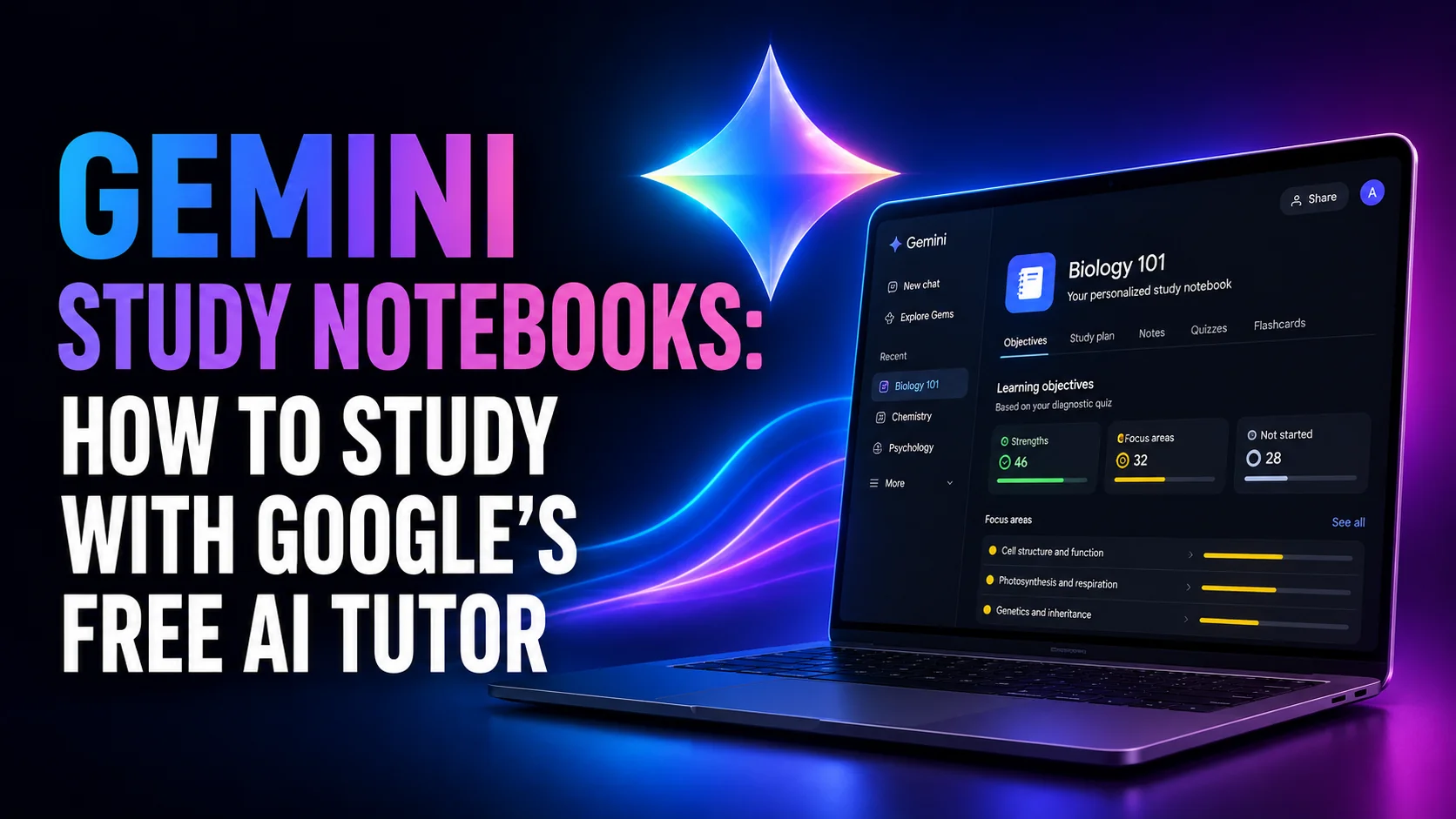
Google's most useful study tool of the year is not the one it spent August advertising. Gemini study notebooks launched quietly on 25 June 2026, and they do something the free tier of every rival tutor still does not. They test you first. Then they build the lessons around whatever you got wrong. Upload a syllabus and a stack of lecture slides, take a diagnostic quiz, and Gemini splits the subject into more than 100 learning objectives it labels as strengths, focus areas, or not started.
It is also free, which is where most write-ups stop. What they leave out is that two months after launch the feature is still web only, and still closed to anyone under 18 and every school-issued Google account. That is a strange shape for a product being sold as a student tutor. This guide covers how to make a study notebook, what the diagnostic quiz actually does, how it differs from the two other Google products confusingly also called notebooks, and where it falls short.
The Key Takeaways
- Free, with no paid plan required: study notebooks work on the ordinary free Gemini account, in every language the Gemini app supports.
- Web only, still: Google said mobile was coming "later this summer" on 25 June. As of 21 August 2026 the help centre still says study notebooks are not in the Gemini mobile app.
- 18 and over, personal accounts only: work and school Google accounts cannot use them, despite Google promising school-issued and under-18 access "in the coming weeks" at launch.
- Keep Activity has to be on or the feature disappears entirely, along with auto-saving chats and notebook memory.
- Three different Google products are called notebooks right now. Study notebooks, notebooks in Gemini, and Gemini Notebook are not the same thing, and the limits circulating online belong to the wrong one.
What Are Gemini Study Notebooks?
A study notebook is a mode inside the Gemini app that turns Gemini from an answer machine into a tutor with a syllabus. You give it a learning goal, add your own material, and it runs a diagnostic quiz before teaching anything.
The result of that quiz is the whole product: instead of generic lessons on a topic, you get short lessons aimed at the specific things the quiz showed you do not know.
Google describes it as a dedicated space that turns Gemini into an adaptive learning platform, and the framing is accurate for once. The progress dashboard breaks your goal into more than 100 named learning objectives, groups them into topics, and sorts each one into Strengths, Focus areas or Not started. As you work through lessons and quizzes, the list re-sorts itself. That is a meaningfully different thing from asking a chatbot to explain photosynthesis nine times.
What you can feed it is generous. The help centre lists PDFs, documents, spreadsheets, images, audio, plain text and .md files, plus anything in Google Drive and plain URLs. Lecture slides, a syllabus, a scanned problem set and a YouTube lecture can all sit in the same notebook, and the ceiling is 600 sources depending on your Google AI plan.
How to Make a Gemini Study Notebook
Google published a how-to post on 10 July 2026 that consists of a video and no written instructions, so here are the steps in text.
- Go to gemini.google.com on a computer. The mobile app will not do, and neither will the Mac app.
- Select new notebook, then choose the Study option.
- Tell Gemini your learning goal in the setup conversation. Be specific: "pass the second-year organic chemistry midterm" produces a better objective list than "learn chemistry".
- Add your materials with the add files control, from your device or from Google Drive.
- Take the diagnostic quiz. It is not pass or fail and there is no score to protect, so answering honestly rather than carefully is the point.
One habit worth adopting immediately: keep one notebook per course or per exam unit. Mixing three subjects into one notebook dilutes every study guide it generates, which is the most common complaint from people who have used the wider notebook feature for months. A notebook that contains only the material for one exam produces lessons that stay on that exam.
Three Things Called a Notebook, and Which One You Want
This is where almost every article on the subject goes wrong, including several ranking on page one. Google now ships three separate things with nearly the same name, and they arrived within three months of each other.
| Name | Where it lives | What it is for | Arrived |
|---|---|---|---|
| Study notebooks | Gemini app, web only | Adaptive tutoring: diagnostic quiz, lessons, progress dashboard | 25 June 2026 |
| Notebooks in Gemini | Gemini app, web and mobile | Organising your chats and files, closer to folders | 8 April 2026 |
| Gemini Notebook | notebooklm.google.com | Source-grounded research, Audio and Video Overviews, mind maps | Renamed from NotebookLM, 16 July 2026 |
The practical consequence is that the source and usage limits you will find quoted for "study notebooks" on most sites are wrong. Figures like 50 sources on the free tier and three Audio Overviews a day belong to Gemini Notebook's own pricing tiers, the separate research product. They are real numbers attached to the wrong feature. If you want the naming story in full, we covered what changed when NotebookLM became Gemini Notebook and why the two names still coexist in the wild.
Are Gemini Study Notebooks Free?
Yes, and with no asterisk on the price. Study notebooks run on an ordinary free Google account, in every language the Gemini app supports, with no Google AI Pro or Ultra requirement. A paid plan raises how many sources a notebook holds, up to that 600 ceiling, but it does not unlock the feature.
The restrictions are somewhere else entirely, and they are the part Google's announcement did not dwell on. Per the current help centre entry on notebooks, you must be 18 or over, and you must be signed in with a personal Google account. The feature "isn't available if you sign in with a work or school Google Account". You also need Keep Activity switched on. With it off, you can still chat with a notebook, but study notebooks, notebook memory, auto-saving chats and Google Drive access all vanish.
In the European Economic Area there is one more step. The notebook has to be connected to Gemini Apps manually rather than automatically.
The Promise That Has Not Landed
Both of the awkward limits were supposed to be temporary. The launch post on 25 June said study notebooks were "available on the web, with mobile support coming later this summer". The same post promised they "will be available for all school-issued accounts, including for users under 18, in the coming weeks". A third promise sat alongside them: the lessons would gain diagrams and interactive visualizations, which Android Police still found missing in a hands-on test in late July, describing the lessons as mostly text.
Summer is nearly over. As of 21 August 2026, the help centre still states plainly that study notebooks are available at gemini.google.com "but not in the Gemini mobile app", and the age and account requirements are unchanged.
That gap matters because Google's education push carried on regardless. Gemini in Google Classroom expanded to students of all ages from 10 August on the web and 17 August on mobile, across the Education Fundamentals, Standard and Plus editions. But what Classroom syncs teacher material into is Gemini Notebook, the research product, not the study notebooks in the Gemini app. So the two halves of Google's student story currently do not meet: the adaptive tutor is the one place a school account still cannot go.
Study Notebooks vs Guided Learning
Gemini already had a study feature. Guided Learning arrived on 6 August 2025, eight days after OpenAI's equivalent, and it is a conversational tutoring mode: it withholds the answer, asks questions, and walks you through the reasoning with diagrams and videos. It still exists and is still documented.
The difference is scope. Guided Learning improves a single conversation. A study notebook is a persistent structure around a whole subject, with your materials in it, a baseline measurement, and a record of what you have and have not covered. Guided Learning helps you understand tonight's problem set. A study notebook is aimed at the exam in six weeks. For a quiz built from one document rather than a structure around a whole subject, Gemini Canvas turns text into one in a couple of clicks. Notably, Google's own student hub now lists study notebooks, custom quizzes and performance tracking as its headline study features, and does not mention Guided Learning at all.
Gemini Study Notebooks vs ChatGPT Study Mode
The short version: ChatGPT Study Mode is the better tutor in a single session, because it is more disciplined about refusing to hand over the answer. It also works on every device and every plan, including free.
Study notebooks are the better structure for a whole course, because of the diagnostic quiz and the objective tracking, but they are stuck on the web and locked to adult personal accounts. A student who wants both is running two products from two vendors, which is the honest state of things right now. For the wider matchup across writing, research and technical subjects, we compared ChatGPT and Gemini for students in detail.
Exam Prep: What Has Shipped and What Was Only Announced
Standardised test preparation was the loudest part of the launch, and it is worth separating what exists from what was promised. SAT preparation is live, using practice questions licensed from The Princeton Review, which is a genuine differentiator over a model generating its own approximations of test items. Google also named JEE, NEET, ENEM, ACT and GRE as coming, without committing to dates. Treat those five as announced rather than available until you see them in your own account.
The same caution applies to the teacher-facing half. Google said educators would be able to assign study notebooks built from class materials through Classroom, and see where a student or a class is struggling. That was described on launch day as forthcoming and has not been confirmed as shipped, which follows naturally from school accounts still being locked out.
Where Study Notebooks Fall Short
The web-only limitation is the one you will feel daily. Studying happens on a phone during a commute far more often than at a desk, and every rival tutor is on mobile. Until that changes, a study notebook is a thing you use at a laptop or not at all.
The Keep Activity requirement is a quieter cost. Turning it on means Google retains a record of what you asked, which is the trade for a tutor that remembers your weak areas between sessions. That is a defensible bargain, but it should be a decision rather than a surprise, and Google presents it as a technical prerequisite rather than a privacy choice.
The adaptation is also thinner than the pitch suggests once you move past your weak spots. Android Police's hands-on test found that lesson picks stay tightly bound to the diagnostic map early on, then flatten into generic explainers as you move into adjacent topics or raise the difficulty. The same test found the progress dashboard promotes a topic to mastery after a handful of correct answers, without distinguishing a lucky partial understanding from actual competence. Treat the green labels as a rough map, not a verdict.
Then there is the caveat that applies to every AI tutor.
A model will state a wrong answer with complete confidence, and a wrong explanation delivered as a graded lesson with a progress bar feels more authoritative than the same error in a chat window. The diagnostic quiz measures your answers against the model's understanding of your uploaded material, not against your instructor's marking scheme. Checking its reasoning against the actual course material stays your job, which is another argument for loading the notebook with your real sources rather than letting it work from general knowledge.
Should You Use It?
If you are at university, over 18, on a personal Google account and willing to work at a computer, study notebooks are the strongest free study tool Google has shipped. The diagnostic quiz is the reason. Being told which 12 of 100 objectives you are actually weak on is worth more than any amount of well-explained material you already knew. Start one notebook for your hardest course, not five for everything.
If you are at school, under 18, or on an account your institution issued, you cannot use this yet, and no amount of guidance changes that. Guided Learning and Study Mode are open to you and work on a phone. It is worth checking again once term is underway, since Google has already committed to the change in writing.
Students who are eligible should also check whether they qualify for the free year of Google AI for students, relaunched on 19 August, which raises the source ceiling on every notebook. And if you are still deciding which assistant to build your term around, our roundup of the best AI tools for students covers the full set. On a Mac, the argument for running several models side by side rather than committing to one vendor's study feature has rarely been stronger, since the two best study tools currently live in different apps.
FAQ
Are Gemini study notebooks the same as NotebookLM?
No. NotebookLM was renamed Gemini Notebook in July 2026 and lives at notebooklm.google.com, where it grounds research in your sources and makes Audio and Video Overviews. Study notebooks are a separate mode inside the Gemini app that tutors you with quizzes and lessons. The source limits quoted for one are routinely misapplied to the other.
Can I use study notebooks on my phone?
Not yet. Google said mobile support was coming later in summer 2026 when the feature launched in June, but the help centre still states that study notebooks are available at gemini.google.com and not in the Gemini mobile app. The separate Gemini Notebook app on Android and iOS is a different product.
Do I need Google AI Pro to use study notebooks?
No. Study notebooks are free on an ordinary Google account. A paid Google AI plan only raises how many sources a single notebook can hold, up to a ceiling of 600. It does not unlock the feature, the diagnostic quiz or the progress dashboard.
Why can't I find study notebooks on my school Google account?
Because they are not available there. Google's help centre says you must be 18 or over and signed in with a personal Google account, and that the feature is not available on work or school accounts. If that rules you out, the best NotebookLM alternatives include several with no age gate at all. School-issued and under-18 access was promised "in the coming weeks" on 25 June 2026 and had not arrived by late August.
What happens if I turn Keep Activity off?
Study notebooks stop being available. Keep Activity is required for them, along with notebook memory, auto-saving chats, adding existing chats and Google Drive access. You can still chat with a notebook without it, but the adaptive study features that make the notebook worth creating will not run.