Update for 23 September 2026: Every model claim below was rechecked against the vendor pages. GPT-6 Sol and Luna shipped on 22 September into ChatGPT Work and Codex, not Chat, so the iPhone app still answers on GPT-5.6. Claude Opus 5.5 replaced Opus 5, now a legacy model. Grok 4.7 launched on 21 September for developers while the Grok app stays on Grok 4.6. Google lists all three Gemini 3 models as free but caps the free context window at 32k, not the 1M this guide used to quote. iOS 27 shipped on 14 September.
Your iPhone ships with Apple Intelligence built in, but the real power is in the third-party AI apps you add on top. Across 1 million+ ratings, Grok holds a 4.9-star App Store average, ChatGPT pulls in hundreds of millions of users every month, and Google Gemini crossed 450 million monthly users in 2026. Google’s free tier now carries all three Gemini 3 models, Flash-Lite, Flash and Pro, on a 32k-token context window and a compute-based limit that refreshes every five hours, which raises the bar every other free AI app has to clear.
We spent the last two weeks testing the top AI apps on iPhone in real workflows, writing emails, editing photos, researching articles, generating images, and holding voice conversations. Some apps excel at one task. Others try to do everything and fall short. Below is the ranked list for 2026, including the one app that quietly outclasses every competitor by giving you access to every major AI model in a single interface.
The Key Takeaways
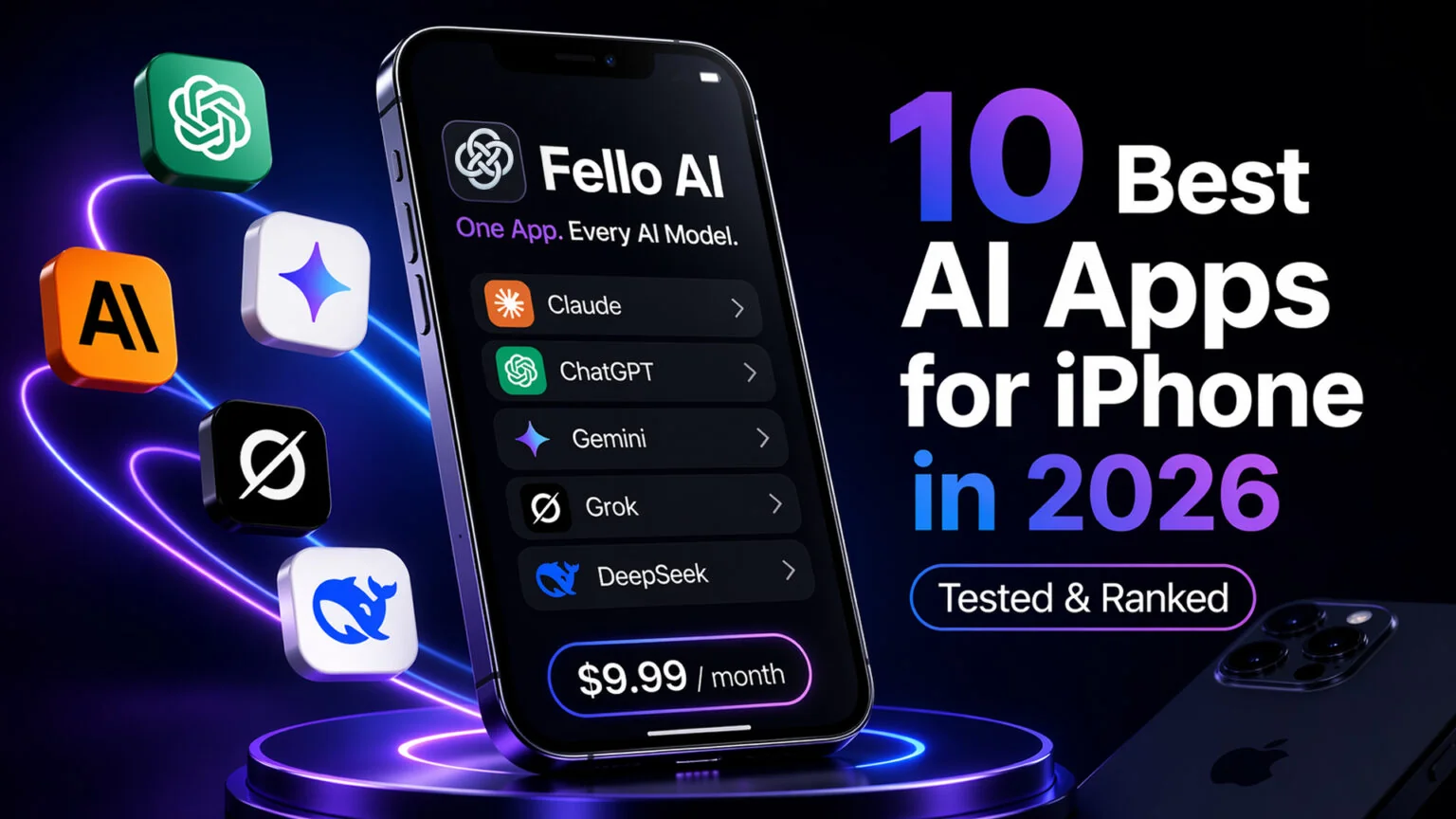
- Fello AI tops the list for 2026 because it bundles Claude, ChatGPT, Gemini, Grok, and DeepSeek into one iPhone app for $9.99/month.
- The Gemini iOS app gives free users all three Gemini 3 models, but on a 32k-token context window; the 1M window is an AI Pro and AI Ultra feature.
- Gemini Spark, Google’s 24/7 background agent, ships in the Gemini iOS app and now needs only Google AI Pro ($19.99/month), after reaching more than 160 additional countries on July 30, 2026.
- Claude Opus 5.5 is Anthropic’s current flagship and Opus 5 has moved to the legacy list, while Claude Cowork now runs on iPhone as well as the desktop.
- iOS 27 landed at WWDC on June 8, 2026, but without third-party Siri Extensions. Apple never announced them, and ChatGPT is still the only extension it has shipped. The public beta went live July 14, the free release shipped on Monday, 14 September 2026, and Apple AI Glasses are still slated for 2027.
- ChatGPT remains the best free AI app for iPhone thanks to voice mode and image input without a subscription. Chat still defaults to GPT-5.6 Luna free and GPT-5.6 Sol paid; GPT-6 Sol and Luna arrived on 22 September in ChatGPT Work and Codex, not in Chat.
- Apple Intelligence is free on iPhone 15 Pro, all iPhone 16, and all iPhone 17 models, but it cannot replace a full AI chatbot.
What is the best AI app for iPhone in 2026?
The best AI app for iPhone in 2026 is Fello AI, which gives you access to Claude, ChatGPT, Gemini, Grok, and DeepSeek in one app for $9.99 per month. ChatGPT is the best free option, the Gemini iOS app now runs all three Gemini 3 models for free, and Apple Intelligence handles quick on-device tasks. For research, Perplexity is strongest; for writing, Claude wins. Claude users on iPhone can pair the mobile app with their Mac via Claude Cowork Dispatch, which triggers desktop agent tasks from your phone. Google’s Gemini Spark agent runs in the Gemini iOS app and is included with Google AI Pro at $19.99/month.
How we tested the best AI apps for iPhone
We installed every app on an iPhone 16 Pro running iOS 26 and ran the same ten tasks through each one. Tasks included a 500-word writing prompt, a voice conversation while walking, a two-image comparison, a 40-page PDF summary, and a real-time news query. We also ran a multi-step research task with citations required, a coding snippet fix, an image generation request, a meeting transcription, and a cross-device handoff to Mac.
We scored each app on answer quality, speed, battery drain over a one-hour session, UI polish, price-per-feature, and how well it integrated with the rest of iOS. Every number you see in this article, from $9.99 to 4.9 stars, was cross-checked against the official provider as of 23 September 2026. Subscription prices are US rates. Model names and release dates reflect what was live at the time of testing.
The ranking below reflects what we would install if we could only keep one paid app plus one free app. For the record, the one paid app was Fello AI every time, and the one free app was ChatGPT, with the Gemini iOS app pulling close on the strength of its free model access. Our guide shows how to use ChatGPT on iPhone, from the app to Siri.
Best AI app for iPhone by use case
| Use case | Best app | Why |
|---|---|---|
| All-in-one access | Fello AI | Claude, ChatGPT, Gemini, Grok, DeepSeek for $9.99 |
| Free general chat | ChatGPT | Free GPT-5.6 Luna + voice mode |
| Free frontier model | Google Gemini | All three Gemini 3 models free, 32k context |
| Writing and editing | Claude | Opus 5.5 is the cleanest prose in 2026 |
| Gmail and Docs | Google Gemini | Deep integration with Google Workspace |
| Background AI agent | Google Gemini (Spark) | 24/7 agent on Google AI Pro at $19.99 |
| Research with sources | Perplexity | Citations on every answer |
| Real-time news and X data | Grok | Live web + X feed access on Grok 4.6 |
| Free image generation | Microsoft Copilot | Four image variations per prompt, free |
| Meeting transcription | Otter | Real-time transcripts with speaker labels |
| On-device privacy | Apple Intelligence | On-device processing, no cloud send |
| Budget frontier AI | DeepSeek | Free access to DeepSeek V4, 1M context, open-source |
1. Fello AI: the best all-in-one AI app for iPhone
Fello AI is the app we recommend first in 2026. It solves the single biggest problem iPhone users have with AI, juggling four or five subscriptions to get every major model. Instead of paying $20 for ChatGPT Plus, $20 for Claude Pro, $20 for Perplexity Pro, and another $20 for Google AI Pro, you pay $9.99/month and get Claude, ChatGPT, Gemini, Grok, and DeepSeek inside one interface.
The app runs natively on iPhone, iPad, and Mac, with your chats syncing across every device. You can start a conversation on your iPhone during your commute, continue it on your Mac at lunch, and finish it on your iPad in the evening. Every model is one tap away, which means you can send the same prompt to ChatGPT for a first draft, then re-run it through Claude for a sharper version, without leaving the thread.
Fello AI is rated 4.7 stars with 25,000+ reviews across its stores, and the Cowork Skills for PowerPoint, Excel, Word, and PDF mean you are not limited to chat. You can drop a PDF into the app and ask any of the five models to summarize or rewrite it, you can draft a slide deck, and you can generate images without switching apps. Version 6.8.0 added voice dictation on Mac and iPhone, so you can speak a prompt instead of thumbing it in. For a step-by-step setup, see our Getting Started with Fello AI guide.
The strengths are unmistakable. One subscription replaces five, the iPhone, iPad, and Mac apps stay in sync, and the PDF, Word, Excel, and PowerPoint Skills handle most of the work people normally jump between three apps to finish. The trade-off is that if you already pay for one specific model and never touch the others, Fello AI is not the right pick. Some provider-specific features also lag the native apps by a few days after launch. Fello AI is best for anyone who wants ChatGPT, Claude, Gemini, Grok, and DeepSeek without paying for five subscriptions. For how those PDF features compare with dedicated tools, see our roundup of the best AI PDF readers.
2. ChatGPT: the best free AI app for iPhone
OpenAI’s official ChatGPT app is still the benchmark for free AI on iPhone in 2026. The free tier gives you access to GPT-5.6 Luna, voice mode, image input, and file uploads, and since the week of 10 August 2026 its text chats are uncapped, which is more than most paid apps offered two years ago. Paid tiers in Chat run on GPT-5.6 Sol, which takes #1 on LiveBench Mathematics at 96.2, #1 on LiveBench Reasoning at 91.7, and 94.1% on GPQA Diamond. OpenAI shipped GPT-6 Sol and Luna on 22 September 2026, but into ChatGPT Work and Codex rather than Chat, so the iPhone chat app has not moved to them. GPT-Live, which replaced Advanced Voice Mode as the default on July 8, 2026, turns your iPhone into a conversational AI you can walk around with and interrupt mid-sentence, and it is the one feature that feels like the future. Free accounts get GPT-Live-1 mini, paid plans the fuller GPT-Live-1.
The paid ChatGPT Plus tier at $20/month lifts most limits, is the first tier that reaches GPT-5.6 Sol in Chat and GPT-6 Astra in Work and Codex, and gives you priority access during peak hours. ChatGPT Pro at $100, $200 or $500 a month raises usage limits far above Plus rather than removing them, and gives you GPT-6 Pro in Chat. Pro subscribers in the US also get ChatGPT’s Personal Finance preview for connecting bank accounts via Plaid. If you are comparing the iPhone app against the desktop version, see our full guide to ChatGPT for Mac. One gap now runs the other way: on 20 August 2026 the Mac app gained an Apple Messages plugin that reads and sends your iMessage, SMS and RCS conversations, and there is no iPhone equivalent, so the desktop app is the more capable of the two for the first time. The health side is covered separately in our guide to ChatGPT Health and Apple Health.
ChatGPT wins on three fronts: the free tier is the most capable on the App Store, GPT-Live voice is best in class, and the app is fast and battery-efficient. The downside is single-provider lock-in, with no Claude, Gemini, or Grok access from inside the app, and Plus costs twice what Fello AI charges for one model versus five. ChatGPT is the right pick for someone who only wants one model and is happy staying inside the OpenAI ecosystem.
3. Claude: the best AI app for iPhone writing
Anthropic’s Claude app is the writer’s pick. The current flagship is Claude Opus 5.5, which replaced Opus 5 in September 2026; Opus 5 now sits on Anthropic’s legacy list. If you draft emails, articles, pitches, or anything that needs a careful, low-hallucination tone, Claude still edges every competitor. For the full benchmark breakdown, see our Claude Opus 5.5 deep dive.
The iPhone app mirrors Claude.ai with conversation history sync, projects, and artifacts for longer outputs. Claude Pro is $20/month ($17/month with annual billing). The free tier runs Sonnet and Haiku only, so Opus is a paid-plan model whichever device you are on. Pro also includes Claude Cowork, the desktop agent that has been generally available on Mac and Windows since April 9, 2026. The iPhone hook is Cowork Dispatch, which lets you start agent tasks remotely from your phone and check on them later from your desktop. For how Cowork stacks up against Google’s new agent, read our Gemini Spark vs Claude Cowork comparison.
Claude is unmatched at long-form writing and nuanced reasoning, strong at code review and technical documents, and the high-resolution vision in Opus 5.5 handles screenshots cleanly. The catch is that there is still no voice mode on the iPhone app, and the free tier hits daily limits fast on heavier prompts. Claude is best for writers, editors, and anyone who wants the cleanest prose output. For a deeper head-to-head, read our Claude vs ChatGPT comparison.
4. Google Gemini: the best AI app for iPhone Google users
If Gmail, Google Docs, Calendar, and Drive are where you live, Google Gemini is the obvious pick. Google has stopped gating the free tier by model. Its own support page lists all three Gemini 3 models, Flash-Lite, Flash and Pro, as available without an AI plan, and meters you on compute instead: the limit factors in the complexity of your prompt, the model and the length of your chat, and it refreshes every five hours until you reach a weekly ceiling. What the free tier costs you is context. Without an AI plan you get 32k tokens, AI Plus gets 128k, and the 1 million-token window is AI Pro and AI Ultra only. Gemini passed 450 million monthly users in 2026.
On iPhone specifically, Gemini adds a Lock Screen widget, a Siri Shortcuts action so you can trigger prompts from Siri, and one-tap export into Google Docs or Gmail drafts. After Google I/O 2026, the consumer plans were restructured. Google AI Plus was cut to $4.99/month on June 8, 2026 with 200 AI credits and 400 GB storage, and Google AI Pro at $19.99/month adds Gemini 3.1 Pro and NotebookLM extras. Google AI Ultra was cut from $249.99 to $99.99/month, with a higher-limit $200/month plan on top. Ultra is the only tier with Deep Think and Project Mariner, while the Gemini Spark 24/7 agent reached Google AI Pro on July 23, 2026. For the full breakdown, see our Gemini pricing guide. If Siri stops responding to those shortcuts, see why Siri is not working.
Gemini wins on three points. Free access reaches Gemini 3 Pro, not just the small model. The Gmail, Docs, and Calendar integration is tighter than anything Apple, OpenAI, or Anthropic offer, and Deep Think mode handles complex reasoning that breaks lighter models. The trade-offs are the 32k free context window, the tightest of the major free tiers, and Deep Think staying an AI Ultra exclusive while Spark needs AI Pro. Gemini is best for Google ecosystem users and anyone using Gmail daily.
5. Perplexity: the best AI research app for iPhone
Perplexity treats AI as an answer engine rather than a chatbot. Every response comes with citations, which is why researchers, journalists, and students keep coming back. The Perplexity Comet AI browser launched on iPhone on March 11, 2026. It bundles voice mode, cross-tab research, and multi-step task automation into one app. Comet can plan your day, summarize articles as you read them, and look up context without switching screens.
The free tier covers daily search. Perplexity Pro at $20/month lets you pick which frontier model from OpenAI, Anthropic or Google answers each question, and that roster changes as those vendors ship.
Perplexity stands out for citations on every answer, the Comet browser feels like a real browser rather than a reskinned chatbot, and the free tier is enough for most readers. The weak spots are that it is not great for pure chat or creative writing, and the product still juggles two identities, browser and chatbot. Perplexity is best for research, shopping, and fact-checking.
6. Grok: the best AI app for iPhone real-time data
xAI’s Grok app has passed 1 million App Store ratings at a 4.9-star average, one of the highest satisfaction scores for any major AI product on iPhone. The app no longer asks you to pick a model number. Its picker offers four modes, Auto, Fast, Expert and Heavy, and xAI labels Expert “Thinks hard · Grok 4.6” and Heavy “Team of Experts · Grok 4.6”, so Grok 4.6 is what the consumer app answers on. It still offers native video input up to five minutes at 1080p and native PDF, PPTX, and XLSX file output directly from a prompt.
What you actually get on the phone depends on your plan, and the mode picker is where you see it. Fast is the one mode a free account can use; Auto, Expert and Heavy all sit behind an upgrade prompt, so thinking mode and the multi-agent Heavy mode are paid features. X Premium ($8/month) and SuperGrok Lite ($10/month) add Grok Imagine and longer chats, SuperGrok ($30/month) and X Premium+ ($40/month) open the thinking modes, and SuperGrok Heavy at $300/month carries the maximum rate limits. The iPhone app also supports DeepSearch for web research, a Think mode for harder problems, image generation, and Grok Imagine for 10-second 720p video clips. Grok 4.7 launched on 21 September 2026, but xAI shipped it to Cursor, Grok Build, the Grok API and third-party coding tools and did not name the Grok app among the surfaces.
Grok is unbeatable for real-time web and X data, the only major iPhone AI app with native video input and PDF/PPTX/XLSX file generation, with a usable free tier and built-in image and short-video creation. The catches are that the app is less polished than ChatGPT or Claude, the output tone is uneven, and a free account is held to Fast mode, so the reasoning modes people quote Grok for are all paid. Grok is best for news junkies, traders, and anyone who needs a live pulse on the web, plus iPhone users who want video input or quick PDF/PPTX/XLSX deliverables from a chat.
7. Microsoft Copilot: the best free image generation on iPhone
Microsoft Copilot is the quiet winner for free image generation. The iPhone app gives you four image variations per prompt without charging a cent, plus GPT-style chat on a free tier. Copilot moved off DALL-E in January 2026, and OpenAI retired the DALL-E models from its API that May. Microsoft has since mixed its own MAI-Image models into Copilot alongside OpenAI's, and does not publish which one serves a given free generation. For anyone who just wants to mock up a quick illustration or social graphic, Copilot is the fastest path.
Copilot also includes Copilot Voice, a free voice mode that works well for hands-free queries while driving or cooking. It hooks into Outlook, Word Mobile, and Excel Mobile on iOS so you can summarize emails, rewrite documents, or analyze spreadsheets without leaving the Microsoft 365 apps. The old Copilot Pro tier at $20/month is gone. Microsoft stopped selling it in October 2025 and support ended on 1 August 2026. The paid tier is now Microsoft 365 Premium at $19.99/month or $199.99/year, bundling the Office apps with extensive Copilot usage. Microsoft 365 Personal at $9.99/month also includes Copilot, while Family at $12.99/month covers the subscription owner only.
Copilot’s edges are real but narrow: free image generation with four options per prompt, a free chat tier with GPT under the hood, and tight Microsoft 365 integration if you already pay for Word and Excel. The downsides are that chat quality lags ChatGPT and the UI prioritizes Microsoft products over raw AI. Copilot is best for free image generation and Microsoft 365 users.
8. Apple Intelligence: the best on-device AI on iPhone
Apple Intelligence is not a separate app, it is the AI layer built into iOS for iPhone 15 Pro, all iPhone 16, and all iPhone 17 models (see Apple’s full eligibility list). The current generation of Apple Intelligence ships with iOS 27, released on 14 September 2026, bringing Live Translation, Genmoji, Image Playground, and Visual Intelligence through the Camera Control button on newer iPhones. Live Translation is good at what it does, but it covers nine languages and runs on-device, so we compare it against the frontier models in our guide to the best AI for translation.
The bigger story has now shipped. The WWDC 2026 keynote on June 8, two weeks after Google’s own Gemini Intelligence reveal at I/O, introduced iOS 27, iPadOS 27, and macOS 27 with Siri rebuilt on a new generation of Apple Foundation Models that Apple developed with Google Gemini, and the release went out on 14 September 2026. What it did not introduce is the Extensions system most coverage reported, the one that would pipe Siri queries to Claude or Gemini. Apple has never announced it, so OpenAI’s Siri integration is still the only handoff Siri has. Apple is also expected to tease its first Apple AI Glasses, with an unveiling in late 2026 or early 2027 and shipping in spring or summer 2027. They will pair to your iPhone the way Apple Watch does today.
The trade-off is scope. Apple Intelligence handles on-device tasks beautifully, Writing Tools, summaries, Genmoji, and visual search. Even with iOS 27 shipped it cannot replace a dedicated chatbot for long conversations, complex reasoning, or research, and the rebuilt Siri AI is still an English-only beta that is not available on EU iPhones. For that, Siri hands off to ChatGPT through the optional integration, and that is still the only handoff on offer. Claude and Gemini cannot be set as the model behind Siri on any device, in any beta.
Apple Intelligence is free, built into iOS, on-device for privacy, and tied into the system more deeply than any third-party app can match. The catches: it only runs on iPhone 15 Pro, all iPhone 16, and all iPhone 17 models. It is not a conversational AI with long threads or projects, and it ships features in regional waves with English-region setup required. Apple Intelligence is best for quick privacy-first tasks, free use, and anyone with a compatible iPhone who does not want to install another app.
9. Otter: the best AI transcription app for iPhone
Otter is the go-to transcription and meeting notes app for iPhone. Launch the app, tap record, and it produces real-time transcripts with speaker labels, summaries, and action items. It integrates with Zoom, Google Meet, and Microsoft Teams, which is why journalists, consultants, and students keep it installed.
Otter’s iPhone app added Otter Chat in 2026, which lets you ask natural-language questions about a meeting transcript (“what were the three action items assigned to me?”). The AI Meeting Assistant joins calls as a virtual participant on your behalf. Exports push directly to Notion, Slack, Salesforce, and Google Docs. The free Basic tier covers 300 minutes per month with a 30-minute cap per conversation and 3 lifetime imports. Otter Pro is $16.99/month monthly or $8.33/month billed annually, which lifts the cap to 1,200 minutes and 90 minutes per conversation. Otter Business is $30/user/month monthly or $19.99/user/month billed annually, with unlimited transcription minutes and a 4-hour ceiling per meeting. For the full plan breakdown, see our Otter AI pricing guide.
Otter delivers accurate transcription with speaker detection, automatic summaries and action items, and clean integration with Zoom, Meet, and Teams. The trade-offs are that it is not a general chatbot and some features sit behind higher tiers, including the Pro plan which Otter quietly cut from 6,000 to 1,200 minutes per month without a price drop. Otter is best for meeting transcription and note capture. For how it compares with the other main meeting note takers, see our ranking of the best AI note takers.
10. DeepSeek: the best budget AI app for iPhone
DeepSeek is the cheapest route to strong multi-model AI on iPhone. The Chinese lab’s models punch above their price point on reasoning and coding benchmarks, and the official iPhone app gives you free access to the main model with very generous limits. On April 24, 2026, DeepSeek released the open-source DeepSeek V4 family, with V4-Pro and V4-Flash both running a native 1 million-token context window. V4-Pro hits a 3,206 Codeforces rating (23rd among human competitors) at a fraction of the API cost. DeepSeek has since routed V4-Flash to V4.1 Flash in its API, though it has not said which model the iPhone app serves. For a head-to-head on capabilities, accuracy, and use cases, see our DeepSeek vs ChatGPT comparison.
DeepSeek is especially strong at math, code debugging, and structured logic tasks, and it handles Chinese and English equally well. One important note: DeepSeek’s servers are based in China, which means your chats route through infrastructure governed by Chinese data law. For casual use and experimentation this is fine, but for sensitive work documents, client data, or anything regulated, stick to a US-based provider. If you want DeepSeek quality plus a US privacy posture, Fello AI includes DeepSeek V4 alongside Claude, ChatGPT, Gemini, and Grok and routes prompts through its own US backend infrastructure.
DeepSeek’s strengths are clear: free access with generous limits, strong reasoning benchmarks for an open-weight model, and a low barrier to try. The catches are that DeepSeek’s data policy differs from US-based apps, and English voice and multimodal features still lag ChatGPT and Claude. DeepSeek is best for budget users and experimenters who want frontier quality without a subscription.
AI apps for iPhone compared
| App | Best for | Free tier | Price | Models | iPhone compatibility |
|---|---|---|---|---|---|
| Fello AI | All-in-one access to every major model | Limited | $9.99/mo | Claude, ChatGPT, Gemini, Grok, DeepSeek | iPhone 11 and newer |
| ChatGPT | Voice mode + free tier | Yes (GPT-5.6 Luna) | $20/mo Plus, $100 to $500/mo Pro | GPT-5.6 Sol in Chat; GPT-6 in Work and Codex | iPhone XS and newer |
| Claude | Writing + reasoning + Cowork Dispatch | Yes | $20/mo Pro, $100/mo Max 5x, $200/mo Max 20x | Claude Opus 5.5, Sonnet 5.5 | iPhone 12 and newer |
| Google Gemini | Free frontier model + Google ecosystem + Spark agent | Yes (all three Gemini 3 models, 32k context) | $4.99/mo Plus, $19.99/mo Pro, $99.99/mo Ultra ($200 top tier) | Gemini 3 Flash-Lite, Flash, Pro, Deep Think, Spark | iPhone 12 and newer |
| Perplexity | Research with citations | Yes | $20/mo Pro | Your pick of OpenAI, Anthropic and Google models | iPhone 11 and newer |
| Grok | Real-time web + X data, video input, PDF/PPTX/XLSX output | Yes | SuperGrok $30/mo, X Premium+ $40/mo, SuperGrok Heavy $300/mo | Grok 4.6 behind Fast, Expert and Heavy modes | iPhone 12 and newer |
| Microsoft Copilot | Free image generation | Yes | $19.99/mo M365 Premium | GPT-based | iPhone 11 and newer |
| Apple Intelligence | On-device privacy | Yes (built-in) | Free | Apple models + optional ChatGPT handoff | iPhone 15 Pro, 16, 17 |
| Otter | Meeting transcription | Yes | $8.33-$16.99/mo Pro, $19.99-$30/user/mo Business | Otter models | iPhone XS and newer |
| DeepSeek | Budget multi-model access | Yes | Free/low-cost | DeepSeek V4 (1M context) | iPhone 12 and newer |
Best free AI app for iPhone
If you refuse to pay for AI, the strongest free options on iPhone in 2026 break down by use case. Google Gemini gives you all three Gemini 3 models free, though on a 32k-token context window, and ChatGPT gives you free GPT-5.6 Luna plus voice mode and image input. Microsoft Copilot covers free image generation (four options per prompt) and free Copilot Voice, while Perplexity wins for free web-grounded answers with citations. Apple Intelligence is built into iOS 27 on supported iPhones, DeepSeek gives you free access to DeepSeek V4 at a million-token context, and Grok offers a usage-limited free tier with real-time X and web access.
For most readers the smartest move is to install Gemini and ChatGPT together because Gemini’s free model access now matches paid apps from a year ago and ChatGPT covers the use cases where Gemini still falls behind. If you are on an iPhone 15 Pro or newer, Apple Intelligence is already installed and handles quick tasks like summarizing a web page or cleaning up a Slack message without either app open. If you are not on a supported iPhone yet, our guide to the Apple Upgrade Program covers what Apple’s lease route costs against buying outright.
The main trap with stacking free tiers is that you hit rate limits right when you need the app most, and you lose chat history when you swap. A single paid subscription like Fello AI at $9.99/month removes both problems by putting every model behind one account with unlimited history sync.
Apple Intelligence vs third-party AI apps on iPhone
The question most iPhone owners have in 2026 is simple, do I need a paid AI app if Apple Intelligence is built in?
Apple Intelligence runs on-device for privacy and speed. It handles Writing Tools, summaries, Genmoji, Image Playground, Visual Intelligence, and Siri’s world-knowledge upgrades. It is free and effectively invisible, which is the whole point. Siri can route queries to ChatGPT through the extension you switch on in Settings, which narrows the gap with third-party AI apps a little. The wider version reported around WWDC 2026 on June 8, covering Claude and Gemini too, was never announced by Apple.
Third-party AI apps run in the cloud, which means they can reason longer, handle larger documents, support long conversations, connect to live data, and generate richer images and video. ChatGPT, Claude, and Gemini can do things Apple Intelligence cannot, full stop.
| Feature | Apple Intelligence | Third-party AI apps |
|---|---|---|
| Price | Free, built-in | Free tier or $9.99-$20/month |
| Processing | On-device + Private Cloud Compute | Cloud |
| Long conversations | Limited | Strong |
| Complex reasoning | Limited | Strong (especially Claude, Gemini Deep Think) |
| Voice conversations | Siri handoff to ChatGPT only | Native (ChatGPT, Grok, Comet) |
| Image generation | Genmoji + Image Playground | Full creative control |
| Real-time web | No | Yes (Grok, Perplexity) |
| Background agent | No | Yes (Gemini Spark, Cowork Dispatch) |
| Privacy | Best in class | Depends on provider |
The honest answer is that almost everyone benefits from both. Apple Intelligence for quick, private, on-device tasks, and one third-party app for everything deeper. The cheapest way to cover that second layer is Fello AI, which gives you every major cloud model in one $9.99 subscription instead of five.
Which AI app should you pick for your iPhone?
The simplest way to choose is to match the job to the app. If you want every major AI model without stacking subscriptions, install Fello AI. If you are price-sensitive, install Google Gemini for free access to all three Gemini 3 models and ChatGPT as the strongest free single-model alternative. If you draft long-form text or do serious writing, pay for Claude. If you live in Gmail and Google Docs, pay for Google AI Pro, and if you need a 24/7 background agent on iPhone, Google AI Pro now carries Gemini Spark. If you research for a living, pay for Perplexity Pro. If you want real-time X and web data, use Grok. If you already own a supported iPhone and just need basics, Apple Intelligence is enough, and the September update widened what Siri can do, though not by letting you swap in Claude or Gemini.
For most readers the math favors Fello AI, because one subscription replaces four, and iPhone, iPad, and Mac sync means you never lose a thread. For category-specific picks, see our travel apps for iPhone round-up. Check our full breakdown of the best AI models in 2026 and our best AI apps for Mac to extend the same setup to your desktop.
Conclusion
The best AI app for iPhone in 2026 is the one that gives you access to the most frontier models for the least money, and today that is Fello AI. ChatGPT, Claude, Gemini, Grok, Perplexity, and Copilot are all excellent on their own. There are strong reasons to install them individually, especially with all three Gemini 3 models now free and iOS 27 shipped. But if you want Claude, ChatGPT, Gemini, Grok, and DeepSeek in one place, synced across iPhone, iPad, and your Mac, for $9.99/month, it is hard to argue with Fello AI.
Install Fello AI, stop stacking subscriptions, and add ChatGPT or Claude individually only if a single model is all you will ever use. Setting one of these up for a parent is a different job again, and our guide to AI for seniors walks through it.
FAQ
What is the best AI app for iPhone in 2026?
Fello AI is the best overall because it gives you Claude, ChatGPT, Gemini, Grok, and DeepSeek in one app for $9.99/month. For free use, the Gemini iOS app now gives free users all three Gemini 3 models, though on a 32k-token context window, and ChatGPT remains the best free single-model alternative.
What is the best free AI app for iPhone?
Google Gemini is now the best free AI app for iPhone because Google lists all three Gemini 3 models, Flash-Lite, Flash and Pro, as available without an AI plan, on a 32k-token context window. ChatGPT is a close second thanks to free access to GPT-5.6 Luna, voice mode, and image input, and Perplexity is the strongest free option for research with citations.
Do I need ChatGPT if I have Apple Intelligence?
Yes for most users. Apple Intelligence handles quick on-device tasks, but it cannot hold long conversations, reason through complex problems, or do deep research the way ChatGPT can. iOS 27, released on 14 September 2026, added a conversational Siri AI, though it is still an English-only beta and is not available on EU iPhones. The Extensions system reported to let Siri hand off to Claude or Gemini was never announced by Apple, and only the ChatGPT handoff works. iOS 27 shipped as a free update on Monday, 14 September 2026. See our iOS 27 features and release date guide for the full breakdown.
Can I use Claude on iPhone?
Yes. Anthropic’s official Claude app is free to download from the App Store and includes a free tier. Claude Pro is $20/month ($17/month with annual billing) and includes Claude Opus 5.5, Anthropic’s current flagship, plus Cowork Dispatch which lets you start desktop agent tasks from your iPhone.
Which iPhones support Apple Intelligence?
Apple Intelligence runs on iPhone 15 Pro, all iPhone 16 models, and all iPhone 17 models. Older iPhones are not supported.
What is the best AI app for iPhone like ChatGPT?
Fello AI is the closest ChatGPT-like experience on iPhone because it includes ChatGPT alongside Claude, Gemini, Grok, and DeepSeek in one app, so you get ChatGPT plus every alternative in a single subscription.
What is Gemini Spark on iPhone?
Gemini Spark is Google’s 24/7 background AI agent that lives inside the Gemini iOS app. It launched on May 19, 2026 at Google I/O and is no longer an Ultra exclusive; since July 23, 2026 it is included with Google AI Pro at $19.99/month. Google widened it to more than 160 additional countries on July 30, 2026, though it stays unavailable in the EEA, the UK, Switzerland and Nigeria. Spark handles recurring tasks across Gmail, Calendar, and Drive in the background.
Is Grok free on iPhone?
Yes, Grok has a free tier with usage limits. The app is rated 4.9 stars across 1 million+ App Store ratings. Paid SuperGrok tiers remove the limits and add faster responses, plus the Expert and Heavy thinking modes. A free account is held to Fast mode; Auto, Expert and Heavy all sit behind an upgrade prompt, and the app runs on Grok 4.6.