Grok voice mode is the one Grok feature almost every guide online still gets wrong. Search it and you will be told the free plan gets 15 minutes a day, SuperGrok gets 120 minutes and Heavy gets 480. Those numbers come from a limit system xAI switched off. Since June 2026, paid accounts run on one shared weekly usage pool instead of daily caps per feature.
This guide covers what voice mode actually does in August 2026, the exact steps to turn it on and swap the voice, and which voices you can pick in the app. It also clears up the confusion that sends most people down the wrong path, which is that xAI now runs two separate voice rosters.
The app has six. The developer API has 26. They are not the same list.
The Key Takeaways
- Grok voice mode is free to use with limits, and works on grok.com, iOS and Android with settings syncing across all three.
- The per-day voice caps quoted everywhere online were replaced in June 2026 by a single weekly usage pool shared across every Grok product.
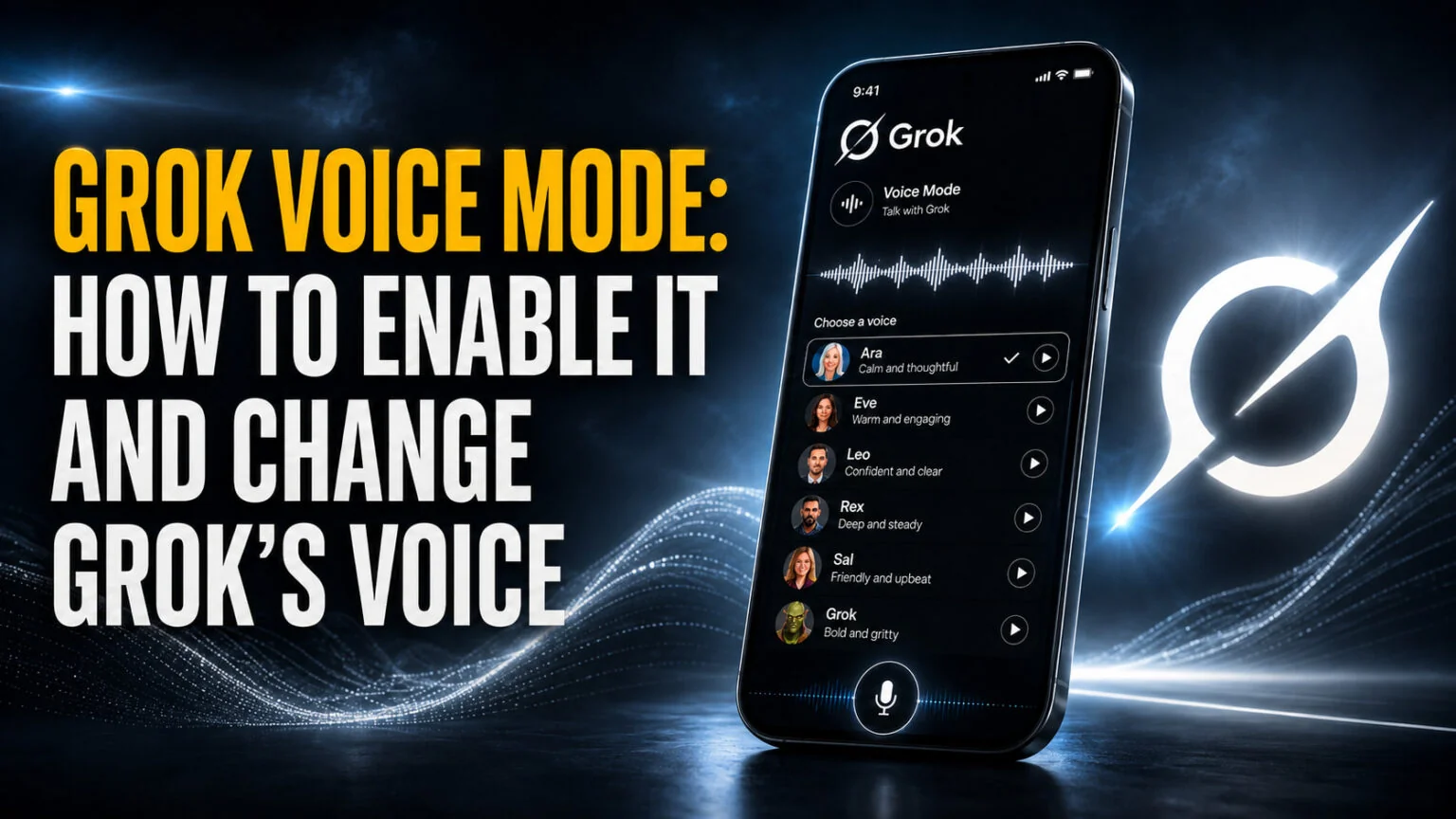
- The app offers six voices, which are Ara, Eve, Leo, Rex, Sal and Gork. You can change the voice and the speaking speed.
- xAI added 21 new flagship voices in July 2026, taking the API roster to 26. Those 21 are API only and do not appear in the app.
- Grok Voice Think Fast 2.0 launched on 29 July 2026 at $0.08 per audio minute, and
grok-voice-latestre-points to it on 5 August 2026.
What Is Grok Voice Mode?
Grok voice mode is xAI’s hands free spoken conversation feature. You tap the voice icon and talk instead of typing, and Grok answers out loud in one of six voices. It runs inside the same Grok account as your text chats rather than as a separate app, so you can switch between talking and typing.
xAI’s own documentation puts it in one line, “Talk to Grok hands-free with voice.” The same page confirms Grok is “available on the web at grok.com and in the iOS and Android apps”, and that your “conversations, settings, and subscription stay in sync across every platform”.
That sync detail matters more than it sounds. The voice you pick on your phone follows you to the browser.
Voice is treated as a first class product inside Grok rather than a bolt on. In xAI’s usage system it is billed alongside API, Build, Chat and Imagine as one of five products drawing from the same allowance. That is exactly why the old per feature daily limits stopped making sense.
Grok Voice Mode Limits in 2026: What Actually Changed
This is where nearly every competing guide is out of date, so it is worth being precise. xAI used to give each Grok product its own daily cap. Voice had a daily allowance, Imagine had a daily allowance, Chat had a daily allowance, and running out of one told you nothing about the others.
That system is gone. xAI’s own consumer FAQ states it plainly.
“Rolling out in June 2026, Grok will now use a simpler, more flexible system for paid users. Instead of separate daily limits for each product (like Chat, Imagine, Voice, or Build), you get one shared weekly usage pool that you can spend however you like across any Grok product.”
So there is no current voice minute figure to quote, because xAI does not publish one. What it publishes instead is a percentage. Different products burn the pool at different rates depending on how much compute they need, and a long voice conversation costs more of your week than a short text question does.
How to Check Your Remaining Voice Usage
Because the pool is shared, the only reliable number is the one in your own account.
Go to Settings and then Usage, which xAI says is available on both web and mobile. You get a progress bar for total usage, a percentage breakdown by product that lists Voice separately, your weekly reset date and time, and your Extra Usage Credits balance.
Hitting the weekly ceiling is not a hard stop. You can buy Extra Usage Credits to carry on immediately, upgrade to a bigger weekly allowance, or switch on Auto Top Up.
One catch before you go hunting for the button. Credits “can currently only be purchased on the web”, with mobile in app purchases promised later.
Is Grok Voice Mode Free?
Yes, with limits. The clearest confirmation comes from the FAQ answer about what happens when a paying subscriber burns through their weekly pool. In that situation you “will still have access to Grok’s free tier limits on Chat and Voice”, and those free limits are “separate from your weekly usage limit and resets on their own schedule”.
That single sentence does two useful things. It confirms free accounts get voice, and it confirms paid accounts fall back to the free voice tier rather than losing the feature outright.
For the wider picture, our breakdown of what the free Grok plan includes goes tier by tier.
You will also see claims that voice mode is free on iPhone but locked behind SuperGrok on Android. That framing traces back to 2025 reporting and has no current backing in xAI’s documentation, which describes Grok as one product across grok.com, iOS and Android with synced settings.
Treat it as unverified, not as a rule.
Grok Voice Mode Voices and Personalities
The Grok app ships six voices. Each one is a distinct character rather than just a different pitch, and xAI leans into that harder than its rivals do. That is how a voice called Gork, whose entire personality is sounding bored, ended up in a consumer product.
| Voice | Character | Best for |
|---|---|---|
| Ara | Upbeat female | The default all rounder, quick questions |
| Eve | Soothing female | Long listening sessions, reading things back |
| Leo | British male | Narration and anything you want to sound authoritative |
| Rex | Calm male | Neutral, low distraction assistant work |
| Sal | Smooth male | Conversational back and forth |
| Gork | Lazy male | Comedy, and very little else |
Ara
Ara is the upbeat female voice and the one most people meet first. It is the safest pick for general use because the energy level suits short exchanges without becoming tiring across a longer session.
Eve
Eve is the soothing female voice, and it is also the default voice in xAI’s developer APIs. If you plan to have Grok read long answers back to you while you do something else, this is the one that holds up best.
Leo
Leo is the British male voice and the only accent option in the six. It reads as more formal than the rest, which makes it the natural choice for summaries and anything you want delivered with a bit of weight.
Rex
Rex is the calm male voice and the least characterful of the set, which is a compliment in this context. Pick it when you want the answer rather than the performance.
Sal
Sal is the smooth male voice and sits between Rex and Leo in personality. It handles natural back and forth conversation better than it handles long monologues.
Gork
Gork is the lazy male voice, and the name is a long running joke inside the Grok community rather than a typo. It is funny for about ten minutes and unusable for actual work. That is presumably the point.
Voices Are Not the Same Thing as Personalities
This trips people up constantly. A voice changes how Grok sounds. A personality changes how Grok behaves, and those are separate settings that stack on top of each other. Grok has shipped personality presets including Storyteller, Unhinged, Conspiracy and Unlicensed Therapist.
So “how many Grok voice modes are there” has two answers depending on what you meant. Six voices, and a separate shorter list of personalities layered over whichever voice you picked.
Curious how Grok’s delivery stacks up before you commit? We put the major assistants head to head in our test of which AI sounds most human.
How to Enable Grok Voice Mode
On current builds you are usually looking for an icon rather than a switch, because the separate voice mode toggle that older versions of the app used has been folded into the main interface. The layout differs slightly between the phone apps and the browser.
On iPhone and Android
- Open the Grok app and start or open a chat.
- Tap the voice icon at the right hand end of the message bar, next to the microphone.
- Allow microphone access when the system prompt appears, then start talking.
If you do not see the icon, open the menu at the top left, tap the settings cog at the bottom right, and look for the voice section. Older builds of the app kept voice behind a toggle there, and accounts that have not updated in a while can still land on that layout.
On the Web and Desktop
Voice mode reached the browser after the mobile apps, and it works from grok.com in a standard Chrome or Chromium browser. xAI is specific about the address, warning that users on grok.x.ai or other hosts “run into missing features”. If voice is missing on desktop, check the URL in your address bar before anything else.
Mac users who would rather not live in a browser tab have a middle option, which is running Grok in a dedicated window. Our walkthrough of the Grok desktop client for Mac covers the setup.
How to Change Grok’s Voice
Changing the voice takes four taps and does not require a paid plan. The control lives inside voice mode itself rather than in the main app settings, which is why people hunt for it in the wrong place.
- Start voice mode from the icon in the message bar.
- Tap the settings icon in the corner of the voice screen.
- Pick one of the six voices from the list.
- Adjust the speed slider if you want Grok talking faster or slower, then close the panel.
Elon Musk summed the feature up in one line when the controls shipped, “Easy to change voice style & speed with Grok.” Your choice saves automatically. Because settings sync across platforms, it carries over to grok.com and your other devices.
The speed control is the underrated half of this. Grok’s default pace is brisk, and dropping it a notch makes a noticeable difference if you are using voice mode to have something read back to you rather than to hold a conversation.
Which Plans Get Grok Voice Mode
Every tier includes voice. What you are buying as you move up the ladder is a bigger weekly pool to spend on it, not access to the feature itself.
| Plan | Price | Voice access | Best for |
|---|---|---|---|
| Free | $0 | Free tier voice limits, reset on their own schedule | Trying it out |
| X Premium | $8/mo | Included, small weekly pool | People already paying for X |
| SuperGrok Lite | $10/mo | Included, entry level weekly pool | Light daily use |
| SuperGrok | $30/mo | Included, full weekly pool | Most regular users |
| X Premium+ | $40/mo | Included, plus X platform perks | Heavy X users |
| SuperGrok Plus | $100/mo | Significantly higher usage across Chat, Imagine, Voice and Build | Power users who find $30 too tight |
| SuperGrok Heavy | $300/mo | Maximum weekly pool | Professional and research workloads |
The tier most people miss is SuperGrok Plus at $100 a month, which xAI slotted between standard SuperGrok and Heavy for users who kept hitting the $30 ceiling but could not justify $300.
For the full ladder including annual discounts and API rates, see our Grok pricing breakdown.
One practical note on billing. Where you subscribed determines where you cancel, so an App Store subscription is managed by Apple, a Google Play subscription is cancelled through Play, and a grok.com subscription is handled in Settings and then Billing on the web.
The 21 New Voices You Cannot Use in the App
On 6 July 2026, xAI announced 21 new flagship voices for Grok Voice, taking the roster from five to 26. The names, as catalogued at launch, include Carina, Orion, Luna, Iris, Helios, Kepler, Celeste, Sirius and Atlas, and every one is natively multilingual across 25 or more languages.
Here is the catch that has confused a lot of readers. xAI’s announcement said it was adding those voices “to Grok via API”, and they landed in the Voice Agent API, the Text to Speech API and the Grok Voice Agent Builder.
None of them shipped to the consumer app’s voice picker.
So if you went looking for Orion or Luna in the Grok app and could not find them, nothing is broken. You were reading about a different product surface. The app roster is still the six voices listed above, and xAI has not said when or whether the flagship set will cross over.
App users did get something out of that release, though. xAI shipped naturalness upgrades to the original five voices at the same time, so Ara and Eve sound better today than they did in the spring even though the picker looks identical.
Grok Voice API Pricing and Models
If you are building with voice rather than talking to it, xAI runs a separate speech to speech stack. It moved twice in the last month, so the model you pick matters more than usual right now.
| Model | Price | Notes |
|---|---|---|
grok-voice-think-fast-2.0 | $0.08 per audio minute, plus $0.004 text input | Flagship, launched 29 July 2026 |
grok-voice-think-fast-1.0 | $0.05 per audio minute, plus $0.004 text input | Previous generation, still available |
grok-voice-latest | Follows whichever it points to | Alias for 1.0, moves to 2.0 on 5 August 2026 |
| Text to Speech | $15.00 per 1M characters | 20 languages, custom voices supported |
| Speech to Text | $0.10/hr REST, $0.20/hr streaming | 25 languages |
The alias change is the part worth diarising. If your code calls grok-voice-latest and you have not pinned a version, your per minute cost rises from $0.05 to $0.08 on 5 August 2026 without you touching anything. Pin the version explicitly if that matters to your budget.
xAI reports that Think Fast 2.0 cut average time to first audio from 1.25 seconds to 0.70 seconds and scored 56.5% on the τ-voice agentic benchmark against 52.1% for its predecessor. Those are vendor figures rather than independent ones, so treat them as a direction of travel rather than a settled result.
What Happened to Grok Companions
Plenty of older Grok voice guides point you at Companions, the 3D animated characters including Ani, Valentine, Rudi and Mika. That advice is on borrowed time.
On 24 July 2026 an official Grok statement called the feature “an experiment” and said it was being retired “soon”, so the team could focus on core Grok. The stated priorities were stronger memory and more reliable chats.
According to that statement your chat history and the personalities survive the change. The animated avatars, the lip sync and the dedicated companion tab do not. You can keep talking to the same character in a normal Grok chat, just without the visual layer.
Worth flagging that xAI’s own FAQ still describes Companions as an iOS only feature with “no plans” to bring them to web or Android, which is documentation lagging behind an announcement rather than a contradiction. The rollout is happening account by account, so some users have already lost the tab while others still have it.
Grok Voice Mode Not Working: Common Fixes
Most voice mode failures come down to five causes. Four of them take under a minute to rule out.
If the icon is missing on desktop, check the address bar before anything else. xAI warns that users on grok.x.ai and other hosts “run into missing features”, so the fix is usually just moving to grok.com in a Chrome or Chromium browser.
If Grok cannot hear you, microphone permission was declined at some point, often months ago on a different device. Grant it in your device settings for the Grok app, or in your browser’s site permissions for the web version, then reload.
If paid features have paused, you have hit your weekly usage pool rather than a voice specific cap. Check Settings and then Usage for your reset date. Free tier voice keeps working in the meantime, so you are throttled rather than locked out.
If your companion disappeared, that is the July 2026 retirement reaching your account. It is rolling out account by account, which is why a friend on the same plan may still have the tab.
And if the app simply looks older than every guide you read, update it. Grok ships changes weekly, and stale builds still hide voice behind a settings toggle that current builds no longer use.
If voice works but the model feels weaker than your text chats, that is a separate question about which Grok version your tier is running. Our rundown of what shipped in Grok 4.6 covers the current flagship, and xAI has rolled recent releases out to the cheaper tiers in stages.
Is Grok Voice Mode Worth Using?
For a free feature, it is unusually good. The six voice roster has more personality than most rivals ship, the speed control earns its place, and the free tier keeps working even after a paid account exhausts its weekly pool. That last detail alone puts it ahead of assistants that cut you off.
The frustration is the gap between the app and the API. xAI is shipping its best voice work, including 21 new multilingual voices and custom voice cloning, to developers while app users stay on the original six. If you want the full range, you are building with it rather than talking to it.
Start free and pick Eve or Rex if you want to actually get work done. Then check Settings and then Usage after a week of real use, and let your own percentage decide whether $10 or $30 a month is worth it. If you are weighing Grok against the alternative, our guide to Claude’s voice mode covers the closest rival feature.
A Cheaper Way to Talk to Any AI
Grok voice is free, and that is genuinely its strongest argument. What it is not is portable. The voices, the speed slider and the personalities all stop at the edge of the X app, and the moment you want a different model to answer, you are back to typing somewhere else. Fello AI puts leading models from OpenAI, Anthropic, Google, xAI and DeepSeek in one native iPhone, iPad and Mac app for $9.99 a month, which is less than SuperGrok alone at $30.
Since version 6.8.0 it also does voice input across every model. This is dictation rather than a spoken conversation, and the distinction matters: you tap the microphone, speak for up to five minutes, and get an editable prompt rather than an immediate spoken reply. Transcription handles more than 100 languages with automatic detection, which is a wider net than the six app voices Grok currently ships. For the standalone alternatives, our comparison of Mac dictation tools tests them on price, privacy and accuracy.
What you give up is the banter. What you get back is control over what actually gets sent, and a choice of who answers it. If the gap between Grok's API voices and the app roster is what frustrated you, this sidesteps the question entirely: speak once, then send that prompt to whichever model is best for the job, without a second subscription.
Frequently Asked Questions
Is Grok voice mode free?
Yes, with limits. xAI documents free tier access to Voice, and confirms that paid users who exhaust their weekly pool still keep “access to Grok’s free tier limits on Chat and Voice”, which reset on their own schedule. Paid plans start at $10 a month for SuperGrok Lite and $30 for SuperGrok.
How do I change Grok’s voice?
Start voice mode, tap the settings icon on the voice screen, then pick one of the six voices. The same panel holds a speed slider, so you can make Grok talk faster or slower. Your choice saves automatically and syncs to grok.com and your other devices.
What voices does Grok have?
The app has six, which are Ara, Eve, Leo, Rex, Sal and Gork. The developer API has 26 after xAI added 21 flagship multilingual voices in July 2026. Those 21 are API only and do not appear in the app’s voice picker, which is why people cannot find them.
What are Grok’s voice mode limits?
There is no daily voice minute cap any more. Since June 2026, paid accounts draw from one shared weekly usage pool covering Chat, Imagine, Voice and Build, and xAI publishes no per minute figure. Check Settings and then Usage for your own percentage breakdown and weekly reset date.
Does Grok voice mode work on Android and the web?
Yes. xAI documents Grok across grok.com, iOS and Android with conversations and settings syncing between them. On desktop, use grok.com in a Chrome or Chromium browser, because xAI warns that grok.x.ai and other hosts lose features.