Over 60% of content marketers now use AI tools in their workflow, according to a 2024 HubSpot survey. ChatGPT sits at the center of this shift, helping writers brainstorm topics, draft articles, optimize for SEO, and polish their final copy faster than ever before.
Whether you’re a solo blogger struggling with writer’s block or a content team looking to scale output, ChatGPT can act as your writing partner at every stage of the process. This guide walks you through exactly how to use it, with practical prompts, pro tips, and a look at how Fello AI makes the entire workflow even smoother on Mac.
The Key Takeaways
- ChatGPT handles every stage of content creation, from brainstorming and outlining to drafting and editing
- Working section by section produces significantly better results than asking for a full article in one prompt
- SEO optimization is built in, as ChatGPT can rewrite titles, suggest keywords, and structure content for search
- Fello AI ($9.99/month) streamlines ChatGPT-powered writing with prompt libraries, grammar checks, and a Mac-native interface
- The best results come from collaboration, where you guide ChatGPT with specific prompts and refine its output
What ChatGPT Can Do for Bloggers and Content Creators
ChatGPT’s strength lies in its advanced language processing capabilities trained on billions of data points. For content creators, this translates into a tool that can generate ideas on demand, structure articles logically, write in different tones, and even handle SEO optimization.
The practical applications go beyond simple text generation. You can use ChatGPT to research trending topics in your niche, create detailed content calendars, repurpose existing content into new formats, and edit drafts for clarity and readability. If you’re new to ChatGPT, the learning curve is minimal because you interact with it through natural conversation.
What makes it especially useful for bloggers is its ability to adapt. Tell it your target audience, preferred tone, and content goals, and it adjusts its output accordingly. Need a formal whitepaper? Done. A conversational how-to guide? Also done. This flexibility is what makes it a genuine writing partner rather than just a text generator.
Step-by-Step Guide to Creating Blog Content with ChatGPT
The most effective way to use ChatGPT for content creation is to break the process into distinct steps. Trying to generate an entire article in a single prompt almost always produces generic, unfocused content. Instead, treat each stage as a separate conversation.
Brainstorming Topics and Generating Ideas
Coming up with what to write about is often the hardest part. ChatGPT excels here because it can pull from patterns across thousands of niches. Try prompts like these:
- “What are some unique blogging niches around [your area of interest] that would resonate with readers?”
- “Please suggest ten original blog post ideas related to [your niche] that people would find interesting and helpful.”
- “What questions do beginners in [your niche] ask most often that aren’t covered well by existing content?”
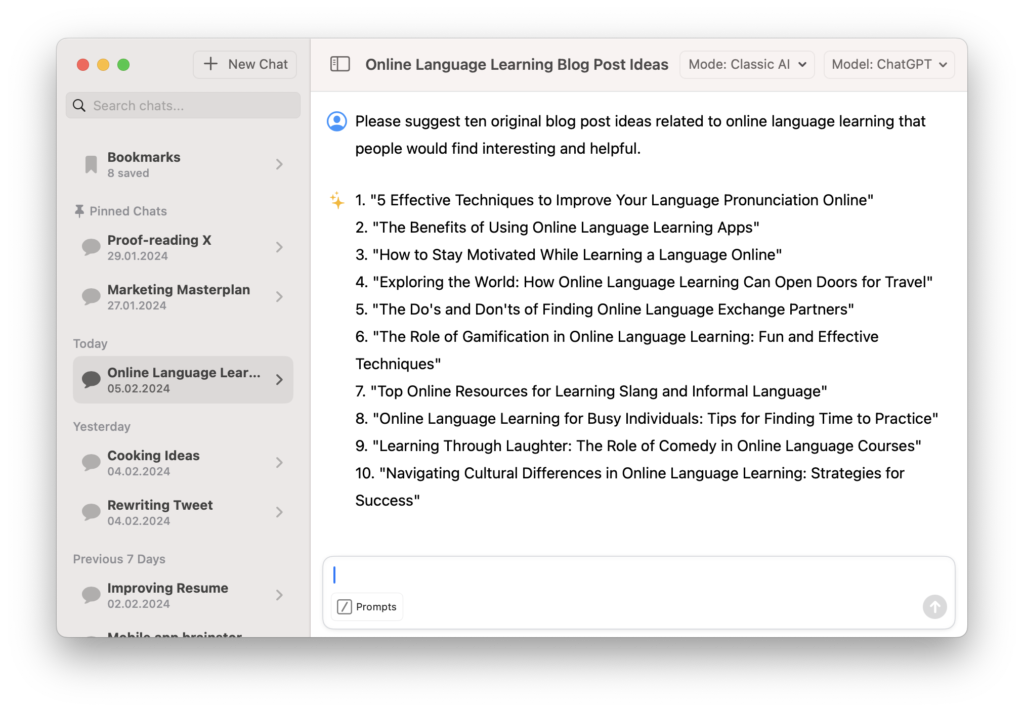
The key is specificity. The more context you give ChatGPT about your audience, existing content, and goals, the more targeted its suggestions become. If the first batch of ideas feels generic, follow up with “These are too broad. Give me 10 ideas that target a specific pain point for [audience] and could rank for long-tail keywords.”
For more advanced prompting techniques that improve accuracy, methods like chain-of-thought and role-based prompting can dramatically improve the quality of ChatGPT’s brainstorming output.
Crafting SEO-Optimized Titles
Once you have topic ideas, you need titles that attract both readers and search engines. Ask ChatGPT:
- “Can you suggest five creative blog headline ideas for a post on [your topic] that would entice readers to click?”
- “Rewrite the title to follow SEO best practices, keeping it under 60 characters and including the keyword [your keyword].”
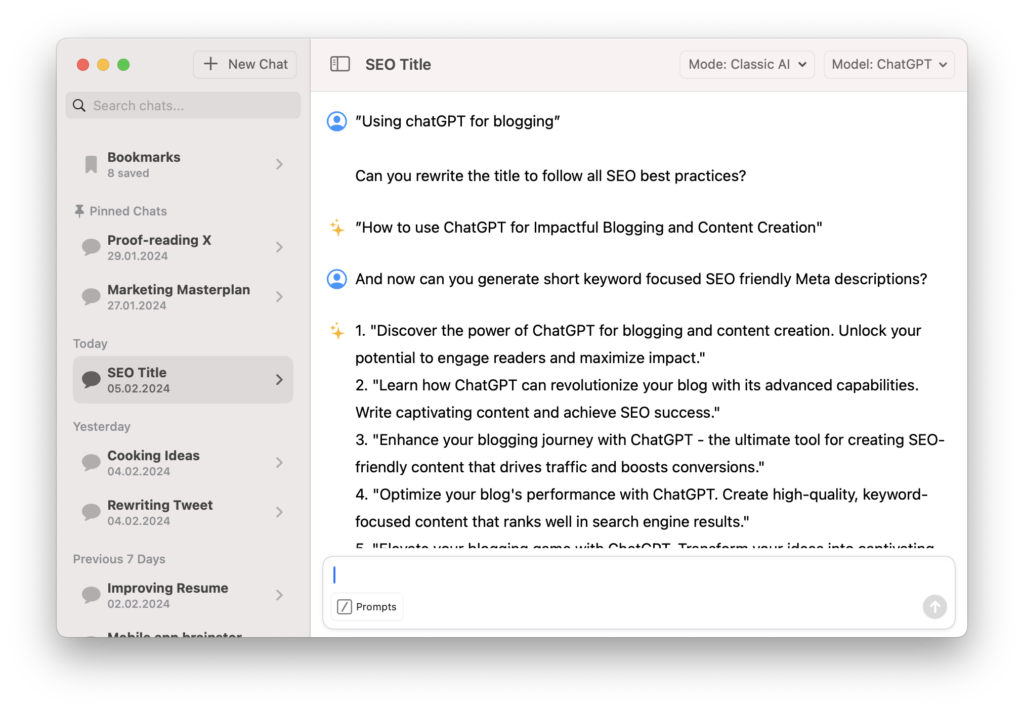
ChatGPT is trained on massive amounts of SEO data, so it understands title structures that perform well in search. You don’t need to be an SEO expert because ChatGPT can function as your free keyword and title consultant. Review its suggestions, pick the strongest option, and refine from there.
A good practice is to ask for multiple variations and then have ChatGPT evaluate which title would perform best and explain why. This teaches you SEO principles as you go.
Building a Solid Outline
Structure is what separates mediocre content from articles that keep readers scrolling. Before writing, always create an outline first:
- “Please draft a detailed outline for a 1500-word blog post on [your topic] with an introduction, five main body sections with supporting points, and a conclusion.”
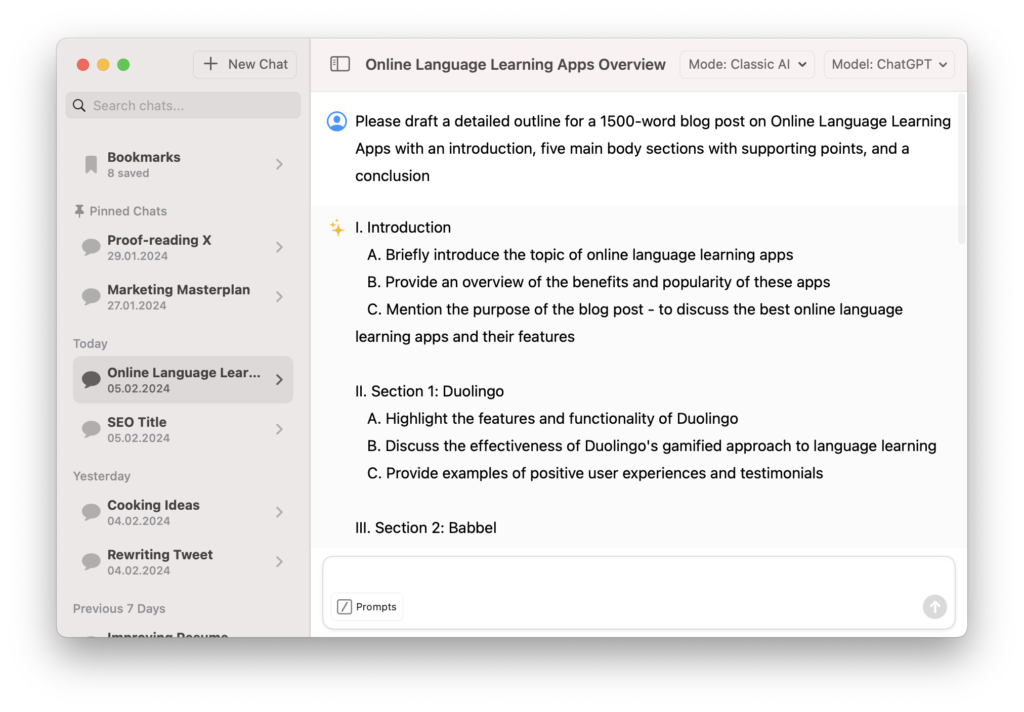
Review the outline ChatGPT generates and rework anything that doesn’t flow logically. You might need to merge sections, reorder points, or add sections ChatGPT missed. This is where your expertise matters most because you know your audience better than any AI does.
Once your outline is solid, you have a roadmap that prevents both you and ChatGPT from going off-track during the writing phase.
Writing the First Draft
With your outline ready, ask ChatGPT to write one section at a time rather than the full article at once:
- “Using section 1 of the outline, write 300 words in a friendly, conversational tone for [your target audience].”
- “Now write section 2, maintaining the same tone and building on the points from section 1.”
This section-by-section method is critical. It allows ChatGPT to concentrate more processing power on shorter content chunks, which produces tighter, more coherent writing. You’re less likely to experience the quality drop-off that happens when you ask for 1,500+ words in a single prompt.
After each section, review the output before moving on. If something doesn’t sound right, ask ChatGPT to rewrite it with more specific instructions. This iterative approach gives you full control over the final product.
Editing and Polishing Your Content
The first draft is never the final product. Go through the content and highlight specific sections that need improvement:
- “Please review and edit this section to ensure correct grammar and spelling. Improve the flow between sentences and enhance readability.”
- “Rewrite this paragraph to be more concise and direct. Remove any filler words.”
- “Check this draft for passive voice and rewrite any passive sentences in active voice.”
You should notice a marked improvement after each editing pass. The key is giving ChatGPT specific editing instructions rather than vague requests like “make it better.”
AI Writing Tools Comparison for Bloggers
| Feature | ChatGPT (Free) | ChatGPT Plus | Fello AI | Google Gemini |
|---|---|---|---|---|
| Price | Free | $20/month | $9.99/month | Free |
| Best model access | GPT-5.3 | GPT-5.4 | GPT-5.4 | Gemini 3.1 Pro |
| Prompt library | No | No | Yes | No |
| Grammar check | Manual prompt | Manual prompt | One-click | Manual prompt |
| Mac-native app | No | No | Yes | No |
| SEO optimization | Manual prompt | Manual prompt | Built-in tools | Manual prompt |
Why Fello AI Makes ChatGPT Better for Content Creation
ChatGPT is powerful on its own, but Fello AI streamlines the entire writing workflow in a Mac-optimized interface. At $9.99/month with access to GPT-5.4, it removes the friction that slows down content creation.
The prompt library feature is a standout for bloggers. You can save your recurring prompts, such as target audience descriptions, brand voice guidelines, and content templates, and reuse them with one click. No more retyping the same context every time you start a new article.

Fello AI also includes one-click grammar checks, so you can polish your content without switching between tools. Combined with its native Mac integration, it fits naturally into your existing workflow. If you use AI to make your daily work easier, Fello AI is purpose-built for exactly that.
Pro Tips for Better AI-Assisted Content
Be specific with every prompt. Vague instructions produce vague output. Instead of “write a blog post about marketing,” try “write a 300-word introduction for a blog post about email marketing strategies for small e-commerce businesses, targeting store owners who are new to email marketing.”
Always add your own expertise. ChatGPT provides the structure and raw text, but your unique insights, examples, and experience are what make content genuinely valuable. The best AI-assisted articles blend ChatGPT’s efficiency with the author’s domain knowledge.
Use ChatGPT for research and ideation, not just writing. Ask it to identify content gaps in your niche, analyze competitor content structures, or suggest internal linking strategies. These behind-the-scenes uses often add more value than the writing itself.
Edit ruthlessly. AI-generated text tends to be verbose and generic in its first pass. Cut filler sentences, replace generic examples with specific ones, and tighten every paragraph. Your readers will thank you.
Conclusion
ChatGPT has become an essential tool for bloggers and content creators who want to produce quality work efficiently. The section-by-section approach covered in this guide gives you the best results, combining ChatGPT’s speed with your editorial control.
For Mac users, Fello AI takes this workflow further with prompt libraries, one-click grammar checks, and GPT-5.4 access at $9.99/month. Download it from the App Store and start creating better content today. If you want to weigh it against OpenAI’s own app first, our guide to the ChatGPT desktop client for Mac covers what that client does.
FAQ
How do you use ChatGPT for blogging?
ChatGPT helps with every stage of blogging. Use it to brainstorm topics, generate SEO-optimized titles, create outlines, write section-by-section drafts, and edit your final content. The key is working in stages rather than asking for a complete article in one prompt.
Is ChatGPT good for SEO content?
Yes. ChatGPT understands SEO principles including keyword placement, title optimization, meta descriptions, and content structure. It can suggest keywords, rewrite titles for search, and help you structure articles that rank. Pair it with dedicated SEO tools for best results.
Can ChatGPT replace human writers?
No. ChatGPT is a writing assistant, not a replacement. It handles structure, research, and first drafts efficiently, but human expertise, unique perspectives, and editorial judgment are what make content stand out. The best approach is collaboration.
What is the best AI tool for blogging on Mac?
Fello AI is designed specifically for Mac users who want ChatGPT-powered writing tools. At $9.99/month with GPT-5.4 access, prompt libraries, and one-click grammar checks, it offers better value than ChatGPT Plus for content creators.
How much does it cost to use ChatGPT for content creation?
ChatGPT offers a free tier with limited features. ChatGPT Plus costs $20/month for GPT-5.4 access. Fello AI provides GPT-5.4 access at $9.99/month with additional blogging-focused features like prompt libraries and grammar checks.