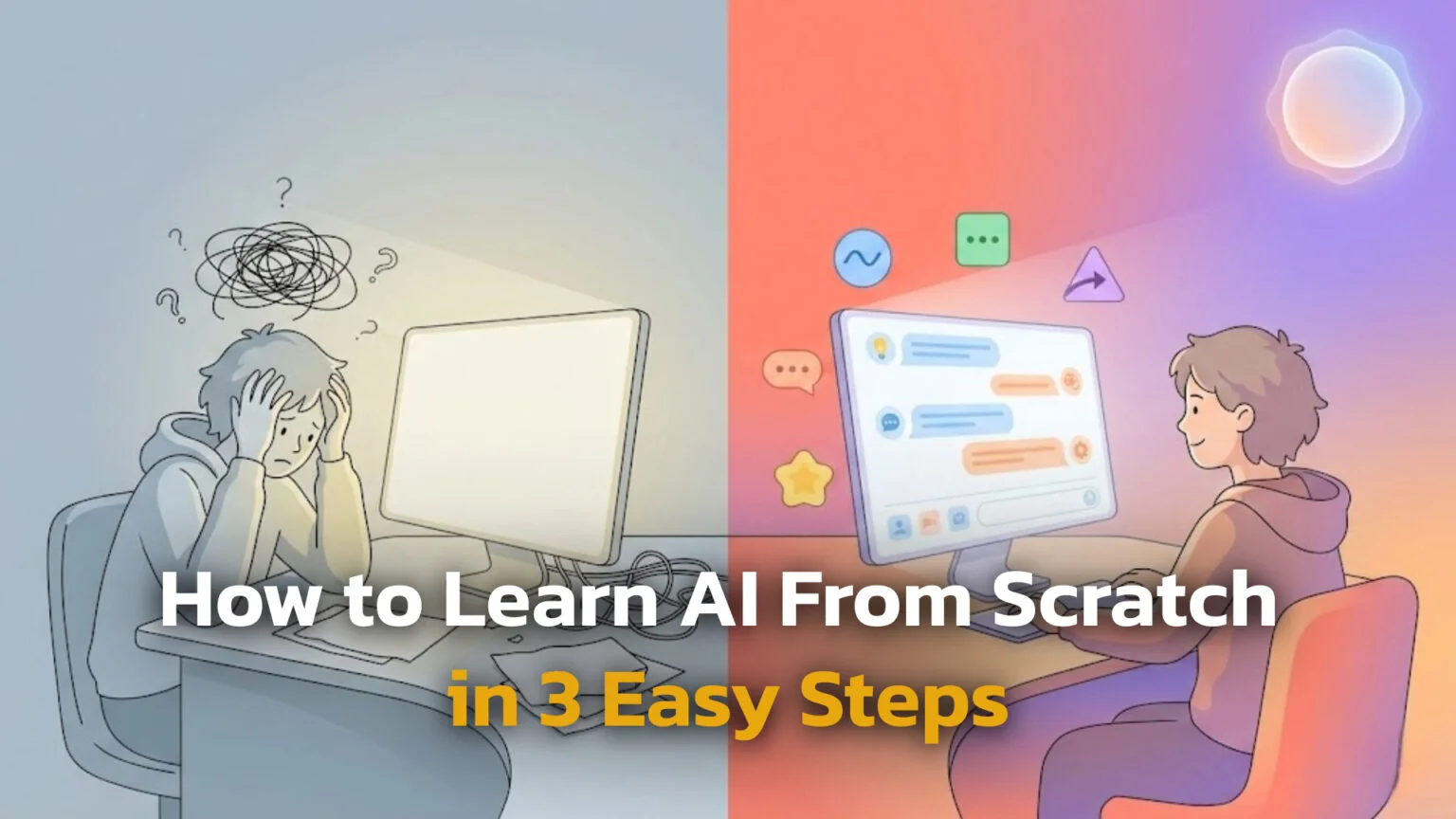
TL;DR: To learn AI efficiently without burnout, follow this progressive path designed to move you from absolute beginner to specialist skills over six months.
| Step | Timeline | Key Focus & Goals |
|---|---|---|
| 1. The Weekend Orientation | Days 1-7 | Remove the fear. Learn the glossary, take a basic intro course, and play with chatbots. |
| 2. The Practical User | 1-3 Months | Build muscle memory. Master Prompt Engineering, spot hallucinations, and use AI for daily tasks. |
| 3. The Specialist | 6+ Months | Deep dive. Learn No-Code automation, RAG (chat with docs), or “Vibe Coding” to boost your career. |
If you want to go from zero to hero, you need a plan. Randomly watching YouTube videos or reading disconnected articles can get overwhelming quickly. Here is a structured step-by-step guide to learning AI that fits into a busy schedule, helping you build real confidence without the burnout.
Introduction
Artificial Intelligence is no longer just for tech wizards or characters in sci-fi movies. By 2026, it has become a standard tool that helps us write emails, plan trips, and even help doctors analyse scans or triage health issues with unprecedented speed. If you feel like everyone is talking about AI and you are falling behind, do not worry because catching up is easier than you think. The era of “AI hype” has settled into the era of “AI utility,” where the tools are designed for everyday people, not just engineers.
This guide strips away the confusing jargon and complicated math that often gatekeeps the subject. We will focus on what actually matters for your daily life and career in the current landscape. We will explore how AI thinks, why it sometimes lies, and how you can control it.
By the end of this guide, you will know:
- What is AI actually doing inside your computer or smartphone?
- Which tools should you start using today to immediately boost your productivity?
- How can you learn AI skills without being a programmer or mathematician?
The Key Takeaways
- AI is a tool, not a person: It predicts answers based on patterns in data; it does not “think,” “feel,” or “reason” like a human being.
- You already use it: From Netflix recommendations to face unlock on your phone, you are likely an active AI user already without realizing it.
- No code required: Modern tools let you use plain English (prompts) to get results, a shift that has democratized technology for everyone.
- Safety first: AI can make confident mistakes (hallucinations), so you must always verify important facts and keep sensitive data private.
With these fundamental truths in mind, let’s explore exactly what this technology is and how it functions under the hood.
| Metric | Fact/Spec |
|---|---|
| Core Definition | Software that learns from data to make predictions or create content. |
| Main Types | Machine Learning, Deep Learning, Generative AI. |
| Top Skill 2026 | “AI Literacy” (using tools safely & prompting), not coding syntax. |
| Safety Rule | Never share private data (finance/health); always fact-check outputs. |
| EU Regulation | EU AI Act (risk-based; major high-risk obligations apply from Aug 2026, full rollout by Aug 2027). |
What Is Artificial Intelligence
Artificial intelligence is easier to understand than it looks. It is a branch of computer science dedicated to creating software that can perform tasks that usually require human intelligence. These tasks include recognizing speech, making decisions, translating languages, and identifying patterns in massive spreadsheets.
Unlike traditional software where a human writes every single rule (like “if user clicks button A, open window B”), AI systems learn from examples. If you want to teach a computer to recognize a cat, you do not describe a cat’s ears and whiskers in code. Instead, you show the AI thousands of photos of cats, and it figures out the visual pattern on its own. This ability to “learn” from data is what separates AI from the rigid computer programs of the past.
The Difference Between Narrow and General AI
It is important to distinguish between reality and movies because the media often confuses the two.
- Narrow AI: This is what we have today. It is brilliant at specific tasks, like playing chess or writing an essay, but it cannot do anything else. A chess-playing AI cannot tell you the weather.
- General AI (AGI): This is a futuristic concept of a machine that can do any intellectual task a human can do. While researchers are working toward this, we are not there yet.
While general AI captures our imagination, it is the narrow applications that are currently revolutionizing industries and daily routines.
The Main Types of AI You Will Meet
When you start learning AI from scratch, you will hear a few specific terms thrown around by experts and news anchors. You don’t need to know the math behind them, but understanding the hierarchy helps you navigate the landscape and choose the right tools.
Before machine learning took over, many “smart” systems were rule-based: experts manually wrote IF-THEN rules (“if temperature > 38°C, then flag possible fever”). These symbolic systems are still used for business rules, checklists and expert systems, but most modern AI headlines come from machine learning, deep learning and generative AI.
Understanding Machine Learning vs Deep Learning
Machine learning vs artificial intelligence explained simply is a matter of categories, like “Fruit” vs “Apple.” AI is the big umbrella term. Machine Learning (ML) is a subset of AI where computers learn from data without being explicitly programmed for every step.
Inside Machine Learning, there is a specialized area called Deep Learning.
- Machine Learning: Good for predicting spreadsheets, spam filters, and product recommendations. It is the workhorse of the business world.
- Deep Learning: Uses “neural networks” that mimic the human brain structure with layers of digital neurons. This powers the heavy lifters like voice assistants, facial recognition, and self-driving cars.
Think of it like Russian nesting dolls: Deep Learning is inside Machine Learning, which is inside Artificial Intelligence.
Generative AI Explained for Beginners
The biggest buzz in 2026 is around generative AI. While traditional AI analyzes existing data (like telling you if a photo contains a cat), Generative AI creates new data (creating a new image of a cat that never existed).
When you use tools like ChatGPT or Midjourney, you are using Generative AI. It has read billions of pages of text or viewed billions of images, and it uses that knowledge to generate fresh emails, code, artwork, or music when you ask it to. It works by predicting the next logical piece of information, word by word or pixel by pixel, based on everything it has learned previously. If music is your thing, start with the best AI music generators.
Real-World AI: Everyday Examples of AI in Daily Life
You might be surprised to learn that you have been interacting with real-life AI examples for years. It works quietly in the background of your favorite apps, making them smarter and more convenient without you ever clicking a button labeled “AI.”
Here are common places where AI is already helping you:
- Streaming Services: When Netflix or Spotify suggests a movie or song, that is a recommendation engine learning your taste from your history.
- Navigation: Google Maps uses AI to analyze real-time traffic flow and predict the fastest route home, saving you from gridlock.
- Email: Spam filters use AI to “read” incoming mail and decide if it looks like junk or a phishing attempt, keeping your inbox clean.
- Banking: Fraud detection systems analyze your spending habits and alert you if a transaction looks suspicious (like buying coffee in London and a TV in New York an hour later).
These examples show that AI is not a distant future concept but a present-day reality. To understand how they work, we need to define a few key terms.
Basic AI Concepts and Terminology
To build your AI literacy, you need to speak the language. Here are the basic AI concepts and terminology you will encounter in tutorials and news articles.
- Data: The information (text, images, numbers) used to teach the AI. Without data, AI is empty.
- Model: The “engine” or the program that is created after the AI finishes learning. You interact with the model.
- Training: The computationally expensive process of feeding data into the algorithm to create the model.
- Inference: When you actually use the trained model to get an answer (like asking a chatbot a question).
- Hallucination: When an AI confidently gives you a wrong answer. This happens because AI predicts the next word based on probability, not truth. It is trying to please you, not necessarily inform you.
Mastering these terms will help you understand news headlines and tutorials. Now, let’s address the biggest barrier for most beginners: the fear of math.
Do You Need Math and Coding Skills to Learn AI?
A common fear is that you need to be good at calculus or Python to use AI. In 2026, this is largely a myth. For the vast majority of people, learning AI without coding is not just possible; it is the standard path. The tools have evolved to understand human language, meaning English is effectively the new “programming language” for everyday users.
The Rise of AI Literacy and Vibe Coding
The most in-demand skill now is “AI Literacy.” AI literacy simply means knowing when and how to use AI tools, how to talk to them clearly, and how to double-check what they produce. It is about understanding what tools can do and how to evaluate their work – critical thinking, not writing syntax.
If you do want to build software, the barrier is lower than ever thanks to a recent trend called “vibe coding” (coined in 2025 and gaining popularity into 2026). Instead of hand-writing every line of code, you:
- Describe what you want the app to do in plain English.
- Let an AI assistant generate the code.
- Run it, see if it works (a “vibe check”), and then ask the AI to fix or extend it.
You become more of an architect and product manager, while the AI acts as the builder. But real developers still review, debug and think critically about the code – as experts like Andrew Ng keep reminding people, the “vibes” don’t remove the need for human judgment.
Risks and AI Ethics for Beginners
Power comes with responsibility. AI ethics and risks for beginners is a critical topic because these tools can be misused or misunderstood. We must use them with eyes wide open.
You should follow these safety habits:
- Privacy: Public AI chatbots often log your conversations and may use them to improve future models unless you change the settings. Always check each provider’s privacy policy and avoid pasting in anything you wouldn’t put in an email to a stranger.
- Bias: Remember that AI learns from internet data, which can contain biases. It might stereotype people based on gender or race because the data it was fed contained those stereotypes.
- Verification: Always double-check facts, especially for medical, legal, or financial topics. AI is a creative engine, not a database of truth.
- Media & images: AI image generators (from Google, OpenAI, and others) can also reflect and amplify stereotypes, so be extra critical with images that show people, cultures, or sensitive topics.
Adopting these habits ensures you stay in control of the technology. In Europe, these safety principles are now being codified into law. You should also know how to stop AI from training on your data.
The EU AI Act Explained Simply
If you are in Europe, the EU AI Act works like a traffic light system for safety.
- Unacceptable risk (Red): Banned uses like social-scoring citizens or manipulative subliminal techniques.
- High risk (Orange): AI in areas like medical devices, critical infrastructure, hiring or education. These systems must meet strict rules on data quality, documentation, accuracy and human oversight.
- Limited / minimal risk (Green): Most everyday tools such as chatbots, spam filters and recommendation systems. These mainly have transparency obligations (for example, telling you that you’re talking to a machine).
The rules don’t switch on all at once.
- From February 2025, bans on the most harmful AI uses and some AI literacy requirements start to apply.
- From August 2025, rules for general-purpose AI models, governance and penalties kick in.
- From 2 August 2026, most obligations for high-risk AI systems apply, and operators must treat compliance as part of their normal risk management.
- By August 2027, the last remaining provisions and legacy systems are fully covered.
For you as a beginner user, the key message is: you are not alone with AI. Regulators are gradually forcing providers and companies to take safety, transparency and human oversight seriously, especially in sensitive areas like health, jobs and education.
When You Shouldn’t Use AI (Yet)
- Emergencies or urgent medical issues – call local emergency services or a doctor instead.
- High-stakes legal or financial decisions – use AI only as a brainstorming tool, then consult a qualified professional.
- Anything that could seriously harm someone if it’s wrong (for example, medical dosages or safety-critical engineering).
Knowing when to step back is just as important as knowing how to engage. With safety guardrails in place, you are ready to start your learning journey.
How to Learn AI From Scratch in 2026
If you want to go from zero to hero, you need a plan. Randomly watching YouTube videos or reading disconnected articles can get overwhelming quickly. Here is a structured step-by-step guide to learning AI that fits into a busy schedule, helping you build real confidence without the burnout.
Step 1: The Weekend Orientation (Days 1-7)
Start with the basics to get comfortable.
- Take a course: Enroll in a free introductory course like “AI for Everyone” by DeepLearning.AI. It takes about 6-10 hours and explains the business and society side of AI.
- Read the glossary: Familiarize yourself with basic AI concepts and terminology like “model” vs “algorithm.”
- Play with a bot: Use one chatbot (like ChatGPT or Claude) for fun tasks like meal planning or writing a poem about your pet. This removes the fear factor.
Once you have dipped your toes in the water, you will be ready to start applying these tools to real work. Another powerful way of learning is to try our prompts. It gives you a great idea how to talk to AI and how to make the best prompt.
Step 2: The Practical User (1-3 Months)
Focus on AI skills for non-technical roles.
- Learn “Prompt Engineering”: This is the art of talking to AI. Learn the difference between a bad prompt (“Write an email”) and a good one (“Write a polite email to my boss asking for a deadline extension on Project X because I am waiting for data”).
- Apply to work: Use AI for specific work tasks: summarizing meetings, drafting emails, or brainstorming ideas.
- Understand limits: Learn to spot hallucinations and understand the ethics we discussed above.
At this point, you are already ahead of most casual users. If you find yourself fascinated by the technology, the next stage is to look under the hood.
Stag 3: The Specialist (6+ Months)
If you love it, dive deeper.
- Explore No-Code: Use no-code AI tools for beginners to build simple automations (like saving email attachments to a folder automatically).
- Specialized Learning: Take a specialized course in Generative AI or Data Analysis.
- Vibe Coding: Start learning how to use AI to help you write code (Python) if you want to become a developer.
This roadmap allows you to scale your learning at your own pace. To get started, however, you just need access to a few reliable platforms.
Best AI Tools for Beginners to Start With
To practice, you need the right toolkit. Here are the best AI tools for beginners 2026 that are user-friendly and widely accessible.
| Category | Top Picks | Best For / Key Notes |
|---|---|---|
| Text & Questions | ChatGPT, Gemini, Claude, FelloAI | Great “learning buddies” to explain concepts. FelloAI lets you switch between different frontier models at one price. |
| Images | Nano Banana Pro, Midjourney, DALL-E 3, Recraft AI | Creating visuals by describing them. Recraft AI is specifically excellent for vector art and design. |
| Video | Runway (Gen-4.5), Sora / Sora 2 | Generating cinematic clips from text. Note: Availability and regional access change frequently; always check terms. |
| Productivity | Microsoft Copilot, Notion AI | Integrating AI directly into your existing documents and spreadsheets so you don’t have to switch tabs. |
For beginners looking to simplify their start, an all-in-one solution like FelloAI can be a strategic choice. Instead of managing separate subscriptions, it aggregates access to leading text and image models into a single interface for just $9.99. This allows you to experiment with various top-tier tools side-by-side, making it an affordable and convenient sandbox for learning the ropes.
Experimenting with these platforms is the best way to find which ones fit your personal workflow. We selected these recommendations based on specific criteria. If you are choosing on behalf of an older relative rather than for yourself, our guide to AI for seniors narrows it down to one pick.
Conclusion
Entering the world of artificial intelligence can feel intimidating, but remember: every expert was once a beginner. By 2026, AI is less about coding complex algorithms and more about being curious, asking the right questions, and knowing how to collaborate with machines. The barrier to entry has never been lower.
Your Next Step: Open an AI chat tool today and ask it to explain a hobby you love in simple terms. It is the quickest way to see the magic in action and start your journey from zero to hero.
FAQ
What is the best way to learn AI for complete beginners?
The best way is to combine a short online course (like “AI for Everyone”) with daily practice. Theory is important, but using a chatbot to help you solve small real-world problems (like planning a budget) builds confidence faster than reading a textbook.
Can I learn AI if I’m bad at math?
Yes. To use AI tools and understand AI literacy, you need zero advanced math. Math is only required if you want to become a research engineer building the models from scratch. For the rest of us, logic and creativity are more important than calculus. And if you want the AI to handle the maths for you, our test of which model actually solves it ranks them on real problems.
Will AI take my job in 2026?
AI is unlikely to replace you entirely, but a person using AI might replace a person who refuses to use it. The job market in 2026 favors the “AI-empowered” worker who uses tools to work faster and with higher quality.
Is AI safe for kids or students to use?
AI can be a great tutor, but it requires supervision. Students should learn AI ethics early: never share personal info and always check the AI’s homework because it can make mistakes. It is a tool for assistance, not a replacement for learning.
What is the difference between AI, ML, and deep learning?
Think of Russian nesting dolls. AI is the biggest doll (the whole field). Machine Learning (ML) is the medium doll inside it (learning from data). Deep Learning is the smallest doll inside ML (using neural networks).
Methodology & Sources
To create this guide, we analyzed the current landscape of AI education and technology as of late 2025, with a focus on how these trends shape 2026.
- Curriculum Review: We reviewed syllabi from top providers like Coursera (DeepLearning.AI) and University of Helsinki (Elements of AI) to ensure our definitions align with academic standards.
- Regulation Check: We referenced the official digital strategy documentation regarding the EU AI Act, specifically focusing on the compliance timeline for 2026.
- Tool Testing: We tested the accessibility of major LLMs to ensure they remain suitable for non-technical beginners.
References:
- IBM. (n.d.). What is Artificial Intelligence?
- European Commission. (2025). The EU AI Act explained.
- Coursera. (2025). AI for Everyone Course Materials.