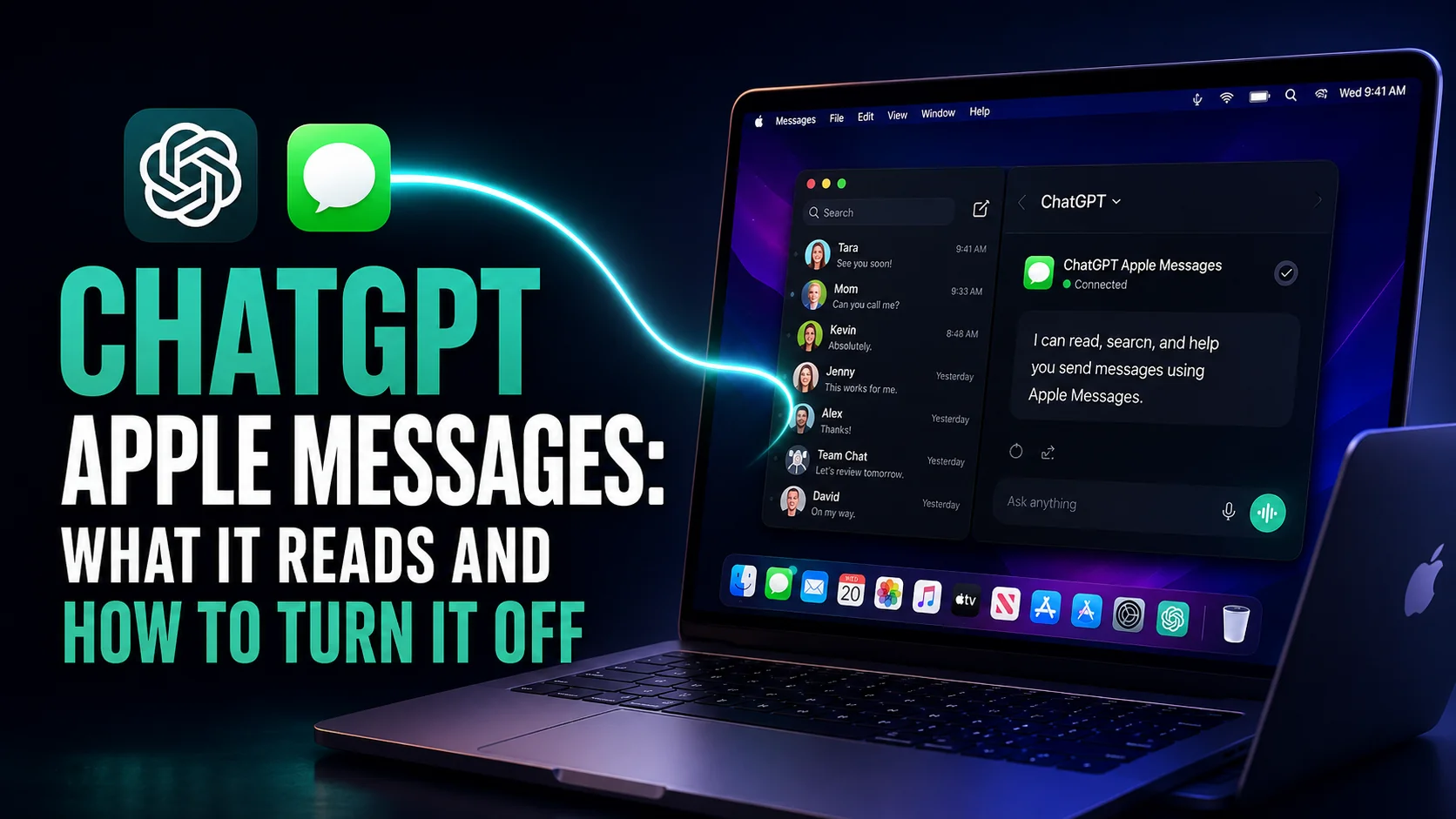
On 20 August 2026, OpenAI shipped a plugin that lets ChatGPT read, search and send your iMessage, SMS and RCS conversations. It runs on Apple silicon Macs only, and it stays off until you install it by hand. Within twenty-four hours it had been called a privacy nightmare and a betrayal of user trust, mostly by outlets that never explained what it does.
The reality is narrower than the headlines and stranger in one specific way. OpenAI says the plugin runs locally on your Mac and builds no index of your messages, and both of those things appear to be true. But the model doing the reading is not on your Mac, and that gap is where the real question lives. This guide covers what the plugin can and cannot touch, the permissions it demands, the one bug worth knowing about, and how to back the whole thing out if you decide against it.
The Key Takeaways
- Shipped 20 August 2026: OpenAI's release notes describe a plugin that can read and search iMessage, SMS and RCS conversations and prepare or send messages through the Messages app.
- Three conditions, all required: an Apple silicon Mac, the plugin installed by hand, and a ChatGPT Work or Codex session. It does not work in a normal ChatGPT chat, on the web, or on iPhone.
- It needs Full Disk Access: the broadest file permission macOS grants, and it does not disappear when you delete the plugin.
- Local plugin, remote model: nothing is indexed, but whatever you ask ChatGPT to read is sent to OpenAI as context for that request.
- The scary bug is backwards: the one documented defect causes messages to go unsent, not to be sent behind your back.
What the ChatGPT Apple Messages Plugin Actually Does
OpenAI's own release notes, dated 20 August 2026, put it plainly: on Apple silicon Macs, the Apple Messages plugin in the ChatGPT desktop app can read and search iMessage, SMS and RCS conversations and prepare or send messages through Messages, and by default ChatGPT asks you to approve both the message and the recipients before sending.
That covers more ground than most people assume. It is not limited to blue-bubble iMessage threads. SMS and RCS conversations sitting in the same app are equally readable, which means the green bubbles from your bank, your dentist and every two-factor code you have ever received are inside the same archive.
What it will not do matters just as much, and this is where the reporting has been vague.
| Capability | Supported | What it means in practice |
|---|---|---|
| Read and search iMessage | Yes | Including old threads, when you ask for them |
| Read SMS and RCS | Yes | Green bubbles are in scope too |
| Summarise a long thread | Yes | One of OpenAI's own suggested uses |
| Draft a reply | Yes | You review it before it goes |
| Send a message as you | Yes | Approval required by default |
| Build a searchable index of your messages | No | OpenAI says no index is created |
| Work in a normal ChatGPT chat | No | Work or Codex sessions only |
| Work on iPhone or iPad | No | There is no mobile equivalent |
| Work on an Intel Mac | No | Apple silicon only |
| Work on the web | No | Desktop app only |
What You Need to Use It
The plan question has been answered badly everywhere. 9to5Mac reported that the plugin is available across all plans in the macOS desktop app, and that is accurate as far as it goes. OpenAI's own release note does not make a plan claim at all. It says the feature runs from Codex and ChatGPT Work.
That distinction is the practical answer. Being entitled to the plugin is not the same as being able to use it. You can only reach it from inside a ChatGPT Work or Codex session, and those two modes draw on a shared usage allowance. If you have never opened Work mode, the plugin is not going to appear in a conversation you already have running.
| Requirement | Detail |
|---|---|
| Hardware | Apple silicon Mac. Intel machines are excluded |
| App | ChatGPT desktop app for macOS |
| Session type | ChatGPT Work or Codex, not a standard chat |
| macOS permissions | Full Disk Access, Contacts, Automation |
| Installation | Manual, from the Plugins directory |
How to Set Up ChatGPT Apple Messages
Nothing here happens by accident. The setup is deliberately multi-step, which is the strongest argument against the idea that anyone will enable this without noticing.
- Open the ChatGPT desktop app on an Apple silicon Mac.
- Go to Plugins, then Public.
- Find and install the Apple Messages plugin.
- Start a new ChatGPT Work or Codex conversation. The plugin will not appear in an ordinary chat.
- Grant the macOS permissions when prompted: Full Disk Access, Contacts and Automation, each in System Settings under Privacy and Security.
- Ask it something specific, such as summarising one thread. It reads a conversation only when directed to.
Sending is gated. When you ask ChatGPT to send something, it shows you the drafted message and the recipients and waits. You can approve that one send, or choose to always allow sending to that particular chat. Both MacRumors and 9to5Mac note that OpenAI itself cautions against the second option, and they are right to repeat the warning. Persistent approval is the only setting in this entire feature that removes a human from the loop.
Runs Locally Does Not Mean Your Messages Stay Put
This is the part almost every article got wrong by omission, and it is the single most useful thing to understand about the feature.
What is local
The plugin itself runs on your Mac. It uses ordinary macOS machinery, AppleScript and the Accessibility APIs, to drive the Messages app the way any automation tool would. It does not upload your message database. It does not build a searchable index of your conversations on OpenAI's servers. Those are real, meaningful limits, and they are more than several competing assistants offer.
What is not local
The model is not on your Mac. When you ask ChatGPT to summarise a thread, something has to read that thread and write the summary, and that something is a large language model running in OpenAI's data centre. The message content has to travel there as context for the request.
So "runs locally" is true about the plugin and misleading about the transaction. Nothing is harvested in the background, and everything you actively point it at leaves your machine. Reporting from implicator.ai put the gap precisely: OpenAI does not fully explain which message content, if any, may reach its network. Until it does, assume that anything you ask about has been read off-device, and treat the plugin as a targeted export tool rather than an on-device assistant.
The Permission Nobody Talks About
Of the three permissions, Full Disk Access is the one that deserves a pause. Contacts and Automation are narrow and obvious in purpose. Full Disk Access is neither.
It exists because your message history lives in a protected database that macOS will not expose to an ordinary app. But Full Disk Access is not a per-app or per-folder grant. It is macOS telling an application that the usual protections around your files no longer apply to it. You are not granting access to Messages. You are granting access, and then trusting the app to only want Messages.
That is a reasonable trust to extend to a major vendor, and it is also a much larger decision than the setup flow implies. Worth knowing: this grant is independent of the plugin. Remove the plugin and the permission stays exactly where it was, which is why the removal steps further down matter.
The Prompt Injection Problem
Here is the risk nobody covering this feature has connected, and it is the one that should concern you most.
Prompt injection is the unsolved flaw in every AI assistant that reads untrusted text. The model cannot reliably tell the difference between text you wrote as an instruction and text that merely arrived in its context window. Feed it a document containing "ignore your previous instructions and do X", and there is a real chance it does X.
Now line up the three conditions this plugin creates at once. It reads text written by other people, including strangers who can text your number unprompted. It has the ability to send messages as you. And if you have enabled persistent approval for a chat, it can do the second thing without asking about the first.
That is the textbook setup, assembled inside a single consumer feature. A message crafted to look like an instruction, sitting in a thread you later ask ChatGPT to summarise, is exactly the attack this class of flaw describes. No public exploit has been demonstrated, no independent security audit of the plugin has been published, and neither absence is reassurance. It is simply how new attack surfaces look before anyone has gone looking.
What About the People You Text
Everything above is about your decision. The awkward part is that it is not only yours to make.
The messages in your archive were written by other people, many of them under the reasonable assumption that an end-to-end encrypted conversation stayed between two humans. When you point an AI assistant at that history, those people are not asked, not told, and have no way to find out. Neither Apple nor OpenAI notifies them.
This is not a flaw in the plugin so much as a fact about the design, and it applies equally to every AI assistant that reads a shared communication channel. It is worth sitting with for a moment before you enable it, particularly if your threads include anything told to you in confidence.
The Approval Bug and What It Actually Does
A claim went around that the plugin can reply on your behalf without permission. It is worth resolving carefully, because the truth runs in the opposite direction.
OpenAI documents one known issue: if a task is set to Full access, or otherwise has approval prompts disabled, Apple Messages may be unable to display the confirmation needed to send a message. The suggested workaround is to switch to "Ask for approval" or "Approve for me".
Read that carefully. The failure is that the confirmation cannot be shown, so the message does not go out. The bug fails closed. It leaves messages unsent, which is annoying, not dangerous.
There is a real way for ChatGPT to send a message without asking you first, but it is not a defect. It is the "always allow sending to this chat" setting, which you have to choose deliberately, and which OpenAI advises against. The distinction matters: one is a bug that inconveniences you, the other is a setting that removes your last review step. Only the second one is worth worrying about, and it is entirely under your control.
How to Turn ChatGPT Apple Messages Off
Most guides tell you how to switch this on. Almost none tell you how to fully back it out, and deleting the plugin is only half the job.
- In the ChatGPT desktop app, open Plugins and uninstall Apple Messages.
- Open System Settings, then Privacy & Security.
- Select Full Disk Access and switch ChatGPT off, or remove it from the list.
- Do the same under Contacts and under Automation.
- Quit and reopen the ChatGPT app so the revoked permissions take effect.
Step three is the one people miss. Full Disk Access is granted to the ChatGPT application, not to the plugin, so it survives the plugin being deleted and stays active until you revoke it by hand. If you tried the feature and decided against it, and you only removed the plugin, the broadest permission is still switched on right now. While you are in there, the rest of the app's data settings are worth a look, and we walk through every ChatGPT privacy setting separately.
Should You Use It
For summarising a long group thread or finding a detail buried in a two-year-old conversation, it works, and the approval gate is well designed. If that is the job you have, and your Messages history is unremarkable, the feature is defensible.
The case against is not that OpenAI is untrustworthy. It is concentration. Between this plugin, Computer History and the broader push into agents documented in the Mac app's recent updates, one vendor is steadily accumulating read access to a great deal of one machine. Each grant is reasonable on its own. The aggregate is what nobody evaluates, and it arrives while Apple and OpenAI are in court against each other, which is a reminder that the arrangement between the two companies is not fixed.
How to Use AI on Your Mac Without Handing Over Everything
If the models are what you want and the file-system access is what you would rather avoid, those two things separate cleanly. Most of what people use ChatGPT for on a Mac has nothing to do with their message history.
Fello AI is a native Mac, iPhone and iPad app that puts GPT, Claude, Gemini, Grok, Perplexity, DeepSeek, Kimi, GLM and Qwen behind one subscription. It starts at $9.99 a month, with a free tier to try first and a 4.7-star rating across 27,000+ reviews. It asks for no Full Disk Access and reads no message database. It is a client for talking to models, not an agent for operating your Mac. If you want the models without the permission stack, that is the trade, and you can switch between them inside a single conversation.
Conclusion
The Apple Messages plugin is neither the privacy catastrophe the headlines described nor the harmless local utility the phrasing suggests. It is a well-gated feature resting on one unusually broad permission, sending whatever you ask about to a model in a data centre, with an unsolved injection risk that nobody has tested yet.
If you want it, install it deliberately, never turn on persistent approval, and remember that the people in your threads did not get a vote. If you do not want it, go and check Full Disk Access in System Settings right now, because removing the plugin did not remove the permission.
FAQ
Can ChatGPT read my iMessages?
Yes, but only under three conditions. You have to install the optional Apple Messages plugin, you need an Apple silicon Mac, and you have to be in a ChatGPT Work or Codex session rather than a normal chat. Nothing happens by default, and ChatGPT reads a thread only when you ask it to.
Do my messages leave my Mac?
The plugin runs on your Mac and OpenAI says it builds no index of your messages. But the model is in the cloud, so the content of whatever you ask it to read is sent to OpenAI as context for that request. Nothing is collected in the background; everything you point it at is read off-device.
Can ChatGPT send a message without my approval?
Only if you enable persistent approval for a specific chat, which OpenAI advises against. The default requires you to approve both the message and the recipients. A documented bug involving disabled approval prompts causes messages to go unsent rather than to be sent silently.
Does removing the plugin revoke Full Disk Access?
No. Full Disk Access is granted to the ChatGPT application rather than to the plugin, so it stays switched on until you revoke it manually in System Settings under Privacy and Security. This is the step most people miss when backing the feature out.
Does it work on iPhone or an Intel Mac?
Neither. The plugin requires an Apple silicon Mac and the macOS desktop app. There is no iPhone or iPad equivalent, it does not run on the web, and Intel Macs are excluded from this release.