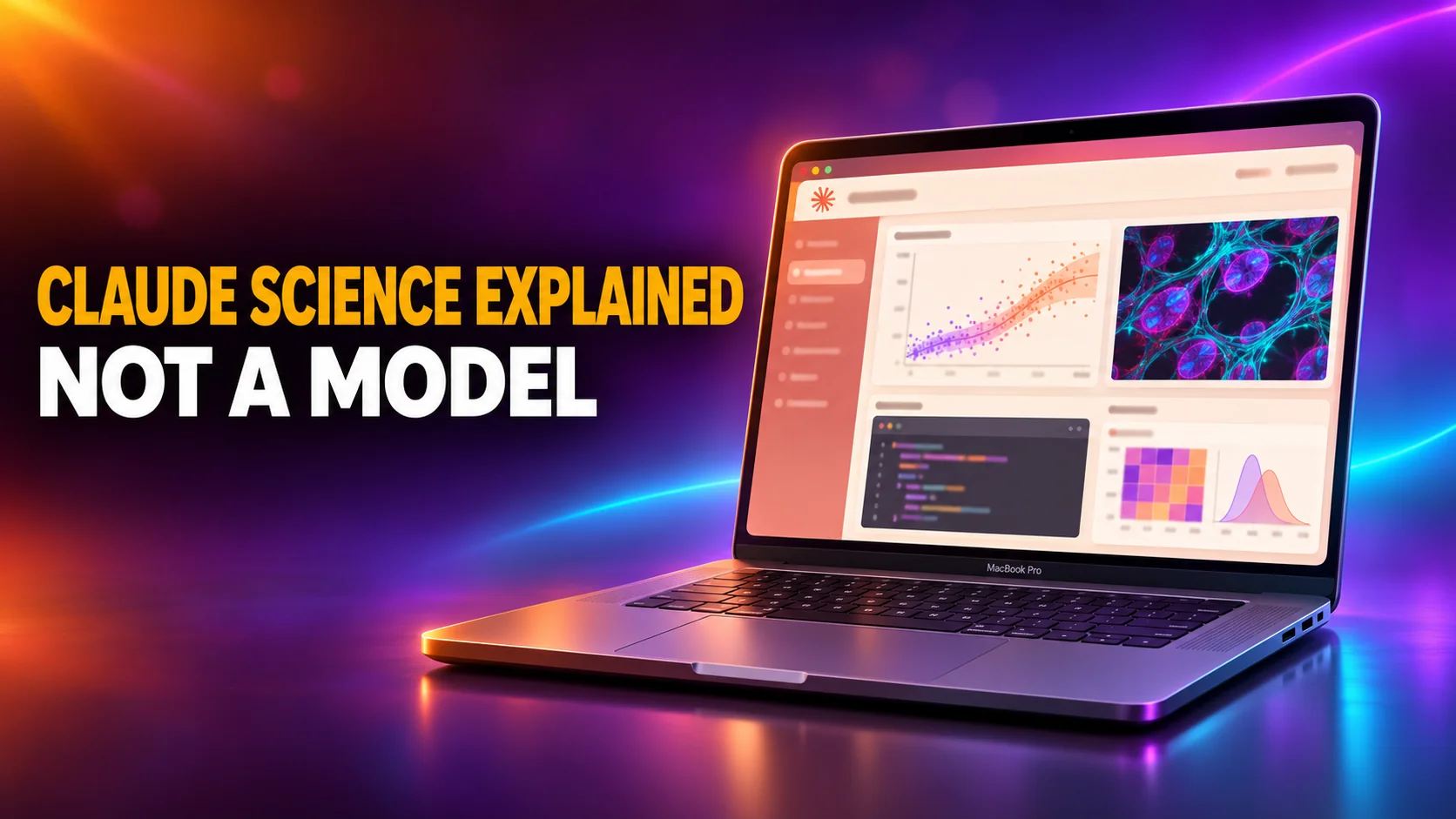
Claude Science is Anthropic's desktop app for scientific research. It is not a new model. It gives Claude a sandboxed analysis environment on your own computer. There, Claude writes and runs Python, R and shell code, pulls data from scientific databases and saves every figure with the exact code that produced it. It launched in beta on 30 June 2026 and is included in Claude Pro, Max, Ultra, Team and Enterprise plans. The Free plan doesn't get it.
Much has changed since launch week, and most coverage still describes the June version. A native Windows app arrived on 10 September 2026. Anthropic added the Ultra plan, and verified academic labs can now get Claude Science on free seats for a year. This guide covers what the app does, what it costs on each plan, which computers run it, how to install it, and where its limits are.
The Key Takeaways
- What it is: a separate desktop app, not a model. Claude runs code in a sandbox on your computer, and every artifact keeps the code, environment and conversation behind it.
- Price: nothing extra to buy. It comes with Claude Pro from $20 a month and up, and draws on the same usage limits as Claude Code and Cowork. Not available on Free.
- Free for labs: the Claude Team plan for scientists gives verified academic and nonprofit groups Standard seats at $0 for 12 months, with Claude Science on by default.
- Platforms: macOS 13 or later, Windows 11 (native since 10 September 2026) and 64-bit Linux, with about 5 GB of free disk space.
- Limits: it's a beta. The built-in reviewer catches errors but doesn't re-run analyses, and Anthropic says it isn't for clinical or diagnostic use.
What Is Claude Science?
Claude Science is a desktop application that pairs Claude with an analysis environment on your computer. Anthropic calls it "an AI workbench for scientists". Its product page answers the most common question directly: Claude Science is "a public beta app, not a model." It runs on the same Claude models your plan already includes.
The difference from chatting with Claude on claude.ai is where the work happens. In Claude Science, Claude doesn't just suggest code for you to paste somewhere. It runs the code itself in a sandbox on your machine and reads the folders you allow. It queries databases such as UniProt or PubChem and keeps the results as versioned files in a project. You install it separately from the regular Claude desktop app, and the two sit side by side.
Anthropic announced Claude Science on its official Claude account on launch day:
Introducing Claude Science, a new app designed with every stage of research in mind.
— Claude (@claudeai) June 30, 2026
Artifacts traced to their code, environments managed on demand, and 60+ optional scientific databases that you can connect.
Available now in beta.
The launch marketing leans on biology, and Claude Science is not limited to it. Anthropic's documentation lists computer science and machine learning, engineering, materials science, mathematics, physics and the social sciences as supported fields. The life sciences get the most ready-made database connectors. Every other field gets the same code sandbox, compute tools and reviewer.
What Claude Science Does
Claude Science turns a plain-language research request into code that runs, results that are saved, and a record of how each result was made. Five features carry most of that work.
It Runs Code in a Sandbox on Your Computer
Claude writes and runs Python, R and shell commands (PowerShell on Windows). Python and R run in persistent kernels, so a loaded dataset stays in memory across steps instead of being reloaded every time. The first launch builds two starter environments. Python comes with numpy, pandas, scipy, matplotlib, seaborn and pillow, and R with tidyverse, ggplot2 and jsonlite. When an analysis needs more, Claude proposes a new environment and installs packages from conda-forge, bioconda, PyPI, CRAN or Bioconductor.
Nothing happens silently. A permission card appears the first time Claude wants to read a folder, run code, reach a new website or submit a remote job. You choose whether to allow it once, for the conversation, for the project or globally. The sandbox's network is deny-by-default.
It Connects to Scientific Databases
Anthropic says Claude Science can query 60+ scientific databases. The built-in connectors cover Ensembl, UniProt, ClinVar, gnomAD, GTEx, PDB, AlphaFold, PubChem and BindingDB, plus OpenAlex and arXiv for literature. PubMed, Clinical Trials, ChEMBL and bioRxiv come from Claude's connector directory. Through NVIDIA's BioNeMo toolkit it also reaches models such as Evo 2, Boltz-2 and OpenFold3. Your own lab tools plug in as MCP connectors or saved skills.
Every Figure Keeps Its Code
Each figure, table or notebook that Claude Science saves carries the exact code, the environment it ran in, a plain-language description and the conversation that led to it. Anthropic calls this provenance. In practice, you can open a figure months later and see how it was built. You can also pin a comment on part of it, asking for a log-scale axis, for example, and Claude edits the code that drew it. The app renders 3D protein structures, genome tracks, chemical structures, Markdown and LaTeX natively.
A Reviewer Checks Claude's Claims
The reviewer is a second pass that re-reads Claude's answers against what actually ran. It flags a result reported as computed when nothing ran, or a number that contradicts its source file. It also catches citations that don't support their claim and DOIs that point to a different paper. It runs automatically on Max, Ultra, Team and Enterprise. On Pro it starts switched off, and you turn it on per session.
It Scales to Clusters and Cloud GPUs
For jobs too big for a laptop, Claude Science writes batch scripts and submits them for you. They go over SSH to a lab workstation or a Slurm cluster, or to cloud GPUs through your own Modal account. On a Linux machine with an NVIDIA GPU, a Host GPU switch gives sandboxed code access to it. Modal bills you directly; Anthropic doesn't charge for that compute.
Is Claude Science Free? What It Costs on Each Plan
Claude Science costs nothing on top of a paid Claude plan, and it isn't available on the Free plan at all. Every paid plan includes it, from Pro at $20 a month. Anthropic's documentation says there is "nothing separate to buy". The table shows prices from Anthropic's pricing page, checked on 3 November 2026.
| Plan | Price (claude.com, 3 Nov 2026) | Claude Science |
|---|---|---|
| Free | $0 | Not included |
| Pro | $20/month, or $17/month billed yearly | Included, on by default; reviewer starts off |
| Max | $100/month | Included, 5x Pro usage |
| Ultra | $200/month | Included, 10x Pro weekly usage |
| Team | $20/seat yearly or $25 monthly (Standard) | Included, an Owner must switch it on |
| Team plan for scientists | $0 Standard, $15 Premium, for 12 months | Included, on by default |
| Enterprise | $20/seat yearly (20-seat minimum) plus usage at API rates | Included, an Owner must switch it on |
The real cost is usage. Claude Science draws on the same limits as the rest of your plan, including Claude Code and Cowork. That means a 5-hour limit and a weekly limit on plans that have them. A long analysis pauses when you hit a limit and resumes when it resets, as long as the app stays open. On Pro, Max and Ultra you can switch on paid usage credits to keep going. Our guide to Claude usage limits explains how those windows work, and our Claude pricing breakdown covers everything else each plan includes.
Free Claude Science Seats for Academic Labs
There is one real way to get Claude Science at no cost: the Claude Team plan for scientists, which Anthropic opened on 27 August 2026 with 10,000 seats. A principal investigator, or equivalent, at an accredited university or nonprofit research institute applies and verifies the group. Approved labs get Standard seats at $0 (regularly $20) and Premium seats with 5x usage at $15 a month (regularly $100) for 12 months, for 1 to 25 seats. Claude Science, Claude Code and Cowork are included, and Claude Science is on by default. For-profit companies, contract research organizations and industry R&D teams don't qualify.
The official Claude account posted the offer on the day it opened:
Starting today, 10,000 scientists across every field, from math to chemistry to physics and more, can get Claude through our new Claude Team plan for scientists. Standard seats are free, and premium seats with 5x usage limits are $15 per month, an 80% discount, for one year.
— Claude (@claudeai) August 27, 2026
Claude is becoming increasingly capable of scientific work, with recent progress on problems from advanced physics calculations to protein design. Alongside that progress, we've been investing in the research community: Claude Science launched in June, and our AI for Science program funds high-impact projects with free credits. Today's expansion builds on both.
Principal investigators (or equivalent) at academic and nonprofit research institutions can sign up, then add the researchers in their group. Over the coming months, we plan to extend the program well beyond the initial 10,000 seats.
Learn more: https://claude.com/programs/team-plan-for-scientists
Individual students don't qualify on their own; their PI has to sign the group up. Our guide to the Claude student discount covers the plan's fine print, the 90-day inactivity rule and the other routes students have. Labs that need more than a seat provides can apply to Anthropic's AI for Science program, which since August offers up to $50,000 in credits per project.
Does Claude Science Run on Windows, Mac and Linux?
Yes, all three. Claude Science launched on macOS and Linux only. A native Windows app followed in version 0.1.47, which Anthropic's changelog dates to 10 September 2026. Many articles and guides still say Windows isn't supported. That was true in June and is no longer true.
| System | Requirement | How it opens |
|---|---|---|
| macOS | macOS 13 or later, Apple silicon or Intel (separate downloads) | In a browser tab, or its own window after an update switches it over |
| Windows | Windows 11, 64-bit (x64) | In its own window, from the Start menu |
| Linux | x64, glibc-based distribution, bubblewrap 0.8.0+ and socat | In a browser tab, started with claude-science serve |
| All | About 5 GB free disk space, a paid Claude plan, a country where claude.ai is offered | No web version: it is a local app |
The Windows app has a few documented differences. Claude runs shell commands in PowerShell, and git and Command Prompt scripts need a one-time Windows permission. You can only grant folders on local NTFS or ReFS drives, not network shares or most USB sticks. The NVIDIA BioNeMo model endpoints aren't available on Windows. Anthropic's docs still describe running the Linux version under WSL 2 with Ubuntu 24.04, but the Windows app doesn't need it.
How to Install Claude Science
You install Claude Science from the Claude Science download page, then sign in with your Claude account. No API key is needed. The first launch takes a few minutes while the app builds its Python and R environments.
Install on a Mac
- Download the installer for your Mac: Mac (Apple Silicon) or Mac (Intel). Check which you have under Apple menu > About This Mac.
- Double-click the installer. The app sets up its runtime, then opens Claude Science in a new browser tab.
- Sign in with your Claude account. If no tab appears, click Claude Science in the Dock.
Install on Windows
- Download the Windows installer and open it. It installs for your user account and adds Claude Science to the Start menu and desktop.
- Wait for the first launch to download the app window engine, about 150 MB.
- Click Sign in on the web, approve the sign-in at claude.ai, and the app continues in its own window.
Install on Linux
Linux needs two sandbox tools first, which takes administrator access. On Ubuntu or Debian, the commands from Anthropic's Claude Science setup guide are:
sudo apt-get update && sudo apt-get install -y curl bubblewrap socat
curl -fsSL https://claude.ai/install-claude-science.sh | bash
claude-science serve
Fedora and RHEL use dnf, and Arch uses pacman, for the same packages. Check that /usr/bin/bwrap --version reports 0.8.0 or later: Ubuntu 24.04 ships a new enough version, Ubuntu 22.04 does not. The command prints a local link to open in your browser. Anthropic also documents running Claude Science on a remote Linux server or HPC login node and reaching it through an SSH tunnel.
On a Team or Enterprise Plan
On Team and Enterprise, Claude Science is off until an Owner turns it on in Organization settings. An Admin role can't do it. Until then, members are stopped at sign-in with a Request access button. On Pro, Max and Ultra there's nothing to enable. A Free account sees the message "Claude Science requires a Pro, Max, or Ultra subscription."
How to Use Claude Science: Your First Analysis
To use Claude Science, you open a project, ask about a folder, and approve each folder and code card as Claude works. Results land in the Files panel. The five steps:
- Open a project. Use the Example project or create a new one. A project groups sessions, files and custom instructions.
- Start a conversation and point Claude at a folder by typing its path or using the @ picker.
- Allow folder access on the permission card, read-only or read and write.
- Allow code to run when Claude proposes it. You will see the code before it runs.
- Open the results in the Files panel, where each artifact keeps its code and history.
A good first request is small, uses data you already understand, and asks Claude to check itself. Copy this one, swap in your own file and question, and compare the answer with what you already know:
The folder ~/data/pilot holds measurements.csv. Load it, describe each column and flag missing or impossible values. Then test whether [OUTCOME] differs between [GROUP A] and [GROUP B], explain why you chose that test, and plot the result. Save the cleaned data, the figure and a one-page summary as artifacts, and list every assumption you made.Asking for the assumptions matters because the reviewer checks whether Claude's claims match what ran, not whether the method was right for your question. That judgment stays with you. Just exploring a spreadsheet? Our comparison of the best AI for data analysis shows which ordinary chatbots compute on your file.
Which Claude Models Claude Science Uses
Claude Science uses the Claude models your plan already includes. There is no special science model behind it. One limit matters for life scientists: Anthropic said on 27 August that researchers in biology and chemistry "will still be limited to our Opus-class models". The reason: Claude Fable models block professional biology and drug development queries over dual-use risk. Claude Science shows a warning when you pick a model whose safeguards block most life sciences work.
When a model's safeguards flag a life sciences message, Claude Science retries it on another model automatically, once per message, and tells you which model it switched to. You can turn that off in Settings. Verified Team and Enterprise organizations can apply to Anthropic's Life Sciences Verification Program (beta) for fewer life sciences restrictions.
Where Your Research Data Goes in Claude Science
Your files stay on your computer, but what Claude reads goes to Anthropic. Claude Science keeps conversation history, projects, artifacts and memory in a local folder (~/.claude-science on Mac and Linux). Anthropic doesn't host or sync it. Every time Claude answers, though, the app sends the conversation to Anthropic, including the contents of files Claude has read and the output of code it ran.
Three limits are worth knowing before you load sensitive data. Claude Science is not covered by Anthropic's Business Associate Agreement, so protected health information must stay out of it. Zero data retention is not available for it. And Anthropic states plainly that it "isn't intended for clinical or diagnostic use." On Team and Enterprise plans, Anthropic's commercial terms bar it from training models on customer content.
How Good Is Claude Science?
Nobody has published an independent benchmark of Claude Science yet. The evidence so far comes from Anthropic's own case studies and quotes it selected for its product page, so read them as the best results, not typical ones. With that caveat, they are specific. UCSF principal investigator Stephen Francis is quoted on the product page:
"Claude Science immediately found a laboratory virus contaminant in our bulk RNA-seq data. We spun our wheels on this for the better part of a year, and it came out as one of the first key findings."
In Anthropic's launch post, Allen Institute neuroscientist Jérôme Lecoq built a review-writing pipeline of about 20 custom skills. Writing one such review used to take his team as long as two years. He now has about 10, many of them over 100 pages. Francis's lab reports germline analyses in roughly one-tenth of the previous time and says it validated the results independently.
The documented weaknesses are just as concrete. It is a beta that changes fast: the current version, 0.1.71, came out on 27 October. Linux setup trips over old bubblewrap versions. Projects don't follow you to another computer. And Anthropic's own note says the reviewer "reduces, but doesn't eliminate, errors."
Who Should Use Claude Science, and Who Can Skip It
Claude Science suits people whose research runs on code: computational biologists, chemists, physicists, data-heavy social scientists, and wet-lab scientists who know the question but not the pipeline. MIT biologist Iain Cheeseman, quoted on the product page, said it enabled "analyses that simply wouldn’t have been feasible for me as a non-computational biologist". If you already live in Jupyter and a cluster terminal, the gain is fewer tools and an audit trail. If you don't, the gain is the analysis itself.
You can skip it if your research is mostly reading, writing and searching literature. Claude on claude.ai or Claude Cowork for documents covers that, as do the tools in our list of AI tools for students and researchers. None of them needs a 5 GB install or a sandbox to configure.
Claude for Papers Without the Research App
Maybe you only need to drop a paper's PDF into a chat and ask Claude about its methods. For that, you don't need Claude Science or a Claude subscription. Fello AI lets you chat with the PDF on your Mac, iPhone or iPad. When Claude's reading of a result looks off, you can ask Gemini or GPT the same question in the same window. It has a free tier, so you can try it on your next paper before paying for anything.
Is Claude Science Worth Installing?
If you already pay for Claude Pro or higher and your research involves running code on data, install Claude Science. It costs nothing extra. The provenance record alone is worth it, because every figure still shows how it was made months later. Turn the reviewer on if you are on Pro, and keep checking the methods yourself. If you lead an academic lab, apply for the Team plan for scientists before the 10,000 seats run out. Free seats with Claude Science on by default are the cheapest way in. If your work is reading and writing rather than computing, Claude Science solves a problem you don't have.
FAQ
Is Claude Science a new AI model?
No. Claude Science is a desktop app that runs on the Claude models your plan already includes. What it adds is a code sandbox on your computer, scientific database connectors, compute integrations and a reviewer that checks Claude's claims against what actually ran.
Is Claude Science free?
Not on the Free plan. It is included at no extra charge in Claude Pro ($20 a month), Max, Ultra, Team and Enterprise. Verified academic and nonprofit labs can get free Standard seats with Claude Science for 12 months through the Claude Team plan for scientists.
Can Claude Science run on Windows?
Yes. A native Windows app has been available since version 0.1.47 on 10 September 2026. It needs Windows 11 (x64), installs for your user account and opens in its own window. Unofficial WSL installers are no longer needed.
Why can't I sign in to Claude Science?
Usually one of three things: a Free account, a Team or Enterprise organization whose Owner hasn't turned Claude Science on, or a sign-in redirect that didn't return to the app. For the last one, choose Paste code instead on the sign-in screen.
Does Claude Science send my data to Anthropic?
Partly. Your files, projects and history stay on your computer, but the content Claude reads, including file contents and code output, is sent to Anthropic with each request. Keep protected health information out of it: Claude Science isn't covered by Anthropic's Business Associate Agreement.