Yes, NotebookLM is free. The Standard tier costs $0/month with any Google account, no trial, no credit card and no time limit. You get 100 notebooks and 50 sources per notebook, plus Audio Overviews, Video Overviews, Deep Research and study tools, all on one usage allowance that refreshes every five hours up to a weekly limit. You pay to raise that allowance and the notebook and source caps, and for a few extras such as watermark-free outputs.
That is the short version, but the real question most people are asking is where the free plan runs out. One naming note first: NotebookLM is now called Gemini Notebook after Google renamed it in July 2026, but it is the same product on the same free tier, as we cover in our guide to the NotebookLM to Gemini Notebook rename. Google said in June 2026 that it was upgrading NotebookLM to Gemini 3.5, starting with AI Ultra subscribers, and the paid version has been part of Google’s AI subscriptions since February 2025, today as Plus, Pro and Ultra tiers. This guide covers what the free plan gives you, how the five-hour usage limits work, why Google gives it away, the student free year, and when paying is worth it.
The Key Takeaways
- NotebookLM (now Gemini Notebook) is free on the Standard tier at $0/month, with no card and no expiry.
- The free plan includes nearly every feature, so the main limit is a usage allowance, not locked tools. Watermark removal starts at Pro.
- Free caps are 100 notebooks and 50 sources each. Chats and Studio outputs share one allowance that refreshes every five hours, up to a weekly limit.
- Paid plans start at $4.99/month (Plus) and mostly raise that allowance: 2x on Plus, 4x on Pro.
- Students use the free tier with no verification, and since August 19, 2026 eligible students can also get Google AI Pro (US) or AI Plus (140+ markets) free for 12 months. Redeem by December 31, 2026.
Is NotebookLM Free?
Yes, NotebookLM is free. The Standard tier costs $0/month, works with any Google account, and comes with no trial, no credit card and no time limit. Consumers cannot buy NotebookLM as a standalone product, so the free tier is the front door for everyone. The July 2026 rename to Gemini Notebook changed the branding and the logo, not the price. The limits changed later: since September 2, 2026, they refresh every five hours instead of once a day.
The important part is what “free” includes. On the Standard plan you get nearly every feature, including Audio Overviews, Video Overviews, Deep Research, mind maps, flashcards, quizzes, reports and the Learning Guide tutoring mode. A few extras are plan-gated: watermark removal starts at Pro, Deep Research and Slide Decks are for users 18 and older, and Google’s help pages list the new co-create review step for slides and videos as Ultra-only. The catch is volume, which we break down next. If you want the full tier-by-tier breakdown, see our NotebookLM pricing guide.
What the NotebookLM Free Plan Includes
The free Standard tier is generous enough that most individual users never hit a wall, and it runs on Google’s Gemini models like the paid tiers. Your account holds up to 100 notebooks, and each notebook takes 50 sources, with every source allowed up to 500,000 words or 200MB. That is a genuinely large working space before you pay anything.
The generation allowance is where things tighten. Chats, Audio Overviews in every format (Deep Dive, Brief, Critique and Debate), Video Overviews, reports and Deep Research all draw on one compute-based allowance that Google calls Standard limits. Google weighs prompt complexity, chat length, the number of sources and the features you use, and the allowance refreshes every five hours until you reach a weekly limit. Google no longer publishes a fixed daily count; Settings > Usage shows how much you have left.
That source ceiling matters more than it looks. At 500,000 words per source, a single source can hold an entire textbook or a stack of research papers, and you can add 50 of them to one notebook. For a student revising a semester of material or a professional digesting a report, the free plan is often all you need. New to the tool? Start with our step-by-step NotebookLM guide.
NotebookLM Free vs Plus: The Limits Compared
The cheapest paid tier is NotebookLM Plus at $4.99/month, which comes bundled with Google AI Plus. It adds little you cannot already use for free, apart from earlier access to new features and Advanced sharing; mainly, it lifts the ceilings. Here is the free plan next to Plus so you can see exactly what your money buys.
| Feature | Free (Standard) | Plus |
|---|---|---|
| Price | $0/month | $4.99/month |
| Notebooks | 100 | 200 |
| Sources per notebook | 50 | 100 |
| Usage allowance | Standard limits | 2x Standard |
| Refresh | Every 5 hours, up to a weekly limit | Every 5 hours, up to a weekly limit |
| Watermark removal | No | No |
| Early access to new features | Standard | Early |
The pattern is clear. Plus doubles your notebooks, your sources and your usage allowance. If you run out of the free allowance before it refreshes, or run several big research projects at once, those higher caps are the reason to upgrade. Everyone else stays free.
Is NotebookLM Free Unlimited?
No, NotebookLM is free but not unlimited. This is the single most common misconception. The free tier does not restrict which features you can touch, but it does cap how much you can do. Chats and Studio outputs share one allowance that refreshes every five hours until you reach a weekly limit.
Think of it as free but metered. Because the allowance refreshes every five hours, a light-to-moderate user rarely notices it, while a power user churning out podcasts and video summaries can use it up in one session and then has to wait for the refresh, or for next week once the weekly limit is reached. On the web, Generate later lets you queue outputs like Video Overviews or Slide Decks instead. If that sounds like you, the fix is a paid tier that raises the meter, not a different tool.
Why Is NotebookLM Free?
NotebookLM is free because Google bundles it with your Google account to drive adoption of its Gemini models, the same way free Gmail and Google Docs pull people into the wider ecosystem. Every notebook you build and every Audio Overview you generate is a reason to stay inside Google’s tools rather than switch to a rival. The free tier is a funnel, not a favour.
It also makes commercial sense on the paid side. Because paid NotebookLM comes through Google AI Plus, Pro and Ultra subscriptions, or a Workspace or Google Cloud plan, heavy users who outgrow the free caps end up paying for a broader Google bundle that includes Gemini, extra storage and more. The free plan gets you in the door; the usage limits are what eventually nudge the most demanding users to subscribe.
Is NotebookLM Free for Students?
Yes, NotebookLM is free for students on the Standard tier, with no verification, no discount code and no .edu email required. Every student gets the same 100 notebooks, 50 sources and usage allowance as everyone else, which is why it has become a staple for exam revision and turning lecture notes into audio study sessions.
The bigger student perk is back. Since August 19, 2026, eligible US college students get 12 months of Google AI Pro free, which includes NotebookLM Pro, and students in more than 140 other markets get 12 months of Google AI Plus, which includes NotebookLM Plus. Redeem by December 31, 2026. You must be 18 or older, verify through SheerID and add a payment method, and the plan renews at full price after the year. For the steps, see our guide on Google AI Pro for students. Google set out the current tier structure in its I/O 2026 AI subscriptions announcement.
When Should You Actually Pay for NotebookLM?
Since nearly every feature is free, paying mostly makes sense when you keep running out of the allowance before it refreshes. You are a candidate for an upgrade if you generate Audio or Video Overviews every day, juggle more than a handful of active research projects, need more than 50 sources in a single notebook, or want watermark-free outputs. If a dedicated capture-and-summarise app suits you better than a research notebook, our guide to the best AI note takers covers that category separately. Here is how the paid tiers stack up.
NotebookLM Plus at $4.99/month
Plus is the natural first step and comes bundled with Google AI Plus. It doubles your ceilings to 200 notebooks, 100 sources per notebook and twice the free usage allowance. For a busy student or a solo researcher who lives in the tool, it is usually enough.
NotebookLM Pro at $19.99/month
Pro comes with Google AI Pro and is built for heavy daily use, with four times the free usage allowance, up to 300 sources per notebook, 500 notebooks and watermark-free outputs. It suits people running multiple large projects at once or producing content on a schedule.
NotebookLM Ultra from $99.99/month
Ultra ships with Google AI Ultra and delivers the highest limits: five or twenty times the Pro allowance, depending on the plan, and up to 600 sources per notebook. Cinematic Video Overviews, built with Veo 3, came to AI Pro and Ultra in March 2026, so you no longer need Ultra for them. Ultra is aimed at power users and teams, and most people never need it. For the full comparison of every tier, read our complete guide to what NotebookLM is and decide based on your usage, not the feature list.
Beyond Gemini: Where Fello AI Fits
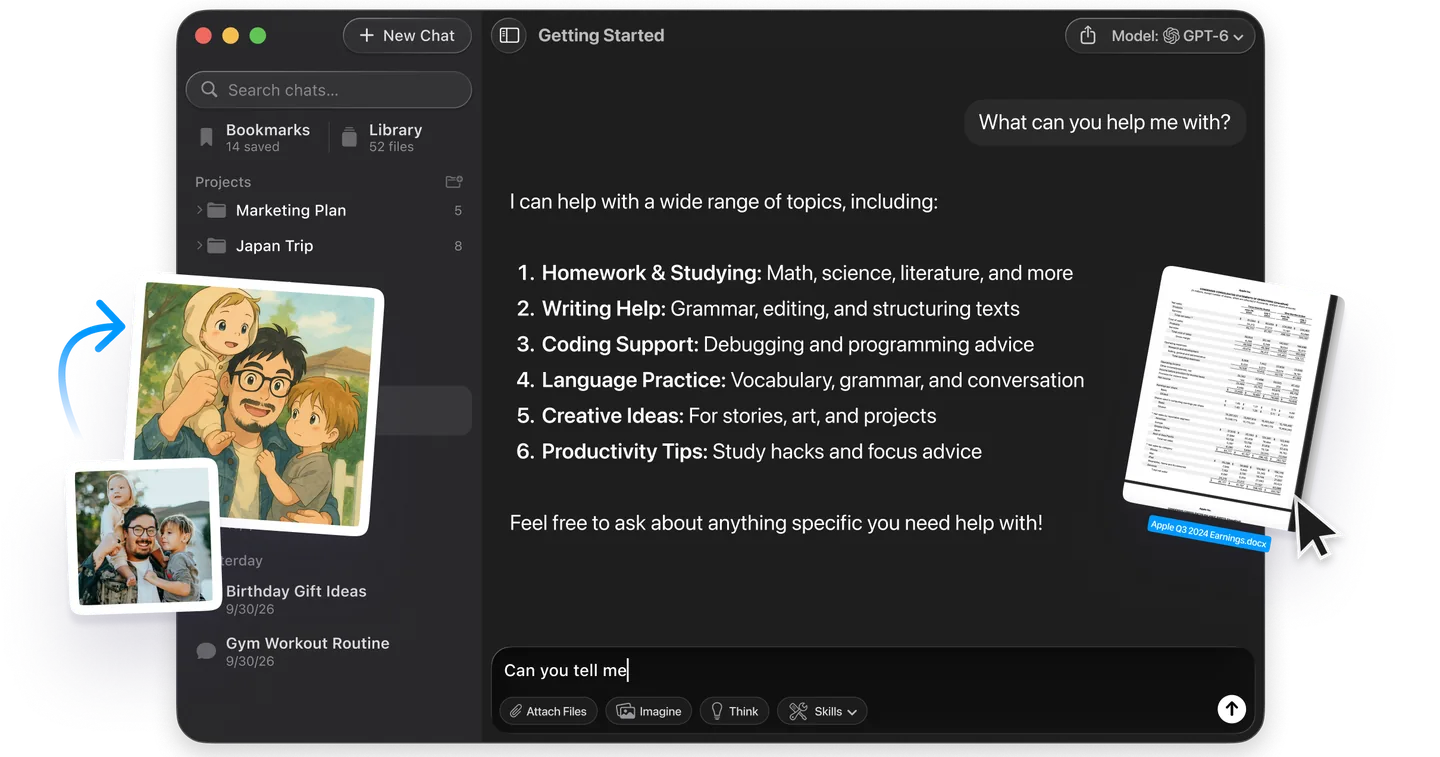
NotebookLM is ideal for grounding answers in your own documents, but it keeps you on Google’s models. When you want a second opinion on the same question, or want to create something rather than research it, you can ask GPT, Claude or Gemini in one app instead of paying for each. That app is Fello AI, which puts several leading AI models side by side without separate subscriptions.
Fello AI covers writing, images, PDFs and podcasts in one place, runs on Mac, iPhone and iPad, and has a free tier. Paid plans start from $11.99 a month in most countries (checked October 2026), and it holds a 4.7-star rating across 27,000+ reviews. It works alongside NotebookLM rather than replacing its document-grounded study tools. You can try it on Fello AI on the App Store.
Conclusion
NotebookLM is genuinely free, and for most people the Standard tier is all they will ever need. You get nearly every feature, a huge 500,000-word source ceiling and a usage allowance that refreshes every five hours, generous enough that casual and even moderately heavy users rarely run out. The main thing you pay for is volume.
Start on the free plan, use it until you consistently run out of the allowance before it refreshes, and only then consider Plus at $4.99/month. That way you pay for exactly what you need and nothing you don’t. Google lists the free Standard tier on the official Gemini Notebook plans page, so there is no rush to upgrade.
FAQ
Is Google NotebookLM completely free?
Yes. The Standard tier is completely free at $0/month with any Google account and no credit card, and it includes nearly every feature. Consumers cannot buy NotebookLM on its own; you pay for a bigger usage allowance through a Google AI Plus, Pro or Ultra subscription.
Is Gemini Notebook the same as NotebookLM?
Yes. Google renamed NotebookLM to Gemini Notebook in July 2026. It is the same product with the same notebooks and the same free Standard tier, just a new name and logo. Existing notebooks and links carry over untouched. The usage limits changed separately on September 2, 2026, when the daily caps gave way to limits that refresh every five hours.
What are the NotebookLM free plan limits?
The free plan gives you 100 notebooks and 50 sources per notebook (up to 500,000 words each). Chats and Studio outputs share one compute-based usage allowance that refreshes every five hours, up to a weekly limit; Google no longer publishes a fixed daily count. Paid plans raise that allowance: AI Plus doubles it, AI Pro quadruples it, and AI Ultra gives 5x or 20x the Pro allowance.
Is NotebookLM free unlimited?
No. NotebookLM is free but not unlimited. You keep nearly every feature, but usage is capped: the allowance refreshes every five hours until you reach a weekly limit. Heavy daily users are the only ones who hit these ceilings. If you are one of them, the best NotebookLM alternatives are sorted by the cap each one removes.
Is NotebookLM free for students?
Yes, students can use the free Standard tier with no verification needed. Since August 19, 2026, Google also offers eligible students 12 months of Google AI Pro (US) or Google AI Plus (140+ markets) free. Redeem by December 31, 2026; you must be 18 or older and verify through SheerID.