Google Flow gives every account 50 credits a day, with or without a subscription. Since 5 November 2026 that buys more than it used to, because Flow's video now runs on Gemini Omni Flash 1.2 and Veo 3.1 Lite, and both fit inside a free day. The wall has moved rather than gone. A single Veo 3.1 Quality video still costs 100 credits until Google retires it on 5 December, credits never roll over, and free accounts are capped at 10-second clips with no extending or upscaling. Google also blocks non-subscribers from generating video at all during peak hours.
That gap between what Flow advertises and what it hands you is the whole story of this tool right now. Google has rebuilt it twice in a year. It renamed what the product is, folded two other products into it and moved it to a new address. Most of what you will read about Flow still describes the version that launched in May 2025. This guide covers what Google Flow is today, what every single generation costs in credits, what the free tier really buys, and which paid plan is worth it. Every figure here comes from Google's own help centre and plans page, checked on 19 September 2026, with the credit costs, credit packs and student terms re-checked on 10 October 2026. The model line-up and credit costs were re-checked again on 5 November 2026, the day Google switched Flow to Omni Flash 1.2.
The Key Takeaways
- Everyone gets 50 credits a day: Google states it plainly, "with or without a subscription". The daily refresh is triggered by your first generation, not by midnight.
- Subscription credits are extra: Google AI Pro adds 1,000 credits a month on top of the daily 50. It does not replace them, which is the single most misreported fact about Flow.
- Veo 3.1 Quality is out of free reach, then out of Flow: it costs 100 credits against a daily cap of 50, and nothing rolls over. Google retires it, with Veo 3.1 Fast, on 5 December 2026, leaving Omni Flash 1.2 and Veo 3.1 Lite, which both fit a free day.
- Google now sells Flow as a creative studio: its plans page offers "access to our AI creative studio to create cinematic scenes and stories", after Whisk and ImageFX were folded in on 25 February 2026. Its help centre still says "our AI filmmaking tool".
- Plans run $0, $4.99, $19.99 and $99.99: Free, Google AI Plus, Google AI Pro and Google AI Ultra, with a $199.99 top Ultra tier carrying 25,000 monthly credits.
- You can buy more, on Pro and Ultra: AI credit packs such as 2,500, 5,000 or 20,000 credits are sold through Google One. Google shows the price only at checkout.
- Students get the plan, not a promised credit count: the free student year is Google AI Pro in the US and AI Plus elsewhere, and its terms warn that student usage limits may differ from a paid plan.
What Is Google Flow AI?
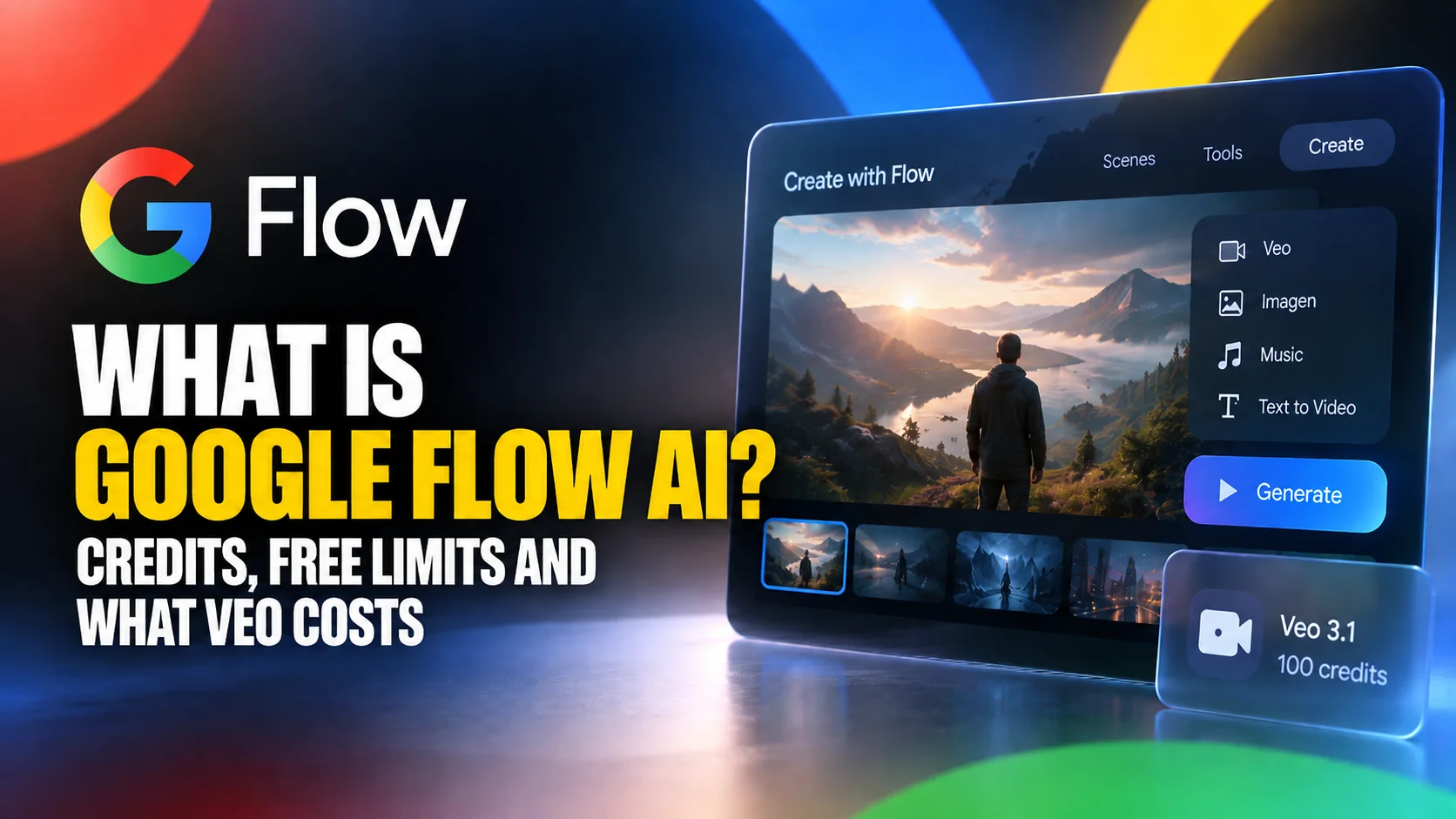
Google Flow is Google's AI creative studio for making and editing video and images in one workspace. You write a prompt, or drop in an image, and Flow generates clips with synchronised sound, then lets you extend them, edit objects inside them and build them into scenes. It is not a chatbot feature and it is not part of the Gemini app. It is a separate product with its own address, its own apps and its own currency.
Google's own introduction is still the clearest look at the interface, and it doubles as a record of how the product was originally pitched. Watch what it calls Flow, then compare it with the plans page today.

The phrase to watch is creative studio. Almost every article you will find calls Flow an "AI filmmaking tool powered by Veo", because that is close to what Google called it at launch. Google's own plans page has moved on, and now describes Flow as an "AI creative studio to create cinematic scenes and stories". Google has not retired the old name, and its help centre still opens with "our AI filmmaking tool", so both are live. The shift is real even so. Flow stopped being only a video tool the moment Google moved its image products inside it.
The models inside Flow
Flow is a shell around several Google models rather than a model of its own. Since 5 November 2026, video runs on two of them. Gemini Omni Flash 1.2 is the conversational model that makes and edits clips of up to 15 seconds. Veo 3.1 Lite is what Google calls "a dependable, low-cost baseline for standard 720p creation". Veo 3.1 Fast, Veo 3.1 Quality and Omni Flash 1.1 keep working until Google retires them on 5 December 2026. Images run on Nano Banana: Nano Banana 2 Lite is the free default, Nano Banana 2.1 is the standard model, and Nano Banana Pro is the default for Ultra. Flow Music, a separate app in the same family, runs Google's Lyria music model, upgraded to Lyria 3.5 in July 2026.
Want the background on the video model itself rather than the studio around it? Our explainer on Veo and native audio generation covers how Google got here. Our ranking of the best AI video generators puts Veo next to its rivals.
Where Google Flow lives now
Flow used to sit at labs.google/fx/tools/flow. That URL still works, but it no longer serves anything: it returns a 308 permanent redirect to flow.google.com, which is where the product lives now. If you have an old bookmark, or you searched for labs google flow and landed on a page that looks abandoned, that redirect is the reason. Flow graduated out of Google Labs and onto its own domain.
How Google Flow Credits Work
Flow does not meter you in videos or minutes. It meters you in credits, and the rules are unusually specific, which is good news because it means you can work out exactly what you can afford before you spend anything.
The 50 daily credits everyone gets
Google's Flow credits help page states it in one sentence: "With or without a subscription, you receive 50 Google Flow credits per day." That is the baseline for every account, paid or not. Google adds that with no subscription "you receive only 50 Google Flow credits per day to try Google Flow", which is the clearest signal that the free tier is designed as a trial rather than a usable free plan. Workspace users on qualifying plans, from Business Starter to Education Plus, get Flow with the same 50 daily credits at no extra charge, according to Google's Flow get-started page.
The refresh has a quirk worth knowing. Your daily credits do not reset at midnight. Google says "your daily credit refresh is triggered by your first generation", and gives a worked example: use credits for the first time on 12 August and your next 50 arrive on 13 August. Your personal clock starts when you start.
Subscription credits are extra, not a replacement
This is where most coverage of Flow goes wrong. You will read that Google AI Pro gives you 1,000 Flow credits a month, framed as the allowance you get for your $19.99. It is not the allowance. It is a top-up.
Google's wording is identical across all four paid rungs, and the load-bearing word is extra: subscribers receive an extra allocation of credits each month, on top of the daily 50. Plus adds 200, Pro adds 1,000, Ultra at $99.99 adds 10,000 and Ultra at $199.99 adds 25,000. All of that sits on top of the 50 you already get every day. Read literally, Pro's headline 1,000 monthly credits is smaller than what the daily allowance compounds to over the same month. That tells you something useful. At the Pro tier you are not buying volume so much as headroom on the days you need it.
Nothing rolls over
Both pools expire. Google says that if you do not use the full 50 in a day, "the unused Google Flow credits don't roll over", and separately that "unused monthly Google Flow credits do not roll over to the next month". Subscription credits refresh at the start of your billing cycle, not on the first of the month.
That single rule is what caps the free tier. To see where the cap bites, you need the price of each generation, and Google does publish one.
How to buy more Google Flow credits
Buying more Google Flow credits means buying AI credits through Google One, because Flow spends "Google Flow credits or AI credits" interchangeably. Google's AI credits purchase page gives the steps: open the Google One AI credits page, click Get AI credits and choose an amount, with 2,500, 5,000 and 20,000 credits as the examples. Google does not print a price for any pack on its help pages. The price appears only at checkout, so treat any per-credit figure you read elsewhere as unverified.
Three rules decide whether you can buy at all. AI credits are sold only to Google AI Pro and Google AI Ultra subscribers, they are not sold in Japan, and in a family group only the plan manager can buy them. Purchased credits also expire on their own clock: Google says they "may expire after a certain period, as set out when you acquire them", rather than at the end of your billing cycle. After a first purchase you can switch on auto-reload, which tops up your balance when it drops below a threshold, up to five reloads a day, for users aged 18 or over.
Google contradicts itself on one point. Its Flow credits page says "Plus, Pro, and Ultra subscribers can purchase AI credits", while the Google One purchase page says AI credits "are not available for purchase for Google AI Plus plans". The Google One page is the one that runs the checkout, so assume a Plus plan cannot buy top-ups until Google makes the two agree.
What Every Google Flow Generation Costs
Google publishes a full price list in its Flow credits help page, and it is the most useful thing about Flow that almost nobody reproduces. Here it is, as of 5 November 2026, with the models Google retires on 5 December marked. Google notes that "limits are subject to change at any time", so check the settings panel next to your prompt box before you plan a big project around these numbers.
| Generation | Credits (non-Ultra) | Credits (Ultra) | Possible on 50 a day? |
|---|---|---|---|
| Omni Flash 1.2, 720p, up to 10s | 3 per second | 3 per second | Yes, one 10-second clip |
| Omni Flash 1.2, 360p, up to 10s | 1 per second | 1 per second | Yes, five 10-second clips |
| Omni Flash 1.2, 11 to 15s | Subscribers only: 6 per extra second at 720p, 2 at 360p | Same | Not available |
| Omni Extend, 3 to 10s | Subscribers only: 3 per second at 720p, 1 at 360p | Same | Not available |
| Veo 3.1 Lite, lower priority | Not available | 0 (Ultra 20x only) | Not available |
| Veo 3.1 Lite | 10 | 5 | Yes, five a day |
| Veo 3.1 Fast (retires 5 Dec) | 20 | 10 | Yes, two a day |
| Veo 3.1 Quality (retires 5 Dec) | 100 | 100 | Not on the daily 50 |
| 1080p upscaling | Subscribers: 0 up to 10s, then 1 per second | Same | Not available |
| 4K upscaling | Not available | 50 up to 10s, then 5 per second | Not available |
Two details in that table deserve calling out. Ultra subscribers pay half price on Veo 3.1 Lite and Fast, which is a genuine discount rather than just a bigger bucket. And Veo 3.1 Quality costs 100 credits for everybody, with no Ultra discount at all. Omni Flash 1.2 has no Ultra discount either: it costs the same per second on every plan.
The lower-priority Lite row is the closest thing Flow has to unlimited credits. Veo 3.1 Lite in Lower Priority mode costs zero credits, but Google now limits it to Ultra 20x subscribers and family plan managers. Every other plan pays for every generation, and no plan makes Omni Flash 1.2 free.
Extending a shot changed on 5 November 2026. Google retired Veo Extend that day, which also ends the old contradiction between its credit list and its models page. Extending now means Omni Extend on Omni Flash 1.2, which adds 3 to 10 seconds per turn and is for Google AI Plus, Pro and Ultra subscribers only.
Omni Flash is open to every account. Google's models page states that "All users can access Omni Flash models", but free accounts get clips of 3 to 10 seconds while Plus, Pro and Ultra subscribers get up to 15. Omni's 360p mode costs a third of the 720p rate, which makes it the cheapest way to rough out a scene. For the model itself, our Gemini Omni Flash guide covers its prices outside Flow too.
Is Google Flow AI Free? What 50 Credits a Day Really Buys
Yes, Google Flow AI is free to use, and Google lists Flow in the feature set of the free plan, describing it as access to the AI creative studio "including limited access to Nano Banana Pro". Images are free too: Google said outright in its February 2026 Flow announcement that "you can generate images for free in Flow". The Flow Agent, the planning assistant added in May 2026, is "available to all Google Flow users globally", which includes you.
Google has also settled a contradiction that used to sit in its own help centre. Its get-started page once said that to use Flow you must "Be subscribed to Google AI Plus, Google AI Pro, or Google AI Ultra", while the credits page metered non-subscribers in detail. The get-started page now says that with no subscription you can "Access basic video generation and editing features and 50 Google Flow credits per day to try Google Flow". The two pages finally agree: Flow works without a plan.
What you can make each day for free
Fifty credits is a real daily budget once you know the prices, and it divides up cleanly. Here is how to spend a day of it depending on what you are doing.
| If you want to | Spend it like this | Total |
|---|---|---|
| Test prompt ideas fast | Five Veo 3.1 Lite clips at 10 each | 50 |
| Get one sharper, longer take | One 10-second Omni Flash 1.2 clip at 720p (30), plus two Lite clips | 50 |
| Storyboard cheaply | Five 10-second Omni Flash 1.2 clips at 360p (10 each) | 50 |
| Fix a clip and try variants | One 10-second Omni edit at 360p (10), plus four Lite clips | 50 |
One limit is not about credits at all, and it is the first thing Google's credits page mentions. During peak hours, which Google puts at roughly 2 PM to 5 PM UTC, non-subscribers "may not be able to generate videos" no matter how many credits are showing. Image generation and the Flow Agent keep working. That window is late morning in New York and late afternoon in central Europe, so if Flow refuses a video then, check the clock before you check your balance.
The practical rule is to draft on Lite or on Omni at 360p, and spend 720p credits only on the shot you already know you want. For learning the tool, testing a prompt style or producing a handful of social clips a week, a free account is enough, and it costs nothing.
What the free allowance cannot reach
Now the wall. Veo 3.1 Quality costs 100 credits. Your daily allowance is 50. Unused credits do not roll over. No amount of patience gets a free balance to 100, so until Google retires Quality on 5 December 2026 it is out of reach on the daily allowance. After that date the wall moves rather than disappears. Clips over 10 seconds, Omni Extend and upscaling are all reserved for subscribers, so a free account stays capped at 10 seconds of 720p. Buying credits does not get you past either wall: Google restricts one-time AI credit purchases to "Google AI Pro and Google AI Ultra plans", explicitly excluding Plus.
There is exactly one documented route around it, and almost nobody writes about it. Flow spends "Google Flow credits or AI credits", and Google runs a feature called Turntable inside Flow Music that hands out AI credits for free: you listen to two audio samples and vote for whichever better matches the prompt. Google does not describe those credits as locked to Flow Music. If you want a Quality generation without paying, that is the only path Google itself documents, and you should expect it to be slow. That route only matters until 5 December, because it earns credits, not a subscription, and the limits that remain after that date are tied to the plan.
Every guide that tells you Flow is free with 50 credits a day and stops there has left out both halves of this: the ceiling, and the one way through it.
The two upscaling walls
Upscaling is where tiers stop being bigger buckets and start being different products. 1080p upscaling costs subscribers zero credits, a real perk. For non-subscribers Google does not price it at all. It lists the feature as not available. So a free user is not only capped on quality at generation time, they cannot lift what they did generate afterwards either. If you need to deliver anything at 1080p, the cheapest fix is the $4.99 Plus plan, not a bigger credit balance. Since 5 November the free upscale covers clips up to 10 seconds, and each extra second costs 1 credit.
The same gate sits at the top of the ladder. The 4K upscaler costs 50 credits and is Ultra only, so a Pro subscriber sitting on a thousand spare credits still cannot reach it. On both walls the blocker is the tier you are on, never the balance you have saved. On Omni Flash 1.2 those 50 credits cover clips up to 10 seconds, with 5 more for every extra second.
Google Flow AI Plans and Prices Compared
Flow has no subscription of its own. It rides on the Google AI plans, so the decision is really about which Gemini tier you want. Prices below are Google's own US plan listings, checked on 19 September 2026.
| Plan | Price | Flow credits | Best for |
|---|---|---|---|
| Free | $0 | 50 a day, nothing more | Learning the tool, Lite and 10-second Omni clips |
| Google AI Plus | $4.99/mo | 50 a day plus 200 a month | 15-second clips, Omni Extend, 1080p upscaling |
| Google AI Pro | $19.99/mo | 50 a day plus 1,000 a month | Regular 15-second Omni clips |
| Google AI Ultra | from $99.99/mo | 50 a day plus 10,000 a month | Half-price Veo Lite, 4K upscaling |
| Google AI Ultra top tier | $199.99/mo | 50 a day plus 25,000 a month | Professional production volume |
Which plan is actually worth it
The interesting rung is the cheapest one. At $4.99, Google AI Plus adds only 200 monthly credits, about six 10-second Omni Flash 1.2 clips at 720p. It also flips 1080p upscaling from unavailable to free, and it unlocks 15-second clips and Omni Extend. If your blocker is output quality or clip length rather than volume, Plus solves it for the price of a coffee and Pro is overkill. If you want full-length clips as a habit, Pro's 1,000 extra credits buy about 16 fifteen-second 720p clips a month at 60 credits each, and that is the tier most people land on. Ultra only makes sense if the half-price Veo Lite rate and 4K matter to you commercially. Our full breakdown of Gemini pricing across every plan covers what else each tier carries, and what the free Gemini plan includes goes deeper on the no-cost option.
Google Flow with the Gemini student offer
The Gemini student offer is the cheapest legitimate route to more Flow credits, with one caveat written into its terms. Eligible college students in the United States get 12 months of Google AI Pro free, and students in more than 140 other markets get Google AI Plus instead, according to Google's student page. You must be 18 or over, verify through SheerID and redeem by 31 December 2026, and in the US the plan renews at $19.99 a month unless you cancel. Our guide to the Gemini student offer covers eligibility and the claim steps.
On a paid plan, Pro adds 1,000 Flow credits a month and Plus adds 200, on top of the daily 50. The student page does not mention Flow at all, and the student offer terms say students "may experience different usage limits than Google One members on a paid plan". The free year gets you the plan, not a guaranteed credit number. After you redeem it, check your balance under your profile picture in Flow before you plan a project around 1,000 credits.
When you want more models, not more credits
There is a different question hiding behind the plan table, and it is worth separating. Paying Google more gets you more Google. If what you actually want is to stop being locked to one company's models, that is a different purchase. Fello AI puts Gemini alongside GPT, Claude, Grok, Perplexity, DeepSeek, Kimi, GLM and Qwen in one native Mac, iPhone and iPad app from $11.99 a month in most countries, with a free tier to try it, and no credits to count. It does not generate video, so it is not a Flow replacement, but for everything around the video work, the scripting, the research, the prompt drafting, it means one subscription instead of four. There is more on the models it carries on our guide to the best AI models.
How Google Flow Changed Twice in One Year
Most of the confusion around Flow comes from the fact that the internet is describing three different products under one name. Here is the actual sequence.
May 2025: an AI filmmaking tool
Flow launched on 20 May 2025 as "the evolution of VideoFX, a Google Labs experiment". It shipped with Camera Controls, Scenebuilder, Asset Management and Flow TV, and it was explicitly a filmmaking product. Access was limited to Google AI Pro and Ultra subscribers in the US, and Pro came with 100 generations per month. Every one of those details has since changed, which is why quoting them today is a mistake. By October 2025, Google reported "over 275 million videos generated in Flow".
Google Labs announced it in those exact words, which is why the phrase has stuck to Flow ever since.
Introducing Flow, a new AI filmmaking tool that is built with and for creatives to let you seamlessly create cinematic clips, scenes and stories using @GoogleDeepmind’s most advanced models: Veo + Imagen + Gemini.
— Google Labs (@GoogleLabs) May 20, 2025
Create now ➡️ http://flow.google
February 2026: Whisk and ImageFX disappear into Flow
On 25 February 2026, Google folded two separate products into Flow. In Google's words, the best capabilities of both "are moving directly into Flow, so you can now generate, edit and animate everything in one unified workspace". Nano Banana became part of the core experience, a lasso tool and natural-language editing arrived, and image generation became free. Users could opt in from March to transfer their old Whisk and ImageFX projects across. Google put the running total at "over 1.5 billion images and videos" created since launch. This is the release that turned a video tool into a creative studio, and it is the one the SERP mostly missed.
May 2026: agents, mobile apps and Flow Music
On 19 May 2026 Google added the Flow Agent, a planning partner available to all users globally, and Flow Tools, which let you build bespoke workflows by describing them in plain language. Gemini Omni Flash arrived for subscribers. Mobile apps landed. And Flow Music joined the family as a separate app running Lyria 3 Pro. Google said Flow had "launched in over 140 countries around the world", retiring the US-only limit for good.
November 2026: Omni takes over the video
On 5 November 2026 Google reorganised Flow's video around Gemini Omni Flash 1.2, which makes and edits clips of up to 15 seconds for subscribers. Veo Extend was retired the same day. Google set 5 December 2026 as the retirement date for Veo 3.1 Fast, Veo 3.1 Quality and Omni Flash 1.1, which leaves Omni Flash 1.2 and Veo 3.1 Lite. Pricing moved from a fixed price per clip to credits per second.
Google Flow Apps, Flow Music and Signing In
A good share of Flow searches are really navigation questions. Here are the direct answers.
| Surface | Status as of 19 September 2026 |
|---|---|
| Web | flow.google.com, the full feature set, sign in with a Google Account |
| Old Labs URL | labs.google/fx/tools/flow returns a 308 redirect to flow.google.com |
| Flow on Android | Available in beta |
| Flow on iPhone | Not yet, Google says coming soon |
| Flow Music on iOS | Available now |
| Flow Music on Android | Not yet, coming soon |
| Age limit | 18+ for Google Flow everywhere, with age verification |
| Countries | Over 140 as of Google's May 2026 announcement, and its help centre now lists more |
Google is explicit that the web version remains the place to get everything: the mobile apps are for creating on the go, not for full feature parity. Google also recommends "a desktop computer with a Chromium-based browser", so if you are choosing where to start, start in Chrome or Edge.
That footprint grew fast. Four days after launch Flow was still US-only in the announcement above, and Google Labs was already posting this.
🚨 Flow, our AI filmmaking tool, is now available in 71 more countries 🌍 through the Google AI Pro and Ultra subscriptions. Also, Veo 3 is now available for Pro subscribers to try (create your videos with sound!), and we’ve increased capacity even more for Ultra subscribers. ✨ We can’t wait to see (and hear!) what you make! Create with Flow 👉 http://flow.google
— Google Labs (@GoogleLabs) May 24, 2025
The Bottom Line
Google Flow is a better product than its free tier suggests and a worse deal than its credit numbers suggest, and both of those come down to the same rule: nothing rolls over. The free account is a genuine trial, not a free plan, and its ceiling is not a soft one. You get five Lite clips or one 10-second Omni clip a day, and nothing longer than 10 seconds without a subscription.
If Flow is something you want to use rather than sample, the honest recommendation is to stop looking at the credit totals and ask what is blocking you. If it is output quality or clip length, Google AI Plus at $4.99 unlocks free 1080p upscaling and 15-second clips and fixes it for almost nothing. If it is volume, Pro at $19.99 buys about 16 full 15-second clips a month on top of the daily allowance. And if you find yourself paying three subscriptions to get at three companies' models, the problem was never Flow's price list. Whatever you decide, note the date on every number here, because Google keeps changing this product's shape and says its limits can change at any time.
FAQ
Is Google Flow AI free?
Yes. Google gives every account 50 Google Flow credits per day, with or without a subscription, and image generation in Flow is free. Three catches: credits do not roll over, free clips stop at 10 seconds, and Google may block non-subscribers from generating video during peak hours, roughly 2 PM to 5 PM UTC. Until 5 December 2026, the daily allowance also cannot reach the 100 credits a Veo 3.1 Quality video costs.
How many credits does a Veo 3.1 video cost in Google Flow?
Veo 3.1 Lite costs 10 credits, or 5 for Ultra subscribers. Veo 3.1 Fast costs 20, or 10 for Ultra, and Veo 3.1 Quality costs 100 for everyone, but Google retires both on 5 December 2026. Gemini Omni Flash 1.2 is billed per second instead: 3 credits a second at 720p and 1 at 360p. Google notes these limits can change at any time.
Do Google Flow credits roll over?
No, neither pool does. Unused daily credits do not roll over to the next day, and unused monthly subscription credits do not roll over to the next month. Your daily refresh is triggered by your first generation rather than at midnight.
Can you buy more Google Flow credits?
Yes, on Google AI Pro and Ultra. You buy AI credits through Google One in packs such as 2,500, 5,000 or 20,000, and Flow spends them like its own credits. Google shows the price only at checkout, purchases are not available in Japan, and Google's own pages disagree on whether Plus subscribers can buy them.
Does the Google student offer include Flow credits?
It includes the plan that carries them. US college students get a free year of Google AI Pro, which adds 1,000 Flow credits a month on a paid plan, and students in other markets get AI Plus, which adds 200. Google's student terms warn that student usage limits may differ from a paid plan, so check your balance in Flow after you redeem.
Is there an unlimited Google Flow plan?
Not for every model. The nearest thing is Veo 3.1 Lite in Lower Priority mode, which costs zero credits for Ultra 20x subscribers and family plan managers. Every other generation, including Omni Flash 1.2, spends credits on every plan.
What happened to Whisk and ImageFX?
Google moved them into Flow on 25 February 2026, saying the best capabilities of both were moving directly into Flow so users could generate, edit and animate in one workspace. From March, users could opt in to transfer their old projects and assets into their Flow library.
Is there a Google Flow app for iPhone?
Not yet. As of 19 September 2026 the Flow app is on Android in beta with iOS listed as coming soon, while the separate Flow Music app is available now on iOS with Android coming soon. Both carry an 18+ age requirement, and the web version at flow.google.com has the full feature set.