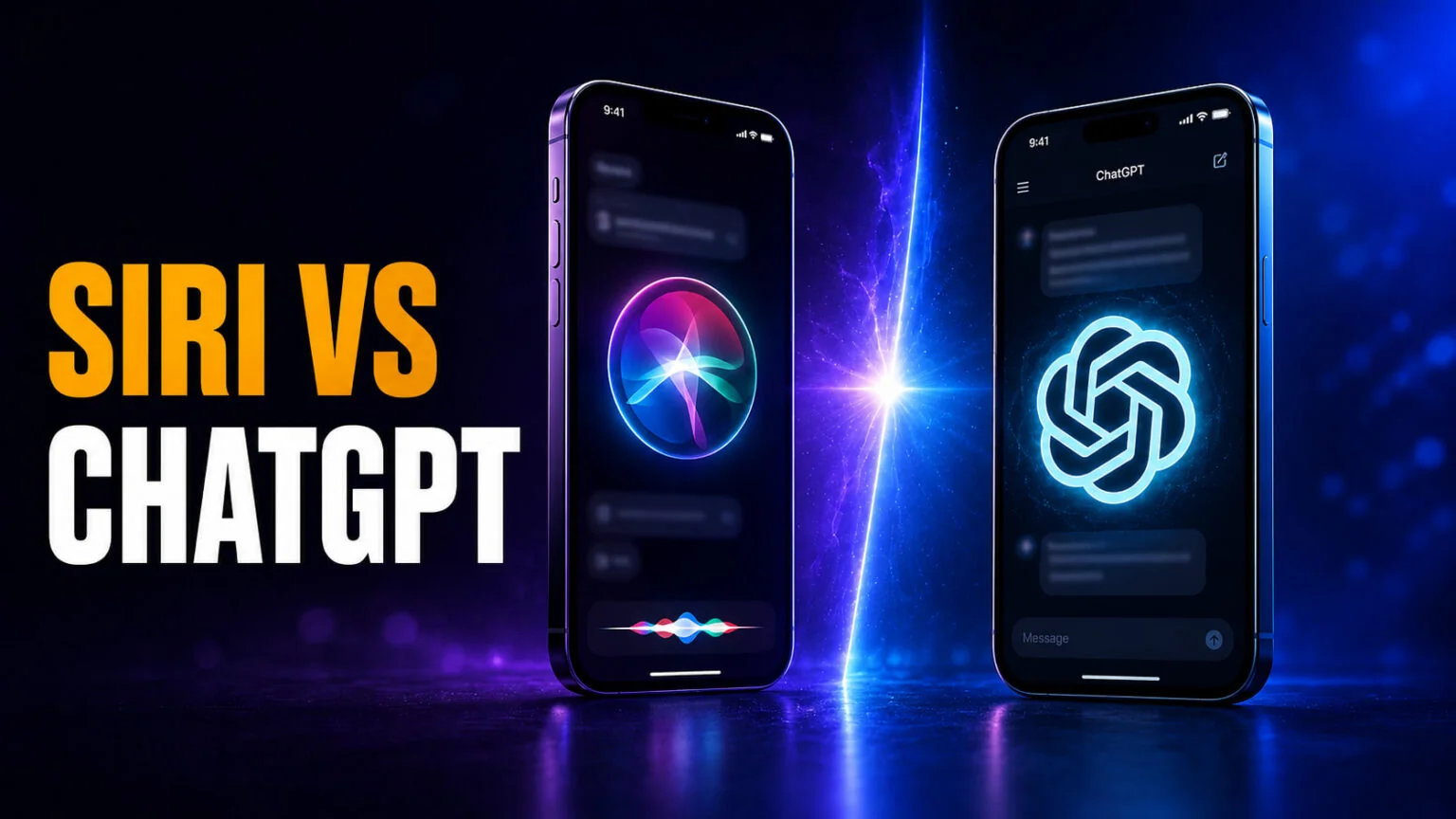
The Siri vs ChatGPT debate just changed for the first time in years. Apple’s 2026 software, iOS 27 and macOS 27 “Golden Gate,” rebuilds Siri into a generative assistant called Siri AI, complete with a dedicated app and a chat interface. What it does not do, despite what most comparisons claim, is let you hand tough questions to ChatGPT, Gemini, or Claude: Apple has never announced that. In mainland China, that world-knowledge layer comes from Alibaba’s Qwen instead, because ChatGPT is blocked there, though Apple says Siri AI itself is not available in China yet. Yet even after the biggest Siri overhaul ever, the honest answer is still nuanced. Siri wins on device control and privacy, while ChatGPT wins on reasoning, writing, coding, and anything creative.
This guide compares the two assistants the way you actually use them on your iPhone and Mac. You will see a full side-by-side table, what genuinely changed in the new Siri, where the reported Extensions system really stands, and a clear verdict on which tool to reach for and when. We keep the model version numbers inside the text so the recommendations stay useful as both sides ship updates. If you only want the steps, here is how to swap Siri’s brain for ChatGPT.
The Key Takeaways
- Siri wins on device control and privacy. It runs many tasks on-device and through Private Cloud Compute, and it can actually operate your iPhone, Mac, and apps.
- ChatGPT wins on intelligence. It is far stronger at reasoning, long-form writing, coding, and generating images or documents that Siri simply cannot produce.
- Siri AI is a full 2026 redesign. iOS 27 and macOS 27 add a dedicated Siri app, a chat interface, and next-gen Apple Foundation Models built with Google Gemini technology.
- You still cannot pick your own AI. The reported Extensions system that would let you set ChatGPT, Gemini, or Claude as the default was never announced by Apple and is not in iOS 27. Only ChatGPT is wired in today.
- The smart setup runs both. Keep Siri for hands-free tasks on your device, and use ChatGPT for thinking work, or run every model in one app.
Siri vs ChatGPT at a Glance
Before the details, here is the fast version. The two tools were built for different jobs, which is exactly why so many people end up using both. Siri is a voice-first assistant wired into your Apple devices, while ChatGPT is a large language model built for open-ended thinking and creation.
| Capability | Siri (Apple Intelligence) | ChatGPT |
|---|---|---|
| Best at | Hands-free device tasks | Reasoning, writing, creating |
| Device control | Deep, controls apps and settings | None, cannot operate your phone |
| Reasoning and research | Basic, hands off hard queries | Excellent, deep and nuanced |
| Long-form writing | Short drafts only | Essays, code, full documents |
| Image generation | Limited via Image Playground | Yes, built-in image models |
| Voice | Fast, hands-free commands | GPT-Live full-duplex conversation |
| Privacy | On-device plus Private Cloud Compute | Data routed through OpenAI servers |
| Works outside Apple apps | Weak, tied to Apple ecosystem | Yes, platform independent |
| Price | Free, built into Apple devices | Free tier, Plus from $20/month |
| Platforms | iPhone, iPad, Mac, Watch | Web, iPhone, Android, Mac app |
The pattern is clear. Anything that touches your device, your calendar, or your privacy leans toward Siri, and anything that needs real intelligence leans toward ChatGPT. The rest of this guide unpacks why, starting with what actually changed in the 2026 Siri.
What Changed With Siri in 2026
For years Siri was the punchline in every AI comparison, a voice assistant that set timers while ChatGPT wrote your essays. That gap is what Apple set out to close with Siri AI, the redesigned assistant that shipped in iOS 27 and macOS 27 “Golden Gate.” According to MacRumors’ iOS 27 Siri guide, the new Siri gets a dedicated app where you can start new conversations or revisit past ones, plus a chat interface that behaves far more like ChatGPT or Claude than the old command-and-response Siri.
Under the hood, Apple rebuilt the brains. The next generation of Apple Foundation Models that power Siri were developed using the technologies behind Google’s Gemini models, whose current fast tier is Gemini 3.8 Flash, the result of a collaboration between the two companies. On iPhone, Siri now lives in the Dynamic Island as an expandable bubble, and on Mac it appears as a standalone Siri app you can open like any other program. Apple’s first public beta went live in July 2026, and iOS 27 reached everyone on Monday, 14 September 2026. Apple ships Siri AI as a beta inside that finished OS, “available in English to start”, with French, Japanese, Korean, Portuguese and Spanish due in October. See everything new in our iOS 27 guide.
Privacy remains the core selling point. Siri features run on-device and, when they need more power, on Apple’s servers using Private Cloud Compute, which Apple says keeps your data inaccessible to Apple or third parties. This is the one area where Siri has always beaten ChatGPT, and the 2026 redesign only widens that lead. If you want the fundamentals first, our guide on how to use Siri on your Mac covers the commands worth learning.
One thing to clear up before the comparison. Apple is reported to be building an Extensions system that would let you set ChatGPT, Gemini, or Claude as the model behind Apple Intelligence, but it was not shown at WWDC, it is not in the shipping release, and Apple has never confirmed it. Only ChatGPT is wired into Siri today, and our guide to replacing Siri with ChatGPT covers exactly what that setting does and does not do. If Apple ever opens the slot properly, the obvious follow-up is why you would stop at one model, which is where the multi-model setup at the end of this guide comes in.
The EU Catch: Siri AI Skips the iPhone
If you are reading this in Europe, one line in Apple’s announcement changes the whole comparison. Apple says “Mac and Apple Vision Pro users in the EU will be able to access Siri AI,” but that “Siri AI will not be available initially in the EU in iOS, iPadOS, and watchOS.” The rebuilt assistant lands on your MacBook and skips your iPhone.
That flips the practical answer for a lot of people. On an EU iPhone, this stays a ChatGPT vs old Siri comparison for now, and the new Siri simply is not an option. Apple says it is “working hard to find a path forward” on privacy and security, but it has not given a date. On an EU Mac you get the full Siri AI experience on day one.
Siri: Strengths, Weaknesses, and What It’s Best For
Siri’s whole identity is the assistant that lives inside your devices. It is not trying to write your novel; it is trying to run your day without you touching the screen. Judged on that goal, the 2026 version is genuinely strong.
Where Siri Wins
Siri is the only assistant here that can actually control your phone. It sets alarms and reminders, sends messages, makes calls, opens apps, adjusts settings, and controls smart home devices, all hands-free. On a Mac it now shares the messaging part of that job with ChatGPT, but it is still the only one that touches settings, calls and your smart home. Its biggest edge is Personal Context, meaning it can draw on your emails, messages, photos, and files to answer questions that a standalone chatbot has no access to.
Privacy is the other clear win. Because many requests never leave your device, and sensitive cloud requests run through Private Cloud Compute, Siri is the safer choice for anything personal. For most non-technical users, that balance of capability and privacy is exactly what they want from a daily assistant.
Where Siri Falls Short
The moment you step outside quick tasks, Siri struggles. Reviewers testing Siri AI on macOS “Golden Gate” found it can produce short answers but cannot generate a document or a PDF, and it stumbles the instant your request leaves the Apple ecosystem. It is not built for long-form creative work, deep research, or coding, and it still leans on a partner chatbot for anything genuinely hard.
In short, Siri is a brilliant remote control for your digital life and a mediocre thinker. That is fine, because Apple never designed it to be the thinker. When Siri acts up entirely, our guide on why Siri stops working walks through the fixes.
ChatGPT: Strengths, Weaknesses, and What It’s Best For
ChatGPT comes at the problem from the opposite direction. It cannot touch your device settings, but it can out-think Siri on almost any question that requires real understanding. Its default model is OpenAI’s GPT-5.6 Sol on paid plans and GPT-5.6 Luna on the free tier. OpenAI’s flagship since 3 September 2026 is GPT-6 Astra, but in chat it only reaches the Pro, Business and Enterprise plans, as GPT-6 Pro, so a Plus subscriber is still talking to GPT-5.6.
Where ChatGPT Wins
ChatGPT is dramatically more capable at anything involving language and logic. It explains complex concepts, writes essays and emails, drafts and debugs code, analyzes long documents, and generates images, none of which Siri can match. Its responses read as natural, contextual conversation rather than scripted replies, and it holds a thread across a long back-and-forth.
It is also platform independent. You can use ChatGPT on the web, on Android, on Windows, and in its Mac app, so you are not locked to one ecosystem. If you are weighing what the no-cost tier actually includes, our breakdown of is ChatGPT free lays out the limits.
Where ChatGPT Falls Short
ChatGPT has fewer hands than Siri, though the gap narrowed in August 2026. It still cannot set a reminder or turn off your lights, and on an iPhone it has no access to your device or your personal data unless you paste it in. It also routes your conversations through OpenAI’s servers, so it is the weaker choice for privacy-sensitive requests.
The exception is on a Mac. On August 20, 2026 OpenAI added an Apple Messages plugin that reads and searches your iMessage, SMS and RCS conversations and sends messages as you. It is opt-in and available on every plan, but it is Apple silicon only, it runs inside ChatGPT Work and Codex rather than a regular chat, and it needs Full Disk Access, your contacts and Automation control of Messages. Our guide to the ChatGPT Mac app covers what that grant actually reaches.
There is a cost angle too. Siri is free and built in, while ChatGPT’s best features and highest limits sit behind a Plus plan from $20 a month. For pure device convenience, paying for a chatbot you still have to open manually can feel like overkill.
Siri vs ChatGPT on Voice
Voice is where the two feel closest, and where the difference in design shows most clearly. Siri’s voice is built for speed, short commands, quick answers, and hands-free control while you cook, drive, or walk. It is reliable for the small stuff and always one “Hey Siri” away.
ChatGPT’s voice plays a different game. Its GPT-Live model uses a full-duplex design, meaning it can listen and speak at the same time, drop in an “mhmm,” and hold a natural, flowing conversation rather than a strict question-and-answer loop. It is better for brainstorming out loud or talking through a problem, though at launch it is rolling out on the web and mobile first. Our explainer on ChatGPT’s new GPT-Live voice mode covers how it works and where to find it.
Siri vs ChatGPT vs Gemini, Grok, and Alexa: The Wider Picture
Because the reported Extensions system would also cover Gemini and Claude, plenty of people are really asking a three-way question. Gemini’s strength is fresh, real-time information and tight ties to Google’s services, which makes it a natural pick when you need current answers. Claude leans toward careful reasoning and long documents, while ChatGPT remains the most well-rounded all-rounder.
The twist is that Apple’s own Siri models are already built on Gemini technology, so choosing Gemini as your Siri extension would keep you close to the engine Apple picked, the same Gemini line Apple built its foundation models on. Apple still serves those models itself, so this is a shared lineage rather than a shared endpoint. That choice looks more deliberate every month, because Apple is now suing OpenAI over trade secrets and asked a federal court for an injunction in August 2026. None of that changes the core split, though. Siri handles your device, and whichever chatbot you plug in handles the thinking. If you want the full field ranked, see our roundup of the best AI models compared.
Where Grok fits
Grok is the other name that comes up, and it sits somewhere different again. Its appeal is speed and a much looser tone, plus live access to X, which makes it the pick for people who want reactions to something happening right now rather than a careful answer. It is the weakest of the group at the quiet, structured work Siri gets asked for, so as a Siri replacement it is a narrower fit than ChatGPT or Gemini. We ranked it against the rest in our guide to the best AI models.
Where Alexa fits
Alexa belongs in a slightly different bracket, because the comparison people usually mean is a smart speaker one rather than a phone one. Amazon rebuilt it as Alexa+ on generative models, so it now holds a conversation rather than just running commands, and it is still the strongest of the group at controlling a house full of devices. What it does not have is Siri’s reach into your phone, your messages, and your apps, which is the whole reason Siri is hard to replace. If your question is really about the kitchen speaker, Alexa wins. If it is about the device in your pocket, it is not in the running.
Which Should You Use? The Verdict
There is no single winner, and any article that crowns one is oversimplifying. The right answer depends on the task in front of you, and the good news is that in 2026 you rarely have to choose just one. Here is the practical way to split them.
Reach for Siri when you want hands-free control, quick device tasks, reminders and messages, smart home commands, or answers that rely on your personal Apple data. Reach for ChatGPT when you need to write, research, code, brainstorm, analyze a document, or generate an image. If privacy is your top concern, Siri’s on-device processing gives it the edge, and if raw intelligence matters most, ChatGPT takes it comfortably.
For most people the honest recommendation is to run both. Keep Siri as your always-on device assistant, set a strong chatbot as your Apple Intelligence extension, and open ChatGPT directly for serious work. On the Mac specifically, you can go further, and our guide to Apple Intelligence alternatives for Mac shows what that looks like.
The Multi-Model Answer for Mac Users
Once you accept that no single assistant does everything, the next question is what that costs. Siri is free and built into the device, but the chatbot doing the thinking is not. ChatGPT Plus starts at $20 a month, and putting Claude or Gemini alongside it means a second bill, a second app and a decision made every time you start a task.
Fello AI is a native Mac, iPhone and iPad app that puts ChatGPT, Claude and Gemini behind one subscription, along with Grok, DeepSeek, Perplexity, Kimi, GLM and Qwen, plus the image models Siri cannot match. It starts at $9.99 a month, half the price of a single Plus plan, with a free tier to try first and a 4.7-star rating across 27,000+ reviews. Siri keeps running your device while you switch models inside one conversation for the thinking, writing and creating, instead of picking a single extension and living with it.
Conclusion
The 2026 Siri vs ChatGPT matchup is no longer a blowout, but it is still a story of two different tools. Siri AI is a real upgrade for hands-free control and privacy, while ChatGPT stays far ahead on intelligence, creativity, and getting actual work done. The smartest move is not to pick one but to use each for what it does best.
If you are on a Mac and want every top model in one place instead of choosing a single Siri extension, that is exactly the gap Fello AI fills. Start with Siri for your device, then add the model muscle where it counts. For ChatGPT on its own, our guide to the ChatGPT desktop client for Mac covers the native macOS app.
FAQ
Is ChatGPT better than Siri?
For reasoning, writing, coding, and creative work, ChatGPT is clearly better than Siri. For hands-free device control, personal context, and privacy, Siri is better. They are built for different jobs, so most people get the best results using both.
Can Siri use ChatGPT?
Yes. Siri can hand complex questions to ChatGPT today. A reported Extensions setting would let you make ChatGPT, Gemini, or Claude the default instead, but Apple has never announced it and it is not in iOS 27. Siri still handles device tasks while the chatbot does the reasoning.
Does Siri work on Mac?
Yes. Siri runs on Mac, and in macOS 27 “Golden Gate” it gains a dedicated Siri app with a chat interface. You can ask questions, control apps and settings, and revisit past conversations, much like the redesigned Siri on iPhone.
Is Siri more private than ChatGPT?
Generally yes. Siri runs many requests on-device and uses Private Cloud Compute for the rest, which Apple says keeps data inaccessible to Apple or third parties. ChatGPT routes conversations through OpenAI’s servers, so Siri is the safer pick for sensitive tasks.
Can Siri generate images like ChatGPT?
Only in a limited way through Image Playground. For flexible, high-quality image generation you still want ChatGPT or a dedicated image model. Siri cannot produce documents or PDFs either, which is a common reason people keep a full chatbot alongside it.
How does Alexa compare to Siri and ChatGPT?
Alexa+ is now generative like ChatGPT, and it is the best of the three at running smart home devices. It is the weakest at phone tasks, because it has no access to your iPhone’s messages, apps, or settings the way Siri does. Most people end up using Alexa on a speaker and Siri or ChatGPT on the phone rather than choosing one. Apple’s answer to the Alexa speaker is Apple HomeView, a smart display built around Siri AI, which ships on 13 November but is not sold in the EU.