Tired of the same plain black-and-white chat window every day? In Fello AI 6.10.0, we focused on two things: making the app feel like yours, and letting it do more of the work for you.
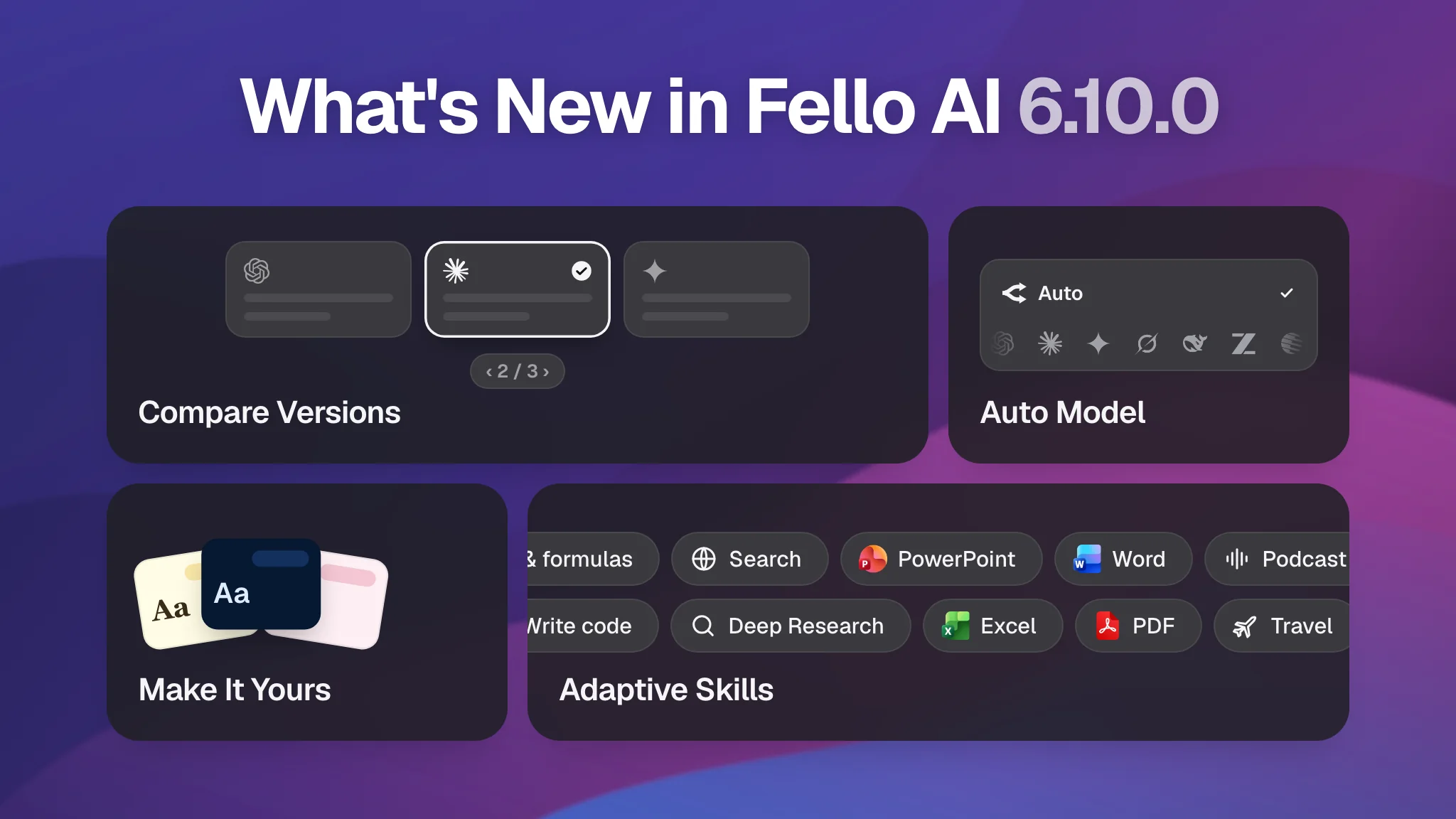
For the first time, you can give your chats your own look, with new colors and fonts, and make every conversation a little more enjoyable. We have also made Fello AI much simpler to use. It can now pick the right AI model for you and turn on the right Skills by itself, based on what you ask or the task you're working on.
And that's not all. Read about all the new features and how they work below, and get Fello AI 6.10.0 on the App Store for iPhone, iPad, and Mac.
Make It Yours: Chat Themes
Many of us spend hours a day chatting with AI, and until now every chat looked the same: the same colors, the same font. In 6.10.0 you can change that. Make Fello AI look the way you like:
- 8 color themes, from calm and minimal to bright and bold.
- 5 fonts, so the text reads the way you like it.
- Light, Dark, or System mode, so the app follows your Mac or iPhone, or stays the way you set it.
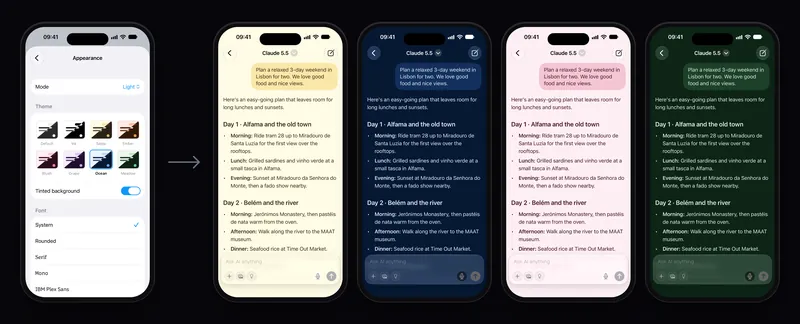
Your theme also applies to Bookmarks, Library, and Compare, so the whole app looks consistent. You'll find it in Settings → Appearance on iPhone, iPad, and Mac.
A Rebuilt Chat Engine
This is the biggest change in 6.10.0, even though most of it happens behind the scenes. We rebuilt the part of the app that sends your messages, uploads your files, and brings the answers back. You'll notice it in four places.
Skills turn on by themselves. Skills are Fello AI's extra abilities, like creating a PowerPoint, generating an image, making a podcast, or searching for flights and hotels. Until now you had to turn the right one on first. Not anymore. Just ask for what you need, for example "make me a presentation from this PDF" or "find me a hotel in Lisbon for next weekend", and Fello AI turns on the right Skills automatically.
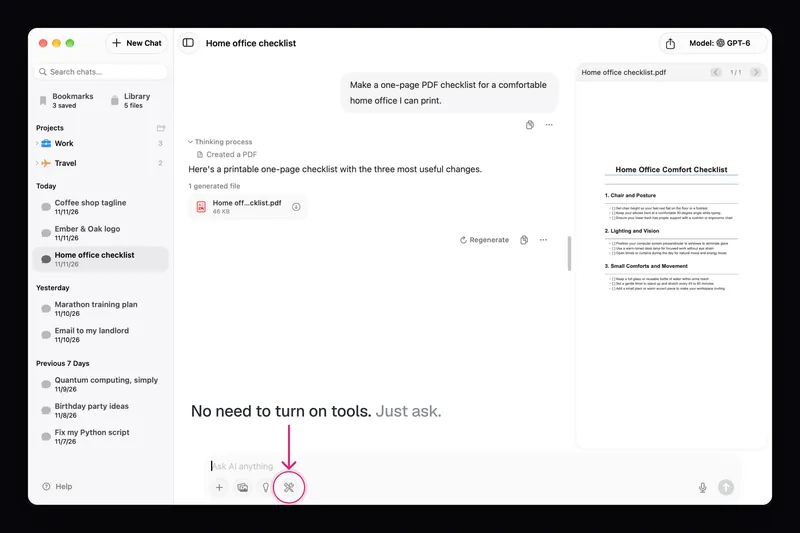
Faster file uploads. Files start uploading the moment you attach them. By the time you hit Send, they're usually already uploaded, so the answer starts sooner.
Smoother replies. Answers appear more evenly as they're written, and short status lines like "Searching the web…" show you what Fello AI is doing while you wait.
A smarter Stop. If you stop a message before any answer appears, your message goes back into the text field so you can edit it and send it again.
Auto Mode: The Best Model for Every Question
Having GPT, Claude, Gemini, Grok, DeepSeek, and more in one app is great, but it also means choosing one for every question. Which writes best? Which is best at code? Which should handle a quick question, and which a hard problem?
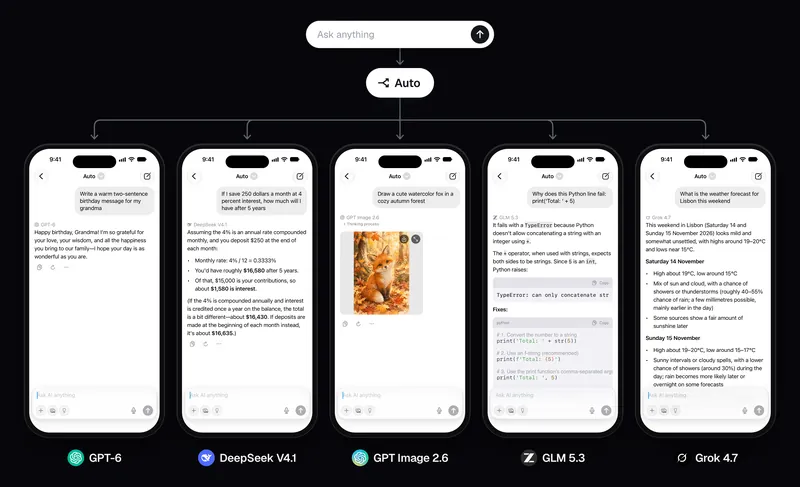
Auto decides for you. Pick it at the top of the model picker, and Fello AI sends each message to the model best suited for it.
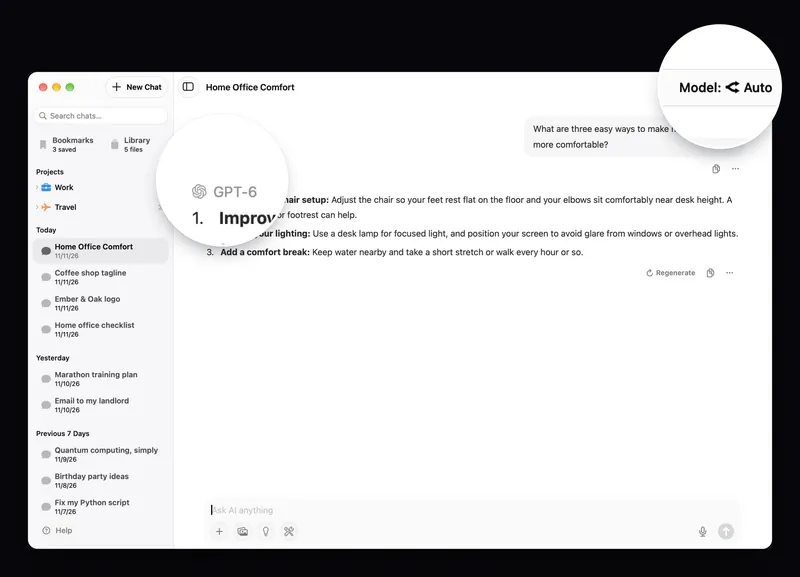
How does it choose? We rate every model on how well it writes, reasons, codes, handles documents and images, and how fast it answers, based on public tests and on how it actually performs in Fello AI. Auto works out what kind of question you asked and picks the model that does best at that. A coding question can go to a different model than a quick translation or a long research question.
Every reply shows which model wrote it, and you can pick a specific model yourself any time.
New Models
6.10.0 also brings the latest versions of the models you use every day:
- Claude 5.5, Anthropic's newest flagship.
- Gemini 4 (Argon / Carbon), Google's newest model generation.
- DeepSeek V4.1, Qwen 3.8 Max, Kimi K3.1, MiniMax M3.1, and GLM 5.3.
- New image models: Nano Banana 2.1, GPT Image 2.6, Seedream 5, FLUX 3, Grok Imagine 2, MAI Image 2.6, and Qwen Image 2.1.
They join GPT-6, Grok 4.7, Muse Spark 1.3, and more. Not sure what each one is best at? Our overview of the best AI models explains it, or just let Auto decide.
Many Smaller Improvements
- Drafts are kept. A message you've typed but not sent stays in the chat when you switch to another chat and come back.
- Reply versions. Regenerate no longer replaces the old answer. It adds a new version. Small ‹ 1 / 3 › arrows under the reply let you switch between them, and a Compare view shows all versions side by side, each labeled with its model, so you can pick the one to continue with.
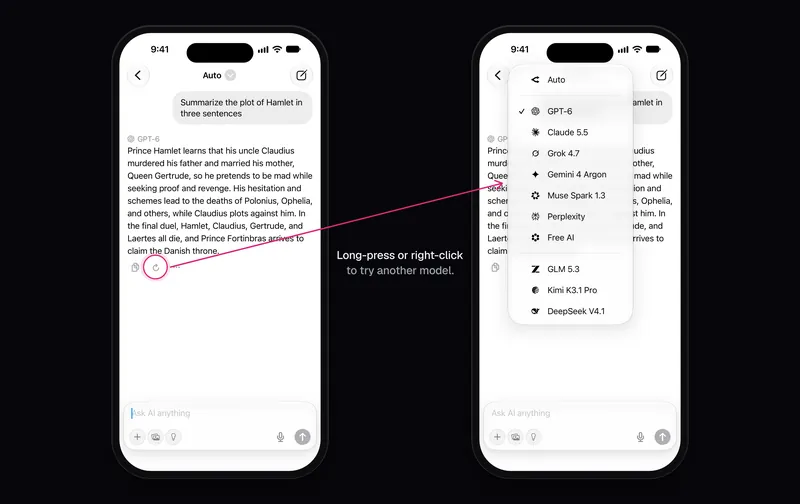
- Regenerate with a different model. Hold the Regenerate button (right-click on Mac) to redo a reply with another model, for example to see how Claude answers compared to GPT.
- Better formatting in answers. Math formulas and tables display correctly, email addresses and phone numbers are tappable, and PDF exports show code blocks properly and include the model's name.
- iPhone Duo support. Folded, Fello AI works like on any iPhone. Unfolded, it shows your chat list and the chat side by side, and your chat stays open while you fold or unfold. More on the new foldable in our iPhone Duo guide.
- Many fixes on Mac, iPhone, and iPad, including fewer crashes on macOS 12 Monterey.
Available Now on the App Store
Fello AI 6.10.0 is rolling out now on iPhone, iPad, and Mac. Update from the App Store to pick your theme, try Auto mode, and notice how much faster and smoother chats feel.
Got feedback or need help? I would love to hear from you. Email me at [email protected]. Your input helps shape every update.
The featured image for this article was created with the help of AI.