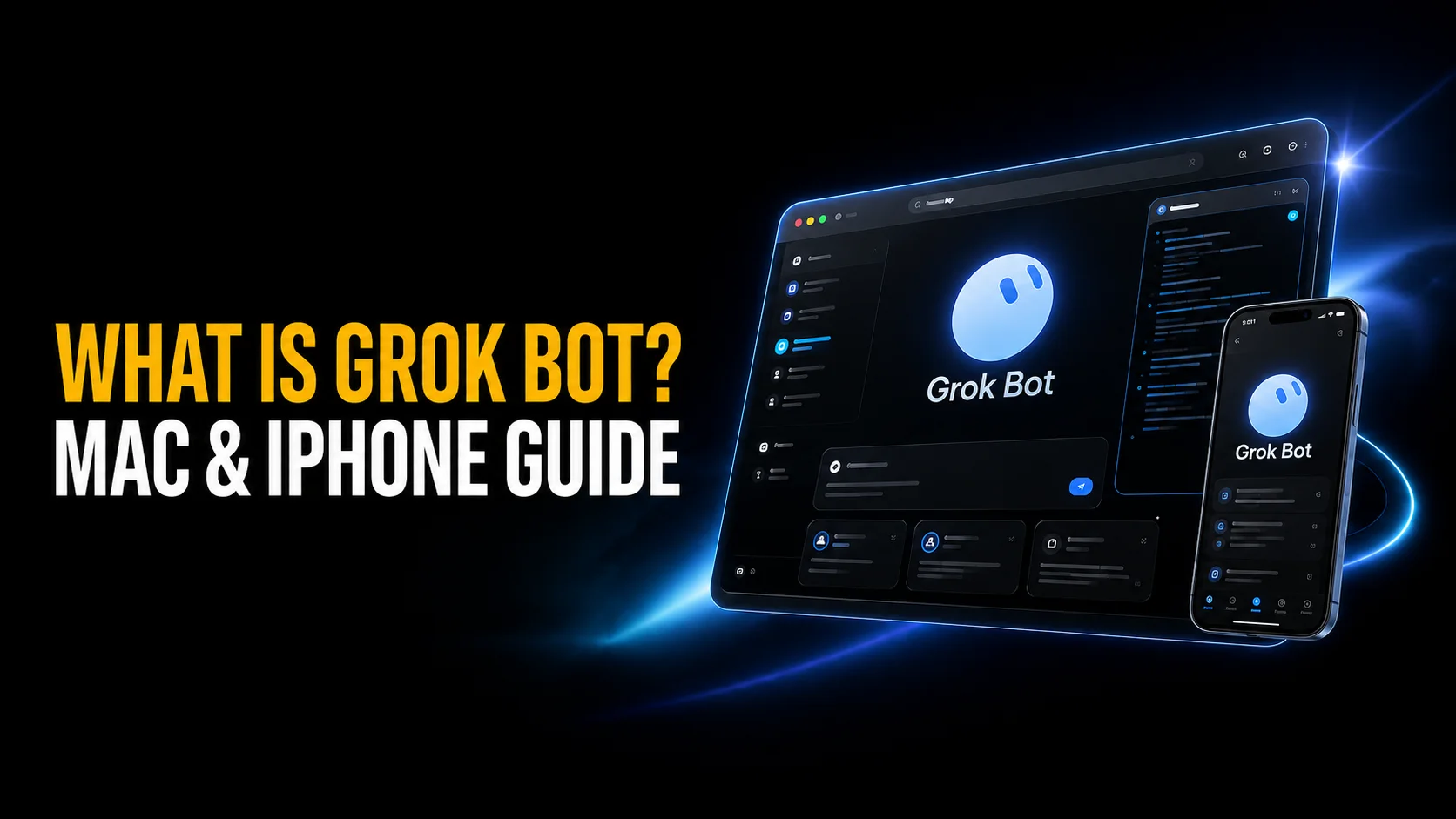
SpaceXSI launched Grok Bot on 11 August 2026, and the first thing to understand is that it is not a chatbot. Each account gets a persistent computer in the cloud. The AI agents running on it sign into your apps and websites with your own credentials, then work through multi-step jobs while your laptop sits closed. It left beta as Grok Bot 1.0 on 11 November 2026, which added shared Team Bots, Slack, Microsoft Teams and video calls. For a new buyer it comes with The X Subscription, from $30 per month.
SpaceXSI is the company formerly known as xAI. It renamed itself SpaceXAI in July 2026 and SpaceXSI, short for SpaceX Super Intelligence, in October. Grok Bot is also not the @grok account people tag under posts on X, although you can now hand a post to your Bot by tagging @bot. It is a separate app for Mac, Windows, Linux, iPhone, iPad and Android. Below is what it does, what changed in 1.0, what SpaceXSI charges, and the security guidance sitting in its own documentation.
The Key Takeaways
- Launch and 1.0: Grok Bot arrived in beta on 11 August 2026 and shipped as Grok Bot 1.0 on 11 November 2026.
- Not a chatbot: every account gets one persistent cloud computer with a browser, a file system and a terminal, which all of your Bots share.
- Price: on The X Subscription, Grok Bot comes with Premium at $30/month, Super at $100 and Ultra at $200. Free and Plus ($8) leave it out, and existing Cursor and SuperGrok subscribers keep it on their old plans.
- Devices: macOS on Apple silicon and Intel, Windows, Linux, iPhone and iPad on iOS or iPadOS 18 or later, and Android 9 or later.
- No model picker: Grok Bot chooses a model for each task, and that can be a third-party model rather than Grok.
- The catch: all of your Bots share one machine, one browser session and one set of logins. SpaceXSI’s own docs warn against treating separate Bots as a security boundary.
What Is Grok Bot?
Grok Bot is an AI agent app. SpaceXSI calls it “your proactive AI teammate” and describes the mechanism plainly: it is “an agent with access to a real computer in the cloud, so it can do all the things you can.”
The difference from a normal assistant is where the work happens. When you ask the Grok app a question, a model writes an answer and stops. When you give a Bot a job, it opens a browser on a machine that SpaceXSI runs, logs into the services you told it about, clicks through them, writes files, and reports back in chat. Close your MacBook and the job keeps going.
Each Bot gets its own screen, so several of them work in parallel and hand tasks to each other. The examples SpaceXSI gave at launch are office-shaped rather than creative: a sales Bot updating the CRM, an ops Bot processing invoices from Gmail, an engineering Bot reproducing a bug and filing the ticket. If you want the broader category context, our guide to what an AI agent actually is covers the vocabulary this product assumes you already have.
What changed in Grok Bot 1.0
Grok Bot 1.0, released on 11 November 2026, turned a personal agent into a team one. SpaceXSI named three changes: Bots you can share and bring into Slack, Microsoft Teams and video calls; Bots that spot work and offer to take it on; and faster, more reliable browser use and document writing.
In practice that means a Bot can now join a Google Meet, Zoom or Microsoft Teams call, take notes, answer in the meeting chat and send a summary afterwards. Team Bots, one shared Bot that a whole team talks to, are available on Team and Enterprise plans. Meetings are available on Team, Enterprise, Super and Ultra plans, according to the current documentation. Your primary Bot also offers to take on work and flags problems, such as an app that signed you out, but it asks before acting.
You can also reach your Bots outside the app. Tagging @bot in a post on X hands that post to your main Bot as a task, but not for accounts based in the EU, the UK, Australia, Iceland, Liechtenstein or Norway. Bots also answer in X Chat, and a Team Bot can work in Slack.
Which model does Grok Bot use?
Grok Bot picks the model itself, and you cannot choose. Its FAQ says there is no model picker and that each task goes to “a first-party SpaceXSI model or a third-party model” from a provider on Cursor’s sub-processor list, which can change from one request to the next. The FAQ even gives Anthropic’s Opus 5.5 as an example. So Grok Bot is not a way to run SpaceXSI’s newest model, Grok 4.7, on demand, and your usage screen records the work as Grok Bot usage, not by model.
Grok Bot Pricing and Who Can Actually Get It
For a new buyer, Grok Bot costs $30 a month as part of The X Subscription’s Premium tier. It is not sold on its own. It rides along with a wider subscription, and the price has moved three times since launch.
Grok Bot launched on 11 August only on the top tiers: SuperGrok Heavy, Cursor Ultra and Cursor Teams Premium. Engadget’s plan breakdown put Cursor Ultra at $200 a month. On 26 August SpaceXAI announced that “Grok Bot is now included with all SuperGrok, Cursor Pro, and Cursor Teams plans”, which dropped the floor to $20 a month through Cursor Pro.
On 12 October the ladder changed again. The X Subscription became the plan every new customer starts on, covering Grok, Cursor and X Premium in one bill. Grok Bot is included on its Premium tier at $30 a month or $300 a year, with Super ($100) and Ultra ($200) giving it more of the shared weekly pool. The $8 Plus tier leaves Grok Bot out. Existing Cursor Pro, Pro+, Ultra, Teams and SuperGrok subscribers keep it on their old plans unless they switch, and switching cannot be undone.
| Plan | Price (as of November 2026) | Weekly usage pool | Grok Bot included |
|---|---|---|---|
| Plus | $8 / month | Base | No |
| Premium | $30 / month ($300 / year) | 4x Plus | Yes |
| Super | $100 / month ($1,000 / year) | 15x Plus | Yes |
| Ultra | $200 / month ($2,000 / year) | 50x Plus | Yes |
| Teams | $30, $100 or $200 / seat / month | Same as the matching tier | Yes |
| Old Cursor and SuperGrok plans | Unchanged for existing subscribers | Weekly usage on Cursor | Yes |
| Enterprise | Not published | Set by contract | Yes, since 3 September 2026 |
Every paid plan bundles a weekly usage allowance, which on The X Subscription is one pool shared across Grok, Grok Bot and Cursor. Past it you buy additional usage credits or wait for the weekly refresh, so the monthly figure is a floor rather than a ceiling. On an old Cursor plan, Grok Bot is metered on your Cursor account, and a linked SuperGrok or X Premium+ plan does not add to it: Grok Bot uses whichever grants more. Enterprise access opened on 3 September 2026, with Grok and Cursor Enterprise customers given free usage for their first two weeks. If you are choosing between agents rather than plans, our head-to-head on Grok Bot against Claude Cowork settles which agent is worth paying for. Our breakdowns of every Grok plan and its usage limits and what Cursor charges across its tiers go deeper on what each subscription includes beyond agent access.
Is there a free version of Grok Bot?
There is no permanently free tier, but some accounts get a free trial. Grok Bot’s FAQ says the trial is a usage credit with a 7-day window, offered when the access screen shows Start Trial, and that it never turns into a paid plan. The credit is spent by agent steps and tokens rather than by messages, so one big task can use all of it. The X Subscription’s Free and Plus tiers do not include Grok Bot. An App Store trial started in the iPhone app is different: Apple runs it, and it becomes a paid subscription unless you cancel. For a new buyer the cheapest paid route is Premium at $30 per month, or a Premium team seat at $30 per month if you are buying for a group.
Which Devices Run Grok Bot
Grok Bot runs on every major desktop and phone platform as of November 2026. SpaceXSI’s FAQ lists macOS on Apple silicon and Intel, Windows on x64 and Arm64, Linux on x64 and Arm64 (as a .deb, an .rpm or an AppImage), iPhone on iOS 18 or later, and Android 9 or later. The iOS app also runs on iPad with iPadOS 18 or later. The desktop app downloads from the Grok Bot page on cursor.com or from x.ai/bot.
Intel Mac support deserves a mention. Most AI desktop apps shipping in 2026 have quietly dropped Intel machines, so an older MacBook Pro still qualifies here.
What changed since launch
Grok Bot launched on desktop and iPhone only. The documentation at the time said Linux desktop, Android and iPad were not supported at initial launch, and all three have since arrived. The iPad gap closed through the iPhone app rather than a dedicated tablet app.
On the web, Grok Bot is more limited. Grok’s release notes say Bots appeared in the grok.com sidebar for SuperGrok Heavy subscribers on 19 September 2026 and for SuperGrok Plus subscribers on 3 October. The Grok Bot documentation does not list grok.com among the places to talk to your Bots, so treat the desktop and phone apps as the main way in.
How the Cloud Computer Works
Here is the architectural detail that matters more than any feature list: you get one cloud computer, not one per Bot. SpaceXSI’s documentation states that every Bot on your account uses the same persistent cloud computer, sharing its files, browser sessions and logins.
That design makes handoffs painless. A research Bot signs into a service once, and every other Bot on your account inherits that session without repeating setup. Files stay on the computer between tasks, so one Bot can continue from work another Bot saved.
It also means the boundary between your Bots is nonexistent. Anything one Bot logs into, all of them reach. Anything one Bot writes to disk, all of them read.
Bots reach services in two ways. The fallback is browser automation, driving a real browser against a real website, which needs no API and works with tools that never published one. The more reliable path is a connected app, a structured integration for services like Gmail, Notion and Slack that you add from Connect apps. Connected apps are account-wide rather than per-Bot, which reinforces the same point about shared access.
Your own computer is a separate permission. A Bot runs a command on your Mac or PC only if you allow it, and the default setting is Ask every time. SpaceXSI’s own advice is to choose Never allow unless a Bot has a specific reason to work on your local files.
Why You Sign In With a Cursor Account
New users hit something strange during setup: Grok Bot runs on a Cursor account, not a Grok one. The reason is corporate rather than technical.
SpaceX announced on 2 February 2026 that it had acquired xAI, which renamed itself SpaceXAI in July 2026 and SpaceXSI in October. SpaceX agreed to buy the AI coding company Cursor on 16 June 2026, and its SEC filing shows the deal closed on 14 August 2026 at an implied Cursor equity value of $60 billion, paid in SpaceX stock. Grok Bot uses Cursor’s accounts and billing, and on The X Subscription the sign-in page may show Grok or xAI branding instead.
The practical consequence lands on privacy. Grok Bot follows Cursor account data settings, including the training opt-out. Cursor’s Legacy Privacy Mode is not supported at all, because the product requires stored data to function. Deleting your Grok Bot account also deletes your Cursor account. Anyone who relied on that old Cursor privacy setting should read this paragraph twice.
Is Grok Bot Safe?
Grok Bot is safe enough for low-stakes work, and SpaceXSI is unusually candid about the limits. Its approvals, security and privacy documentation tells users not to send a password, one-time code or API key in ordinary chat, and not to use separate Bots as a security boundary.
A third line is the sharpest: an approval controls the proposed action, and does not reverse work already completed. Approval gates stop the next step, not the last one.
The permission system itself is reasonable. Auto Review is on by default and checks each action before it runs, letting most go ahead and stopping the rest for an approval card with Allow once, Always allow or Deny. You can add your own Ask first rules for sending, publishing, deleting or purchasing. Auto Review is model-based, and SpaceXSI says it should complement, not replace, tight permissions and explicit approval rules.
For logins, Bots sign in without seeing your passwords. They use a login saved in Vault first, then a connected password manager such as 1Password, then a Secure Form, and those values are filled in without being shown to the model. Payment cards are the exception: in chats in the Grok Bot app, a Bot can see the number and security code of a card saved in Vault, so it can type them at checkout, and a saved card fills in without a separate approval each time.
The risk is structural rather than a bug. An agent holding live logins to your working accounts, operating without supervision on a machine shared with every other Bot you run, turns a productivity question into a security question. Keep it away from production systems, financial accounts and regulated data at first. Point it at one low-stakes, reversible workflow until you trust its audit trail.
How Grok Bot Compares to Other AI Agents
Grok Bot costs more to start than ChatGPT’s agent mode or Claude, which both begin at $20 a month. Agent products from the major labs converged on similar promises in 2026 and diverged on price and permissions.
| Product | Company | Entry price | Usage on the entry plan | Runs with your device off |
|---|---|---|---|---|
| Grok Bot | SpaceXSI | From $30 / month via X Subscription Premium | Weekly pool shared with Grok and Cursor | Yes |
| ChatGPT agent mode | OpenAI | Included from ChatGPT Plus at $20 / month | 40 agent messages a month | Yes, on a virtual computer |
| Claude Cowork | Anthropic | Included from Claude Pro at $20 / month | Counts toward your Claude plan limits | Yes, cloud tasks keep running |
Grok Bot is still the expensive option, though the gap narrowed from tenfold at launch to $30 against $20 today. Anthropic is also folding Cowork into Claude itself, so on Pro, Max and Ultra the same work increasingly happens in an ordinary Claude conversation. The pricier rival is OpenAI’s dots, which start at $100 a month on ChatGPT Pro 100 and are not offered on Pro in the EEA, the UK or Switzerland. Its distinguishing choice is that agents log in as you rather than through sanctioned integrations. That buys reach into tools with no API, at the cost of a credential model the others avoid. Anthropic’s Claude Duet, a research preview since 21 October, is included with Claude Pro, Max and Ultra for US users invited from a waitlist. Our roundup of the best AI agents tested and compared and the pricing breakdown for what Claude Cowork costs put those trade-offs side by side.
Should You Use Grok Bot?
Grok Bot is worth trying if you already pay for an eligible plan, and worth a careful trial before you pay $30 for it. At launch $200 a month settled the question for almost everyone. The August widening to $20 and the October switch to a $30 Premium entry made it something you can judge for yourself, and 1.0 made it a team tool rather than a personal experiment.
What has not changed is the evidence. We found no independent benchmark of Grok Bot, and much of the coverage still repeats SpaceXSI’s own announcements. So form your own view on a real task rather than trusting anyone else’s, ours included.
If you hold an eligible plan, or your account offers the trial, give it one contained job with reversible consequences and nothing else. The persistent cloud computer is a real advance over agents that die when you shut your laptop, and browser-based sign-in reaches software that never shipped an API. Those strengths are also exactly what makes a careless first task expensive, so keep it away from production systems, financial accounts and regulated data until you trust it.
If you are weighing the paid tiers, the case is harder. $30 a month buys one vendor’s agent, on one shared cloud machine, holding live logins to your working accounts. If what you actually want is Grok’s answers rather than an agent, you do not have to pick one vendor: Fello AI lets you ask Grok, ChatGPT, Claude and Gemini the same question from one Mac, iPhone and iPad app.
Grok Bot FAQ
Is Grok Bot the same as the Grok app?
No. The Grok app is a chatbot that answers questions. Grok Bot is a separate application that runs persistent agents on a cloud computer, signs into your apps, and completes multi-step work on its own. It also is not the @grok account people tag in replies on X; Grok Bot’s own X handle is @bot.
Does Grok Bot work on iPad?
Yes, through the iPhone app. SpaceXSI’s FAQ says the iOS app also runs on iPad with iPadOS 18 or later. At launch iPad was unsupported, along with Android and Linux, and all three are now on the supported list next to macOS and Windows.
Can I use Grok Bot in a web browser?
Partly. Grok’s release notes say Bots appear in the grok.com sidebar for SuperGrok Heavy and SuperGrok Plus subscribers, since 19 September and 3 October 2026. The Grok Bot documentation names the desktop app, the phone apps, X Chat, @bot on X and Slack as the places to talk to your Bots, so install the app if you can.
Can I choose which AI model Grok Bot uses?
No. Grok Bot has no model picker. It routes each task to the model it judges best, which can be a SpaceXSI model or a third-party one, and it does not show which model handled a request.
Does Grok Bot store my passwords?
Browser sessions persist on the shared cloud computer, so signing into a service once keeps you signed in across tasks and across every Bot on your account. Saved logins live in Grok Bot’s Vault and are filled in without being shown to the model. SpaceXSI instructs users never to type a password or one-time code into ordinary chat, and to use the masked secure form instead.
Can several Bots work at the same time?
Yes. Each Bot has its own screen on the shared machine and they coordinate with each other, though a single Bot runs only one computer-use task on its screen at a time. Recording a task for a Bot to repeat is capped at ten minutes, and sites that present CAPTCHAs or demand fresh verification hand the step back to you.
Who owns Grok Bot?
SpaceXSI, which is what xAI became after SpaceX acquired it in February 2026; it was renamed SpaceXAI in July and SpaceXSI in October 2026. Grok Bot runs on Cursor accounts because SpaceX also owns Cursor, a deal agreed in June 2026 and closed on 14 August 2026. See the official launch announcement, the Grok Bot 1.0 announcement and MacRumors’ launch-day report for the primary coverage.
The featured image for this article was created with the help of AI.